Indian River County Notice to Owner Form
Last validated September 30, 2026 by our Forms Development TeamFormatted for recording in Indian River County, for property anywhere in the county: rural and unincorporated areas as well as Fellsmere, Roseland, Sebastian, Vero Beach, Wabasso, Winter Beach.
- 3 documents included
- Immediate PDF download
- Formatting guarantee
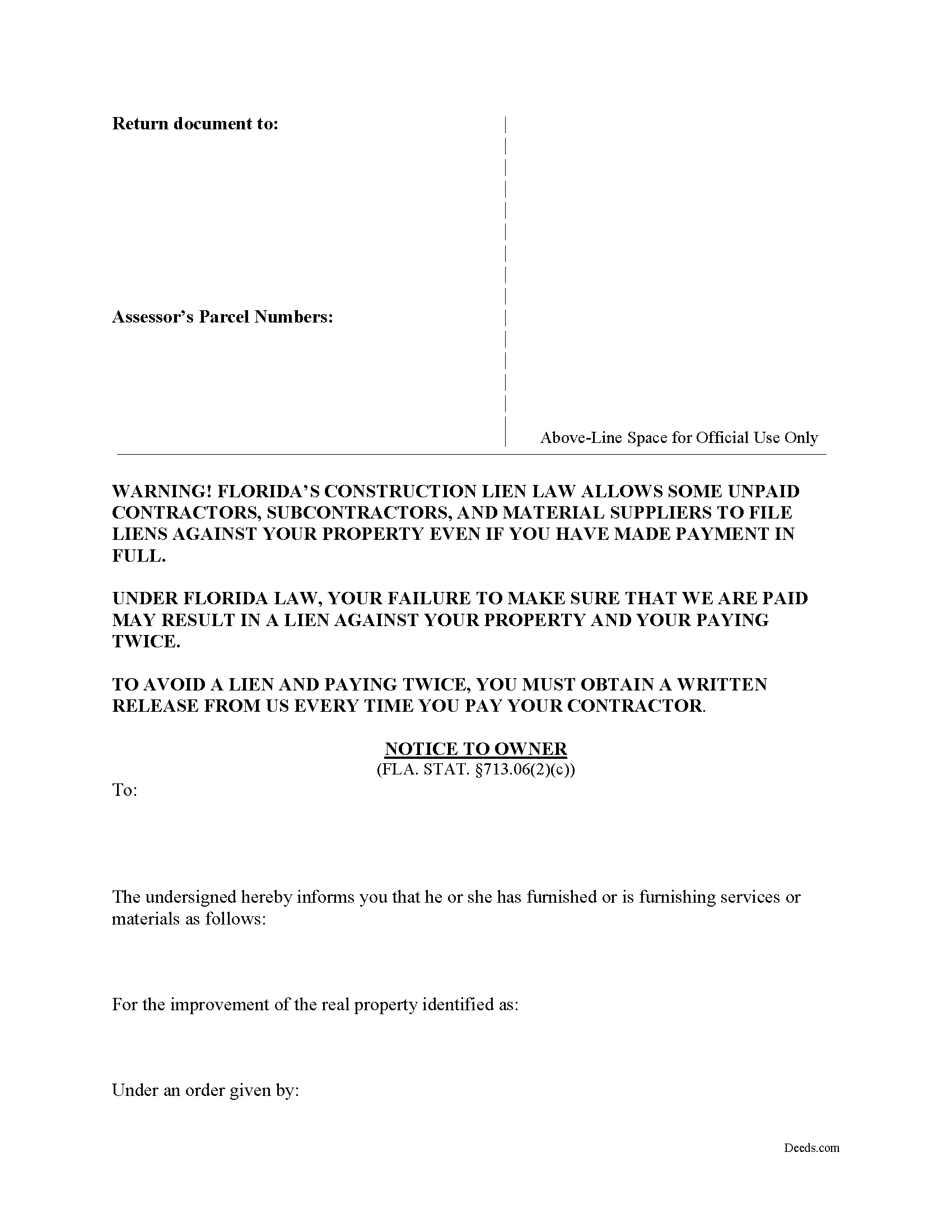
Indian River County Notice to Owner Form
Fill in the blank form formatted to comply with all recording and content requirements.
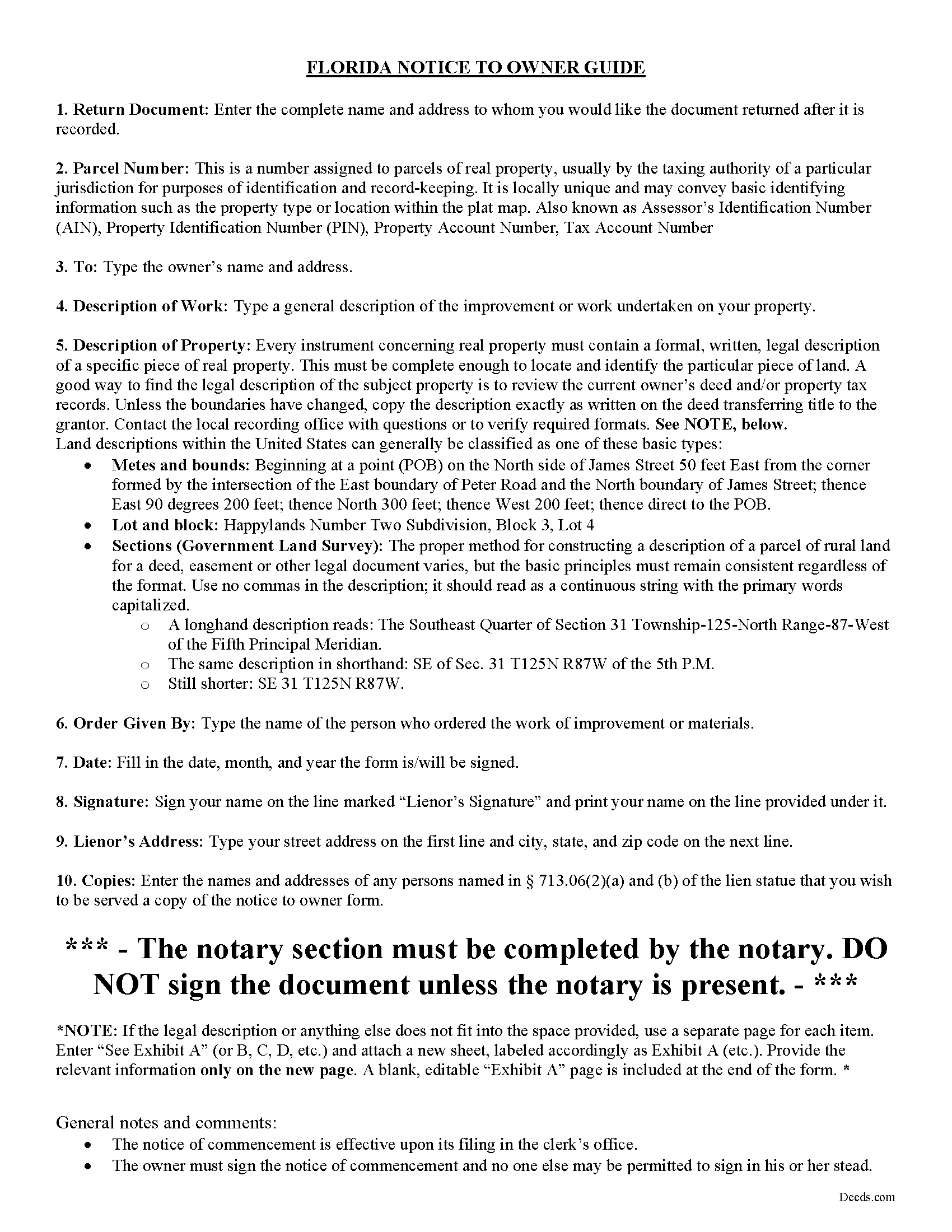
Indian River County Notice to Owner Guide
Line by line guide explaining every blank on the form.
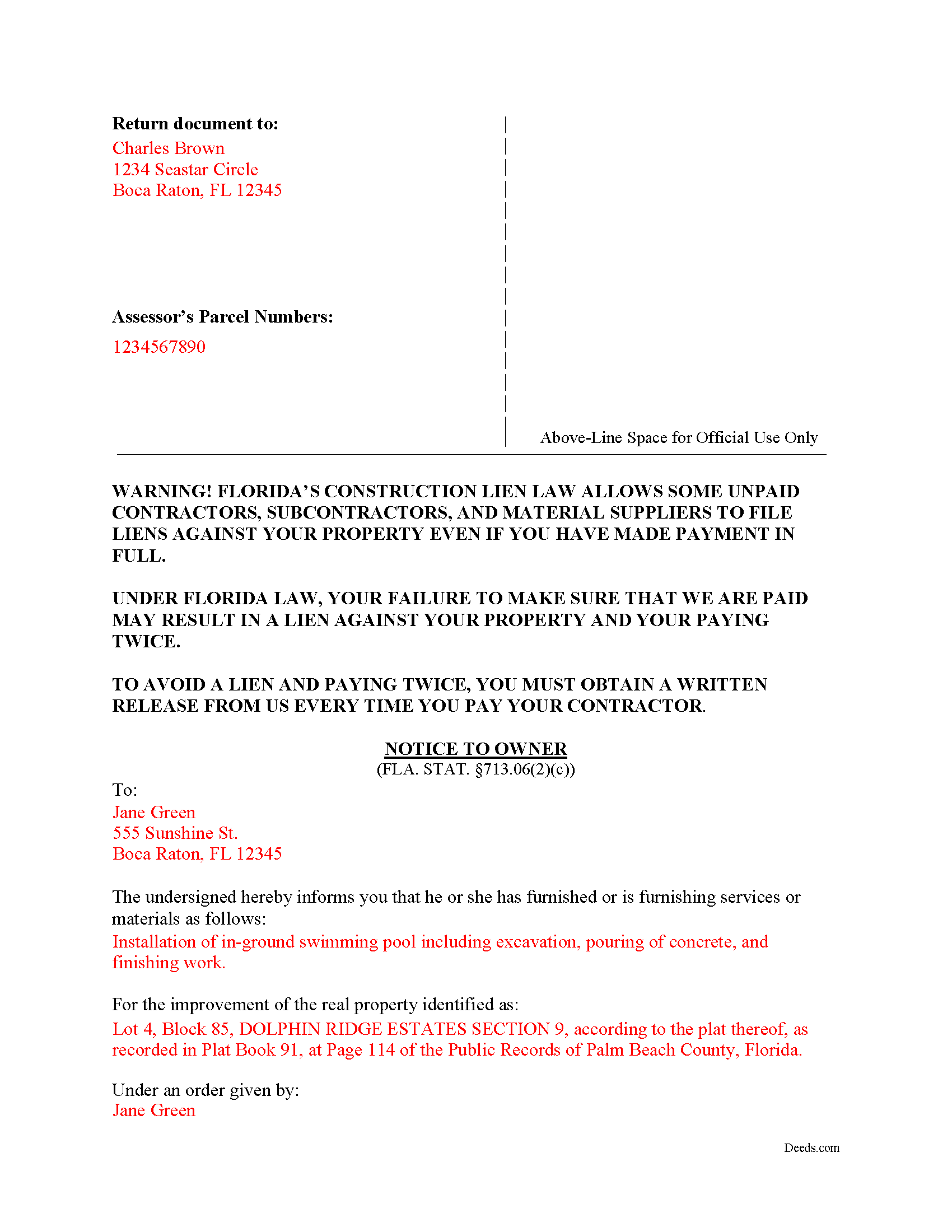
Indian River County Completed Example of the Notice to Owner Document
Example of a properly completed form for reference.
All 3 documents above included • One-time purchase • No recurring fees
Immediate Download • Secure Checkout
Additional Florida and Indian River County documents included at no extra charge:
Where to Record Your Documents
Recording - County Courthouse
Vero Beach, Florida 32960
Hours: 8:30am to 4:30pm M-F
Phone: (772) 770-5185, Ext 3175 and 3135
Recording Tips for Indian River County:
- Bring your driver's license or state-issued photo ID
- Ensure all signatures are in blue or black ink
- Recorded documents become public record - avoid including SSNs
- Recording fees may differ from what's posted online - verify current rates
- Request a receipt showing your recording numbers
Cities and Jurisdictions in Indian River County
Properties in any of these areas use Indian River County forms:
- Fellsmere
- Roseland
- Sebastian
- Vero Beach
- Wabasso
- Winter Beach
Hours, fees, requirements, and more for Indian River County
How do I get my forms?
Forms are available for immediate download after payment. The Indian River County forms will be in your account ready to download to your computer. An account is created for you during checkout if you don't have one. Forms are NOT emailed.
Are these forms guaranteed to be recordable in Indian River County?
Yes. Our form blanks are guaranteed to meet or exceed the applicable formatting requirements used for recording in Indian River County, including margin requirements, font requirements, and other layout standards. This guarantee applies to formatting, not to the legal sufficiency of information entered by the user or the suitability of a form for a particular transaction.
Can I reuse these forms?
Yes. You can reuse the forms for your personal use. For example, if you have multiple properties in Indian River County you only need to order once.
What do I need to use these forms?
The forms are PDFs that you fill out on your computer. The free Adobe Acrobat Reader is recommended, and most PDF apps also work. You do NOT enter your property information online - you download the blank forms and complete them privately on your own computer.
Are there any recurring fees?
No. This is a one-time purchase. Nothing to cancel, no memberships, no recurring fees.
How much does it cost to record in Indian River County?
Recording fees in Indian River County vary. Contact the recorder's office at (772) 770-5185, Ext 3175 and 3135 for current fees.
Questions answered? Let's get started!
A Florida Notice to Owner is not a generic mechanic's lien notice. Florida requires a specific statutory warning, a strict service window tied to the first furnishing of labor, services, or materials, and service rules that connect the notice to the notice of commencement, building permit information, and the contractor's final payment affidavit. Using a Florida-specific form helps the sender include the Chapter 713 language and recipient details needed for Florida private construction projects (Fla. Stat. § 713.06(2)).
What a Florida Notice to Owner Does
A Florida Notice to Owner is commonly used by a subcontractor, sub-subcontractor, material supplier, or other non-laborer lienor who has furnished or will furnish labor, services, or materials for a private improvement and does not have a direct contract with the property owner. The notice identifies the lienor, the real property, and the work or materials so the owner can track potential lien claimants before making payments to the contractor, while preserving the sender's ability to later record a claim of lien if payment is not made (Fla. Stat. § 713.06(1)-(2)).
Florida Notice to Owner Requirements
Florida's Construction Lien Law requires the Notice to Owner to contain information that is more specific than a simple payment reminder. The statutory form must include the warning language that tells the owner unpaid contractors, subcontractors, and suppliers may file liens even if the owner has paid the contractor in full (Fla. Stat. § 713.06(2)(c)).
- Sender information: The notice must state the lienor's name and address (Fla. Stat. § 713.06(2)(a)).
- Property identification: The notice must include a description sufficient to identify the Florida real property being improved (Fla. Stat. § 713.06(2)(a)).
- Work or materials: The notice must describe the nature of the services or materials furnished or to be furnished (Fla. Stat. § 713.06(2)(a)).
- Timing: The notice must be served before commencing, or not later than 45 days after commencing, to furnish labor, services, or materials, and in any event before the owner's final payment after the contractor's final payment affidavit (Fla. Stat. § 713.06(2)(a), § 713.06(3)(d)).
- Required copies: A sub-subcontractor or a material supplier to a subcontractor must serve a copy on the contractor, and a material supplier to a sub-subcontractor must serve the contractor and the subcontractor if the subcontractor's name and address are known (Fla. Stat. § 713.06(2)(a)).
- Additional recipient: If the owner designates another person to receive lienor notices in the notice of commencement, the lienor must serve a copy on that person as well (Fla. Stat. § 713.06(2)(b), § 713.13(1)(b)).
Signing, Copies, and Service in Florida
The Florida statutory Notice to Owner form calls for the lienor's signature but is not a deed, claim of lien, or other recorded conveyance. That means Florida deed formalities such as two witnesses, marital status recitals, documentary stamp tax, homestead joinder, and preparer identification do not control the Notice to Owner itself. The notice is a written Chapter 713 service document, and written notices under Florida's Construction Lien Law must be in writing unless a specific exception applies (Fla. Stat. § 713.012, § 713.06(2)(c)).
Service must follow Florida's statutory methods. A Notice to Owner may be served by hand delivery, by common carrier delivery service, by registered mail, Global Express Guaranteed, or certified mail with evidence of delivery, or by posting at the site of the improvement if hand delivery and mail or carrier delivery cannot be accomplished (Fla. Stat. § 713.18(1)).
Florida also has a mailing rule that is easy to miss: service of a Notice to Owner is effective as of the date of mailing when it is mailed by registered, Global Express Guaranteed, or certified mail within 40 days after the lienor first furnishes labor, services, or materials, and the sender keeps the required mail log or approved tracking records (Fla. Stat. § 713.18(2)).
Florida Timing and Service Traps
Florida treats the Notice to Owner deadline differently from many states because the 45-day period is measured from the first furnishing of labor, services, or materials, not from billing, nonpayment, completion, or discovery of a payment dispute. Florida allows some content errors or omissions if there is substantial compliance and no adverse effect, but the time requirements must be strictly followed (Fla. Stat. § 713.06(2)(f)).
- Day 40 and day 45 are not the same rule: The 45-day rule is the outside service deadline, while the 40-day mailing rule is the safe harbor that can make service effective as of the date of mailing if the statutory mailing records are kept (Fla. Stat. § 713.18(2)).
- Final payment can matter before day 45: The notice must be served before the owner disburses final payment after receiving the contractor's final payment affidavit, even if the 45-day period has not yet expired (Fla. Stat. § 713.06(2)(a), § 713.06(3)(d)).
- The notice of commencement can control addresses: Florida lienors commonly use the recorded notice of commencement to identify the owner, contractor, lender, surety, and any designated notice recipient; if no notice of commencement is recorded, the lienor may rely on the building permit application for service information (Fla. Stat. § 713.06(2)(e), § 713.13(1)).
- Serving one owner has a statutory effect: A document served by a lienor on one owner of the real property is deemed served on all owners (Fla. Stat. § 713.18(4)).
- Small direct contracts have a Florida exemption: An improvement with a direct contract price of $2,500 or less is exempt from the other provisions of Part I of Chapter 713 except the lien provisions for persons in privity with the owner (Fla. Stat. § 713.02(5)).
- Bonded private projects may use combined wording: A Florida Notice to Owner may be combined with a Notice to Contractor for certain payment-bond projects and titled "Notice to Owner/Notice to Contractor" (Fla. Stat. § 713.06(2)(c), § 713.23(1)(c)).
- The notice does not create lien priority: Serving a Notice to Owner does not give the sender priority over other lienors in the same category (Fla. Stat. § 713.06(2)(a)).
- Licensing can affect lien rights: Florida provides that no lien exists in favor of an unlicensed contractor, subcontractor, or sub-subcontractor as described in the applicable licensing statutes (Fla. Stat. § 713.02(7)).
How the Notice Fits With Florida Recording
The Notice to Owner is served, not recorded. Florida states that the notice is not a lien, cloud, encumbrance, or actual or constructive notice of any of them, and serving it does not replace the later step of recording a claim of lien when a lien is pursued (Fla. Stat. § 713.06(2)(a)).
A later Florida claim of lien may be recorded during the progress of the work or after completion, but not later than 90 days after the lienor's final furnishing of labor, services, or materials. The claim of lien is recorded in the clerk's office for the county where the property is located, and if the property lies in more than one county, it must be recorded in each county (Fla. Stat. § 713.08(5)).
Florida's priority rules tie many construction liens to the notice of commencement. Liens under sections 713.05 and 713.06 attach and take priority as of the recording of the notice of commencement; if no notice of commencement is filed, priority runs from recording the claim of lien (Fla. Stat. § 713.07(2)).
After a claim of lien is recorded, Florida also imposes enforcement deadlines. A lien generally does not continue longer than one year after recording unless an action to enforce it is commenced, and an owner or the owner's attorney may shorten the enforcement period to 60 days by recording and serving a notice of contest of lien (Fla. Stat. § 713.22(1)-(2)).
What Is Included in the Florida Notice to Owner Download
The Florida Notice to Owner download package is designed for Chapter 713 notice practice and includes:
- A Florida Notice to Owner form prepared by Deeds.com's forms development team
- Florida-specific instructions for completing the owner, property, lienor, and service information
- A completed example showing how the statutory information appears on the form
- A service checklist addressing the 45-day service period, the 40-day mailing rule, and required copies to the contractor or other recipients
- Guidance for using notice of commencement or building permit information to identify Florida project recipients
Important: Your property must be located in Indian River County to use these forms. Documents should be recorded at the county recording office listed above.
This Notice to Owner meets all recording requirements specific to Indian River County.
Our Promise
The documents you receive here are guaranteed to meet or exceed the applicable Indian River County recording format requirements. If there is a rejection caused by our formatting, we will correct the issue or refund your payment. This guarantee applies to document formatting only and does not extend to information entered by the user, the selection of the form, or the legal effect of the completed document.
Save Time and Money
Get your Indian River County Notice to Owner form done right the first time with Deeds.com Uniform Conveyancing Blanks. At Deeds.com, we understand that your time and money are valuable resources, and we don't want you to face a penalty fee or rejection imposed by a county recorder for submitting nonstandard documents. We constantly review and update our forms to meet rapidly changing state and county recording requirements for roughly 3,500 counties and local jurisdictions.
4.8 out of 5 - ( 4,827 Reviews )
Sherri S. 5 out of 5 stars
Appreciate your diligent assistance.
Thank you!
Kimberly M. 5 out of 5 stars
I love Deeds.com. I've never had any issues with the service, getting documents back, etc.
We appreciate your business and value your feedback. Thank you. Have a wonderful day!
David P. 5 out of 5 stars
Thank you. I was just looking but still think it is a great website. Used it a couple of years ago for a deed. Thank you.
Thank you for your feedback. We really appreciate it. Have a great day!
Regina W. 5 out of 5 stars
So glad I found this form. Very easy to download and looks like all the instructions are there to correctly fill out my paperwork. Thanks.
We appreciate your business and value your feedback. Thank you. Have a wonderful day!
Kathy H. 5 out of 5 stars
Very accommodating and self explanatory.
It was a pleasure serving you. Thank you for the positive feedback!
Micael J. 5 out of 5 stars
Easy to follow and fill out forms online.
Thank you for your feedback. We really appreciate it. Have a great day!
Dennis M. 3 out of 5 stars
Deeds was responsive and got back to me right away suggesting I go to the county and retrieve copies of the deed there. It's a couple of hundred miles away so was hoping I could do it online. A pretty good website though. Sorry we couldn't do business.
Thank you for your feedback. We really appreciate it. Have a great day!
Riley K G. 5 out of 5 stars
Awesome, way better than some other offerings out there. Unfortunately some people won't realize that until it's too late.
Thank you!
Debra M. 5 out of 5 stars
Easy Peasy. Great experience.
Thank you for your feedback. We really appreciate it. Have a great day!
JOHN P. 5 out of 5 stars
I thought your service would comply with my request quicker.
Looks like it took 4 minutes to complete your order, sorry it took so long.
Laurentina F. 5 out of 5 stars
Great and efficient.
We appreciate your business and value your feedback. Thank you. Have a wonderful day!
Lynne B. 5 out of 5 stars
It was very easy to navigate and very fast response time.
Thank you!
Daniel D. 5 out of 5 stars
quick and easy
Thank you Daniel.
Ismael R. 5 out of 5 stars
Very informative and acess was instant and precise.
Great to hear — thank you for taking the time to write a review.
Margaret V. 5 out of 5 stars
It was easy to follow the instructions, the sample pages were a great help.
Thank you!