Indian River County Grant Deed Form
Last validated October 11, 2026 by our Forms Development TeamFormatted for recording in Indian River County, for property anywhere in the county: rural and unincorporated areas as well as Fellsmere, Roseland, Sebastian, Vero Beach, Wabasso, Winter Beach.
- 3 documents included
- Immediate PDF download
- Formatting guarantee
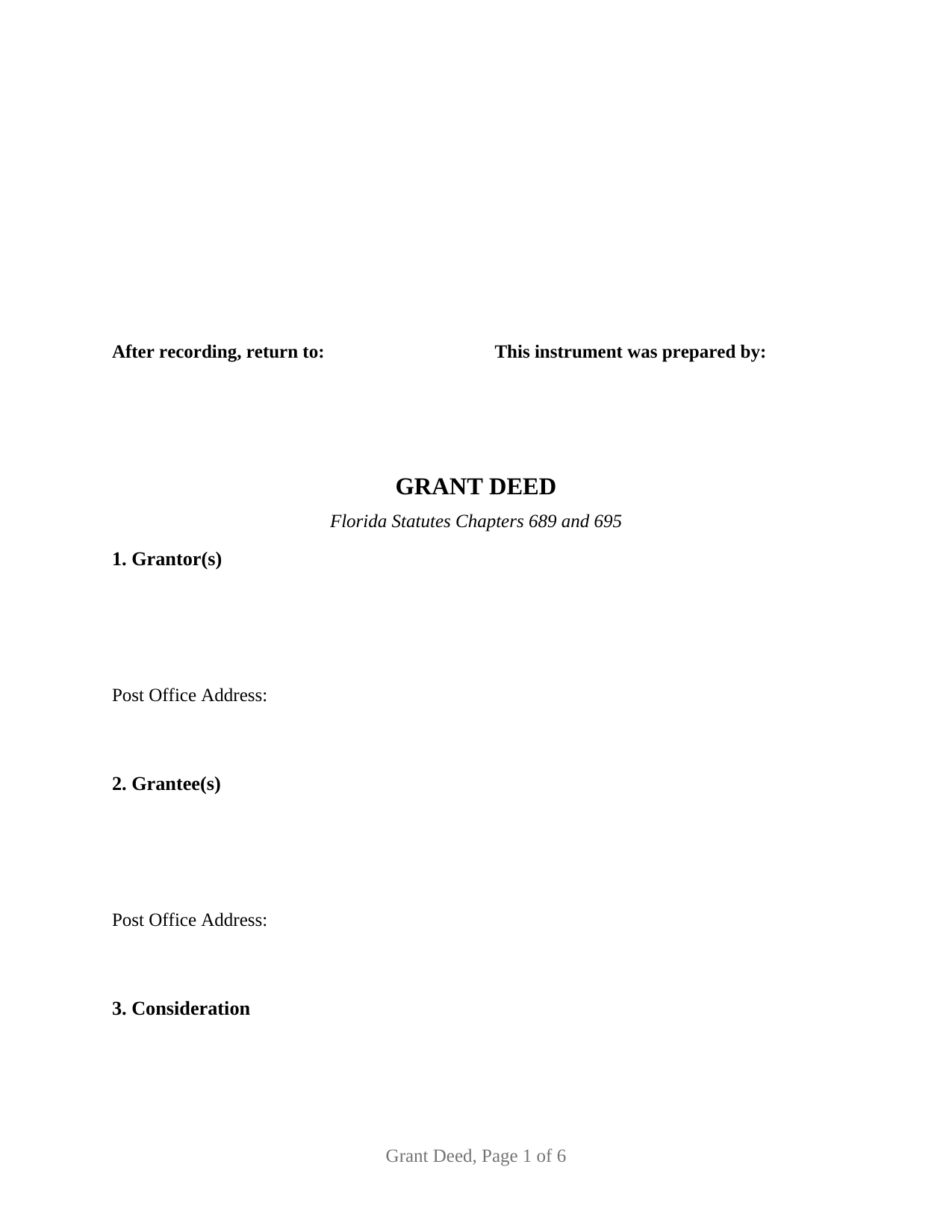
Indian River County Grant Deed Form
Fill in the blank Grant Deed form formatted to comply with all Florida recording and content requirements.
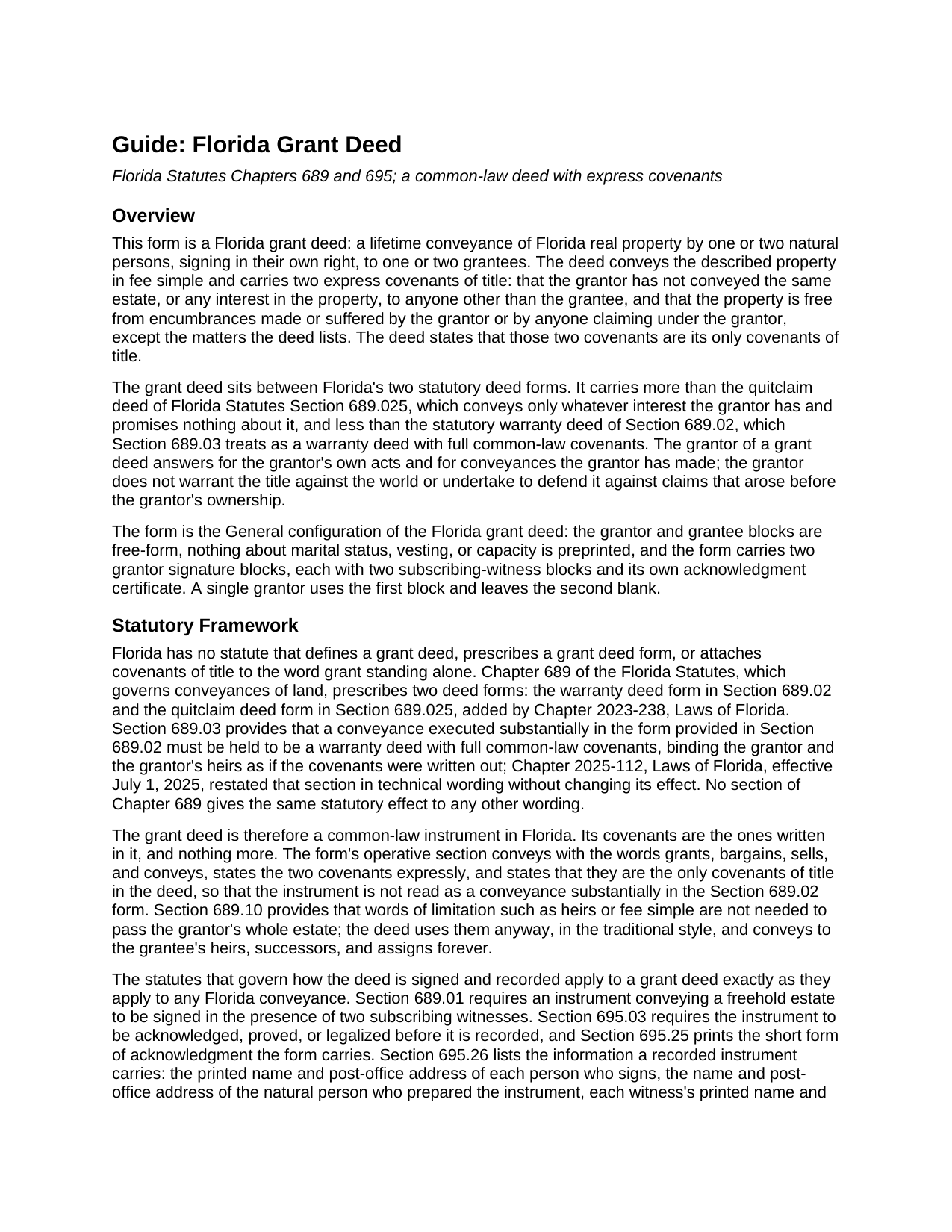
Indian River County Grant Deed Guide
Line by line guide explaining every blank on the Grant Deed form.
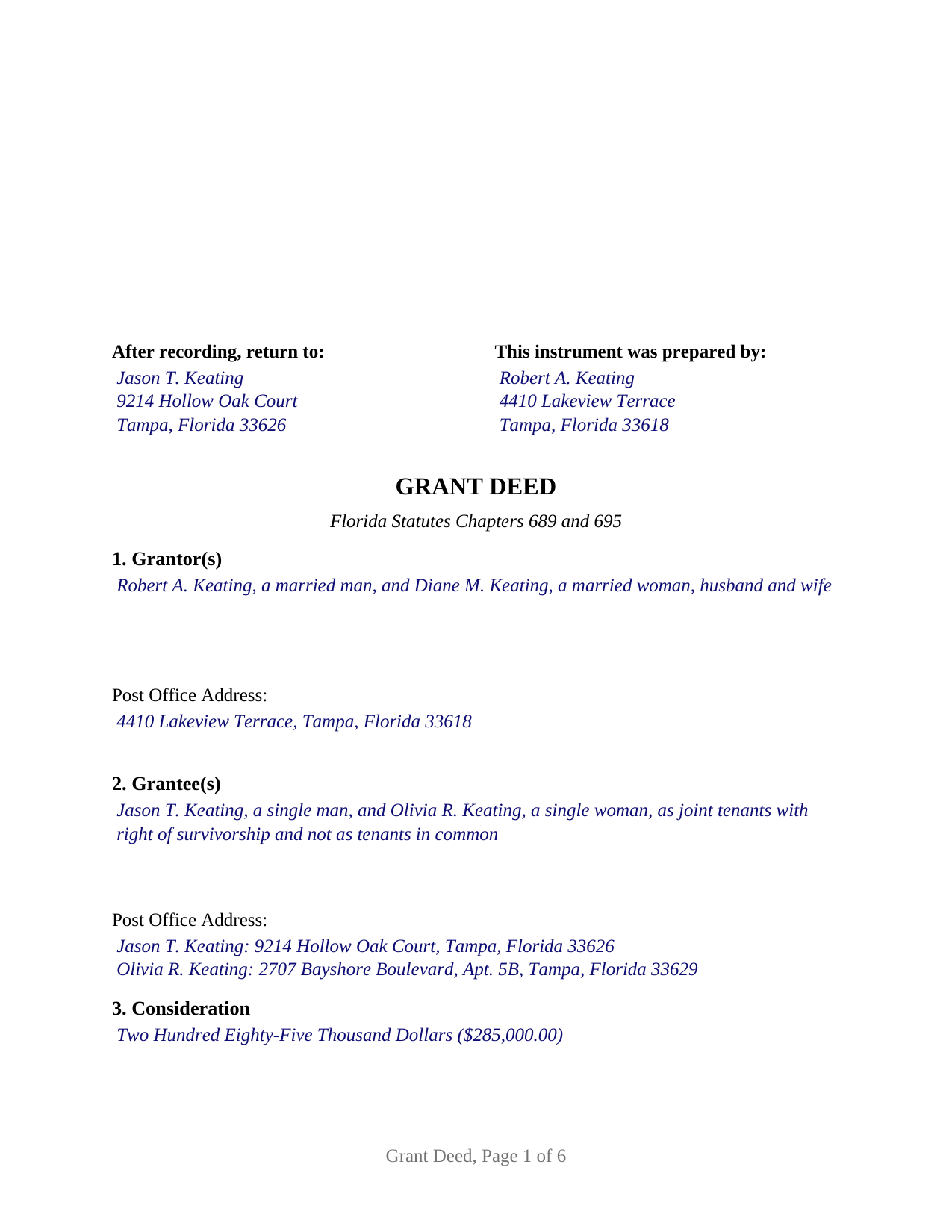
Indian River County Completed Example of the Grant Deed Document
Example of a properly completed Florida Grant Deed document for reference.
All 3 documents above included • One-time purchase • No recurring fees
Immediate Download • Secure Checkout
Additional Florida and Indian River County documents included at no extra charge:
Where to Record Your Documents
Recording - County Courthouse
Vero Beach, Florida 32960
Hours: 8:30am to 4:30pm M-F
Phone: (772) 770-5185, Ext 3175 and 3135
Recording Tips for Indian River County:
- Bring your driver's license or state-issued photo ID
- Ensure all signatures are in blue or black ink
- Ask about their eRecording option for future transactions
- Avoid the last business day of the month when possible
- Both spouses typically need to sign if property is jointly owned
Cities and Jurisdictions in Indian River County
Properties in any of these areas use Indian River County forms:
- Fellsmere
- Roseland
- Sebastian
- Vero Beach
- Wabasso
- Winter Beach
Hours, fees, requirements, and more for Indian River County
How do I get my forms?
Forms are available for immediate download after payment. The Indian River County forms will be in your account ready to download to your computer. An account is created for you during checkout if you don't have one. Forms are NOT emailed.
Are these forms guaranteed to be recordable in Indian River County?
Yes. Our form blanks are guaranteed to meet or exceed the applicable formatting requirements used for recording in Indian River County, including margin requirements, font requirements, and other layout standards. This guarantee applies to formatting, not to the legal sufficiency of information entered by the user or the suitability of a form for a particular transaction.
Can I reuse these forms?
Yes. You can reuse the forms for your personal use. For example, if you have multiple properties in Indian River County you only need to order once.
What do I need to use these forms?
The forms are PDFs that you fill out on your computer. The free Adobe Acrobat Reader is recommended, and most PDF apps also work. You do NOT enter your property information online - you download the blank forms and complete them privately on your own computer.
Are there any recurring fees?
No. This is a one-time purchase. Nothing to cancel, no memberships, no recurring fees.
How much does it cost to record in Indian River County?
Recording fees in Indian River County vary. Contact the recorder's office at (772) 770-5185, Ext 3175 and 3135 for current fees.
Questions answered? Let's get started!
A Florida grant deed conveys real property with two promises written into the deed itself: that the grantor has not already conveyed the property, or any interest in it, to someone else, and that the grantor has not encumbered it beyond the matters the deed lists. Florida has no grant deed statute, so those covenants exist only because the deed states them. This package prepares that deed for one or two natural persons conveying Florida real estate in their own right.
Two promises, written out
Florida's conveyancing chapter prescribes two deed forms and attaches covenants to only one of them. A deed executed substantially in the warranty deed form of Florida Statutes Section 689.02 is treated by Section 689.03 as a warranty deed with full common-law covenants. The quitclaim form in Section 689.025 conveys whatever interest the grantor has and promises nothing. Nothing in the chapter gives the word grant a covenant of its own, so a Florida grant deed spells out its covenants and states that they are its only covenants of title.
The result is a middle posture. The grantor answers for the grantor's own conveyances and encumbrances, and for those of anyone claiming under the grantor, but does not warrant the title against the world or undertake to defend it against a claim that arose before the grantor owned the property. The deed's exceptions section gives the covenant against encumbrances its edges: current-year taxes, recorded easements and restrictions, and a mortgage the buyer takes subject to are listed there, and a listed matter sits outside the covenant.
One or two grantors, written in by hand
This is the general configuration of the Florida grant deed. The grantor block and the grantee block are open text: each receives one or two names with the status recital Florida practice places after a name, a married man, a single woman, husband and wife, and the grantee block receives the vesting words where two grantees take together, as tenants in common, as joint tenants with right of survivorship, or as spouses holding by the entirety. Nothing about marital status, vesting, or capacity is preprinted, so the same form carries a sole owner's sale, a married couple's conveyance of their jointly held home, and two siblings passing an inherited parcel to one buyer. The guide describes each Florida vesting form with its governing statute or decision.
The deed carries two grantor signature blocks, each with its own pair of subscribing-witness blocks and its own acknowledgment certificate, so two grantors may sign on different days, in different places, or in different states. A single grantor uses the first block and leaves the second blank. The form is not set up for a corporation, limited liability company, or trustee as grantor, for an agent signing under a power of attorney, or for three or more persons on either side; each of those patterns recites different authority and acknowledges under a different certificate.
Witnesses, the notary, and the clerk's list
Section 689.01 requires a Florida deed to be signed in the presence of two subscribing witnesses, and since January 1, 2024, Section 695.26 requires each witness's printed name and post-office address on the instrument. The acknowledgment certificate is the Section 695.25 short form word for word, including the box the notary marks for physical presence or online notarization, the identification line, and a reserved area for the rubber-stamp seal Section 117.05 places below or beside the notary's signature. The preparer's name and address, each grantee's post-office address, and the blank clerk's space at the top right of every page round out the Section 695.26 list the clerk checks before recording. A married grantor conveying homestead is joined by the grantor's spouse under Article X, Section 4 of the Florida Constitution; the second signature block and certificate carry that joinder.
Documentary stamp tax is due when the deed is recorded, at seventy cents per one hundred dollars of consideration statewide and under the separate Miami-Dade rate, and the clerk's recording charge runs by the page. The guide covers both, with the county variations that matter.
The package includes the fillable grant deed, a completed example filled in for a realistic Hillsborough County conveyance, and the guide that walks through every section, the signing and witnessing requirements, and the recording process. This description and the guide describe the form and the governing Florida statutes in general terms; they are not legal advice.
Important: Your property must be located in Indian River County to use these forms. Documents should be recorded at the county recording office listed above.
This Grant Deed meets all recording requirements specific to Indian River County.
Our Promise
The documents you receive here are guaranteed to meet or exceed the applicable Indian River County recording format requirements. If there is a rejection caused by our formatting, we will correct the issue or refund your payment. This guarantee applies to document formatting only and does not extend to information entered by the user, the selection of the form, or the legal effect of the completed document.
Save Time and Money
Get your Indian River County Grant Deed form done right the first time with Deeds.com Uniform Conveyancing Blanks. At Deeds.com, we understand that your time and money are valuable resources, and we don't want you to face a penalty fee or rejection imposed by a county recorder for submitting nonstandard documents. We constantly review and update our forms to meet rapidly changing state and county recording requirements for roughly 3,500 counties and local jurisdictions.
4.8 out of 5 - ( 4,844 Reviews )
Janey M. 5 out of 5 stars
Easy to use site. Just what I needed!
We appreciate your business and value your feedback. Thank you. Have a wonderful day!
James B. 5 out of 5 stars
Your website is very easy to use. No problem downloading the forms.
Thank you!
Tajsha N. 5 out of 5 stars
I would absolutely use this service again. It was very convenient and I was pleasantly surprised at how responsive the staff was letting me know updates to my recording package. Also, my documents recorded immediately. I did have trouble uploading my document in the beginning because I didn't realize it had to be a pdf file. Once I figured that out, it was immediately accepted. Great service!
We appreciate your business and value your feedback. Thank you. Have a wonderful day!
Karen L. 5 out of 5 stars
My card was charged twice in error, I contacted deeds.com and within minutes, the error was corrected! Fast service, thank you deed.com
Thank you!
WAYNE C. 5 out of 5 stars
Wonderful forms, been coming here for years (since 2012) for my deed forms and they have never failed.
We appreciate your business and value your feedback. Thank you. Have a wonderful day!
Patrick N. 5 out of 5 stars
I was very satisfied with your service. Prompt, and thorough. Price was reasonable. Will use your service again when needed.
Thank you for your feedback. We really appreciate it. Have a great day!
Kimberly W. 5 out of 5 stars
Thank you for making this process so convenient.
Thank you for your feedback. We really appreciate it. Have a great day!
Gladys F. 5 out of 5 stars
The process was very friendly and easy to use. I appreciated the status updates as well as clear instructions on what was needed to get the file ready for recording.
Thank you!
Andrea H. 5 out of 5 stars
I am very pleased with your service. The document that I downloaded along with the instructions and examples you provided made the process so easy. Thank you.
Thank you for your feedback. We really appreciate it. Have a great day!
LeAnn B. 5 out of 5 stars
Excellent service. Very helpful staff that guided me through the process since this was my first time e-recording. We were so surprised to get the recorded deeds within an hour. Thank you very much. LeAnn
We appreciate your business and value your feedback. Thank you. Have a wonderful day!
Jerry B. 5 out of 5 stars
Easy to use and fully comprehensive.
Thank you for your feedback Jerry, we appreciate you.
Evtishios D. 5 out of 5 stars
good site only recommendation would to allow to down load multiple forms at one time
Thank you for your feedback Evtishios.
Geraldine B. 5 out of 5 stars
Top notch real estate forms. Easy to use, printed out nice, and the guide and example are priceless. You're not going to find anything better anywhere.
Thank you for the kind words Geraldine! Have an incredible day!
Priscilla Z. 5 out of 5 stars
Very user friendly and easy. I appreciated the sample deed that was provided. Definitely recommend!
Thank you!
James S. 2 out of 5 stars
Order Process: 5 Stars - very easy Material Received: 2 Stars Issues: 1. Printing- Document would not print in format displayed. Format would continually shrink to approx 2/3 size thus not useable for formal doc submission to County Records office. 2. Document Format- Data insertion fields (addresses) were not of correct size for data input. I needed a 4 line input space but was limited to only 3 lines. Also, Date field (year) was mis-oriented in-so-much that the 3rd digit (inputted) overlapped on 2nd digit (pre-printed) and also was of noticeably different font. 3. Useability- Hand-written input space provided (for Notary) was deficient in space and spacing. It was a challenge to utilize the space available to complete fully and maintain legibility. Overall - the document worked marginally as advertised, I did need to re-write the entire document myself. It is a good concept but I'd recommend that Deeds company improve the downloaded forms for actual useability, readability, functionability. regards, Jim S
Thank you for your feedback. We really appreciate it. Have a great day!