Wakulla County Quitclaim Deed (Two Grantors) Form
Last validated October 10, 2026 by our Forms Development TeamFormatted for recording in Wakulla County, for property anywhere in the county: rural and unincorporated areas as well as Crawfordville, Panacea, Saint Marks, Sopchoppy.
- 3 documents included
- Immediate PDF download
- Formatting guarantee
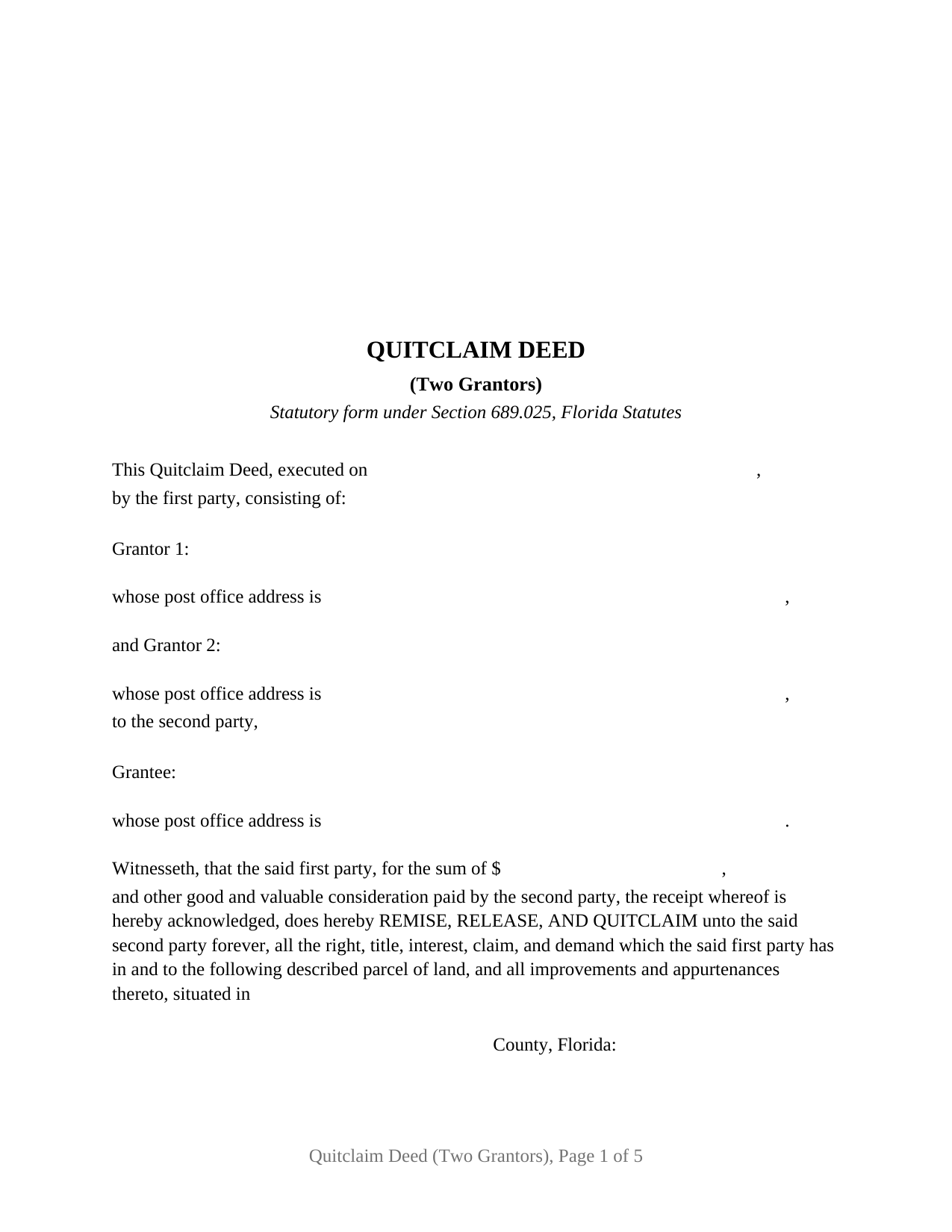
Wakulla County Quitclaim Deed (Two Grantors) Form
Fill in the blank Quitclaim Deed (Two Grantors) form formatted to comply with all Florida recording and content requirements.
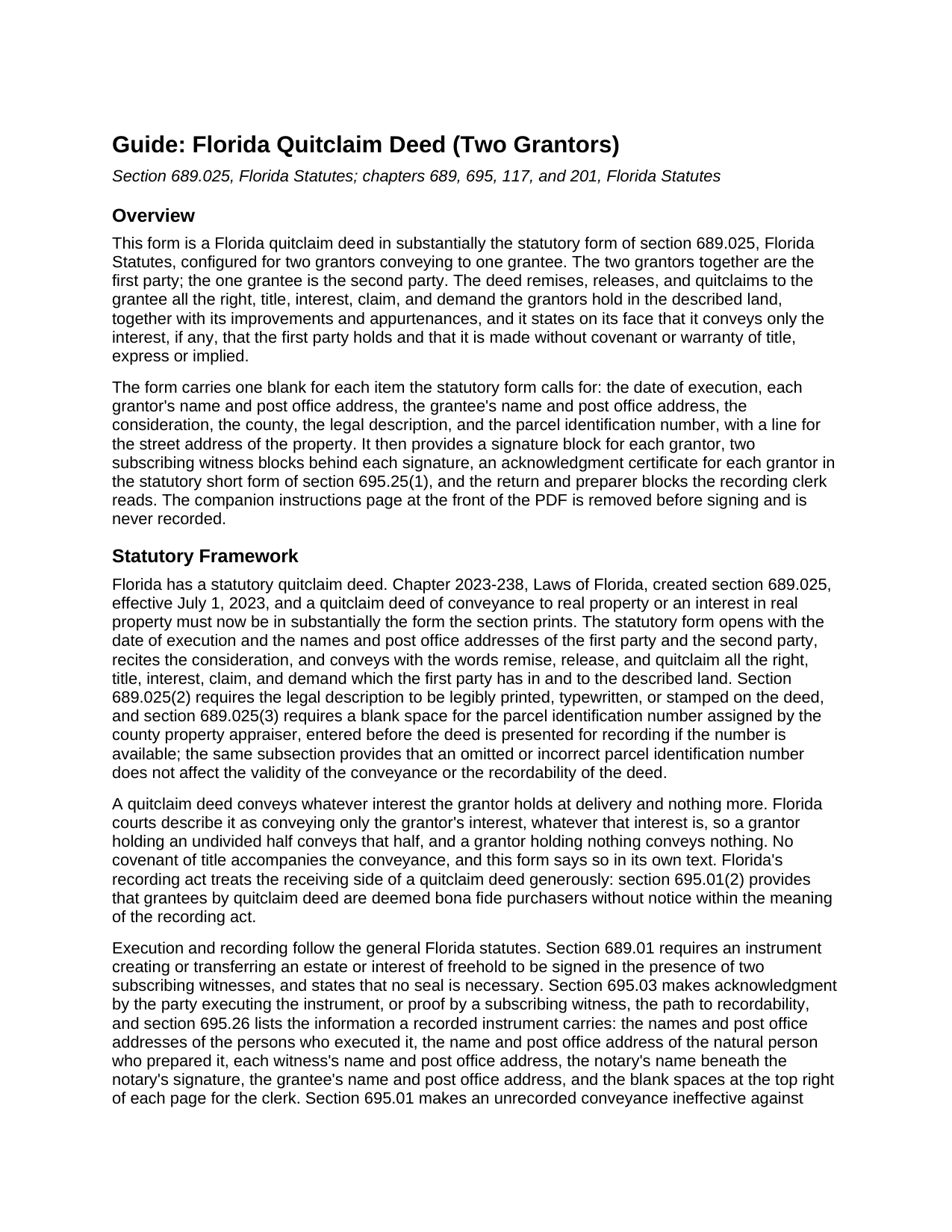
Wakulla County Quitclaim Deed (Two Grantors) Guide
Line by line guide explaining every blank on the Quitclaim Deed (Two Grantors) form.
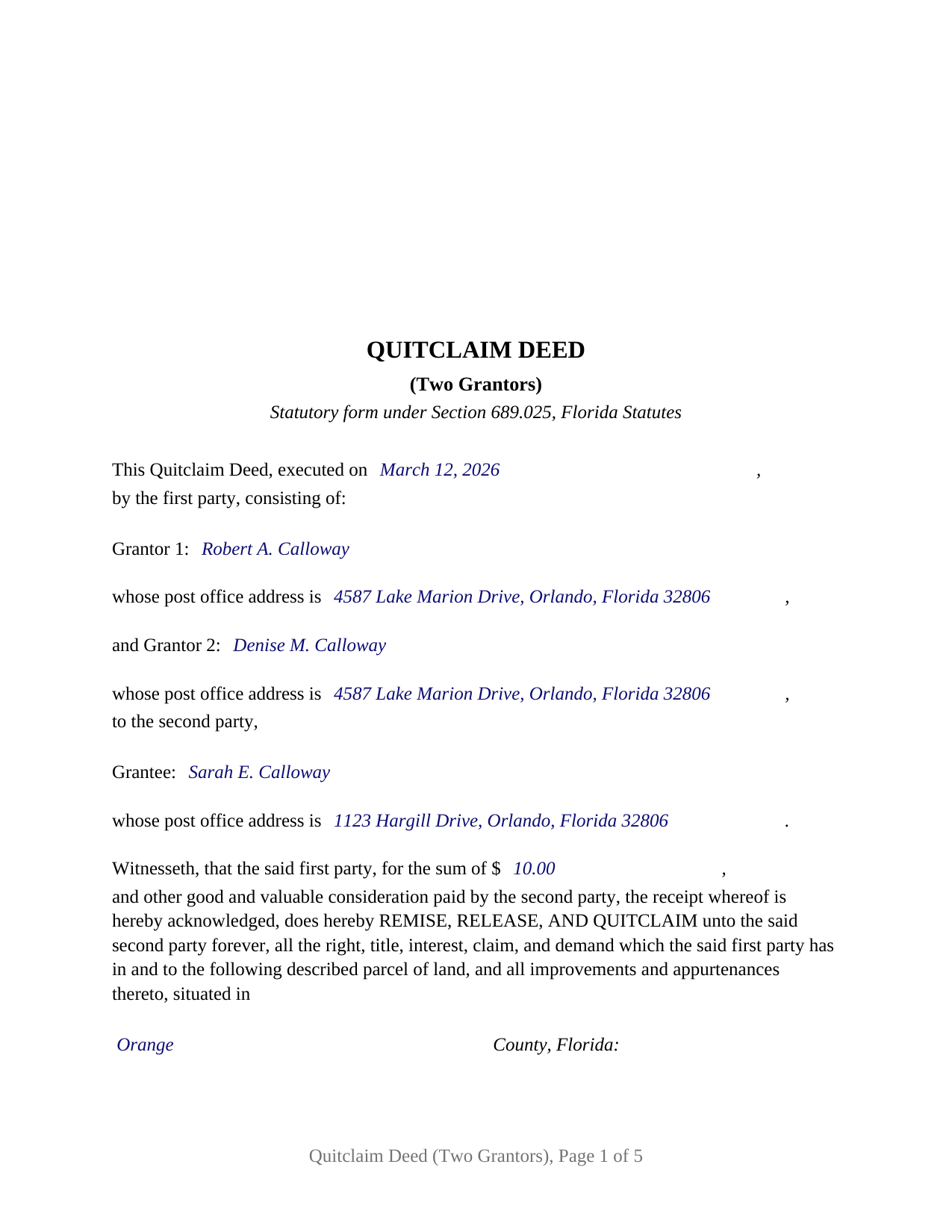
Wakulla County Completed Example of the Quitclaim Deed (Two Grantors) Document
Example of a properly completed Florida Quitclaim Deed (Two Grantors) document for reference.
All 3 documents above included • One-time purchase • No recurring fees
Immediate Download • Secure Checkout
Additional Florida and Wakulla County documents included at no extra charge:
Where to Record Your Documents
Clerk of Courts: Official Records/Recording Dept - Courthouse
Crawfordville, Florida 32327
Hours: 8:00am - 4:00pm M-F
Phone: (850) 926-0905
Recording Tips for Wakulla County:
- Bring your driver's license or state-issued photo ID
- Ensure all signatures are in blue or black ink
- Double-check legal descriptions match your existing deed
- Verify all names are spelled correctly before recording
- White-out or correction fluid may cause rejection
Cities and Jurisdictions in Wakulla County
Properties in any of these areas use Wakulla County forms:
- Crawfordville
- Panacea
- Saint Marks
- Sopchoppy
Hours, fees, requirements, and more for Wakulla County
How do I get my forms?
Forms are available for immediate download after payment. The Wakulla County forms will be in your account ready to download to your computer. An account is created for you during checkout if you don't have one. Forms are NOT emailed.
Are these forms guaranteed to be recordable in Wakulla County?
Yes. Our form blanks are guaranteed to meet or exceed the applicable formatting requirements used for recording in Wakulla County, including margin requirements, font requirements, and other layout standards. This guarantee applies to formatting, not to the legal sufficiency of information entered by the user or the suitability of a form for a particular transaction.
Can I reuse these forms?
Yes. You can reuse the forms for your personal use. For example, if you have multiple properties in Wakulla County you only need to order once.
What do I need to use these forms?
The forms are PDFs that you fill out on your computer. The free Adobe Acrobat Reader is recommended, and most PDF apps also work. You do NOT enter your property information online - you download the blank forms and complete them privately on your own computer.
Are there any recurring fees?
No. This is a one-time purchase. Nothing to cancel, no memberships, no recurring fees.
How much does it cost to record in Wakulla County?
Recording fees in Wakulla County vary. Contact the recorder's office at (850) 926-0905 for current fees.
Questions answered? Let's get started!
Florida's statutory quitclaim deed speaks of a first party and a second party. On this deed the first party is two people. The form prepares the Section 689.025, Florida Statutes, quitclaim deed for exactly two grantors, each named with a post office address, conveying together to one grantee, with a signature block, two subscribing witness blocks, and a statutory acknowledgment certificate for each of them, and its construction clause carries the two of them through the statutory sentence as one first party: where the context requires, the singular includes the plural.
Two interests released into one name
What a quitclaim deed moves is whatever the grantor holds at delivery, and a deed from two grantors moves the sum of what the two hold. Two heirs who each took an undivided half release both halves, and the grantee holds the whole; two co-owners with unequal shares release both, and the grantee holds those shares combined. The operative sentence is the statute's: the first party, for the recited sum and other good and valuable consideration, does hereby remise, release, and quitclaim unto the second party forever, all the right, title, interest, claim, and demand which the first party has in and to the described parcel, with its improvements and appurtenances. The deed then states that it conveys only the interest, if any, that the first party holds, without covenant or warranty of title.
The two-grantor configuration
The form recites two grantors, labeled Grantor 1 and Grantor 2, each a natural person signing in his or her own right, and one grantee. The name lines carry the names as the vesting deed spells them with whatever status words the record uses; nothing about the grantors' marital status or their relationship to each other is preprinted. Each grantor has a signature block with a printed name and date line, two labeled witness blocks of his or her own, and a separate acknowledgment certificate, so the two may sign on different days, in different places, or before different notaries. Two heirs releasing inherited fractional interests to one relative, two co-owners consolidating a jointly held parcel in a single name, and two co-purchasers of a vacant lot conveying both interests to one buyer present the pattern this deed recites. The form is not set up as a deed by one grantor, by three or more grantors, or to two or more grantees, nor as a conveyance by an entity, a trustee, or an agent under a power of attorney, and it carries no separate block for a spouse who is not one of the two grantors.
Four witnesses and two certificates on one deed
Section 689.01 requires each signature on a Florida conveyance to be made in the presence of two subscribing witnesses, and since January 1, 2024, Section 695.26 has made each witness's printed name and post office address recording data. On a two-grantor deed that is four witness blocks, each with a signature line, a printed name, and an address line; the same two adults may witness both signatures when the grantors sign together. Each acknowledgment certificate reproduces the individual short form of Section 695.25(1), with the physical presence or online notarization boxes the notary marks, the identification clause the notary completes, a line for the commission serial number, and a reserved area below the notary's signature for the rubber stamp seal Section 117.05 places there.
What the record receives
Section 695.01(2) deems grantees by quitclaim deed bona fide purchasers without notice within the recording act. The deed is recorded with the clerk of the circuit court in the county where the land lies, with the statutory three inch square at the top right of its first page left blank for the clerk, the preparer named as a natural person, and the grantee's post office address stated. Documentary stamp tax under Section 201.02 is collected at recording at 70 cents per 100 dollars of consideration outside Miami-Dade County, consideration being measured to include any mortgage on the land whether or not the grantee assumes it, with the 70 cent minimum on a nominal-consideration transfer of unencumbered property.
The download holds the blank deed as a fillable PDF with a removable instructions page, a completed example set in Orange County, and a plain language guide covering every blank, the witness and notary formalities, the ways a grantee may hold title, and the documentary stamp computation. The materials are informational and are not legal advice.
Important: Your property must be located in Wakulla County to use these forms. Documents should be recorded at the county recording office listed above.
This Quitclaim Deed (Two Grantors) meets all recording requirements specific to Wakulla County.
Our Promise
The documents you receive here are guaranteed to meet or exceed the applicable Wakulla County recording format requirements. If there is a rejection caused by our formatting, we will correct the issue or refund your payment. This guarantee applies to document formatting only and does not extend to information entered by the user, the selection of the form, or the legal effect of the completed document.
Save Time and Money
Get your Wakulla County Quitclaim Deed (Two Grantors) form done right the first time with Deeds.com Uniform Conveyancing Blanks. At Deeds.com, we understand that your time and money are valuable resources, and we don't want you to face a penalty fee or rejection imposed by a county recorder for submitting nonstandard documents. We constantly review and update our forms to meet rapidly changing state and county recording requirements for roughly 3,500 counties and local jurisdictions.
4.8 out of 5 - ( 4,828 Reviews )
Paul R. A. 5 out of 5 stars
Great and prompt service. Thank you for your assistance. Paul R. Ashe, Esq.
Thank you!
RAMONA F. 3 out of 5 stars
Good communication but they were unable to help me
Thank you for your feedback. We really appreciate it. Have a great day!
Kevin M. 5 out of 5 stars
All I can say is WOW. They were so fast and professional. I received my copy of my deed that same day I requested it. There was some confusion on my part but within minutes it was explained.
We appreciate your business and value your feedback. Thank you. Have a wonderful day!
Maria W. 5 out of 5 stars
Really, the best and easiest service given us to complete a process for recorder office! Thank you!!
Thank you!
Samuel M. 4 out of 5 stars
it was convenient to have a starting place, however, though the property is in Colorado, the probate is in Iowa, so I had to create my own document because you locked my capacity to edit the form I paid for. If I pay for it, I should be able to edit everything including non fill in text. I could not open it in word, as I normally could.
Thank you for your feedback. We really appreciate it. Have a great day!
JOANNE W. 5 out of 5 stars
Excellent product and so easily obtained. Well worth the price.
Thank you for your feedback. We really appreciate it. Have a great day!
ROBERET D. 5 out of 5 stars
after a poor start was able to get to the forms page and find what I was looking for and every thing worked good. Just getting to the right area was a struggle but we made thanks Bob
Thank you for your feedback. We really appreciate it. Have a great day!
Jeremiah W. 5 out of 5 stars
Very helpful information and great forms.
Thank you for your feedback. We really appreciate it. Have a great day!
Dave W. 5 out of 5 stars
Hello, The instructions were clear and easy to navigate. Thanks, Dr. Dave Wayne
We appreciate your business and value your feedback. Thank you. Have a wonderful day!
David A. 5 out of 5 stars
Excellent service. I have been looking for a beneficiary deed for quite a wile with no success. My friend found your site and I was overjoyed. Fast, easy to use, and understand.I recommend this site to anyone.
We appreciate your business and value your feedback. Thank you. Have a wonderful day!
Brian H. 2 out of 5 stars
Forms are good. But need to be able to fill in information and blanks so these can be filed. Disappointed.
Thank you for your feedback. The forms are fill in the blank, Adobe PDFs. As is noted on the site, make sure you download the documents to your computer and open them with Adobe. Sounds like you may be trying to complete them online in your browser.
Kathy L. 3 out of 5 stars
Review: There are 10 PDFs in this warranty deed package. I don't even know what to do with them all. I don't think the directions are clear enough on how to put it all together. I probably won't use it, and feel I have wasted my money.
Sorry to hear that the volume of documents required to complete your task was more than you anticipated. It is rare that we get complaints about providing everything needed. We certainly don't want you to be overwhelmed or feel like you have wasted your money. Your order and payment has been canceled and we do hope that you find something more suitable to your needs elsewhere. Have a wonderful day.
Ashley H. 5 out of 5 stars
Thank you for the quick response time messaging back and forth to get this completed, and also the fairly speedy e-recording! Excellent customer service!!!
We appreciate your business and value your feedback. Thank you. Have a wonderful day!
Gary M. 5 out of 5 stars
This was such an easy experience
We are grateful for your feedback and looking forward to serving you again. Thank you!
Lori W. 5 out of 5 stars
I got what I wanted immediately. Thank you.
We appreciate your business and value your feedback. Thank you. Have a wonderful day!