Wakulla County Quitclaim Deed (Trustee Grantee) Form
Last validated October 9, 2026 by our Forms Development TeamFormatted for recording in Wakulla County, for property anywhere in the county: rural and unincorporated areas as well as Crawfordville, Panacea, Saint Marks, Sopchoppy.
- 3 documents included
- Immediate PDF download
- Formatting guarantee
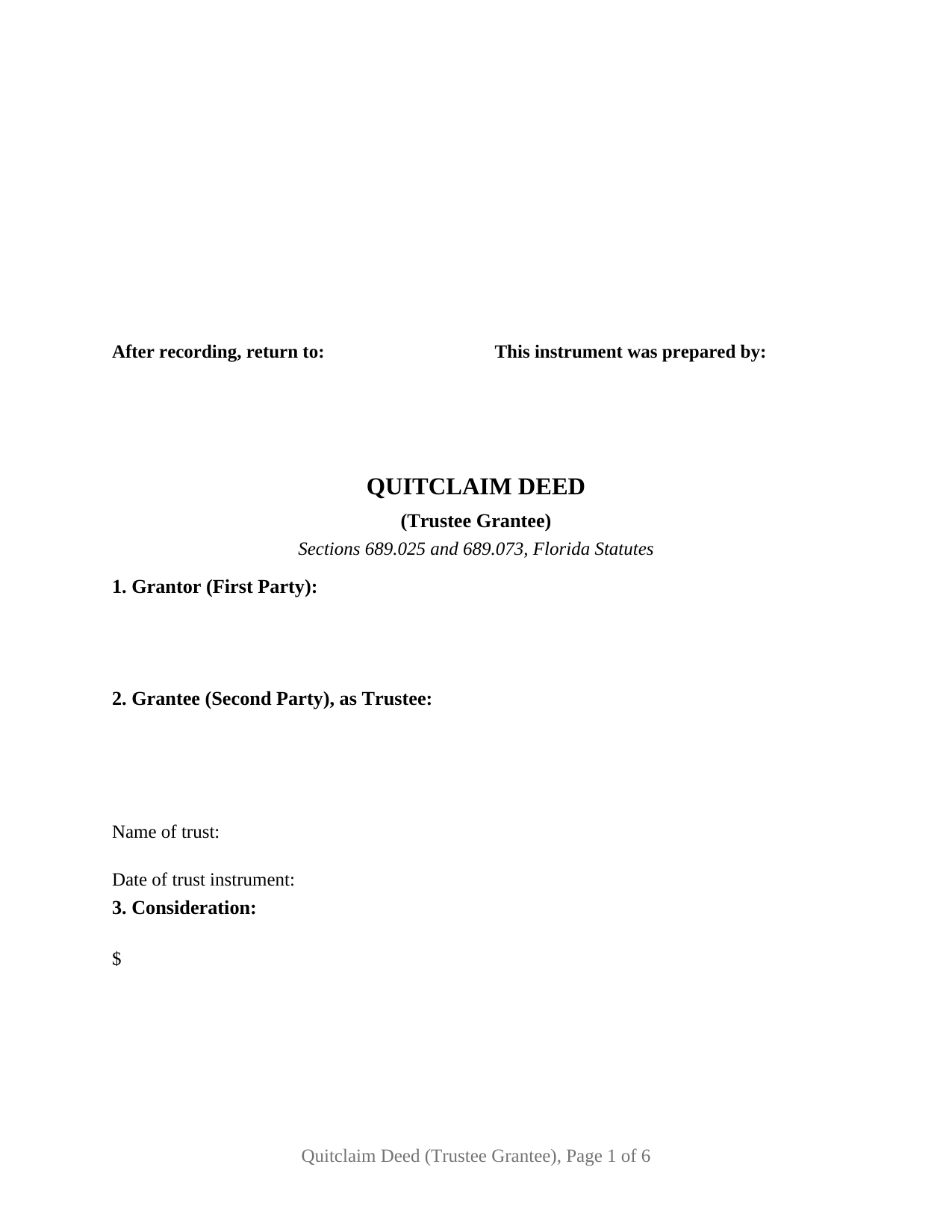
Wakulla County Quitclaim Deed (Trustee Grantee) Form
Fill in the blank Quitclaim Deed (Trustee Grantee) form formatted to comply with all Florida recording and content requirements.
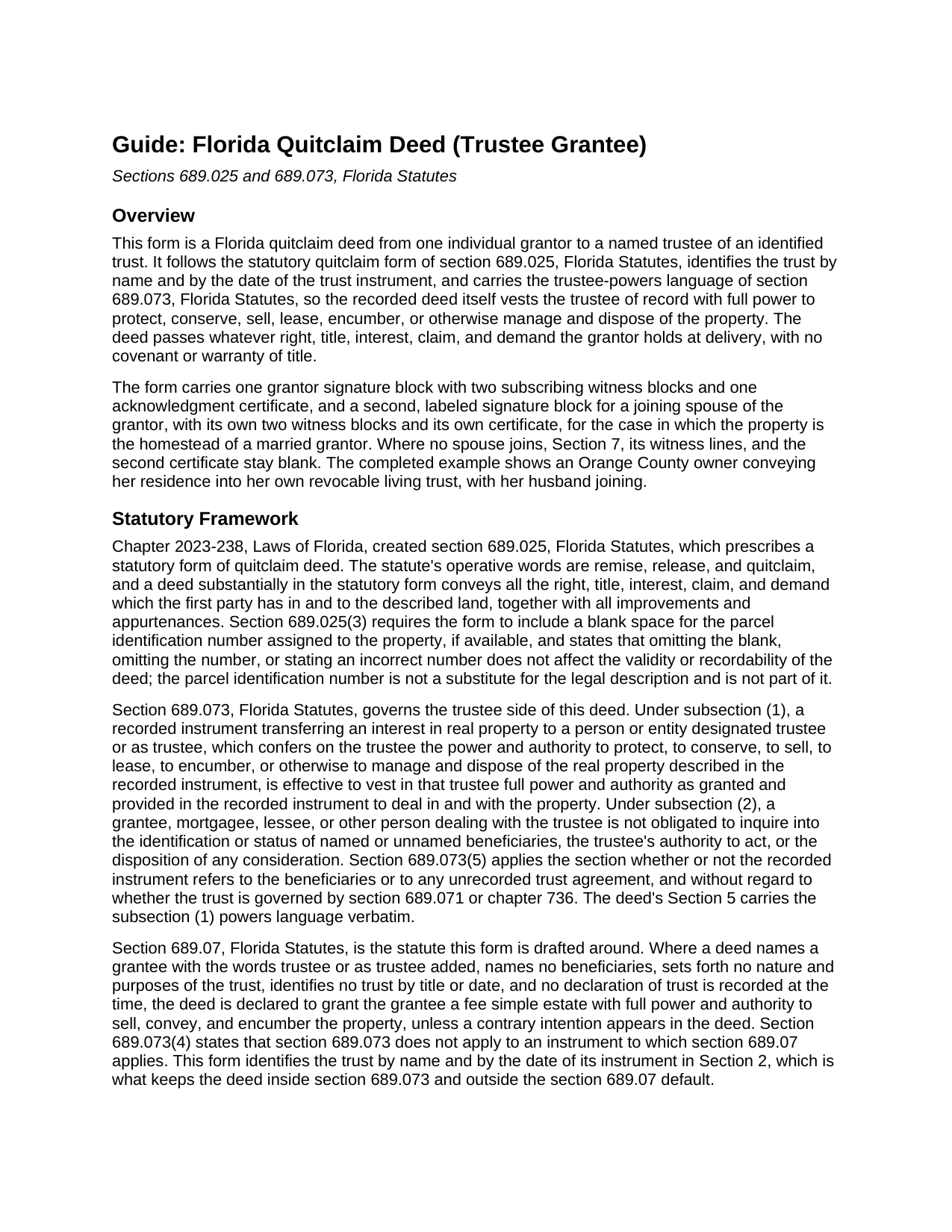
Wakulla County Quitclaim Deed (Trustee Grantee) Guide
Line by line guide explaining every blank on the Quitclaim Deed (Trustee Grantee) form.
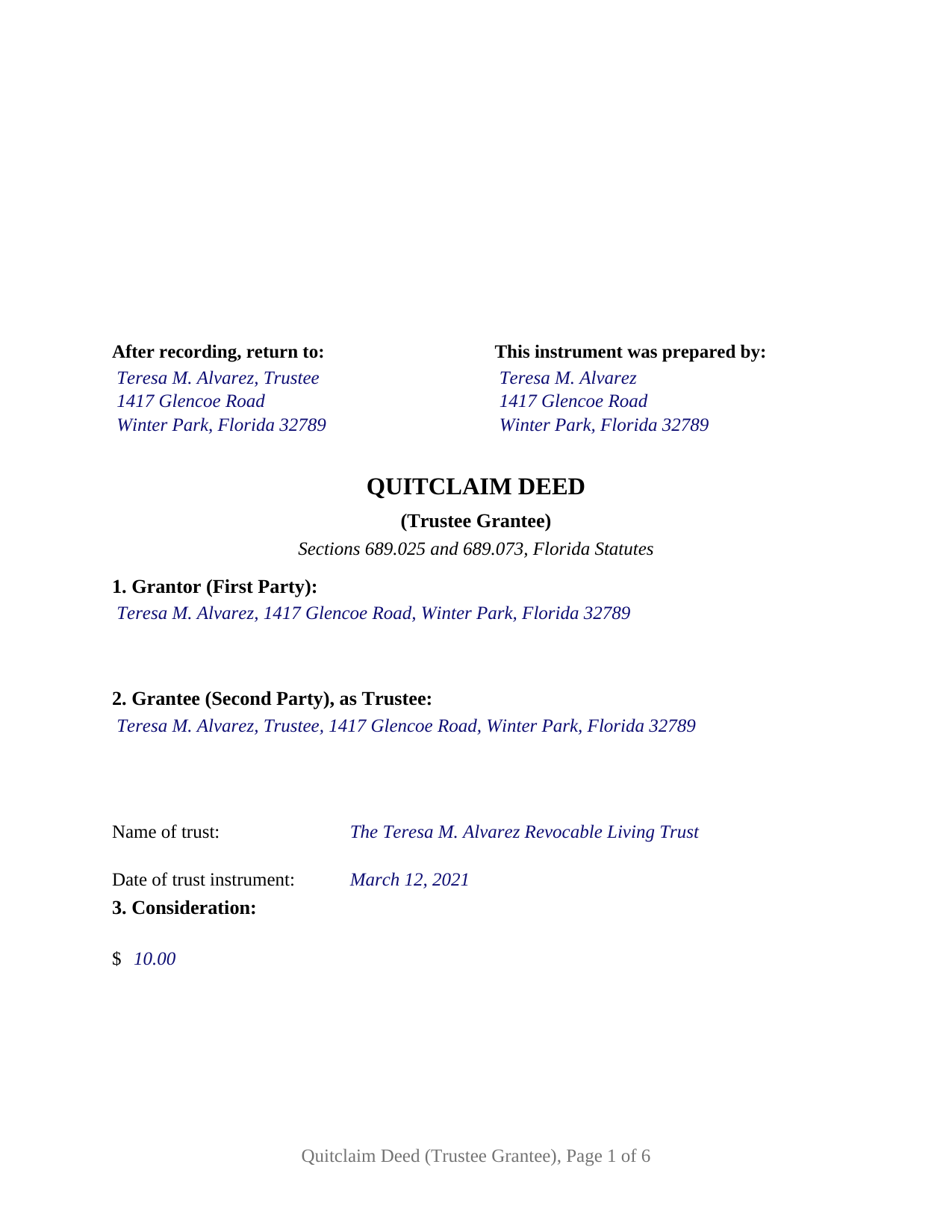
Wakulla County Completed Example of the Quitclaim Deed (Trustee Grantee) Document
Example of a properly completed Florida Quitclaim Deed (Trustee Grantee) document for reference.
All 3 documents above included • One-time purchase • No recurring fees
Immediate Download • Secure Checkout
Additional Florida and Wakulla County documents included at no extra charge:
Where to Record Your Documents
Clerk of Courts: Official Records/Recording Dept - Courthouse
Crawfordville, Florida 32327
Hours: 8:00am - 4:00pm M-F
Phone: (850) 926-0905
Recording Tips for Wakulla County:
- Bring your driver's license or state-issued photo ID
- Ensure all signatures are in blue or black ink
- Request a receipt showing your recording numbers
- Ask about accepted payment methods when you call ahead
- Ask for certified copies if you need them for other transactions
Cities and Jurisdictions in Wakulla County
Properties in any of these areas use Wakulla County forms:
- Crawfordville
- Panacea
- Saint Marks
- Sopchoppy
Hours, fees, requirements, and more for Wakulla County
How do I get my forms?
Forms are available for immediate download after payment. The Wakulla County forms will be in your account ready to download to your computer. An account is created for you during checkout if you don't have one. Forms are NOT emailed.
Are these forms guaranteed to be recordable in Wakulla County?
Yes. Our form blanks are guaranteed to meet or exceed the applicable formatting requirements used for recording in Wakulla County, including margin requirements, font requirements, and other layout standards. This guarantee applies to formatting, not to the legal sufficiency of information entered by the user or the suitability of a form for a particular transaction.
Can I reuse these forms?
Yes. You can reuse the forms for your personal use. For example, if you have multiple properties in Wakulla County you only need to order once.
What do I need to use these forms?
The forms are PDFs that you fill out on your computer. The free Adobe Acrobat Reader is recommended, and most PDF apps also work. You do NOT enter your property information online - you download the blank forms and complete them privately on your own computer.
Are there any recurring fees?
No. This is a one-time purchase. Nothing to cancel, no memberships, no recurring fees.
How much does it cost to record in Wakulla County?
Recording fees in Wakulla County vary. Contact the recorder's office at (850) 926-0905 for current fees.
Questions answered? Let's get started!
Florida treats the word trustee on a deed with suspicion. Under section 689.07 of the Florida Statutes, a deed made out to a grantee as trustee that names no beneficiaries, states no trust purposes, and identifies no trust by title or date is declared to grant the grantee a fee simple estate personally, with full power to sell and encumber the property. A conveyance meant to fund a trust can end up titling the land in one person's name. This Florida Quitclaim Deed (Trustee Grantee) is drafted around that statute: it names and dates the trust and carries the trustee-powers language Florida law gives effect.
The statutory quitclaim, aimed at a trustee
The deed follows the quitclaim form Florida enacted in 2023 as section 689.025. The grantor remises, releases, and quitclaims all right, title, interest, claim, and demand in the described parcel, with no covenant or warranty of title; the trustee takes exactly the interest the grantor holds. Most often the deed funds the owner's own revocable living trust; section 689.075 confirms that a trust is valid even though the settlor keeps the power to revoke or amend it.
Powers the record can rely on
Section 689.073 gives recorded trustee-powers language real consequences. A recorded deed that designates the grantee as trustee and confers the power to protect, to conserve, to sell, to lease, to encumber, or otherwise to manage and dispose of the property vests that authority in the trustee of record, and a later buyer, lender, or title agent dealing with the trustee is not obligated to inquire into the trust agreement, the trustee's authority, or the beneficiaries. The deed carries that wording verbatim, for the named trustee and any successor trustee.
One grantor, one trustee, and a block for the spouse
The form recites one first party, an individual conveying in his or her own right, and one second party taking title as trustee of the trust named and dated in Section 2, not individually. One grantor signature block, two witness blocks, and one acknowledgment certificate serve the grantor; a labeled joining spouse block, with its own witnesses and certificate, follows for the homestead of a married grantor and stays blank otherwise. A homeowner deeding her residence to herself as trustee of her revocable living trust, a parent conveying a rental parcel to the trustee of an irrevocable trust for descendants, and a co-owner moving an undivided interest into a family trust present the pattern this deed recites. The form is not set up as a deed by two grantors, by spouses holding entireties title, by a trustee as grantor, by an entity, or by an agent under a power of attorney, and it names one trustee, not co-trustees.
Witnesses, joinder, and the county record
The grantor signs before two subscribing witnesses under section 689.01, and since January 1, 2024, each witness's printed name and post-office address must appear on the instrument. Each notary certificate follows the short form of section 695.25(1), with the physical presence or online notarization boxes the officer marks and a reserved area for the rubber stamp seal section 117.05 places beside the notary's signature. Article X, section 4(c) of the Florida Constitution requires a spouse's joinder in a lifetime alienation of homestead, and the joining-spouse block gives that signature a place on the deed when homestead moves into the trust.
Documentary stamps on a deed into a trust
Documentary stamp tax is collected at recording. Rule 12B-4.013(25) of the Florida Administrative Code taxes a deed to a trustee only to the extent it transfers beneficial ownership and there is consideration, and Rule 12B-4.013(25)(i) states that a deed to a trustee from a grantor who holds the power to revoke the trust is not a transfer of ownership subject to the tax. A deed that moves beneficial ownership to other beneficiaries is measured under section 201.02 on the consideration for the interest transferred, mortgage balance included; the guide covers the rules, the minimum tax on a nominal recital, and the Miami-Dade rates.
The download includes the blank deed as a fillable PDF with a removable instructions page, a completed example showing an Orange County transfer into a revocable living trust, and a plain-language guide covering every section, witnessing and notarization, and recording with the clerk of the circuit court. The materials are informational and are not legal advice; a Florida attorney can apply these statutes to a particular title or trust.
Important: Your property must be located in Wakulla County to use these forms. Documents should be recorded at the county recording office listed above.
This Quitclaim Deed (Trustee Grantee) meets all recording requirements specific to Wakulla County.
Our Promise
The documents you receive here are guaranteed to meet or exceed the applicable Wakulla County recording format requirements. If there is a rejection caused by our formatting, we will correct the issue or refund your payment. This guarantee applies to document formatting only and does not extend to information entered by the user, the selection of the form, or the legal effect of the completed document.
Save Time and Money
Get your Wakulla County Quitclaim Deed (Trustee Grantee) form done right the first time with Deeds.com Uniform Conveyancing Blanks. At Deeds.com, we understand that your time and money are valuable resources, and we don't want you to face a penalty fee or rejection imposed by a county recorder for submitting nonstandard documents. We constantly review and update our forms to meet rapidly changing state and county recording requirements for roughly 3,500 counties and local jurisdictions.
4.8 out of 5 - ( 4,828 Reviews )
Haydee P. 5 out of 5 stars
Thanks for advertising the forms and sharing to the public for easy access. I have been looking for a lawyer to process the papers but did not realize that I can do it myself until I googled the information. I found your website. Thanks again
Thank you for your feedback. We really appreciate it. Have a great day!
Robert D. 5 out of 5 stars
These forms made it so easy to update the property deed and the instructions and sample filled out form were most helpful. You might want to add some brief information on when or why to use the Acknowledgment in Individual Capacity notary form. In my case the notary was required to use it but also filled in the brief notarize section on the Affidavit as well. She said the one on the Affidavit had some value because it showed she had witnessed the my signature. But this was only after I suggested both be filled in as she initially thought to just strike through it and just use the Acknowledgment in Individual Capacity form.
Thank you for your feedback. We really appreciate it. Have a great day!
SHIRLEY H. 3 out of 5 stars
I like that they have all the forms, but I could not find it they would submit the forms to the recorders office
Thank you!
Daren R. 5 out of 5 stars
I believe that you should wait until a pending file is completed before asking for feedback. Thank you. Daren
Thank you!
Sara Beth M B. 5 out of 5 stars
great service!!!!! wish this service was listed on the Washoe County Recorder website so people who aren't companies could find it.
Thank you for your feedback. We really appreciate it. Have a great day!
Arthur M. 5 out of 5 stars
A good service that saves a lot of time and precludes making a trip to the County Assessors Office. Valuable service.
Thank you!
Ardys A. 5 out of 5 stars
Very pleased with all the info I received and not just a blank form.
We appreciate your business and value your feedback. Thank you. Have a wonderful day!
Edward O. 5 out of 5 stars
east too do.. hope it works thanks
Thank you!
Patrick N. 5 out of 5 stars
I was very satisfied with your service. Prompt, and thorough. Price was reasonable. Will use your service again when needed.
Thank you for your feedback. We really appreciate it. Have a great day!
David P. 5 out of 5 stars
This service and company are THE best. We are out of State and needed to efile, and we got it done for the closing. Thanks Deeds.com
We appreciate your business and value your feedback. Thank you. Have a wonderful day!
Taylor W. 5 out of 5 stars
This was the quickest NOC recording i have ever done. I will definitely be using deeds.com from here on out for recordings!
We appreciate your business and value your feedback. Thank you. Have a wonderful day!
Stanley L. 5 out of 5 stars
Great service
Thank you Stanley.
Paul S. 5 out of 5 stars
Worked very well
Thank you!
JAVIER B. 5 out of 5 stars
EXCELLENT JOB DEEDS.COM I AM SO PROUD I WAS ABLE TO RECEIVE A COPY OF THE REAL ESTATE DEED FROM MY OLD HOME OUT OF TOWN. HIGHLY RECOMMEND!!!
Thank you for your feedback. We really appreciate it. Have a great day!
JUDITH-DIAN W. 5 out of 5 stars
I didn't have any problem downloading and filling out the form on my computer and printing it yesterday. I didn't know what to put for "Source of Title". I called the county recording office; they didn't know either and said to leave it blank. I got the form notarized at my bank and took it in to the recording office. They checked it, accepted it, I paid a fee, and it's done. So easy. My children will appreciate that I've done this. Added note: You do have one typo on your form--you left out 'at'. It should read: "You should carefully read all information at the end of this form."
Thank you for your feedback. We really appreciate it. Have a great day!