Wakulla County Quitclaim Deed (Married Couple as Grantors) Form
Last validated October 9, 2026 by our Forms Development TeamFormatted for recording in Wakulla County, for property anywhere in the county: rural and unincorporated areas as well as Crawfordville, Panacea, Saint Marks, Sopchoppy.
- 3 documents included
- Immediate PDF download
- Formatting guarantee
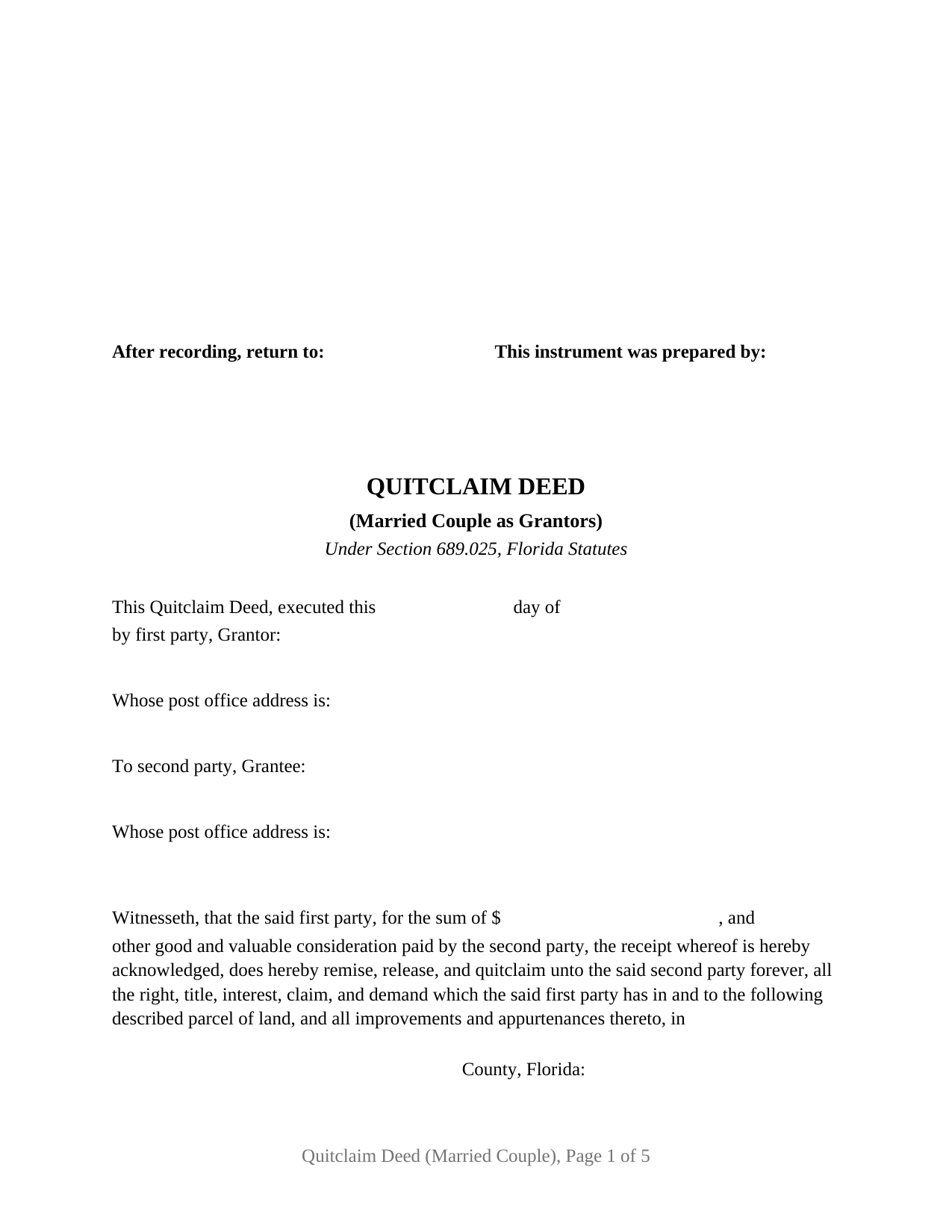
Wakulla County Quitclaim Deed (Married Couple as Grantors) Form
Fill in the blank Quitclaim Deed (Married Couple as Grantors) form formatted to comply with all Florida recording and content requirements.
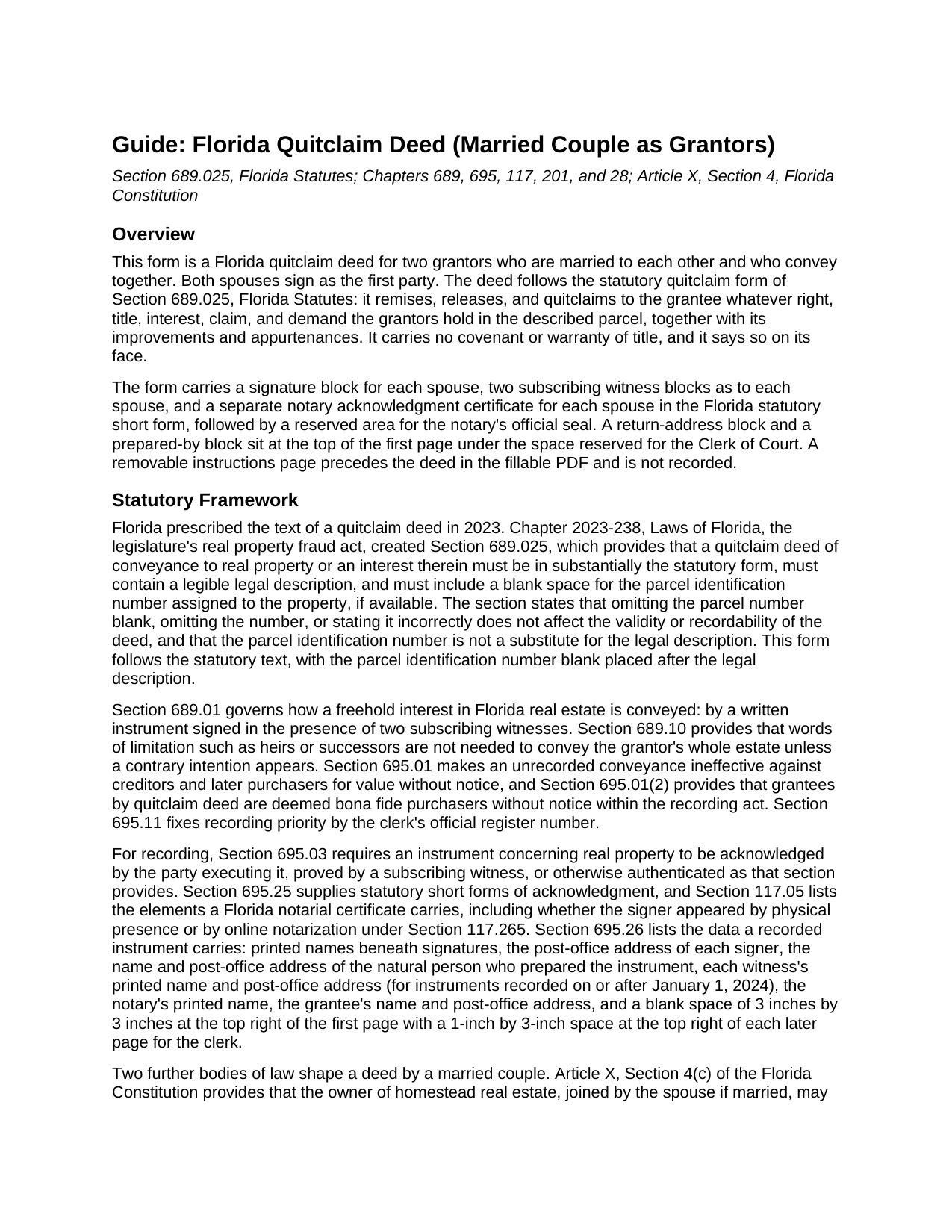
Wakulla County Quitclaim Deed (Married Couple as Grantors) Guide
Line by line guide explaining every blank on the Quitclaim Deed (Married Couple as Grantors) form.
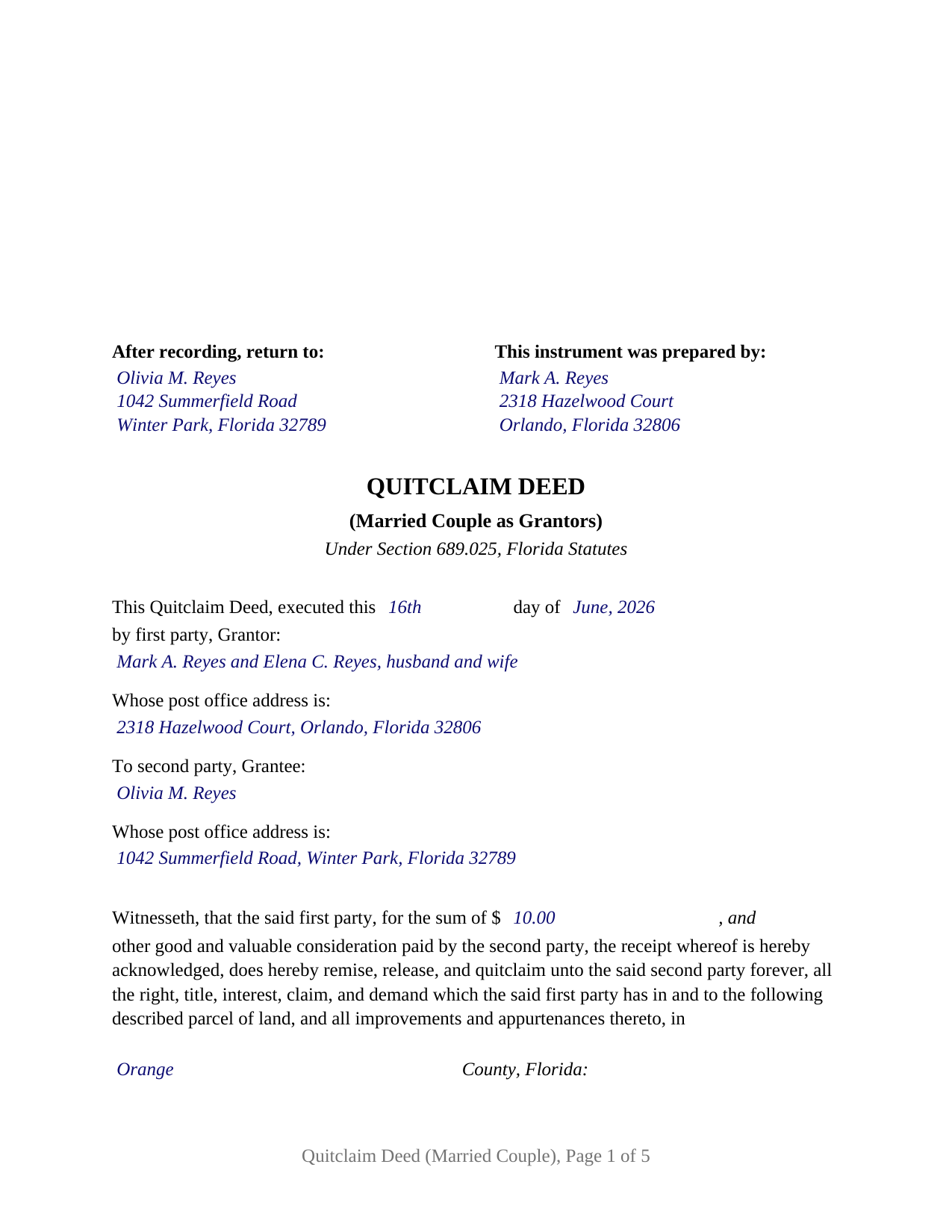
Wakulla County Completed Example of the Quitclaim Deed (Married Couple as Grantors) Document
Example of a properly completed Florida Quitclaim Deed (Married Couple as Grantors) document for reference.
All 3 documents above included • One-time purchase • No recurring fees
Immediate Download • Secure Checkout
Additional Florida and Wakulla County documents included at no extra charge:
Where to Record Your Documents
Clerk of Courts: Official Records/Recording Dept - Courthouse
Crawfordville, Florida 32327
Hours: 8:00am - 4:00pm M-F
Phone: (850) 926-0905
Recording Tips for Wakulla County:
- Bring your driver's license or state-issued photo ID
- Ensure all signatures are in blue or black ink
- Check that your notary's commission hasn't expired
- Documents must be on 8.5 x 11 inch white paper
- Double-check legal descriptions match your existing deed
Cities and Jurisdictions in Wakulla County
Properties in any of these areas use Wakulla County forms:
- Crawfordville
- Panacea
- Saint Marks
- Sopchoppy
Hours, fees, requirements, and more for Wakulla County
How do I get my forms?
Forms are available for immediate download after payment. The Wakulla County forms will be in your account ready to download to your computer. An account is created for you during checkout if you don't have one. Forms are NOT emailed.
Are these forms guaranteed to be recordable in Wakulla County?
Yes. Our form blanks are guaranteed to meet or exceed the applicable formatting requirements used for recording in Wakulla County, including margin requirements, font requirements, and other layout standards. This guarantee applies to formatting, not to the legal sufficiency of information entered by the user or the suitability of a form for a particular transaction.
Can I reuse these forms?
Yes. You can reuse the forms for your personal use. For example, if you have multiple properties in Wakulla County you only need to order once.
What do I need to use these forms?
The forms are PDFs that you fill out on your computer. The free Adobe Acrobat Reader is recommended, and most PDF apps also work. You do NOT enter your property information online - you download the blank forms and complete them privately on your own computer.
Are there any recurring fees?
No. This is a one-time purchase. Nothing to cancel, no memberships, no recurring fees.
How much does it cost to record in Wakulla County?
Recording fees in Wakulla County vary. Contact the recorder's office at (850) 926-0905 for current fees.
Questions answered? Let's get started!
Two signatures, two pairs of witnesses, two acknowledgment certificates, one conveyance. This Florida quitclaim deed is configured for a married couple conveying together: both spouses sign as the first party, and the deed recites on its face that the two grantors are married to each other and that both join in its execution. It follows the statutory quitclaim form of Section 689.025, Florida Statutes, operative words included, and it carries the blank for the county parcel identification number that section calls for.
What two spousal signatures accomplish
Florida presumes that real property titled in both spouses' names is held as a tenancy by the entirety, a form of ownership the spouses convey together rather than in halves. And where the property is the couple's constitutional homestead, Article X, Section 4(c) of the Florida Constitution permits a married owner to alienate it by sale, gift, or mortgage only with the spouse joined in the instrument. A quitclaim executed by both spouses conveys the entireties title as a whole and carries the homestead joinder on its face, and this form recites the marriage so the record shows both signatures doing that work.
The married-couple configuration
The form recites exactly two grantors, married to each other, each signing in his or her own right. The first-party entry takes both names with the couple's status words, the way a vesting deed to spouses reads them; the second-party entry takes the grantee's name and post office address. Each spouse has a separate signature block, two subscribing witness blocks of his or her own, and a separate acknowledgment certificate, so the two may sign on different days or before different notaries. Parents deeding a jointly titled house to an adult child, spouses conveying entireties property to a purchaser who has bargained for a quitclaim, and a couple releasing their shared record interest in a family parcel present the pattern this deed recites. The form is not set up as a conveyance from one spouse to the other, as a deed by one titled spouse with the other spouse joining only for homestead purposes, as a deed between former spouses, or as a conveyance by an entity, a trustee, or an agent under a power of attorney.
Remise, release, and quitclaim
The statutory form's operative words, "does hereby remise, release, and quitclaim," pass the grantors' right, title, interest, claim, and demand in the described land, together with improvements and appurtenances, and nothing more. Florida courts describe the quitclaim as conveying only the interest the grantor actually has, which may be an entire fee, a fractional share, or nothing at all. No covenant of title travels with it: the grantee takes subject to mortgages, taxes, easements, and restrictions, whether or not the deed mentions them. That bare-bones character is why the form appears so often in transfers between relatives and in title cleanups, where the work is moving an interest rather than guaranteeing one. An unusual Florida wrinkle sits in the recording act itself: Section 695.01(2) deems grantees by quitclaim deed bona fide purchasers without notice, so a recorded Florida quitclaim carries recording-act protection that some states withhold from the form.
Witnesses, the notary, and the clerk's window
Florida deeds are signed in the presence of two subscribing witnesses, and for instruments executed since January 1, 2024, each witness's printed name and post-office address belong on the instrument as recording requirements. The form provides labeled witness blocks as to each grantor, a separate statutory acknowledgment certificate for each spouse in the Section 695.25 short form with the physical-presence or online-notarization boxes current law calls for and a reserved area for the notary's seal, a preparer block naming a natural person, and a first page that keeps the statutory 3-inch square at the top right blank for the Clerk of the Circuit Court. Documentary stamp tax is collected at recording: 70 cents per $100 of consideration in every county but Miami-Dade, with a minimum of 70 cents on a no-consideration transfer of unencumbered property, and with any outstanding mortgage counted as consideration even in a gift between relatives.
Inside the download
The package includes the blank deed as a fillable PDF with a removable instructions page, a plain-language guide keyed to every entry on the form, and a completed example showing a married couple's transfer from start to finish, witness and notary blocks included. The materials describe the statutes and the form; they are informational and are not legal advice.
Important: Your property must be located in Wakulla County to use these forms. Documents should be recorded at the county recording office listed above.
This Quitclaim Deed (Married Couple as Grantors) meets all recording requirements specific to Wakulla County.
Our Promise
The documents you receive here are guaranteed to meet or exceed the applicable Wakulla County recording format requirements. If there is a rejection caused by our formatting, we will correct the issue or refund your payment. This guarantee applies to document formatting only and does not extend to information entered by the user, the selection of the form, or the legal effect of the completed document.
Save Time and Money
Get your Wakulla County Quitclaim Deed (Married Couple as Grantors) form done right the first time with Deeds.com Uniform Conveyancing Blanks. At Deeds.com, we understand that your time and money are valuable resources, and we don't want you to face a penalty fee or rejection imposed by a county recorder for submitting nonstandard documents. We constantly review and update our forms to meet rapidly changing state and county recording requirements for roughly 3,500 counties and local jurisdictions.
4.8 out of 5 - ( 4,847 Reviews )
Joseph B. 5 out of 5 stars
All very good
Thank you!
Alex Q. 5 out of 5 stars
The best people to work with! Thank you for all you do. We send documents from all states to Deeds.com to record for us. They are professional, keep us updated and always notify us if there is an issue with one of our documents prior to sending to recording and that saves us money and time! Thank you!!
Thanks for the kind words Alex. We appreciate you!
Michael D. 5 out of 5 stars
Quick and easy!
Thank you!
Mark E. 4 out of 5 stars
This was easy to use and only contained one glaring error-where to send the completed form to finish the process. I’ve completed the form, does this mean I get the amended deed sent to me? I think not.
Your insights are invaluable to us and help us strive for better service. Thank you for taking the time to share your thoughts.
Steve F. 5 out of 5 stars
Fast Service, Easy to use. Highly Recommend!
Thank you!
Annelie A. 1 out of 5 stars
Unfortunately the forms were not useful to me, I still had to go pay a lawyer to create a deed for me.
Thank you for your feedback. We really appreciate it. Have a great day!
Linda D. 3 out of 5 stars
It was easy to download the form I wanted BUT there were 2 other options listed for "open/download." I didn't want to risk more charges for something I couldn't determine I needed so I passed them up. There were a few others listed with the option to "view" so I did that, without down-loading, and there were no additional charges. I would've liked that opportunity for 2 others that didn't offer "view" so maybe deeds.com missed a sale?
Thank you for your feedback Linda. All the documents available for download in your account are included with your payment, no additional charges.
Jay T. 5 out of 5 stars
I filled out the deed, had it notarized, and recorded. No problems. I put this off for so long. Once I had the form it was recorded in one day.
Thank you for your feedback. We really appreciate it. Have a great day!
OLGA R. 5 out of 5 stars
Excellent Service for E-Recording. They work with you and guide you on every aspect.
We appreciate your business and value your feedback. Thank you. Have a wonderful day!
Ken S. 5 out of 5 stars
Easy to downloand. Instructions were helpful and easy to follow. Made the process a lot easier for me.
Thanks Ken.
Celeste F. 5 out of 5 stars
Great experience. No hassle. It kept me out of a government office.
Thank you for your feedback. We really appreciate it. Have a great day!
Catherine J S. 5 out of 5 stars
Did not like that the lines aren't lining up smoothly to make the document look more professional.
Thank you for your feedback. We really appreciate it. Have a great day!
Lew B. 3 out of 5 stars
The forms look great, but I received an Error message when downloading.
We are sincerely grateful for your feedback and are committed to providing the highest quality service. Thank you for your trust in us.
Michael M. 5 out of 5 stars
I downloaded the gift deed and I can not type my info onto it what am I doing wrong. Please advise
Sounds like you may be trying to complete the form in your browser. The document needs to be downloaded and saved to you computer, then opened in Adobe.
Julie G. 5 out of 5 stars
Great online tool to get your deeds recorded without having to go downtown! Will be using deeds.com for all our future recordings!
Thank you!