Pinellas County Special Warranty Deed (Individual) Form
Last validated October 10, 2026 by our Forms Development TeamFormatted for recording in Pinellas County, for property anywhere in the county: rural and unincorporated areas as well as Bay Pines, Belleair Beach, Clearwater, Clearwater Beach, Crystal Beach, Dunedin, Indian Rocks Beach, Largo and 8 more.
- 3 documents included
- Immediate PDF download
- Formatting guarantee
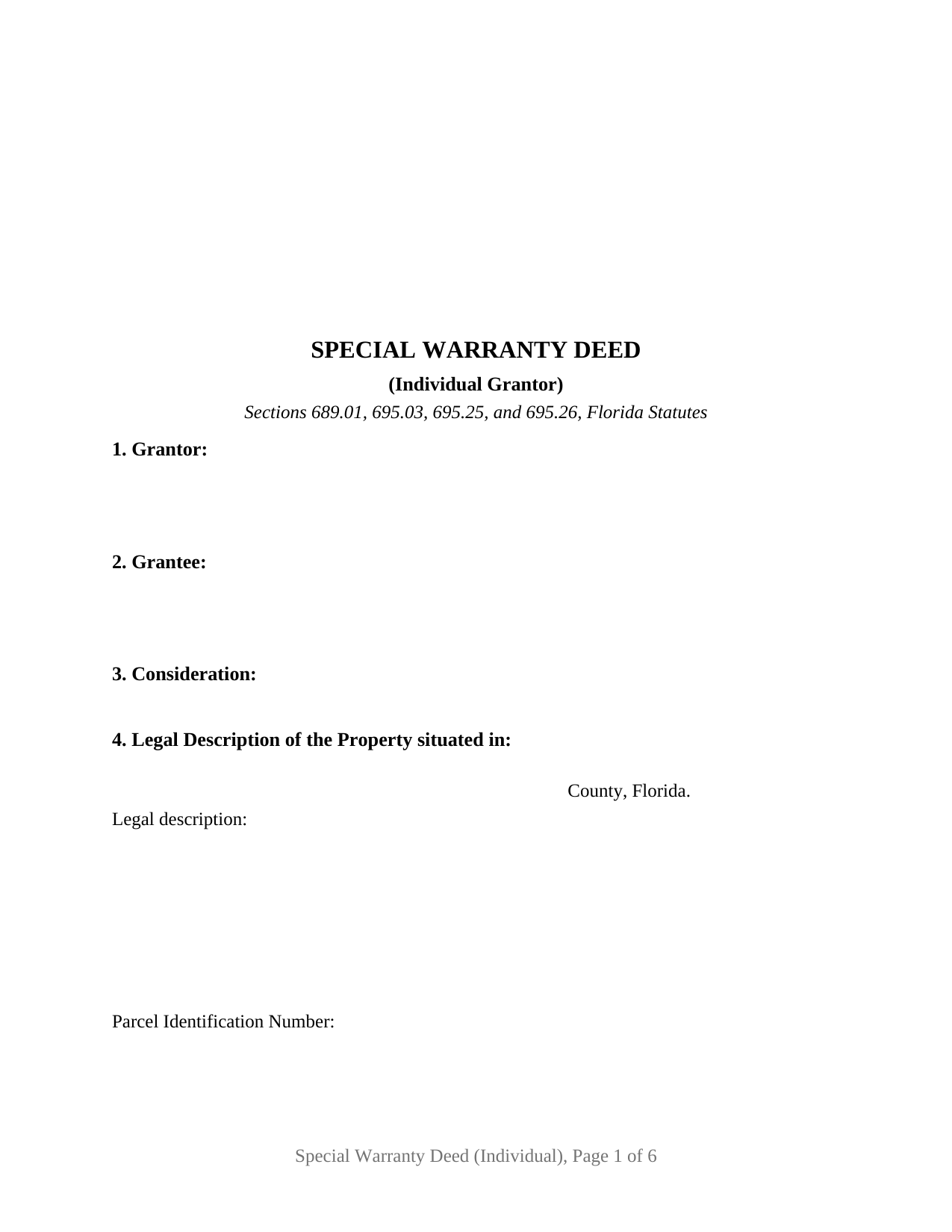
Pinellas County Special Warranty Deed (Individual) Form
Fill in the blank Special Warranty Deed (Individual) form formatted to comply with all Florida recording and content requirements.
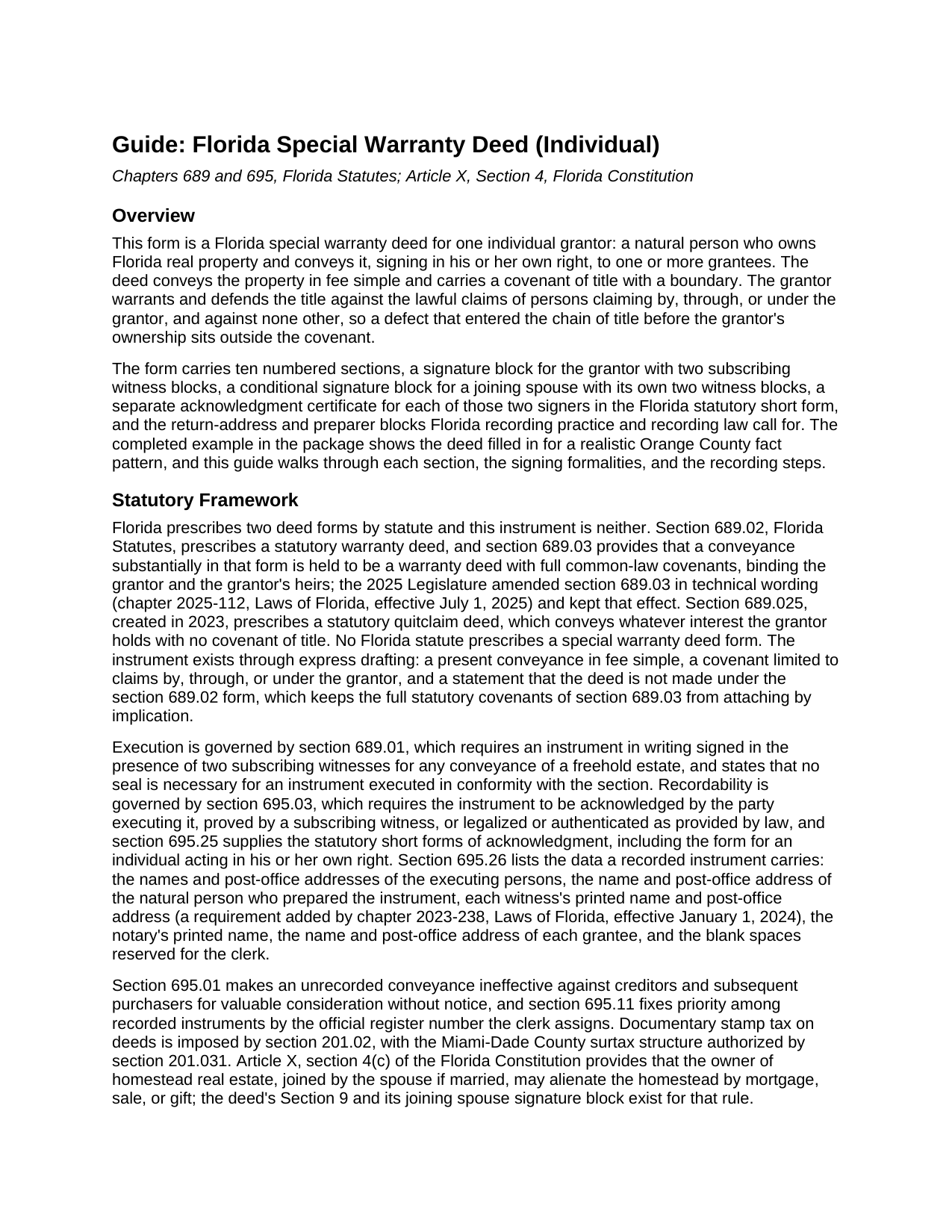
Pinellas County Special Warranty Deed (Individual) Guide
Line by line guide explaining every blank on the Special Warranty Deed (Individual) form.
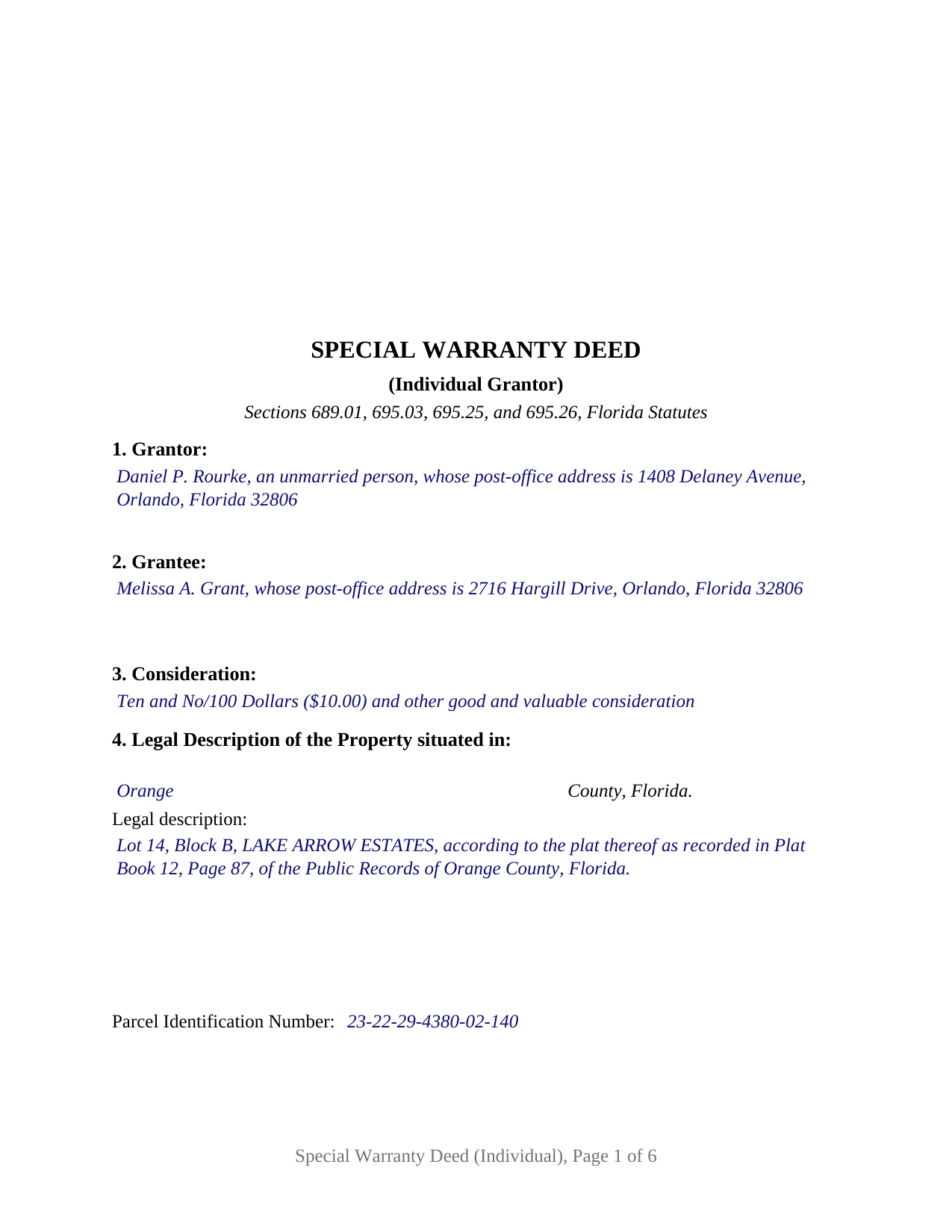
Pinellas County Completed Example of the Special Warranty Deed (Individual) Document
Example of a properly completed Florida Special Warranty Deed (Individual) document for reference.
All 3 documents above included • One-time purchase • No recurring fees
Immediate Download • Secure Checkout
Additional Florida and Pinellas County documents included at no extra charge:
Where to Record Your Documents
Recording Services Dept - Clearwater Courthouse
Clearwater, Florida 33756
Hours: 8:30 to 4:30 M-F
Phone: (727) 464-7000
St. Petersburg Branch Office
St. Petersburg, Florida 33701
Hours: 8:30 to 4:30 M-F
Phone: (727) 464-7000
North County Branch Office
Clearwater, Florida 33761
Hours: 8:30 to 4:30 M-F / Document drop-off only
Phone: (727) 464-7000
Clerk's Tyrone Branch Office
St. Petersburg, Florida 33710
Hours: 8:30 - 4:30 M-F / Document drop-off only
Phone: (727) 464-7000
Recording Tips for Pinellas County:
- Bring your driver's license or state-issued photo ID
- Ensure all signatures are in blue or black ink
- Ask about their eRecording option for future transactions
- Avoid the last business day of the month when possible
- Both spouses typically need to sign if property is jointly owned
Cities and Jurisdictions in Pinellas County
Properties in any of these areas use Pinellas County forms:
- Bay Pines
- Belleair Beach
- Clearwater
- Clearwater Beach
- Crystal Beach
- Dunedin
- Indian Rocks Beach
- Largo
- Oldsmar
- Ozona
- Palm Harbor
- Pinellas Park
- Safety Harbor
- Saint Petersburg
- Seminole
- Tarpon Springs
Hours, fees, requirements, and more for Pinellas County
How do I get my forms?
Forms are available for immediate download after payment. The Pinellas County forms will be in your account ready to download to your computer. An account is created for you during checkout if you don't have one. Forms are NOT emailed.
Are these forms guaranteed to be recordable in Pinellas County?
Yes. Our form blanks are guaranteed to meet or exceed the applicable formatting requirements used for recording in Pinellas County, including margin requirements, font requirements, and other layout standards. This guarantee applies to formatting, not to the legal sufficiency of information entered by the user or the suitability of a form for a particular transaction.
Can I reuse these forms?
Yes. You can reuse the forms for your personal use. For example, if you have multiple properties in Pinellas County you only need to order once.
What do I need to use these forms?
The forms are PDFs that you fill out on your computer. The free Adobe Acrobat Reader is recommended, and most PDF apps also work. You do NOT enter your property information online - you download the blank forms and complete them privately on your own computer.
Are there any recurring fees?
No. This is a one-time purchase. Nothing to cancel, no memberships, no recurring fees.
How much does it cost to record in Pinellas County?
Recording fees in Pinellas County vary. Contact the recorder's office at (727) 464-7000 for current fees.
Questions answered? Let's get started!
A sole owner of Florida real estate, holding title as an individual, can give a deed whose title covenant is measured by that owner's own years on the title and by nothing earlier. This Florida special warranty deed is prepared for exactly that seller: a single individual, signing personally rather than for a company or a trust, with a joinder section that brings a spouse onto the deed only when the Florida Constitution calls for it.
A covenant that starts when the grantor's ownership started
Section 689.03 attaches full common-law covenants to a deed substantially in the statutory warranty form of section 689.02, and the statutory quitclaim deed of section 689.025 carries none. Nothing in the statutes describes the deed in between, so this instrument builds it in its own words: the grantor warrants and defends the title against the lawful claims of all persons claiming by, through, or under the grantor, but against none other, and the deed states that it is not made, and is not to be construed, as a statutory warranty deed. Section 6, the source of title, marks where the promise begins. A lien that attached during the grantor's ownership sits inside the covenant unless Section 7 lists it as a matter the conveyance remains subject to.
One signature, and a second one only for homestead
The spouse who may not be on the title at all is what sets an individual grantor apart. Article X, Section 4 of the Florida Constitution lets the owner of homestead real estate alienate it by sale or gift only when joined by the spouse, if married; dower and curtesy are abolished, so no other doctrine puts a spouse's signature on a Florida deed. The form answers that one rule with Section 9, Joinder of Spouse (Homestead), and a JOINING SPOUSE signature block with its own two witness blocks and its own acknowledgment certificate. Where the grantor is married and the property is the grantor's homestead, the spouse signs there and, by that joinder, conveys, releases, and relinquishes the spouse's interest without any warranty. Where the grantor is unmarried, or the property is not the grantor's homestead, those blocks stay blank and the deed states that no spouse joins.
The seller this deed recites
The form recites exactly one grantor, an individual signing in the grantor's own right and not in any representative capacity, conveying the whole of the grantor's interest. Two histories that present the pattern in the Florida record are a buyer at a foreclosure or tax deed sale who later resells without warranting the title the sale cut off, and a landlord who has owned a rental for years and stands behind that period alone. A grantor that is a corporation, a limited liability company, a partnership, or a trustee signs under different statutes and uses a different statutory acknowledgment, and two co-owners present two signatures and two certificates; the form is not set up as any of those.
Two witnesses, the statutory certificate, and a place for the seal
Section 689.01 requires the grantor to sign in the presence of two subscribing witnesses, and since January 1, 2024, section 695.26 has required each witness's printed name beneath the signature and a post-office address on the instrument; the form carries two witness blocks for each signature. The acknowledgment certificate reproduces the section 695.25(1) short form for an individual acting in his or her own right, with the two boxes the officer marks for physical presence or online notarization, and it reserves a labeled area for the rubber-stamp seal section 117.05 places beside or below the notary's signature.
At the recording counter
The clerk of the circuit court records the deed in the county where the land lies, and the first page keeps the top-right 3 inch by 3 inch space section 695.26 reserves for the clerk. Documentary stamp tax under section 201.02 is paid at recording, 70 cents per $100 of consideration in every county except Miami-Dade, which follows its own rate and surtax structure. Under section 695.01 an unrecorded deed binds the parties but gives way to creditors and later purchasers for value without notice.
The download includes the deed as a fillable PDF, a completed example worked through an Orange County conveyance by an unmarried grantor, and a plain-language guide that treats every numbered section, the witness and notary blocks, the homestead joinder, and the recording steps. The materials describe Florida law in general terms and are not legal advice.
Important: Your property must be located in Pinellas County to use these forms. Documents should be recorded at the county recording office listed above.
This Special Warranty Deed (Individual) meets all recording requirements specific to Pinellas County.
Our Promise
The documents you receive here are guaranteed to meet or exceed the applicable Pinellas County recording format requirements. If there is a rejection caused by our formatting, we will correct the issue or refund your payment. This guarantee applies to document formatting only and does not extend to information entered by the user, the selection of the form, or the legal effect of the completed document.
Save Time and Money
Get your Pinellas County Special Warranty Deed (Individual) form done right the first time with Deeds.com Uniform Conveyancing Blanks. At Deeds.com, we understand that your time and money are valuable resources, and we don't want you to face a penalty fee or rejection imposed by a county recorder for submitting nonstandard documents. We constantly review and update our forms to meet rapidly changing state and county recording requirements for roughly 3,500 counties and local jurisdictions.
4.8 out of 5 - ( 4,860 Reviews )
Tim T. 5 out of 5 stars
Fast and efficient
We appreciate your business and value your feedback. Thank you. Have a wonderful day!
Ralph E. 5 out of 5 stars
I wish I had found this site earlier!!! Not only was it helpful and just what I needed but I got my information so fast AND on the weekend. I would recommend this site to everyone. I plan on using it more. Its cheap and I can get my information while sitting at home. Very impressed!
Thank you for the kinds words Ralph. Have a great day!
Ricardo M. 5 out of 5 stars
easy to use
Thank you!
Curley B. 5 out of 5 stars
So far, I'm pleased. I am a first-time user, as most of my clients are in California. I look forward to working with you more in the future.
Thank you for your feedback. We really appreciate it. Have a great day!
JOHN B. 3 out of 5 stars
Process of acquiring an account and submitting a document was VERY easy. Failure was on the Recorders office, for not accepting the survey. Cheers.
Thank you!
Mary M. 5 out of 5 stars
The documents were received on time. There is one thing I would like to ask besides adding exhibits for spaces that put information is there a way to adjust the template a little to just add maybe another line or two without having to put this on an exhibit or additional page?. I would like to thank you for the documents everything was so professional thank you
Thank you, Mary. Glad the documents arrived on time and worked well for you.
On your question: the forms are formatted to meet county recording requirements, so the spacing in each section is fixed. When the information you need to include runs longer than the space provided, attaching it as an exhibit is the accepted method and recorders handle it routinely. It won’t affect how the document is reviewed or recorded.
We appreciate you taking the time to leave a review.
JoAnn S. 5 out of 5 stars
Easy to process orders.
Thank you!
Susan R. 5 out of 5 stars
I found the documents I needed on Deeds.com. It was so easy to use and I received the items I purchased FAST! I'll be using their service again.
Thank you for your feedback. We really appreciate it. Have a great day!
Randall M. 5 out of 5 stars
These forms worked fantastic!
We appreciate your business and value your feedback. Thank you. Have a wonderful day!
Roberta M. 5 out of 5 stars
I found a lot of useful information regarding the Lady Bird Deed and feel it will serve my needs as opposed to a Revocable Living Trust. The information was easy to understand and very helpful. The forms seem easy to complete and I plan to get them notarized and filed at the courthouse very soon.
Thank you for your feedback. We really appreciate it. Have a great day!
Della M. 5 out of 5 stars
Very easy to purchase with immediate use of all of the forms that you need for probate of property. My parents had died and left equal shares of their home to my 2 brothers and I.
Thank you!
JUDITH-DIAN W. 5 out of 5 stars
I didn't have any problem downloading and filling out the form on my computer and printing it yesterday. I didn't know what to put for "Source of Title". I called the county recording office; they didn't know either and said to leave it blank. I got the form notarized at my bank and took it in to the recording office. They checked it, accepted it, I paid a fee, and it's done. So easy. My children will appreciate that I've done this. Added note: You do have one typo on your form--you left out 'at'. It should read: "You should carefully read all information at the end of this form."
Thank you for your feedback. We really appreciate it. Have a great day!
Norma M. 5 out of 5 stars
this is great because it saves money and gets the job done
Thank you for your feedback. We really appreciate it. Have a great day!
Joseph T. 5 out of 5 stars
I downloaded the wrong form, how do I change this, or can I?
Sorry to hear that. As a one time courtesy we have canceled your order and payment for the documents you ordered in error. Have a great day.
Laurel D. 5 out of 5 stars
This is a great service. I can't believe how fast my document was recorded!
Thank you for your feedback. We really appreciate it. Have a great day!