Gallatin County Correction Deed Form
Last validated October 8, 2026 by our Forms Development TeamFormatted for recording in Gallatin County, for property anywhere in the county: rural and unincorporated areas as well as Equality, Junction, New Haven, Omaha, Ridgway, Shawneetown.
- 3 documents included
- Immediate PDF download
- Formatting guarantee
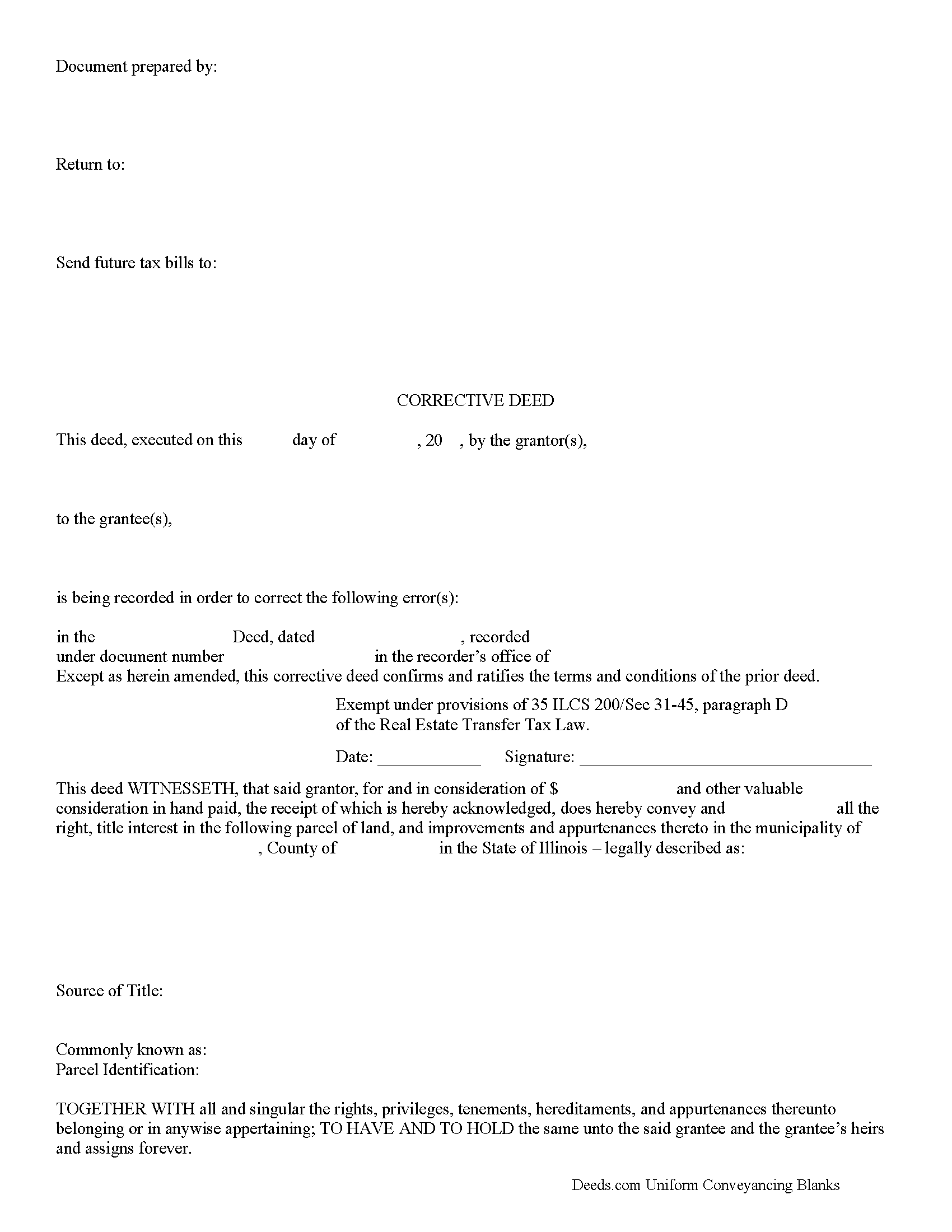
Gallatin County Correction Deed Form
Fill in the blank form formatted to comply with all recording and content requirements.
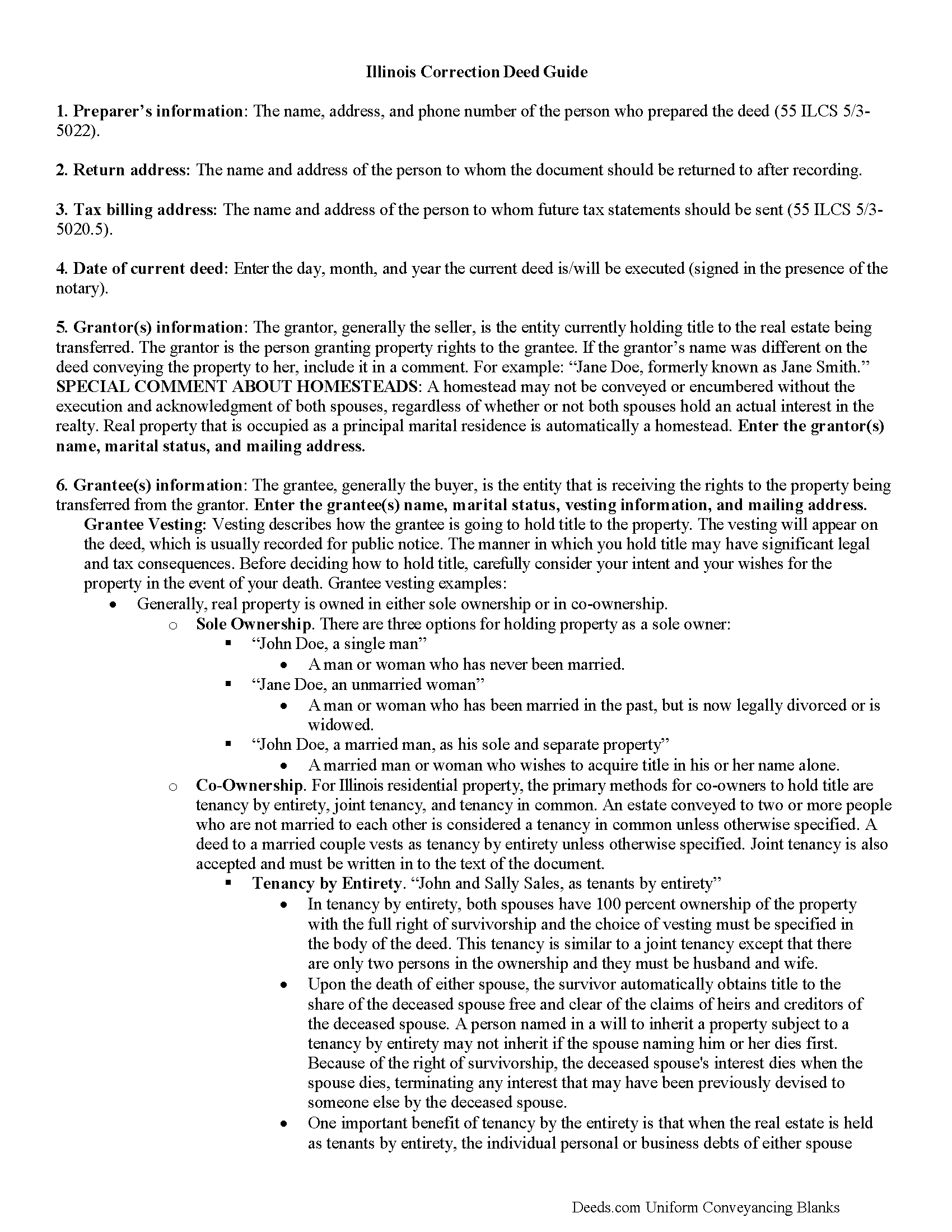
Gallatin County Correction Deed Guide
Line by line guide explaining every blank on the form.
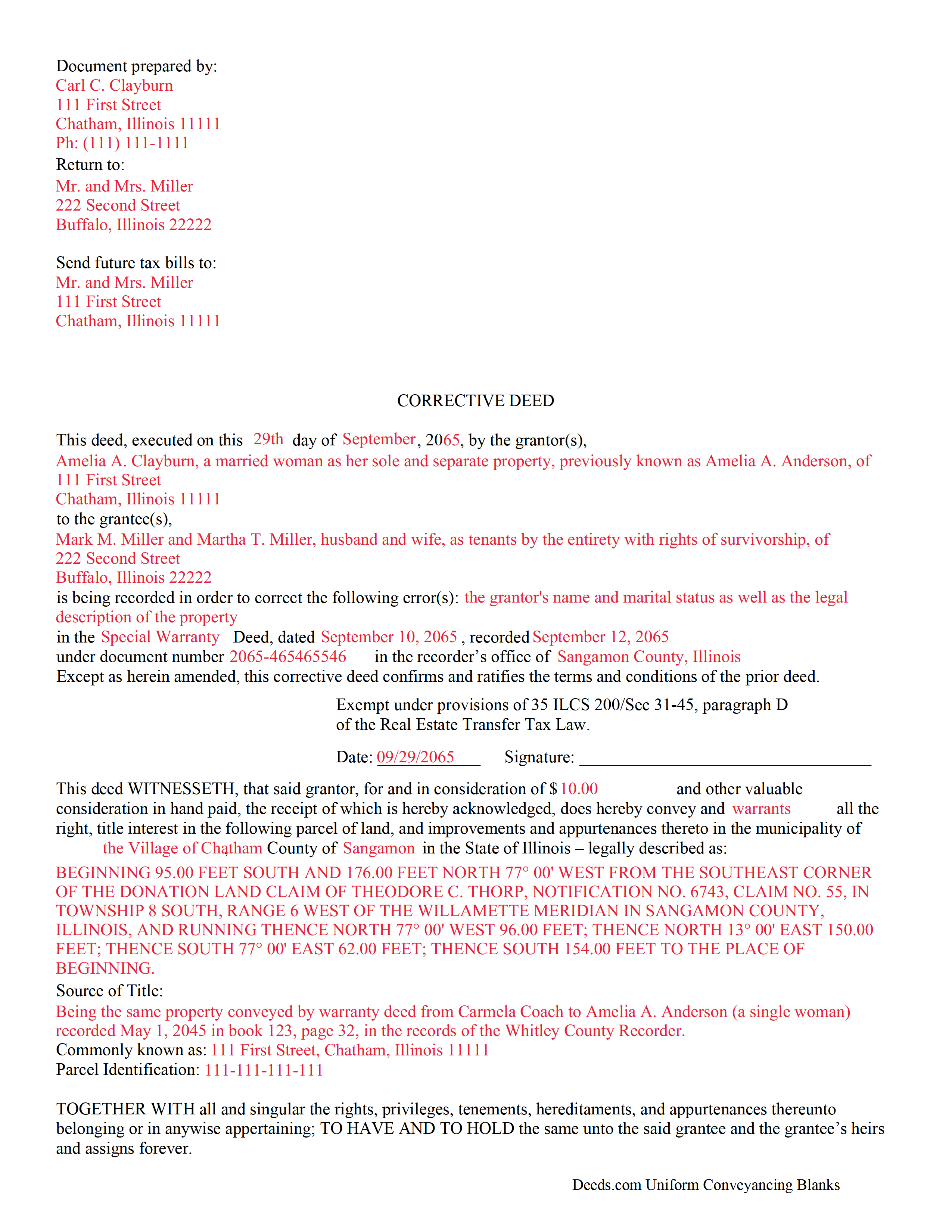
Gallatin County Completed Example of the Correction Deed Document
Example of a properly completed form for reference.
All 3 documents above included • One-time purchase • No recurring fees
Immediate Download • Secure Checkout
Additional Illinois and Gallatin County documents included at no extra charge:
Where to Record Your Documents
Gallatin County Clerk / Recorder - Courthouse
Shawneetown, Illinois 62984
Hours: 8:00 to 4:00 Monday through Friday
Phone: (618) 269-3025
Recording Tips for Gallatin County:
- Bring your driver's license or state-issued photo ID
- Ensure all signatures are in blue or black ink
- Ask for certified copies if you need them for other transactions
- Ask if they accept credit cards - many offices are cash/check only
- Check that your notary's commission hasn't expired
Cities and Jurisdictions in Gallatin County
Properties in any of these areas use Gallatin County forms:
- Equality
- Junction
- New Haven
- Omaha
- Ridgway
- Shawneetown
Hours, fees, requirements, and more for Gallatin County
How do I get my forms?
Forms are available for immediate download after payment. The Gallatin County forms will be in your account ready to download to your computer. An account is created for you during checkout if you don't have one. Forms are NOT emailed.
Are these forms guaranteed to be recordable in Gallatin County?
Yes. Our form blanks are guaranteed to meet or exceed the applicable formatting requirements used for recording in Gallatin County, including margin requirements, font requirements, and other layout standards. This guarantee applies to formatting, not to the legal sufficiency of information entered by the user or the suitability of a form for a particular transaction.
Can I reuse these forms?
Yes. You can reuse the forms for your personal use. For example, if you have multiple properties in Gallatin County you only need to order once.
What do I need to use these forms?
The forms are PDFs that you fill out on your computer. The free Adobe Acrobat Reader is recommended, and most PDF apps also work. You do NOT enter your property information online - you download the blank forms and complete them privately on your own computer.
Are there any recurring fees?
No. This is a one-time purchase. Nothing to cancel, no memberships, no recurring fees.
How much does it cost to record in Gallatin County?
Recording fees in Gallatin County vary. Contact the recorder's office at (618) 269-3025 for current fees.
Questions answered? Let's get started!
Use a correction or corrective deed to clear up a title flaw in a deed recorded in Illinois. This form allows for correction of errors in one or multiple sections of the deed.
When correcting an error in a deed in Illinois, there are two basic options: 1) re-record the original deed with corrections made on the face of it by striking out the wrong item; or 2) record a correction or corrective deed. While some counties prefer re-recording the original deed, others recommend the cleaner recording of a new deed. So it is always a good idea to check with the local recorder's office. The gravity of the error and correction it requires also will determine which option to choose. Use the re-recording of the original deed primarily for smaller typographical mistakes.
When correcting a minor error and re-recording the prior deed, use the original deed only, strike through the wrong information, and write the correction down close to it and by hand. Usually, a cover page must be added, stating the important identifiers, as well as the reason for re-recording. For a more involved error, the correction deed might be a better option. Except for the corrected error, it restates and confirms all information of the prior deed, referencing it by date, recording number, and identifying the corrected error by type. In terms of recording fees, there may be a small difference between the two options in some counties.
A corrective deed is exempt from transfer tax according to 35 ILCS 200/35-41 (d). Add a sentence stating this exemption to the cover page when re-recording the original deed. On the corrective deed form, a tax statement, along with a line for the signature of the buyer, seller, or a representative, serves that purpose.
(Illinois Correction Deed Package includes form, guidelines, and completed example)
Important: Your property must be located in Gallatin County to use these forms. Documents should be recorded at the county recording office listed above.
This Correction Deed meets all recording requirements specific to Gallatin County.
Our Promise
The documents you receive here are guaranteed to meet or exceed the applicable Gallatin County recording format requirements. If there is a rejection caused by our formatting, we will correct the issue or refund your payment. This guarantee applies to document formatting only and does not extend to information entered by the user, the selection of the form, or the legal effect of the completed document.
Save Time and Money
Get your Gallatin County Correction Deed form done right the first time with Deeds.com Uniform Conveyancing Blanks. At Deeds.com, we understand that your time and money are valuable resources, and we don't want you to face a penalty fee or rejection imposed by a county recorder for submitting nonstandard documents. We constantly review and update our forms to meet rapidly changing state and county recording requirements for roughly 3,500 counties and local jurisdictions.
4.8 out of 5 - ( 4,828 Reviews )
Kris S. 5 out of 5 stars
Being a real estate agent I know just enough about legal documents to get in trouble. Thankfully the pros here know what they are doing.
Thank you for your feedback. We really appreciate it. Have a great day!
Robert L. 5 out of 5 stars
Very easy to use and I had no issues submitting my deed.
Thank you!
Ray L. 5 out of 5 stars
This was my first time using Deeds.com It was very easy to understand and use. I was pleasantly suprised.
We appreciate your business and value your feedback. Thank you. Have a wonderful day!
Heidi S. 5 out of 5 stars
I do not enjoy the process of not knowing how something works. When I get to a new website I cringe inside. When I find one that works I am pleased to have function. Thank you for making it easy for a lay person
Thank you for your feedback. We really appreciate it. Have a great day!
Laura S. 5 out of 5 stars
Easy to utilize database and instructions!
We are grateful for your feedback and looking forward to serving you again. Thank you!
Alfred J. H. 5 out of 5 stars
Excellent resource for legal forms. Very satisfied. Instructions and caveats explained clearly. Thank You!
Thank you!
James J. 4 out of 5 stars
Ive been looking for a complete packet with all the forms needed!!
Thank you for your positive words! We’re thrilled to hear about your experience.
Shannon R. 5 out of 5 stars
Good forms, served the purpose. would not hesitate to use again if needed.
We appreciate your business and value your feedback. Thank you. Have a wonderful day!
RHONDA G. 4 out of 5 stars
Was driven to this site by the county website. It took a bit of work having to create an account, etc. The example was useful; however the example only showed both parties in the same county, nor did the instructions mention anything about differing counties. This caused an oversight on my part.
Your insights are invaluable to us and help us strive for better service. Thank you for taking the time to share your thoughts.
Jo Ellen H. 5 out of 5 stars
So very easy to fill out, very satisfied.
Thank you, Jo Ellen! We’re glad the form was easy to complete and that you’re satisfied. We appreciate your business.
Cary C. 5 out of 5 stars
I am very grateful for this service! But I was quite surprised to see the fees went up over 50%! The last 5 or 6 recordings I have done we each only $25.00. Thank you, Sally Center
Thank you for your feedback. We really appreciate it. Have a great day!
Karen L. 5 out of 5 stars
My card was charged twice in error, I contacted deeds.com and within minutes, the error was corrected! Fast service, thank you deed.com
Thank you!
Nellouise S. 5 out of 5 stars
Documents are ok but I needed to reword some of the verbiage and it cannot be edited without paying a monthly or annual membership. otherwise it is a very nice site.
Thank you for your feedback. We really appreciate it. Have a great day!
CHARLES V. 5 out of 5 stars
Legit. Reasonable prices.
Thank you for your feedback. We really appreciate it. Have a great day!
Cindy H. 5 out of 5 stars
It was easy and quick. Such a pleasure to use since we live out of town. So convenient. Definitely would recommend.
Thank you for your feedback. We really appreciate it. Have a great day!