Jersey County Notice of Death Affidavit (Transfer on Death Instrument Beneficiary) Form
Last validated October 23, 2026 by our Forms Development TeamFormatted for recording in Jersey County, for property anywhere in the county: rural and unincorporated areas as well as Dow, Elsah, Fidelity, Fieldon, Grafton, Jerseyville, Medora.
- 3 documents included
- Immediate PDF download
- Formatting guarantee
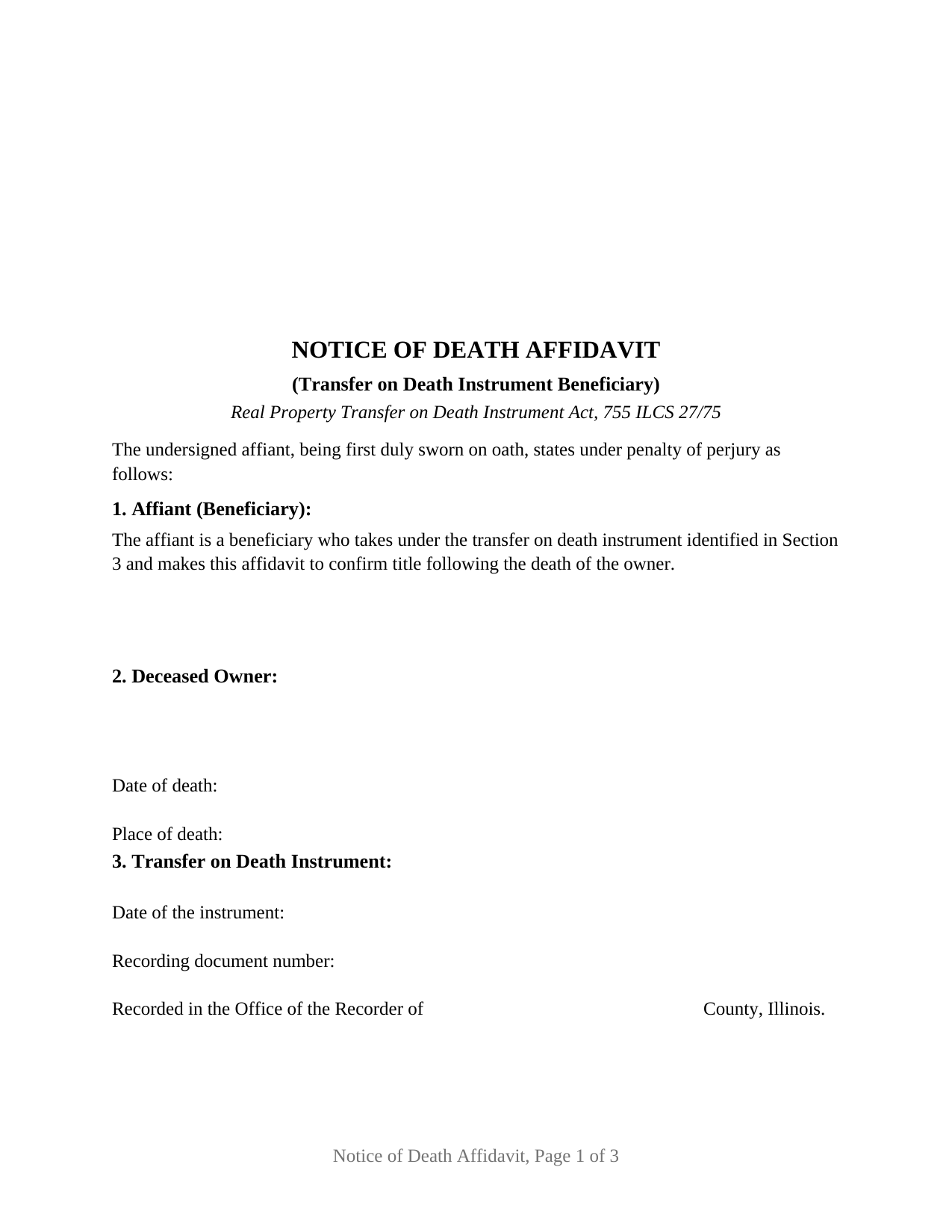
Jersey County Notice of Death Affidavit (Transfer on Death Instrument Beneficiary) Form
Fill in the blank Notice of Death Affidavit (Transfer on Death Instrument Beneficiary) form formatted to comply with all Illinois recording and content requirements.
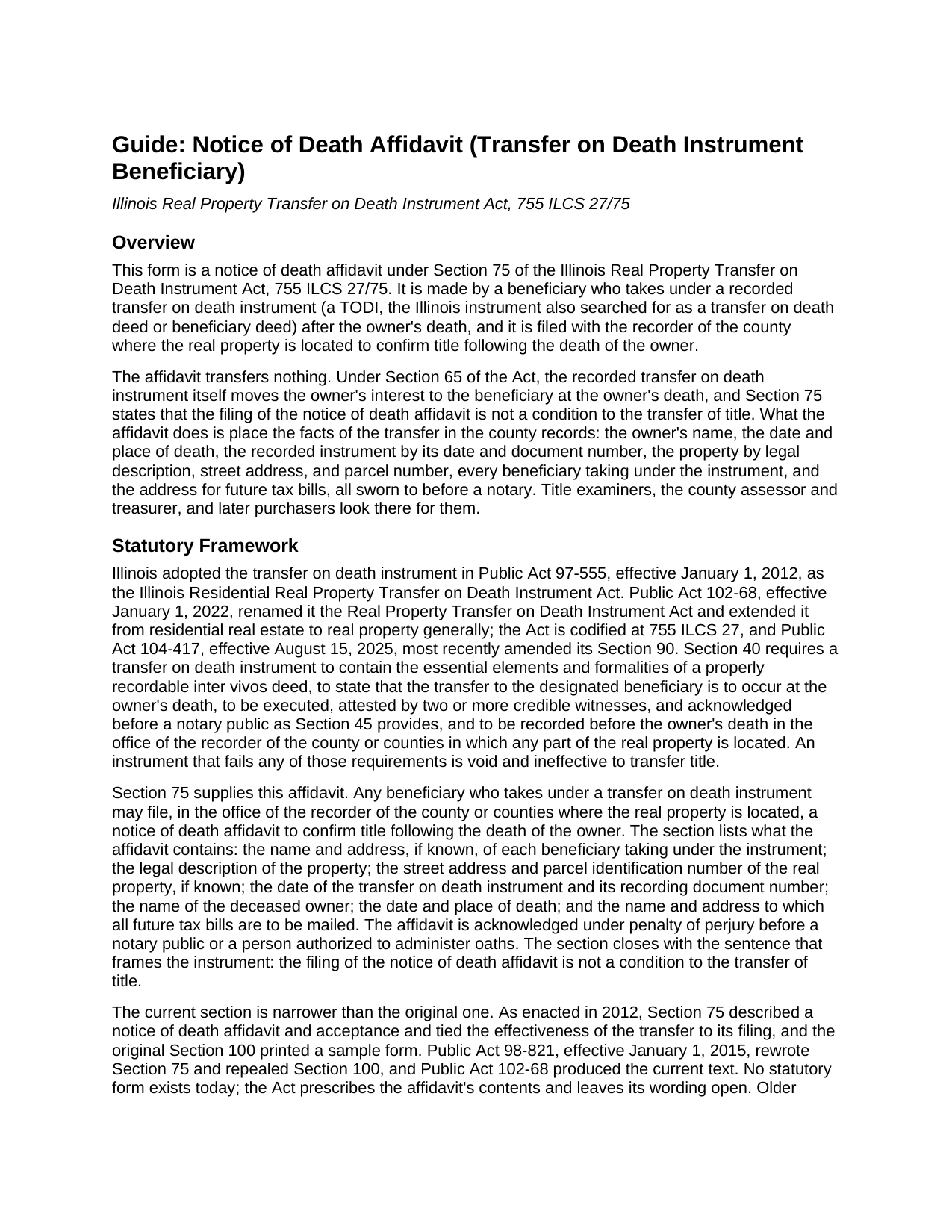
Jersey County Notice of Death Affidavit (Transfer on Death Instrument Beneficiary) Guide
Line by line guide explaining every blank on the Notice of Death Affidavit (Transfer on Death Instrument Beneficiary) form.
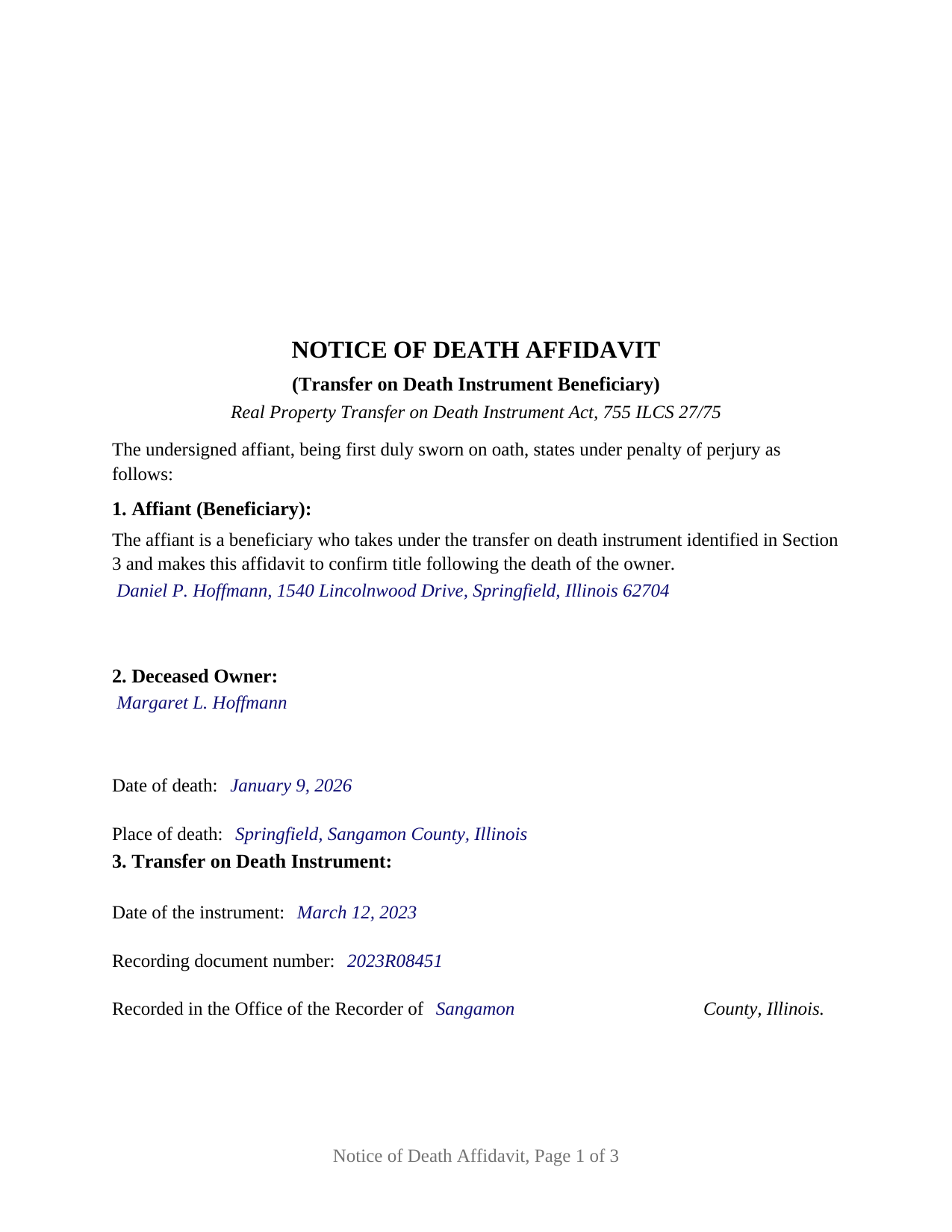
Jersey County Completed Example of the Notice of Death Affidavit (Transfer on Death Instrument Beneficiary) Document
Example of a properly completed Illinois Notice of Death Affidavit (Transfer on Death Instrument Beneficiary) document for reference.
All 3 documents above included • One-time purchase • No recurring fees
Immediate Download • Secure Checkout
Additional Illinois and Jersey County documents included at no extra charge:
Where to Record Your Documents
Jersey County Clerk/Recorder
Jerseyville, Illinois 62052
Hours: 8:00 am to 4:00pm Monday through Thursday, and 8:00am to 12 Noon on Fridays
Phone: (618) 498-5571 Ext 117 & 118
Recording Tips for Jersey County:
- Bring your driver's license or state-issued photo ID
- Ensure all signatures are in blue or black ink
- Ask about accepted payment methods when you call ahead
- Ask for certified copies if you need them for other transactions
- Ask if they accept credit cards - many offices are cash/check only
Cities and Jurisdictions in Jersey County
Properties in any of these areas use Jersey County forms:
- Dow
- Elsah
- Fidelity
- Fieldon
- Grafton
- Jerseyville
- Medora
Hours, fees, requirements, and more for Jersey County
How do I get my forms?
Forms are available for immediate download after payment. The Jersey County forms will be in your account ready to download to your computer. An account is created for you during checkout if you don't have one. Forms are NOT emailed.
Are these forms guaranteed to be recordable in Jersey County?
Yes. Our form blanks are guaranteed to meet or exceed the applicable formatting requirements used for recording in Jersey County, including margin requirements, font requirements, and other layout standards. This guarantee applies to formatting, not to the legal sufficiency of information entered by the user or the suitability of a form for a particular transaction.
Can I reuse these forms?
Yes. You can reuse the forms for your personal use. For example, if you have multiple properties in Jersey County you only need to order once.
What do I need to use these forms?
The forms are PDFs that you fill out on your computer. The free Adobe Acrobat Reader is recommended, and most PDF apps also work. You do NOT enter your property information online - you download the blank forms and complete them privately on your own computer.
Are there any recurring fees?
No. This is a one-time purchase. Nothing to cancel, no memberships, no recurring fees.
How much does it cost to record in Jersey County?
Recording fees in Jersey County vary. Contact the recorder's office at (618) 498-5571 Ext 117 & 118 for current fees.
Questions answered? Let's get started!
When the owner who recorded an Illinois transfer on death instrument dies, the property passes to the named beneficiary by force of the recorded instrument itself. What the Real Property Transfer on Death Instrument Act then offers the beneficiary is a sworn filing, the notice of death affidavit of 755 ILCS 27/75, and this form prepares that affidavit for a beneficiary who takes under a recorded Illinois TODI, also searched for as an Illinois transfer on death deed or beneficiary deed.
A filing that confirms, not one that transfers
Section 75 says what the affidavit is for in a single phrase: to confirm title following the death of the owner. The transfer itself happened at the moment of death under Section 65 of the Act, and the same section that creates the affidavit states that filing it is not a condition to the transfer of title. The affidavit therefore carries no conveyance language and no warranty; it carries sworn facts, placed where a title examiner, the county assessor, and the next purchaser will look for them.
What Section 75 puts in the affidavit
The statute lists the contents rather than prescribing a form, and the affidavit's numbered sections follow that list: the deceased owner's name with the date and place of death; the transfer on death instrument by its date and the document number the recorder assigned to it; the real property by legal description, street address, and parcel identification number; every beneficiary taking under the instrument, by name and, where known, address; and the name and address to which future tax bills are to be mailed. The affiant then swears, under penalty of perjury before a notary, to the statements that tie those facts together: that the owner died owning an interest in the property, that the instrument was recorded before the death, that no revocation was recorded, and, where the instrument was made by joint owners, that the deceased owner was the last of them to die.
Sworn before a notary, not merely acknowledged
Section 75 requires the affidavit to be acknowledged under penalty of perjury before a notary public or another person authorized to administer oaths. The form therefore ends in a verification upon oath or affirmation, the Illinois notary's jurat, rather than the acknowledgment certificate that appears on deeds. The certificate carries the short form sentence of the Illinois Notary Public Act, Signed and sworn (or affirmed) to before me, with a venue for the place of the act and the notary's signature, printed name, state, and commission expiration. The venue is wherever the beneficiary appears, which need not be Illinois.
The beneficiary configuration this form recites
The form recites exactly one affiant, a beneficiary who takes under the instrument and signs as an individual, with one signature block and one notarial certificate. The affiant's beneficiary status is fixed text in Section 1, in the words of Section 75, not a blank. All of the beneficiaries taking under the instrument, the affiant included, are listed in Section 5 without signing; a second beneficiary who swears a separate affidavit uses a second copy of the form. An adult child named as sole beneficiary of a parent's home, and two siblings named together who take equal undivided shares under Section 65 of the Act, present the pattern this form recites. A beneficiary that is a trust or a company, signing through a trustee or officer, presents a representative capacity configuration the form is not set up as.
Recording in the county where the property lies
The affidavit is filed with the recorder of the county or counties where the real property is located, the office that already holds the instrument. It is built to the Counties Code standard document format, with the three by five inch recorder's space on the first page and the preparer statement and return address the Code requires on the face of a recorded instrument. Whether the recorder asks for a transfer tax declaration or exemption notation with the affidavit is a county intake practice the guide describes, as is the attachment of a certified copy of the death certificate, which the Act does not require.
The package includes the fillable notice of death affidavit, a completed example filled in for a realistic Sangamon County fact pattern, and a guide that walks through each numbered section, the jurat, and the recording process; this description and the guide describe the form and the governing Illinois statutes in general terms and are not legal advice.
Important: Your property must be located in Jersey County to use these forms. Documents should be recorded at the county recording office listed above.
This Notice of Death Affidavit (Transfer on Death Instrument Beneficiary) meets all recording requirements specific to Jersey County.
Our Promise
The documents you receive here are guaranteed to meet or exceed the applicable Jersey County recording format requirements. If there is a rejection caused by our formatting, we will correct the issue or refund your payment. This guarantee applies to document formatting only and does not extend to information entered by the user, the selection of the form, or the legal effect of the completed document.
Save Time and Money
Get your Jersey County Notice of Death Affidavit (Transfer on Death Instrument Beneficiary) form done right the first time with Deeds.com Uniform Conveyancing Blanks. At Deeds.com, we understand that your time and money are valuable resources, and we don't want you to face a penalty fee or rejection imposed by a county recorder for submitting nonstandard documents. We constantly review and update our forms to meet rapidly changing state and county recording requirements for roughly 3,500 counties and local jurisdictions.
4.8 out of 5 - ( 4,831 Reviews )
Don M. 5 out of 5 stars
Easy to set up account. If I am presented with a chance to review the service, I will do that after I have received it.
Thank you!
Marci C. 5 out of 5 stars
Excellent Service! Quick and easy! Will definitely be using again!
Knowing our customers are happy is our top priority. Thank you for the wonderful feedback!
Ashley H. 5 out of 5 stars
Thank you for the quick response time messaging back and forth to get this completed, and also the fairly speedy e-recording! Excellent customer service!!!
We appreciate your business and value your feedback. Thank you. Have a wonderful day!
James B. 5 out of 5 stars
This was very easy to do. Great experience. These are the forms I needed. I would recommend these to anyone.
Thank you!
David R. 3 out of 5 stars
$40 is an excessively expensive price for this very simple form, especially since I couldn't view it before purchasing. I did successfully register the TODD at my county clerks office, although I wasn't certain it would be accepted given the notary format was on a separate page. Knowing what I know now, I would have formatted a form on my computer and filled it in with a pen. The background materials were superfluous and in my case, didn't add value.
David, we’re glad you successfully recorded your deed using our form. The value of a DIY package is not measured by how complicated the finished document looks or how easily it could be recreated on a computer. It provides a prepared form and supporting information rather than requiring you to research and draft a document from scratch. Having that starting point is what the purchase provides—even when, in hindsight, doing it yourself appears straightforward.
Jo Anne M. 5 out of 5 stars
good I think
Thank you!
Gail D. 5 out of 5 stars
Very concise and thorough website. Easily navigated and easily affordable.
Knowing our customers are happy is our top priority. Thank you for the wonderful feedback!
Brady D. 1 out of 5 stars
I would give you a zero if possible. The webpage is as cumbersome has all get out. I am on web pages all day every day and this one is by far the hardest one to get around in.
Thank you for sharing your feedback regarding your experience with our website. We are truly sorry to hear that navigating our site proved to be a challenge for you. Your insights are invaluable, and we will definitely take your comments into consideration as we work towards improving our online platform.
We wish you all the best in your future endeavors.
Arnold R. 5 out of 5 stars
this online service worked efficiently and as quickly as the registry allowed it to record new deeds. Thank you for providing services
Thank you for your feedback. We really appreciate it. Have a great day!
Robert A. 5 out of 5 stars
First timer with Deeds.com - excellent experience. I am a lawyer and do not record often. Did not have to pay membership- fast and easy upload of documents- fast response - fast recording time from county recorder- very legible documents- very reasonable price. I give 6 stars out of 5!
We appreciate your business and value your feedback. Thank you. Have a wonderful day!
Koko H. 5 out of 5 stars
Five star. Prompt and easy way to obtain information. Good value.
We appreciate your business and value your feedback. Thank you. Have a wonderful day!
Marcia D. 5 out of 5 stars
Excellent... This website was awesome. Exactly what I was looking for.
Thank you!
Suzan B. 5 out of 5 stars
Using Deeds.com could not have been easier. The examples and line-by-line instructions helped a lot! I am so glad I found you.
We appreciate your business and value your feedback. Thank you. Have a wonderful day!
John G. 5 out of 5 stars
Great on line help with the recording process!
We appreciate your business and value your feedback. Thank you. Have a wonderful day!
David L. 5 out of 5 stars
Good quick service. The forms helped guide and explain each section and question.
Thank you for your feedback. We really appreciate it. Have a great day!