Chase County Quitclaim Deed (LLC Grantor) Form
Last validated November 18, 2026 by our Forms Development TeamFormatted for recording in Chase County, for property anywhere in the county: rural and unincorporated areas as well as Cedar Point, Cottonwood Falls, Elmdale, Matfield Green, Strong City.
- 3 documents included
- Immediate PDF download
- Formatting guarantee
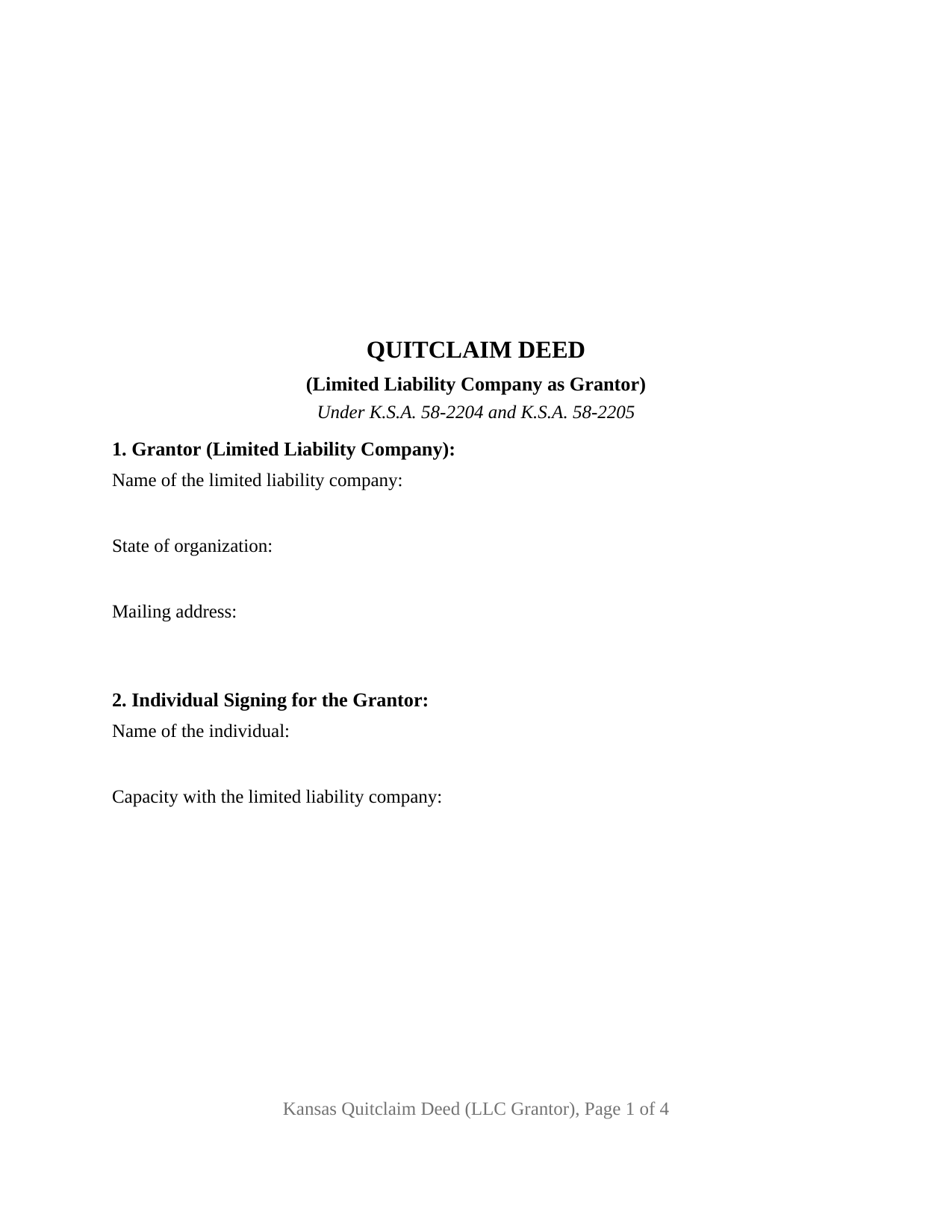
Chase County Quitclaim Deed (LLC Grantor) Form
Fill in the blank Quitclaim Deed (LLC Grantor) form formatted to comply with all Kansas recording and content requirements.
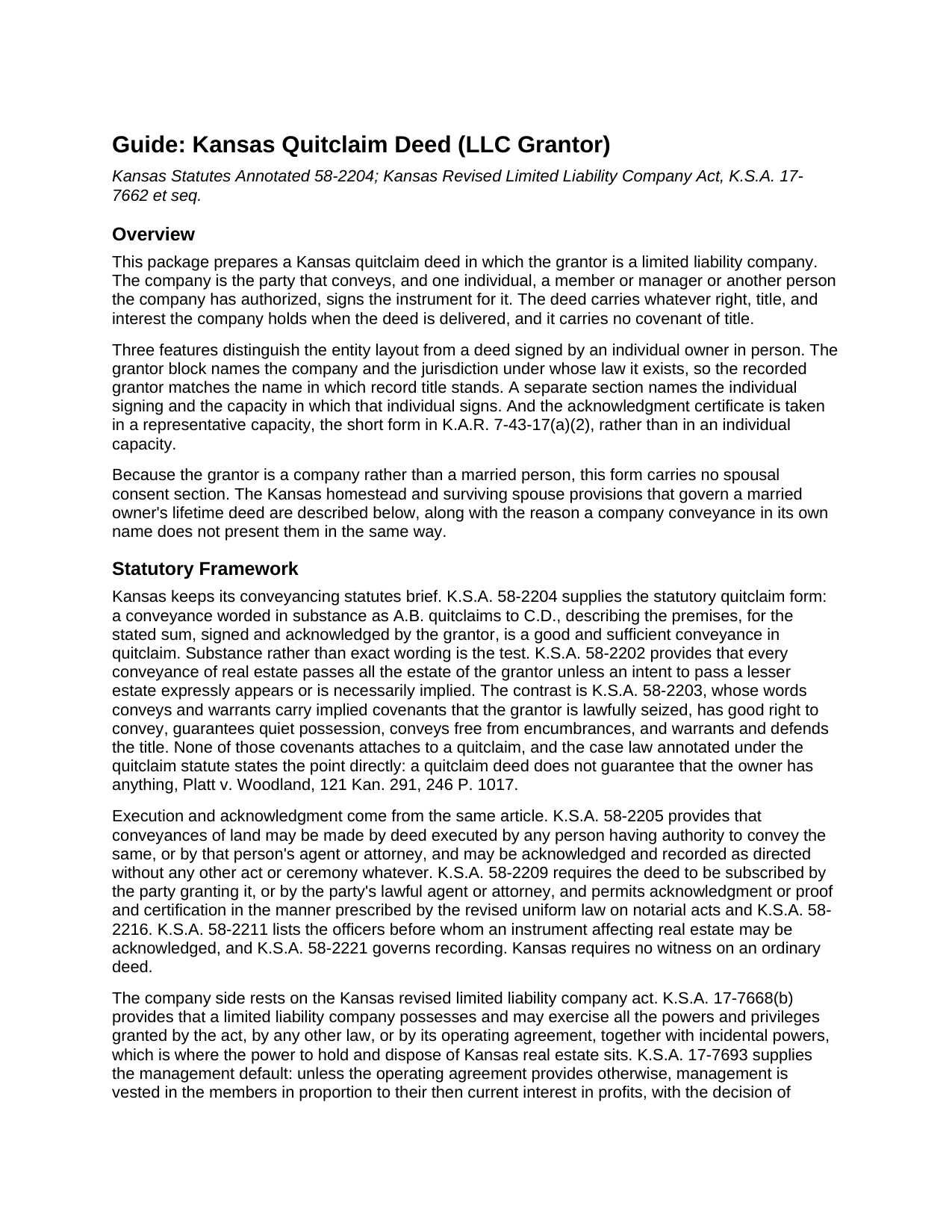
Chase County Quitclaim Deed (LLC Grantor) Guide
Line by line guide explaining every blank on the Quitclaim Deed (LLC Grantor) form.
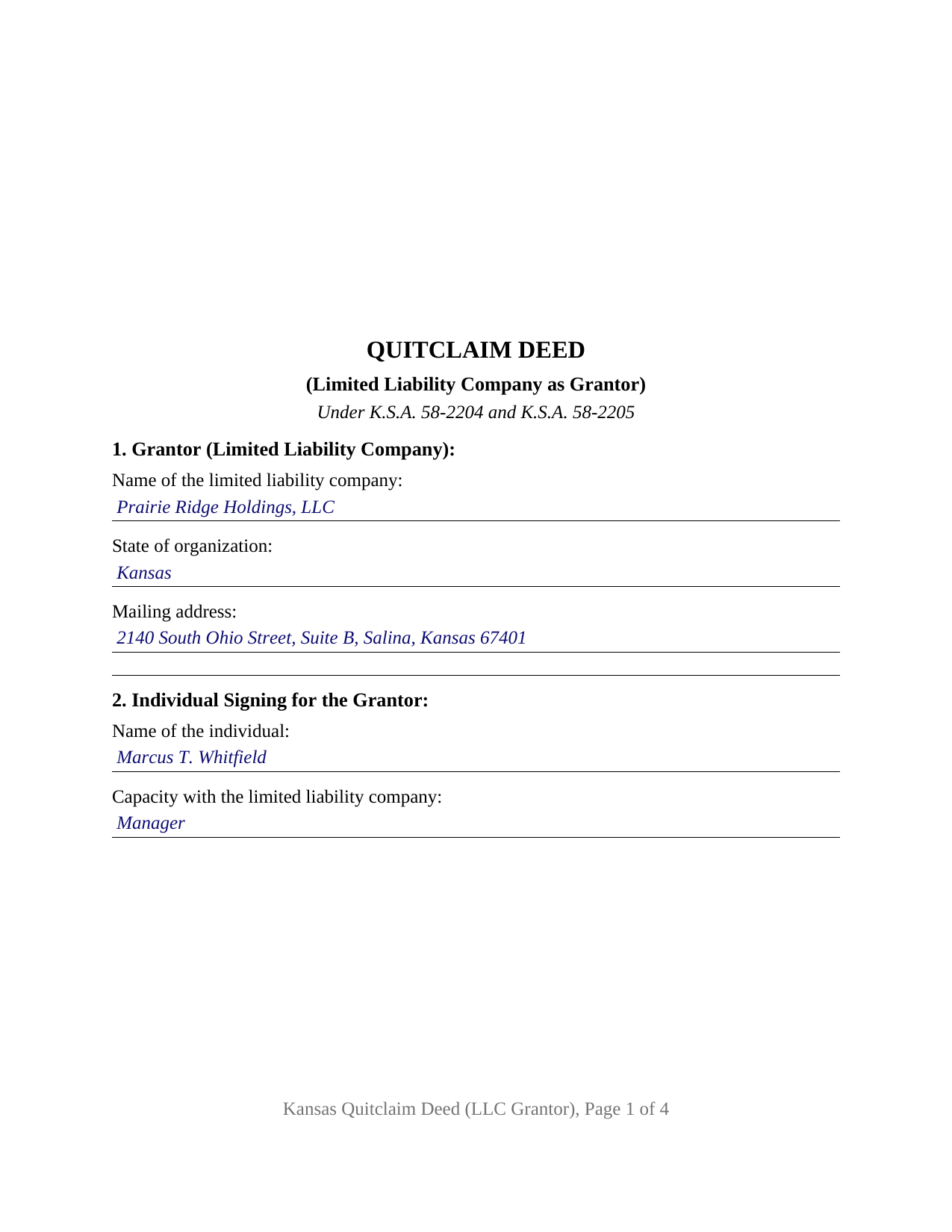
Chase County Completed Example of the Quitclaim Deed (LLC Grantor) Document
Example of a properly completed Kansas Quitclaim Deed (LLC Grantor) document for reference.
All 3 documents above included • One-time purchase • No recurring fees
Immediate Download • Secure Checkout
Additional Kansas and Chase County documents included at no extra charge:
Where to Record Your Documents
Chase County Register of Deeds
Cottonwood Falls, Kansas 66845
Hours: 8:00am-5:00pm M-F
Phone: (620) 273-6398
Recording Tips for Chase County:
- Bring your driver's license or state-issued photo ID
- Ensure all signatures are in blue or black ink
- Double-check legal descriptions match your existing deed
- Verify all names are spelled correctly before recording
- White-out or correction fluid may cause rejection
Cities and Jurisdictions in Chase County
Properties in any of these areas use Chase County forms:
- Cedar Point
- Cottonwood Falls
- Elmdale
- Matfield Green
- Strong City
Hours, fees, requirements, and more for Chase County
How do I get my forms?
Forms are available for immediate download after payment. The Chase County forms will be in your account ready to download to your computer. An account is created for you during checkout if you don't have one. Forms are NOT emailed.
Are these forms guaranteed to be recordable in Chase County?
Yes. Our form blanks are guaranteed to meet or exceed the applicable formatting requirements used for recording in Chase County, including margin requirements, font requirements, and other layout standards. This guarantee applies to formatting, not to the legal sufficiency of information entered by the user or the suitability of a form for a particular transaction.
Can I reuse these forms?
Yes. You can reuse the forms for your personal use. For example, if you have multiple properties in Chase County you only need to order once.
What do I need to use these forms?
The forms are PDFs that you fill out on your computer. The free Adobe Acrobat Reader is recommended, and most PDF apps also work. You do NOT enter your property information online - you download the blank forms and complete them privately on your own computer.
Are there any recurring fees?
No. This is a one-time purchase. Nothing to cancel, no memberships, no recurring fees.
How much does it cost to record in Chase County?
Recording fees in Chase County vary. Contact the recorder's office at (620) 273-6398 for current fees.
Questions answered? Let's get started!
The grantor on this Kansas quitclaim deed is a company. A limited liability company holds the record title, the grantor block names it together with the jurisdiction whose law it exists under, and one human being signs for it under a section that states the capacity in which that person acts. The transfer itself is ordinary: the K.S.A. 58-2204 quitclaim moves whatever interest the company holds at delivery and promises nothing about it. Searches that land here read LLC quitclaim deed, quit claim deed from a company, or deed out of an LLC.
Where a company's power to convey comes from
Kansas keeps the power itself in the statute and the answer to who exercises it in the operating agreement. K.S.A. 17-7668(b) grants a limited liability company every power the act, another law, or its own operating agreement confers, which is where holding and disposing of real estate sits. K.S.A. 17-7693 supplies the default: management belongs to the members in proportion to their current interest in profits, more than half controlling, unless the operating agreement vests it in a manager instead. The conveyancing statutes ask only for authority: K.S.A. 58-2205 speaks of a deed executed by any person having authority to convey, and K.S.A. 58-2209 of one subscribed by the party granting it or by that party's lawful agent. No Kansas deed execution statute is written for companies: K.S.A. 17-6003 covers corporate conveyances, and the limited liability company act carries no counterpart. Section 11 accordingly recites the capacity and the fact of authorization. That recital states what the signer asserts, and it does not by itself establish, prove, or confirm what the operating agreement permits; the resolution or members' consent behind it is separate paperwork, prepared apart from this package and not included in it.
Who signs when the owner is a company
Twelve numbered sections carry the arrangement. Section 1 names the company and its state of organization, Section 2 names the signing individual and that person's capacity, and the sections between gather the grantee with any co-ownership designation, the address Kansas sends to the county clerk for tax statements, the consideration, the county and legal description, the vesting instrument, matters of record, and the questionnaire entry. One signature block follows above a printed name line, in the style K.S.A. 28-115(c) contemplates, and one certificate follows in the representative capacity short form of K.A.R. 7-43-17(a)(2) rather than the individual form. K.S.A. 53-5a02(a) is the reason: a record signed in a representative capacity is acknowledged as signed with proper authority and as the act of the entity named in it. Configurations of this shape appear when a company winds up and passes its real estate to the members, when a parcel moves between affiliated companies under common ownership, and when a company that took title under a former name conveys under its current one. The grantor being a company rather than a married person, no spousal consent block is drawn, and a company whose operating agreement calls for two managers to execute a conveyance presents a second signature line this layout does not carry.
The exemption list has no entry for entities
A company transfer meets the Kansas sales validation questionnaire without a category of its own. Recording is blocked by K.S.A. 79-1437c unless the Department of Revenue questionnaire comes with the deed, and the sixteen items of K.S.A. 79-1437e(a) name trusts, gifts, divorce settlements, and quit claim deeds filed for the purpose of clearing title encumbrances. Not one of them reaches a transfer to or from a business entity as such, so a company deed usually travels with a completed questionnaire even where nothing is paid. Section 10 takes either answer: the exemption number K.S.A. 79-1437e(b) wants clearly stated on the filed document, or a line recording that the questionnaire rides along. Directive 19-041 tells registers of deeds not to supply that information. Fees under K.S.A. 28-115 run to twenty-one dollars for a first page and seventeen after it, with no transfer tax anywhere in Kansas.
What the package holds
The download brings the fillable Kansas LLC quitclaim deed, a completed example set in Saline County where the manager of a Salina company distributes a platted lot to its two members during winding up, and a guide covering the twelve sections, the company law standing behind the signature, the representative acknowledgment, and recording at the register of deeds. This package describes Kansas law in general terms and is not legal advice.
Important: Your property must be located in Chase County to use these forms. Documents should be recorded at the county recording office listed above.
This Quitclaim Deed (LLC Grantor) meets all recording requirements specific to Chase County.
Our Promise
The documents you receive here are guaranteed to meet or exceed the applicable Chase County recording format requirements. If there is a rejection caused by our formatting, we will correct the issue or refund your payment. This guarantee applies to document formatting only and does not extend to information entered by the user, the selection of the form, or the legal effect of the completed document.
Save Time and Money
Get your Chase County Quitclaim Deed (LLC Grantor) form done right the first time with Deeds.com Uniform Conveyancing Blanks. At Deeds.com, we understand that your time and money are valuable resources, and we don't want you to face a penalty fee or rejection imposed by a county recorder for submitting nonstandard documents. We constantly review and update our forms to meet rapidly changing state and county recording requirements for roughly 3,500 counties and local jurisdictions.
4.8 out of 5 - ( 4,862 Reviews )
Cheryl C. 5 out of 5 stars
Very pleased. I spent a fair amount of time chasing a blank form only to be told it couldn't be given to me - I had to go through my attorney. Going thru the deeds.com was a breeze; the blank form looked exactly like one I had filed before :-)
We appreciate your business and value your feedback. Thank you. Have a wonderful day!
Dakota H. 5 out of 5 stars
Brilliant idea. Beats working with an attorney who charges $250+ per hour. Thanks.
Thank you!
Ingrid K. 5 out of 5 stars
Prompt efficient service.
Thank you!
Michael R. 5 out of 5 stars
This was just TOO easy to do and use!! Thank you so much for your service!
Thank you!
Logan S. 5 out of 5 stars
Wonderful experience. Was preapred to wait days, recording was finished in less than an hour.
Thank you!
Austin S. 5 out of 5 stars
Everything is done in a timely manner which is very much appreciated.
Thank you for your feedback. We really appreciate it. Have a great day!
JAMSHEAD T. 5 out of 5 stars
An excellent service. Exactly what one would hope for in the 21st century.
Thank you for your feedback. We really appreciate it. Have a great day!
Russell B. 5 out of 5 stars
complete package as promised at a very reasonable cost. Easy forms to complete. Thank you. Definitely 5 stars!!!
Thank you for your feedback. We really appreciate it. Have a great day!
Wilma D. 5 out of 5 stars
The certification of trust looks fine to me. I printed it and filled it out and had it notarized today. I have not sent it to the company that wants it yet so that will be the test. They are very picky. If they have any comment I will let you know.
Thank you for your feedback. We really appreciate it. Have a great day!
Teri B. 5 out of 5 stars
Glad to have all of the helpful extra information, even though they don't answer all questions for all situations. So, I accessed public records and asked questions at the auditor's office. Also, on my Mac computer, filling out the actual deed form is a challenge because the screen jumps to the last page everytime I try to type a few letters or hit the return key, so I'm rollling back up to the first 2 pages after most keystrokes. A bit annoying. Overall, happy to have these form options are available! There is really no need to wait and pay for an attorney when all the information needed is available via public records. Fill in the blanks!
Thanks so much for the feedback Teri. There are known issues between Adobe and Mac, we try to work around them as much as possible. Have a wonderful day!
Janice T. 5 out of 5 stars
The downloads were a great help in understanding of both what a Warranty Deed was and how to follow the steps as well as filling out the forms.
Thank you for your feedback. We really appreciate it. Have a great day!
DAVID H. 5 out of 5 stars
perfect. follow examples. no problem at court house. good deed layout.
Thank you for your feedback. We really appreciate it. Have a great day!
JAMES D. 5 out of 5 stars
Slick as can be and so convenient. Worked like a charm
Thank you for your feedback. We really appreciate it. Have a great day!
A. S. 3 out of 5 stars
First, I am glad that you gave a blank copy, an example copy, and a 'guide'. It made it much easier to do. Overall I was very happy with your products and organization... however, things got pretty confusing and I have a pretty 'serious' law background in Real Estate and Civil law. With that said, I spent about 10+ hours getting my work done, using the Deed of Trust and Promissory note from you and there were a few problems: First, it would be FANTASTIC if you actually aligned your guide to actually match the Deed or Promissory Note. What I mean is that if the Deed says 'section (E)' then your guide shouldn't be 'randomly' numbered as 1,2,3, for advice/instructions, but should EXACTLY match 'section (E)'. Some places you have to 'hunt' for what you are looking for, and if you did it based on my suggestion, you wouldn't need to 'hunt' and it would avoid confusion. 2nd: This one really 'hurt'... you had something called the 'Deed of Trust Master Form' yet you had basically no information on what it was or how to use it. The only information you had was a small section at the top of the 'Short Form Deed of Trust Guide'. Holy Cow, was that 'section' super confusing. I still don't know if I did it correctly, but your guide says only put a return address on it and leave the rest of the 16 or so page Deed of Trust beneath it blank... and then include your 'Deed of Trust' (I had to assume the short form deed that I had just created) as part of it. I had to assume that I had to print off the entire 17 page or so title page and blank deed. I also had to assume that the promissory note was supposed to be EXHIBIT A or B on the Short Form Deed. It would be great if someone would take a serious look at that short section in your 'Short Form Deed of Trust Guide' and realize that those of us using your products are seriously turning this into a county clerk to file and that most of us, probably already have a property that has an existing Deed... or at least can find one in the county records if necessary... and make sure that you make a distinction between the Deed for the property that already exists, versus the Deed of Trust and Promissory note that we are trying to file. Thanks.
Thank you for your feedback. We'll have staff review the document for clarity. Have a great day!
Marcia H. 5 out of 5 stars
This was so easy and fast! Plus it had all the information I needed in one place. The example was right on point too!
Thank you for your feedback. We really appreciate it. Have a great day!