Shelby County Notice to Owner Form
Last validated October 22, 2026 by our Forms Development TeamFormatted for recording in Shelby County, for property anywhere in the county: rural and unincorporated areas as well as Bagdad, Finchville, Shelbyville, Simpsonville, Waddy.
- 3 documents included
- Immediate PDF download
- Formatting guarantee
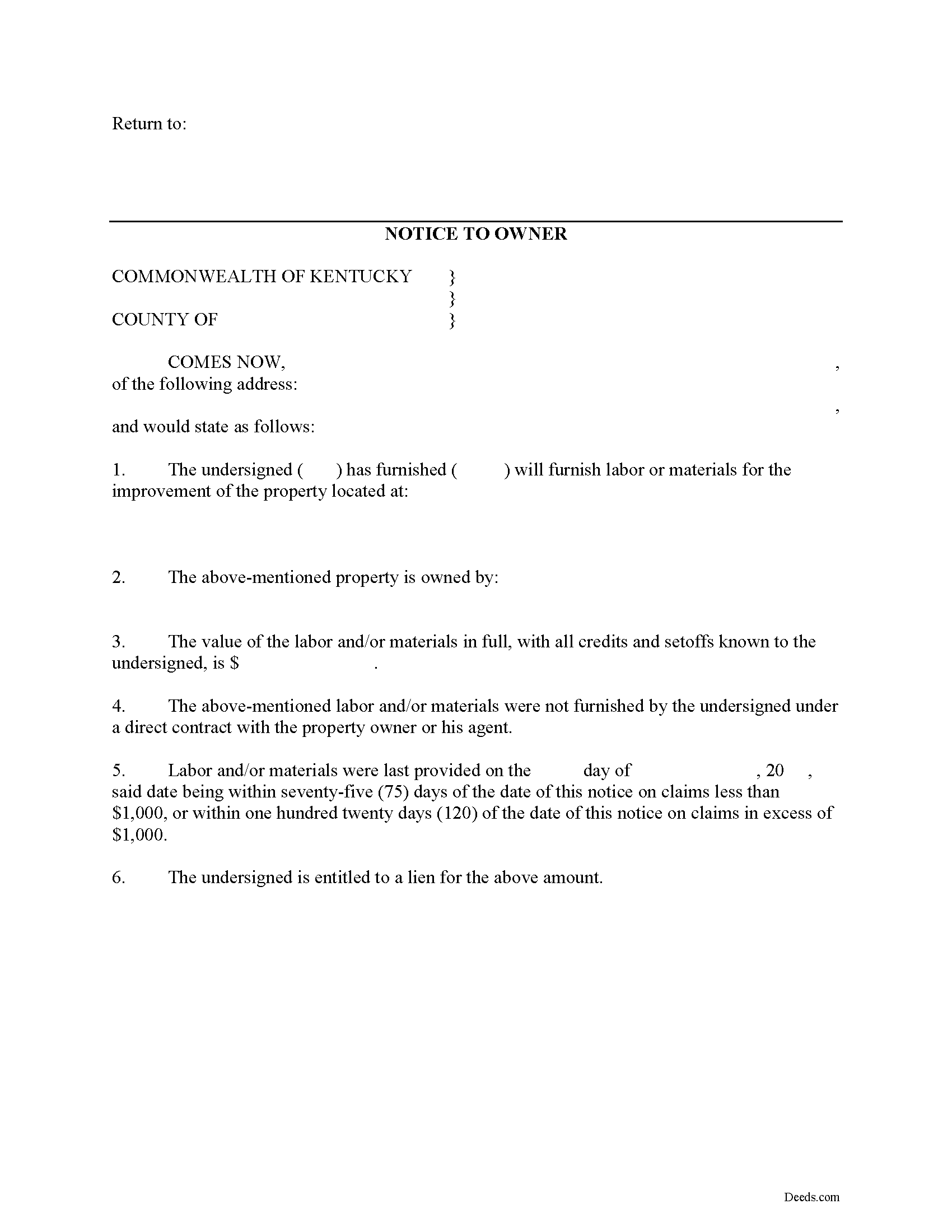
Shelby County Notice to Owner Form
Fill in the blank Notice to Owner form formatted to comply with all Kentucky recording and content requirements.
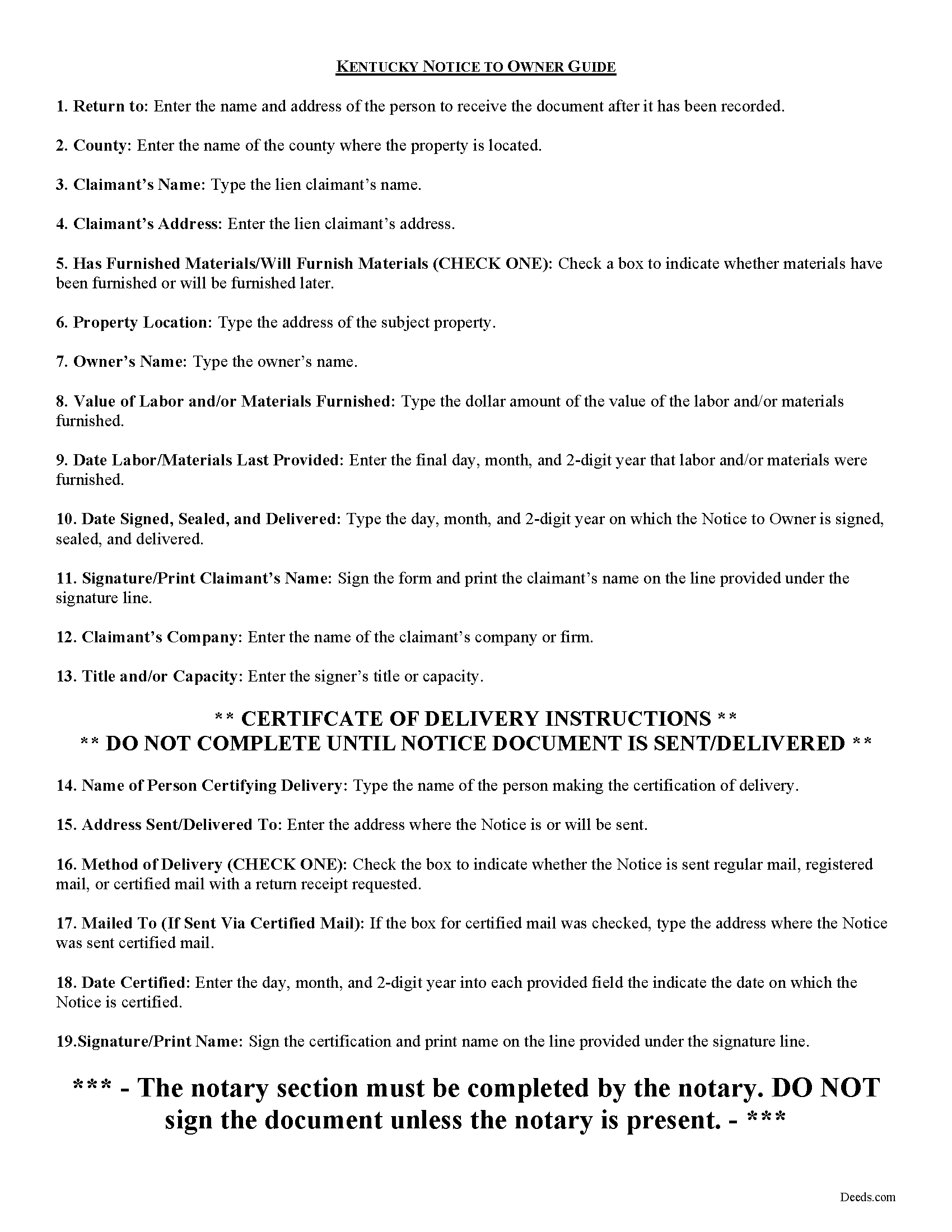
Shelby County Notice to Owner Guide
Line by line guide explaining every blank on the form.
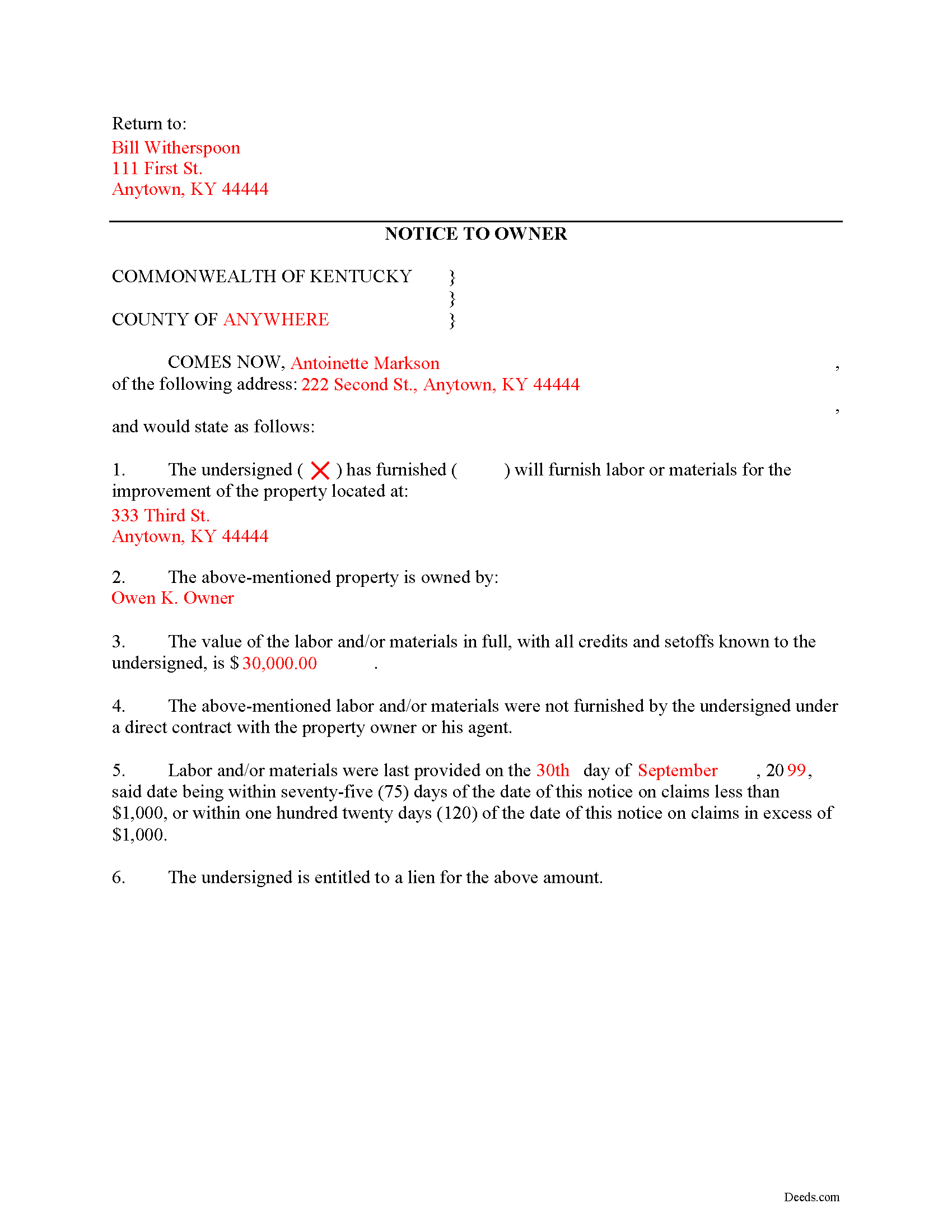
Shelby County Completed Example of the Notice to Owner Document
Example of a properly completed form for reference.
All 3 documents above included • One-time purchase • No recurring fees
Immediate Download • Secure Checkout
Additional Kentucky and Shelby County documents included at no extra charge:
Where to Record Your Documents
Shelby County Clerk
Shelbyville, Kentucky 40066
Hours: Monday - Friday: 8:30 AM to 4:30 PM; Thursday: 8:30 AM to 6 PM
Phone: 502-633-4410
Recording Tips for Shelby County:
- Bring your driver's license or state-issued photo ID
- Ensure all signatures are in blue or black ink
- Ask about their eRecording option for future transactions
- Avoid the last business day of the month when possible
- Both spouses typically need to sign if property is jointly owned
Cities and Jurisdictions in Shelby County
Properties in any of these areas use Shelby County forms:
- Bagdad
- Finchville
- Shelbyville
- Simpsonville
- Waddy
Hours, fees, requirements, and more for Shelby County
How do I get my forms?
Forms are available for immediate download after payment. The Shelby County forms will be in your account ready to download to your computer. An account is created for you during checkout if you don't have one. Forms are NOT emailed.
Are these forms guaranteed to be recordable in Shelby County?
Yes. Our form blanks are guaranteed to meet or exceed the applicable formatting requirements used for recording in Shelby County, including margin requirements, font requirements, and other layout standards. This guarantee applies to formatting, not to the legal sufficiency of information entered by the user or the suitability of a form for a particular transaction.
Can I reuse these forms?
Yes. You can reuse the forms for your personal use. For example, if you have multiple properties in Shelby County you only need to order once.
What do I need to use these forms?
The forms are PDFs that you fill out on your computer. The free Adobe Acrobat Reader is recommended, and most PDF apps also work. You do NOT enter your property information online - you download the blank forms and complete them privately on your own computer.
Are there any recurring fees?
No. This is a one-time purchase. Nothing to cancel, no memberships, no recurring fees.
How much does it cost to record in Shelby County?
Recording fees in Shelby County vary. Contact the recorder's office at 502-633-4410 for current fees.
Questions answered? Let's get started!
Notice to Owner -- Preliminary Notice in Kentucky
Most states require lien claimants to serve a preliminary (pre-lien) notice on a property owner or other party to ensure all interested parties have notification of who is involved in a construction job and who may have a claim to a mechanic's lien. In Kentucky, the Notice to Owner document fulfills this purpose.
No person who has not contracted directly with the owner or his agent is eligible to acquire a lien unless he notifies the owner (or his authorized agent) of the property to be held liable, in writing, within seventy-five (75) days on claims amounting to less than $1,000 and one hundred twenty (120) days on claims in excess of $1,000 after the last item of material or labor is furnished, of his intention to hold the property liable and the amount for which he will claim a lien. K.R.S. 376.010(3).
It shall be sufficient to prove that the notice was mailed to the last known address of the owner of the property upon which the lien is claimed, or to his duly authorized agent within the county in which the property to be held liable is located. Id.
The Notice to Owner document contains the following information: 1) Name and address of the potential lien claimant; 2) Address of the subject property; 3) Name of the owner; 4) Value of materials or labor furnished; and 5) Date of last furnishing. The document also contains a Certificate of Delivery detailing the person serving the notice, the method of service, and date of service. The Certificate must be signed to affirm service was made in the described manner.
This article is provided for information purposes only and should not be relied on as a substitute for the advice from a legal professional. If you have questions about preliminary notice, or any other issues related to liens in Kentucky, please speak with a licensed attorney.
Important: Your property must be located in Shelby County to use these forms. Documents should be recorded at the county recording office listed above.
This Notice to Owner meets all recording requirements specific to Shelby County.
Our Promise
The documents you receive here are guaranteed to meet or exceed the applicable Shelby County recording format requirements. If there is a rejection caused by our formatting, we will correct the issue or refund your payment. This guarantee applies to document formatting only and does not extend to information entered by the user, the selection of the form, or the legal effect of the completed document.
Save Time and Money
Get your Shelby County Notice to Owner form done right the first time with Deeds.com Uniform Conveyancing Blanks. At Deeds.com, we understand that your time and money are valuable resources, and we don't want you to face a penalty fee or rejection imposed by a county recorder for submitting nonstandard documents. We constantly review and update our forms to meet rapidly changing state and county recording requirements for roughly 3,500 counties and local jurisdictions.
4.8 out of 5 - ( 4,864 Reviews )
Karen L. 5 out of 5 stars
Excellent! Exactly what I needed, and with clear instructions and an example of a completed form. Could not have been better!
Your feedback is appreciated. Thank you for letting us know how we did.
Jeff H. 5 out of 5 stars
Fast, inexpensive, great customer service. I will definitely use them a gain.
Thank you!
Jeff R. 5 out of 5 stars
Easy process to receive service. thank you
Thank you!
Sally P. 5 out of 5 stars
I cannot thank the staff at Deeds.com enough for all of their assistance and their quick and their most pleasant responses. They were extremely quick and efficient to help me to file my documents. Thanks for everything and I will definitely be referring folks to your site.
Our team is deeply committed to providing efficient, reliable assistance and it's always rewarding to know we've made a difference for our customers. Your kind words about our quick and pleasant responses are much appreciated and will certainly serve as an extra boost of motivation for our team.
We also sincerely appreciate your intention to refer others to our site. Your trust and confidence in our service means a lot to us, and we're grateful to have you as part of the Deeds.com community.
A. S. 3 out of 5 stars
First, I am glad that you gave a blank copy, an example copy, and a 'guide'. It made it much easier to do. Overall I was very happy with your products and organization... however, things got pretty confusing and I have a pretty 'serious' law background in Real Estate and Civil law. With that said, I spent about 10+ hours getting my work done, using the Deed of Trust and Promissory note from you and there were a few problems: First, it would be FANTASTIC if you actually aligned your guide to actually match the Deed or Promissory Note. What I mean is that if the Deed says 'section (E)' then your guide shouldn't be 'randomly' numbered as 1,2,3, for advice/instructions, but should EXACTLY match 'section (E)'. Some places you have to 'hunt' for what you are looking for, and if you did it based on my suggestion, you wouldn't need to 'hunt' and it would avoid confusion. 2nd: This one really 'hurt'... you had something called the 'Deed of Trust Master Form' yet you had basically no information on what it was or how to use it. The only information you had was a small section at the top of the 'Short Form Deed of Trust Guide'. Holy Cow, was that 'section' super confusing. I still don't know if I did it correctly, but your guide says only put a return address on it and leave the rest of the 16 or so page Deed of Trust beneath it blank... and then include your 'Deed of Trust' (I had to assume the short form deed that I had just created) as part of it. I had to assume that I had to print off the entire 17 page or so title page and blank deed. I also had to assume that the promissory note was supposed to be EXHIBIT A or B on the Short Form Deed. It would be great if someone would take a serious look at that short section in your 'Short Form Deed of Trust Guide' and realize that those of us using your products are seriously turning this into a county clerk to file and that most of us, probably already have a property that has an existing Deed... or at least can find one in the county records if necessary... and make sure that you make a distinction between the Deed for the property that already exists, versus the Deed of Trust and Promissory note that we are trying to file. Thanks.
Thank you for your feedback. We'll have staff review the document for clarity. Have a great day!
DEBORAH G. 3 out of 5 stars
This product is good but the text boxes are not large enough to contain the information required for the form. Even dates do not display with the entry you make.
Thank you for your feedback. We really appreciate it. Have a great day!
Jeffrey W. 5 out of 5 stars
You should add a button to cancel a package. I uploaded a document for e-recording, but wanted to cancel because I got a more clear copy.
Thank you!
John L. 5 out of 5 stars
excellent...exactly what i need....
Thank you!
SHALINI W. 5 out of 5 stars
Exceptionally easy to use. Very user friendly. Would highly recommend.
We appreciate your business and value your feedback. Thank you. Have a wonderful day!
Cynthia S. 5 out of 5 stars
Great service got everything I needed with a click of a tab. Thank You...
Thank you for your feedback. We really appreciate it. Have a great day!
Tammy C. 5 out of 5 stars
Was very easy to use and i would recommend it
Thank you!
Virginia M. 5 out of 5 stars
This was the easiest web page ive ever navigated .Found just what i needed fast !
Thank you!
Carol S. 1 out of 5 stars
Unfortunately for me this website was of no help, due to the amount of paperwork that needed to be submitted. One thing I can say they responded with answer really quickly. If this is a website that only deals with quick and fast deed issues, then it should indicate what they can and cannot do.
Thank you for your feedback. We really appreciate it. Have a great day!
Catherine M. 5 out of 5 stars
Great service, very efficient and super fast.
Thank you!
Richard S. 5 out of 5 stars
Nicely done. Smooooth
Thank you for your feedback. We really appreciate it. Have a great day!