Montgomery County Quitclaim Deed (Trustee Grantee) Form
Last validated November 5, 2026 by our Forms Development TeamFormatted for recording in Montgomery County, for property anywhere in the county or independent city: rural and unincorporated areas as well as Ashton, Barnesville, Beallsville, Bethesda, Boyds, Brinklow, Brookeville, Burtonsville and 22 more.
- 3 documents included
- Immediate PDF download
- Formatting guarantee
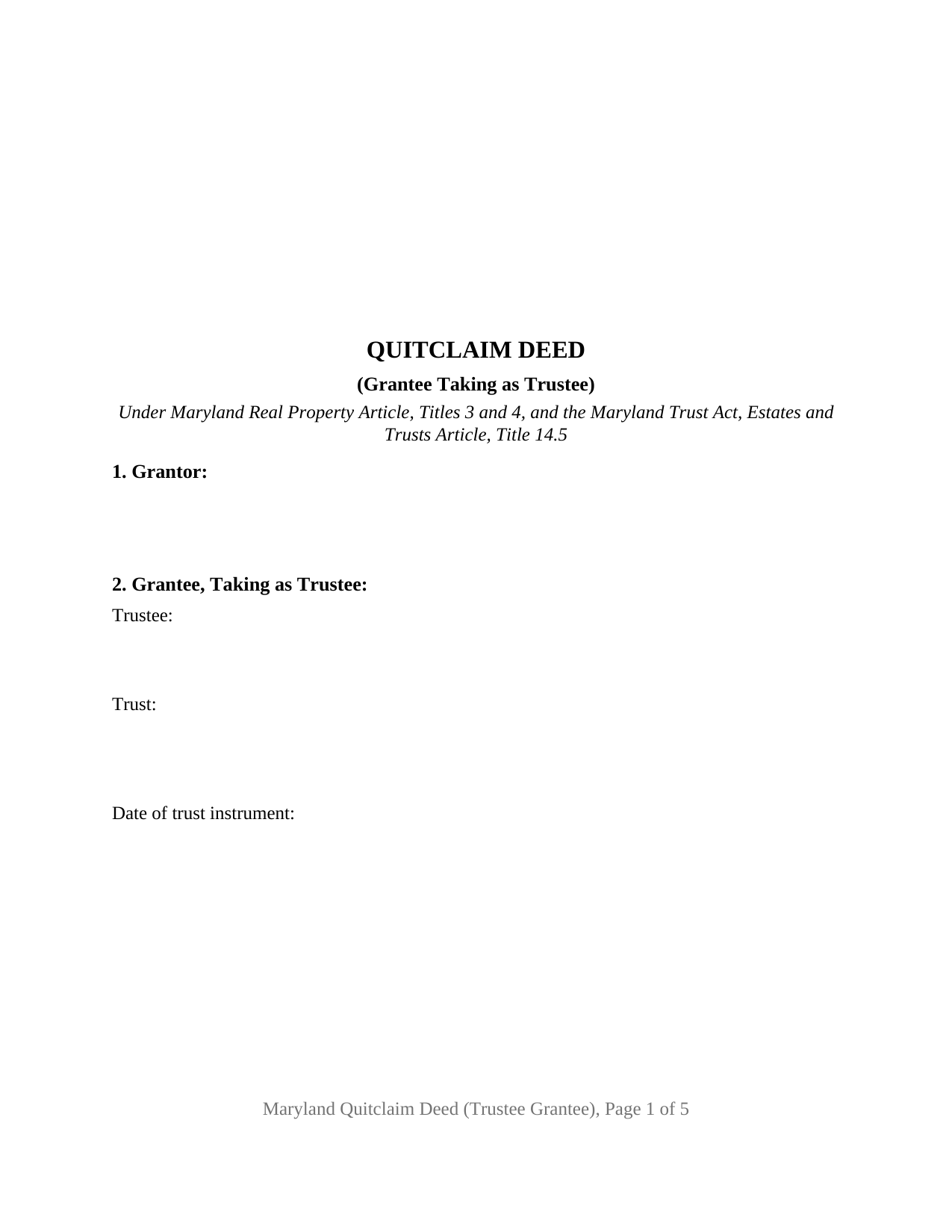
Montgomery County Quitclaim Deed (Trustee Grantee) Form
Fill in the blank Quitclaim Deed (Trustee Grantee) form formatted to comply with all Maryland recording and content requirements.
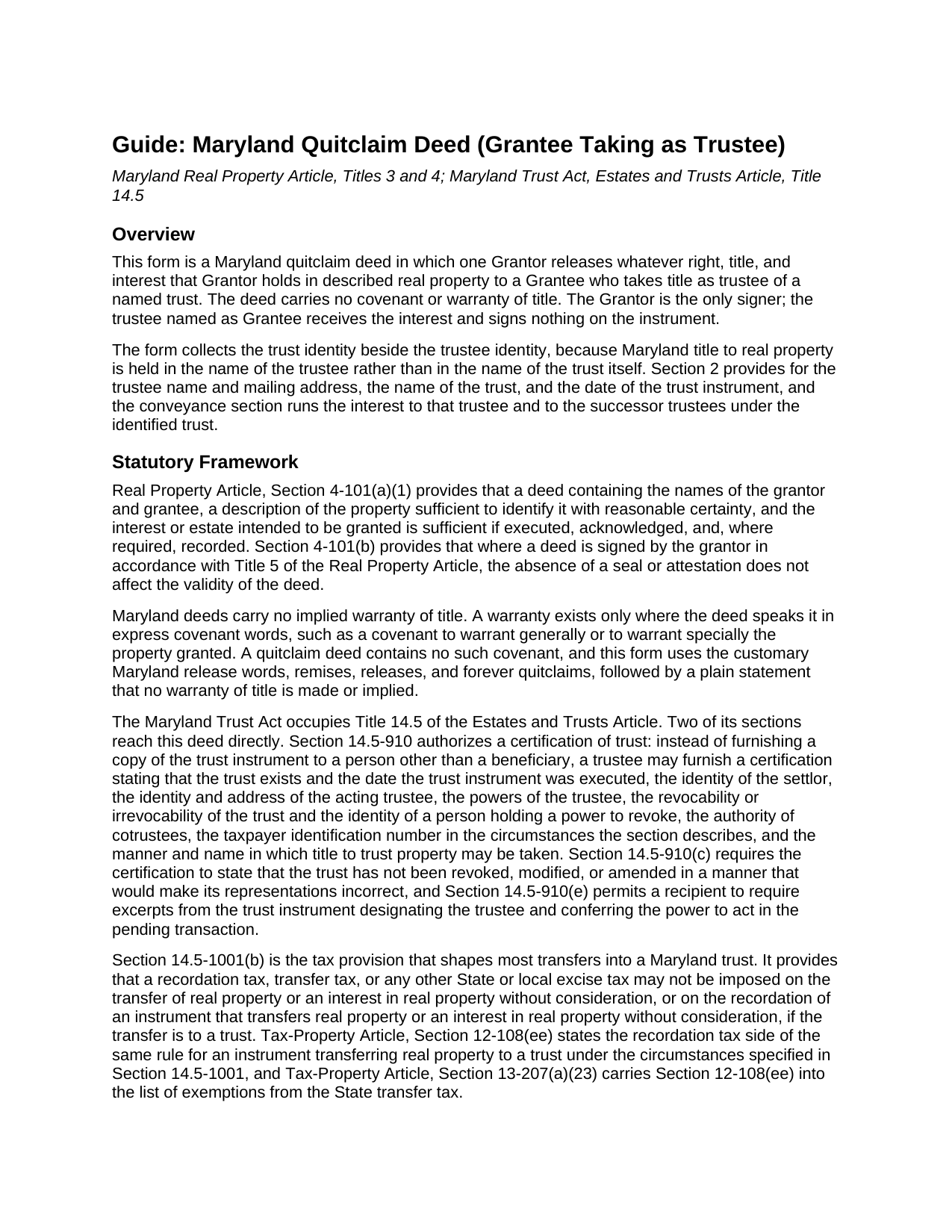
Montgomery County Quitclaim Deed (Trustee Grantee) Guide
Line by line guide explaining every blank on the Quitclaim Deed (Trustee Grantee) form.
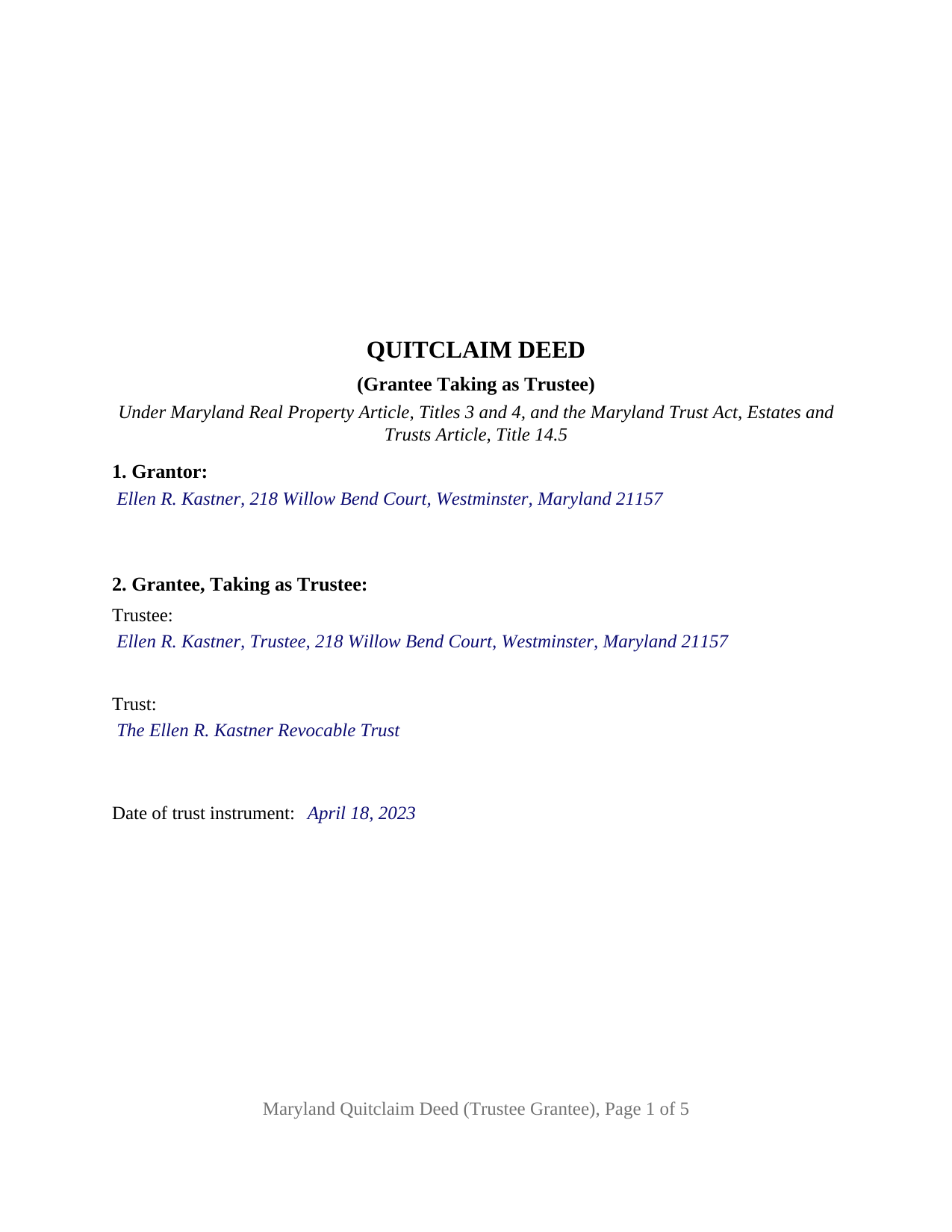
Montgomery County Completed Example of the Quitclaim Deed (Trustee Grantee) Document
Example of a properly completed Maryland Quitclaim Deed (Trustee Grantee) document for reference.
All 3 documents above included • One-time purchase • No recurring fees
Immediate Download • Secure Checkout
Additional Maryland and Montgomery County documents included at no extra charge:
Where to Record Your Documents
Montgomery County Circuit Court - Land Records
Rockville, Maryland 20850
Hours: 8:30 to 4:30 M-F / Recording until 4:00 pm
Phone: (240) 777-9470
Recording Tips for Montgomery County:
- Bring your driver's license or state-issued photo ID
- Ensure all signatures are in blue or black ink
- Request a receipt showing your recording numbers
- Ask about accepted payment methods when you call ahead
- Ask for certified copies if you need them for other transactions
Cities and Jurisdictions in Montgomery County
Properties in any of these areas use Montgomery County forms:
- Ashton
- Barnesville
- Beallsville
- Bethesda
- Boyds
- Brinklow
- Brookeville
- Burtonsville
- Cabin John
- Chevy Chase
- Clarksburg
- Damascus
- Derwood
- Dickerson
- Gaithersburg
- Garrett Park
- Germantown
- Glen Echo
- Kensington
- Montgomery Village
- Olney
- Poolesville
- Potomac
- Rockville
- Sandy Spring
- Silver Spring
- Spencerville
- Suburb Maryland Fac
- Takoma Park
- Washington Grove
Hours, fees, requirements, and more for Montgomery County
How do I get my forms?
Forms are available for immediate download after payment. The Montgomery County forms will be in your account ready to download to your computer. An account is created for you during checkout if you don't have one. Forms are NOT emailed.
Are these forms guaranteed to be recordable in Montgomery County?
Yes. Our form blanks are guaranteed to meet or exceed the applicable formatting requirements used for recording in Montgomery County, including margin requirements, font requirements, and other layout standards. This guarantee applies to formatting, not to the legal sufficiency of information entered by the user or the suitability of a form for a particular transaction.
Can I reuse these forms?
Yes. You can reuse the forms for your personal use. For example, if you have multiple properties in Montgomery County you only need to order once.
What do I need to use these forms?
The forms are PDFs that you fill out on your computer. The free Adobe Acrobat Reader is recommended, and most PDF apps also work. You do NOT enter your property information online - you download the blank forms and complete them privately on your own computer.
Are there any recurring fees?
No. This is a one-time purchase. Nothing to cancel, no memberships, no recurring fees.
How much does it cost to record in Montgomery County?
Recording fees in Montgomery County vary. Contact the recorder's office at (240) 777-9470 for current fees.
Questions answered? Let's get started!
Trust real estate in Maryland is titled in the trustee, never in the trust as such, and that is the entry this quitclaim deed is built around. A single Grantor releases the right, title, and interest the land records show in that Grantor's name, and the release runs to a named trustee and to the successor trustees under the trust the deed identifies. No covenant or warranty of title comes with it, so what reaches the trustee is what the Grantor could give, held in a fiduciary capacity rather than personally.
A grantee entry that names a capacity
Where an ordinary deed asks for a grantee, this one asks for three things: the trustee's name and mailing address, the name of the trust, and the date of the trust instrument. Those coordinates let a later reader of the chain place the title. Estates and Trusts Article Section 14.5-910 works from the same set when it lists what a certification of trust may state, among them the date the trust instrument was executed, the identity and address of the acting trustee, the trustee's powers in the pending transaction, and the manner and name in which title to trust property may be taken. That certification, which keeps the trust instrument itself private, is prepared separately and is not included here. The deed does the narrower job of moving the interest and stating the capacity in which the Grantee takes it.
The tax rule that meets a transfer into trust
Estates and Trusts Article Section 14.5-1001(b) is unusually direct. A recordation tax, a transfer tax, or any other State or local excise tax may not be imposed on a transfer of real property, or on the recordation of an instrument transferring real property, made without consideration, where the transfer is to a trust. The Tax-Property Article says the same thing from the tax side: Section 12-108(ee) exempts an instrument transferring real property to a trust under the circumstances Section 14.5-1001 specifies, and Section 13-207(a)(23) carries that subsection into the roster of State transfer tax exemptions. Consideration is still recited: Section 12-104(a) puts the consideration payable, including the principal amount of any mortgage debt the grantee assumes, in the recitals or the acknowledgment or in an accompanying affidavit. A funding transfer enters zero there, the same zero Tax-General Article Section 10-912(d)(6) reads for nonresident withholding. The form gives the exemption its own numbered section, so the citation sits on the face of the instrument as well as on the intake sheet.
One signature, and it is not the trustee's
The form recites exactly one Grantor, signing personally, with a single acknowledgment certificate on the State Government Article Section 18-216 short form and a certificate of preparation carrying a capacity blank. The Grantee signs nothing, because acceptance and authority live in the trust instrument rather than on the deed. Patterns presenting this configuration appear in the land records: an owner funding an irrevocable trust with a parcel, a relative serving as trustee of a family trust taking land from the person who created it, and a conveyance placing title in the named trustee where an earlier instrument had named only the trust. The form is not set up as a release by two Grantors, as a grant to grantees taking in their individual capacities, or as an instrument executed on the Grantor side by a trustee, a personal representative, or an attorney-in-fact.
Maryland formalities on the face of the form
Acknowledgment before a notarial officer is the governing execution formality, and the deed carries no witness line and no seal, since Real Property Article Section 4-101(b) leaves validity untouched by the absence of either. Section 3-104(f) supplies the preparation certificate a Maryland deed cannot be recorded without, Section 3-104(d) puts a printed name with the signature, and the page keeps the official-use band and side margins of Section 3-104(e)(1)(i)2, which two 2026 acts reenact and repeal on the same day. Filing happens at the Clerk of the Circuit Court for the county or Baltimore City where the land lies.
What the download contains
The download holds three items: the blank fillable Maryland quitclaim deed configured for a grantee taking as trustee, a completed example working a Carroll County trust funding transfer through every blank, and a plain-language guide covering the sections in order, the vesting forms a Maryland grantee may take, signing and notarization, the taxes, and county recording. Everything here describes Maryland law and this form; it is informational and is not legal advice.
Important: Your property must be located in Montgomery County to use these forms. Documents should be recorded at the county or independent city recording office listed above.
This Quitclaim Deed (Trustee Grantee) meets all recording requirements specific to Montgomery County.
Our Promise
The documents you receive here are guaranteed to meet or exceed the applicable Montgomery County recording format requirements. If there is a rejection caused by our formatting, we will correct the issue or refund your payment. This guarantee applies to document formatting only and does not extend to information entered by the user, the selection of the form, or the legal effect of the completed document.
Save Time and Money
Get your Montgomery County Quitclaim Deed (Trustee Grantee) form done right the first time with Deeds.com Uniform Conveyancing Blanks. At Deeds.com, we understand that your time and money are valuable resources, and we don't want you to face a penalty fee or rejection imposed by a county recorder for submitting nonstandard documents. We constantly review and update our forms to meet rapidly changing state and county recording requirements for roughly 3,500 counties and local jurisdictions.
4.8 out of 5 - ( 4,857 Reviews )
ziad k. 5 out of 5 stars
FIRST TIME USER EXCELENT SERVICE.
Thank you for your feedback. We really appreciate it. Have a great day!
AKILAH S. 4 out of 5 stars
It was a little challenging and I had to call to speak to someone a few time but I got it done and and over with so I'm happy.
It was a pleasure serving you. Thank you for the positive feedback!
Jany F. 5 out of 5 stars
Great and quick service.
Thank you!
Scott P. 5 out of 5 stars
So far so good
Thank you!
ELOISA F. 5 out of 5 stars
Once I had everything right;the recording was fast and easy. I was updated at every juncture and apprised of my mistakes in order to fix and record my deed. To improve service: I think that several different examples and scenarios would have helped. If you have different names from your children; birth certificates and marriage certificates are a requirement in Clark County, NV. If you want to add anyone to the deed in a Quit Claim Deed; you have to add yourself as a grantee even if you are the grantor along with the other grantees.
Thank you for your feedback. We really appreciate it. Have a great day!
Dennis D. 5 out of 5 stars
Downloaded perfect. Can hardly wait to get them done.
Thank you!
Michael F. 5 out of 5 stars
I'm not too bright and I made a mess of things when I tried to create my own deed. It was lucky that I found the forms here after so many of my personal failures. It's good that the pros know what they are doing.
Such kind words Michael, thank you.
Rip V. 1 out of 5 stars
Found the forms I needed but had to type these out my self in Word since these forms do not allow any information to be saved. I understand you want this to be proprietary information but you failed to deliver a usable product. I printed this template and built my own in microsoft word. Good examples and instructions with poor execution. I lost hours of typing and nearly lost real estate deals due to these documents not being in a format ready to use. Will be using another service next time or buying these as guides alone.
Thank you for taking the time to leave your feedback. Sorry to hear of the struggle you had using our forms. We will look into the issues you reported to see what we can do to provide a better product. For your trouble we have provided a full refund of your order.
Lee C. 5 out of 5 stars
Quick, easy and reasonably priced.
Thank you!
Jo Anne M. 5 out of 5 stars
good I think
Thank you!
Anthony L. 5 out of 5 stars
I recently needed an affidavit of death. The form and help tools made it easy to fill out and file. the Recorder accepted this form . Which made the experience painless and easy . All things considered..
We appreciate your business and value your feedback. Thank you. Have a wonderful day!
Jennifer B. 3 out of 5 stars
I didn't care for it because I was having to do other things in between filling it out and all of a sudden it would not allow me back in it to make changes. Luckily I had saved it and then had to do FILL/SIGN option which looks ugly but that was the only way I could add what I needed.
We appreciate your business and value your feedback. Thank you. Have a wonderful day!
Michael M. 5 out of 5 stars
Deeds.com had what I needed at the time that I needed it. Thank you very much.
We appreciate your business and value your feedback. Thank you. Have a wonderful day!
Angela T. 5 out of 5 stars
I love this website .. it has been very helpful in so many ways.. thank you so much..
Thank you!
Richard B. 4 out of 5 stars
Had trouble filling in the forms not very user friendly. The text always had to be manipulated to look in the best place. Could not easily move existing text to look more professional with the text being inserted.
Thank you for your feedback. We really appreciate it. Have a great day!