Hampshire County Contractor Partial Waiver and Subordination of Lien Form
Last validated October 28, 2026 by our Forms Development TeamFormatted for recording in Hampshire County, for property anywhere in the county: rural and unincorporated areas as well as Amherst, Belchertown, Chesterfield, Cummington, Easthampton, Florence, Goshen, Granby and 17 more.
- 3 documents included
- Immediate PDF download
- Formatting guarantee
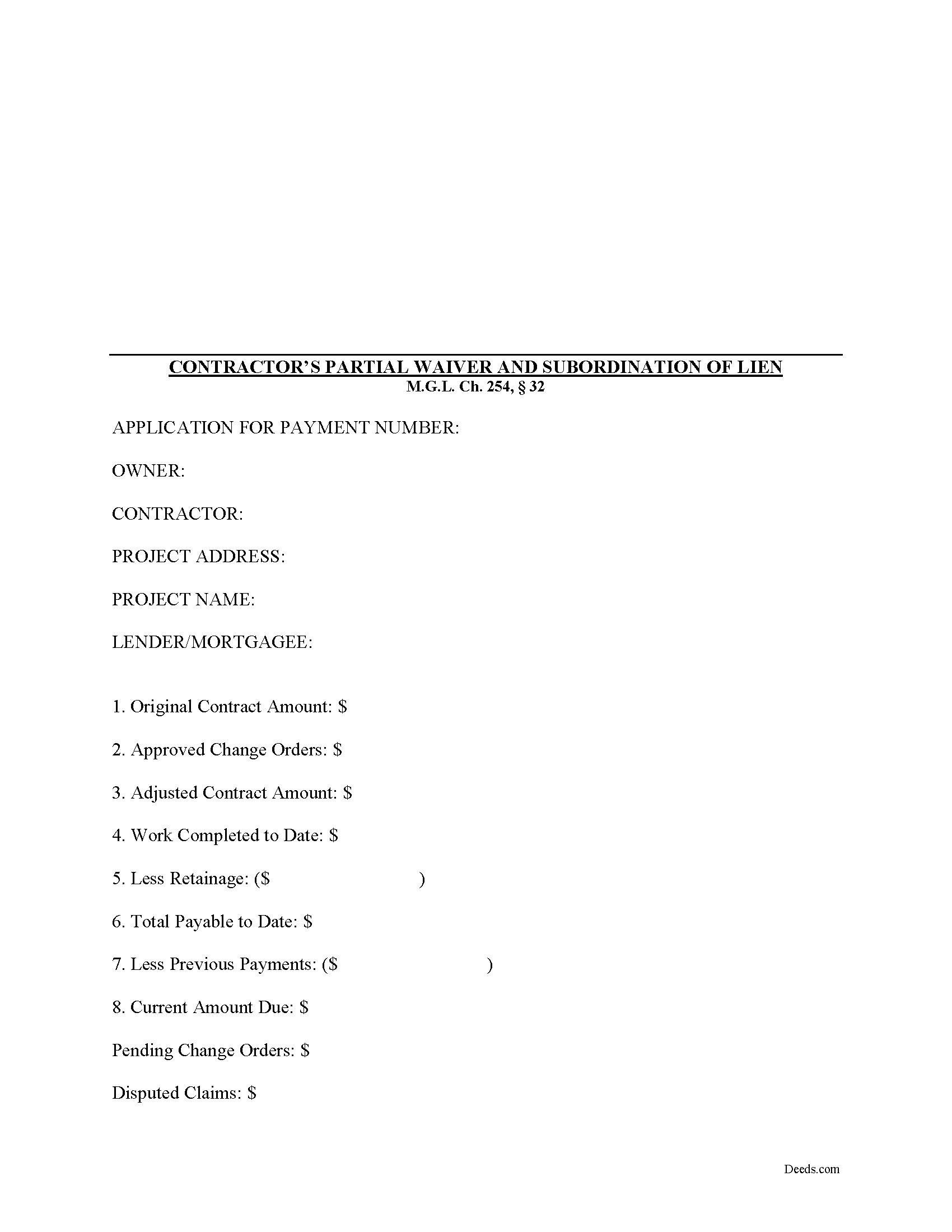
Hampshire County Contractor Partial Waiver and Subordination of Lien Form
Fill in the blank Contractor Partial Waiver and Subordination of Lien form formatted to comply with all Massachusetts recording and content requirements.
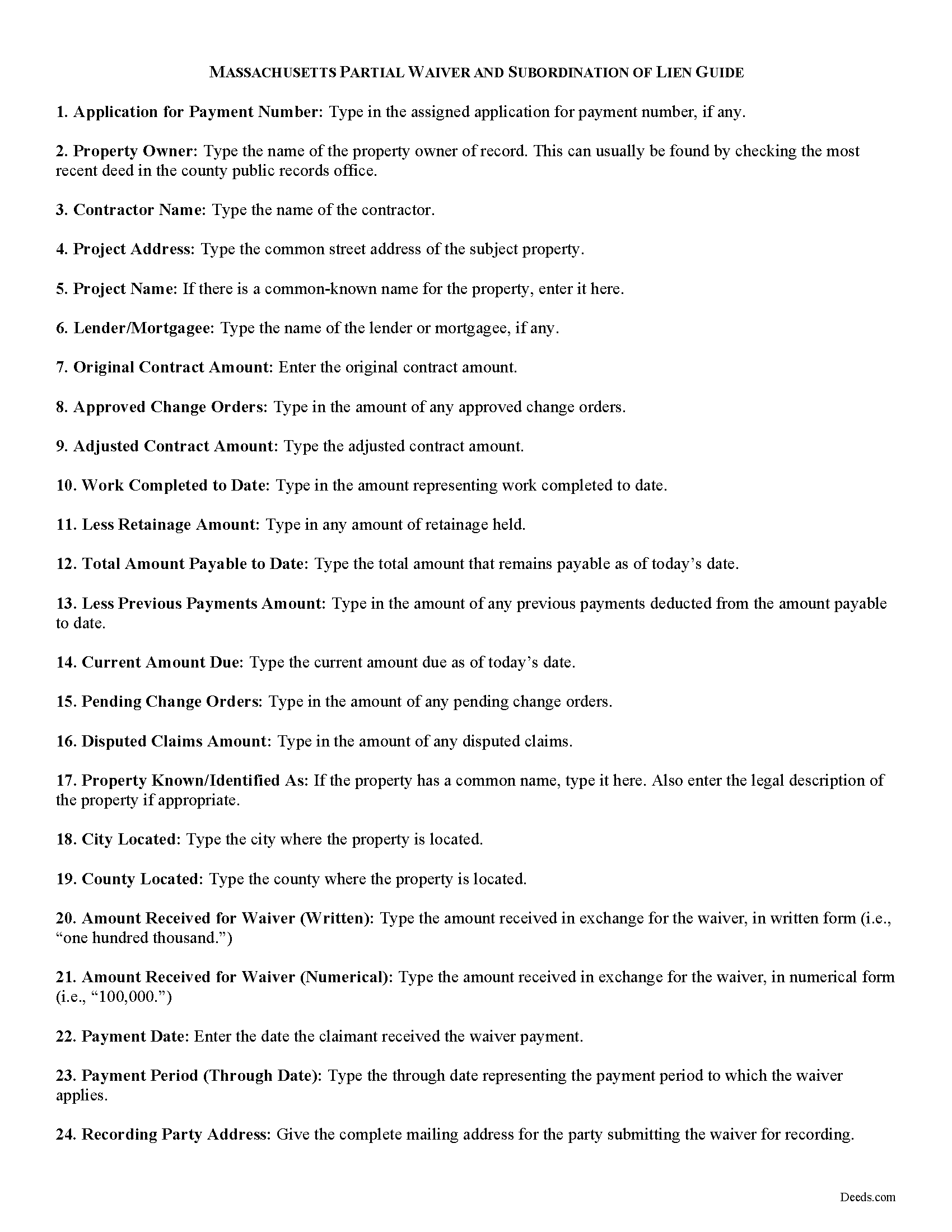
Hampshire County Contractor Partial Waiver and Subordination of Lien Guide
Line by line guide explaining every blank on the form.
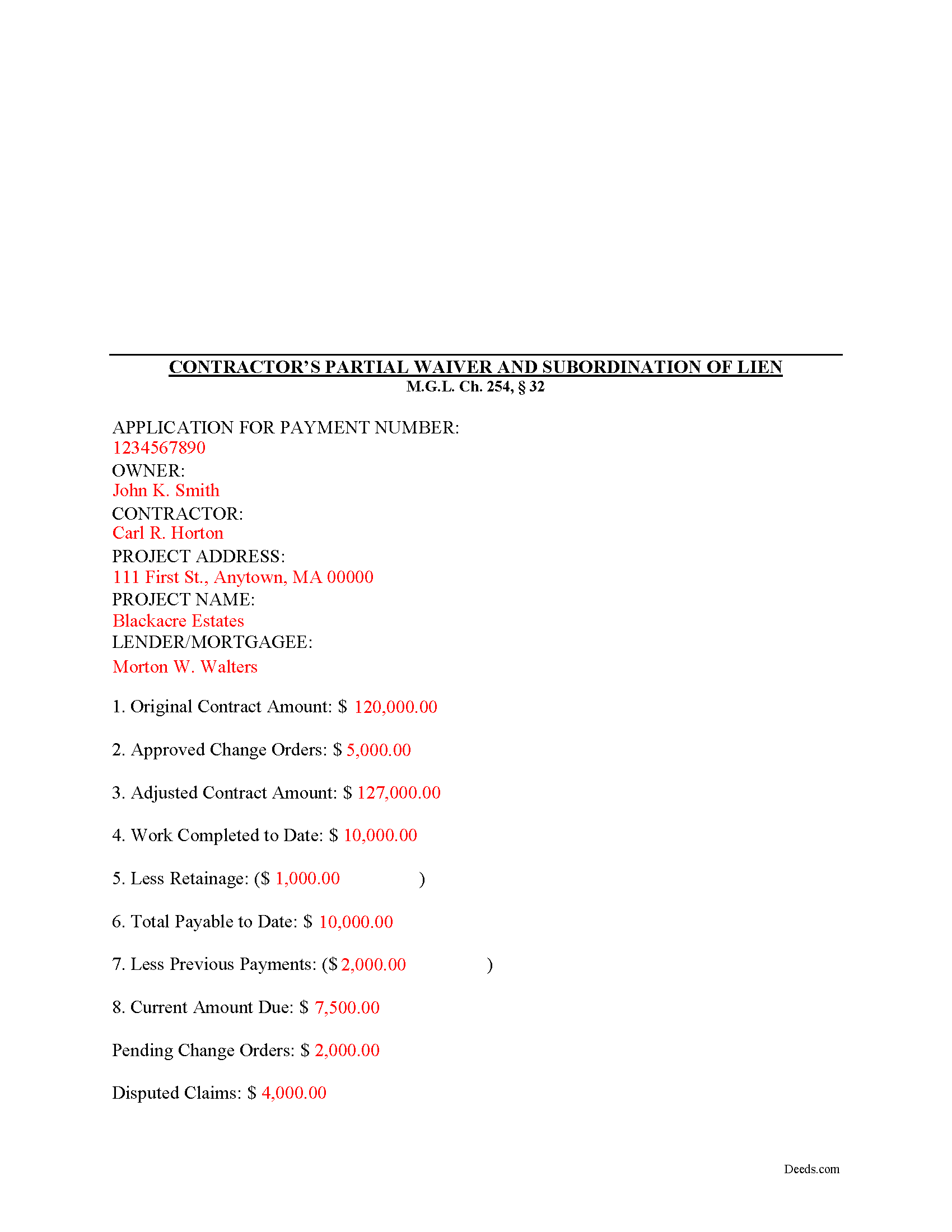
Hampshire County Completed Example of the Contractor Partial Waiver and Subordination of Lien Document
Example of a properly completed form for reference.
All 3 documents above included • One-time purchase • No recurring fees
Immediate Download • Secure Checkout
Additional Massachusetts and Hampshire County documents included at no extra charge:
Where to Record Your Documents
Hampshire Registry of Deeds
Northampton, Massachusetts 01060
Hours: Mon-Fri 8:30 to 4:30 / Recording until 4:00
Phone: (413) 584-3637
Recording Tips for Hampshire County:
- Bring your driver's license or state-issued photo ID
- Ensure all signatures are in blue or black ink
- Both spouses typically need to sign if property is jointly owned
- Bring extra funds - fees can vary by document type and page count
- Check margin requirements - usually 1-2 inches at top
Cities and Jurisdictions in Hampshire County
Properties in any of these areas use Hampshire County forms:
- Amherst
- Belchertown
- Chesterfield
- Cummington
- Easthampton
- Florence
- Goshen
- Granby
- Hadley
- Hatfield
- Haydenville
- Huntington
- Leeds
- Middlefield
- North Amherst
- North Hatfield
- Northampton
- Plainfield
- South Hadley
- Southampton
- Ware
- West Chesterfield
- West Hatfield
- Williamsburg
- Worthington
Hours, fees, requirements, and more for Hampshire County
How do I get my forms?
Forms are available for immediate download after payment. The Hampshire County forms will be in your account ready to download to your computer. An account is created for you during checkout if you don't have one. Forms are NOT emailed.
Are these forms guaranteed to be recordable in Hampshire County?
Yes. Our form blanks are guaranteed to meet or exceed the applicable formatting requirements used for recording in Hampshire County, including margin requirements, font requirements, and other layout standards. This guarantee applies to formatting, not to the legal sufficiency of information entered by the user or the suitability of a form for a particular transaction.
Can I reuse these forms?
Yes. You can reuse the forms for your personal use. For example, if you have multiple properties in Hampshire County you only need to order once.
What do I need to use these forms?
The forms are PDFs that you fill out on your computer. The free Adobe Acrobat Reader is recommended, and most PDF apps also work. You do NOT enter your property information online - you download the blank forms and complete them privately on your own computer.
Are there any recurring fees?
No. This is a one-time purchase. Nothing to cancel, no memberships, no recurring fees.
How much does it cost to record in Hampshire County?
Recording fees in Hampshire County vary. Contact the recorder's office at (413) 584-3637 for current fees.
Questions answered? Let's get started!
Massachusetts Contractors Partial Waiver and Subordination of Lien
The Contractor's Partial Waiver and Subordination of Lien form is useful for situations where a contractor seeks a partial payment to waive lien rights up to a specific date.
Lien waivers are used between contractors (also subcontractors and suppliers) and property owners as a quid-pro-quo arrangement between the contractor and owner. The purpose of a waiver is to influence payment from the owner in return for the contractor waiving future mechanic's lien rights.
In Massachusetts, any promise or agreement that bars the filing of a Notice of Contract is void and unenforceable, but that prohibition does not apply to full or partial lien waivers or dissolutions of liens. M.G.L. Ch. 254, 32. Therefore, the parties can use waivers to facilitate payment and ease concerns of hidden liens.
In general, Massachusetts recognizes four types of lien waivers: Partial Waiver by Contractor, Full Conditional Waiver by Contractor, Partial Waiver by Subcontractor, and Full Conditional Waiver by Subcontractor. Id. As their titles suggest, contractors should use a contractor's waiver and subcontractors should use a waiver designated for a subcontractor. Partial lien waivers should be provided upon a partial or progress payment and the waiver only applies to forfeit lien rights according to the terms stated within it.
Lawful waivers identify the parties to the contract, the claimant, the property, the nature of work, relevant dates, payment information, and anything else necessary for clarity or to meet local requirements. The claimant (or authorized representative) must sign the completed waiver in front of a notary, then submit the document to the recording office for the county where the property is located.
Using lien waivers properly can ensure smoother relations between the parties on a construction job and alleviate and feelings of mistrust or concern. This article is provided for informational purposes only and should not be relied upon as a substitute for advice from an attorney. Please speak with a Massachusetts attorney if you have any questions about lien waivers or for any other issues concerning mechanic's liens.
Important: Your property must be located in Hampshire County to use these forms. Documents should be recorded at the county recording office listed above.
This Contractor Partial Waiver and Subordination of Lien meets all recording requirements specific to Hampshire County.
Our Promise
The documents you receive here are guaranteed to meet or exceed the applicable Hampshire County recording format requirements. If there is a rejection caused by our formatting, we will correct the issue or refund your payment. This guarantee applies to document formatting only and does not extend to information entered by the user, the selection of the form, or the legal effect of the completed document.
Save Time and Money
Get your Hampshire County Contractor Partial Waiver and Subordination of Lien form done right the first time with Deeds.com Uniform Conveyancing Blanks. At Deeds.com, we understand that your time and money are valuable resources, and we don't want you to face a penalty fee or rejection imposed by a county recorder for submitting nonstandard documents. We constantly review and update our forms to meet rapidly changing state and county recording requirements for roughly 3,500 counties and local jurisdictions.
4.8 out of 5 - ( 4,858 Reviews )
Kyle K. 5 out of 5 stars
Deeds is extremely helpful and cost effective for small and large businesses. Saves me time to do more valuable tasks.
Thank you for your feedback. We really appreciate it. Have a great day!
Anna C. 5 out of 5 stars
It was more detailed than the forms on other website, plus cheaper. I do not have date it was recorded in 2000 but did have date of warranty deed. Will that be ok with Recorder? Also did not want to date it today till I know when and where the Recorders office is located.
Thank you for your feedback. We really appreciate it. Have a great day!
Brian S. 3 out of 5 stars
PDF fields change font sizes leading to an unprofessional-appearing printed page. The examples for "Convey to" section don't include how to specify just one person instead of a married couple. Maybe that is simple but it would help to spell it out in an example. Haven't submitted to County Recorder yet, so will find out if it is acceptable.
Thank you for the feedback Brian.
The font issue is caused by using a PDF viewer other than Adobe Acrobat Reader. Our form fields are set to a uniform 12-point font, but non-Adobe viewers often render form fields inconsistently. Opening and printing the form with the free Adobe Acrobat Reader will resolve that.
Regarding the examples, that's a fair point, we'll look at expanding them.
Samantha Ann F. 5 out of 5 stars
I needed more knowledge to feel comfortable for using this form. I am sure it will work great for some people...for me I needed to contact an Estate Manager.
We understand that not every situation is a good fit for a do-it-yourself form package, especially when estate matters are involved. We’re glad you recognized when additional guidance would make you more comfortable, and we appreciate you giving our forms a try. Best wishes moving forward with your estate matter.
Jason J. 5 out of 5 stars
My first submission was super quick and easy. I had trouble with the second submission, as I was not aware of what the county would require, but the team at Deeds.com walked me through every step of the process. Will definitely use again and refer business partners to Deeds.com!
Thank you, Jason! We’re glad your first submission went smoothly and appreciate your patience with the second. County requirements can vary, and we’re always here to help make the process as simple as possible. We look forward to assisting you — and your business partners — again soon!
catherine c. 5 out of 5 stars
very efficient with communication and follow-up(s) will be using again, thank you!:)
Thank you!
Lisa D. 5 out of 5 stars
Great service, would be nice if it provided an address to send this to once completed!
Thank you for your feedback. We really appreciate it. Have a great day!
Ryan K. 5 out of 5 stars
Excellent service! Quick and much easier than having to do everything through the mail. The agent was quick to answer questions and everything was processed and submitted from Deeds.com within a couple of hours. Will definitely use again if the need arises.
We appreciate your business and value your feedback. Thank you. Have a wonderful day!
Judy W. 5 out of 5 stars
Very easy to fill out the form especially with the detailed guide and the sample. I will use deeds.com again if needed.
Thank you for your feedback. We really appreciate it. Have a great day!
Louise D. 5 out of 5 stars
It was easy to complete the form and I appreciated the sample form.
We appreciate your business and value your feedback. Thank you. Have a wonderful day!
william l H. 5 out of 5 stars
Just downloaded package , fast and quick and all the info i will need to complete my deed. Thanks again.
We appreciate your business and value your feedback. Thank you. Have a wonderful day!
Darrel V. 5 out of 5 stars
Pretty easy to use and timely, too!
We appreciate your business and value your feedback. Thank you. Have a wonderful day!
Corey G. 5 out of 5 stars
Very informative and helpful Thank you so much
Thank you for the kinds words Corey, glad we could help.
Michael A. 5 out of 5 stars
Pleasant experiences. Look forward to future contacts
Thank you!
Mark S. 5 out of 5 stars
Quick and easy. Had what I was searching for. Simple to pay and download.
Thank you!