Plymouth County Statement of Account Form
Last validated October 9, 2026 by our Forms Development TeamFormatted for recording in Plymouth County, for property anywhere in the county: rural and unincorporated areas as well as Abington, Accord, Brant Rock, Bridgewater, Brockton, Bryantville, Carver, Duxbury and 40 more.
- 3 documents included
- Immediate PDF download
- Formatting guarantee
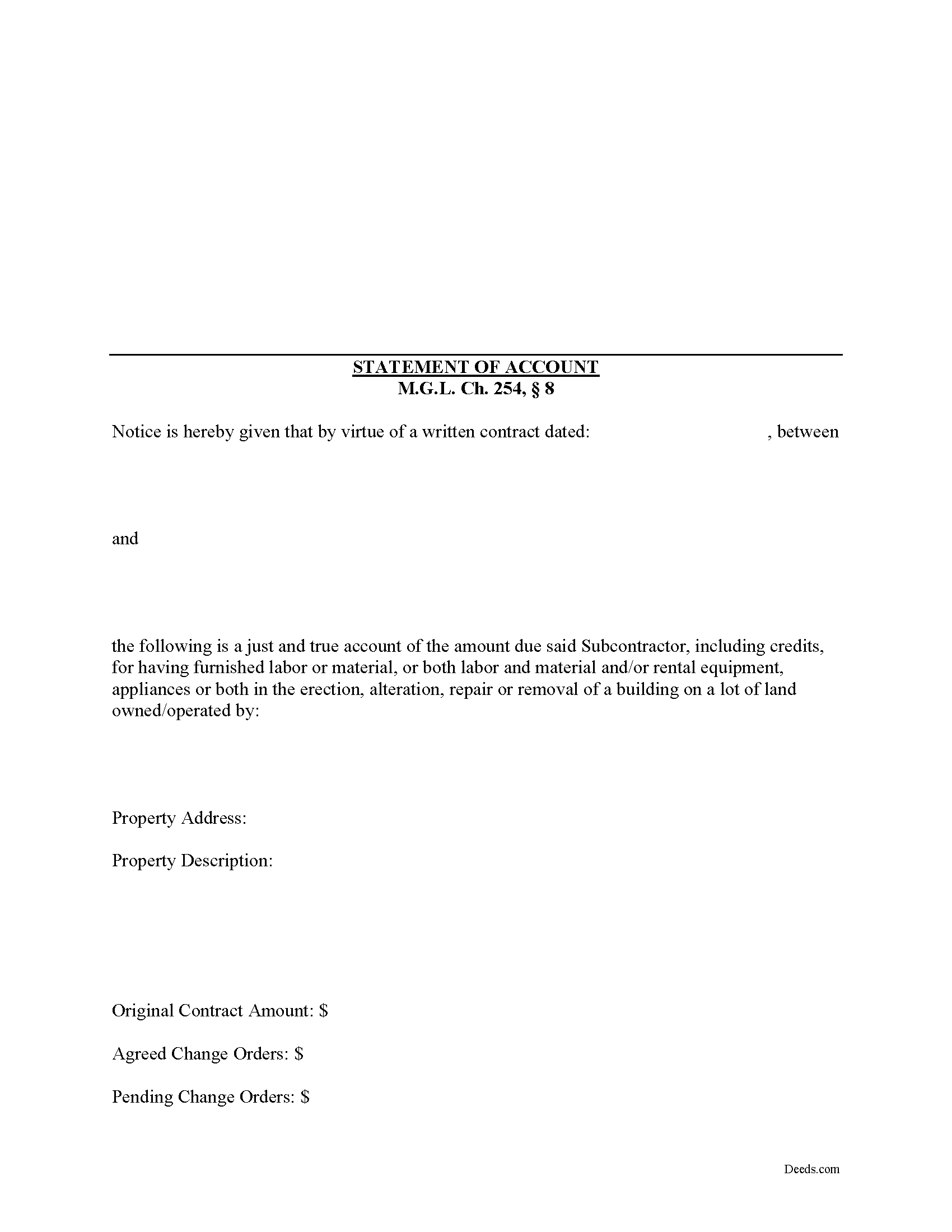
Plymouth County Statement of Account Form
Fill in the blank Statement of Account form formatted to comply with all Massachusetts recording and content requirements.
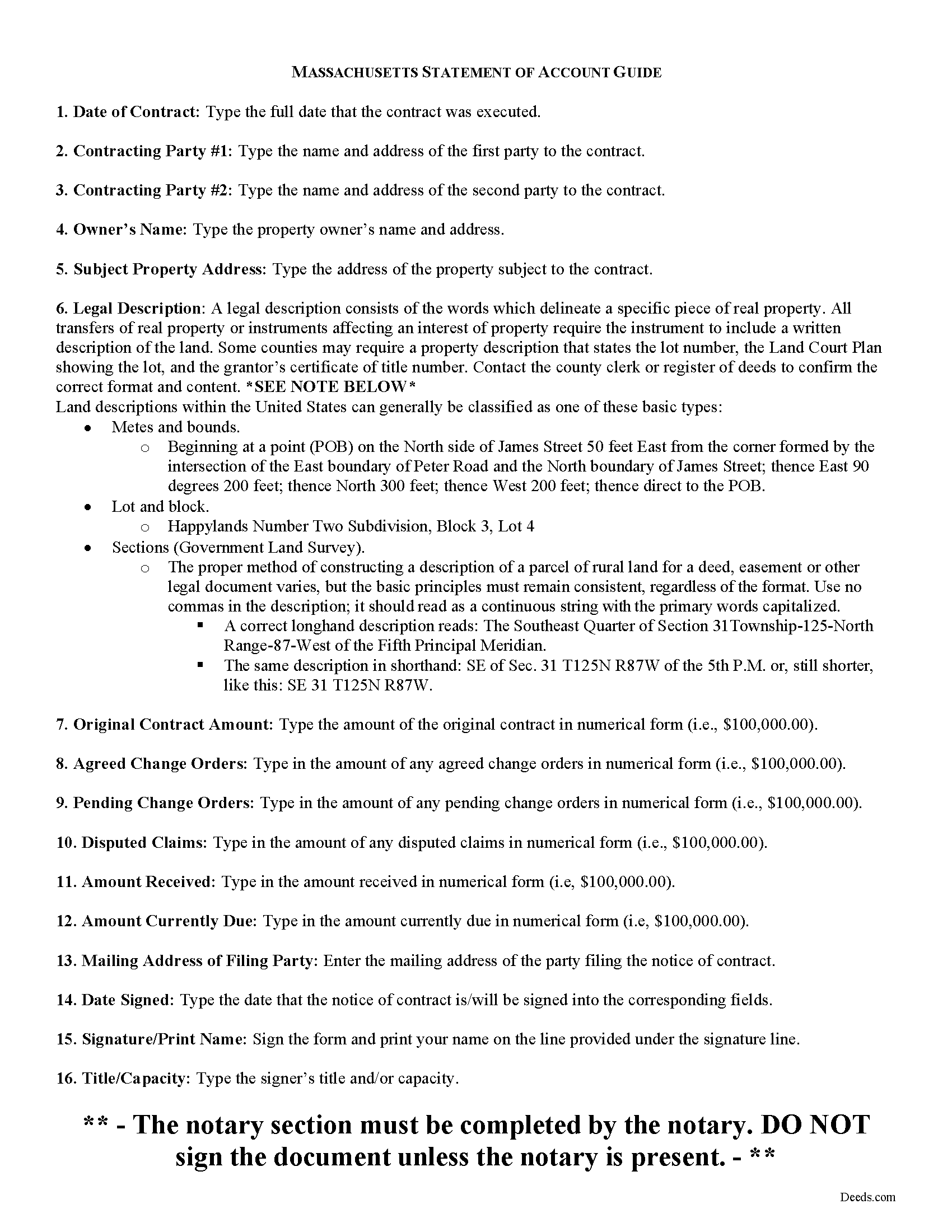
Plymouth County Statement of Account Guide
Line by line guide explaining every blank on the form.
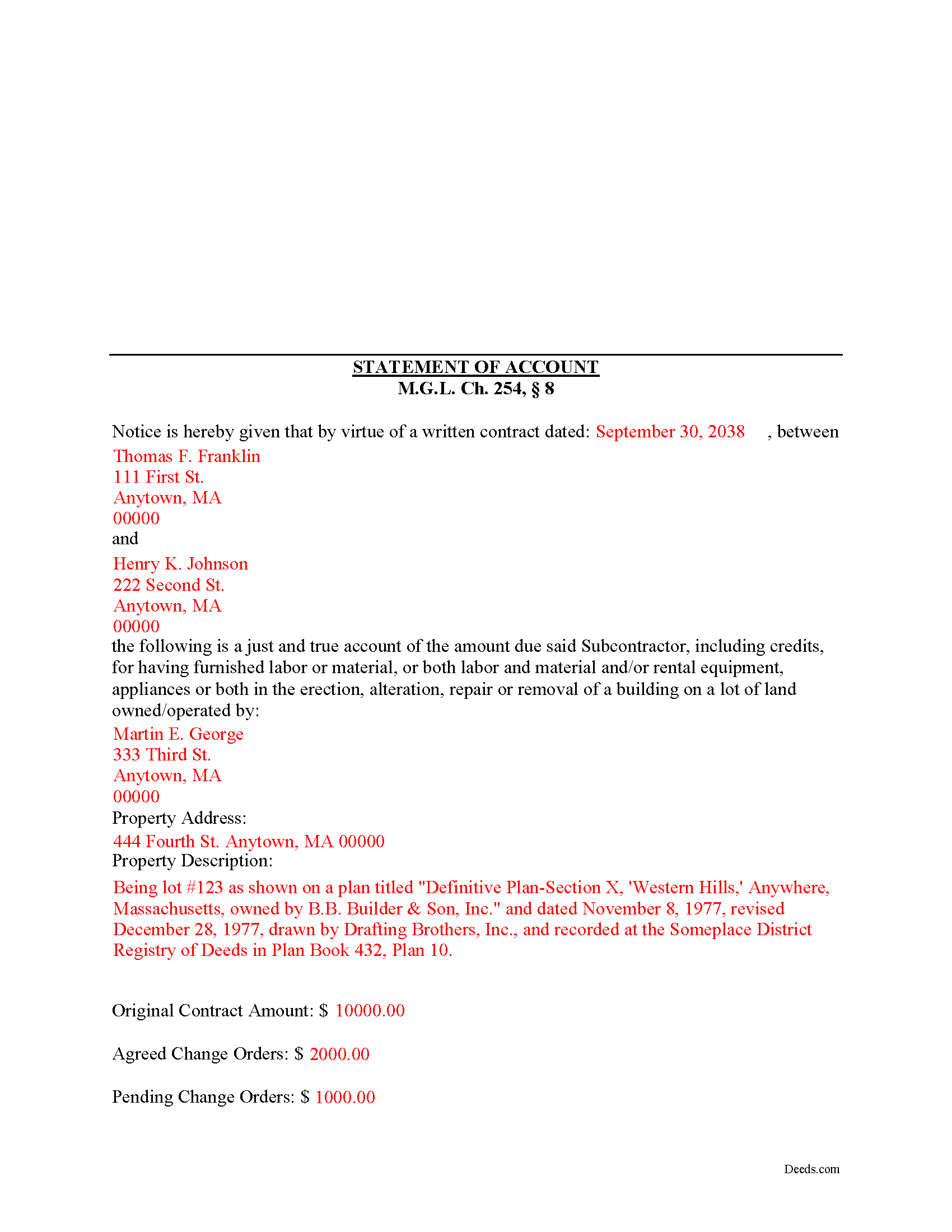
Plymouth County Completed Example of the Statement of Account Document
Example of a properly completed form for reference.
All 3 documents above included • One-time purchase • No recurring fees
Immediate Download • Secure Checkout
Additional Massachusetts and Plymouth County documents included at no extra charge:
Where to Record Your Documents
Plymouth - Main Office with Land Court
Plymouth, Massachusetts 02360
Hours: 8:15 to 4:30 M-F / Recording until 4:00
Phone: (508) 830-9200
Brockton Satellite Office
Brockton, Massachusetts 02301
Hours: 8:30 to 12:00 & 12:45 to 4:15 M-F / Recording until 4:00
Phone: (508) 830-9200
Rockland Satellite Office
Rockland, Massachusetts 02370
Hours: 8:30 to 12:00 & 12:45 to 4:15 M-F / Recording until 4:00
Phone: (508) 830-9200
Recording Tips for Plymouth County:
- Bring your driver's license or state-issued photo ID
- Ensure all signatures are in blue or black ink
- Documents must be on 8.5 x 11 inch white paper
- Double-check legal descriptions match your existing deed
- Verify all names are spelled correctly before recording
Cities and Jurisdictions in Plymouth County
Properties in any of these areas use Plymouth County forms:
- Abington
- Accord
- Brant Rock
- Bridgewater
- Brockton
- Bryantville
- Carver
- Duxbury
- East Bridgewater
- East Wareham
- Elmwood
- Green Harbor
- Greenbush
- Halifax
- Hanover
- Hanson
- Hingham
- Hull
- Humarock
- Kingston
- Lakeville
- Manomet
- Marion
- Marshfield
- Marshfield Hills
- Mattapoisett
- Middleboro
- Minot
- Monponsett
- North Carver
- North Marshfield
- North Pembroke
- North Scituate
- Norwell
- Ocean Bluff
- Onset
- Pembroke
- Plymouth
- Plympton
- Rochester
- Rockland
- Scituate
- South Carver
- Wareham
- West Bridgewater
- West Wareham
- White Horse Beach
- Whitman
Hours, fees, requirements, and more for Plymouth County
How do I get my forms?
Forms are available for immediate download after payment. The Plymouth County forms will be in your account ready to download to your computer. An account is created for you during checkout if you don't have one. Forms are NOT emailed.
Are these forms guaranteed to be recordable in Plymouth County?
Yes. Our form blanks are guaranteed to meet or exceed the applicable formatting requirements used for recording in Plymouth County, including margin requirements, font requirements, and other layout standards. This guarantee applies to formatting, not to the legal sufficiency of information entered by the user or the suitability of a form for a particular transaction.
Can I reuse these forms?
Yes. You can reuse the forms for your personal use. For example, if you have multiple properties in Plymouth County you only need to order once.
What do I need to use these forms?
The forms are PDFs that you fill out on your computer. The free Adobe Acrobat Reader is recommended, and most PDF apps also work. You do NOT enter your property information online - you download the blank forms and complete them privately on your own computer.
Are there any recurring fees?
No. This is a one-time purchase. Nothing to cancel, no memberships, no recurring fees.
How much does it cost to record in Plymouth County?
Recording fees in Plymouth County vary. Contact the recorder's office at (508) 830-9200 for current fees.
Questions answered? Let's get started!
According to the Massachusetts mechanic's lien procedure, a Statement of Account is the second document that must be filed.
The time for filing depends upon whether certain other filings have been made. For instance, if a Notice of Substantial Completion has been filed or recorded, the Statement of Account must be filed ninety (90) days after the filing or recording of the Notice of Substantial Completion. M.G.L. Ch. 254, 8.
If a Notice of Termination has been filed or recorded, the Statement of Account must be filed one hundred and twenty (120) days after the filing or recording of the Notice of Termination. Id.
Otherwise, the Statement of Account must be filed one hundred and twenty (120) days after the last day a person who is entitled to enforce a lien under a written contract or anyone claiming by, through or under him, performed or furnished labor or material or both labor and materials or furnished rental equipment, appliances or tools, files or records in the registry of deeds in the county or district where the land lies a statement, giving a just and true account of the amount due or to become due him, with all just credits, a brief description of the property, and the names of the owners set forth in the notice of contract. Id.
In addition, liens for design professions or their subcontracts will be dissolved unless a like statement is filed or recorded at the appropriate registry of deeds within thirty (30) days after the last day that a notice of contract may be filed or recorded. Id.
A lien for labor only will be dissolved unless a like statement, giving the names of the owner of record at the time the work was performed or at the time of filing the statement, is filed or recorded in the appropriate registry of deeds within the ninety (90) days provided to claim a lien. Id.
Nothing prohibits the filing or recording of a statement under this section prior to the filing or recording of the notices of substantial completion or termination. Id.
The Statement of Accounts contains the following information: 1) names and addresses of the parties to the written contract; 2) owner's name and address; 3) address of subject property; 4) a legal property description of the subject property; and 5) the original contract amount as well as all change orders, amounts in dispute, amounts received, and amount currently due. Id. The statement must be filed and recorded in the county register of deeds in the county where the subject property is located.
This article is provided for informational purposes only and should not be relied upon as a substitute for advice from an attorney. Please speak with a Massachusetts attorney if you have any questions about a Statement of Account or for any other issues concerning mechanic's liens.
Important: Your property must be located in Plymouth County to use these forms. Documents should be recorded at the county recording office listed above.
This Statement of Account meets all recording requirements specific to Plymouth County.
Our Promise
The documents you receive here are guaranteed to meet or exceed the applicable Plymouth County recording format requirements. If there is a rejection caused by our formatting, we will correct the issue or refund your payment. This guarantee applies to document formatting only and does not extend to information entered by the user, the selection of the form, or the legal effect of the completed document.
Save Time and Money
Get your Plymouth County Statement of Account form done right the first time with Deeds.com Uniform Conveyancing Blanks. At Deeds.com, we understand that your time and money are valuable resources, and we don't want you to face a penalty fee or rejection imposed by a county recorder for submitting nonstandard documents. We constantly review and update our forms to meet rapidly changing state and county recording requirements for roughly 3,500 counties and local jurisdictions.
4.8 out of 5 - ( 4,830 Reviews )
Thi W. 5 out of 5 stars
Absolutely the easiest and fastest service ever!!! staff very helpful.
Thank you!
Amie S. 5 out of 5 stars
The forms that I downloaded from Deeds were perfect for what I needed. I even checked with a lawyer to see if the papers would work and she said yes.
Thanks Amie, have a great day!
Michelle G. 5 out of 5 stars
This was a great service! I was having trouble recording something and found this was the best, and quickest, way to get it completed. Excellent service! Will definitely use them again!
Thank you for your feedback. We really appreciate it. Have a great day!
Gloria J. 5 out of 5 stars
I needed a Missouri Notice of Intent to Sell without a named designated buyer. Mo Statutes require notice be notarized and filed 45 days before any closing to protect buyer from liens. You do not have that document. We are flipping a house so it must be filed. Our lawyer was on vacation. Cannot find one anywhere on net. Finally got a template from our title company.
Thank you for your feedback Gloria.
Joan H. 5 out of 5 stars
I am happy I can record this this way.
Thank you!
Joe S. 5 out of 5 stars
Easy to use, reasonable price and excellent customer service! I would not hesitate to use Deeds.com again.
We appreciate your business and value your feedback. Thank you. Have a wonderful day!
Qingqiu H. 5 out of 5 stars
I ordered the wrong forms at first because I'm an idiot and didn't do my research. When I told the customer service about my error they were understanding.
Thank you for your feedback. We really appreciate it. Have a great day!
Nancy C. 5 out of 5 stars
So easy and documents downloaded in a flash. Highly recommended. Just gotta fill out and submit done. Thank You
Thank you!
Jana H. 5 out of 5 stars
This company has made my life so much easier. I'm not driving 25 miles twice a week to record a document. I'm almost giddy! Thank you for making my job so much faster! Jana Hamilton
We appreciate your business and value your feedback. Thank you. Have a wonderful day!
Marcus F. 5 out of 5 stars
Great resource! I was in a bind being out of state and deeds.com came through in a pinch for a very good price! If I need esigning again this is where I'll be coming.
Your words of encouragement and feedback are greatly appreciated. They motivate us to maintain high standards in our service.
Tracy E. 5 out of 5 stars
This is so convenient. Thank you.
Thank you!
Raymond R C. 4 out of 5 stars
Old document deeds were not available and my cost was returned. Was referred to another location and was able to get some help there.
Thank you for your feedback. We really appreciate it. Have a great day!
Toni C. 5 out of 5 stars
Super impressed!! For me to get back my recorded document in one day was awesome. I needed it for a foreclosure and knew if I mailed it in to the Clerk's office I more than likely would not get it back in time. Also the fact that you had no problem with me having a one-time document to record is a plus. I will be using you in the future for my recording needs. Thank you.
We appreciate your business and value your feedback. Thank you. Have a wonderful day!
MARILEE S. 5 out of 5 stars
A very easy website....consumer friendly, which is what is so important to me. I will be using your service again. Thank you
Thank you!
Maria S. 3 out of 5 stars
The paperwork/forms are fine, but there isn't enough explanation for me to figure out how to file the extra forms (which I do need in my case). The main form, Deed Upon Death is fine. I think the price is pretty high for these forms. I wouldn't have purchased it because there are places to get them for much cheaper (about 6 dollars), but this site had the extra forms I wanted (property in a trust and another form). Unfortunately these were included as a "courtesy" and there are no instructions for them. So three stars for being clear about what was in the package, having the right forms that I need, but instructions for putting them to use and price took a couple of stars off. Downloading was easy and once you download you can type the info into the PDF--that makes working with the forms much easier.
Thank you for the feedback Maria. Regarding the supplement documents, it is best to get assistance from the agency that requires them. These are not legal documents, they should provide full support and guidance for them.