Plymouth County Grant Deed Form
Last validated October 7, 2026 by our Forms Development TeamFormatted for recording in Plymouth County, for property anywhere in the county: rural and unincorporated areas as well as Abington, Accord, Brant Rock, Bridgewater, Brockton, Bryantville, Carver, Duxbury and 40 more.
- 3 documents included
- Immediate PDF download
- Formatting guarantee
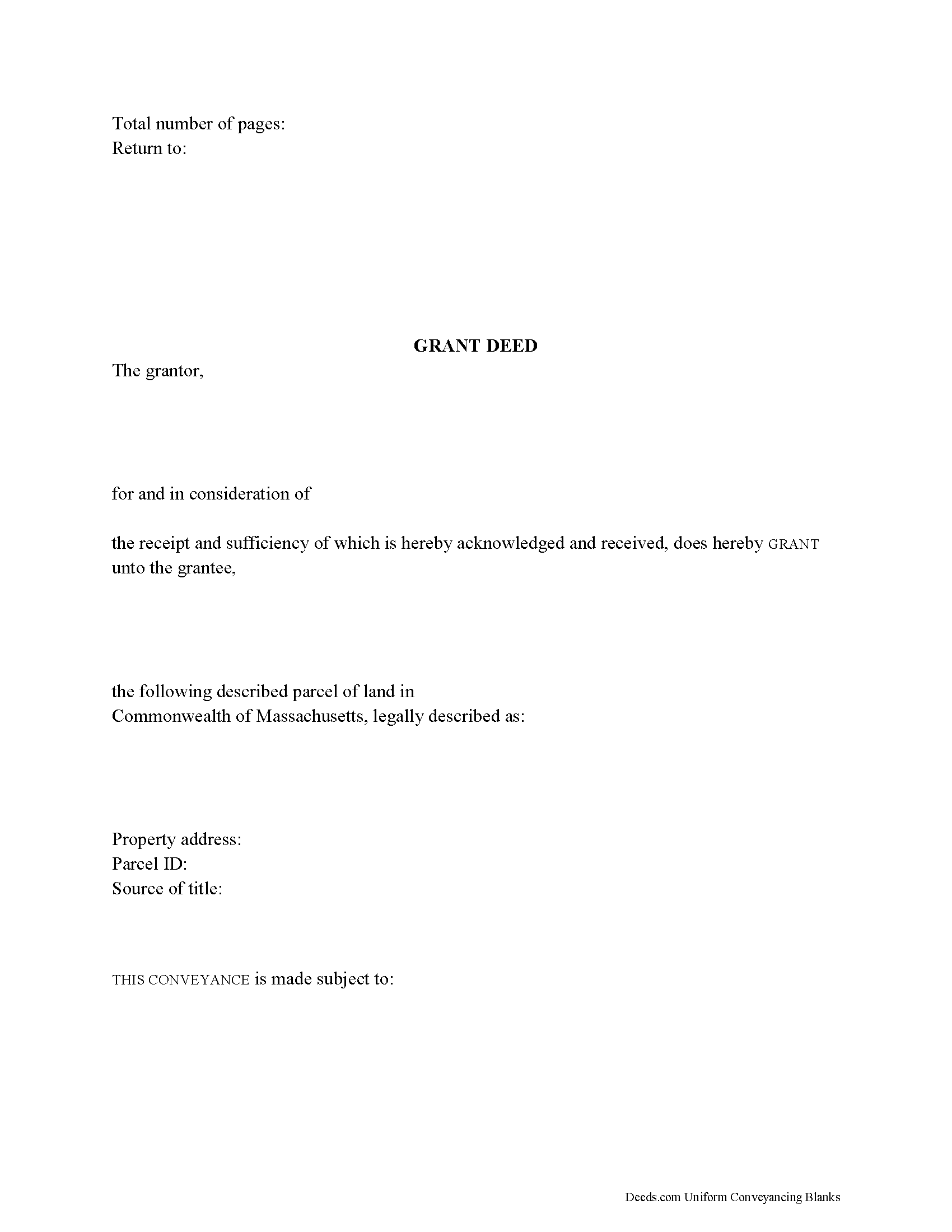
Plymouth County Grant Deed Form
Fill in the blank form formatted to comply with all recording and content requirements.
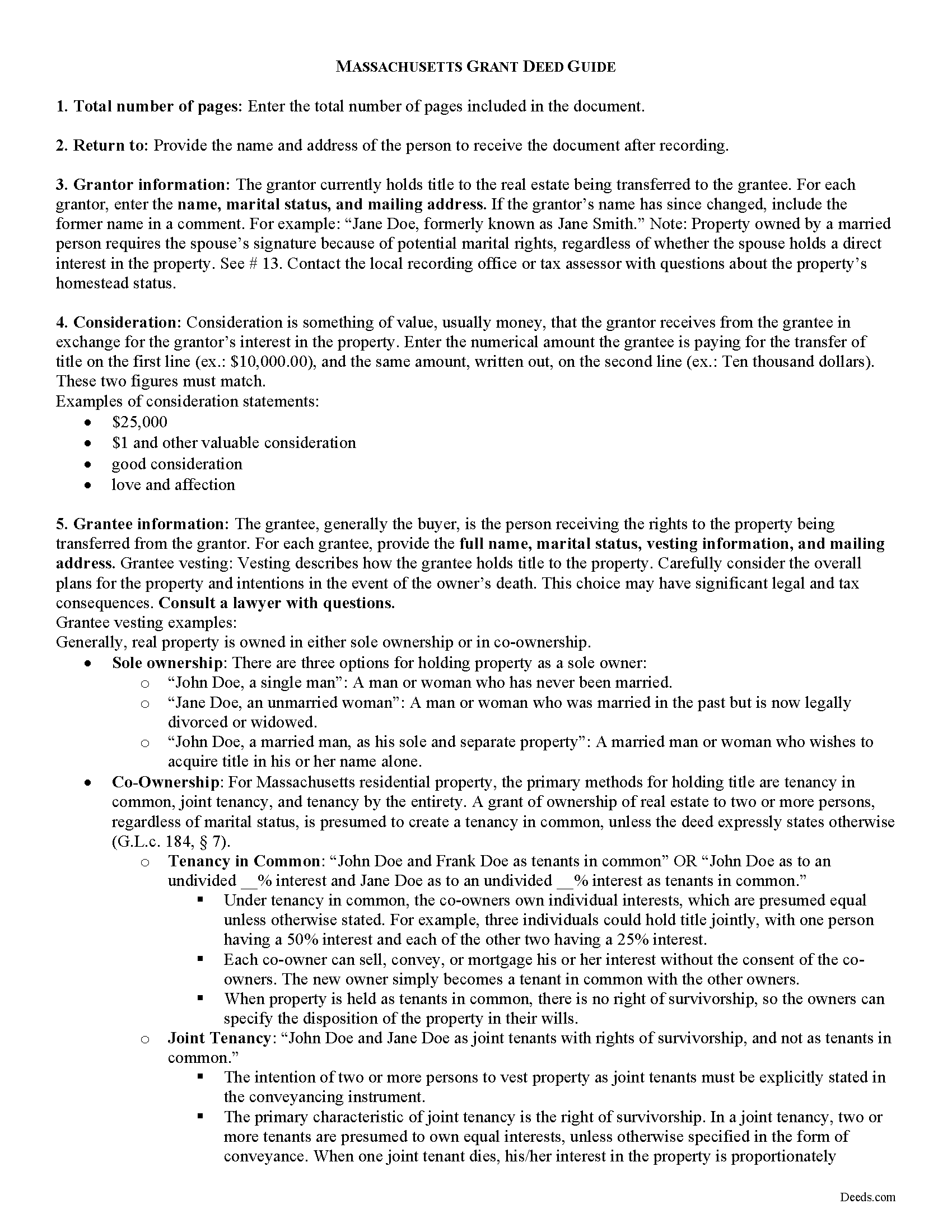
Plymouth County Grant Deed Guide
Line by line guide explaining every blank on the form.
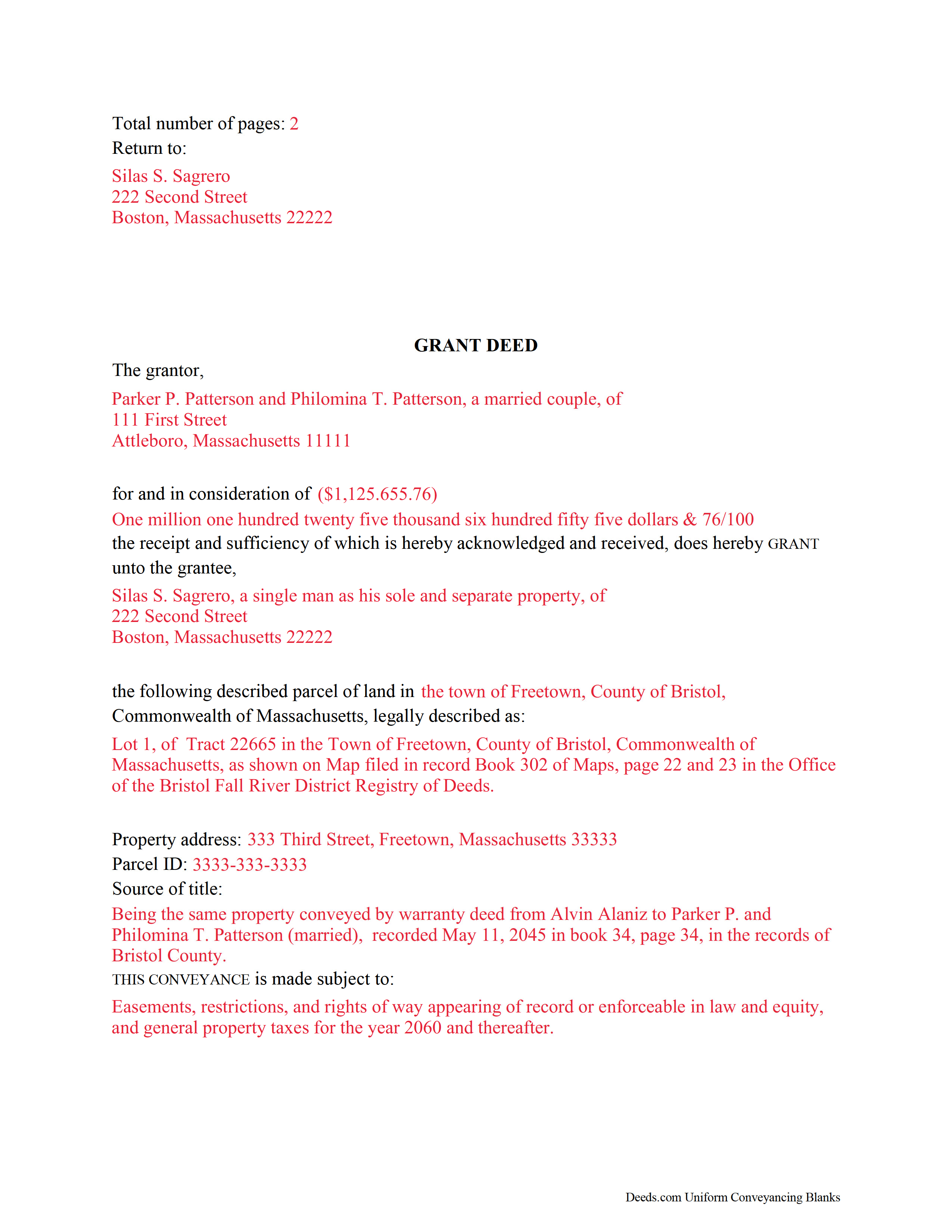
Plymouth County Completed Example of the Grant Deed Document
Example of a properly completed form for reference.
All 3 documents above included • One-time purchase • No recurring fees
Immediate Download • Secure Checkout
Additional Massachusetts and Plymouth County documents included at no extra charge:
Where to Record Your Documents
Plymouth - Main Office with Land Court
Plymouth, Massachusetts 02360
Hours: 8:15 to 4:30 M-F / Recording until 4:00
Phone: (508) 830-9200
Brockton Satellite Office
Brockton, Massachusetts 02301
Hours: 8:30 to 12:00 & 12:45 to 4:15 M-F / Recording until 4:00
Phone: (508) 830-9200
Rockland Satellite Office
Rockland, Massachusetts 02370
Hours: 8:30 to 12:00 & 12:45 to 4:15 M-F / Recording until 4:00
Phone: (508) 830-9200
Recording Tips for Plymouth County:
- Bring your driver's license or state-issued photo ID
- Ensure all signatures are in blue or black ink
- Verify all names are spelled correctly before recording
- White-out or correction fluid may cause rejection
- Ask about their eRecording option for future transactions
Cities and Jurisdictions in Plymouth County
Properties in any of these areas use Plymouth County forms:
- Abington
- Accord
- Brant Rock
- Bridgewater
- Brockton
- Bryantville
- Carver
- Duxbury
- East Bridgewater
- East Wareham
- Elmwood
- Green Harbor
- Greenbush
- Halifax
- Hanover
- Hanson
- Hingham
- Hull
- Humarock
- Kingston
- Lakeville
- Manomet
- Marion
- Marshfield
- Marshfield Hills
- Mattapoisett
- Middleboro
- Minot
- Monponsett
- North Carver
- North Marshfield
- North Pembroke
- North Scituate
- Norwell
- Ocean Bluff
- Onset
- Pembroke
- Plymouth
- Plympton
- Rochester
- Rockland
- Scituate
- South Carver
- Wareham
- West Bridgewater
- West Wareham
- White Horse Beach
- Whitman
Hours, fees, requirements, and more for Plymouth County
How do I get my forms?
Forms are available for immediate download after payment. The Plymouth County forms will be in your account ready to download to your computer. An account is created for you during checkout if you don't have one. Forms are NOT emailed.
Are these forms guaranteed to be recordable in Plymouth County?
Yes. Our form blanks are guaranteed to meet or exceed the applicable formatting requirements used for recording in Plymouth County, including margin requirements, font requirements, and other layout standards. This guarantee applies to formatting, not to the legal sufficiency of information entered by the user or the suitability of a form for a particular transaction.
Can I reuse these forms?
Yes. You can reuse the forms for your personal use. For example, if you have multiple properties in Plymouth County you only need to order once.
What do I need to use these forms?
The forms are PDFs that you fill out on your computer. The free Adobe Acrobat Reader is recommended, and most PDF apps also work. You do NOT enter your property information online - you download the blank forms and complete them privately on your own computer.
Are there any recurring fees?
No. This is a one-time purchase. Nothing to cancel, no memberships, no recurring fees.
How much does it cost to record in Plymouth County?
Recording fees in Plymouth County vary. Contact the recorder's office at (508) 830-9200 for current fees.
Questions answered? Let's get started!
Real estate conveyances in Massachusetts are governed under Massachusetts General Laws Chapters 183 and 184. While the statutes do not specifically mention grant deeds, they are still useful for conveying title to real property in the state.
A grant deed transfers the right, title, and interest in real estate from the grantor (seller) to the grantee (buyer). Grant deeds typically include explicit covenants that the grantor is seized of, or owns, the land granted, has the right to convey the land, and that the deed discloses every lien or encumbrance associated with the property.
In addition to meeting all state and local standards for recorded documents, a lawful deed identifies each grantor and grantee by name, address, and marital status (G.L.c. 183 sec. 6). State law requires that all land records contain information on how the grantee will hold title (G.L.c. 184 sec. 7). For Massachusetts residential property, the primary methods for holding title are tenancy in common, joint tenancy, and tenancy by the entirety. A grant of ownership of real estate to two or more persons, regardless of marital status, is presumed to create a tenancy in common, unless the deed expressly states otherwise (G.L.c. 184 sec. 7).
As with any conveyance of real estate, a grant deed requires a complete legal description of the parcel. The deed must state the amount of the full consideration, or the total price paid by the grantee for the transfer (G.L.c. 183 sec. 6). Based on the consideration paid, the seller pays an excise tax (also known as a transfer tax or stamp tax) to the Registry of Deeds' office (G.L.c. 64D sec. 1,2).
Record the completed deed at the local County Registry of Deeds office. Some counties (Berkshire, Bristol, Essex, Middlesex, Worcester) are split into two or more recording districts. Make sure to record the deed in the correct recording district. If the deed pertains to registered land, submit the deed to the Registry District of the Land Court. Include all relevant affidavits, forms, and fees along with the deed for recording. For guidance related to supplemental documentation, speak with the local Registry of Deeds office.
This article is provided for informational purposes only and is not a substitute for legal advice. Contact a lawyer with questions about grant deeds or transfers of real property in Massachusetts.
(Massachusetts GD Package includes form, guidelines, and completed example)
Important: Your property must be located in Plymouth County to use these forms. Documents should be recorded at the county recording office listed above.
This Grant Deed meets all recording requirements specific to Plymouth County.
Our Promise
The documents you receive here are guaranteed to meet or exceed the applicable Plymouth County recording format requirements. If there is a rejection caused by our formatting, we will correct the issue or refund your payment. This guarantee applies to document formatting only and does not extend to information entered by the user, the selection of the form, or the legal effect of the completed document.
Save Time and Money
Get your Plymouth County Grant Deed form done right the first time with Deeds.com Uniform Conveyancing Blanks. At Deeds.com, we understand that your time and money are valuable resources, and we don't want you to face a penalty fee or rejection imposed by a county recorder for submitting nonstandard documents. We constantly review and update our forms to meet rapidly changing state and county recording requirements for roughly 3,500 counties and local jurisdictions.
4.8 out of 5 - ( 4,828 Reviews )
Desiree D. 5 out of 5 stars
This service is so good, quick, reasonably priced! I would use Deeds.com again!
We deeply appreciate the trust you have placed in our services. Thank you for your valuable feedback and for choosing us.
Barry B. 5 out of 5 stars
I was very impressed on how simple the process was to record the documents I needed recorded. Thank you for all of your help.
Thank you!
Laurie B. 5 out of 5 stars
easy to use, good experience
Thank you!
katherine a. 5 out of 5 stars
loved the ease of use for the forms. went on line to find out about Adobe Reader, too. Had a test to see if I had it. Took few seconds. Then on to ordering and downloading which took only 5 minutes for the three forms I wanted. Thanks, Katie Anderson
Thank you for your feedback. We really appreciate it. Have a great day!
Daniel M. 5 out of 5 stars
It was quick and easy!! I recommend this site for your needs!!
Really appreciate you Daniel, thanks for the kind words.
Lori N. 5 out of 5 stars
I ordered the document I needed and it was available for download within a half hour. Very pleased, thanks!
We appreciate your business and value your feedback. Thank you. Have a wonderful day!
shaun s. 5 out of 5 stars
Pretty quick and accurate, thank you
Thank you for your feedback. We really appreciate it. Have a great day!
David O. 5 out of 5 stars
Service was top-notch....fast, accurate, cost-effective.
Thank you!
Elaine D. 5 out of 5 stars
Easement deed contract was easy to complete, however after additional research raises some concerns because the Ohio deed does not list a requirement for witness signatures and does not provide lines or an area for witness signatures. The document does provide the necessary area for the notary information and the grantor and grantee.
Thank you for your feedback. We really appreciate it. Have a great day!
Josephine A. 5 out of 5 stars
Being a first timer, I was hesitant at first to use the service. I was genuinely surprised at how easy it is to set up an account, upload my document, and pay the invoice. The next day I downloaded my document duly recorded. Good work, guys!
Thank you for your feedback. We really appreciate it. Have a great day!
Jan David F. 1 out of 5 stars
Your data doesn't go deep enough in time to be useful to me. I needed deeds from 1911 to 1966.
Thank you for your feedback Jan. It does look like staff canceled your order after discussing your needs with you.
Linda S. 5 out of 5 stars
I am quite pleased with this website. I was able to complete my task with relative ease thanks to all the help these forms provided .The example forms really helped me to navigate the process. I would recommend this service highly.
Thank you Linda, we really appreciate your feedback.
Michele B. 5 out of 5 stars
It was a wonderful experience. Thank you for your help.
We appreciate your business and value your feedback. Thank you. Have a wonderful day!
KATHLEEN S. 5 out of 5 stars
Excellent service, great feedback and recommendations by the deed preparer, and I really appreciate the personalized service. The website is amazing, everything is well thought out, and all messages are saved, clear and easy to read. I wish my website was so easy to navigate! Seriously, the person who worked on my account is awesome. They made recommendations about what to include and what not to include. They didn't make me feel dumb for asking questions about out-of-state service and filing procedures, and I will be using Deeds.com exclusively on my cases. Five stars !
We appreciate your business and value your feedback. Thank you. Have a wonderful day!
Deirdre M. 5 out of 5 stars
Thank for you guidance to amend & correct & recover my home with evidence you provide in Dead Fraud. I'll keep you updated.
Thank you!