Roseau County Affidavit of Trustee for Testamentary Trust Form
Last validated October 20, 2026 by our Forms Development TeamFormatted for recording in Roseau County, for property anywhere in the county: rural and unincorporated areas as well as Badger, Greenbush, Roosevelt, Roseau, Salol, Strathcona, Swift, Wannaska and 1 more.
- 3 documents included
- Immediate PDF download
- Formatting guarantee
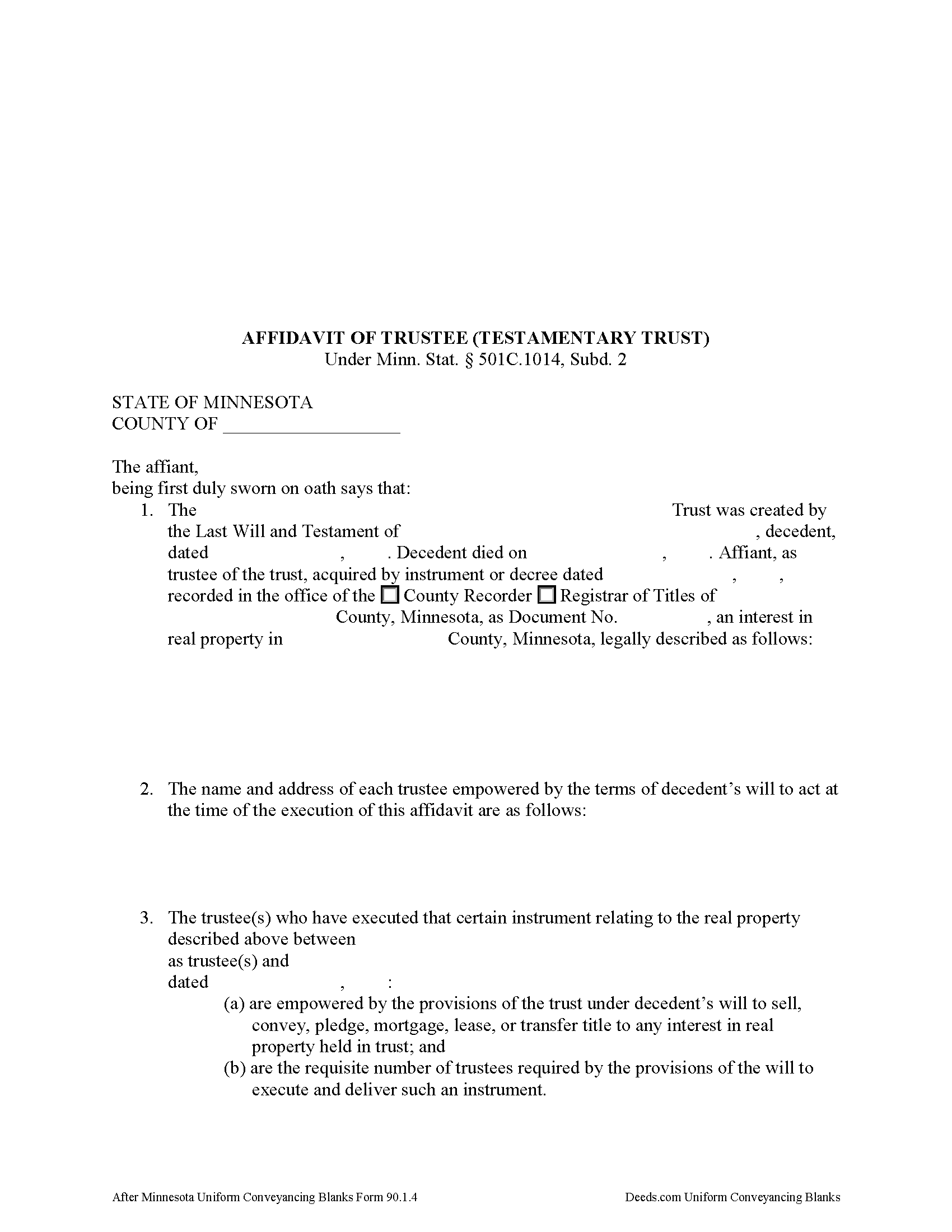
Roseau County Affidavit of Trustee Form
Fill in the blank form formatted to comply with all recording and content requirements.
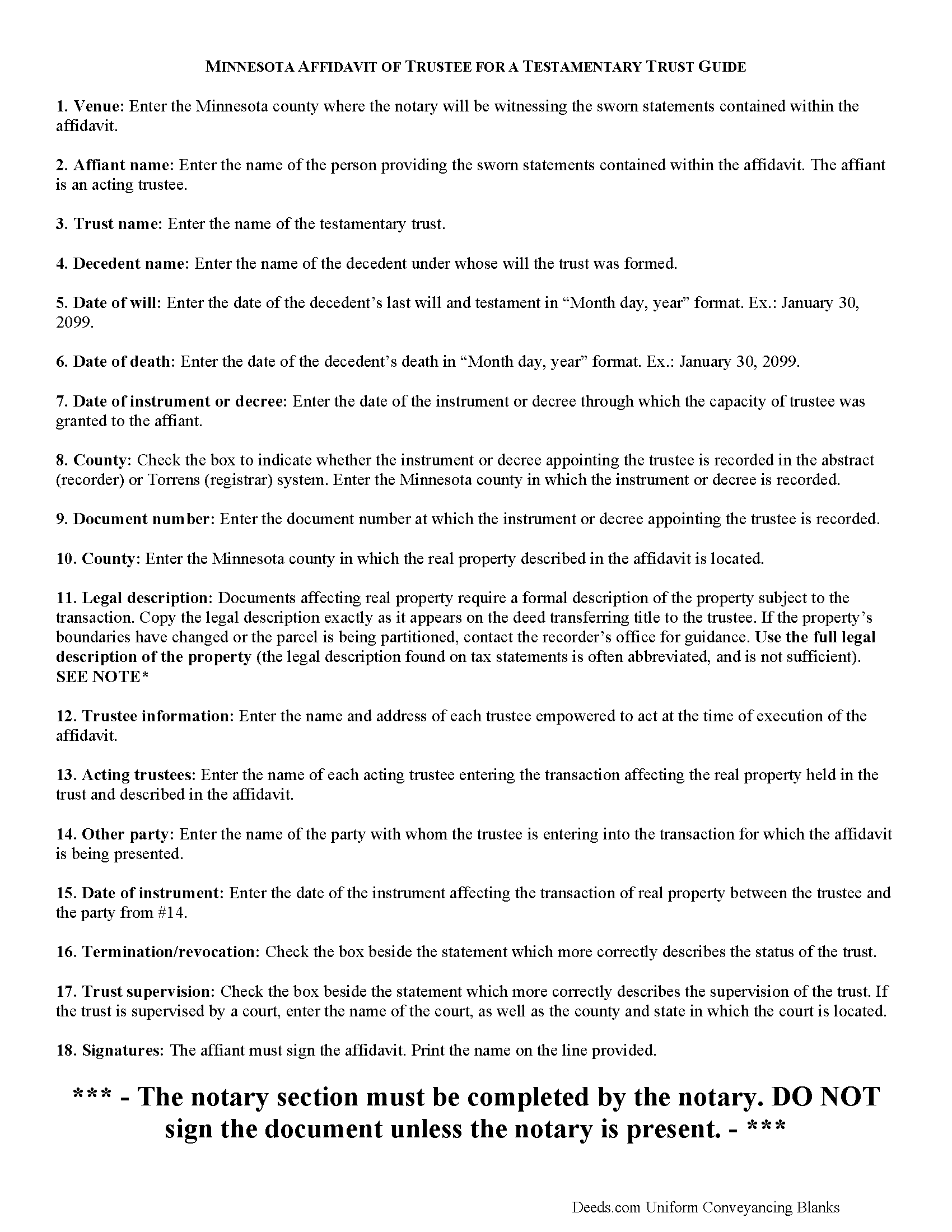
Roseau County Affidavit of Trustee Guide
Line by line guide explaining every blank on the form.
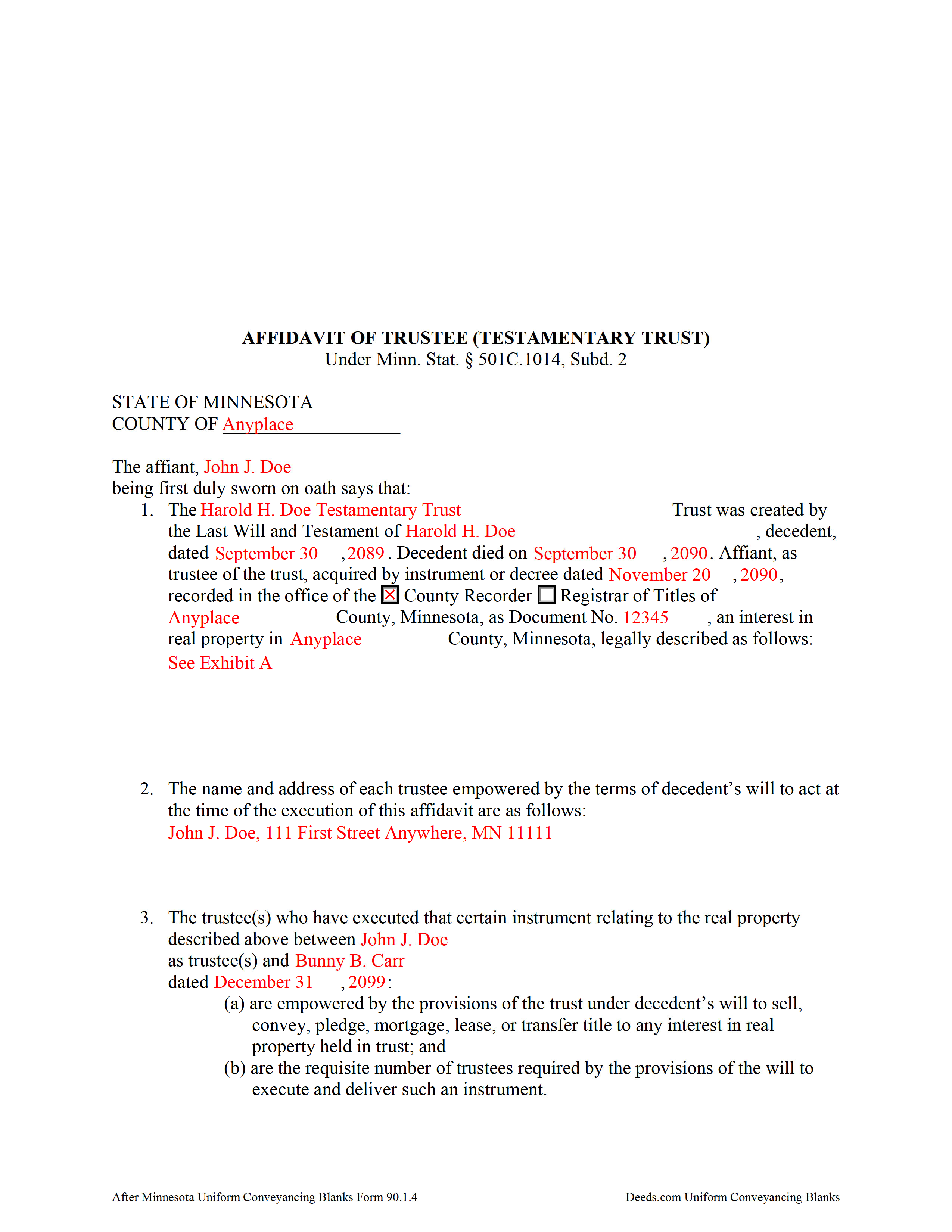
Roseau County Completed Example of the Affidavit of Trustee Document
Example of a properly completed form for reference.
All 3 documents above included • One-time purchase • No recurring fees
Immediate Download • Secure Checkout
Additional Minnesota and Roseau County documents included at no extra charge:
Where to Record Your Documents
Roseau County Recorder
Roseau, Minnesota 56751
Hours: 8:00 to 4:30 M-F
Phone: (218) 463-2061
Recording Tips for Roseau County:
- Bring your driver's license or state-issued photo ID
- Ensure all signatures are in blue or black ink
- Ask about accepted payment methods when you call ahead
- Ask for certified copies if you need them for other transactions
- Ask if they accept credit cards - many offices are cash/check only
Cities and Jurisdictions in Roseau County
Properties in any of these areas use Roseau County forms:
- Badger
- Greenbush
- Roosevelt
- Roseau
- Salol
- Strathcona
- Swift
- Wannaska
- Warroad
Hours, fees, requirements, and more for Roseau County
How do I get my forms?
Forms are available for immediate download after payment. The Roseau County forms will be in your account ready to download to your computer. An account is created for you during checkout if you don't have one. Forms are NOT emailed.
Are these forms guaranteed to be recordable in Roseau County?
Yes. Our form blanks are guaranteed to meet or exceed the applicable formatting requirements used for recording in Roseau County, including margin requirements, font requirements, and other layout standards. This guarantee applies to formatting, not to the legal sufficiency of information entered by the user or the suitability of a form for a particular transaction.
Can I reuse these forms?
Yes. You can reuse the forms for your personal use. For example, if you have multiple properties in Roseau County you only need to order once.
What do I need to use these forms?
The forms are PDFs that you fill out on your computer. The free Adobe Acrobat Reader is recommended, and most PDF apps also work. You do NOT enter your property information online - you download the blank forms and complete them privately on your own computer.
Are there any recurring fees?
No. This is a one-time purchase. Nothing to cancel, no memberships, no recurring fees.
How much does it cost to record in Roseau County?
Recording fees in Roseau County vary. Contact the recorder's office at (218) 463-2061 for current fees.
Questions answered? Let's get started!
An affidavit of trustee contains sworn statements made by a trustee and relating to a specific transaction involving real property contained by the trust. The affidavit of trustee for a testamentary trust is codified at Minn. Stat. 501C.1014, Subd. 2.
A testamentary trust is a trust created by a will that takes effect upon the death of a testator. The affidavit of trustee for a testamentary trust, then, references the name of the trust and the date of the will under which it was created, as well as the decedent's name and date of death. It also references the instrument granting the trusteeship, including the date and place of recording.
The affidavit must contain a full legal description of the property subject to the transaction for which the affidavit is presented. It references the trustee and other party involved in the transaction and offers proof that the required number of trustees are entering the transaction and that the trustees are authorized under the decedent's will to act on the title to the real property held in the trust, and that there are no trust amendments that limit the power of the trustees.
The affiant confirms that the trust has not terminated and that the trust instrument has not been revoked, or that, if the trust has terminated, the transaction involving the real property is made pursuant to the provisions of the trust. If the trust is under court supervision, the affidavit provides the name and location of the court.
The affidavit of trustee must be signed by an acting trustee in the presence of a notary public and may be recorded separately or as an attachment to a certificate of trust under Minn. Stat. 501C.1013. Submit the instrument for recording with the county recorder, or registrar of titles in the case of registered land, in the county in which the real property described in the affidavit is situated.
Consult a lawyer with questions regarding affidavits of trustee or Minnesota trust law in general, as each situation is unique and trust law can quickly become complex.
(Minnesota AOT Package includes form, guidelines, and completed example)
Important: Your property must be located in Roseau County to use these forms. Documents should be recorded at the county recording office listed above.
This Affidavit of Trustee for Testamentary Trust meets all recording requirements specific to Roseau County.
Our Promise
The documents you receive here are guaranteed to meet or exceed the applicable Roseau County recording format requirements. If there is a rejection caused by our formatting, we will correct the issue or refund your payment. This guarantee applies to document formatting only and does not extend to information entered by the user, the selection of the form, or the legal effect of the completed document.
Save Time and Money
Get your Roseau County Affidavit of Trustee for Testamentary Trust form done right the first time with Deeds.com Uniform Conveyancing Blanks. At Deeds.com, we understand that your time and money are valuable resources, and we don't want you to face a penalty fee or rejection imposed by a county recorder for submitting nonstandard documents. We constantly review and update our forms to meet rapidly changing state and county recording requirements for roughly 3,500 counties and local jurisdictions.
4.8 out of 5 - ( 4,837 Reviews )
John G. 5 out of 5 stars
Very straightforward ordering process to obtain the forms I needed. Thank you.
Thank you!
Craig J. 5 out of 5 stars
Package downloaded without any problems. Help sheet was fair. Maybe they could cross reference the help number on the help sheet to the form better - somehow. Overall, I was pleased. I was able to download, fill in the blanks and do what edits I thought it needed with ease. Cost was very reasonable. I'll give it a 5.
Thank you for your feedback. We really appreciate it. Have a great day!
Dawn L. 5 out of 5 stars
Not totally satisfied as unable to edit as needed on signature page of the deed. I want to be able to date the document and don't want the verbage "signed, sealed and delivered in the presence of" to appear and cannot remove it. The notary will make his or her own statement below as to the date executed.
Thank you for your feedback. We really appreciate it. Have a great day!
Santos V. 5 out of 5 stars
Great and easy to understand.
We appreciate your business and value your feedback. Thank you. Have a wonderful day!
Veronica F. 5 out of 5 stars
Fabulous service team. VERY responsive with any issue I encountered. Preparing forms out of state to record in another is never easy but this team assists expeditiously.
Your feedback is greatly appreciated. Thank you for taking the time to share your experience!
Caroline K. 5 out of 5 stars
SIMPLE, THAT IS GOOD
Thank you for your feedback. We really appreciate it. Have a great day!
Gary S. 5 out of 5 stars
Thank you! Quick, timely and excellent quality document!
Thank you for your feedback. We really appreciate it. Have a great day!
Christine R. 4 out of 5 stars
Ordering and directions were easy. The only thing missing in the instructions was how to record by mail. Thanks!
Thank you Christine. We'll work on making it more clear that one can find mailing information in our recording section. Have a great day!
Donna L. 5 out of 5 stars
Documents were easy to complete!
Thank you for your feedback. We really appreciate it. Have a great day!
Angela T. 5 out of 5 stars
I love this website .. it has been very helpful in so many ways.. thank you so much..
Thank you!
Cheryl C. 5 out of 5 stars
So far this looks like exactly what I need and at a reasonable price. Glad it was so easy to find online. Thank you.
Thank you for your feedback. We really appreciate it. Have a great day!
Mary R. 5 out of 5 stars
Love to use DEEDS>COM
Thank you Mary.
Jo Ann M. 5 out of 5 stars
Easy from the download to just fill out and print. Good instructions to follow. A cover letter form would be a extra plus
We appreciate your business and value your feedback. Thank you. Have a wonderful day!
Kitty H. 5 out of 5 stars
I have had it reviewed by a mortgage broker and a title manager and both said it was done correctly! Your product and the instructions are what made this possible. It took me several hours as I continued to review your information. I just finished printing and ready to file. Yeah! Thanks! Highly recommend the product!
We appreciate your business and value your feedback. Thank you. Have a wonderful day!
David S. 5 out of 5 stars
Very good website. All government should be that clear and efficient.
Thank you!