Roseau County Certificate of Trust Form
Last validated October 14, 2026 by our Forms Development TeamFormatted for recording in Roseau County, for property anywhere in the county: rural and unincorporated areas as well as Badger, Greenbush, Roosevelt, Roseau, Salol, Strathcona, Swift, Wannaska and 1 more.
- 3 documents included
- Immediate PDF download
- Formatting guarantee
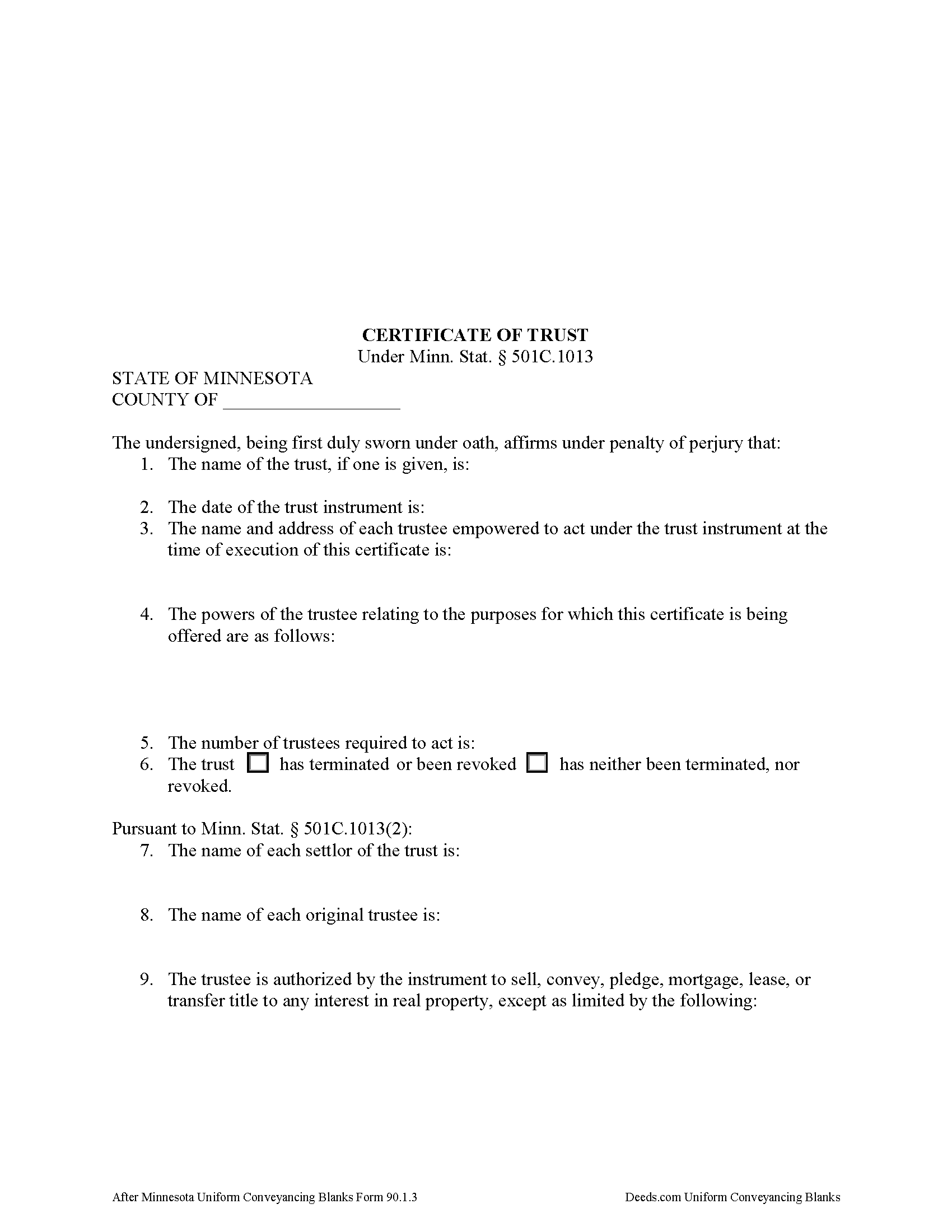
Roseau County Certificate of Trust Form
Fill in the blank form formatted to comply with all recording and content requirements.
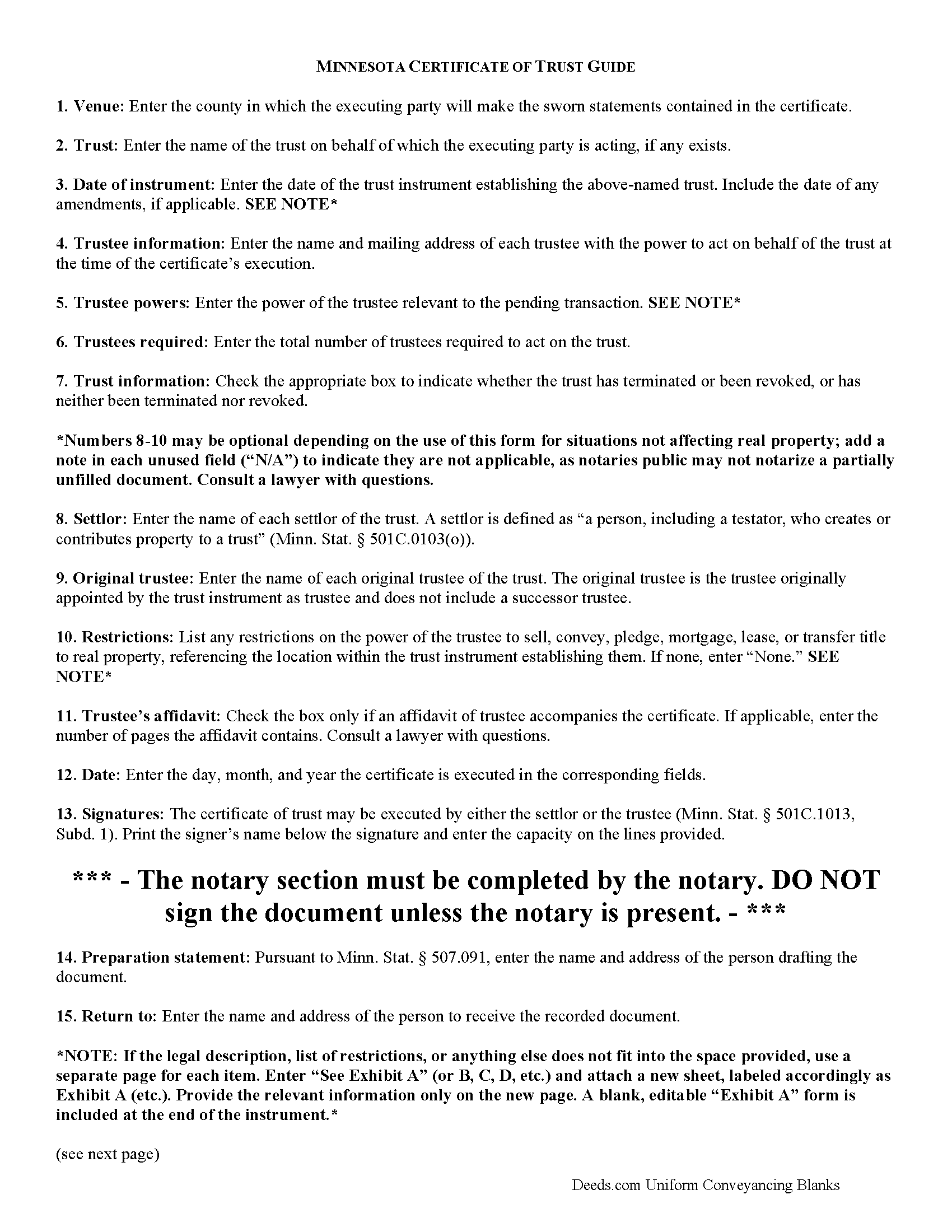
Roseau County Certificate of Trust Guide
Line by line guide explaining every blank on the form.
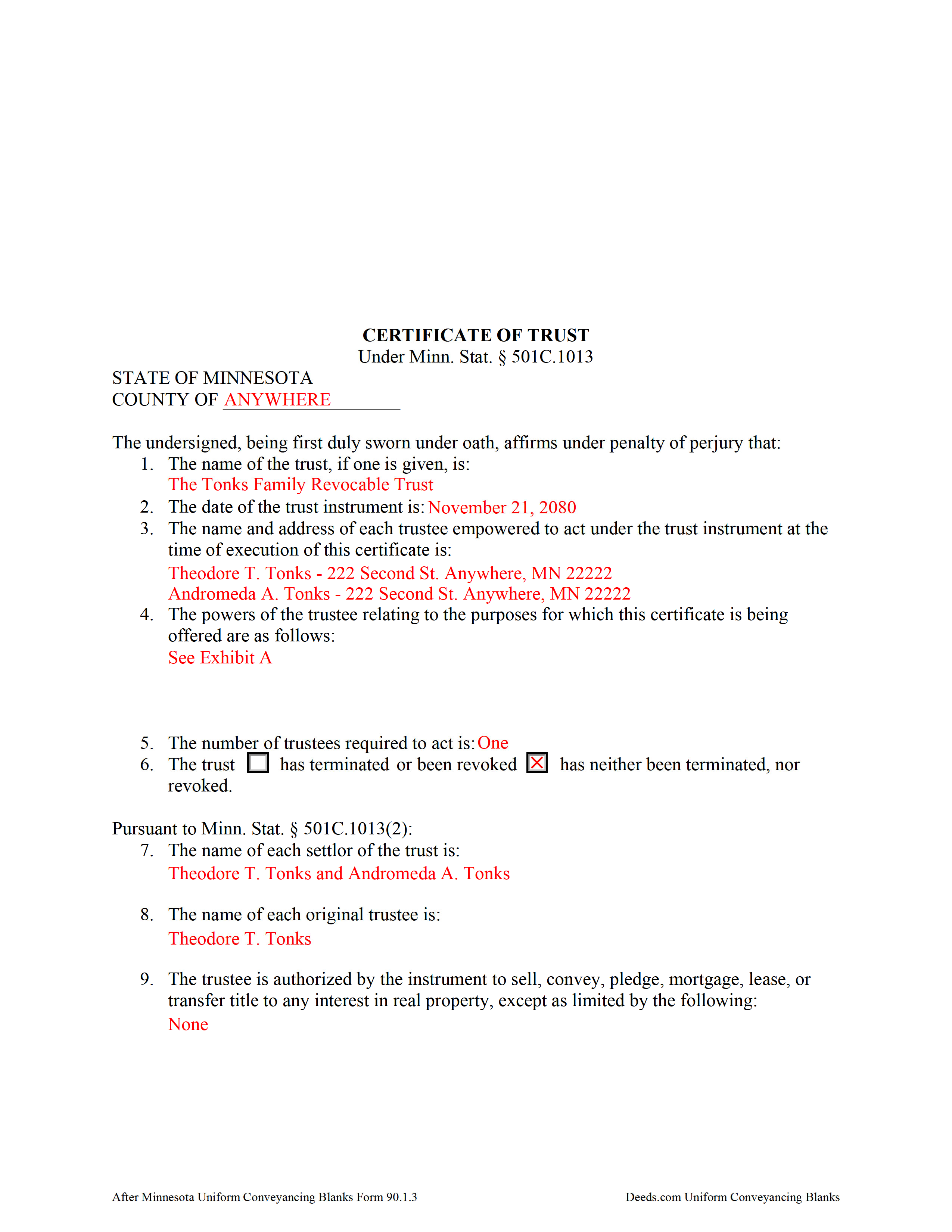
Roseau County Completed Example of the Certificate of Trust Document
Example of a properly completed form for reference.
All 3 documents above included • One-time purchase • No recurring fees
Immediate Download • Secure Checkout
Additional Minnesota and Roseau County documents included at no extra charge:
Where to Record Your Documents
Roseau County Recorder
Roseau, Minnesota 56751
Hours: 8:00 to 4:30 M-F
Phone: (218) 463-2061
Recording Tips for Roseau County:
- Bring your driver's license or state-issued photo ID
- Ensure all signatures are in blue or black ink
- Leave recording info boxes blank - the office fills these
- Make copies of your documents before recording - keep originals safe
- Recorded documents become public record - avoid including SSNs
Cities and Jurisdictions in Roseau County
Properties in any of these areas use Roseau County forms:
- Badger
- Greenbush
- Roosevelt
- Roseau
- Salol
- Strathcona
- Swift
- Wannaska
- Warroad
Hours, fees, requirements, and more for Roseau County
How do I get my forms?
Forms are available for immediate download after payment. The Roseau County forms will be in your account ready to download to your computer. An account is created for you during checkout if you don't have one. Forms are NOT emailed.
Are these forms guaranteed to be recordable in Roseau County?
Yes. Our form blanks are guaranteed to meet or exceed the applicable formatting requirements used for recording in Roseau County, including margin requirements, font requirements, and other layout standards. This guarantee applies to formatting, not to the legal sufficiency of information entered by the user or the suitability of a form for a particular transaction.
Can I reuse these forms?
Yes. You can reuse the forms for your personal use. For example, if you have multiple properties in Roseau County you only need to order once.
What do I need to use these forms?
The forms are PDFs that you fill out on your computer. The free Adobe Acrobat Reader is recommended, and most PDF apps also work. You do NOT enter your property information online - you download the blank forms and complete them privately on your own computer.
Are there any recurring fees?
No. This is a one-time purchase. Nothing to cancel, no memberships, no recurring fees.
How much does it cost to record in Roseau County?
Recording fees in Roseau County vary. Contact the recorder's office at (218) 463-2061 for current fees.
Questions answered? Let's get started!
The certificate of trust is codified under the Minnesota Trust Code at Minn. Stat. 501C.1013.
This document is an abstract of the trust instrument setting forth "fewer than all of the provisions . . . and any amendments to the instrument," and contains only essential information relevant to the transaction for which it is being presented (Minn. Stat. 501C.1013, Subd. 1). It "serves to document the existence of the trust, the identity of the trustees, the powers of the trustees and any limitations on those powers, and other matters the certificate of trust sets out, as though the full trust instrument had been recorded or presented" (Subd. 4).
Presented to a recipient in situations regarding personal property, or filed with the county recorder in situations regarding real property, a certificate of trust is "prima facie proof as to matters contained in it" (Subd. 4).
A certificate is valid when executed by settlor or trustee "any time after the execution or creation of a trust" (Subd. 1). The basic content requirements include the name of the trust; the date of the trust instrument; the name and address of each acting trustee; the number of trustees required to act; and the powers of the trustee relevant to the transaction at hand. The certificate also declares whether the trust has terminated or the trust instrument has been revoked (Subd. 1 (1-6)).
For use in real property transactions, the certificate requires the name of each settlor and original trustee, along with a specific statement relating to the authority of the trustee and any restrictions on the trustee's power "to sell, convey, pledge, mortgage, lease, or transfer title to any interest in real property" (Subd. 2). Transactions affecting real property may also require an affidavit of trustee under Minn. Stat. 501C.1014.
The representations contained within the certificate are made by the executing trustee or settlor under oath before a public notary and as such the executing party ensure there are no provisions in the trust instrument or subsequent amendments to limit the power of the trustee in the transaction or "to exercise any other power identified in the certificate" (Subd. 1).
Contact an attorney with any questions regarding trusts or certificates of trust, as each situation is unique.
(Minnesota COT Package includes form, guidelines, and completed example)
Important: Your property must be located in Roseau County to use these forms. Documents should be recorded at the county recording office listed above.
This Certificate of Trust meets all recording requirements specific to Roseau County.
Our Promise
The documents you receive here are guaranteed to meet or exceed the applicable Roseau County recording format requirements. If there is a rejection caused by our formatting, we will correct the issue or refund your payment. This guarantee applies to document formatting only and does not extend to information entered by the user, the selection of the form, or the legal effect of the completed document.
Save Time and Money
Get your Roseau County Certificate of Trust form done right the first time with Deeds.com Uniform Conveyancing Blanks. At Deeds.com, we understand that your time and money are valuable resources, and we don't want you to face a penalty fee or rejection imposed by a county recorder for submitting nonstandard documents. We constantly review and update our forms to meet rapidly changing state and county recording requirements for roughly 3,500 counties and local jurisdictions.
4.8 out of 5 - ( 4,828 Reviews )
Sarah A. 5 out of 5 stars
Uploading the document was simple, and it was recorded much faster than I thought! Deeds.com makes the process incredibly easy.
We appreciate your business and value your feedback. Thank you. Have a wonderful day!
JACQUELINE R. 5 out of 5 stars
We have been waiting for a Title Company to put a release of Lien together for the past 3 months. I figured it was taking way to long and decided to use template here instead. In less than hour I was able to add all the information on the template and provide forms to our Seller to use. We were buying and he didnt think they were necessary. But I refused to pay him in full until he agreed to sign papers at the bank, and of course in front of a notary. We turned around and filed the Release of lien paperwork at County Clerks office, we officially own our house. Thank you!
Thank you for your feedback. We really appreciate it. Have a great day!
RONALD F. 5 out of 5 stars
Great service. Very reasonable cost. All necessary detailed information provided.
Thank you for your feedback. We really appreciate it. Have a great day!
Danna F. 5 out of 5 stars
VERY INFORMATIVE
Thank you!
Kim P. 5 out of 5 stars
I want to thank you so much. You made a stressful process easy. The customer service was amazing. There is no doubt I will use your service again.
Thank you!
Janet W. 5 out of 5 stars
Downloading the forms I needed was quick and helpful.
Happy we could assist. Thank you for sharing your experience.
Connie H. 5 out of 5 stars
I really appreciated the detailed instructions provided with the document. The instructions made it easy to fill it out correctly. Filed the document with the courthouse the next day and have received confirmation that it has been filed.
Thanks Connie! Have a great day!
Sandra T. 5 out of 5 stars
I hope this will address all I need to make sure my father is not being taken for granted by my siblings and a nephew and his wife. thank you
Thank you!
Teresa T. 5 out of 5 stars
amazingly fast! Thank you!
We appreciate your business and value your feedback. Thank you. Have a wonderful day!
David M. 5 out of 5 stars
A real boon to those of us who are not attorneys but wish to protect our assets and avoid probate court issues. Thank you for a great service.
We appreciate your business and value your feedback. Thank you. Have a wonderful day!
Alan G. 5 out of 5 stars
Using www.deeds.com was super ez even for a non-technical person like me, it saved me lots of time and the instructions and communications were great,I was able to file my deed online in half a day with most of that time taken up by the jurisdiction I filed with processing my submittal. I will use it again!
We appreciate your business and value your feedback. Thank you. Have a wonderful day!
chris h. 5 out of 5 stars
so far so good
Thank you!
iris e. 5 out of 5 stars
Easy to use website. customer service messages you back super quickly. They also double check your work and if anything is missing they message me right away. Price is reasonable. I highly recommend their services. 5 Star hands Down!!
We are grateful for your engagement and feedback, which help us to serve you better. Thank you for being an integral part of our community.
Kevin C. 2 out of 5 stars
I like your service, but the error message I received yesterday was confusing. It said that Utah County does not record cover pages, so I should either remove the cover page or change the “order“ of the documents being submitted. This is ambiguous. I examined my package and it looked like the cover page was already being submitted separately, as a supporting document at the end, and there was no way to explicitly change the ordering of the submitted documents, that is up to your service. So I removed the cover page. But that makes me nervous, how will they know where to route it when it is done? So now I’m not sure if it was submitted correctly.
Thank you for the review, Kevin, and for laying out exactly what you saw.
The message you received ("Utah County does not accept cover pages for recording. Please remove or reorder to the back. Thank you.") came directly from the Utah County Recorder. We pass recorder rejection notes along as written, and we agree it was ambiguous. Rejection notes from recording offices often are, since they are written for people who file in that county every day.
Supporting documents always travel behind the main document they belong to, so there was nothing for you to reorder, and by your description the cover page was already at the back. With the cover page removed, the package matched what the recorder's note asked for.
On routing: nothing is mailed back with e-recording. The recorder records the document image, adds the recording information, and returns the recorded copy electronically through the e-recording system to us. It then appears on your package in your account and you get a message from us. A cover page plays no part in that, so leaving it out did not affect where your document goes.
Michael B. 5 out of 5 stars
It was a breeze to utilize.
Thank you!