Dakota County Transfer on Death Deed by Married Sole Owner Form
Last validated October 27, 2026 by our Forms Development TeamFormatted for recording in Dakota County, for property anywhere in the county: rural and unincorporated areas as well as Burnsville, Castle Rock, Farmington, Hampton, Hastings, Inver Grove Heights, Lakeville, Mendota and 5 more.
- 3 documents included
- Immediate PDF download
- Formatting guarantee
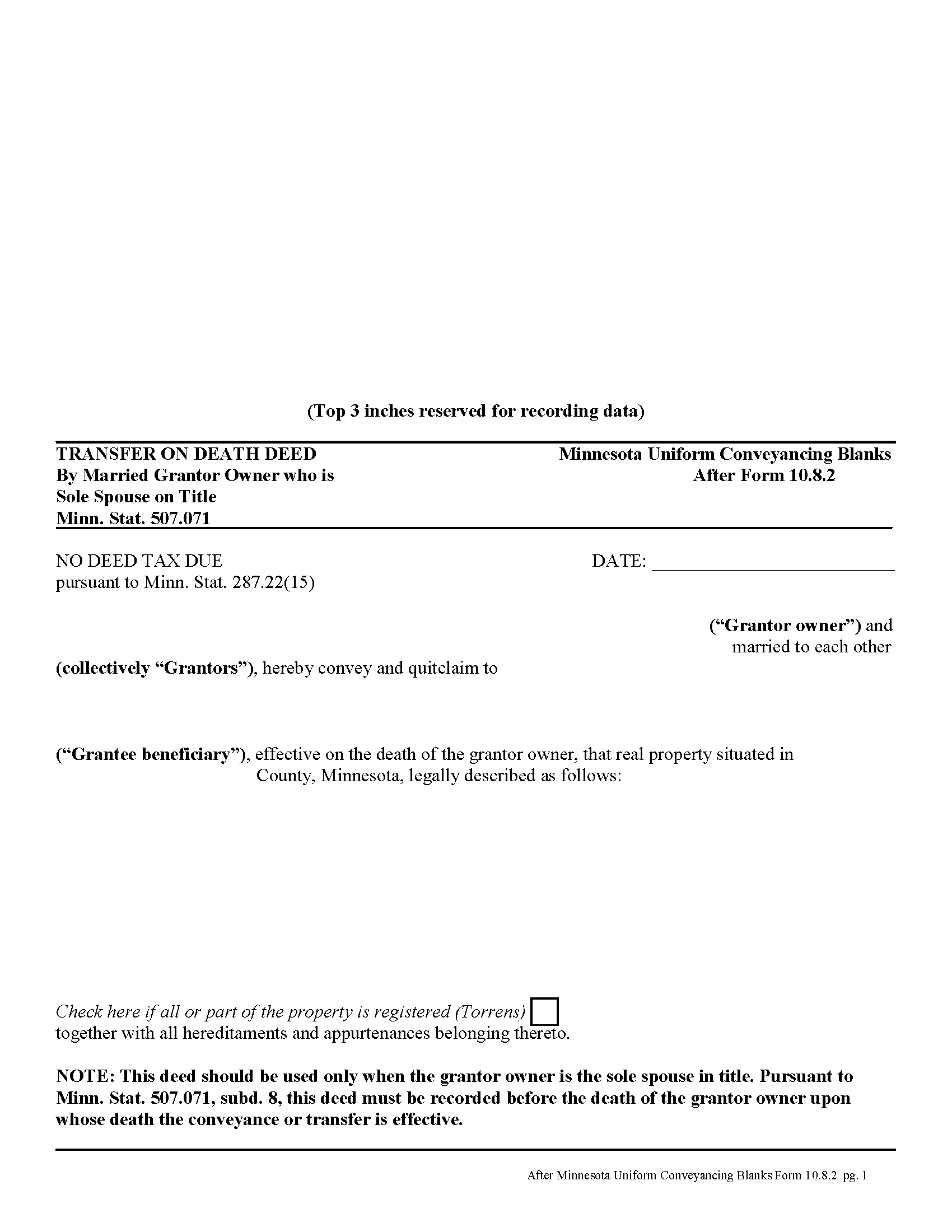
Dakota County Transfer on Death Deed by Married Sole Owner
Fill in the blank form formatted to comply with all recording and content requirements.
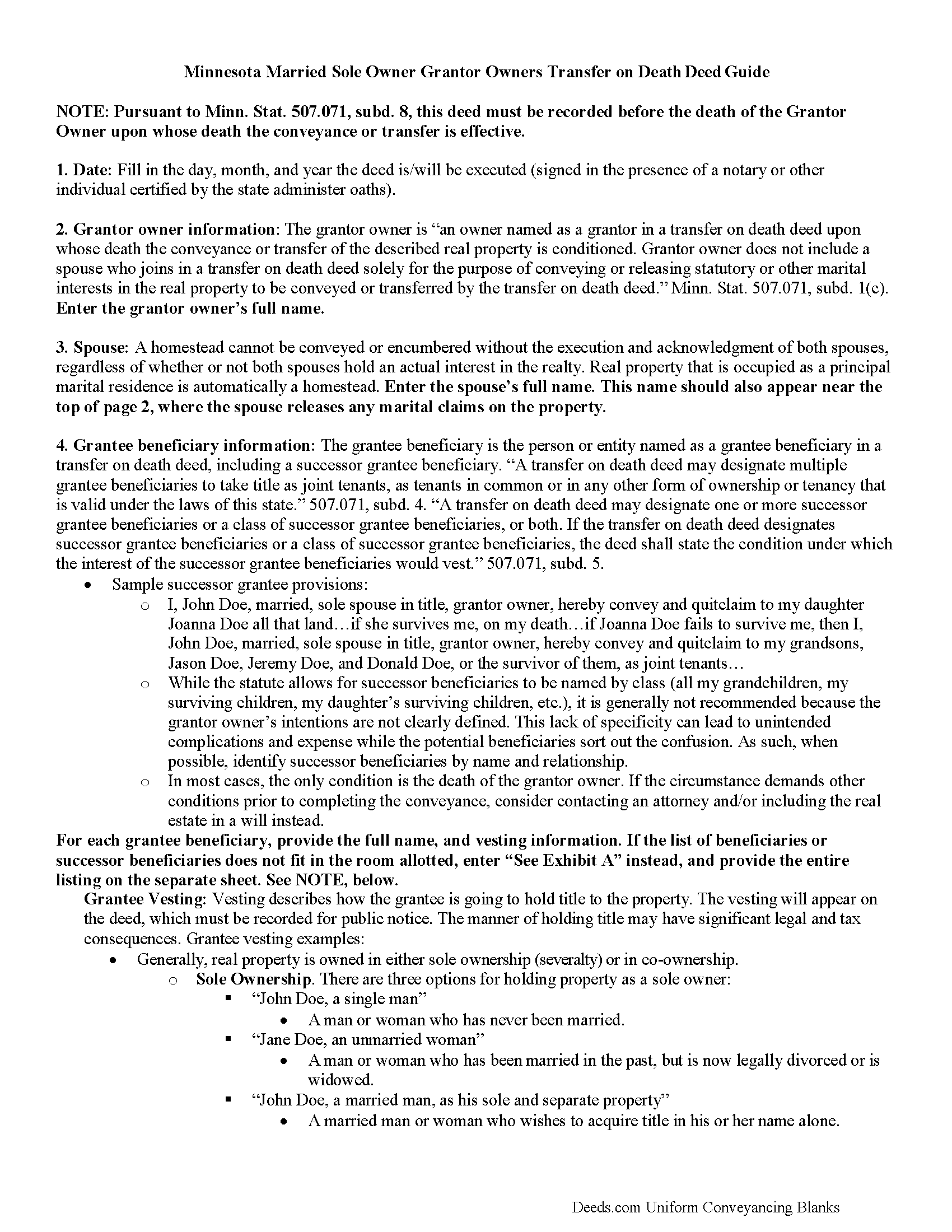
Dakota County Transfer on Death Deed by Married Sole Owner Guide
Line by line guide explaining every blank on the form.
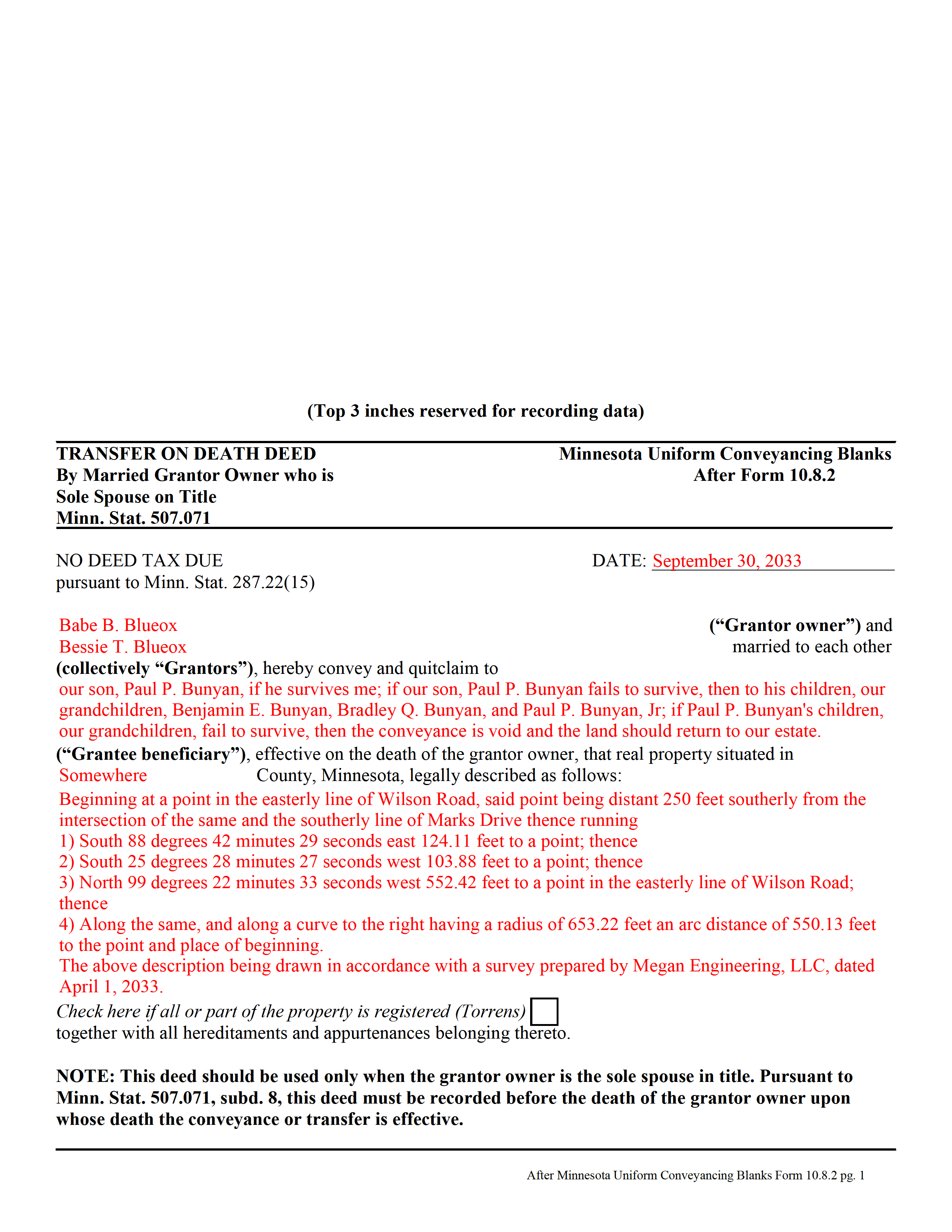
Dakota County Completed Example of the Transfer on Death Deed by Married Sole Owner Document
Example of a properly completed form for reference.
All 3 documents above included • One-time purchase • No recurring fees
Immediate Download • Secure Checkout
Additional Minnesota and Dakota County documents included at no extra charge:
Where to Record Your Documents
Property Taxation & Records
Hastings, Minnesota 55033
Hours: 8:00 to 4:30 M-F
Phone: (651) 438-4355
Recording Tips for Dakota County:
- Bring your driver's license or state-issued photo ID
- Ensure all signatures are in blue or black ink
- Check margin requirements - usually 1-2 inches at top
- Leave recording info boxes blank - the office fills these
- Make copies of your documents before recording - keep originals safe
Cities and Jurisdictions in Dakota County
Properties in any of these areas use Dakota County forms:
- Burnsville
- Castle Rock
- Farmington
- Hampton
- Hastings
- Inver Grove Heights
- Lakeville
- Mendota
- Randolph
- Rosemount
- Saint Paul
- South Saint Paul
- Vermillion
Hours, fees, requirements, and more for Dakota County
How do I get my forms?
Forms are available for immediate download after payment. The Dakota County forms will be in your account ready to download to your computer. An account is created for you during checkout if you don't have one. Forms are NOT emailed.
Are these forms guaranteed to be recordable in Dakota County?
Yes. Our form blanks are guaranteed to meet or exceed the applicable formatting requirements used for recording in Dakota County, including margin requirements, font requirements, and other layout standards. This guarantee applies to formatting, not to the legal sufficiency of information entered by the user or the suitability of a form for a particular transaction.
Can I reuse these forms?
Yes. You can reuse the forms for your personal use. For example, if you have multiple properties in Dakota County you only need to order once.
What do I need to use these forms?
The forms are PDFs that you fill out on your computer. The free Adobe Acrobat Reader is recommended, and most PDF apps also work. You do NOT enter your property information online - you download the blank forms and complete them privately on your own computer.
Are there any recurring fees?
No. This is a one-time purchase. Nothing to cancel, no memberships, no recurring fees.
How much does it cost to record in Dakota County?
Recording fees in Dakota County vary. Contact the recorder's office at (651) 438-4355 for current fees.
Questions answered? Let's get started!
In Minnesota, transfer on death deeds are governed by Minn. Stat. 507.071.
While the statute provides a basic form, as well as overall content requirements, the state authorized the development of uniform conveyance documents for some specific situations. One such situation occurs when a married property owner holds sole title to the real estate he or she wishes to convey with a transfer on death deed. A correctly-completed basic statutory form is valid in most cases, but because the owner's husband or wife may be able to claim spousal interest in the property, these deeds require the spouse to sign a statement releasing any marital rights. Without this release, the non-probate transfer on death may not occur, and the property could revert to the deceased owner's estate for probate distribution instead. To prevent such unintended outcomes, there is a special deed for this circumstance.
This transfer on death deed form is for use ONLY by married grantor owners who are the sole spouse on the property's title.
As with other transfer on death deeds, this form must be executed and RECORDED during the grantor owner's lifetime.
(Minnesota TOD Deed by Married Sole Owner Package includes form, guidelines, and completed example)
Important: Your property must be located in Dakota County to use these forms. Documents should be recorded at the county recording office listed above.
This Transfer on Death Deed by Married Sole Owner meets all recording requirements specific to Dakota County.
Our Promise
The documents you receive here are guaranteed to meet or exceed the applicable Dakota County recording format requirements. If there is a rejection caused by our formatting, we will correct the issue or refund your payment. This guarantee applies to document formatting only and does not extend to information entered by the user, the selection of the form, or the legal effect of the completed document.
Save Time and Money
Get your Dakota County Transfer on Death Deed by Married Sole Owner form done right the first time with Deeds.com Uniform Conveyancing Blanks. At Deeds.com, we understand that your time and money are valuable resources, and we don't want you to face a penalty fee or rejection imposed by a county recorder for submitting nonstandard documents. We constantly review and update our forms to meet rapidly changing state and county recording requirements for roughly 3,500 counties and local jurisdictions.
4.8 out of 5 - ( 4,839 Reviews )
Larry T. 5 out of 5 stars
Ordered a 'Gift Deed' form The 'Example' form was most helpful. The actual form was very detailed, and seemed to 'cover all the bases'
We appreciate your business and value your feedback. Thank you. Have a wonderful day!
Dubelsa T. 5 out of 5 stars
Loved it!!!!! Beats going downtown!!!! Super easy and fast!!!
We appreciate your business and value your feedback. Thank you. Have a wonderful day!
Katherine D. 5 out of 5 stars
Once I found your site it was very easy to understand, order and copy the forms. It is very helpful that you included an example of a completed form. Thank you. This form helps hundreds of seniors avoid lawyers, probate and the fear of losing their homes.
We appreciate your business and value your feedback. Thank you. Have a wonderful day!
leila m. 5 out of 5 stars
Very good service, friendly customer service I absolutely will use the service again
Thank you!
Larry H. 5 out of 5 stars
Wow! So easy and such a cost savings. Thanks
Thanks Larry, we appreciate your feedback.
LANDON C. 5 out of 5 stars
Process was simple, with a reasonable fee and within the suggested timetable for recordation. I highly recommend Deeds.com
Thank you!
SHIRLEY R. 5 out of 5 stars
This was Awesome!
We appreciate your business and value your feedback. Thank you. Have a wonderful day!
Celeste G. 5 out of 5 stars
Very helpful!!! Thanks again.
Thank you Celeste.
Jane N. 5 out of 5 stars
This worked. Saved me a trip to get a copy of a deed. Cost less than the parking fee. Very convenient.
Thank you for your feedback. We really appreciate it. Have a great day!
Vicki L. 5 out of 5 stars
Quick results with accurate information and thorough information.
Thank you!
Allen H. 5 out of 5 stars
Your program was invaluable to us, I used it for my Mom's estate and when she passed the transition was seamless and no probate was involved. I am going to use this for myself to transfer my property over to my children in upon my death. Can't say enough positive things about it. Thanks, Allen
Thank you!
Marilyn S. 5 out of 5 stars
I was pleased with the service and product.
Thank you!
Eppie G. 5 out of 5 stars
Perfect
Thank you!
Sherry P. 5 out of 5 stars
It would be helpful to have a frequently asked questions section. That would make it easier to know I have the correct form. Sherry
Thank you for your feedback. We really appreciate it. Have a great day!
Karen M. 5 out of 5 stars
This was a very easy and organized system to use.
Thank you for your feedback. We really appreciate it. Have a great day!