Clay County Assignment of Deed of Trust Form
Last validated October 16, 2026 by our Forms Development TeamFormatted for recording in Clay County, for property anywhere in the county: rural and unincorporated areas as well as Cedarbluff, Montpelier, Pheba, West Point.
- 6 documents included
- Immediate PDF download
- Formatting guarantee
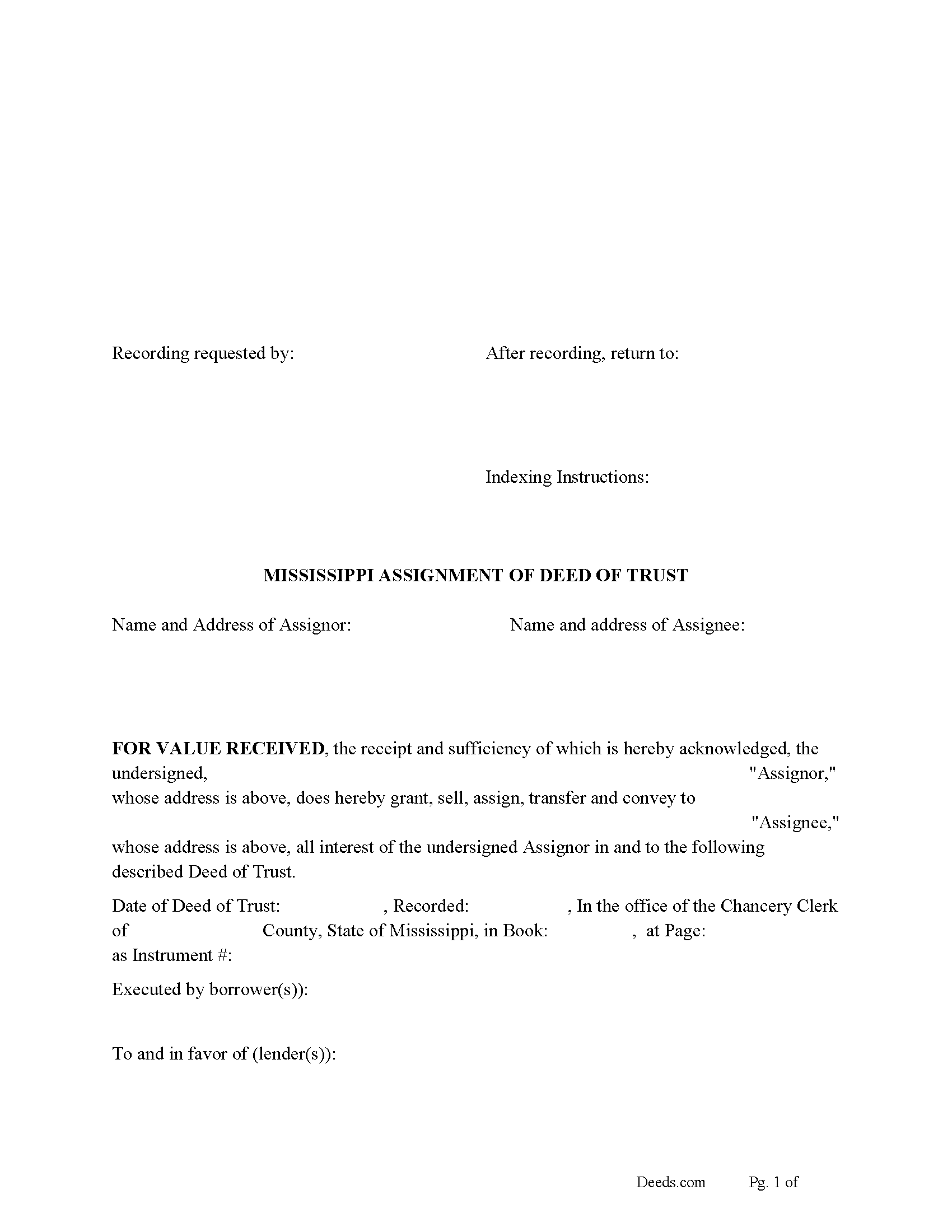
Clay County Assignment of Deed of Trust Form
Fill in the blank form formatted to comply with all recording and content requirements.

Clay County Guidelines for Assignment of Deed of Trust
Line by line guide explaining every blank on the form.

Clay County Completed Example of the Assignment of Deed of Trust Document
Example of a properly completed form for reference.
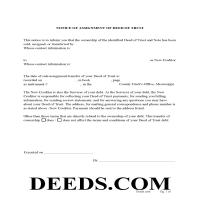
Clay County Notice of Assignment of Deed of Trust Form
Fill in the blank form formatted to comply with content requirements.
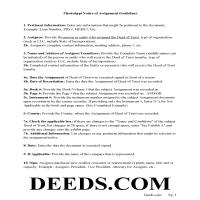
Clay County Notice of Assignment Guidelines
Line by line guide explaining every blank on the form.
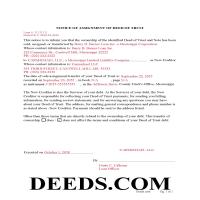
Clay County Completed Example of Notice of Assignment Document
Example of a properly completed form for reference.
All 6 documents above included • One-time purchase • No recurring fees
Immediate Download • Secure Checkout
Additional Mississippi and Clay County documents included at no extra charge:
Where to Record Your Documents
Clay County Chancery Clerk
West Point, Mississippi 39773
Hours: 8:00am to 4:30pm.M-F
Phone: (662) 494-3124
Recording Tips for Clay County:
- Bring your driver's license or state-issued photo ID
- Ensure all signatures are in blue or black ink
- Ask if they accept credit cards - many offices are cash/check only
- Check that your notary's commission hasn't expired
- Documents must be on 8.5 x 11 inch white paper
Cities and Jurisdictions in Clay County
Properties in any of these areas use Clay County forms:
- Cedarbluff
- Montpelier
- Pheba
- West Point
Hours, fees, requirements, and more for Clay County
How do I get my forms?
Forms are available for immediate download after payment. The Clay County forms will be in your account ready to download to your computer. An account is created for you during checkout if you don't have one. Forms are NOT emailed.
Are these forms guaranteed to be recordable in Clay County?
Yes. Our form blanks are guaranteed to meet or exceed the applicable formatting requirements used for recording in Clay County, including margin requirements, font requirements, and other layout standards. This guarantee applies to formatting, not to the legal sufficiency of information entered by the user or the suitability of a form for a particular transaction.
Can I reuse these forms?
Yes. You can reuse the forms for your personal use. For example, if you have multiple properties in Clay County you only need to order once.
What do I need to use these forms?
The forms are PDFs that you fill out on your computer. The free Adobe Acrobat Reader is recommended, and most PDF apps also work. You do NOT enter your property information online - you download the blank forms and complete them privately on your own computer.
Are there any recurring fees?
No. This is a one-time purchase. Nothing to cancel, no memberships, no recurring fees.
How much does it cost to record in Clay County?
Recording fees in Clay County vary. Contact the recorder's office at (662) 494-3124 for current fees.
Questions answered? Let's get started!
Use this form to transfer a Deed of Trust to another party. The holder of the Deed of Trust becomes the Assignor and transfers rights to the Assignee, this is usually done when a Deed of Trust has been sold. An Assignment of Deed of Trust (secured by a Deed of Trust or other lien of record, shall be entered on the margin of the record of the lien or said assignment shall be acknowledged and filed for record.) (Except as provided in Section 89-5-37) (89-5-17). [The assignment or transfer of a secured indebtedness need not be filed for record nor entered on the margin of the record if the holder thereof is represented by an agent, trustee or the like disclosed as beneficiary in the mortgage or deed of trust.] [MS Code 89-5-37]
Current Borrowers must be notified of the assignment. Notification consists of contact information of the new creditor, recording dates, recording instrument numbers, changes in loan, etc. Included are "Notice of Assignment of Deed of Trust" forms.
The Truth and lending act requires that borrowers be notified when their Deed of Trust has been sold, transferred, or assigned to a new creditor. Generally, within 30 days to avoid up to $2,000.00 in statutory damages, plus reasonable attorney's fees. Systematic violations can reach up $500,000.00.
(Mississippi Assignment of DOT Package includes form, guidelines, and completed example) For use in Mississippi only.
Important: Your property must be located in Clay County to use these forms. Documents should be recorded at the county recording office listed above.
This Assignment of Deed of Trust meets all recording requirements specific to Clay County.
Our Promise
The documents you receive here are guaranteed to meet or exceed the applicable Clay County recording format requirements. If there is a rejection caused by our formatting, we will correct the issue or refund your payment. This guarantee applies to document formatting only and does not extend to information entered by the user, the selection of the form, or the legal effect of the completed document.
Save Time and Money
Get your Clay County Assignment of Deed of Trust form done right the first time with Deeds.com Uniform Conveyancing Blanks. At Deeds.com, we understand that your time and money are valuable resources, and we don't want you to face a penalty fee or rejection imposed by a county recorder for submitting nonstandard documents. We constantly review and update our forms to meet rapidly changing state and county recording requirements for roughly 3,500 counties and local jurisdictions.
4.8 out of 5 - ( 4,842 Reviews )
Richard K. 3 out of 5 stars
South Carolina Warranty Deed document is good. The example and instruction documents are marginal help for Trusts.
Thank you for your feedback, Richard. We’re glad to hear the South Carolina Warranty Deed met your needs. We appreciate your note about the trust-related guidance as well. That’s helpful input, and we’ll review the example and instruction materials to see where we can improve clarity for trust transfers.
Anthony N. 3 out of 5 stars
The site was not easy to navigate. Maybe putting the different things offered at the heading instead of searching for it.
Thank you for your feedback. We really appreciate it. Have a great day!
Thomas D. 2 out of 5 stars
The documents themselves are fine and the information provided with them is helpful. I find the actual processing of the documents, however, to be difficult particularly once the document has been saved. First, I note that the box for the date only allows entry of the last 2 digits of the year. Unfortunately, my download only allows me to enter one of the 2 digits required. When I delete it repeatedly, it eventually allows both digits to be entered but puts them in extremely small text and in superscrypt. I have not found a solution to this problem and am not sure the deed can even be recorded with this problem. Another problem is that if you try to revise the document after you have saved it the curser goes to the end of the line after each key entry. This means that there basically is no way to efficiently save the document for reworking later since you will have to delete everything you have entered in the text box unless you only need to make a single keystroke change or are willing to replace the curser after each entry. Try that with a long property description! Please note that I am using a Mac to prepare my documents and perhaps this is part of an "incompatibility problem". However, I didn't see a disclaimer regarding Mac use and so would expect the documents to perform correctly. Overall, I give the program a "2 star" rating because I am experiencing significant difficulties in entering dates in the documents even before saving them and because saving your work for later revision appears to be basically unworkable.
Thank you for your feedback Thomas, we appreciate you being specific about the issues you encountered. Adobe and Mac have a fairly long history of issues working together.
Peter M. 5 out of 5 stars
GREAT! site, had everything we needed to complete our estate planning for our children
Thank you for your feedback. We really appreciate it. Have a great day!
Camesha Y. 5 out of 5 stars
Was working with a notary client that need to do a deed. We got on this site, ordered the blank forms, he filled them out and we printed them so he could sign. Really clean forms, easy to understand and complete in a hurry. I will be letting all my clients know about this site.
That's terrific Camesha, glad to hear. Have a great day!
Molly A. 5 out of 5 stars
Super easy to download and Deeds dot com had the documents I was looking for and set up in a manner that the County Government office would accept. Nice! Thank you, Deeds!
Thank you for your feedback. We really appreciate it. Have a great day!
Martha V. 5 out of 5 stars
Great service!
We appreciate your business and value your feedback. Thank you. Have a wonderful day!
Armstrong K. 5 out of 5 stars
Very smooth and speedy process. Thank you.
Thank you!
Craig H. 5 out of 5 stars
Awesome service! It was so quick and easy.
Thank you for your feedback. We really appreciate it. Have a great day!
Rosa S. 5 out of 5 stars
I am pleased with how easy it was to download the will. Now just have to get it filled in and filed at Tax Office. Thank you for making it simple to use.
Thank you for your feedback. We really appreciate it. Have a great day!
D F. 5 out of 5 stars
Find what i was looking for, and got the answers to my questions!! Thank you
Thank you!
Griselle M. 5 out of 5 stars
Great service - it was my first time using the service and really recommend it. Due to COVID-19, my County Recorder's Office is closed and I was able to create the document using their vast templates, notarize it, and upload it into the system. The recording process took about 7 working days which is not bad considering that most people are working remotely. I will share this website and its many resources with my relatives and friends.
Thank you Griselle, glad we could help.
Robert K. 5 out of 5 stars
This document was exactly what I needed and with the corresponding sample I was easily able to complete it. This saved me a lot of money by not having to hire an attorney to fill out a form. Thank you!
Thank you for your feedback. We really appreciate it. Have a great day!
Jeffry C. 5 out of 5 stars
Deeds.com has been a lifesaver for my house buying business. Excellent support!
Thank you Jeffry, glad we could help.
Lanette H. 5 out of 5 stars
I liked getting the forms but I was charged twice for some reason. I'm not sure what happened with that. Can you reimburse me? Thank you. Lanette
Thank you for your feedback Lanette. In review, it looks like your first payment was declined, second one was approved and processed. What you are seeing is one payment and a hold placed by your financial institution for the declined attempt. We are not sure why they do this but the hold usually falls off after a few day depending on their policy. If you have further questions about this you can contact your financial institution and they will explain. Have a great day.