Harrison County Quitclaim Deed (Interspousal One Spouse, as Sole Owner, to Both Spouses) Form
Last validated October 1, 2026 by our Forms Development TeamFormatted for recording in Harrison County, for property anywhere in the county: rural and unincorporated areas as well as Biloxi, Diberville, Gulfport, Long Beach, Pass Christian, Saucier.
- 3 documents included
- Immediate PDF download
- Formatting guarantee
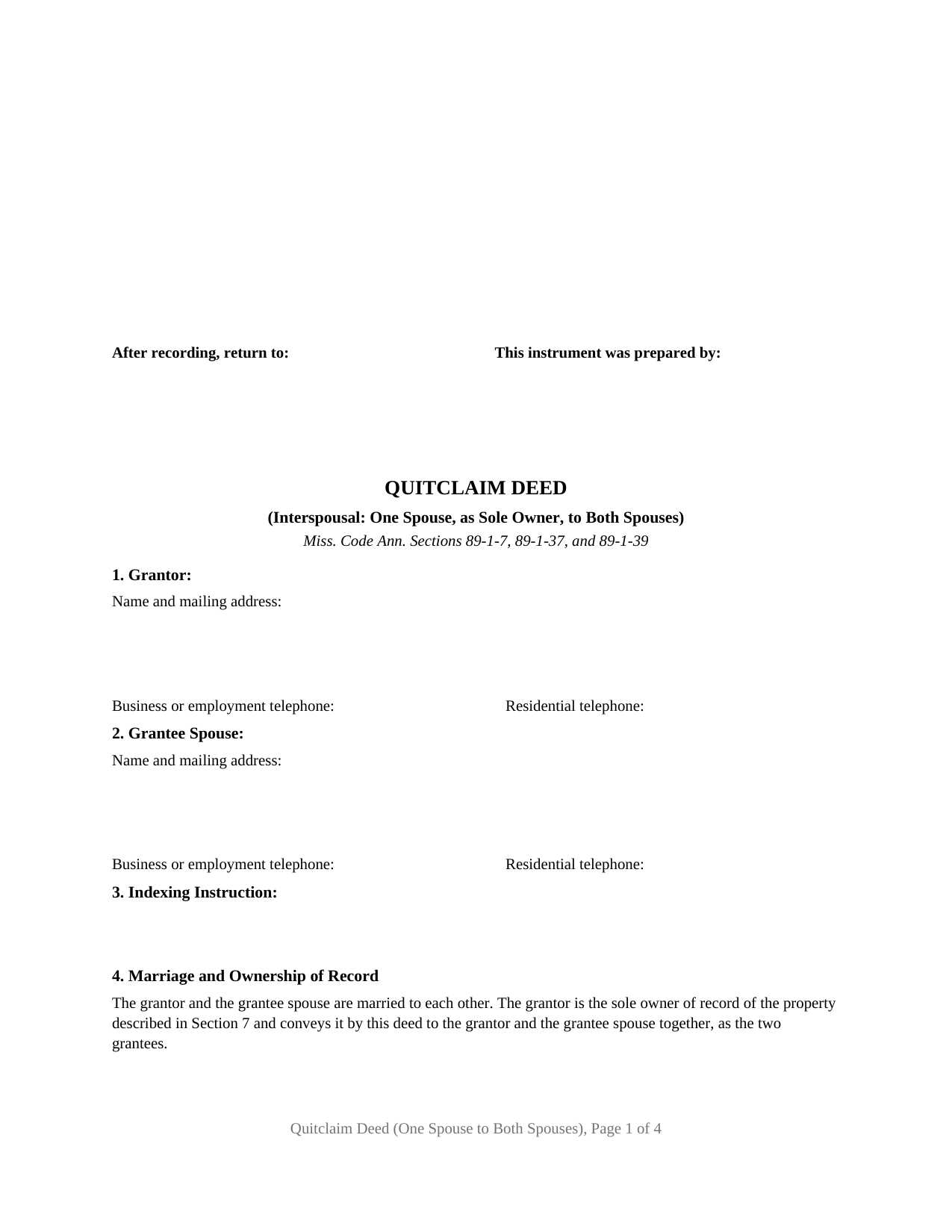
Harrison County Quitclaim Deed (Interspousal One Spouse, as Sole Owner, to Both Spouses) Form
Fill in the blank Quitclaim Deed (Interspousal One Spouse, as Sole Owner, to Both Spouses) form formatted to comply with all Mississippi recording and content requirements.
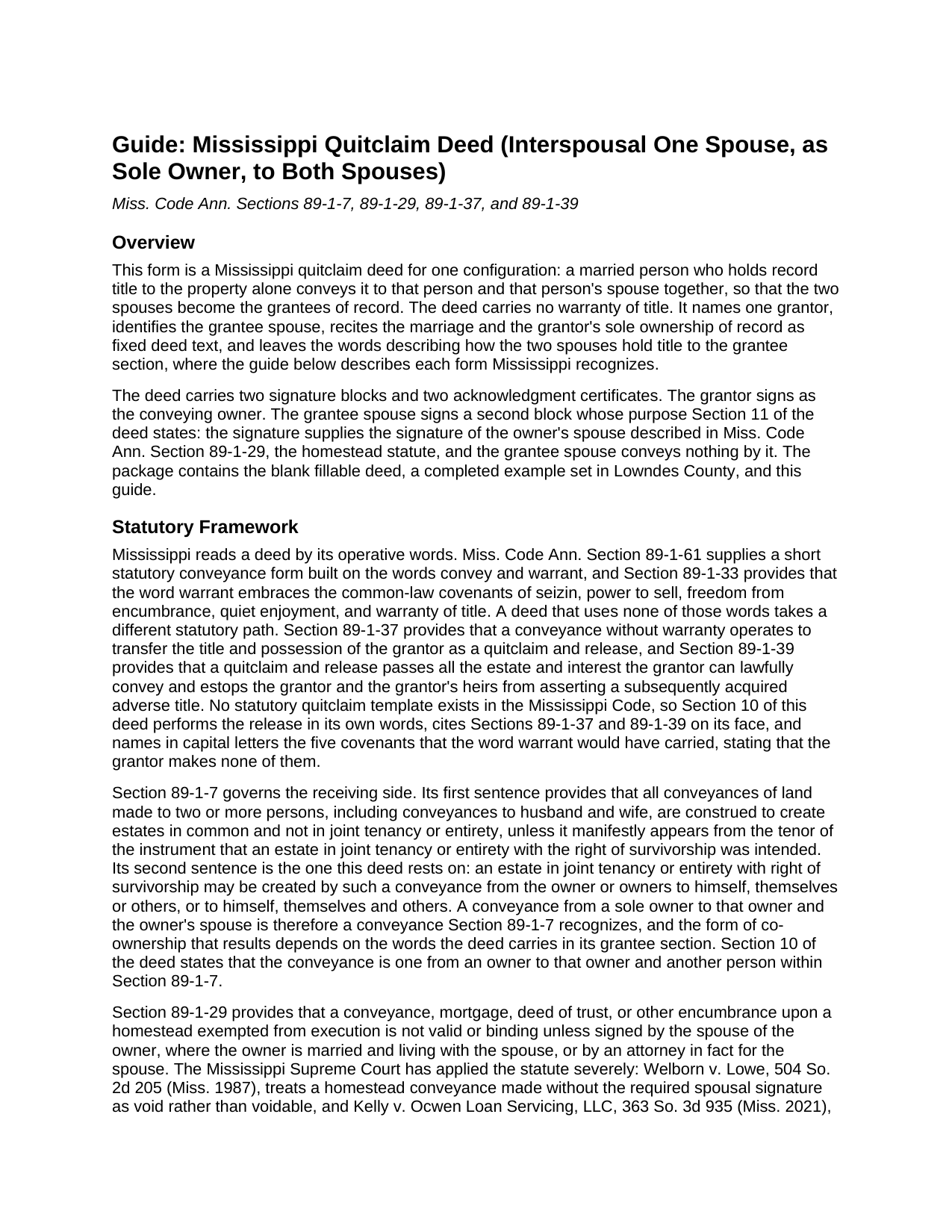
Harrison County Quitclaim Deed (Interspousal One Spouse, as Sole Owner, to Both Spouses) Guide
Line by line guide explaining every blank on the Quitclaim Deed (Interspousal One Spouse, as Sole Owner, to Both Spouses) form.
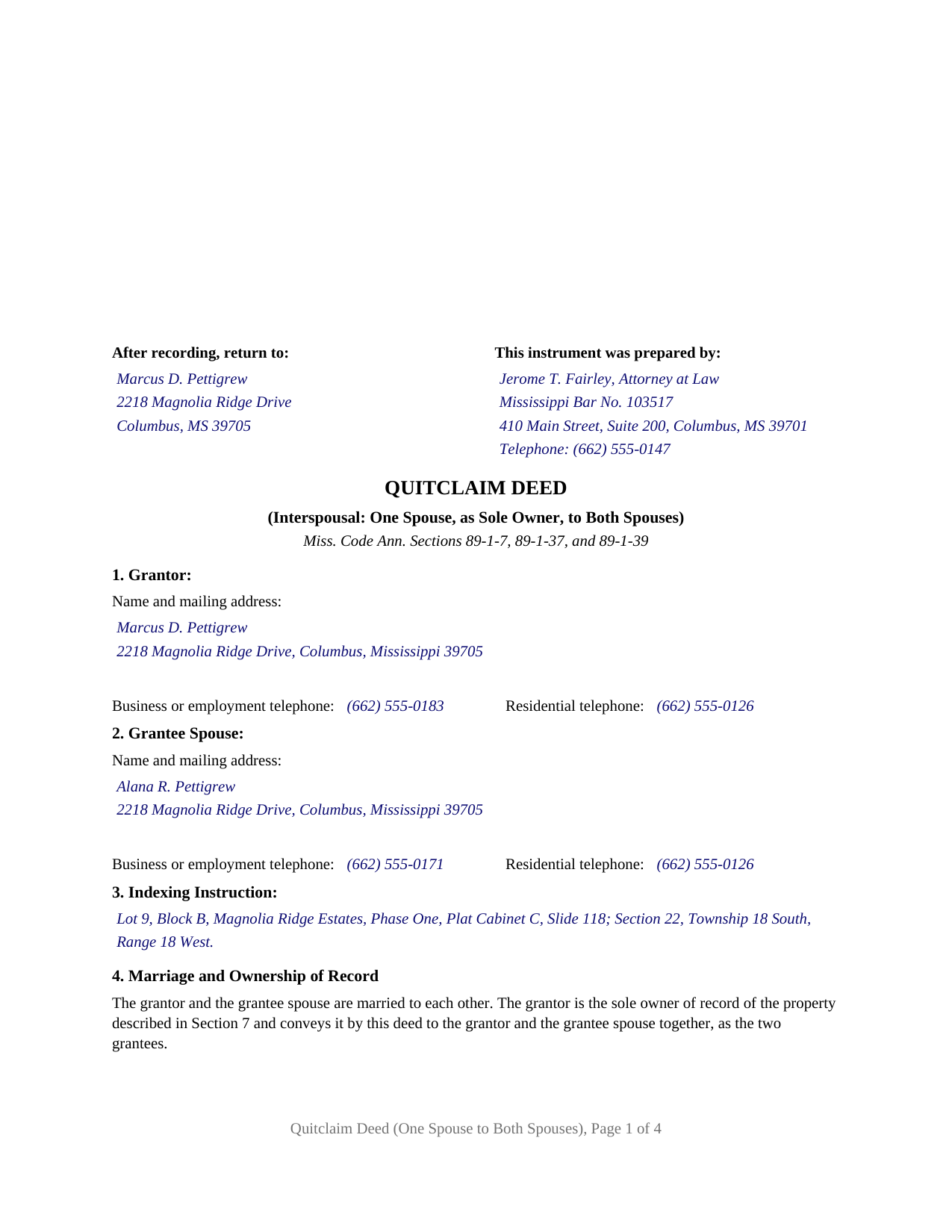
Harrison County Completed Example of the Quitclaim Deed (Interspousal One Spouse, as Sole Owner, to Both Spouses) Document
Example of a properly completed Mississippi Quitclaim Deed (Interspousal One Spouse, as Sole Owner, to Both Spouses) document for reference.
All 3 documents above included • One-time purchase • No recurring fees
Immediate Download • Secure Checkout
Additional Mississippi and Harrison County documents included at no extra charge:
Where to Record Your Documents
Chancery Clerk: Recording Department - Gulfport
Gulfport, Mississippi 39501 / 39502-0860
Hours: 8:30 to 4:30 M-F
Phone: (228) 865-4032
Chancery Clerk: Recording Department - Biloxi
Biloxi, Mississippi 39530 / 39533-0544
Hours:
Phone: (228) 435-8220
Recording Tips for Harrison County:
- Bring your driver's license or state-issued photo ID
- Ensure all signatures are in blue or black ink
- Ask for certified copies if you need them for other transactions
- Ask if they accept credit cards - many offices are cash/check only
- Check that your notary's commission hasn't expired
Cities and Jurisdictions in Harrison County
Properties in any of these areas use Harrison County forms:
- Biloxi
- Diberville
- Gulfport
- Long Beach
- Pass Christian
- Saucier
Hours, fees, requirements, and more for Harrison County
How do I get my forms?
Forms are available for immediate download after payment. The Harrison County forms will be in your account ready to download to your computer. An account is created for you during checkout if you don't have one. Forms are NOT emailed.
Are these forms guaranteed to be recordable in Harrison County?
Yes. Our form blanks are guaranteed to meet or exceed the applicable formatting requirements used for recording in Harrison County, including margin requirements, font requirements, and other layout standards. This guarantee applies to formatting, not to the legal sufficiency of information entered by the user or the suitability of a form for a particular transaction.
Can I reuse these forms?
Yes. You can reuse the forms for your personal use. For example, if you have multiple properties in Harrison County you only need to order once.
What do I need to use these forms?
The forms are PDFs that you fill out on your computer. The free Adobe Acrobat Reader is recommended, and most PDF apps also work. You do NOT enter your property information online - you download the blank forms and complete them privately on your own computer.
Are there any recurring fees?
No. This is a one-time purchase. Nothing to cancel, no memberships, no recurring fees.
How much does it cost to record in Harrison County?
Recording fees in Harrison County vary. Contact the recorder's office at (228) 865-4032 for current fees.
Questions answered? Let's get started!
Record title stands in one spouse's name, and the couple wants it in both. Older conveyancing treated a deed from an owner to that same owner and another as a puzzle and ran the title through a third person first. Mississippi wrote the answer into Miss. Code Ann. Section 89-1-7, and this fillable quitclaim deed is drawn on it: a married sole owner of record conveys to that owner and the other spouse together, without warranty of title.
The sentence that lets an owner convey to that owner and another
The first sentence of Section 89-1-7 makes every deed to two or more people an estate in common unless an intent to create a joint tenancy or a tenancy by the entirety with right of survivorship manifestly appears from the instrument. The second sentence lets such an estate be created by a conveyance from the owner to himself and others, which is what a sole owner deeding to that owner and a spouse does, and Section 10 of the deed says so. The form of co-ownership turns on the words written in Section 5 after the grantees' names; the completed example writes as tenants by the entirety with right of survivorship and not as tenants in common, and an entry without survivorship words leaves an estate in common.
Why the receiving spouse signs too
Section 89-1-29 makes a conveyance of a homestead exempted from execution invalid unless signed by the owner's spouse where the owner is married and living with that spouse. Welborn v. Lowe, 504 So. 2d 205 (Miss. 1987), treats a homestead deed missing that signature as void, and Kelly v. Ocwen Loan Servicing, LLC, 363 So. 3d 935 (Miss. 2021), applied the statute's plain words over a purpose-served argument. The decisions excusing that signature on a deed between spouses concern a conveyance to the other spouse alone. This deed conveys to both spouses, so it carries a GRANTEE SPOUSE signature block beside the GRANTOR block, and Section 11 recites that the signature supplies the one Section 89-1-29 describes, whether or not the parcel is homestead, and that the grantee spouse conveys nothing.
Without warranty, and the grantor stays on the title
No warranty words appear in the deed, so under Section 89-1-37 it operates as a quitclaim and release of the grantor's title and possession, and Section 89-1-39 carries every estate the grantor can lawfully convey. The grantor is also a grantee, so what changes is not who owns the land but how many hold it and in what form; a deed of trust the grantor signed remains a lien, and a capitalized paragraph states that the grantor makes none of the five covenants Section 89-1-33 folds into the word warrant.
One married owner, one grantee spouse, two certificates
The form recites exactly one grantor and one grantee spouse. Section 4 states the marriage and the sole ownership of record as fixed text, Section 5 names the grantees and carries the co-ownership words, and a signature block for each is followed by an acknowledgment certificate in the Section 89-3-7(2) short form. A house one spouse bought before the wedding and now places in both names, land one spouse inherited alone that the couple takes as an entirety estate, and a refinance whose title commitment calls for both spouses of record present the pattern this deed recites. It is not set up for a conveyance to the other spouse alone, for both spouses deeding to someone else, or for a signer acting as agent or trustee. Searches for a deed adding a spouse to the title, or a quit claim deed to husband and wife in the two-word spelling, reach this instrument.
A first page the chancery clerk can index
Section 89-5-24(2) places the preparer, the return address, the title, each party's contact data, and the indexing instruction on the first page below the three inches reserved for the clerk, and this deed lays out all of them there, the legal description following on page two under the statute's continuation rule, and Sections 1 and 2 carry the address and telephone numbers Section 27-3-51 requires for both spouses. Four pages, inside the twenty-five dollars Section 25-7-9 charges for five.
Three files download together: the blank deed as a fillable PDF, a completed Lowndes County example carried through both certificates, and a plain-language guide to each numbered section, the forms of co-ownership, signing, and recording. These materials describe Mississippi law in general terms and are not legal advice.
Important: Your property must be located in Harrison County to use these forms. Documents should be recorded at the county recording office listed above.
This Quitclaim Deed (Interspousal One Spouse, as Sole Owner, to Both Spouses) meets all recording requirements specific to Harrison County.
Our Promise
The documents you receive here are guaranteed to meet or exceed the applicable Harrison County recording format requirements. If there is a rejection caused by our formatting, we will correct the issue or refund your payment. This guarantee applies to document formatting only and does not extend to information entered by the user, the selection of the form, or the legal effect of the completed document.
Save Time and Money
Get your Harrison County Quitclaim Deed (Interspousal One Spouse, as Sole Owner, to Both Spouses) form done right the first time with Deeds.com Uniform Conveyancing Blanks. At Deeds.com, we understand that your time and money are valuable resources, and we don't want you to face a penalty fee or rejection imposed by a county recorder for submitting nonstandard documents. We constantly review and update our forms to meet rapidly changing state and county recording requirements for roughly 3,500 counties and local jurisdictions.
4.8 out of 5 - ( 4,830 Reviews )
Cathleen H. 5 out of 5 stars
The pdf form is good; however, the input boxes merge into the line above so the text is hard to read when complete. I added a return before entering my data and this solved the problem.
Thank you for your feedback Cathleen. We will have staff take a look at the document for issues with the text fields. Have a great day!
STANLEY F. 5 out of 5 stars
Forms were spot on and able to save over $100 by not going to an attorney to complete the same documents. There were templates on how forms are supposed to be completed. You just need a notary to sign.
Thank you Stanley, we really appreciate your feedback.
charles b. 5 out of 5 stars
The product I needed was available, easy to download, access and complete. The instructions were very helpful. I had previously purchased another product which was terrible. I highly recommend Deeds.com
We appreciate your business and value your feedback. Thank you. Have a wonderful day!
James S. 5 out of 5 stars
I was incredibly pleased with deeds.com—they handled my filing quickly and professionally, with both speed and quality that exceeded my expectations. The service was easy to use, the price was very reasonable for the value provided, and I would absolutely recommend them to anyone dealing with real estate documents.
Thank you so much for your wonderful review, James! We're thrilled to hear that our service exceeded your expectations in both speed and quality. Your recommendation means the world to us, and we're grateful you found our platform easy to use and a good value. We look forward to helping you with any future real estate document needs!
Reed W. 5 out of 5 stars
Thanks
Thank you!
Susan N. 5 out of 5 stars
Hope to get form printed out Ok.
Thank you!
harriet l. 5 out of 5 stars
Worked very smoothly and got the job done
Thank you for your feedback. We really appreciate it. Have a great day!
Edwina L. 5 out of 5 stars
Awesomeness a true life saver I'm very appreciative.
Thank you!
Johnnie W. 5 out of 5 stars
Five stars for quick retrieval/no hassle of forms. Will review them again once I have completed the forms and they have been accepted.
Thank you for your feedback. We really appreciate it. Have a great day!
michael o. 5 out of 5 stars
After trying to get help locally I found your website. Very easy
Thank you for your feedback. We really appreciate it. Have a great day!
Alan K. 5 out of 5 stars
All I needed was a simple Certificate of Trust. Deeds.com had a template for exactly what I needed. I didn't have to make an appt with an attorney, wait for one to be available, nor pay a ridiculous amount for a standardized document. Super easy.
Thank you for your feedback. We really appreciate it. Have a great day!
Stephen S. 5 out of 5 stars
This is awesome. Making sure not only that everything is worded correctly but also formatted correctly is great. Thank you.
Thank you for your feedback. We really appreciate it. Have a great day!
Joseph E. 5 out of 5 stars
At first I didn't trust all the 5 star reviews. So, I contacted lawyers to check their prices. The price being well over one hundred dollars made my mind up. I gave it a go, the form isn't hard and the directions are easy to follow. 5/5
Thank you for your feedback. We really appreciate it. Have a great day!
Robert D. 5 out of 5 stars
These forms made it so easy to update the property deed and the instructions and sample filled out form were most helpful. You might want to add some brief information on when or why to use the Acknowledgment in Individual Capacity notary form. In my case the notary was required to use it but also filled in the brief notarize section on the Affidavit as well. She said the one on the Affidavit had some value because it showed she had witnessed the my signature. But this was only after I suggested both be filled in as she initially thought to just strike through it and just use the Acknowledgment in Individual Capacity form.
Thank you for your feedback. We really appreciate it. Have a great day!
Lutz P. 5 out of 5 stars
Your forms are great but I couldn’t use them with my computer and acrobats reader didn’t work. And then my thermal printer would only print 1/3 size pages with no way to fix it. I ordered a new color printer and we’ll see what happens.
Thank you, Lutz. We're glad you like the forms, and we're sorry getting them working turned into such a hassle. That shrunken page is typical of thermal printers: most use narrow receipt or label paper, so a full page gets scaled down to fit, and no setting can change that. Thermal paper also fades over time, which you don't want on a document you're recording, so the new printer is the right call. When it arrives, print on plain white paper with “Actual size” selected in the print settings so the page comes out full size with its margins intact. If Acrobat Reader gives you trouble again, save the form to your computer first and open the saved file in Acrobat Reader rather than in your web browser. Still stuck? Contact our support team and we'll walk you through it.