Yalobusha County Quitclaim Deed (Trustee Grantor) Form
Last validated October 4, 2026 by our Forms Development TeamFormatted for recording in Yalobusha County, for property anywhere in the county: rural and unincorporated areas as well as Coffeeville, Oakland, Scobey, Tillatoba, Water Valley.
- 3 documents included
- Immediate PDF download
- Formatting guarantee
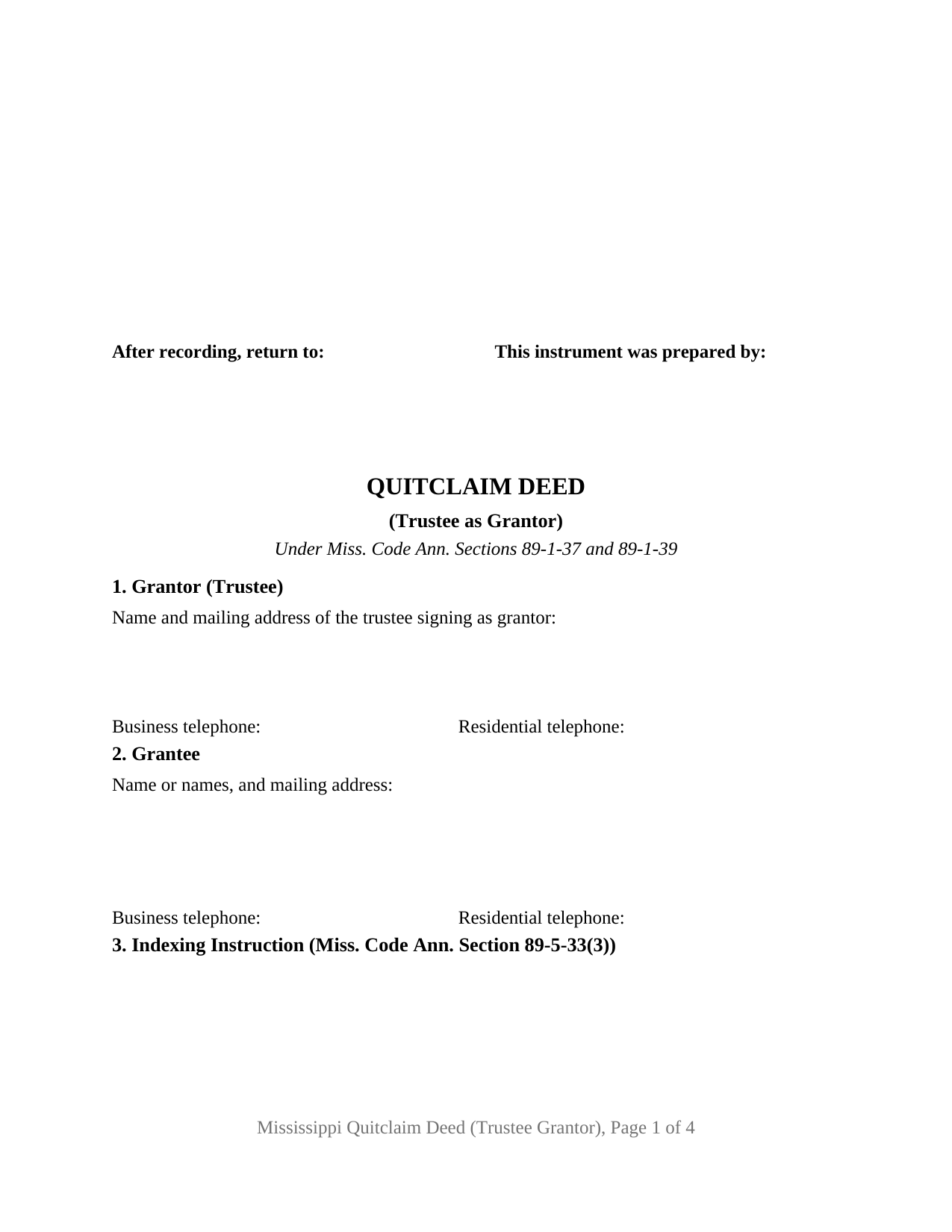
Yalobusha County Quitclaim Deed (Trustee Grantor) Form
Fill in the blank Quitclaim Deed (Trustee Grantor) form formatted to comply with all Mississippi recording and content requirements.
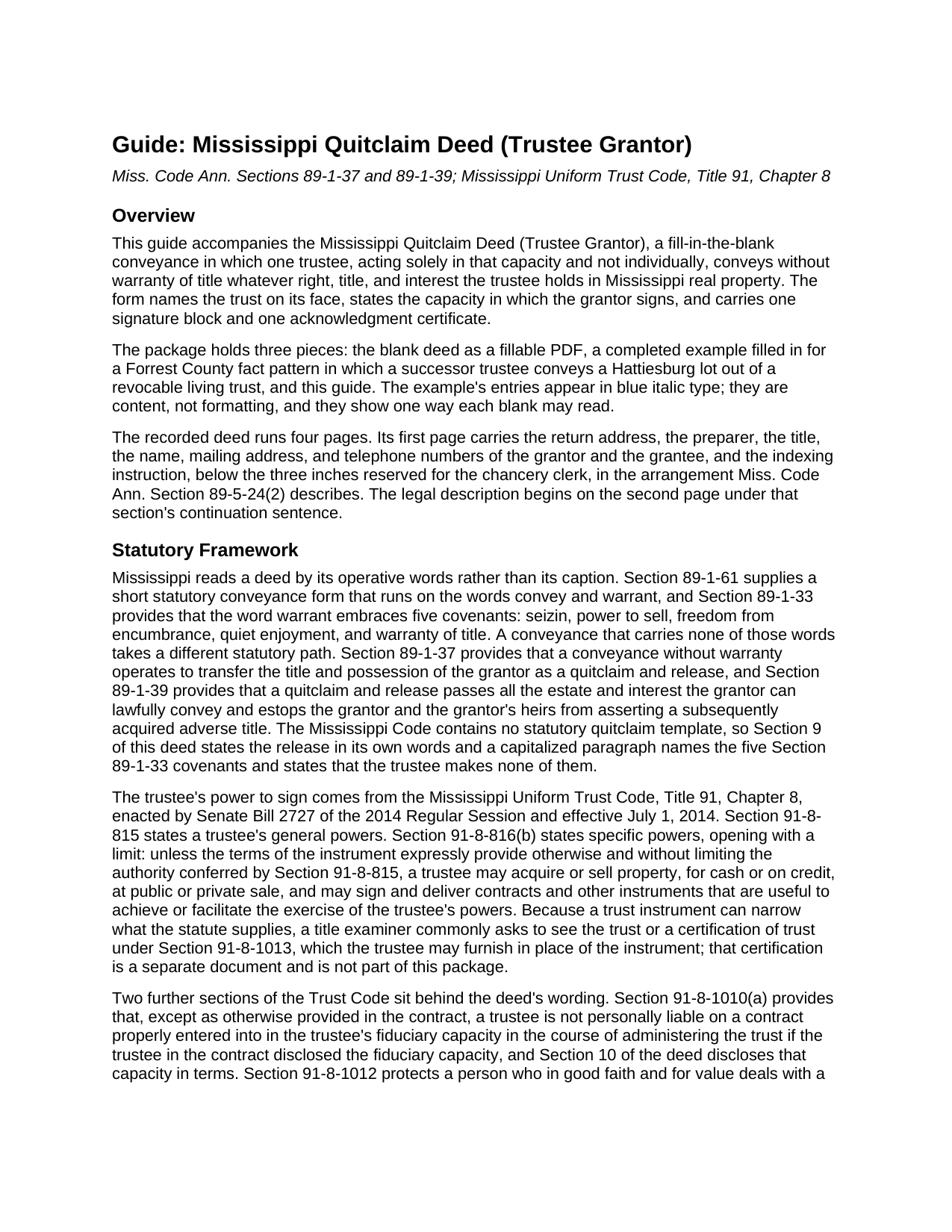
Yalobusha County Quitclaim Deed (Trustee Grantor) Guide
Line by line guide explaining every blank on the Quitclaim Deed (Trustee Grantor) form.
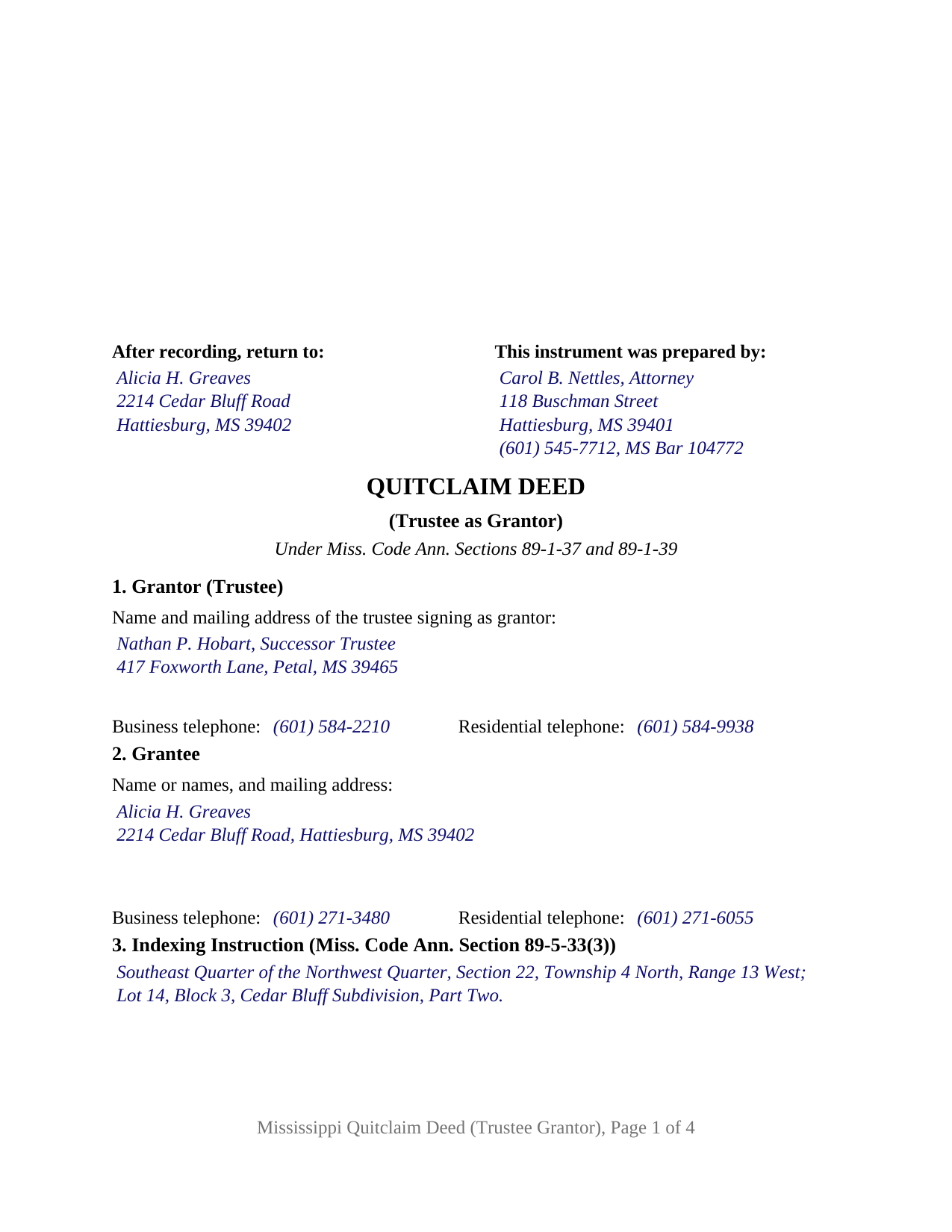
Yalobusha County Completed Example of the Quitclaim Deed (Trustee Grantor) Document
Example of a properly completed Mississippi Quitclaim Deed (Trustee Grantor) document for reference.
All 3 documents above included • One-time purchase • No recurring fees
Immediate Download • Secure Checkout
Additional Mississippi and Yalobusha County documents included at no extra charge:
Where to Record Your Documents
Chancery Clerk - First Judicial District
Coffeeville, Mississippi 38922
Hours: 8:00 to 12:00 and 1:00 to 5:00 Monday through Friday
Phone: (662) 675-2716
Yalobusha County - Second Judicial District
Water Valley, Mississippi 38965
Hours: 8:00 to 12:00 and 1:00 to 5:00 Monday through Friday
Phone: (662) 473-2091
Recording Tips for Yalobusha County:
- Bring your driver's license or state-issued photo ID
- Ensure all signatures are in blue or black ink
- Verify all names are spelled correctly before recording
- White-out or correction fluid may cause rejection
- Ask about their eRecording option for future transactions
Cities and Jurisdictions in Yalobusha County
Properties in any of these areas use Yalobusha County forms:
- Coffeeville
- Oakland
- Scobey
- Tillatoba
- Water Valley
Hours, fees, requirements, and more for Yalobusha County
How do I get my forms?
Forms are available for immediate download after payment. The Yalobusha County forms will be in your account ready to download to your computer. An account is created for you during checkout if you don't have one. Forms are NOT emailed.
Are these forms guaranteed to be recordable in Yalobusha County?
Yes. Our form blanks are guaranteed to meet or exceed the applicable formatting requirements used for recording in Yalobusha County, including margin requirements, font requirements, and other layout standards. This guarantee applies to formatting, not to the legal sufficiency of information entered by the user or the suitability of a form for a particular transaction.
Can I reuse these forms?
Yes. You can reuse the forms for your personal use. For example, if you have multiple properties in Yalobusha County you only need to order once.
What do I need to use these forms?
The forms are PDFs that you fill out on your computer. The free Adobe Acrobat Reader is recommended, and most PDF apps also work. You do NOT enter your property information online - you download the blank forms and complete them privately on your own computer.
Are there any recurring fees?
No. This is a one-time purchase. Nothing to cancel, no memberships, no recurring fees.
How much does it cost to record in Yalobusha County?
Recording fees in Yalobusha County vary. Contact the recorder's office at (662) 675-2716 for current fees.
Questions answered? Let's get started!
The signature on this Mississippi quitclaim deed comes from an office rather than from ownership. A trust holds no pen: the acting trustee signs, in that capacity and not individually. This fillable form prepares that conveyance for one trustee grantor, without warranty of title, drafted to the intake rules a Mississippi chancery clerk applies.
An office, not an owner
Land in a trustee's name moves by the trustee's hand, and the deed shows which hand that was. Section 4 names the trust, gives the date of the trust instrument, and states the grantor's capacity, such as trustee or successor trustee. Section 10 states that the grantor executes the deed solely as trustee of that trust and not individually. The printed name under the signature line carries that capacity, and the certificate names the individual with the trust served, in the manner of the representative short form at Miss. Code Ann. Section 89-3-7(2).
Where a Mississippi trustee's signing power comes from
The Mississippi Uniform Trust Code, Title 91, Chapter 8, effective July 1, 2014, stands behind the signature. Section 91-8-815 states a trustee's general powers, and Section 91-8-816(b) states specific ones, opening with a limit: unless the terms of the instrument expressly provide otherwise, a trustee may sell property at public or private sale and may sign and deliver instruments useful to the exercise of the trustee's powers. Because a trust instrument can narrow what the statute supplies, an examiner commonly asks for the trust or a certification of trust under Section 91-8-1013, prepared separately and not included here. Section 91-8-1012 protects a person who in good faith and for value deals with a trustee without actual knowledge that a power is being exceeded, and requires no inquiry into how far the trustee's powers reach. Under Section 91-8-1010 a trustee is not personally liable on a contract properly entered into in a disclosed fiduciary capacity, except as the contract provides otherwise, and Section 10 adds that the grantor gives no personal covenant by signing.
What a quitclaim carries out of a trust
No warranty words appear in the operative language. Section 89-1-37 treats a deed made without warranty as a quitclaim and release of the grantor's title and possession, and Section 89-1-39 carries whatever estate the grantor may lawfully convey while barring a later adverse claim by the grantor or the grantor's heirs. Encumbrances stay where they sit: a deed of trust signed while the trust held the land remains on it, and judgment liens, easements, and mineral reservations survive the transfer. A capitalized paragraph names the five covenants Section 89-1-33 gathers into the word warrant and states that the trustee makes none of them.
One trustee, one certificate, one trust named on the face
The form recites exactly one acting trustee as grantor, with one signature block and one certificate. The receiving side stays open, taking one grantee or several, and the guide walks each ownership form the state recognizes for grantees, from the Section 89-1-7 tenancy in common default onward. A trustee releasing the trust's undivided interest in family land to a co-owner, a successor trustee clearing a fractional interest still in the trust's name, and a trustee passing a surveyed boundary strip to a neighbor all present the record this deed recites. The form is not set up for two trustees signing together, for a settlor or beneficiary signing individually, or for a married individual owner conveying homestead, where Section 89-1-29 calls for the spouse's signature. A search for a trust quit claim deed reaches this instrument.
At the chancery clerk's counter
Page one keeps its top three inches clear for the clerk and, below that reserve, carries the preparer block, the return address, the title, each party's name, mailing address, and telephone numbers, and the indexing instruction, as Section 89-5-24(2) describes; the legal description begins on page two under that section's continuation sentence. A clerk may refuse a deed that omits the mailing address or telephone numbers Section 27-3-51 asks of each party, so both sections collect them, and the Section 89-5-33(3) indexing entry sits distinctly set apart in its own numbered section. Section 25-7-9 puts the base charge at twenty five dollars for the first five pages, and this deed runs four.
Three files download together: the blank trustee grantor quitclaim deed as a fillable PDF, a completed Forrest County example, and a plain-language guide to the numbered sections, the trust blanks, signing, and recording. These materials describe Mississippi law generally and are not legal advice.
Important: Your property must be located in Yalobusha County to use these forms. Documents should be recorded at the county recording office listed above.
This Quitclaim Deed (Trustee Grantor) meets all recording requirements specific to Yalobusha County.
Our Promise
The documents you receive here are guaranteed to meet or exceed the applicable Yalobusha County recording format requirements. If there is a rejection caused by our formatting, we will correct the issue or refund your payment. This guarantee applies to document formatting only and does not extend to information entered by the user, the selection of the form, or the legal effect of the completed document.
Save Time and Money
Get your Yalobusha County Quitclaim Deed (Trustee Grantor) form done right the first time with Deeds.com Uniform Conveyancing Blanks. At Deeds.com, we understand that your time and money are valuable resources, and we don't want you to face a penalty fee or rejection imposed by a county recorder for submitting nonstandard documents. We constantly review and update our forms to meet rapidly changing state and county recording requirements for roughly 3,500 counties and local jurisdictions.
4.8 out of 5 - ( 4,828 Reviews )
William S C. 5 out of 5 stars
The Lady Bird Deed appears to be fine with me as are the instructions. However, there apparently are no specific laws in Texas addressing them other than they are OK. The problem is that lenders are surely going to use them as triggers for their due on sale clauses, especially as the current small mortgage rates begin to increase. The solution to that seems to be to sign and have them notarized, but not to record them unless the holder needs to enforce the provisions. It seems to me that you should consider your solution to that problem in your instructions.
Thank you for your feedback. We really appreciate it. Have a great day!
Mark E. 5 out of 5 stars
Thank you for your Swift response. Have docs I was looking for!
Thank you for your feedback. We really appreciate it. Have a great day!
Marisela S. 5 out of 5 stars
This is my first time and your service appears to be very user-friendly; however, since I am new to this service, I'm not sure if my e-filings were received as I've not heard anything back nor have I received any type of confirmation of receipt.
Thank you for your feedback. We really appreciate it. Have a great day!
Stuart C. 5 out of 5 stars
Quit, clear, simple...just the way it shouldbe! Thank you!
We appreciate your business and value your feedback. Thank you. Have a wonderful day!
Judy W. 5 out of 5 stars
Very easy to fill out the form especially with the detailed guide and the sample. I will use deeds.com again if needed.
Thank you for your feedback. We really appreciate it. Have a great day!
Linda M. 5 out of 5 stars
The form I purchased along with the instructions and completed sample were easy to use. I downloaded them on my iPad. I had to also download the free adobe reader app from the App Store. I had no problem getting the beneficiary deed recorded at the recorder’s office. I am pleased with my purchase.
Thanks so much for the kind words, Linda! Glad the sample and instructions made the process smooth, and that tip about the Adobe Reader app for iPad is genuinely helpful for other customers too. Congrats on getting the deed recorded!
Jill A. 5 out of 5 stars
Finding current forms in one place helps simplify the process. Thank you.
Thank you!
Andrew D. 5 out of 5 stars
I was very pleased with the entire package we received. It will certainly make my job easier.
Thank you for your feedback. We really appreciate it. Have a great day!
Christine S. 5 out of 5 stars
One stop shopping for your Deed needs. Downloaded the forms and filled them out with ease following the step by step instructions. Saved me hundreds of dollars for not having to hire an attorney to do the exact same thing.
Thank you for your feedback. We really appreciate it. Have a great day!
Eddy O. 5 out of 5 stars
Your site was very helpful.
Thank you for your feedback. We really appreciate it. Have a great day!
Amy L B. 5 out of 5 stars
easy to download forms and help is there if you need it!
Thank you, Amy! We appreciate your kind words and are glad you found the forms easy to download. Our team is always here if you ever need assistance. Thanks for choosing us!
David M. 5 out of 5 stars
Outstanding products and interface. DCM, IL Attorney
We appreciate your business and value your feedback. Thank you. Have a wonderful day!
Leonard S. 5 out of 5 stars
OK service
Thank you!
Beverly D. 5 out of 5 stars
Thank You, Job well done. So nice not to have to leave house and drive all over to record these documents. Very satisfied.
Thank you for your feedback. We really appreciate it. Have a great day!
DAVID S. 5 out of 5 stars
I was very impressed with the speed at which information was retrieved on my very first search. Unfortunately, the county we were looking for is behind times and has not digitized its information. I will be using Deeds.Com again and appreciate that I was not charged for no information being returned back. Thank You David S
Thank you for your feedback. We really appreciate it. Have a great day!