Judith Basin County Quitclaim Deed (Married Couple as Grantors) Form
Last validated September 18, 2026 by our Forms Development TeamFormatted for recording in Judith Basin County, for property anywhere in the county: rural and unincorporated areas as well as Geyser, Hobson, Moccasin, Raynesford, Stanford.
- 3 documents included
- Immediate PDF download
- Formatting guarantee
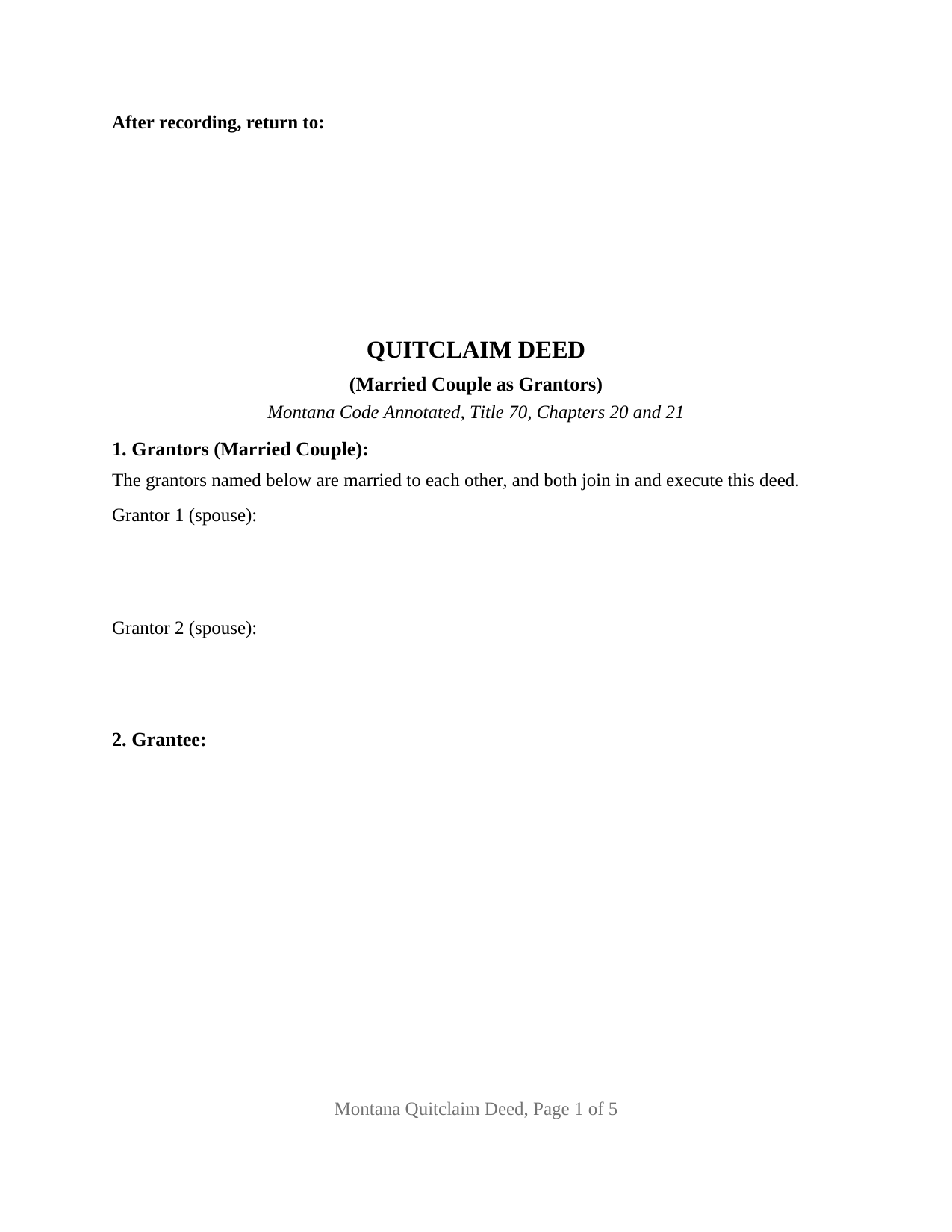
Judith Basin County Quitclaim Deed (Married Couple as Grantors) Form
Fill in the blank Quitclaim Deed (Married Couple as Grantors) form formatted to comply with all Montana recording and content requirements.
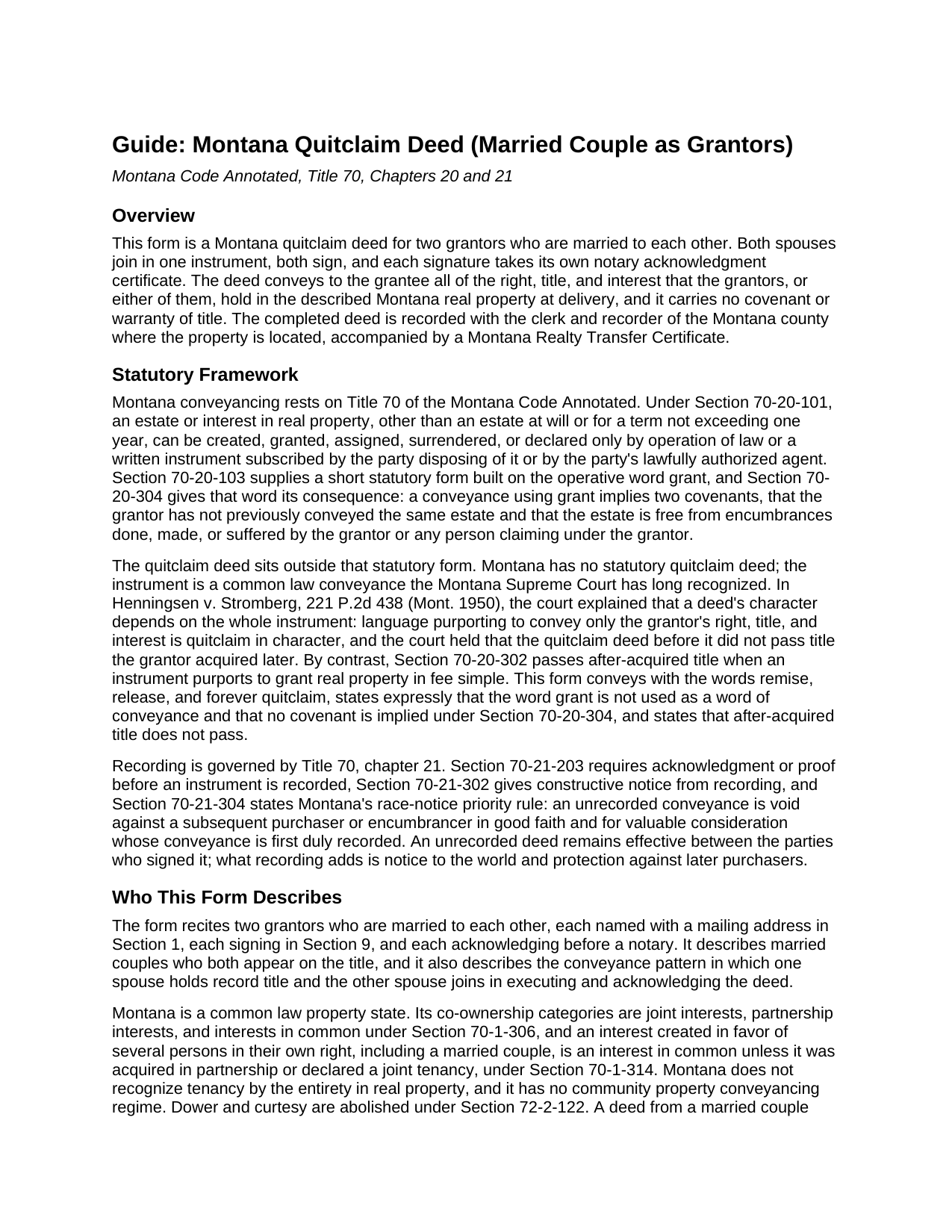
Judith Basin County Quitclaim Deed (Married Couple as Grantors) Guide
Line by line guide explaining every blank on the Quitclaim Deed (Married Couple as Grantors) form.
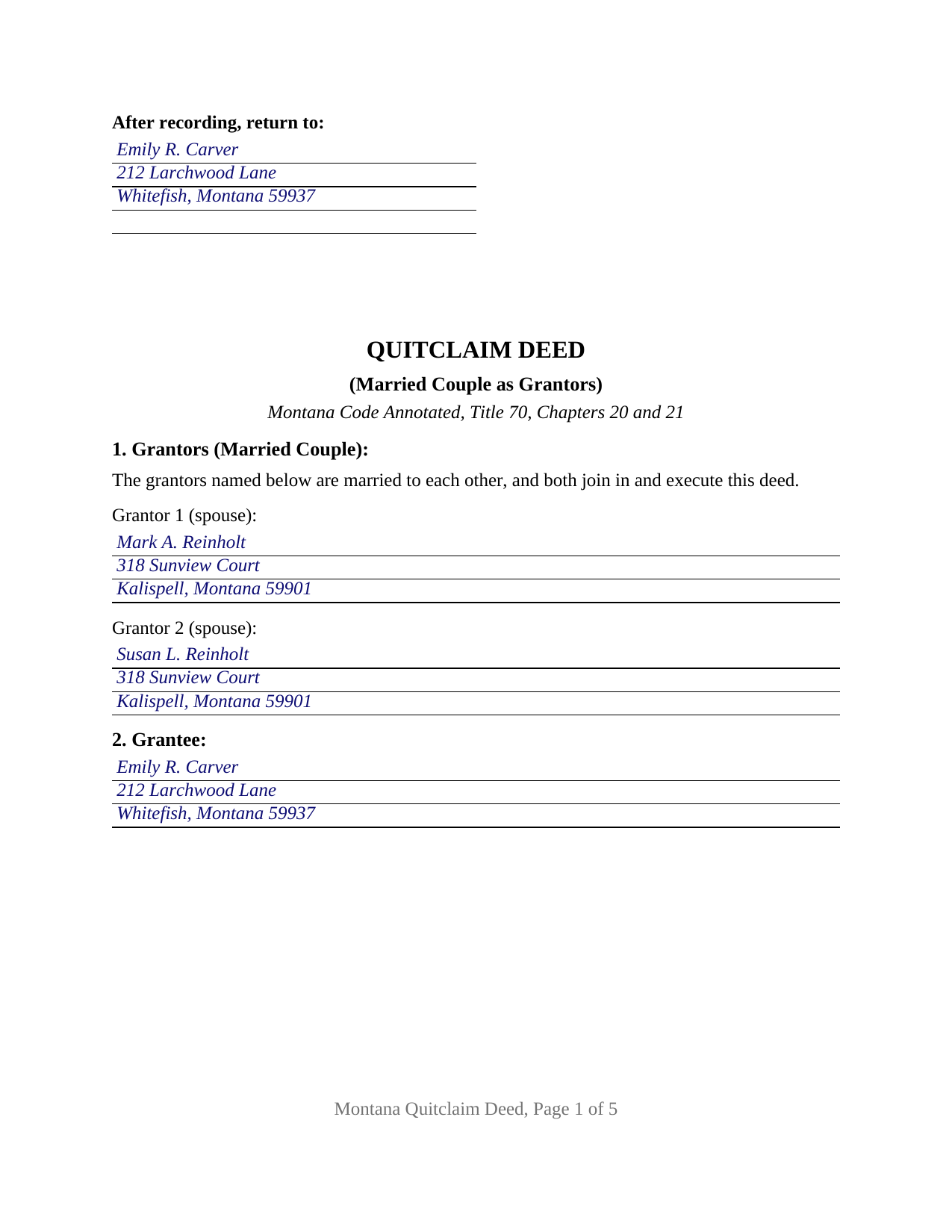
Judith Basin County Completed Example of the Quitclaim Deed (Married Couple as Grantors) Document
Example of a properly completed Montana Quitclaim Deed (Married Couple as Grantors) document for reference.
All 3 documents above included • One-time purchase • No recurring fees
Immediate Download • Secure Checkout
Additional Montana and Judith Basin County documents included at no extra charge:
Where to Record Your Documents
Judith Basin County Clerk / Recorder
Stanford, Montana 59479
Hours: 8:00 to 12:00 & 1:00 to 5:00 Mon-Fri
Phone: (406) 566-2277 Ext 109 or 110
Recording Tips for Judith Basin County:
- Bring your driver's license or state-issued photo ID
- Ensure all signatures are in blue or black ink
- Request a receipt showing your recording numbers
- Ask about accepted payment methods when you call ahead
- Ask for certified copies if you need them for other transactions
Cities and Jurisdictions in Judith Basin County
Properties in any of these areas use Judith Basin County forms:
- Geyser
- Hobson
- Moccasin
- Raynesford
- Stanford
Hours, fees, requirements, and more for Judith Basin County
How do I get my forms?
Forms are available for immediate download after payment. The Judith Basin County forms will be in your account ready to download to your computer. An account is created for you during checkout if you don't have one. Forms are NOT emailed.
Are these forms guaranteed to be recordable in Judith Basin County?
Yes. Our form blanks are guaranteed to meet or exceed the applicable formatting requirements used for recording in Judith Basin County, including margin requirements, font requirements, and other layout standards. This guarantee applies to formatting, not to the legal sufficiency of information entered by the user or the suitability of a form for a particular transaction.
Can I reuse these forms?
Yes. You can reuse the forms for your personal use. For example, if you have multiple properties in Judith Basin County you only need to order once.
What do I need to use these forms?
The forms are PDFs that you fill out on your computer. The free Adobe Acrobat Reader is recommended, and most PDF apps also work. You do NOT enter your property information online - you download the blank forms and complete them privately on your own computer.
Are there any recurring fees?
No. This is a one-time purchase. Nothing to cancel, no memberships, no recurring fees.
How much does it cost to record in Judith Basin County?
Recording fees in Judith Basin County vary. Contact the recorder's office at (406) 566-2277 Ext 109 or 110 for current fees.
Questions answered? Let's get started!
This Montana quitclaim deed is configured for a married couple as grantors: two spouses named together in the grantor section, a signature line for each, and a notary acknowledgment certificate for each. The deed conveys to the grantee whatever right, title, and interest the couple, or either spouse, holds in the described Montana real property at delivery, and it makes no promise about what that interest is. Both spouses execute, both acknowledge, and one instrument goes to the county record.
Why the deed collects both spouses
Montana attaches a firm execution rule to marriage. Under Montana Code Annotated Section 70-32-301, a married person's declared homestead cannot be conveyed or encumbered unless the instrument is executed and acknowledged by both husband and wife, and the abandonment statutes run the same way: a recorded homestead declaration is released only through an instrument that both spouses execute and acknowledge. This form is built on that pattern from its first line. Section 1 recites the two grantors by name and mailing address with a statement that they are married to each other and that both join in the deed, Section 9 collects a signature from each, and a certificate follows for each signature. The same architecture covers the couple whose title stands in both names and the couple whose record title stands in one spouse's name with the other spouse joining in the conveyance.
A release rather than a promise
The operative section runs from both grantors at once: they remise, release, and forever quitclaim to the grantee everything they hold in the property. The deed states that the word grant is not used as a word of conveyance, which keeps the implied covenants of Montana Code Annotated Section 70-20-304 out of the instrument, and it states that title a grantor picks up later does not pass through it. What the grantee receives is the couple's actual interest, whatever it proves to be, subject to whatever encumbers it.
The married-couple pattern in the record
Parents deeding the family place to an adult child, a couple moving real property into the revocable living trust the two of them settled together, and a married owner whose spouse joins in the instrument so that a homestead declaration on the property never clouds the conveyance: these are the arrangements that put a married couple's two signatures on one Montana quitclaim. The form recites two spouses signing personally and in their individual capacities. It is not set up as a single-signer instrument, and an entity, trustee, or personal representative conveyance recites capacity language this deed does not carry.
Two certificates, one sitting or two
Each spouse's acknowledgment certificate follows the Montana statutory short form, completed by the notarial officer with the venue, the date, and the name of the spouse who appeared. Carrying a certificate per signer is the form's own design, chosen so the spouses may acknowledge at one sitting or weeks apart, in different counties or different states; Montana law does not demand a separate certificate for each signer, and the statutory short form accepts one name or several. The completed example shows both spouses acknowledging before the same Flathead County notary on the same day, the most common pattern for a couple.
What recording buys the grantee
The deed records with the clerk and recorder of the county where the land lies, paired with the Realty Transfer Certificate that Montana requires before any deed evidencing a transfer is accepted; the certificate, not the deed, carries the consideration figures, and it keeps them confidential. Recording then does its quiet work: under Montana's race-notice rule, an unrecorded conveyance is void against a later good-faith purchaser for value who records first, so the recorded deed gives the grantee constructive notice against the world and priority over anyone who later takes from the same grantors.
What the download includes
The package delivers the married-couple quitclaim deed as a fillable PDF, a completed example prepared on a realistic Flathead County fact pattern with both certificates filled in, and a plain language guide that walks through each numbered section, the homestead execution rule, and the recording steps. The materials are informational and are not legal advice.
Important: Your property must be located in Judith Basin County to use these forms. Documents should be recorded at the county recording office listed above.
This Quitclaim Deed (Married Couple as Grantors) meets all recording requirements specific to Judith Basin County.
Our Promise
The documents you receive here are guaranteed to meet or exceed the applicable Judith Basin County recording format requirements. If there is a rejection caused by our formatting, we will correct the issue or refund your payment. This guarantee applies to document formatting only and does not extend to information entered by the user, the selection of the form, or the legal effect of the completed document.
Save Time and Money
Get your Judith Basin County Quitclaim Deed (Married Couple as Grantors) form done right the first time with Deeds.com Uniform Conveyancing Blanks. At Deeds.com, we understand that your time and money are valuable resources, and we don't want you to face a penalty fee or rejection imposed by a county recorder for submitting nonstandard documents. We constantly review and update our forms to meet rapidly changing state and county recording requirements for roughly 3,500 counties and local jurisdictions.
4.8 out of 5 - ( 4,829 Reviews )
Samantha A. 5 out of 5 stars
This company is a super time saver for our firm and our client! Their website was easy to use and their staff was fast and efficient. Their fees are very reasonable. I would most certainly use their services again.
We appreciate your business and value your feedback. Thank you. Have a wonderful day!
Bette B. 5 out of 5 stars
Got Form I needed with detailed instructions and it was inexpensive
Thank you for your feedback. We really appreciate it. Have a great day!
Carolyn G. 5 out of 5 stars
This information was extremely helpful and needed. The price is so worth it also.
Thank you!
Pamela L. 5 out of 5 stars
Well this could not have been any easier for me! Deeds made this whole process very efficient, and simple. I will definitely be a return customer when needed. Thank You!
Thank you Pamela, we appreciate you!
Michael K. 5 out of 5 stars
The link for the note guidelines just shows the same directions as for the mortgage. Other than that, very helpful.
Thank you for your feedback. We really appreciate it. Have a great day!
Ernest S. 5 out of 5 stars
Took it to the Courthouse and the Register of Deeds said,"well Done" Thanks you so much.
We appreciate your business and value your feedback. Thank you. Have a wonderful day!
Nancy C. 5 out of 5 stars
Easy to use, found what I was looking for.
We are grateful for your feedback and looking forward to serving you again. Thank you!
Omar F. 5 out of 5 stars
Great! Thank you!
Thank you!
Barbara B. 5 out of 5 stars
A great help! Thank you.
Thank you!
Joy N. 5 out of 5 stars
As a real estate professional, I've had the opportunity to use various legal form providers over the years, but none have matched the quality and user-friendliness of Deeds.com's real estate legal forms. The forms themselves are comprehensive, up-to-date, and in line with current real estate laws and regulations, which is paramount in our field. The clarity and thoroughness of the documentation ensured that I could complete with confidence, knowing that every detail was covered. I wholeheartedly recommend their services and look forward to continuing our partnership.
Your feedback is greatly appreciated. Thank you for taking the time to share your experience!
Joyce S. 5 out of 5 stars
So happy, great forms made everything a breeze.
Thank you for your feedback. We really appreciate it. Have a great day!
Norbert C. 5 out of 5 stars
Great resource and everything went smoothly except email was performed through autofill prompted by the system but the autofill added a letter that gave wrong email. I can still sign in with wrong email since the system recognizes it as mine even though it is wrong. May be my fault and not the system since I did not catch the discrepancy in time. I would suggest a field that allows a correction to any misinformation prior to signing out from the initial sign on. Still think it is a great resource if all documents are processed and accepted by the pwers to be. Thanks.
Thank you!
Robert F. 5 out of 5 stars
This service is excellent. I submitted a Quickclaim Deed so my home would be in the name of a Living Trust I had just created. This was my first attempted at any of this and the staff person, KVH, who reviewed my Deed was extremely helpful and quick to respond to any questions I had and to make sure the Deed had the correct information before submittal to the county for recording. I started the process one afternoon and by the next day, the Deed was submitted to, and recorded in, my county. I will use them again whenever needed.
We appreciate your business and value your feedback. Thank you. Have a wonderful day!
Albert G. 5 out of 5 stars
Download was smooth. I'll post an update after I get a change to work with the forms.
Thank you!
Jennifer M. 5 out of 5 stars
Consistent and quick. This site saves me so much time away from my desk. It's a great resource for my small business!
We appreciate your business and value your feedback. Thank you. Have a wonderful day!