Gloucester County Easement Deed Form
Last validated November 3, 2026 by our Forms Development TeamFormatted for recording in Gloucester County, for property anywhere in the county: rural and unincorporated areas as well as Bridgeport, Clarksboro, Clayton, Deptford, Ewan, Franklinville, Gibbstown, Glassboro and 20 more.
- 4 documents included
- Immediate PDF download
- Formatting guarantee
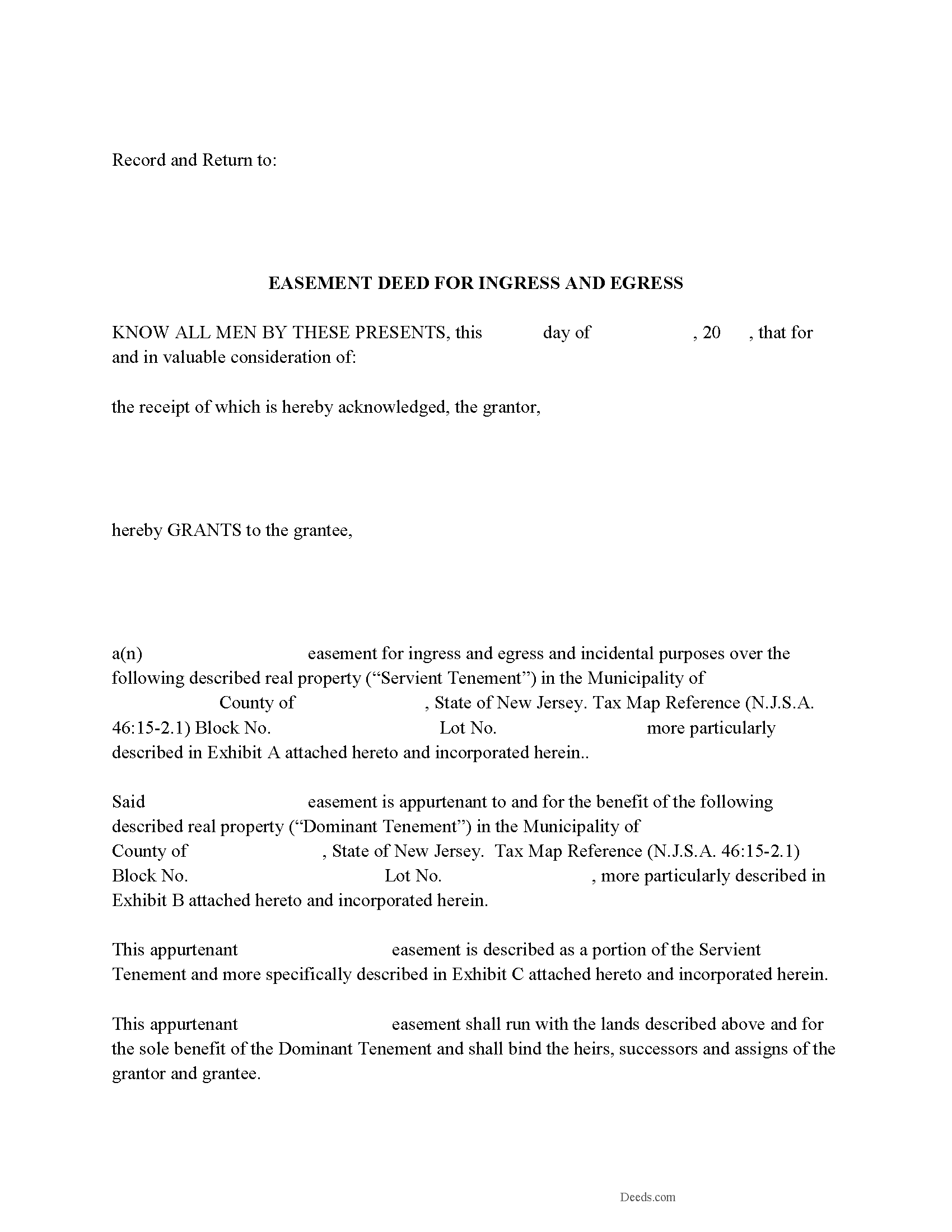
Gloucester County Easement Deed Form
Fill in the blank form formatted to comply with all recording and content requirements.
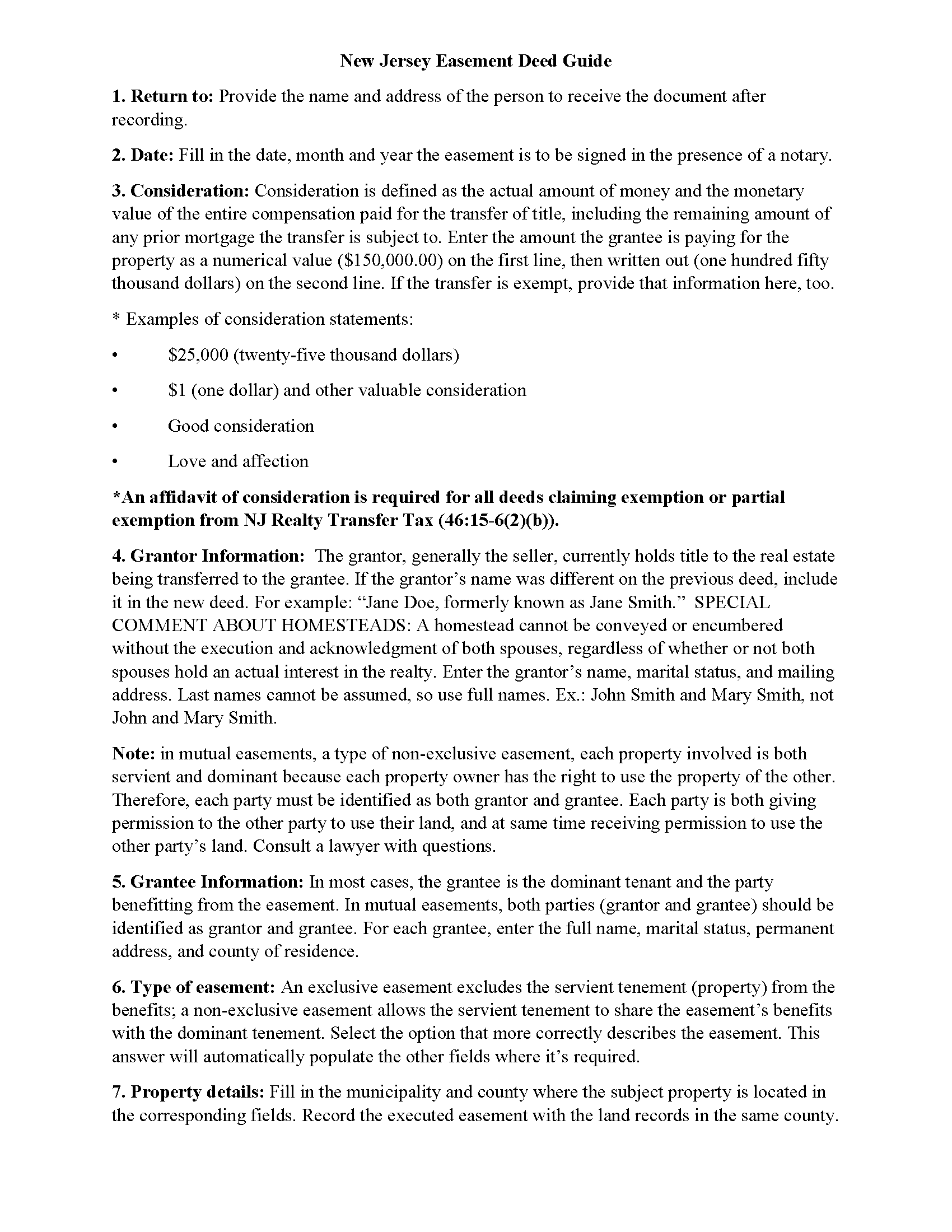
Gloucester County Easement Deed Guide
Line by line guide explaining every blank on the form.
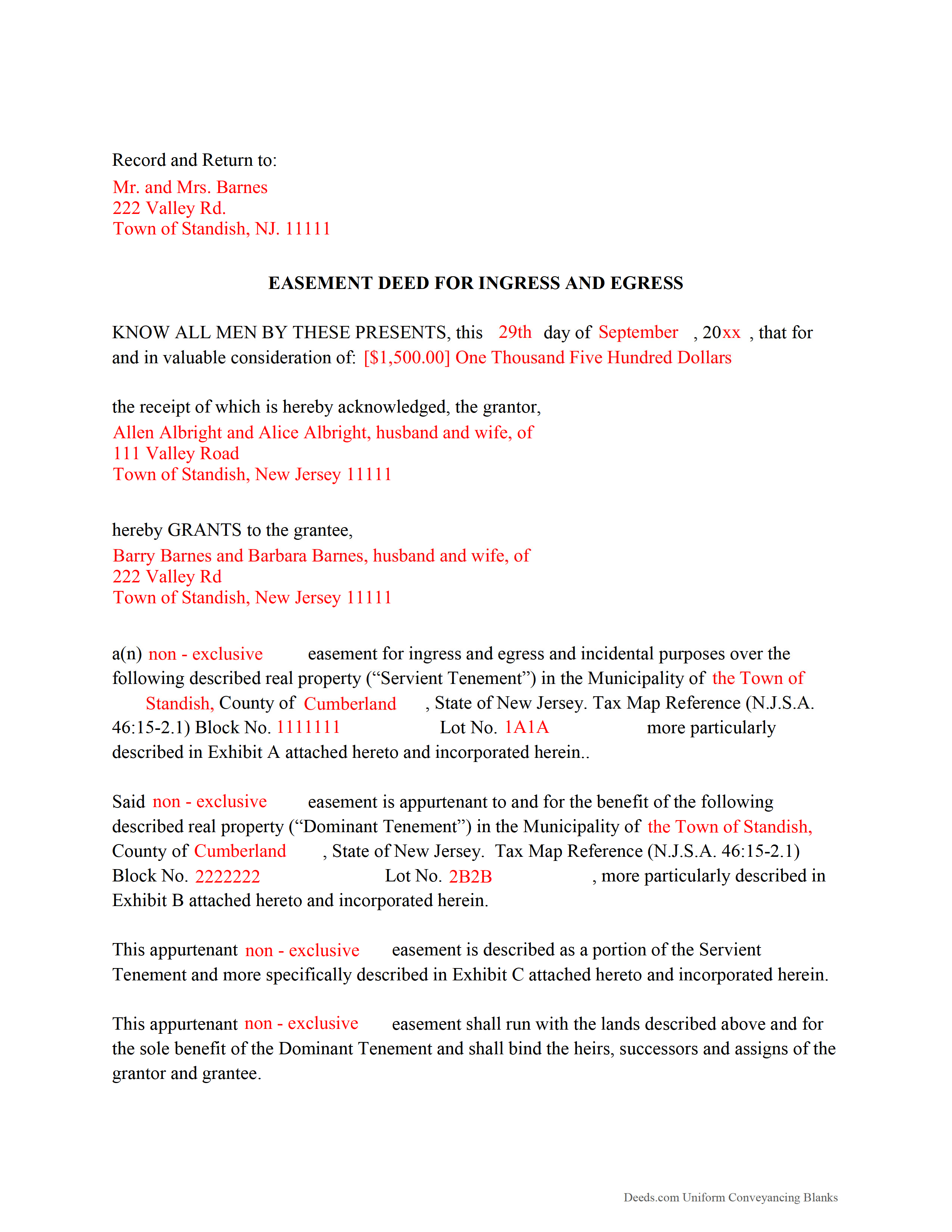
Gloucester County Completed Example of the Easement Deed Document
Example of a properly completed form for reference.
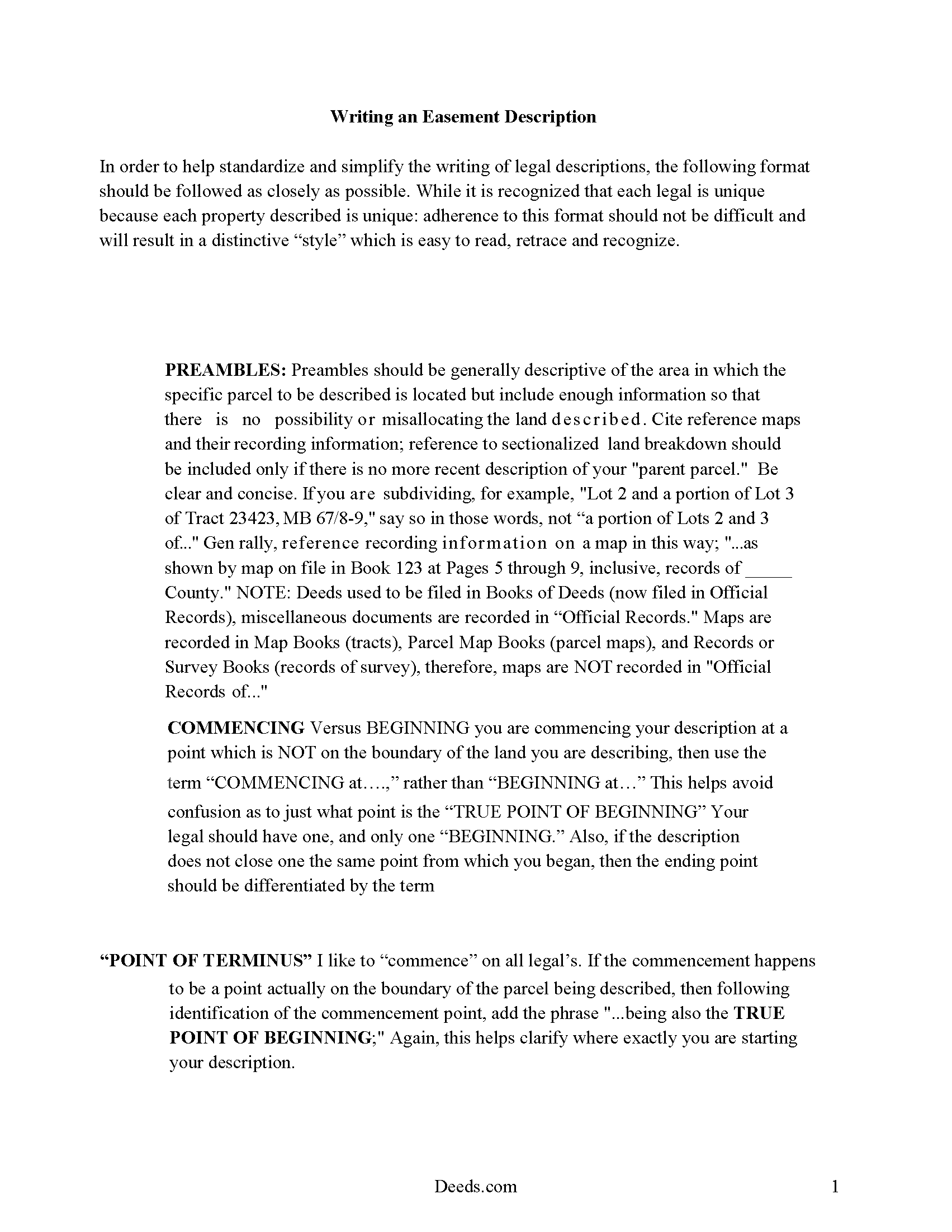
Gloucester County Guide to writing an Easement Description
A Description of the Easement will be required. This will show how to write an acceptable description for a Right of Way Easement, which gives access, to and from - point A to point B.
All 4 documents above included • One-time purchase • No recurring fees
Immediate Download • Secure Checkout
Additional New Jersey and Gloucester County documents included at no extra charge:
Where to Record Your Documents
Gloucester County Clerk
Woodbury, New Jersey 08096
Hours: 8:30 to 4:30 M-F
Phone: (856) 853-3235
Recording Tips for Gloucester County:
- Bring your driver's license or state-issued photo ID
- Ensure all signatures are in blue or black ink
- Recorded documents become public record - avoid including SSNs
- Recording fees may differ from what's posted online - verify current rates
- Request a receipt showing your recording numbers
Cities and Jurisdictions in Gloucester County
Properties in any of these areas use Gloucester County forms:
- Bridgeport
- Clarksboro
- Clayton
- Deptford
- Ewan
- Franklinville
- Gibbstown
- Glassboro
- Grenloch
- Harrisonville
- Malaga
- Mantua
- Mickleton
- Mount Royal
- Mullica Hill
- National Park
- Newfield
- Paulsboro
- Pitman
- Richwood
- Sewell
- Swedesboro
- Thorofare
- Wenonah
- Westville
- Williamstown
- Woodbury
- Woodbury Heights
Hours, fees, requirements, and more for Gloucester County
How do I get my forms?
Forms are available for immediate download after payment. The Gloucester County forms will be in your account ready to download to your computer. An account is created for you during checkout if you don't have one. Forms are NOT emailed.
Are these forms guaranteed to be recordable in Gloucester County?
Yes. Our form blanks are guaranteed to meet or exceed the applicable formatting requirements used for recording in Gloucester County, including margin requirements, font requirements, and other layout standards. This guarantee applies to formatting, not to the legal sufficiency of information entered by the user or the suitability of a form for a particular transaction.
Can I reuse these forms?
Yes. You can reuse the forms for your personal use. For example, if you have multiple properties in Gloucester County you only need to order once.
What do I need to use these forms?
The forms are PDFs that you fill out on your computer. The free Adobe Acrobat Reader is recommended, and most PDF apps also work. You do NOT enter your property information online - you download the blank forms and complete them privately on your own computer.
Are there any recurring fees?
No. This is a one-time purchase. Nothing to cancel, no memberships, no recurring fees.
How much does it cost to record in Gloucester County?
Recording fees in Gloucester County vary. Contact the recorder's office at (856) 853-3235 for current fees.
Questions answered? Let's get started!
Frequent easements in New Jersey include public utility easements, driveway easements, and easements for encroachments. An easement is the right to use another person's property for a specific purpose, and can be either affirmative or negative. Easements in this state are typically created by an express grant, which is often a formal agreement between the parties involved, which is then set forth in a recorded easement deed. The easement deed should specify the terms and duration of the easement. An easement obtained for the purpose of exposure of a solar energy device can be created in writing and will be subject to the same conveyancing and recording requirements as other easements (46:3-25).
In order to be eligible for recording, an easement deed should be signed by the grantor and acknowledged before an officer specified in 46:14-6.1 of the New Jersey Statutes. Deeds may be acknowledged in New Jersey or in another state. The officer taking the acknowledgment should sign a certificate stating such acknowledgment or proof, which will be recorded with the easement deed (46:14-2.1).
The act of recording an easement deed provides constructive notice of the contents. Any recorded deed affecting the title to real property, including easement deeds, are from the time of recording, notice to all subsequent purchasers, mortgagees, and judgment creditors of the execution of the recorded document and its contents (46:26A-12). An easement deed or other conveyance of an interest in real property in New Jersey will not be effective against subsequent judgment creditors without notice, or against subsequent bona fide purchasers and mortgagees for valuable consideration without notice and whose conveyance or mortgage is recorded, unless that conveyance is evidenced by a document that is recorded first (46:26A-12). Easement deeds must be recorded in the county where the property is located.
(New Jersey ED Package includes form, guidelines, and completed example)
Important: Your property must be located in Gloucester County to use these forms. Documents should be recorded at the county recording office listed above.
This Easement Deed meets all recording requirements specific to Gloucester County.
Our Promise
The documents you receive here are guaranteed to meet or exceed the applicable Gloucester County recording format requirements. If there is a rejection caused by our formatting, we will correct the issue or refund your payment. This guarantee applies to document formatting only and does not extend to information entered by the user, the selection of the form, or the legal effect of the completed document.
Save Time and Money
Get your Gloucester County Easement Deed form done right the first time with Deeds.com Uniform Conveyancing Blanks. At Deeds.com, we understand that your time and money are valuable resources, and we don't want you to face a penalty fee or rejection imposed by a county recorder for submitting nonstandard documents. We constantly review and update our forms to meet rapidly changing state and county recording requirements for roughly 3,500 counties and local jurisdictions.
4.8 out of 5 - ( 4,853 Reviews )
Bennie W. 5 out of 5 stars
I used the Quitclaim form. The form was easy to complete without using the example or guide. $21 was a fair price compared to paying a lawyer.
Thank you for your feedback. We really appreciate it. Have a great day!
SHARON D. 5 out of 5 stars
This is one of the easiest sites to purchase and download needed forms. I would highly recommend this site.
Thank you Sharon. We really appreciate you. Enjoy your holidays.
Robert D L. 5 out of 5 stars
Found the forms to be very easy to use, instructions very clear and helpful. Recording office was surprised the forms were exactly what they required. Thank you
We appreciate your business and value your feedback. Thank you. Have a wonderful day!
Lisa C. 5 out of 5 stars
Thank you. Very easy!
We are delighted to have been of service. Thank you for the positive review!
William /. 5 out of 5 stars
Great service would use again
Thank you!
Gregory h. 5 out of 5 stars
OUtsdtanding. Quick and easy, both of which are a huge plus
We appreciate your business and value your feedback. Thank you. Have a wonderful day!
Lorraine F. 2 out of 5 stars
I followed the instructions to download the form for my Mac, typed in the legal description of the real property but the space provided for it would not expand so I just typed the form into Word as a document. While I appreciate having the form to work with it would have been a breeze if it worked properly.
Your insights are invaluable to us and help us strive for better service. Thank you for taking the time to share your thoughts.
Tanya H. 5 out of 5 stars
Could not be happier with deeds.com forms. The guide helped more than one can imagine, great resource.
We appreciate your business and value your feedback. Thank you. Have a wonderful day!
Laurie R. 5 out of 5 stars
FIVE STARS !!! Clear instructions Easy to navigate Thanks for making this easy for those of us who are not tech savvy
We appreciate your business and value your feedback. Thank you. Have a wonderful day!
DARLA L. 5 out of 5 stars
I was happy with the quick response to obtain the requested forms. Effective and easy website to use.
We appreciate your business and value your feedback. Thank you. Have a wonderful day!
Colleen P. 3 out of 5 stars
It was frustrating to get the scans done but that might have been due to a learning curve. After 4 tries they were accepted. I couldn't figure out how to delete or close the failed attempts. Waiting to see if Recorder office has changed the title.
Thank you for your feedback. We really appreciate it. Have a great day!
DONALD S. 5 out of 5 stars
Using the Administrators Deed, pay attention to "Exhibit A". The blank will allow you to type a full legal description BUT it will not save it. Use "Exhibit A" to type the legal description. The form was great and I filed it this morning with no problems.
Thank you for your feedback. We really appreciate it. Have a great day!
Marilyn C. 5 out of 5 stars
A great service, making it fast and easy to prepare warranty deeds for property transfer sales. I recommend this to everyone who needs this help.
Thank you!
Rebecca V. 5 out of 5 stars
The staff is Great to work with, Thank You
Thank you!
Toni M. 5 out of 5 stars
I liked having the forms. Some may need to know they can look at the legal Description from online county records, then type up in Word document line by line, the degree sign in Word program is achieved by using alt and 248 on number pad. Then on the form page one write SEE Exibit A and title your Word program description as Exibit A. Goes without saying the legal description should be looked over many times and it is easier to do so if you format your Word the same lineage as the legal description online which is usually not text which is why you have to retype it.
Thank you for your feedback. We really appreciate it. Have a great day!