Chautauqua County Quitclaim Deed (Trustee Grantor) Form
Last validated October 19, 2026 by our Forms Development TeamFormatted for recording in Chautauqua County, for property anywhere in the county: rural and unincorporated areas as well as Ashville, Bemus Point, Brocton, Cassadaga, Celoron, Chautauqua, Cherry Creek, Clymer and 29 more.
- 3 documents included
- Immediate PDF download
- Formatting guarantee
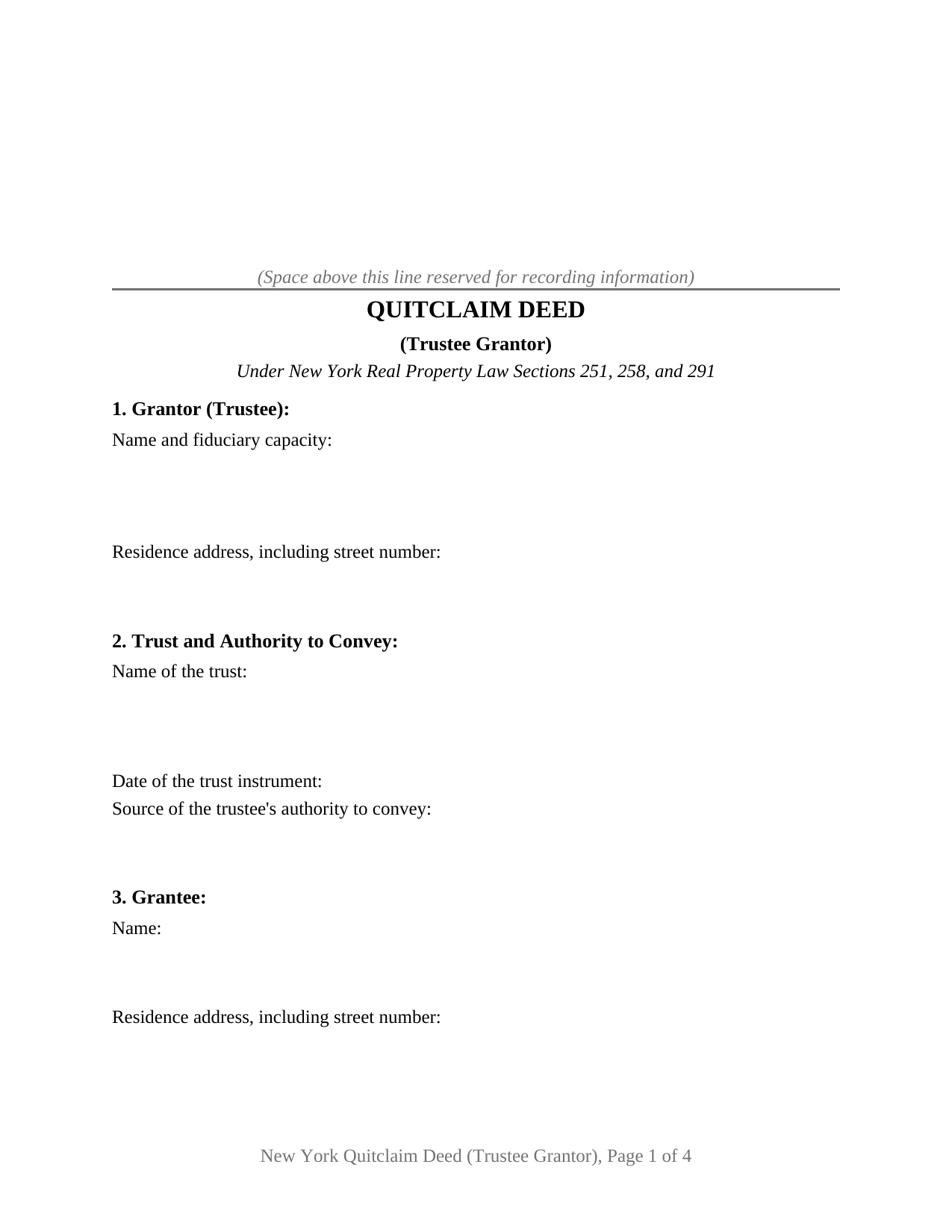
Chautauqua County Quitclaim Deed (Trustee Grantor) Form
Fill in the blank Quitclaim Deed (Trustee Grantor) form formatted to comply with all New York recording and content requirements.
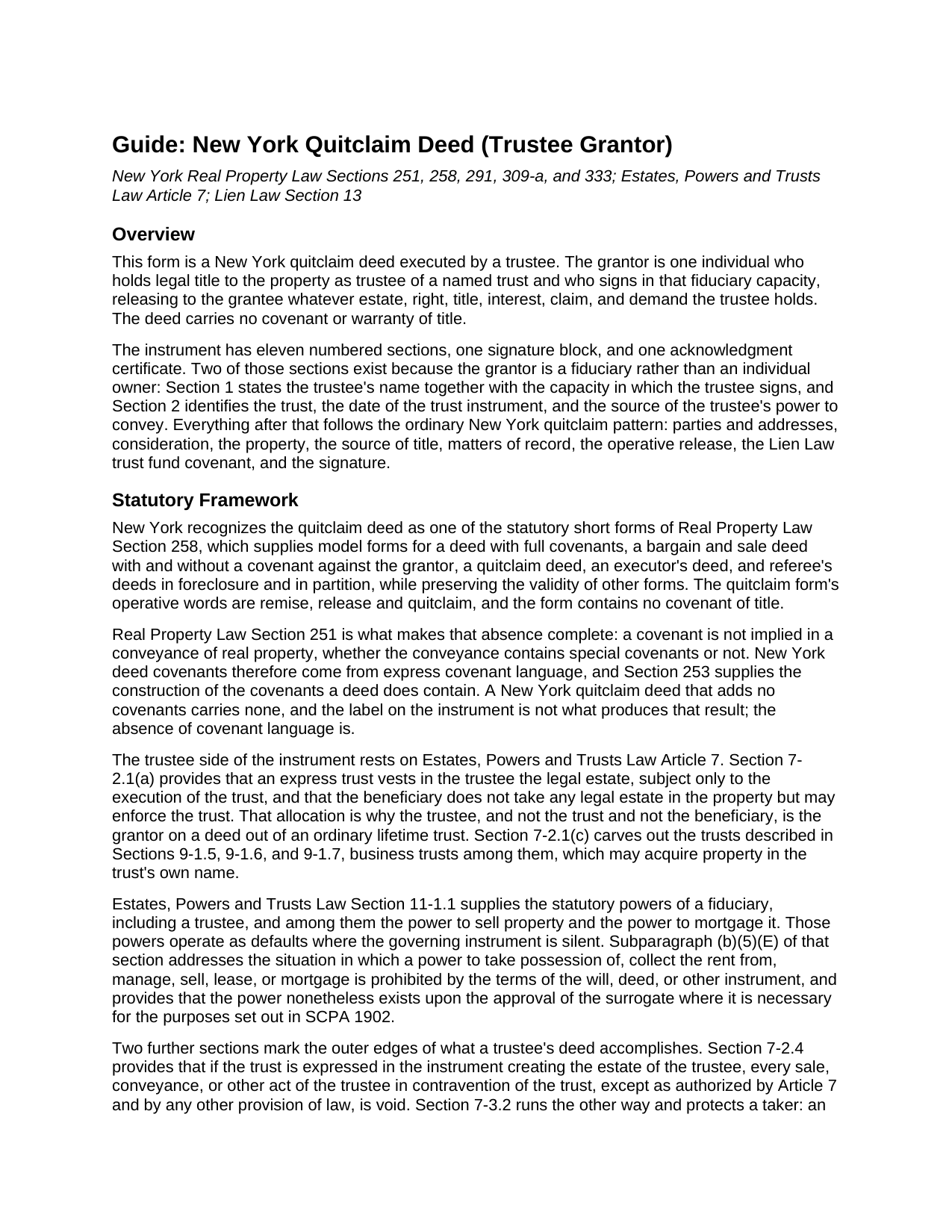
Chautauqua County Quitclaim Deed (Trustee Grantor) Guide
Line by line guide explaining every blank on the Quitclaim Deed (Trustee Grantor) form.
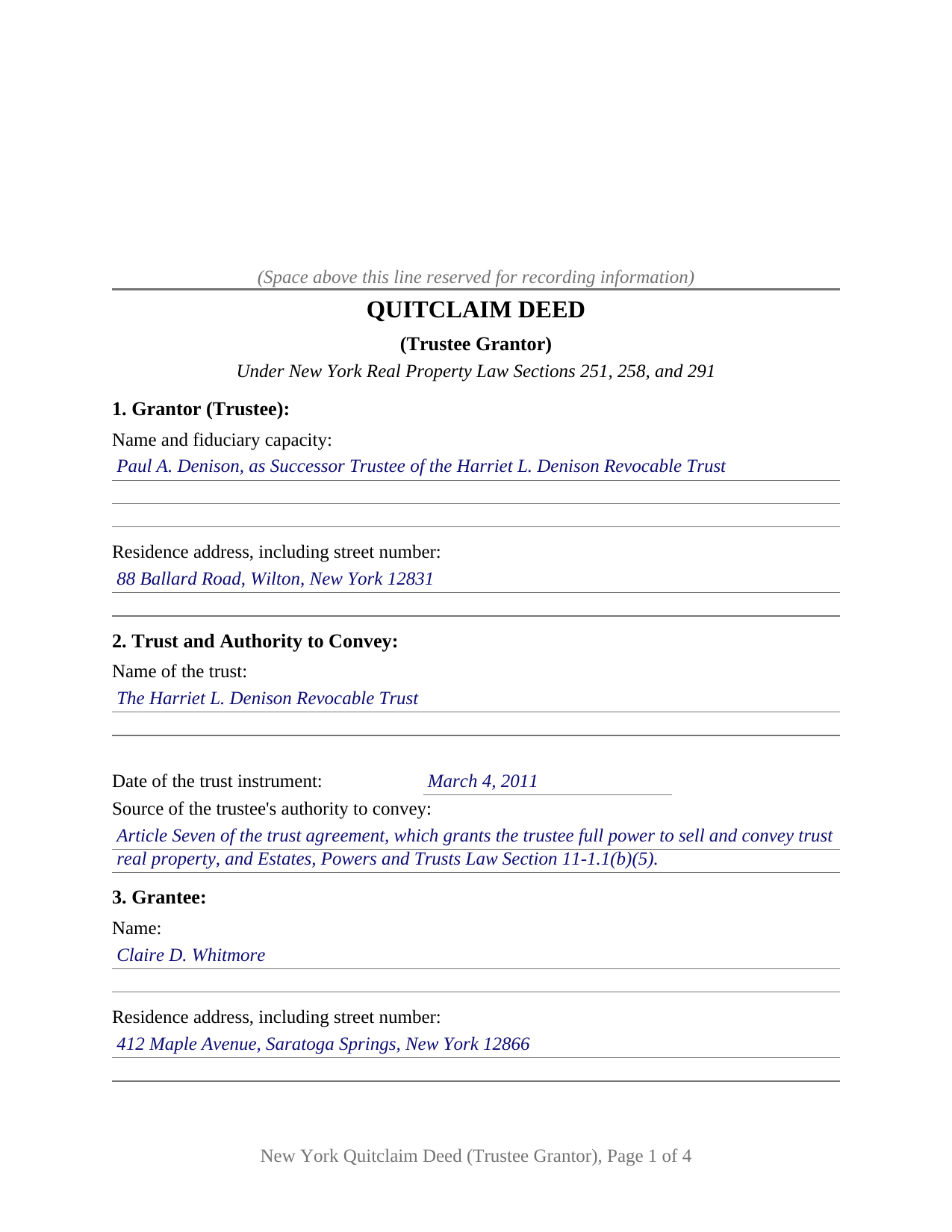
Chautauqua County Completed Example of the Quitclaim Deed (Trustee Grantor) Document
Example of a properly completed New York Quitclaim Deed (Trustee Grantor) document for reference.
All 3 documents above included • One-time purchase • No recurring fees
Immediate Download • Secure Checkout
Additional New York and Chautauqua County documents included at no extra charge:
Where to Record Your Documents
Chautauqua County Clerk - County Courthouse
Mayville, New York 14757
Hours: 8:30 am to 4:30 pm
Phone: (716) 753-4165
Recording Tips for Chautauqua County:
- Bring your driver's license or state-issued photo ID
- Ensure all signatures are in blue or black ink
- Verify all names are spelled correctly before recording
- White-out or correction fluid may cause rejection
- Ask about their eRecording option for future transactions
Cities and Jurisdictions in Chautauqua County
Properties in any of these areas use Chautauqua County forms:
- Ashville
- Bemus Point
- Brocton
- Cassadaga
- Celoron
- Chautauqua
- Cherry Creek
- Clymer
- Dewittville
- Dunkirk
- Ellington
- Falconer
- Findley Lake
- Forestville
- Fredonia
- Frewsburg
- Gerry
- Greenhurst
- Irving
- Jamestown
- Kennedy
- Lakewood
- Lily Dale
- Maple Springs
- Mayville
- Niobe
- Panama
- Portland
- Ripley
- Sheridan
- Sherman
- Silver Creek
- Sinclairville
- Stockton
- Stow
- Van Buren Point
- Westfield
Hours, fees, requirements, and more for Chautauqua County
How do I get my forms?
Forms are available for immediate download after payment. The Chautauqua County forms will be in your account ready to download to your computer. An account is created for you during checkout if you don't have one. Forms are NOT emailed.
Are these forms guaranteed to be recordable in Chautauqua County?
Yes. Our form blanks are guaranteed to meet or exceed the applicable formatting requirements used for recording in Chautauqua County, including margin requirements, font requirements, and other layout standards. This guarantee applies to formatting, not to the legal sufficiency of information entered by the user or the suitability of a form for a particular transaction.
Can I reuse these forms?
Yes. You can reuse the forms for your personal use. For example, if you have multiple properties in Chautauqua County you only need to order once.
What do I need to use these forms?
The forms are PDFs that you fill out on your computer. The free Adobe Acrobat Reader is recommended, and most PDF apps also work. You do NOT enter your property information online - you download the blank forms and complete them privately on your own computer.
Are there any recurring fees?
No. This is a one-time purchase. Nothing to cancel, no memberships, no recurring fees.
How much does it cost to record in Chautauqua County?
Recording fees in Chautauqua County vary. Contact the recorder's office at (716) 753-4165 for current fees.
Questions answered? Let's get started!
Property leaves a trust the way it entered one, through a recorded deed, and on this New York form the grantor is the trustee who holds the legal estate. Section 1 gives the trustee's name together with the fiduciary capacity in which that person signs; Section 2 gives the trust, the date of its trust instrument, and the power being exercised. This form prepares a quitclaim deed, also typed as quit claim deed, for New York real property passing out of a trusteeship to a named grantee.
Why the trustee is the grantor
Under Estates, Powers and Trusts Law Section 7-2.1(a), an express trust vests the legal estate in whoever is serving as trustee, and it does so subject to the execution of the trust; the beneficiary receives no legal estate at all and holds a right to enforce instead. Only the serving trustee, then, can sign away trust real property, which is why the fiduciary capacity belongs on the grantor side of this instrument.
The blanks a fiduciary grantor adds
Section 2 is the section an ordinary owner's deed has no use for. It collects the name of the trust, the date of the trust instrument, and the source of the trustee's authority to convey, which is an article of the trust agreement, a court order, or the statutory power to sell that Estates, Powers and Trusts Law Section 11-1.1 supplies where the instrument says nothing. That entry matters outside the deed too, because Section 7-2.4 makes a trustee's conveyance in contravention of an expressed trust void except as Article 7 and other law authorize, while Section 7-3.2 protects a purchaser for value without notice of an undeclared trust.
The trustee-grantor configuration
The form recites exactly one grantor, an individual signing as trustee of one named trust and not individually, with one signature block whose printed name line carries the capacity, and one acknowledgment certificate in the substance of the Real Property Law Section 309-a uniform form. That certificate reaches a fiduciary signature on its own terms, since its wording covers execution in the signer's capacity and by the person on whose behalf the signer acted, and subdivision 4 defines person to include a trust and any entity in a representative capacity. Conveyances out of trust appearing in the record with this configuration include a trustee distributing property to a beneficiary as a trust winds up, a successor trustee conveying under powers the trust agreement grants, a trustee deeding property back to the person who created the trust, and a trustee releasing an interest of uncertain extent. The form recites one individual trustee; co-trustees executing together, a bank or trust company acting through an authorized officer, an executor drawing authority from letters, and a trustee taking title rather than giving it each present a different party and signature section than this deed carries.
A release with nothing promised behind it
The operative words are the statutory short form words of Real Property Law Section 258, remise, release and quitclaim, and Section 251 leaves them unaccompanied: a covenant is not implied in a New York conveyance, so the deed passes the estate the trustee holds and vouches for none of it. Section 10 adds the Lien Law Section 13 trust fund covenant that customary New York printed deeds carry, and Section 9's listing of matters of record says in print that it creates none.
Tax and the trip to the clerk
A deed out of trust often moves for no money, and Tax Law Section 1405(b) reaches that case twice: paragraph 4 covers a conveyance without consideration and otherwise than in connection with a sale, and paragraph 6 covers a mere change of identity or form of ownership with no change in beneficial ownership. Section 1404 still presumes the conveyance taxable, and no exemption excuses the joint TP-584 return or the RP-5217 report on legal paper. The finished deed goes to the clerk of the county where the land lies, or through ACRIS in four of the boroughs, and Section 291 rewards getting there first.
Three items arrive in the download: the trustee quitclaim deed as a blank fillable PDF, a completed example prepared for a Saratoga County distribution out of a revocable trust, and a plain language guide walking through all eleven numbered sections, the certificate, and the companion filings. The materials are informational and are not legal advice. Whether a particular trust agreement carries the power a given conveyance exercises is a question for a New York attorney.
Important: Your property must be located in Chautauqua County to use these forms. Documents should be recorded at the county recording office listed above.
This Quitclaim Deed (Trustee Grantor) meets all recording requirements specific to Chautauqua County.
Our Promise
The documents you receive here are guaranteed to meet or exceed the applicable Chautauqua County recording format requirements. If there is a rejection caused by our formatting, we will correct the issue or refund your payment. This guarantee applies to document formatting only and does not extend to information entered by the user, the selection of the form, or the legal effect of the completed document.
Save Time and Money
Get your Chautauqua County Quitclaim Deed (Trustee Grantor) form done right the first time with Deeds.com Uniform Conveyancing Blanks. At Deeds.com, we understand that your time and money are valuable resources, and we don't want you to face a penalty fee or rejection imposed by a county recorder for submitting nonstandard documents. We constantly review and update our forms to meet rapidly changing state and county recording requirements for roughly 3,500 counties and local jurisdictions.
4.8 out of 5 - ( 4,836 Reviews )
Lisa G. 5 out of 5 stars
Form and info was good
We appreciate your business and value your feedback. Thank you. Have a wonderful day!
Victoria Y. 5 out of 5 stars
Great response and painless. Very easy to use
Thank you for your feedback. We really appreciate it. Have a great day!
Thanh P. 5 out of 5 stars
Awesome services. Quick and efficient.
Thank you for your kind words Thanh, we appreciate you.
Tom B. 4 out of 5 stars
I ended up loading the same file twice and was unable to delete one of them. I did send e request in to have one deleted and I did get a response back that only one file was processed. This was done in a timely manner but required more additional time. It would have been nice to be able to delete the file myself and finish the process at the same time. Other than this every thing did go very well. Thank you
Thank you for your feedback. We really appreciate it. Have a great day!
Erika K. 5 out of 5 stars
Very Easy to use, especially since the county recorder's office is closed due to COVID-19
Thank you!
Heather R. 5 out of 5 stars
Fast and convenient service.
Thank you Heather, we appreciate your feedback.
James W. 5 out of 5 stars
We were able to find deceased parents' deed.
Thank you!
Lloyd S. 5 out of 5 stars
What a great website. It does Pasco County PROUD !!
Thank you!
Gertrude M. 5 out of 5 stars
Rating 5 stars
Thank you!
MARIA P. 5 out of 5 stars
I finally was able to download the forms. Thank you and I know I will be able to use your service anytime I may need a legal document. Thanks again!
Thank you!
Rosie R. 5 out of 5 stars
LOVE THIS!! I am a REALTORand from time to time I have had to take documents for filing. I'm so glad I invested some time online researching eFiling services. The first few search results that populated required an expensive annual or monthly subscription. Luckily I continued to scroll and found Deeds.com. No annual or monthly subscription required. Just pay per use. I uploaded a ROL late one night and Deed.com had it eFiled the very next morning!!! They keep you updated throughout the process via email notifications which you click on the link provided in the email that directs you to your online portal to view the status and once your documents have been filed you can immediately download the filed of record documents including the receipt from the county in which the documents were filed. SO SIMPLE, CONVENIENT, & QUICK-THANK YOU DEEDS.com!!!
We appreciate your business and value your feedback. Thank you. Have a wonderful day!
Patricia P. 5 out of 5 stars
Easy to use and super convenient.
Thank you for your feedback. We really appreciate it. Have a great day!
Constance R. 5 out of 5 stars
It was very easy to e-file. I liked it.
Thank you for your feedback. We really appreciate it. Have a great day!
Peggy L. 5 out of 5 stars
Download worked exactly as portrayed - will definitely use service again when needed.
Thank you, Peggy. Glad everything worked as expected. We will be here whenever you need us again.
Stephanie B. 5 out of 5 stars
Really great, relevant and straight forward forms. Deeds.com is excellent and helps you avoid costly errors on documents.
Thank you for your feedback. We really appreciate it. Have a great day!