Queens County Quitclaim Deed (Trustee Grantor) Form
Last validated October 19, 2026 by our Forms Development TeamFormatted for recording in Queens County, for property anywhere in the county: rural and unincorporated areas as well as Arverne, Astoria, Bayside, Bellerose, Breezy Point, Cambria Heights, College Point, Corona and 33 more.
- 3 documents included
- Immediate PDF download
- Formatting guarantee
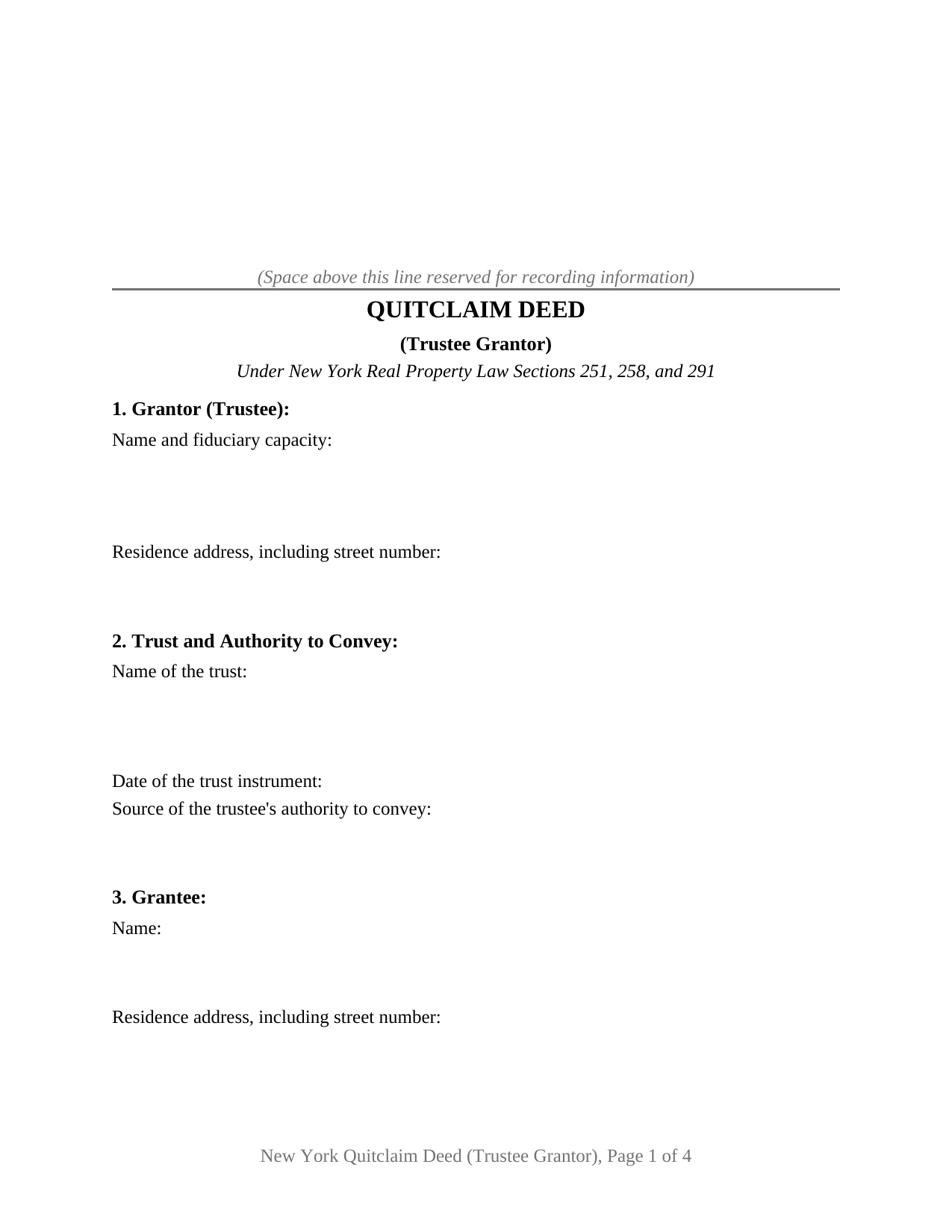
Queens County Quitclaim Deed (Trustee Grantor) Form
Fill in the blank Quitclaim Deed (Trustee Grantor) form formatted to comply with all New York recording and content requirements.
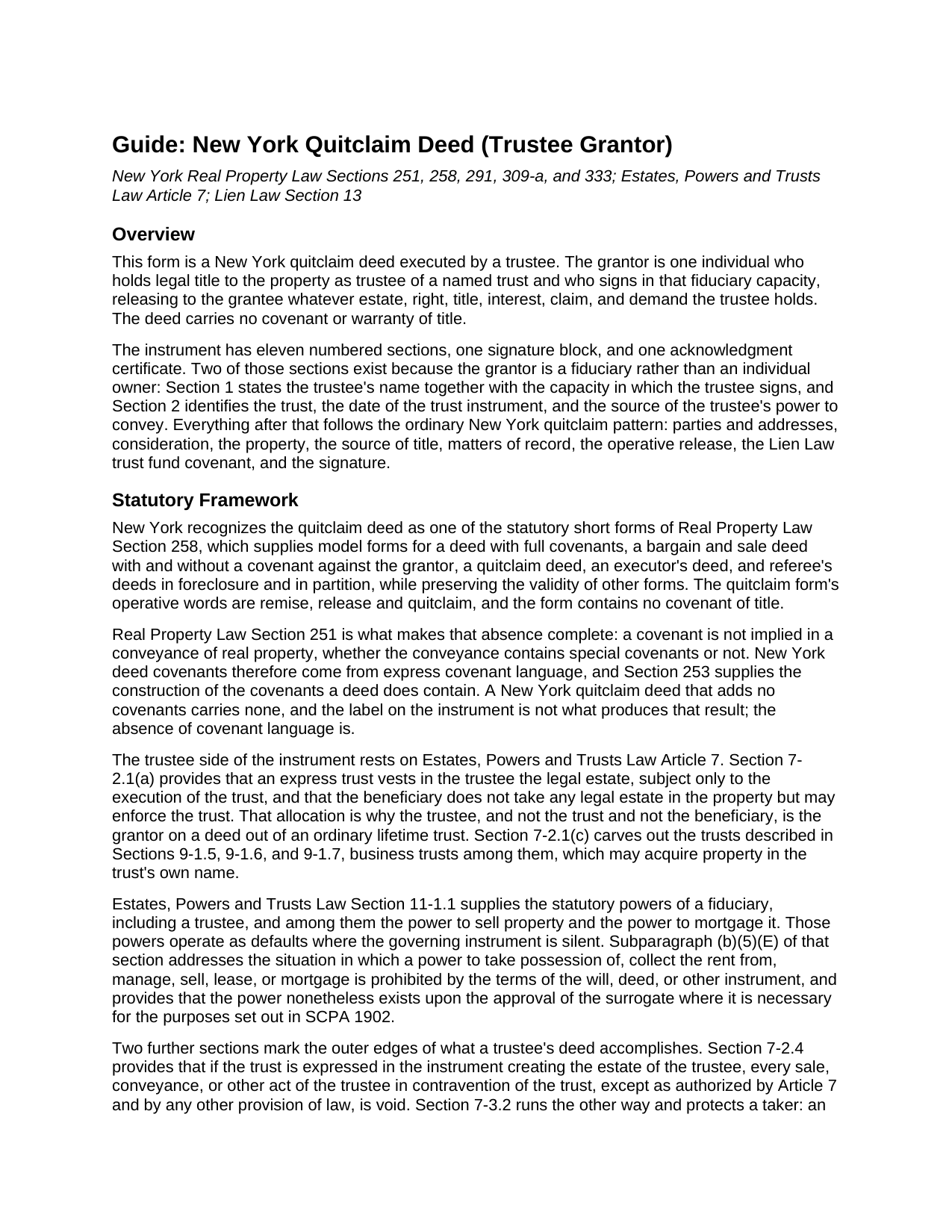
Queens County Quitclaim Deed (Trustee Grantor) Guide
Line by line guide explaining every blank on the Quitclaim Deed (Trustee Grantor) form.
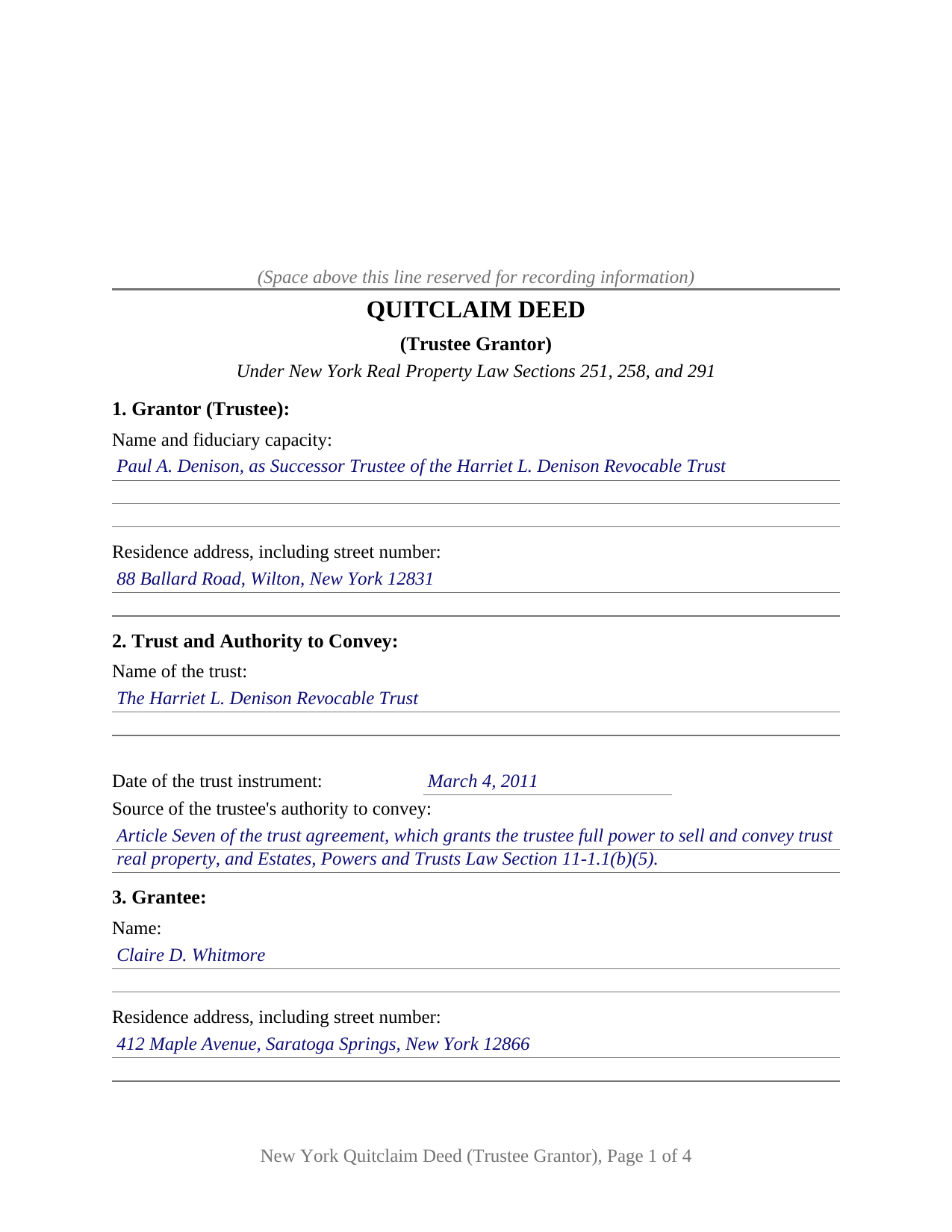
Queens County Completed Example of the Quitclaim Deed (Trustee Grantor) Document
Example of a properly completed New York Quitclaim Deed (Trustee Grantor) document for reference.
All 3 documents above included • One-time purchase • No recurring fees
Immediate Download • Secure Checkout
Additional New York and Queens County documents included at no extra charge:
Where to Record Your Documents
Queens Business Center - City Register
Jamaica, New York 11435
Hours: 9:00 to 4:30 M-F
Phone: (718) 658-4600
Recording Tips for Queens County:
- Bring your driver's license or state-issued photo ID
- Ensure all signatures are in blue or black ink
- Bring extra funds - fees can vary by document type and page count
- Check margin requirements - usually 1-2 inches at top
- Leave recording info boxes blank - the office fills these
Cities and Jurisdictions in Queens County
Properties in any of these areas use Queens County forms:
- Arverne
- Astoria
- Bayside
- Bellerose
- Breezy Point
- Cambria Heights
- College Point
- Corona
- East Elmhurst
- Elmhurst
- Far Rockaway
- Floral Park
- Flushing
- Forest Hills
- Fresh Meadows
- Glen Oaks
- Hollis
- Howard Beach
- Jackson Heights
- Jamaica
- Kew Gardens
- Little Neck
- Long Island City
- Maspeth
- Middle Village
- Oakland Gardens
- Ozone Park
- Queens Village
- Rego Park
- Richmond Hill
- Ridgewood
- Rockaway Park
- Rosedale
- Saint Albans
- South Ozone Park
- South Richmond Hill
- Springfield Gardens
- Sunnyside
- Whitestone
- Woodhaven
- Woodside
Hours, fees, requirements, and more for Queens County
How do I get my forms?
Forms are available for immediate download after payment. The Queens County forms will be in your account ready to download to your computer. An account is created for you during checkout if you don't have one. Forms are NOT emailed.
Are these forms guaranteed to be recordable in Queens County?
Yes. Our form blanks are guaranteed to meet or exceed the applicable formatting requirements used for recording in Queens County, including margin requirements, font requirements, and other layout standards. This guarantee applies to formatting, not to the legal sufficiency of information entered by the user or the suitability of a form for a particular transaction.
Can I reuse these forms?
Yes. You can reuse the forms for your personal use. For example, if you have multiple properties in Queens County you only need to order once.
What do I need to use these forms?
The forms are PDFs that you fill out on your computer. The free Adobe Acrobat Reader is recommended, and most PDF apps also work. You do NOT enter your property information online - you download the blank forms and complete them privately on your own computer.
Are there any recurring fees?
No. This is a one-time purchase. Nothing to cancel, no memberships, no recurring fees.
How much does it cost to record in Queens County?
Recording fees in Queens County vary. Contact the recorder's office at (718) 658-4600 for current fees.
Questions answered? Let's get started!
Property leaves a trust the way it entered one, through a recorded deed, and on this New York form the grantor is the trustee who holds the legal estate. Section 1 gives the trustee's name together with the fiduciary capacity in which that person signs; Section 2 gives the trust, the date of its trust instrument, and the power being exercised. This form prepares a quitclaim deed, also typed as quit claim deed, for New York real property passing out of a trusteeship to a named grantee.
Why the trustee is the grantor
Under Estates, Powers and Trusts Law Section 7-2.1(a), an express trust vests the legal estate in whoever is serving as trustee, and it does so subject to the execution of the trust; the beneficiary receives no legal estate at all and holds a right to enforce instead. Only the serving trustee, then, can sign away trust real property, which is why the fiduciary capacity belongs on the grantor side of this instrument.
The blanks a fiduciary grantor adds
Section 2 is the section an ordinary owner's deed has no use for. It collects the name of the trust, the date of the trust instrument, and the source of the trustee's authority to convey, which is an article of the trust agreement, a court order, or the statutory power to sell that Estates, Powers and Trusts Law Section 11-1.1 supplies where the instrument says nothing. That entry matters outside the deed too, because Section 7-2.4 makes a trustee's conveyance in contravention of an expressed trust void except as Article 7 and other law authorize, while Section 7-3.2 protects a purchaser for value without notice of an undeclared trust.
The trustee-grantor configuration
The form recites exactly one grantor, an individual signing as trustee of one named trust and not individually, with one signature block whose printed name line carries the capacity, and one acknowledgment certificate in the substance of the Real Property Law Section 309-a uniform form. That certificate reaches a fiduciary signature on its own terms, since its wording covers execution in the signer's capacity and by the person on whose behalf the signer acted, and subdivision 4 defines person to include a trust and any entity in a representative capacity. Conveyances out of trust appearing in the record with this configuration include a trustee distributing property to a beneficiary as a trust winds up, a successor trustee conveying under powers the trust agreement grants, a trustee deeding property back to the person who created the trust, and a trustee releasing an interest of uncertain extent. The form recites one individual trustee; co-trustees executing together, a bank or trust company acting through an authorized officer, an executor drawing authority from letters, and a trustee taking title rather than giving it each present a different party and signature section than this deed carries.
A release with nothing promised behind it
The operative words are the statutory short form words of Real Property Law Section 258, remise, release and quitclaim, and Section 251 leaves them unaccompanied: a covenant is not implied in a New York conveyance, so the deed passes the estate the trustee holds and vouches for none of it. Section 10 adds the Lien Law Section 13 trust fund covenant that customary New York printed deeds carry, and Section 9's listing of matters of record says in print that it creates none.
Tax and the trip to the clerk
A deed out of trust often moves for no money, and Tax Law Section 1405(b) reaches that case twice: paragraph 4 covers a conveyance without consideration and otherwise than in connection with a sale, and paragraph 6 covers a mere change of identity or form of ownership with no change in beneficial ownership. Section 1404 still presumes the conveyance taxable, and no exemption excuses the joint TP-584 return or the RP-5217 report on legal paper. The finished deed goes to the clerk of the county where the land lies, or through ACRIS in four of the boroughs, and Section 291 rewards getting there first.
Three items arrive in the download: the trustee quitclaim deed as a blank fillable PDF, a completed example prepared for a Saratoga County distribution out of a revocable trust, and a plain language guide walking through all eleven numbered sections, the certificate, and the companion filings. The materials are informational and are not legal advice. Whether a particular trust agreement carries the power a given conveyance exercises is a question for a New York attorney.
Important: Your property must be located in Queens County to use these forms. Documents should be recorded at the county recording office listed above.
This Quitclaim Deed (Trustee Grantor) meets all recording requirements specific to Queens County.
Our Promise
The documents you receive here are guaranteed to meet or exceed the applicable Queens County recording format requirements. If there is a rejection caused by our formatting, we will correct the issue or refund your payment. This guarantee applies to document formatting only and does not extend to information entered by the user, the selection of the form, or the legal effect of the completed document.
Save Time and Money
Get your Queens County Quitclaim Deed (Trustee Grantor) form done right the first time with Deeds.com Uniform Conveyancing Blanks. At Deeds.com, we understand that your time and money are valuable resources, and we don't want you to face a penalty fee or rejection imposed by a county recorder for submitting nonstandard documents. We constantly review and update our forms to meet rapidly changing state and county recording requirements for roughly 3,500 counties and local jurisdictions.
4.8 out of 5 - ( 4,832 Reviews )
luisana w. 5 out of 5 stars
Super easy, excellente
Thank you!
MARY P. 5 out of 5 stars
Quick easy and reliable. Thank you
Happy we could assist. Thank you for sharing your experience.
Kimberaley J. 5 out of 5 stars
I had no problem printing out the forms, very easy. Also when I called, customer service was very helpful and very polite. Thank you for that, have a great day.
Thank you!
William C. 5 out of 5 stars
Excellent, easy to use. Technically accurate in all information offered.
Thank you!
Wilma D. 5 out of 5 stars
The certification of trust looks fine to me. I printed it and filled it out and had it notarized today. I have not sent it to the company that wants it yet so that will be the test. They are very picky. If they have any comment I will let you know.
Thank you for your feedback. We really appreciate it. Have a great day!
Robert O. 5 out of 5 stars
A very easy site to use and got the documents that I needed without any problems. Would highly recommend this site.
Thank you Robert, Have a great day!
Malissa B. 5 out of 5 stars
Fast response and quick delivery love it!
It was a pleasure serving you. Thank you for the positive feedback!
Ralph H. 5 out of 5 stars
It had all the info I was looking for!
Thank you Ralph, we appreciate your feedback.
Joe B. 5 out of 5 stars
Fantastic service -- very clear
We appreciate your business and value your feedback. Thank you. Have a wonderful day!
Melody L. 3 out of 5 stars
Beware, you cannot save the information you typed and change it later. It will be a PDF upon saving. So if you need corrections...you have to start all over!
Thank you for your feedback. We really appreciate it. Have a great day!
KAREN S. 5 out of 5 stars
Easy to use this app and I was able to print my forms immediately! Great service and I would use it again.
Thank you for your feedback. We really appreciate it. Have a great day!
Sheryl L. 5 out of 5 stars
EZ to use program....was able to print all forms ordered. I expect to go back to to use recording ability. Instructions are easily followed...would be nice to have confirmation included but they are available to purchase. Hope for successful recording of TOD affidavit. Pretty good value...attorney quoted well over the price I paid for package.
We appreciate your business and value your feedback. Thank you. Have a wonderful day!
Janet R. 2 out of 5 stars
Disappointed. Description of Lien discharge form does not indicate it is specific to Mechanic liens. I'm inexperienced with liens & should have contacted someone before I ordered.
Sorry to hear that, it does look like our product description was lacking clarity. We have updated the description to better reflect the documents. We have also canceled your order and refunded the payment. Hope you have a great day.
Sarah A. 5 out of 5 stars
Uploading the document was simple, and it was recorded much faster than I thought! Deeds.com makes the process incredibly easy.
We appreciate your business and value your feedback. Thank you. Have a wonderful day!
Lori G. 5 out of 5 stars
This was so easy and seemless. I wish I had found deeds.com for eRecording sooner! I submitted my documents from the comfort of my office, they were great about communicating in a timely manner with updates. The next day I had copies of my recorded documents! I would highly recommend deeds.com!
We appreciate your business and value your feedback. Thank you. Have a wonderful day!