Gates County Appointment of Substitute Trustee Form
Last validated October 7, 2026 by our Forms Development TeamFormatted for recording in Gates County, for property anywhere in the county: rural and unincorporated areas as well as Corapeake, Eure, Gates, Gatesville, Hobbsville, Roduco, Sunbury.
- 4 documents included
- Immediate PDF download
- Formatting guarantee
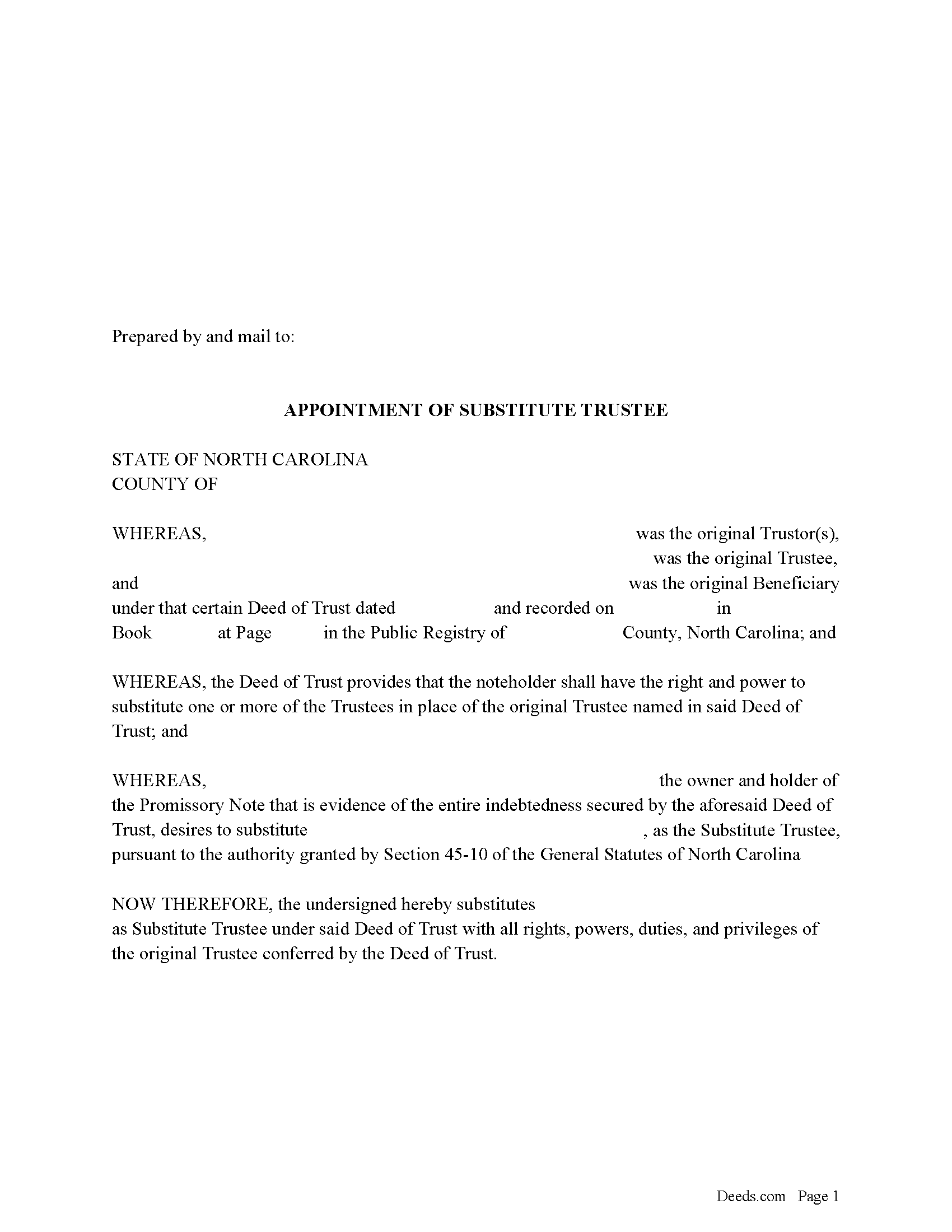
Gates County Appointment of Substitute Trustee Form
Fill in the blank form formatted to comply with all recording and content requirements.
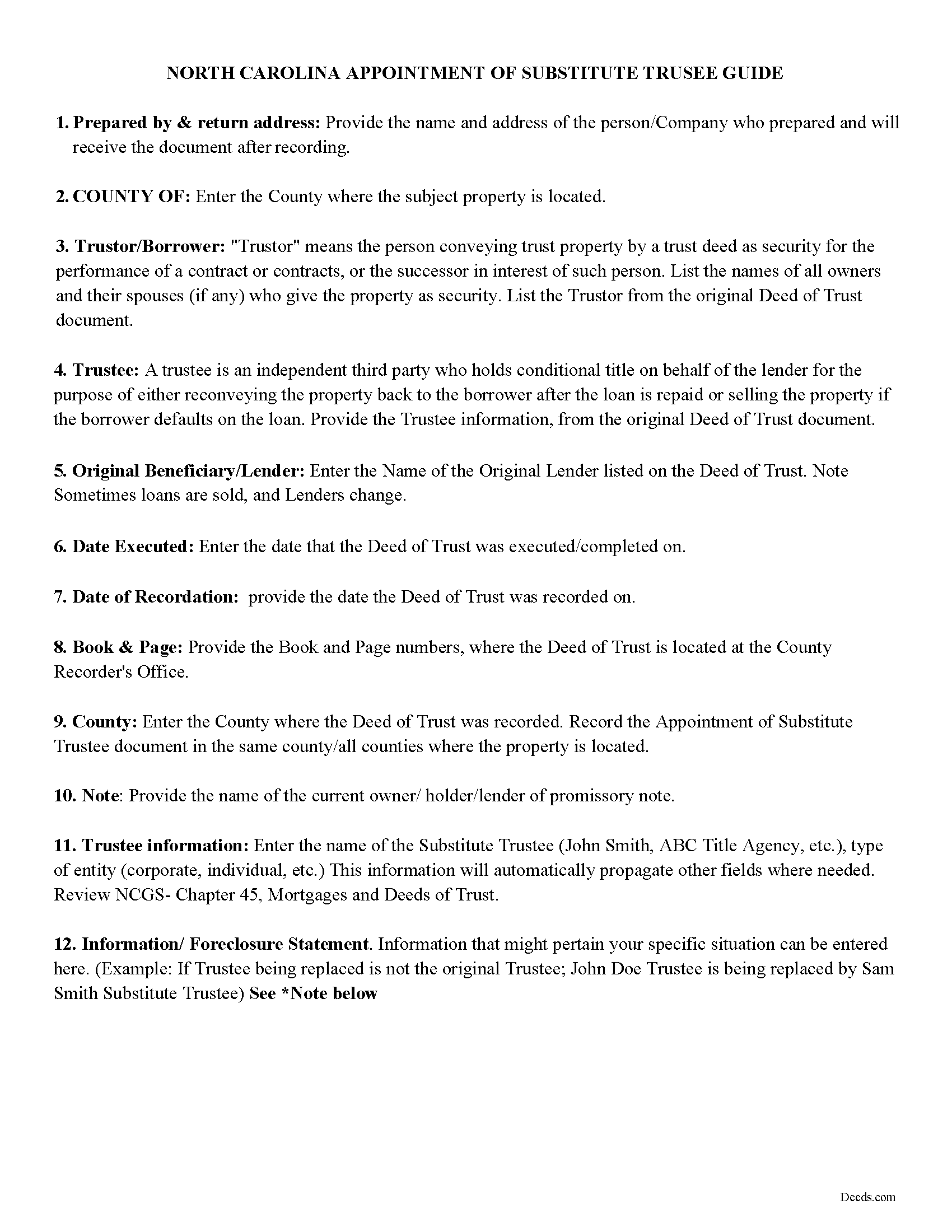
Gates County Appointment of Substitute Trustee Guidelines
Line by line guide explaining every blank on the form.
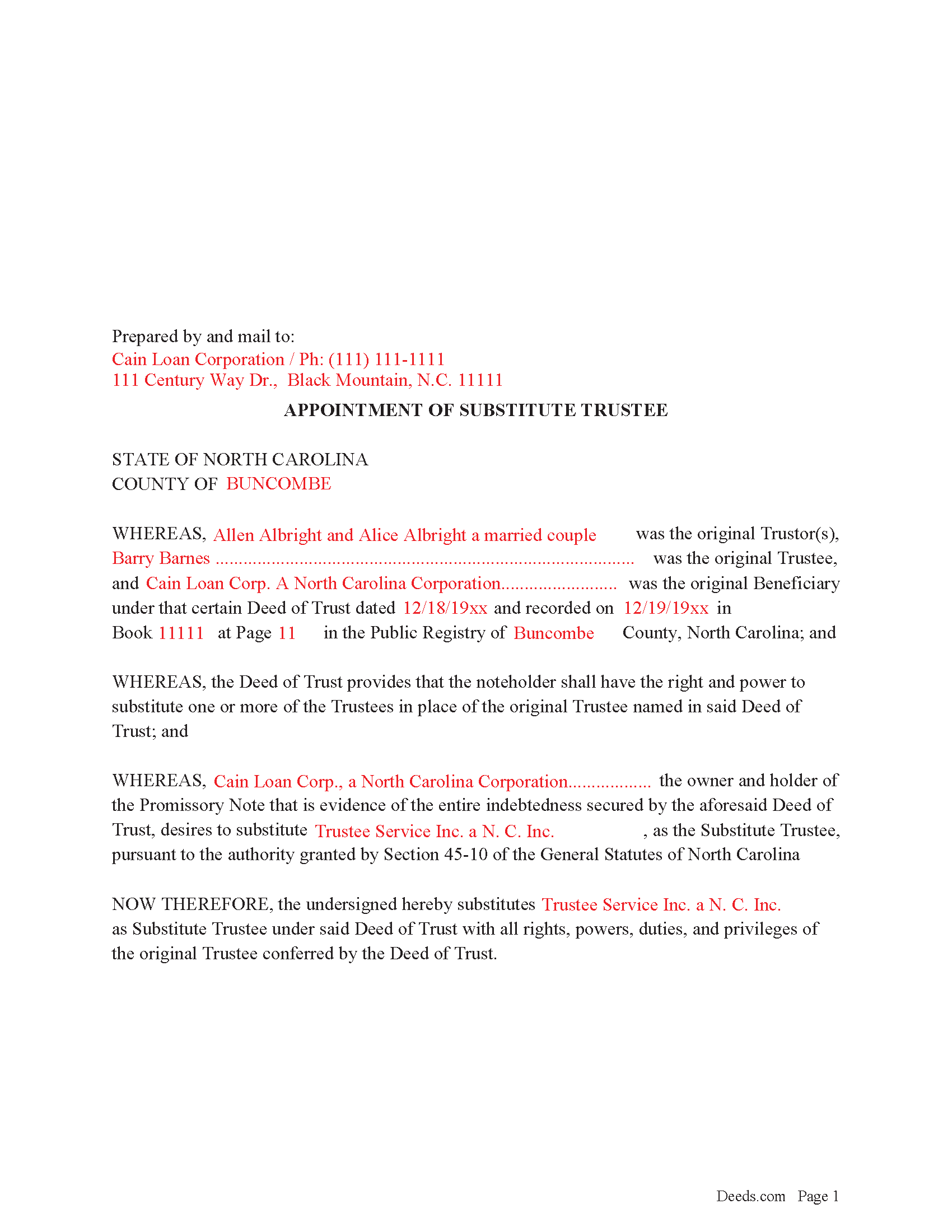
Gates County Completed Example of the Appointment of Substitute Trustee Form
Example of a properly completed form for reference.
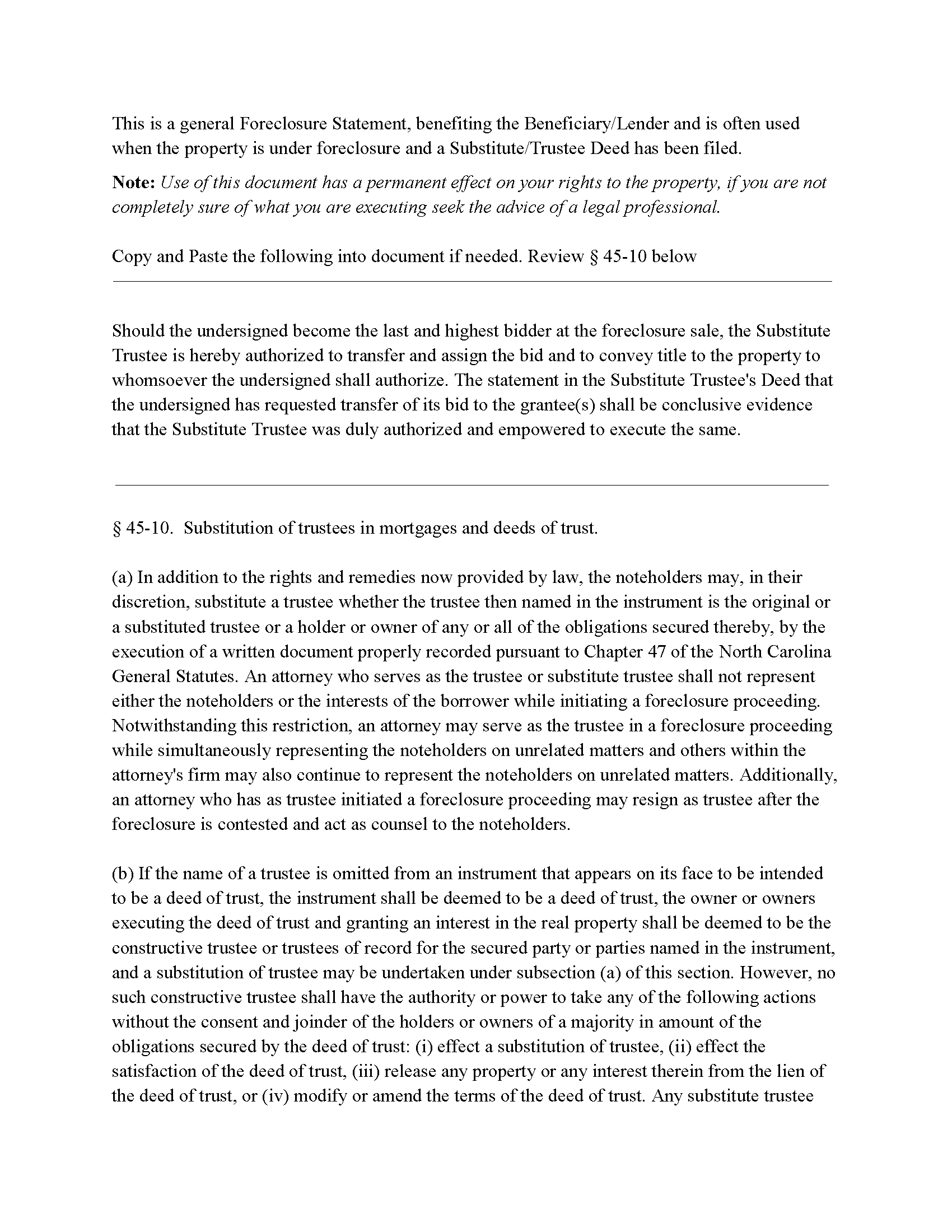
Gates County Foreclosure Clause
Clause that can be added to the form, if foreclosure is involved.
All 4 documents above included • One-time purchase • No recurring fees
Immediate Download • Secure Checkout
Additional North Carolina and Gates County documents included at no extra charge:
Where to Record Your Documents
Gates County Register of Deeds
Gatesville, North Carolina 27938
Hours: 9:00am - 5:00 pm Monday through Friday
Phone: (252) 357-0850
Recording Tips for Gates County:
- Bring your driver's license or state-issued photo ID
- Ensure all signatures are in blue or black ink
- Request a receipt showing your recording numbers
- Ask about accepted payment methods when you call ahead
- Ask for certified copies if you need them for other transactions
Cities and Jurisdictions in Gates County
Properties in any of these areas use Gates County forms:
- Corapeake
- Eure
- Gates
- Gatesville
- Hobbsville
- Roduco
- Sunbury
Hours, fees, requirements, and more for Gates County
How do I get my forms?
Forms are available for immediate download after payment. The Gates County forms will be in your account ready to download to your computer. An account is created for you during checkout if you don't have one. Forms are NOT emailed.
Are these forms guaranteed to be recordable in Gates County?
Yes. Our form blanks are guaranteed to meet or exceed the applicable formatting requirements used for recording in Gates County, including margin requirements, font requirements, and other layout standards. This guarantee applies to formatting, not to the legal sufficiency of information entered by the user or the suitability of a form for a particular transaction.
Can I reuse these forms?
Yes. You can reuse the forms for your personal use. For example, if you have multiple properties in Gates County you only need to order once.
What do I need to use these forms?
The forms are PDFs that you fill out on your computer. The free Adobe Acrobat Reader is recommended, and most PDF apps also work. You do NOT enter your property information online - you download the blank forms and complete them privately on your own computer.
Are there any recurring fees?
No. This is a one-time purchase. Nothing to cancel, no memberships, no recurring fees.
How much does it cost to record in Gates County?
Recording fees in Gates County vary. Contact the recorder's office at (252) 357-0850 for current fees.
Questions answered? Let's get started!
In a Deed of Trust, the trustee is an independent third party who holds conditional title on behalf of the lender for the purpose of either reconveying the property back to the borrower after the loan is repaid or selling the property if the borrower defaults on the loan. Trustee's can be replaced for many reasons, incapacity, incompetency, death, etc. Often a lender will substitute a trustee with a firm or corporation that will be conducting a foreclosure.
NCG 45-10. States:
In addition to the rights and remedies now provided by law, the noteholders may, in their discretion, substitute a trustee whether the trustee then named in the instrument is the original or a substituted trustee or a holder or owner of any or all of the obligations secured thereby, by the execution of a written document properly recorded pursuant to Chapter 47
This form is executed by the beneficiary/lender for the substitution of a trustee, it includes an optional foreclosure clause if needed for that purpose.
(North Carolina AOST Package includes form, guidelines, and completed example)
Important: Your property must be located in Gates County to use these forms. Documents should be recorded at the county recording office listed above.
This Appointment of Substitute Trustee meets all recording requirements specific to Gates County.
Our Promise
The documents you receive here are guaranteed to meet or exceed the applicable Gates County recording format requirements. If there is a rejection caused by our formatting, we will correct the issue or refund your payment. This guarantee applies to document formatting only and does not extend to information entered by the user, the selection of the form, or the legal effect of the completed document.
Save Time and Money
Get your Gates County Appointment of Substitute Trustee form done right the first time with Deeds.com Uniform Conveyancing Blanks. At Deeds.com, we understand that your time and money are valuable resources, and we don't want you to face a penalty fee or rejection imposed by a county recorder for submitting nonstandard documents. We constantly review and update our forms to meet rapidly changing state and county recording requirements for roughly 3,500 counties and local jurisdictions.
4.8 out of 5 - ( 4,823 Reviews )
Marc Z. 5 out of 5 stars
Thank you for having an easy to navigate website with updated documents! Had everything I needed, took care of business and on to the next transaction.- Aloha
Thank you Marc. Have a fantastic day!
Marjorie D. 5 out of 5 stars
The process was easy and efficient. I will definitely be using this service!
Thank you for your feedback. We really appreciate it. Have a great day!
Chris M. 5 out of 5 stars
The personal attention and the ease of use is beyond any other service I have used. Thank you for making my work so much easier.
Thank you for your positive words! We’re thrilled to hear about your experience.
Xochitl B. 5 out of 5 stars
Excellent website, thanks so much.
Thank you!
Joe F. 5 out of 5 stars
TOOK ME SEVERAL DAYS TO FIND A SITE THAT DIDNT CHARGE $100 JUST TO USE ONE FORM. THANKS
Thank you for your feedback. We really appreciate it. Have a great day!
Mark M. 5 out of 5 stars
So nice to find the forms I was looking for. Great site!! Thanks
Thank you for your feedback. We really appreciate it. Have a great day!
Barbara C. 5 out of 5 stars
I have used these forms now at least 3 times in order to sell the same parcel of land. The forms are great and I'm happy that I could use them more than once. To no fault of Deeds.com I used them many times to sell the same land. First the man died that was buying, before it got recorded. Then his wife was going to finish it, but then decided it should be sold to another party who was a friend of hers.
We appreciate your business and value your feedback. Thank you. Have a wonderful day!
Donna O. 5 out of 5 stars
Quick and easy to use. I was able to download the Transfer on Death Deed form to my computer so that I can read through and fill them out at a later time. That made it convenient and "no pressure". The complimentary guide and completed example that came with the form was also very helpful.
We appreciate your business and value your feedback. Thank you. Have a wonderful day!
james b. 5 out of 5 stars
worked great
Thank you!
James S. 2 out of 5 stars
Order Process: 5 Stars - very easy Material Received: 2 Stars Issues: 1. Printing- Document would not print in format displayed. Format would continually shrink to approx 2/3 size thus not useable for formal doc submission to County Records office. 2. Document Format- Data insertion fields (addresses) were not of correct size for data input. I needed a 4 line input space but was limited to only 3 lines. Also, Date field (year) was mis-oriented in-so-much that the 3rd digit (inputted) overlapped on 2nd digit (pre-printed) and also was of noticeably different font. 3. Useability- Hand-written input space provided (for Notary) was deficient in space and spacing. It was a challenge to utilize the space available to complete fully and maintain legibility. Overall - the document worked marginally as advertised, I did need to re-write the entire document myself. It is a good concept but I'd recommend that Deeds company improve the downloaded forms for actual useability, readability, functionability. regards, Jim S
Thank you for your feedback. We really appreciate it. Have a great day!
Daniel C. 5 out of 5 stars
This is a wonderful service and your staff is very responsive through the chat. My one suggestion is that there be an added sentence to your instructions that sates that once you upload there is nothing more to do as in a "submit" or "Finished uploading" button. After uploading instinct says there is something to click to let you all know that we have finished with our uploads.
Your feedback is valuable to us and helps us improve. Thank you for sharing your thoughts!
Lesa F. 5 out of 5 stars
Excellent service for recovering a couple of deeds that had been misplaced. They were fast and efficient at a fair price. I would definitely use them again.
Thank you!
George S. 5 out of 5 stars
Excellent product- very easy to use. Will use again...
Thank you for your feedback. We really appreciate it. Have a great day!
Sharon B. 5 out of 5 stars
My questions were answered promptly. I was not able to locate the deed I was searching for because my county has not uploaded the documents to be accessed through this system. I am sure I could have found what I was looking for had the information been available through the system. Thank you for your assistance.
Thank you!
Carol K. 5 out of 5 stars
Amazing! That's all I can say. From the time I started the process to the time the deed was recorded was less than two hours! What a great, streamlined, seamless process
Thank you!