Craven County Certificate of Trust Form
Last validated September 17, 2026 by our Forms Development TeamFormatted for recording in Craven County, for property anywhere in the county: rural and unincorporated areas as well as Bridgeton, Cherry Point, Cove City, Dover, Ernul, Havelock, New Bern, Vanceboro.
- 3 documents included
- Immediate PDF download
- Formatting guarantee
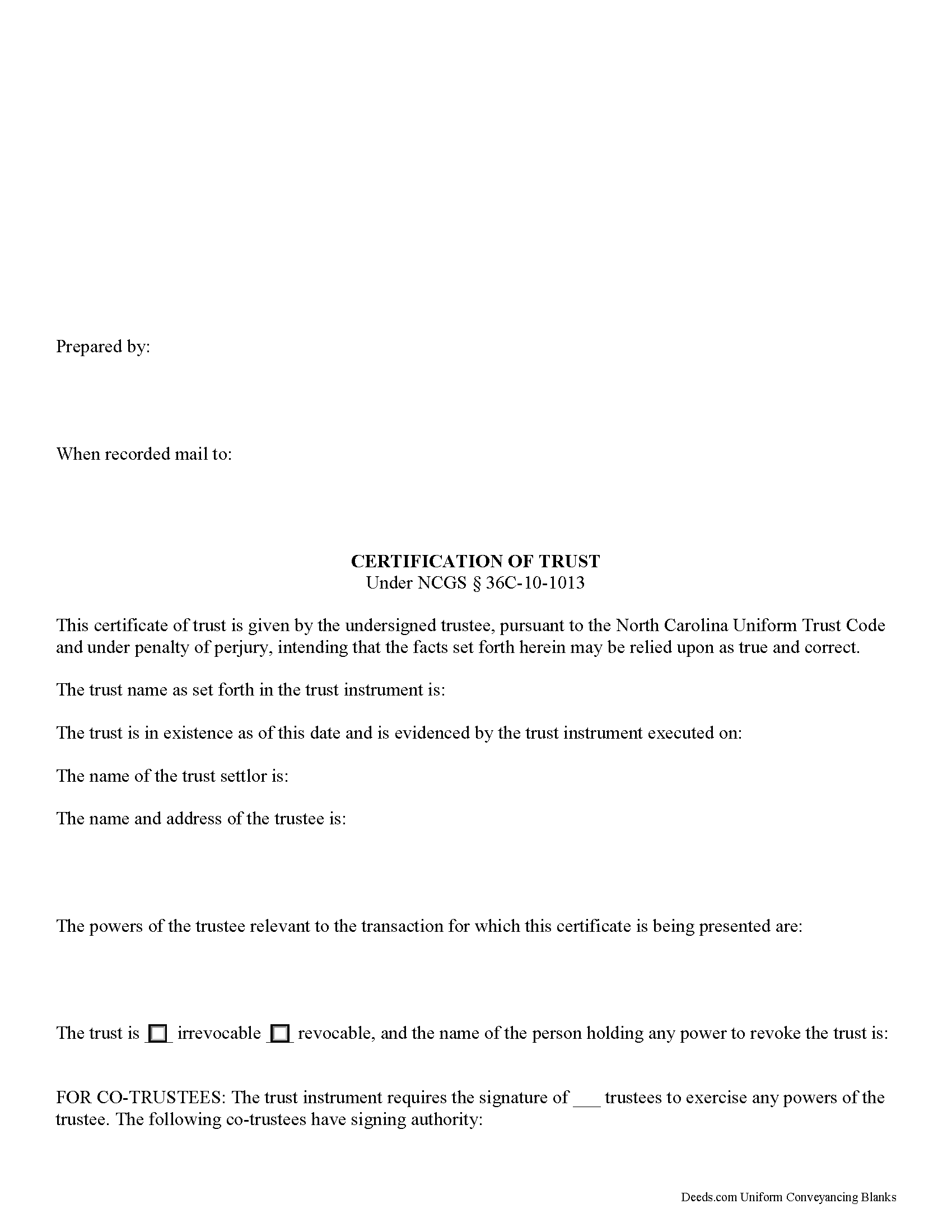
Craven County Certificate of Trust Form
Fill in the blank form formatted to comply with all recording and content requirements.
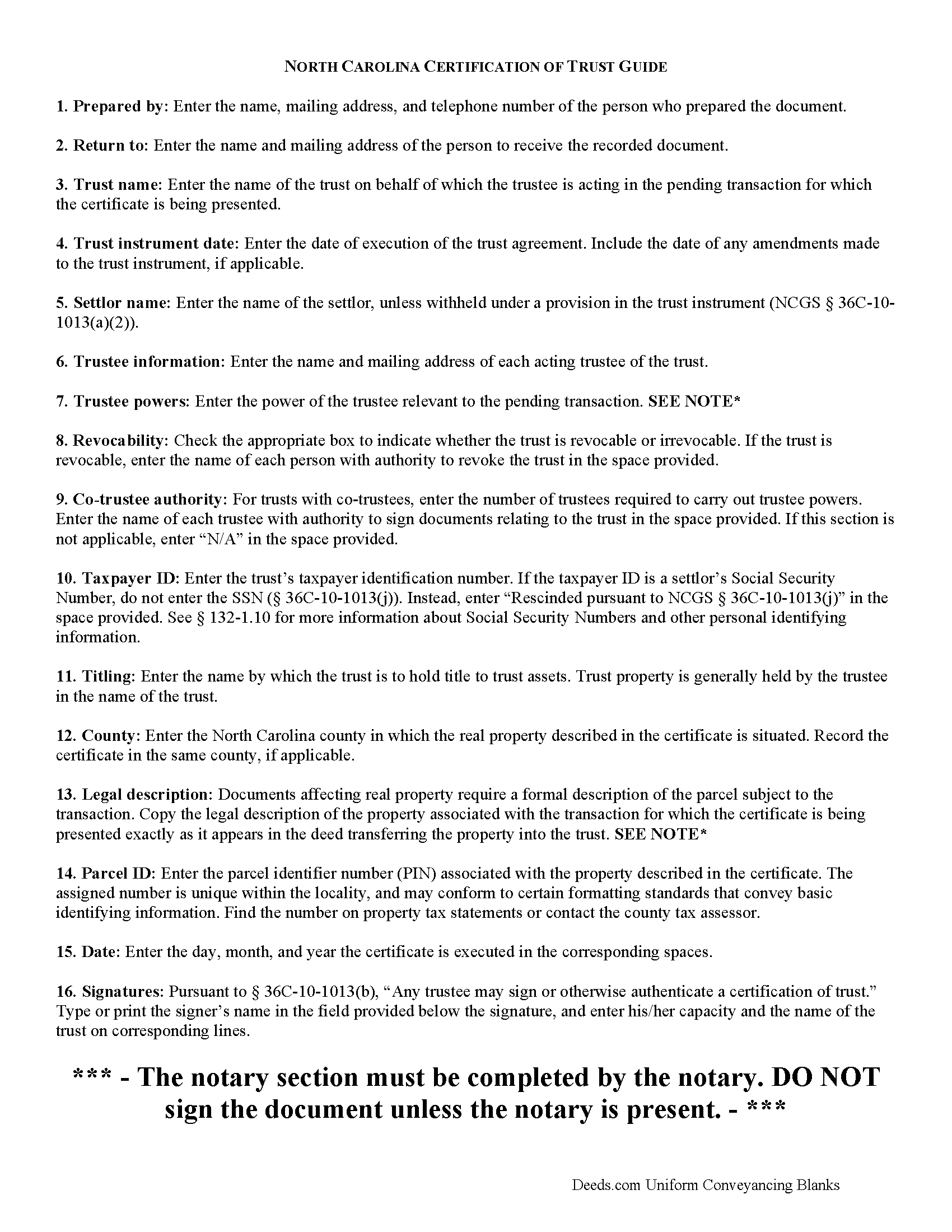
Craven County Certificate of Trust Guide
Line by line guide explaining every blank on the form.
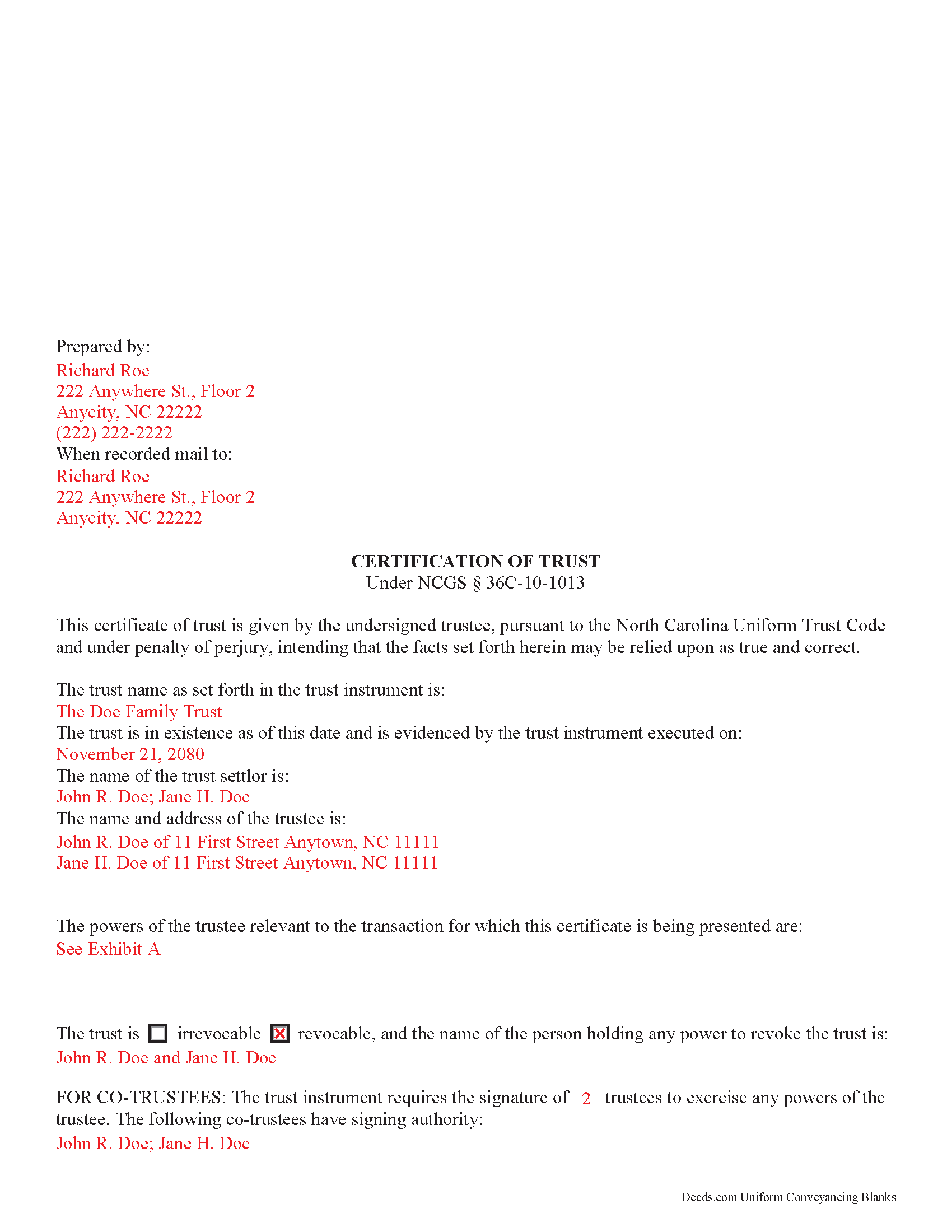
Craven County Completed Example of the Certificate of Trust Document
Example of a properly completed form for reference.
All 3 documents above included • One-time purchase • No recurring fees
Immediate Download • Secure Checkout
Additional North Carolina and Craven County documents included at no extra charge:
Where to Record Your Documents
Craven County Register of Deeds
New Bern, North Carolina 28560
Hours: 8:00am-5:00pm M-F / Recording cut-off 4:30pm
Phone: (252) 636-6617
Recording Tips for Craven County:
- Bring your driver's license or state-issued photo ID
- Ensure all signatures are in blue or black ink
- Ask about accepted payment methods when you call ahead
- Ask for certified copies if you need them for other transactions
- Ask if they accept credit cards - many offices are cash/check only
Cities and Jurisdictions in Craven County
Properties in any of these areas use Craven County forms:
- Bridgeton
- Cherry Point
- Cove City
- Dover
- Ernul
- Havelock
- New Bern
- Vanceboro
Hours, fees, requirements, and more for Craven County
How do I get my forms?
Forms are available for immediate download after payment. The Craven County forms will be in your account ready to download to your computer. An account is created for you during checkout if you don't have one. Forms are NOT emailed.
Are these forms guaranteed to be recordable in Craven County?
Yes. Our form blanks are guaranteed to meet or exceed the applicable formatting requirements used for recording in Craven County, including margin requirements, font requirements, and other layout standards. This guarantee applies to formatting, not to the legal sufficiency of information entered by the user or the suitability of a form for a particular transaction.
Can I reuse these forms?
Yes. You can reuse the forms for your personal use. For example, if you have multiple properties in Craven County you only need to order once.
What do I need to use these forms?
The forms are PDFs that you fill out on your computer. The free Adobe Acrobat Reader is recommended, and most PDF apps also work. You do NOT enter your property information online - you download the blank forms and complete them privately on your own computer.
Are there any recurring fees?
No. This is a one-time purchase. Nothing to cancel, no memberships, no recurring fees.
How much does it cost to record in Craven County?
Recording fees in Craven County vary. Contact the recorder's office at (252) 636-6617 for current fees.
Questions answered? Let's get started!
North Carolina Certification of Trust
Codified under the North Carolina Uniform Trust Code, which governs testamentary and non-testamentary trusts, the certification of trust at NCGS 36C-10-1013 is a document verifying a trust's existence and a trustee's authority to act in the transaction for which the certificate is being presented.
A trust is an arrangement whereby a settlor transfers property to another person (the trustee), who holds it for the benefit of a third (the beneficiary). A testamentary trust takes effect upon the settlor's death as specified by his/her will, and a non-testamentary (inter vivos) trust takes effect during the settlor's lifetime, and functions pursuant to the terms established by the settlor in an unrecorded document called the trust instrument.
As the trust's administrator, the trustee handles the trust's assets and sees to the trust's affairs. Upon entering into a transaction involving the trust, a trustee can present a certification of trust to establish his authority to do so. The certificate contains the essential information about the trust that is necessary for the business at hand, allowing the trust instrument (containing the full scope of the trust's assets, the trustee's obligations, and identity of the beneficiary) to remain private.
Any trustee may execute a trust certificate ( 36C-10-1013(b)). In it, the trustee confirms that "the trust has not been revoked, modified, or amended in any manner that would cause the representations contained in the certification of trust to be incorrect" ( 36C-10-1013(c)). Recipients of a trustee's certificate may rely upon the statements contained within the document as correct without further inquiry ( 36C-10-1013(f)).
A certification of trust in North Carolina must state that the trust exists, and provide the date of the trust instrument. Unless withheld under a provision of the trust instrument, the document names each settlor, or person who contributes property to the trust ( 36C-1-103(17)). The certificate identifies the trust as either revocable or irrevocable, and gives the name of anyone holding a power to revoke the trust.
It also includes the name and address of the trust's currently acting trustee, along with a description of the trustee's powers relevant to the transaction for which the certificate is presented. If the trust has multiple trustees, the certificate shows how many trustees are required to exercise trustee powers, and which trustees have the authority to sign documents relating to the trust. It also specifies how trust assets will be titled (usually in the name of the trustee as representative of the trust).
Recipients of a certificate can request excerpts from the trust document designating the trustee and conferring the relevant powers necessary for the pending transaction unto the trustee ( 36C-10-1013(e)). Requesting that the trustee provide the entire trust instrument opens the recipient of a certification of trust up to certain liabilities under 36-10-1013(h). Note that this excludes the right to obtain a copy of the trust instrument in a legal proceeding involving the trust ( 36-10-1013(i)).
The certificate should also include the trust's taxpayer identification number, unless this number is the social security number of a settlor. If the taxpayer ID is rescinded from the document, however, it "shall be certified by the trustee to the person acting in reliance upon the certification of trust in a manner reasonably satisfactory to that person" ( 36C-10-1013(j)).
For transactions involving real property held in trust in North Carolina, the certification should meet all form and content requirements for real estate documents, including a legal description of the property subject to the transaction. The document may be recorded with the register of deeds in the county where the real property is located (36-10-1013(j)).
Talk to a lawyer with any questions regarding trusts and certifications of trust in North Carolina.
(North Carolina COT Package includes form, guidelines, and completed example)
Important: Your property must be located in Craven County to use these forms. Documents should be recorded at the county recording office listed above.
This Certificate of Trust meets all recording requirements specific to Craven County.
Our Promise
The documents you receive here are guaranteed to meet or exceed the applicable Craven County recording format requirements. If there is a rejection caused by our formatting, we will correct the issue or refund your payment. This guarantee applies to document formatting only and does not extend to information entered by the user, the selection of the form, or the legal effect of the completed document.
Save Time and Money
Get your Craven County Certificate of Trust form done right the first time with Deeds.com Uniform Conveyancing Blanks. At Deeds.com, we understand that your time and money are valuable resources, and we don't want you to face a penalty fee or rejection imposed by a county recorder for submitting nonstandard documents. We constantly review and update our forms to meet rapidly changing state and county recording requirements for roughly 3,500 counties and local jurisdictions.
4.8 out of 5 - ( 4,836 Reviews )
Marilyn S. 5 out of 5 stars
I was fine. But I don't like surveys.
Thank you!
Vicky M. 5 out of 5 stars
I would give Deeds.com 10 stars if I could!! The staff were super friendly and easy to work with. They kept me constantly updated during the process of uploading and forwarding my deeds for recording. And, the price was extremely reasonable. I look forward to utilizing Deeds.com every time I need to record a deed no matter what U.S. State. I wholeheartedly recommend them!
Thank you for your feedback. We really appreciate it. Have a great day!
Cathy W. 5 out of 5 stars
Easy to use and fee is reasonable.
Thank you!
WILLIAM M. 5 out of 5 stars
After a long search this site is the best all inclusive service. Contacting Customer Service received an timely reply. Highly recommened.
We appreciate your business and value your feedback. Thank you. Have a wonderful day!
Heather T. 5 out of 5 stars
Thank you for making this so easy
Thank you!
Missie R. 5 out of 5 stars
Very fast and professionally handled.
Thank you!
ROBERT D. 5 out of 5 stars
VERY HAPPY WITH YOUR SERVICE !
We appreciate your business and value your feedback. Thank you. Have a wonderful day!
Andre W. 5 out of 5 stars
I was truly impress with the customer service. The young lady that assisted me was AWESOME. She was very professional,patienc was extraordinary and very knowledgable. Thank you thank you
Thank you for your feedback. We really appreciate it. Have a great day!
Jeff C. 5 out of 5 stars
Had the paperwork that I needed. Was a quick and easy transaction.
We appreciate your business and value your feedback. Thank you. Have a wonderful day!
David R A. 2 out of 5 stars
Way overpriced But serves the Purpose.
Thank you for your feedback. We really appreciate it. Have a great day!
Charles B. 5 out of 5 stars
Excellent andeasy to navigate website for non-lawyers. Needed some forms for a specific county in a specific state, and Deeds.com took me right there, where I downloaded the forms and a guide on how to fill them out.
We appreciate your business and value your feedback. Thank you. Have a wonderful day!
John W. 2 out of 5 stars
You charge too much for a form. Your business model is shortsighted. I would not try to use your service again. You got $20 from me this once, but I would try very hard to not use your service again. Your model does not encourage serial or professional usage.
Thank you for your feedback John. We do wish that you had decided our product was too expensive prior to purchasing and using so that there was no remorse. Have a wonderful day.
Regina S. 5 out of 5 stars
5 STARS!!! YOU WERE AWESOME!
We appreciate your business and value your feedback. Thank you. Have a wonderful day!
Shane T. 4 out of 5 stars
The Transfer on Death Deed form package was very good. But like anything, could use some improvements. There is not enough space to fill more than one beneficiary with any level of additional detail like "as his sole and separate property" The area for the legal description could be a bit bigger and potentially fit many legal descriptions. Or it could be made to simply say "See Exhibit A" as is likely necessary for most anyway. The guide should indicate what "homestead property" means so the user doesn't have to research the legal definition. (which turns out to be obvious, at least in my state, if you live there, it's your homestead.) It would be helpful if an "Affidavit of Death" form were included in the package for instances where the current deed hasn't been updated to reflect a widowed owner as the sole owner before recording with only the one signature.
Thank you for your feedback. We really appreciate it. Have a great day!
Sara D. 3 out of 5 stars
Would have been beneficial to have more information about the previous sale history of the property. The report was received in a very timely manner.
Thank you for your feedback. We really appreciate it. Have a great day!