Gates County Notice of Contract Form
Last validated October 29, 2026 by our Forms Development TeamFormatted for recording in Gates County, for property anywhere in the county: rural and unincorporated areas as well as Corapeake, Eure, Gates, Gatesville, Hobbsville, Roduco, Sunbury.
- 3 documents included
- Immediate PDF download
- Formatting guarantee
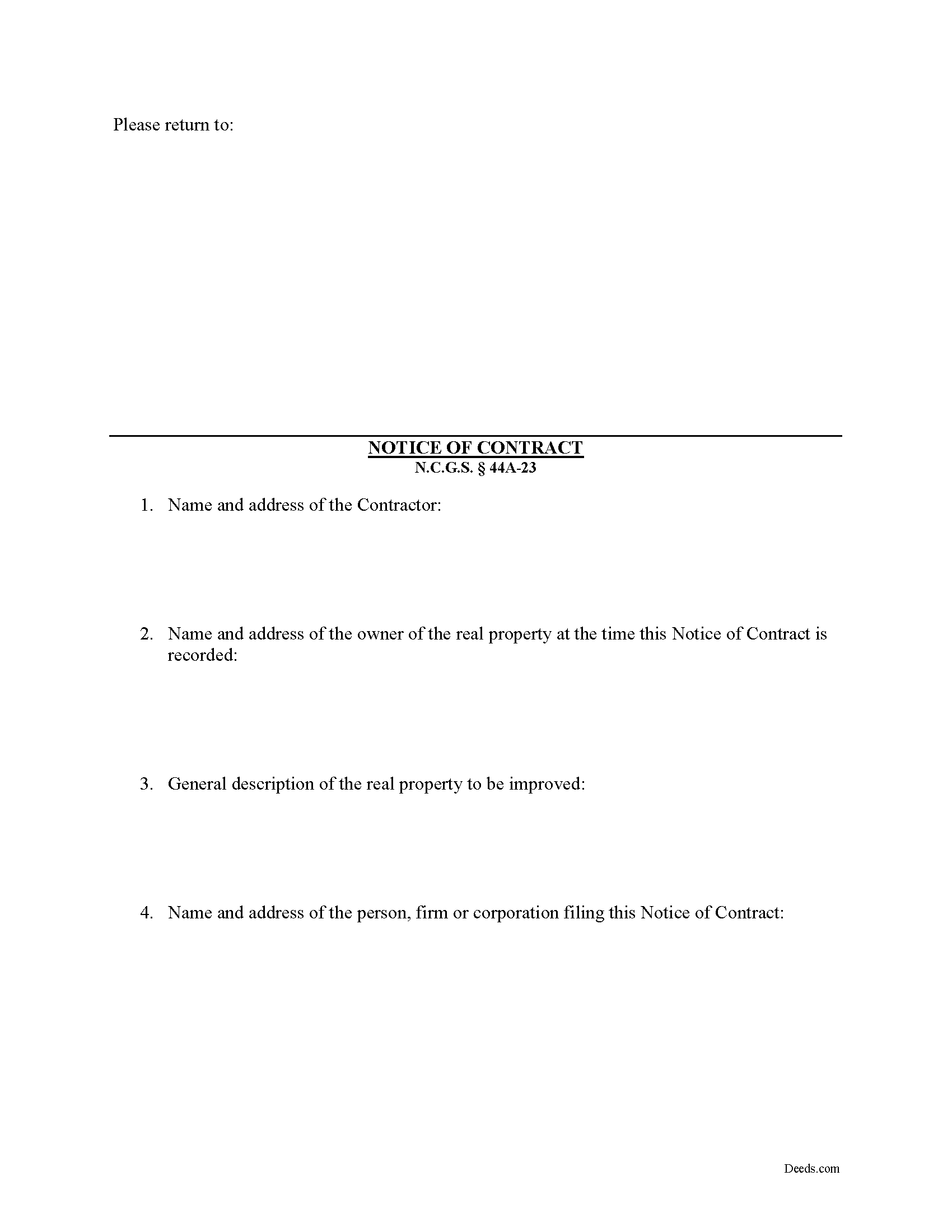
Gates County Notice of Contract Form
Fill in the blank Notice of Contract form formatted to comply with all North Carolina recording and content requirements.
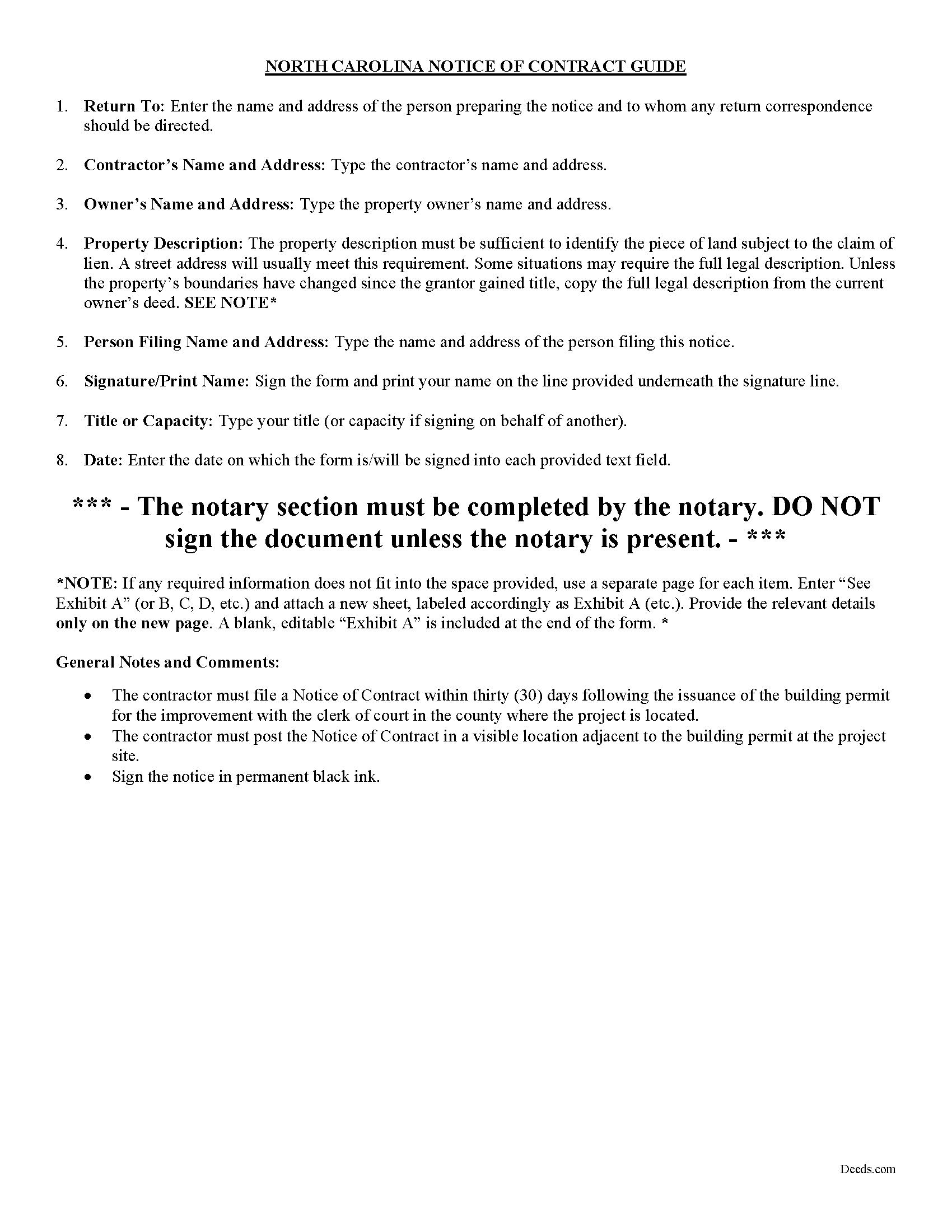
Gates County Notice of Contract Guide
Line by line guide explaining every blank on the form.
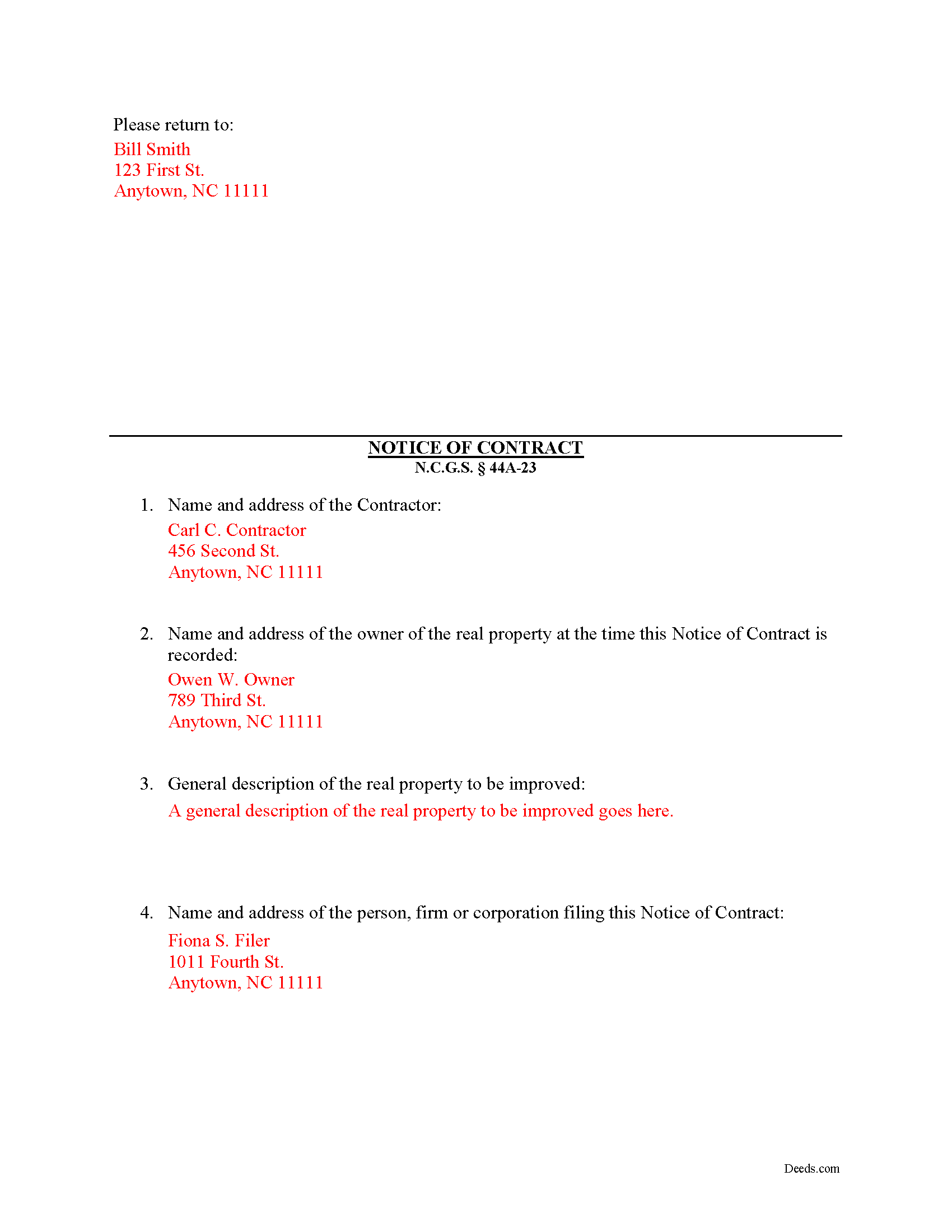
Gates County Completed Example of the Notice of Contract Document
Example of a properly completed form for reference.
All 3 documents above included • One-time purchase • No recurring fees
Immediate Download • Secure Checkout
Additional North Carolina and Gates County documents included at no extra charge:
Where to Record Your Documents
Gates County Register of Deeds
Gatesville, North Carolina 27938
Hours: 9:00am - 5:00 pm Monday through Friday
Phone: (252) 357-0850
Recording Tips for Gates County:
- Bring your driver's license or state-issued photo ID
- Ensure all signatures are in blue or black ink
- Leave recording info boxes blank - the office fills these
- Make copies of your documents before recording - keep originals safe
- Recorded documents become public record - avoid including SSNs
Cities and Jurisdictions in Gates County
Properties in any of these areas use Gates County forms:
- Corapeake
- Eure
- Gates
- Gatesville
- Hobbsville
- Roduco
- Sunbury
Hours, fees, requirements, and more for Gates County
How do I get my forms?
Forms are available for immediate download after payment. The Gates County forms will be in your account ready to download to your computer. An account is created for you during checkout if you don't have one. Forms are NOT emailed.
Are these forms guaranteed to be recordable in Gates County?
Yes. Our form blanks are guaranteed to meet or exceed the applicable formatting requirements used for recording in Gates County, including margin requirements, font requirements, and other layout standards. This guarantee applies to formatting, not to the legal sufficiency of information entered by the user or the suitability of a form for a particular transaction.
Can I reuse these forms?
Yes. You can reuse the forms for your personal use. For example, if you have multiple properties in Gates County you only need to order once.
What do I need to use these forms?
The forms are PDFs that you fill out on your computer. The free Adobe Acrobat Reader is recommended, and most PDF apps also work. You do NOT enter your property information online - you download the blank forms and complete them privately on your own computer.
Are there any recurring fees?
No. This is a one-time purchase. Nothing to cancel, no memberships, no recurring fees.
How much does it cost to record in Gates County?
Recording fees in Gates County vary. Contact the recorder's office at (252) 357-0850 for current fees.
Questions answered? Let's get started!
A Notice of Contract is not mandated by the North Carolina lien code, although a prime contractor may want to file and post a Notice of Contract because it offers additional protection by reducing the possibility of double payment. The Notice must be filed and posted within 30 days from the issuance of the building permit. N.C.G.S. 44A-23.
A second or third tier subcontractor will be prohibited from enforcing a lien when a contractor when the Notice is posted on the property and filed with the Clerk of the Superior Court.
The Notice includes: (1) the name and address of the contractor; (2) the name and address of the owner of the real property at the time the Notice of Contract is recorded; (3) a general description of the real property to be improved (such as street address, tax map lot and block number, reference to recorded instrument, or any other description that reasonably identifies the real property); and (4) the name and address of the person, firm or corporation filing this Notice of Contract. N.C.G.S. 44A-23(b)(2).
This article us provided for informational purposes only and should not be relied upon as a substitute for the advice of a legal professional. Please contact an attorney with questions about using a Notice of Contract, or any other issues related to liens in North Carolina.
Important: Your property must be located in Gates County to use these forms. Documents should be recorded at the county recording office listed above.
This Notice of Contract meets all recording requirements specific to Gates County.
Our Promise
The documents you receive here are guaranteed to meet or exceed the applicable Gates County recording format requirements. If there is a rejection caused by our formatting, we will correct the issue or refund your payment. This guarantee applies to document formatting only and does not extend to information entered by the user, the selection of the form, or the legal effect of the completed document.
Save Time and Money
Get your Gates County Notice of Contract form done right the first time with Deeds.com Uniform Conveyancing Blanks. At Deeds.com, we understand that your time and money are valuable resources, and we don't want you to face a penalty fee or rejection imposed by a county recorder for submitting nonstandard documents. We constantly review and update our forms to meet rapidly changing state and county recording requirements for roughly 3,500 counties and local jurisdictions.
4.8 out of 5 - ( 4,842 Reviews )
Alfred J. H. 5 out of 5 stars
Excellent resource for legal forms. Very satisfied. Instructions and caveats explained clearly. Thank You!
Thank you!
Deborah D. 5 out of 5 stars
What I thought was gonna be a long drawn out tedious process was literally 10min tops... The help was quick and a load off. Thanks y'all.
We appreciate your business and value your feedback. Thank you. Have a wonderful day!
Bill S. 5 out of 5 stars
Very convenient and reasonably priced service. Excellent. A++
Thank you for your feedback. We really appreciate it. Have a great day!
Michael F. 5 out of 5 stars
I'm not too bright and I made a mess of things when I tried to create my own deed. It was lucky that I found the forms here after so many of my personal failures. It's good that the pros know what they are doing.
Such kind words Michael, thank you.
NORA F. 5 out of 5 stars
The guide was so helpful, really made filing out the form easy. Thanks!
Thank you for your feedback. We really appreciate it. Have a great day!
Brad T. 5 out of 5 stars
I didn't spend a lot of time there but seems to be a good site with a valuable service.
Thank you!
Bobby W. 5 out of 5 stars
The site delivered just what it promised - I needed a specific deed formatted for a specific county/state, and they delivered it at a great price. One note for improvement - it is not intuitively obvious that I could go back and re-download if necessary and this caused me stress, but a follow up email alleviated this. Great service!
Thank you for the kind words Bobby, have a great day!
Richard L. 5 out of 5 stars
very useful
Thank you!
sara g. 5 out of 5 stars
THIS WAS A USER FRIENDLY FORM, WAS ABLE TO COMPLETE WITHIN A SHORT TIME. THANK YOU
We appreciate your business and value your feedback. Thank you. Have a wonderful day!
Byron M. 5 out of 5 stars
Very easy to sign up. Very quick to respond for payment once uploaded. Great communication. More expensive than other recording services.
Thank you for your feedback. We really appreciate it. Have a great day!
Everette W. 5 out of 5 stars
This form was very helpful ... I wish I had run across your before it would have saved me a lot of money.
Thank you!
Bryan A. 5 out of 5 stars
Very easy thank you for this quick process.
Thank you for the kind words Bryan.
Margaret S. 5 out of 5 stars
Forms & Guide easy to use. It would have been helpful if the counties with identical form packages were identified. I bought two packages when I could have used one.
Thank you for your feedback Margaret. We have processed a refund for one of your payments. Have a great day.
Kristina M. 5 out of 5 stars
deeds.com has been an easy and efficient way for my organization to file deeds on behalf of older DC residents. KVH especially has been wonderfully helpful in providing guidance about the submission process. Appreciate the professionalism and patience
Thank you for the kind words Kristina.
Ronald M. 5 out of 5 stars
Easy to use but can't seem to find LOGOUT control????
Thank you for the feedback Ronald. (The Sign Out control is on the top right of the account page)