Bertie County Notice of Lis Pendens Form
Last validated October 8, 2026 by our Forms Development TeamFormatted for recording in Bertie County, for property anywhere in the county: rural and unincorporated areas as well as Aulander, Colerain, Kelford, Lewiston Woodville, Merry Hill, Powellsville, Roxobel, Windsor.
- 3 documents included
- Immediate PDF download
- Formatting guarantee
Bertie County Notice of Lis Pendens Form
Fill in the blank form formatted to comply with all recording and content requirements.
Bertie County Lis Pendens Guide
Line by line guide explaining every blank on the form.
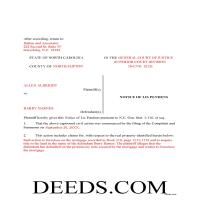
Bertie County Completed Example of the Lis Pendens Document
Example of a properly completed form for reference.
All 3 documents above included • One-time purchase • No recurring fees
Immediate Download • Secure Checkout
Additional North Carolina and Bertie County documents included at no extra charge:
Where to Record Your Documents
Bertie County Register of Deeds
Windsor, North Carolina 27983
Hours: 8:30 to 5:00 Monday through Friday
Phone: (252) 794-5309
Recording Tips for Bertie County:
- Bring your driver's license or state-issued photo ID
- Ensure all signatures are in blue or black ink
- Both spouses typically need to sign if property is jointly owned
- Bring extra funds - fees can vary by document type and page count
- Check margin requirements - usually 1-2 inches at top
Cities and Jurisdictions in Bertie County
Properties in any of these areas use Bertie County forms:
- Aulander
- Colerain
- Kelford
- Lewiston Woodville
- Merry Hill
- Powellsville
- Roxobel
- Windsor
Hours, fees, requirements, and more for Bertie County
How do I get my forms?
Forms are available for immediate download after payment. The Bertie County forms will be in your account ready to download to your computer. An account is created for you during checkout if you don't have one. Forms are NOT emailed.
Are these forms guaranteed to be recordable in Bertie County?
Yes. Our form blanks are guaranteed to meet or exceed the applicable formatting requirements used for recording in Bertie County, including margin requirements, font requirements, and other layout standards. This guarantee applies to formatting, not to the legal sufficiency of information entered by the user or the suitability of a form for a particular transaction.
Can I reuse these forms?
Yes. You can reuse the forms for your personal use. For example, if you have multiple properties in Bertie County you only need to order once.
What do I need to use these forms?
The forms are PDFs that you fill out on your computer. The free Adobe Acrobat Reader is recommended, and most PDF apps also work. You do NOT enter your property information online - you download the blank forms and complete them privately on your own computer.
Are there any recurring fees?
No. This is a one-time purchase. Nothing to cancel, no memberships, no recurring fees.
How much does it cost to record in Bertie County?
Recording fees in Bertie County vary. Contact the recorder's office at (252) 794-5309 for current fees.
Questions answered? Let's get started!
A North Carolina Lis Pendens is (constructive notice of pending litigation.)
Required information:
1. (The name of the court in which the action has been commenced or is pending)
2. (The names of the parties to the action)
3. (The nature and purpose of the action; and)
4. (A description of the property to be affected thereby)
A North Carolina Lis Pendens can be filed:
1. At or any time after a suit is filed
2. (At or any time after the real property has been attached, or)
3. (At or any time after the filing of an answer or other pleading in which the pleading party states an affirmative claim for relief falling within the provisions of subsection (a) of this section.) ( 1-116)
This Lis Pendens Notice has ample space to add multiple plaintiffs and defendants, which is common in litigation.
(North Carolina NOLP Package includes form, guidelines, and completed example)
Important: Your property must be located in Bertie County to use these forms. Documents should be recorded at the county recording office listed above.
This Notice of Lis Pendens meets all recording requirements specific to Bertie County.
Our Promise
The documents you receive here are guaranteed to meet or exceed the applicable Bertie County recording format requirements. If there is a rejection caused by our formatting, we will correct the issue or refund your payment. This guarantee applies to document formatting only and does not extend to information entered by the user, the selection of the form, or the legal effect of the completed document.
Save Time and Money
Get your Bertie County Notice of Lis Pendens form done right the first time with Deeds.com Uniform Conveyancing Blanks. At Deeds.com, we understand that your time and money are valuable resources, and we don't want you to face a penalty fee or rejection imposed by a county recorder for submitting nonstandard documents. We constantly review and update our forms to meet rapidly changing state and county recording requirements for roughly 3,500 counties and local jurisdictions.
4.8 out of 5 - ( 4,839 Reviews )
Roxanne B. 5 out of 5 stars
This is an excellent service during a pandemic! Recording documents can be challenging with changing hours and rules. Yesterday I was able to file an important document from the comfort of my home.
Thank you for your feedback. We really appreciate it. Have a great day!
Frank E. 5 out of 5 stars
Your information was most useful
We appreciate your review and your business. Thank you.
Patricia D. 5 out of 5 stars
I looked around for forms and came to this site. I had to do 15 deeds and this form was very useful to completing that. Very impressed. Thanks
Thank you for your feedback. We really appreciate it. Have a great day!
Ron D. 5 out of 5 stars
No choice since the county does not seem to provide info you supplied.
Thank Ron, have a great day!
Dianne J. 5 out of 5 stars
Thought we would just do a quit claim to remove a name on a deed but after read your instruction and all that is needed we decided to meet with a lawyer. Appreciate all the info that you supplied.
Glad to hear that Dianne. We always recommend seeking the advice of a professional if you are not completely sure of what you are doing. Have a great day!
Larry H. 5 out of 5 stars
Wow! So easy and such a cost savings. Thanks
Thanks Larry, we appreciate your feedback.
Gary M. 5 out of 5 stars
Death of JT form was excellent. You have the best documents out there. I wish I could have read the sample just so I knew my information was entered correctly. Real problem is County wants a bar code on documents to get recorded. Now? Need four deed forms so the expense starts to be prohibitive. I would rather pay more and get multiple access.
Thank you for your feedback. We really appreciate it. Have a great day!
Darrel V. 5 out of 5 stars
Pretty easy to use and timely, too!
We appreciate your business and value your feedback. Thank you. Have a wonderful day!
Byron G. 5 out of 5 stars
So easy to use. Would recommend.
Thank you for your feedback. We really appreciate it. Have a great day!
Larry B. 5 out of 5 stars
Clear Directions; worked well.
We appreciate your business and value your feedback. Thank you. Have a wonderful day!
Tom B. 4 out of 5 stars
I ended up loading the same file twice and was unable to delete one of them. I did send e request in to have one deleted and I did get a response back that only one file was processed. This was done in a timely manner but required more additional time. It would have been nice to be able to delete the file myself and finish the process at the same time. Other than this every thing did go very well. Thank you
Thank you for your feedback. We really appreciate it. Have a great day!
Michael L. 5 out of 5 stars
Thumbs up. Very pleased with service. Easy process.
Thank you!
Barbara S. 5 out of 5 stars
I had an issue due to the fact that I had many beneficiaries. I was and still am not sure how to handle this. We do have Adobe Pro and can modify the form, if needed. But I would like to talk to your organization for more information.
While we are unable to assist you specifically with completing the document we can note that this is addressed in the guide. Information that does not fit in the available space should be included in an exhibit page.
Toni M. 5 out of 5 stars
I liked having the forms. Some may need to know they can look at the legal Description from online county records, then type up in Word document line by line, the degree sign in Word program is achieved by using alt and 248 on number pad. Then on the form page one write SEE Exibit A and title your Word program description as Exibit A. Goes without saying the legal description should be looked over many times and it is easier to do so if you format your Word the same lineage as the legal description online which is usually not text which is why you have to retype it.
Thank you for your feedback. We really appreciate it. Have a great day!
Ebony L. 5 out of 5 stars
Very pleased with deeds.com. I highly recommend them to anyone, from clueless beginners like myself to the more advanced. Thank you for simplifying this process.
Thank you for your feedback. We really appreciate it. Have a great day!