Bertie County Quitclaim Deed (Married Couple as Grantors) Form
Last validated November 16, 2026 by our Forms Development TeamFormatted for recording in Bertie County, for property anywhere in the county: rural and unincorporated areas as well as Aulander, Colerain, Kelford, Lewiston Woodville, Merry Hill, Powellsville, Roxobel, Windsor.
- 3 documents included
- Immediate PDF download
- Formatting guarantee
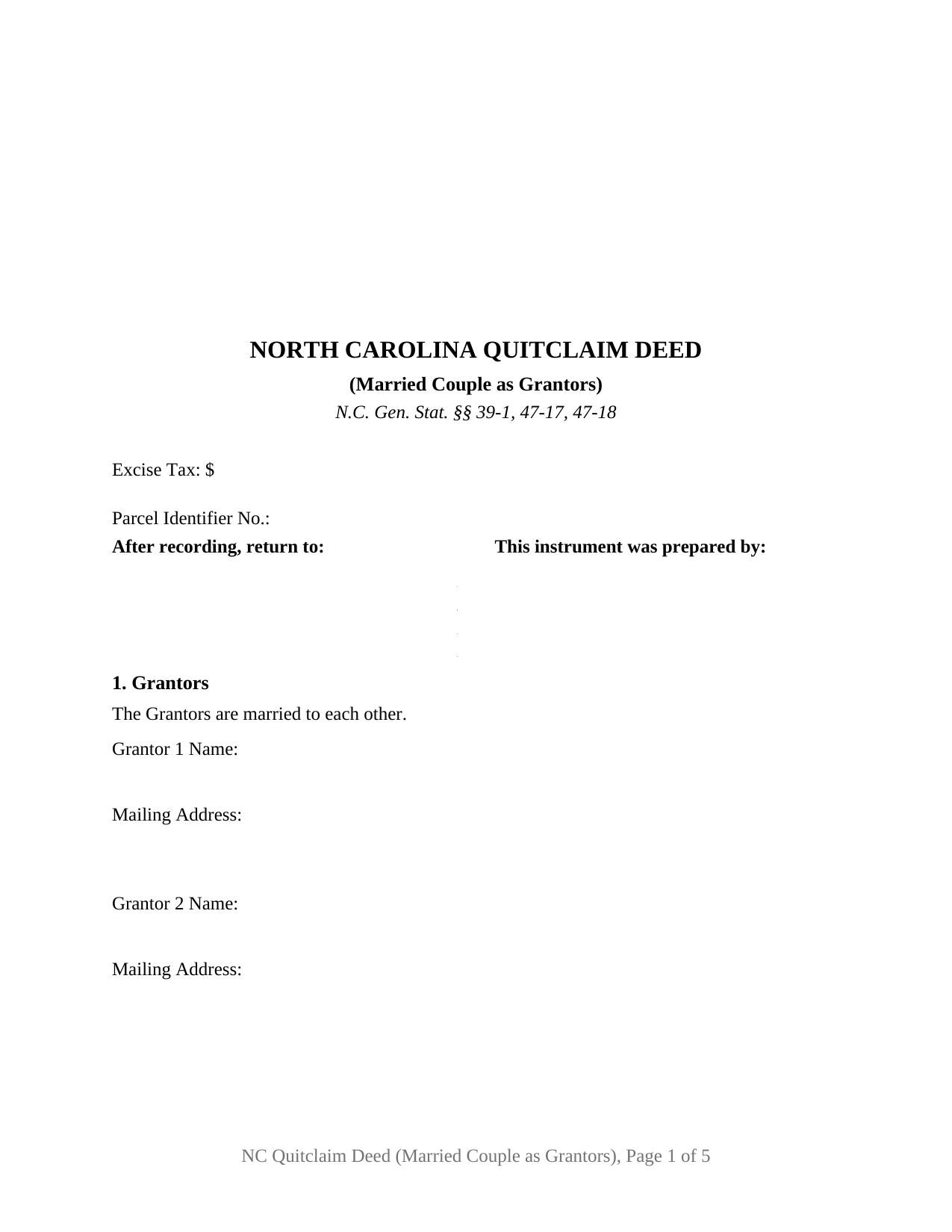
Bertie County Quitclaim Deed (Married Couple as Grantors) Form
Fill in the blank Quitclaim Deed (Married Couple as Grantors) form formatted to comply with all North Carolina recording and content requirements.
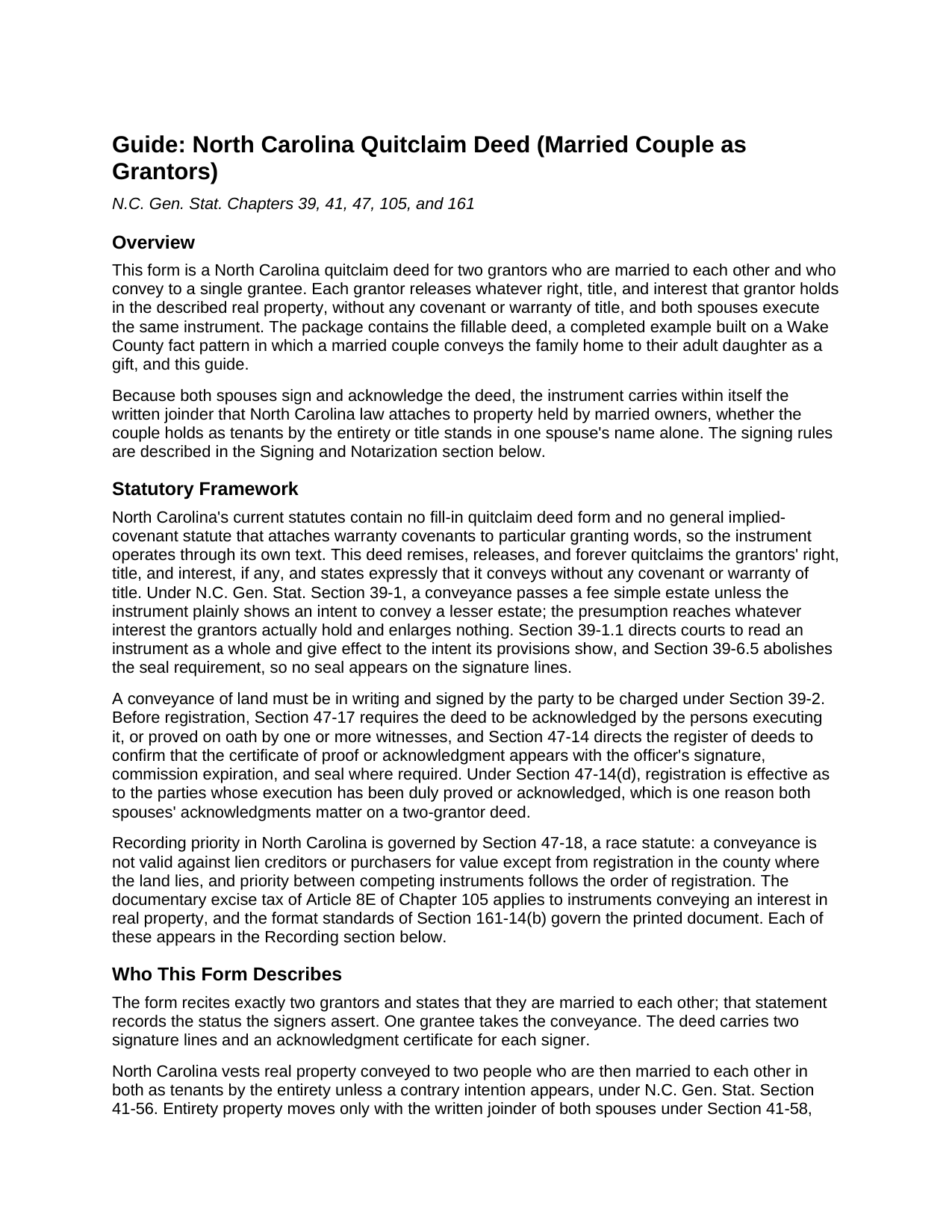
Bertie County Quitclaim Deed (Married Couple as Grantors) Guide
Line by line guide explaining every blank on the Quitclaim Deed (Married Couple as Grantors) form.
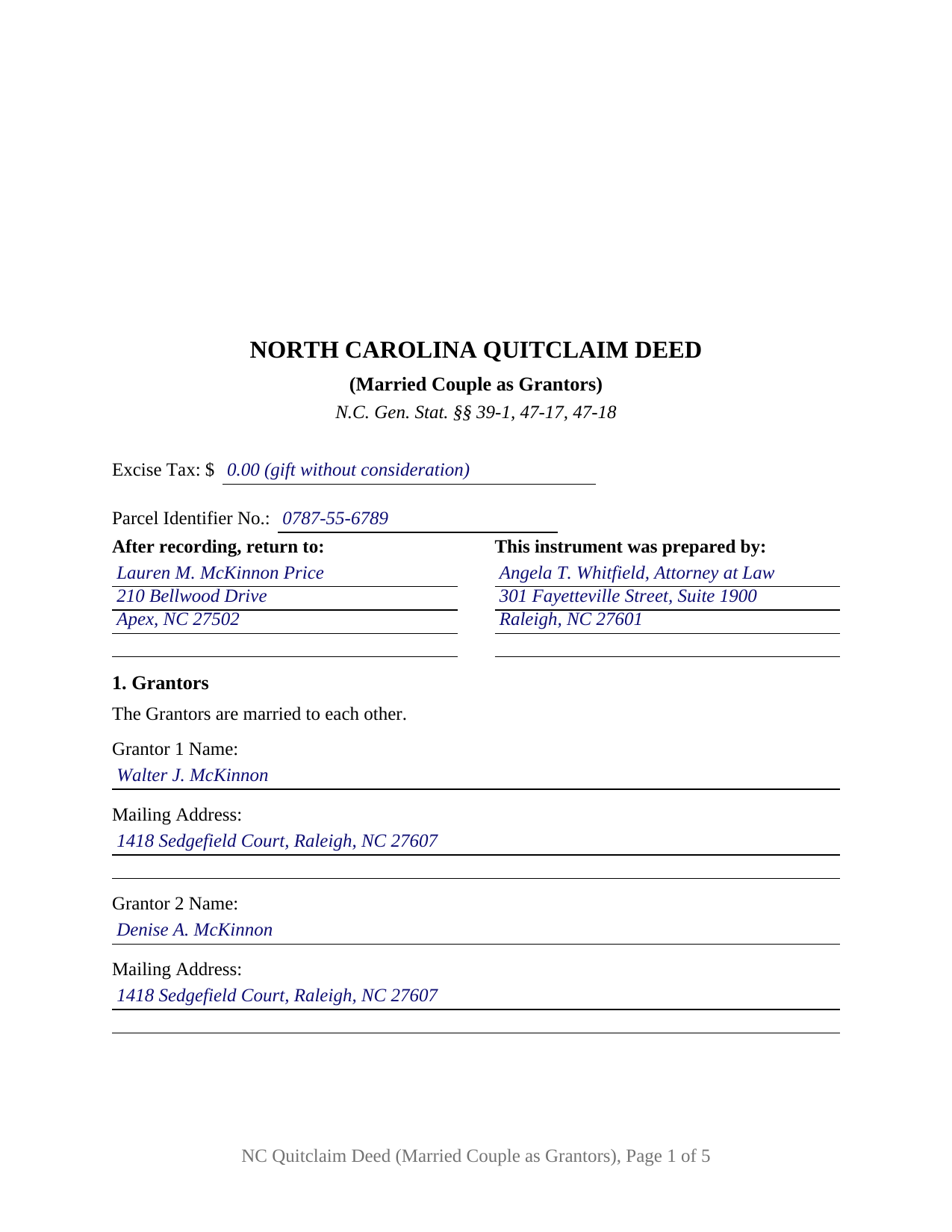
Bertie County Completed Example of the Quitclaim Deed (Married Couple as Grantors) Document
Example of a properly completed North Carolina Quitclaim Deed (Married Couple as Grantors) document for reference.
All 3 documents above included • One-time purchase • No recurring fees
Immediate Download • Secure Checkout
Additional North Carolina and Bertie County documents included at no extra charge:
Where to Record Your Documents
Bertie County Register of Deeds
Windsor, North Carolina 27983
Hours: 8:30 to 5:00 Monday through Friday
Phone: (252) 794-5309
Recording Tips for Bertie County:
- Bring your driver's license or state-issued photo ID
- Ensure all signatures are in blue or black ink
- Check margin requirements - usually 1-2 inches at top
- Leave recording info boxes blank - the office fills these
- Make copies of your documents before recording - keep originals safe
Cities and Jurisdictions in Bertie County
Properties in any of these areas use Bertie County forms:
- Aulander
- Colerain
- Kelford
- Lewiston Woodville
- Merry Hill
- Powellsville
- Roxobel
- Windsor
Hours, fees, requirements, and more for Bertie County
How do I get my forms?
Forms are available for immediate download after payment. The Bertie County forms will be in your account ready to download to your computer. An account is created for you during checkout if you don't have one. Forms are NOT emailed.
Are these forms guaranteed to be recordable in Bertie County?
Yes. Our form blanks are guaranteed to meet or exceed the applicable formatting requirements used for recording in Bertie County, including margin requirements, font requirements, and other layout standards. This guarantee applies to formatting, not to the legal sufficiency of information entered by the user or the suitability of a form for a particular transaction.
Can I reuse these forms?
Yes. You can reuse the forms for your personal use. For example, if you have multiple properties in Bertie County you only need to order once.
What do I need to use these forms?
The forms are PDFs that you fill out on your computer. The free Adobe Acrobat Reader is recommended, and most PDF apps also work. You do NOT enter your property information online - you download the blank forms and complete them privately on your own computer.
Are there any recurring fees?
No. This is a one-time purchase. Nothing to cancel, no memberships, no recurring fees.
How much does it cost to record in Bertie County?
Recording fees in Bertie County vary. Contact the recorder's office at (252) 794-5309 for current fees.
Questions answered? Let's get started!
A deed out of a North Carolina marriage answers to more than one statute, and this fillable quitclaim deed is drafted around that fact: it names a married couple as its two grantors, states that they are married to each other, and carries a signature line and an acknowledgment certificate for each spouse, so the conveyance to a single grantee reaches the register of deeds with the marital signing rules already satisfied on its face.
Why the second signature carries its own statute
North Carolina gives a surviving spouse the right to elect a life estate in one third in value of the real property the deceased spouse held during the marriage, under G.S. 29-30. To cut that contingent right off as to land being conveyed, G.S. 39-7 looks for the owner's spouse to execute the instrument with acknowledgment or proof, apart from the statutory exceptions. A deed both spouses sign closes that question no matter which spouse the record names as owner. Where the couple holds as tenants by the entirety, the marriage's own form of co-ownership, the same two signatures supply the written joinder without which neither spouse alone may convey or encumber the property. Two names, two signatures, two certificates: the architecture is the compliance.
Built as a married-couple instrument
The form recites exactly two grantors, married to each other, with a name and mailing address for each; one grantee; the consideration; the statement G.S. 105-317.2 calls for on whether the property takes in the primary residence of a grantor; and an acknowledgment certificate for each signer, so the spouses may acknowledge on the same afternoon or weeks apart. Patterns that present this shape in the record include parents passing the home place to an adult child as a gift, a husband and wife releasing their interest in family land to a relative after an informal division, and a couple joining in a deed that settles a boundary with an adjoining owner. The form is not set up as a deed for one grantor acting alone, for co-owners who are not married to each other, or for three or more conveying parties; it is the married pair's instrument.
What a quitclaim moves
As a quitclaim, sometimes searched as a quit claim deed or a non-warranty deed, the instrument releases the grantors' right, title, and interest, if any, and promises nothing about what that interest is. The operative words remise, release, and forever quitclaim, paired with an express no-warranty sentence, put the risk of title where a quitclaim leaves it, on the grantee, while the fee simple presumption of G.S. 39-1 carries the whole of whatever the couple owns unless the deed says less.
From signing table to record book
The first page budgets for everything a North Carolina register reads before indexing: the three inch recording space of G.S. 161-14(b) with the instrument type stated beneath it, the drafter entry of G.S. 47-17.1, the excise tax report the register acts on under G.S. 105-228.32, the parcel identifier, and the return address. Registration in the county where the land lies is what makes the deed good against lien creditors and purchasers for value under the race rule of G.S. 47-18, so the trip to the courthouse is part of the conveyance, not an afterthought.
What the purchase delivers
The download holds the married-couple quitclaim deed as a fillable PDF, a completed example worked through a Wake County gift from parents to their daughter, and a plain language guide to each numbered section, the spousal signing statutes, the excise tax treatment of gifts, and the county recording steps. The materials describe North Carolina law generally and are not legal advice.
Important: Your property must be located in Bertie County to use these forms. Documents should be recorded at the county recording office listed above.
This Quitclaim Deed (Married Couple as Grantors) meets all recording requirements specific to Bertie County.
Our Promise
The documents you receive here are guaranteed to meet or exceed the applicable Bertie County recording format requirements. If there is a rejection caused by our formatting, we will correct the issue or refund your payment. This guarantee applies to document formatting only and does not extend to information entered by the user, the selection of the form, or the legal effect of the completed document.
Save Time and Money
Get your Bertie County Quitclaim Deed (Married Couple as Grantors) form done right the first time with Deeds.com Uniform Conveyancing Blanks. At Deeds.com, we understand that your time and money are valuable resources, and we don't want you to face a penalty fee or rejection imposed by a county recorder for submitting nonstandard documents. We constantly review and update our forms to meet rapidly changing state and county recording requirements for roughly 3,500 counties and local jurisdictions.
4.8 out of 5 - ( 4,867 Reviews )
Monique C. 5 out of 5 stars
Very quick and efficient service! I will continue to use them for future reference.
Thank you!
Dan M. 5 out of 5 stars
Quick ... Easy ... Great Instructions ... Easy Peasy ...
We are grateful for your feedback and looking forward to serving you again. Thank you!
Robert T. 5 out of 5 stars
Perfect. Downloaded the forms with no issues, filled them out, had them notarized and recorded all in just a few hours (most of that time was spent at the recorder's office). Highly recommend.
Thank you for your feedback. We really appreciate it. Have a great day!
Ralph H. 5 out of 5 stars
They must have busy when I applied. The screen said it should be done in under10 mins unless heavier traffic. I was a little nervous because of a time deadline. It was completed in 45 mins and for under $30 it was worth every penny to have my deed details at my fingertips. So I give it a 5 on ease of use and quick handling. You can get it done less expensively, but great in a time crunch.
We appreciate your business and value your feedback. Thank you. Have a wonderful day!
Beryl B. 5 out of 5 stars
This was an easy and convenient site to obtain documents. I really appreciated the fact that after paying the fee, the site stayed available to me for access to samples, examples, forms, etc
We appreciate your business and value your feedback. Thank you. Have a wonderful day!
ALAN C. 5 out of 5 stars
Everything was as advertised, and easily downloaded.
We appreciate your business and value your feedback. Thank you. Have a wonderful day!
Dale A C. 5 out of 5 stars
Deeds.com was a very efficient and simple website to use in preparing my documents needed to complete a real estate closing. I highly recommend this website, as it is easy to use, inexpensive, and effective.
We appreciate your business and value your feedback. Thank you. Have a wonderful day!
Thomas D. 2 out of 5 stars
The documents themselves are fine and the information provided with them is helpful. I find the actual processing of the documents, however, to be difficult particularly once the document has been saved. First, I note that the box for the date only allows entry of the last 2 digits of the year. Unfortunately, my download only allows me to enter one of the 2 digits required. When I delete it repeatedly, it eventually allows both digits to be entered but puts them in extremely small text and in superscrypt. I have not found a solution to this problem and am not sure the deed can even be recorded with this problem. Another problem is that if you try to revise the document after you have saved it the curser goes to the end of the line after each key entry. This means that there basically is no way to efficiently save the document for reworking later since you will have to delete everything you have entered in the text box unless you only need to make a single keystroke change or are willing to replace the curser after each entry. Try that with a long property description! Please note that I am using a Mac to prepare my documents and perhaps this is part of an "incompatibility problem". However, I didn't see a disclaimer regarding Mac use and so would expect the documents to perform correctly. Overall, I give the program a "2 star" rating because I am experiencing significant difficulties in entering dates in the documents even before saving them and because saving your work for later revision appears to be basically unworkable.
Thank you for your feedback Thomas, we appreciate you being specific about the issues you encountered. Adobe and Mac have a fairly long history of issues working together.
Rex M. 5 out of 5 stars
fulfilled all NC requirements
Thank you!
Robert J. F. 5 out of 5 stars
Nice work. Easy to use site for reasonable price. Thank you.
Thank you for your feedback. We really appreciate it. Have a great day!
Ralph S. 5 out of 5 stars
Excellent deed correction experience and guidance!!! Thank you! R. Scott.
We appreciate your business and value your feedback. Thank you. Have a wonderful day!
David B. 5 out of 5 stars
I'm not sure how a forms web-site could be so, but I find deeds.com to be sweet.
Thank you for your feedback. We really appreciate it. Have a great day!
Penelope V. 5 out of 5 stars
This website was very handy and had everything I needed. Thanks!
We appreciate your business and value your feedback. Thank you. Have a wonderful day!
Frank S. 5 out of 5 stars
Pretty easy to register. Menu layout is too follow.
Thank you!
Maxwell G. 5 out of 5 stars
I am so very happy with the service provided by Deeds.com. The process was simple and saved me a lot of time by not having to go to the courthouse, wait in line, and waste a big part of my day. In addition, the cost is a lot less than I expected. I highly recommend this service.
Your feedback is greatly appreciated. Thank you for taking the time to share your experience!