Bertie County Warranty Deed (Individual Grantor) Form
Last validated October 8, 2026 by our Forms Development TeamFormatted for recording in Bertie County, for property anywhere in the county: rural and unincorporated areas as well as Aulander, Colerain, Kelford, Lewiston Woodville, Merry Hill, Powellsville, Roxobel, Windsor.
- 3 documents included
- Immediate PDF download
- Formatting guarantee
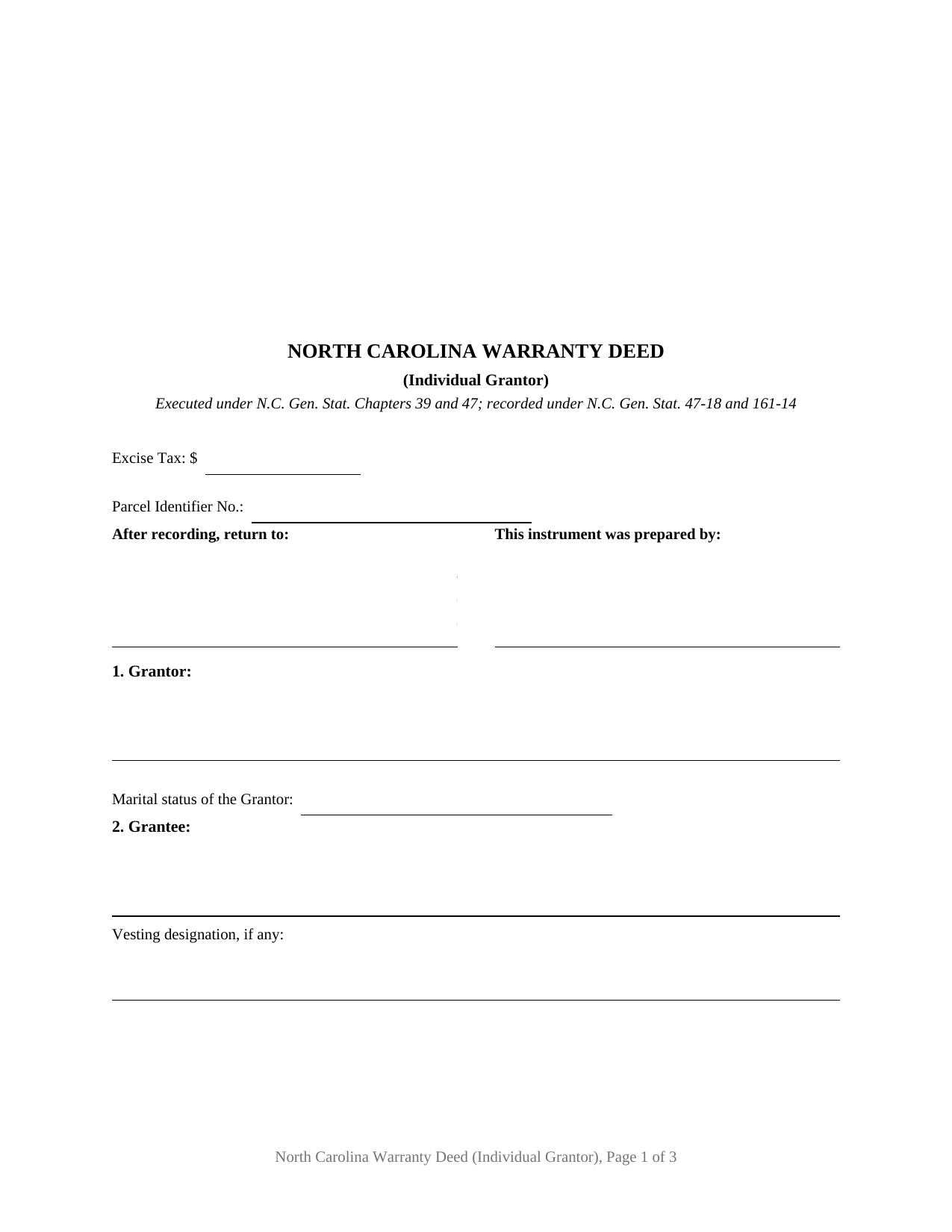
Bertie County Warranty Deed (Individual Grantor) Form
Fill in the blank Warranty Deed (Individual Grantor) form formatted to comply with all North Carolina recording and content requirements.
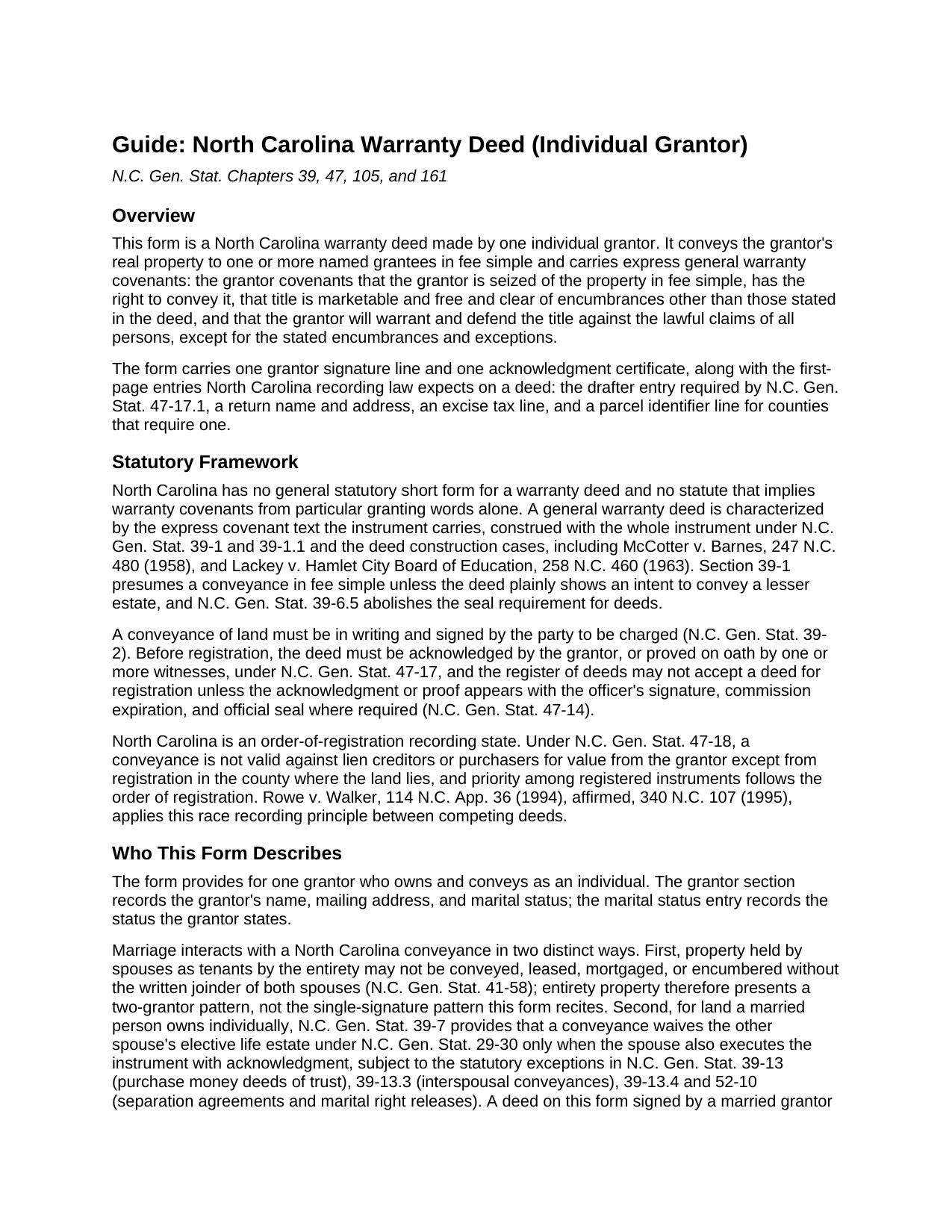
Bertie County Warranty Deed (Individual Grantor) Guide
Line by line guide explaining every blank on the Warranty Deed (Individual Grantor) form.
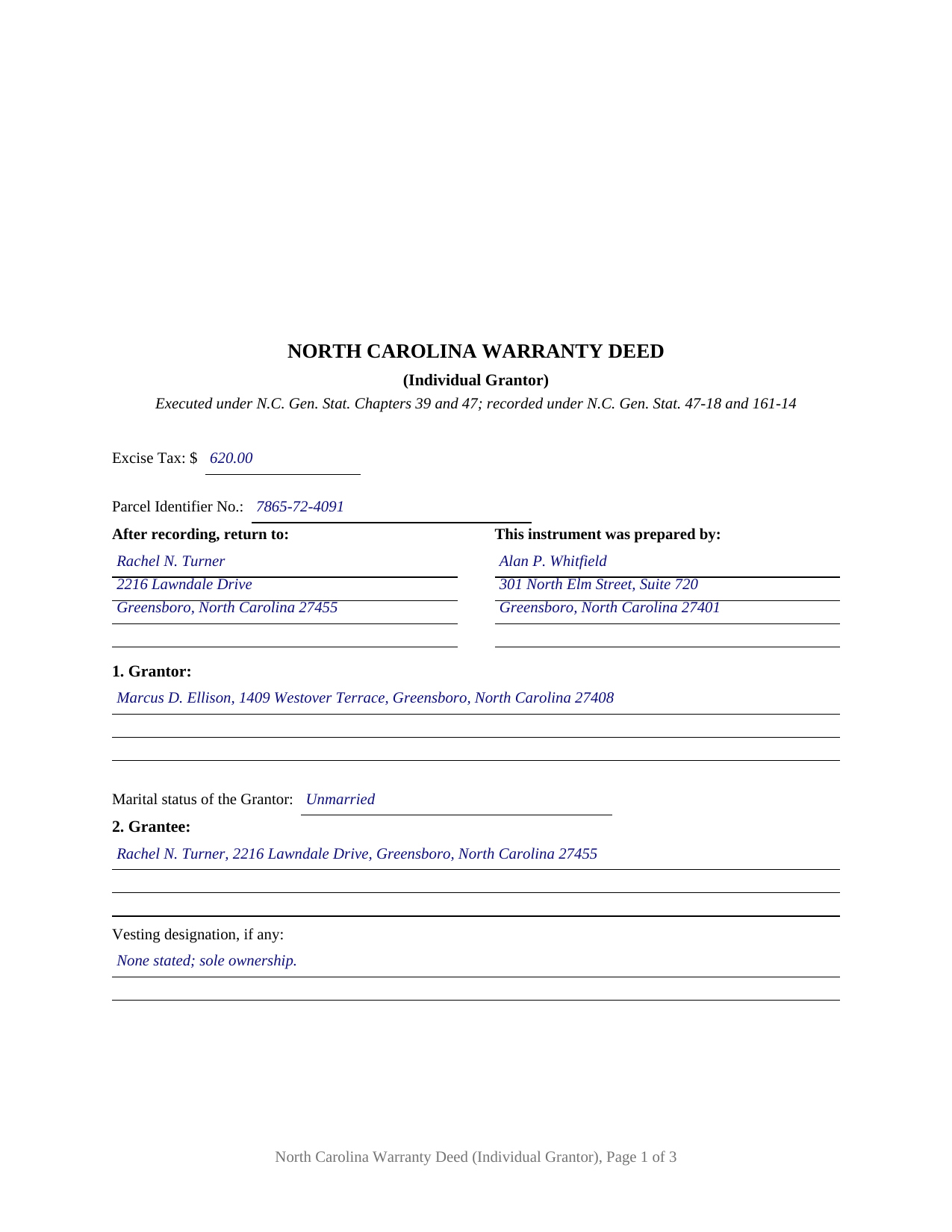
Bertie County Completed Example of the Warranty Deed (Individual Grantor) Document
Example of a properly completed North Carolina Warranty Deed (Individual Grantor) document for reference.
All 3 documents above included • One-time purchase • No recurring fees
Immediate Download • Secure Checkout
Additional North Carolina and Bertie County documents included at no extra charge:
Where to Record Your Documents
Bertie County Register of Deeds
Windsor, North Carolina 27983
Hours: 8:30 to 5:00 Monday through Friday
Phone: (252) 794-5309
Recording Tips for Bertie County:
- Bring your driver's license or state-issued photo ID
- Ensure all signatures are in blue or black ink
- Recording fees may differ from what's posted online - verify current rates
- Request a receipt showing your recording numbers
- Ask about accepted payment methods when you call ahead
Cities and Jurisdictions in Bertie County
Properties in any of these areas use Bertie County forms:
- Aulander
- Colerain
- Kelford
- Lewiston Woodville
- Merry Hill
- Powellsville
- Roxobel
- Windsor
Hours, fees, requirements, and more for Bertie County
How do I get my forms?
Forms are available for immediate download after payment. The Bertie County forms will be in your account ready to download to your computer. An account is created for you during checkout if you don't have one. Forms are NOT emailed.
Are these forms guaranteed to be recordable in Bertie County?
Yes. Our form blanks are guaranteed to meet or exceed the applicable formatting requirements used for recording in Bertie County, including margin requirements, font requirements, and other layout standards. This guarantee applies to formatting, not to the legal sufficiency of information entered by the user or the suitability of a form for a particular transaction.
Can I reuse these forms?
Yes. You can reuse the forms for your personal use. For example, if you have multiple properties in Bertie County you only need to order once.
What do I need to use these forms?
The forms are PDFs that you fill out on your computer. The free Adobe Acrobat Reader is recommended, and most PDF apps also work. You do NOT enter your property information online - you download the blank forms and complete them privately on your own computer.
Are there any recurring fees?
No. This is a one-time purchase. Nothing to cancel, no memberships, no recurring fees.
How much does it cost to record in Bertie County?
Recording fees in Bertie County vary. Contact the recorder's office at (252) 794-5309 for current fees.
Questions answered? Let's get started!
This warranty deed conveys North Carolina real property from one individual grantor, with the full set of general warranty covenants written out in the instrument. The form carries a single grantor signature line, one acknowledgment certificate, and a marital status entry in the grantor section, the configuration a sole individual owner's conveyance presents in the record. It is prepared for recording with the register of deeds of the county where the land lies.
A warranty that reaches the whole chain of title
North Carolina has no statutory short form warranty deed and no statute that turns particular granting words into covenants by implication, so a general warranty deed does its work through express covenant text. This deed conveys in fee simple and states the classic covenants: that the grantor is seized of the property in fee simple, has the right to convey it, that title is marketable and free and clear of encumbrances other than those the deed states, and that the grantor will warrant and defend the title against the lawful claims of all persons, except for the stated encumbrances and exceptions. Those covenants reach defects arising anywhere in the chain of title, which is what separates a general warranty deed from a special warranty deed or a non-warranty conveyance. The deed's encumbrances section defines the covenant's boundary: recorded restrictions, easements of record, and current year taxes entered there sit outside the warranty.
One grantor, one certificate
The form recites exactly one individual grantor. The grantor section records the name, mailing address, and marital status; the grantee section records each grantee's name and mailing address with an optional vesting designation; and the signature section carries one signature line followed by a single notary acknowledgment certificate that tracks the statutory certificate substance in N.C. Gen. Stat. 10B-41. A conveyance by co-owners, by spouses holding tenancy by the entirety property (which takes the written joinder of both spouses under N.C. Gen. Stat. 41-58), or by an entity or trustee presents a different signing pattern than this form recites.
The first-page entries the register looks for
North Carolina recording law concentrates on the first page. The statute reserves a three inch blank top margin for the recorder and puts the instrument type at the top of the first page (N.C. Gen. Stat. 161-14(b)); the register does not accept a deed unless the first page shows who drafted it (N.C. Gen. Stat. 47-17.1); and counties operating under N.C. Gen. Stat. 161-30 look for a return address and a parcel identifier on the face of the document. This form builds all of those in, along with the excise tax line: the state levies one dollar on each five hundred dollars of consideration, paid to the register of deeds before the deed records, with statutory exemptions for gifts and other listed transfers. Each deed also states the parties' mailing addresses and whether the property includes a grantor's primary residence, the content N.C. Gen. Stat. 105-317.2 requires, and the form carries a dedicated primary residence statement for it.
Recording is the race
Under N.C. Gen. Stat. 47-18, a North Carolina conveyance is not valid against lien creditors or purchasers for value until it is registered in the county where the land lies, and priority runs in order of registration. A signed and notarized deed left unrecorded holds the door open for a competing registered instrument, so the recording trip is part of the conveyance itself. Base recording fees are uniform statewide: twenty-six dollars for the first fifteen pages, four dollars per page after that.
The purchase delivers the blank fillable warranty deed form, a completed example showing a realistic Guilford County transfer, and a guide that walks through each section, the notarization requirements, the excise tax, and the county recording process. The materials are informational and are not legal advice; a North Carolina attorney can apply these statutes to a specific title or transaction.
Important: Your property must be located in Bertie County to use these forms. Documents should be recorded at the county recording office listed above.
This Warranty Deed (Individual Grantor) meets all recording requirements specific to Bertie County.
Our Promise
The documents you receive here are guaranteed to meet or exceed the applicable Bertie County recording format requirements. If there is a rejection caused by our formatting, we will correct the issue or refund your payment. This guarantee applies to document formatting only and does not extend to information entered by the user, the selection of the form, or the legal effect of the completed document.
Save Time and Money
Get your Bertie County Warranty Deed (Individual Grantor) form done right the first time with Deeds.com Uniform Conveyancing Blanks. At Deeds.com, we understand that your time and money are valuable resources, and we don't want you to face a penalty fee or rejection imposed by a county recorder for submitting nonstandard documents. We constantly review and update our forms to meet rapidly changing state and county recording requirements for roughly 3,500 counties and local jurisdictions.
4.8 out of 5 - ( 4,828 Reviews )
LANDON C. 5 out of 5 stars
Process was simple, with a reasonable fee and within the suggested timetable for recordation. I highly recommend Deeds.com
Thank you!
Raecita H. 5 out of 5 stars
This was the first time I had ever had to fill out a Warranty Deed, so if it was not for your example form on how to fill one out, I would be still be here completely lost. I had originally gone to another site for a Warranty Deed & they wanted double the amount of your price & their website had no examples forms. I am so happy with your site & service. Thank you for giving us the opportunity to be able to download the forms as much as we need to because as many mistakes I made,I had to print quite a few to be able to get it done right.
We appreciate your business and value your feedback. Thank you. Have a wonderful day!
David D. 5 out of 5 stars
Very easy to us & thanks for all the info to fill out the form.
We appreciate your business and value your feedback. Thank you. Have a wonderful day!
Bethany F. 5 out of 5 stars
quick and easy to use
Thank you!
Clint J. 5 out of 5 stars
Deeds.com is a great way for people that are unfamiliar with legal documents to get things done. Thank you
We appreciate your business and value your feedback. Thank you. Have a wonderful day!
Zachary F. 3 out of 5 stars
I am a lawyer and purchased a specialized type of deed for a special scenario. The product received was functional, but not great. Wording is slightly clunky and the form layout was not convenient for making a professional final product. The wording also didn't contemplate a remote-state probate, which is a common scenario. Something about the PDF prevented me from doing cut and paste, so I had to do OCR to get the relevant text for inserting in my existing draft deed. Finally, while the site claims it is customized for the exact state and county, it does not appear to be well-customized for that purpose and I had to use other language (not sourced from the deeds.com document) to meet local norms.
Thank you for your feedback. We really appreciate it. Have a great day!
Ann H. 5 out of 5 stars
Excellent program, easy to access and download.
Thank you!
Emili C. 5 out of 5 stars
Thank you! I received my forms promptly and they are easy to follow along for filling out. The examples gave me confidence that they were done correctly.
Thank you for your feedback. We really appreciate it. Have a great day!
Brian S. 3 out of 5 stars
PDF fields change font sizes leading to an unprofessional-appearing printed page. The examples for "Convey to" section don't include how to specify just one person instead of a married couple. Maybe that is simple but it would help to spell it out in an example. Haven't submitted to County Recorder yet, so will find out if it is acceptable.
Thank you for the feedback Brian.
The font issue is caused by using a PDF viewer other than Adobe Acrobat Reader. Our form fields are set to a uniform 12-point font, but non-Adobe viewers often render form fields inconsistently. Opening and printing the form with the free Adobe Acrobat Reader will resolve that.
Regarding the examples, that's a fair point, we'll look at expanding them.
Jamal . 5 out of 5 stars
So far so good!
Thank you!
Paula B. 4 out of 5 stars
I'm transferring a property into a trust and ordered the QuitClaim Deed. Everything was pretty straight forward and user friendly. However, the Additional Information/Instructions for the Preliminary Change of Ownership Report skips from Section "I" to "M" and does not address "K". It would have been very helpful to have an explanation of the difference between the three options in that section. Thank you.
Thank you for your feedback. We really appreciate it. Have a great day!
Deborah P. 5 out of 5 stars
Great site. Official. Easy to use. Less expensive than those other sites as well. Saved me approximately $20! My records were available immediately. I highly recommend this site.
Thank you!
William S. 5 out of 5 stars
The forms worked well for entering information. I have finished without much trouble. Since the forms are Adobe PDF files you need the free app to use them but you can't edit unless you have the paid Adobe program. And, it was a reasonable price.
Thank you for your feedback. We really appreciate it. Have a great day!
Catherine E. 5 out of 5 stars
I was referred to your company, but when i tried to process the recording of a deed to a property in City of Philadelphia my service was rejected. I appreciated the feedback i received from one of your representatives who instructed me in the right process for recording a deed in philadelphia. Thank you for all your help. The deed that needed to be recorded was overnighted yesterday. Stay safe and mask up
Thank you!
Dennis S. 3 out of 5 stars
I am still working on the forms. I am having problems doing the forms as you can only save as pdf and it is difficult to change or modify the pdf. You have to purchase a pdf convertor program. but all seems to be there to do the deed submittals.
Thank you for your feedback. We really appreciate it. Have a great day!