Barnes County Transfer on Death Affidavit Form
Last validated September 22, 2026 by our Forms Development TeamFormatted for recording in Barnes County, for property anywhere in the county: rural and unincorporated areas as well as Dazey, Fingal, Kathryn, Litchville, Nome, Oriska, Pillsbury, Rogers and 4 more.
- 3 documents included
- Immediate PDF download
- Formatting guarantee
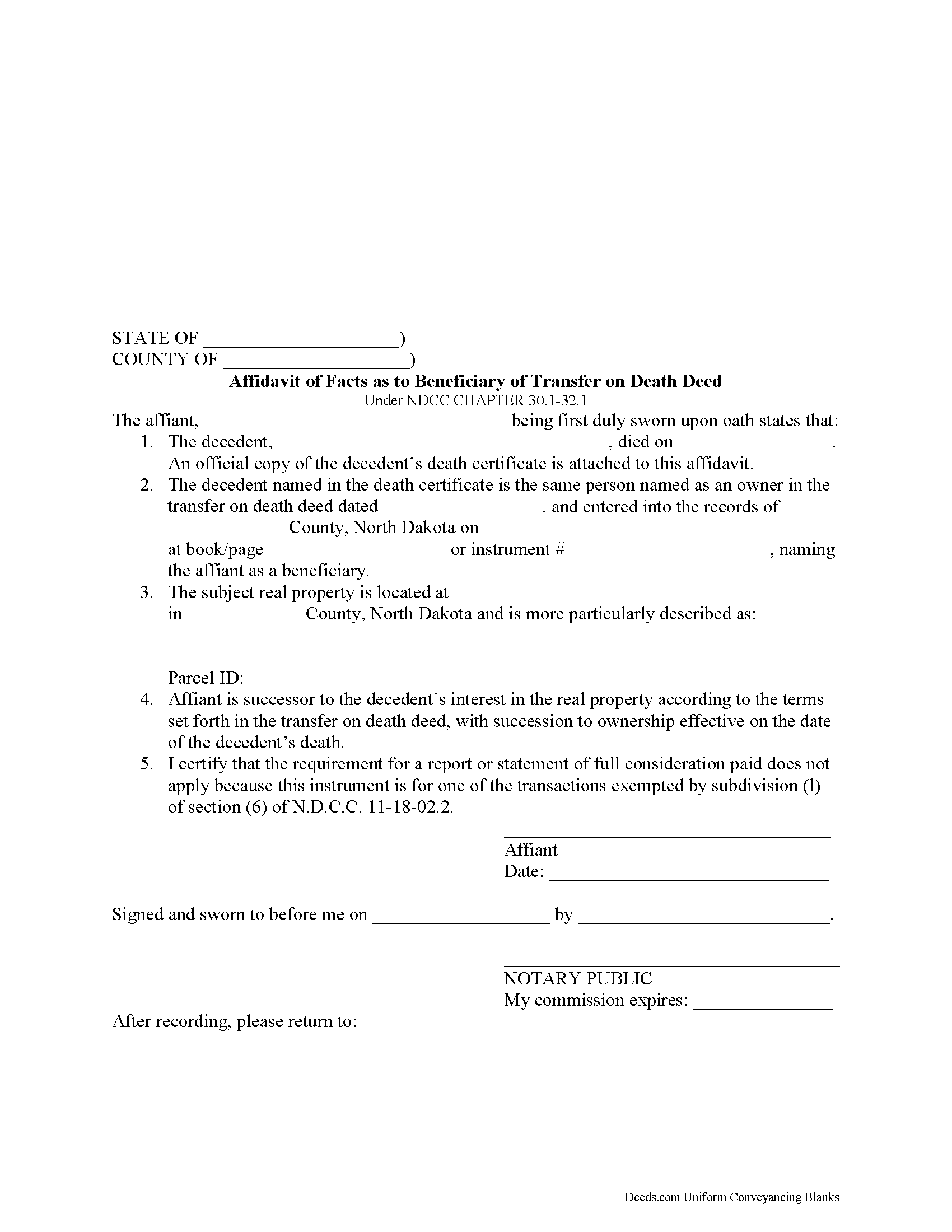
Barnes County Transfer on Death Affidavit Form
Fill in the blank form formatted to comply with all recording and content requirements.
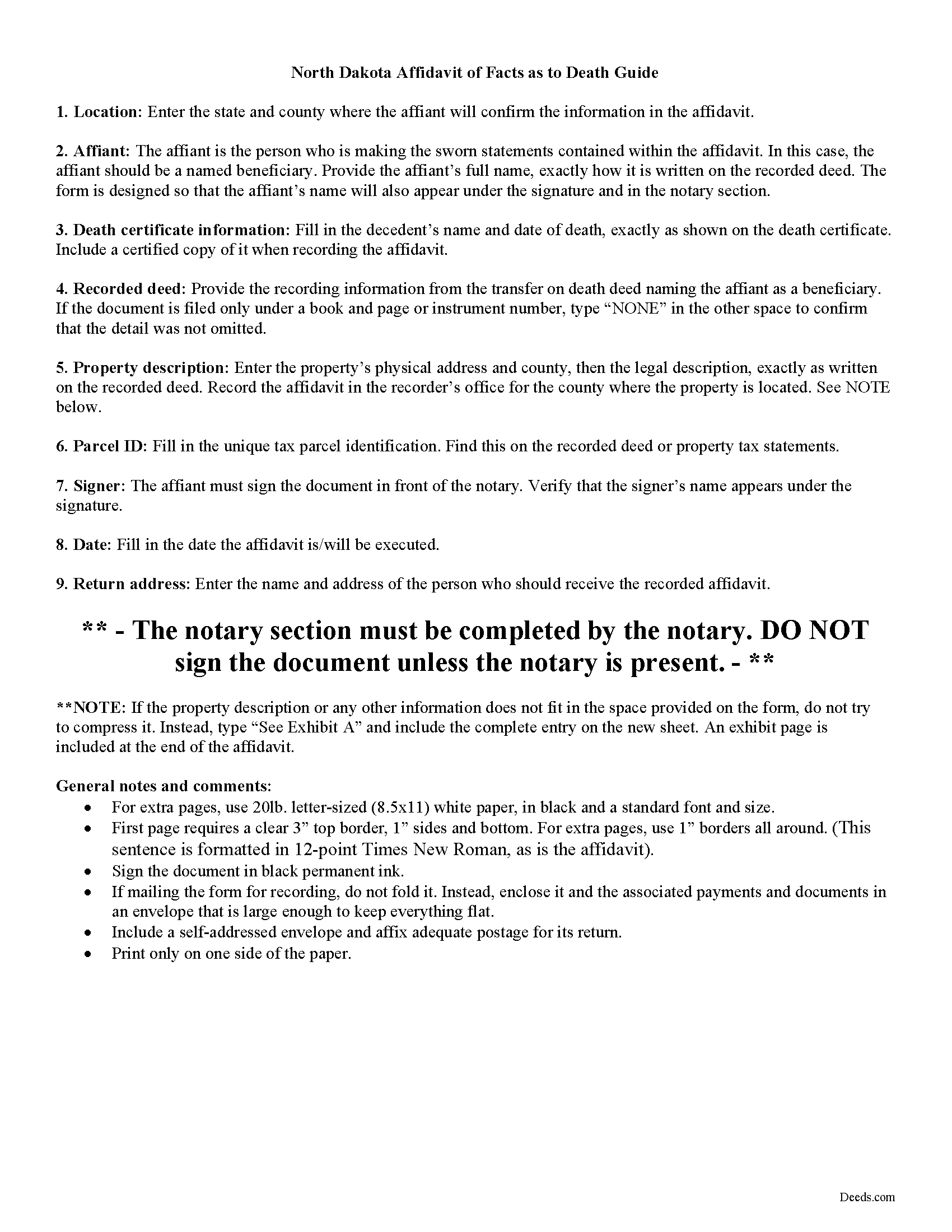
Barnes County Transfer on Death Affidavit Guide
Line by line guide explaining every blank on the form.
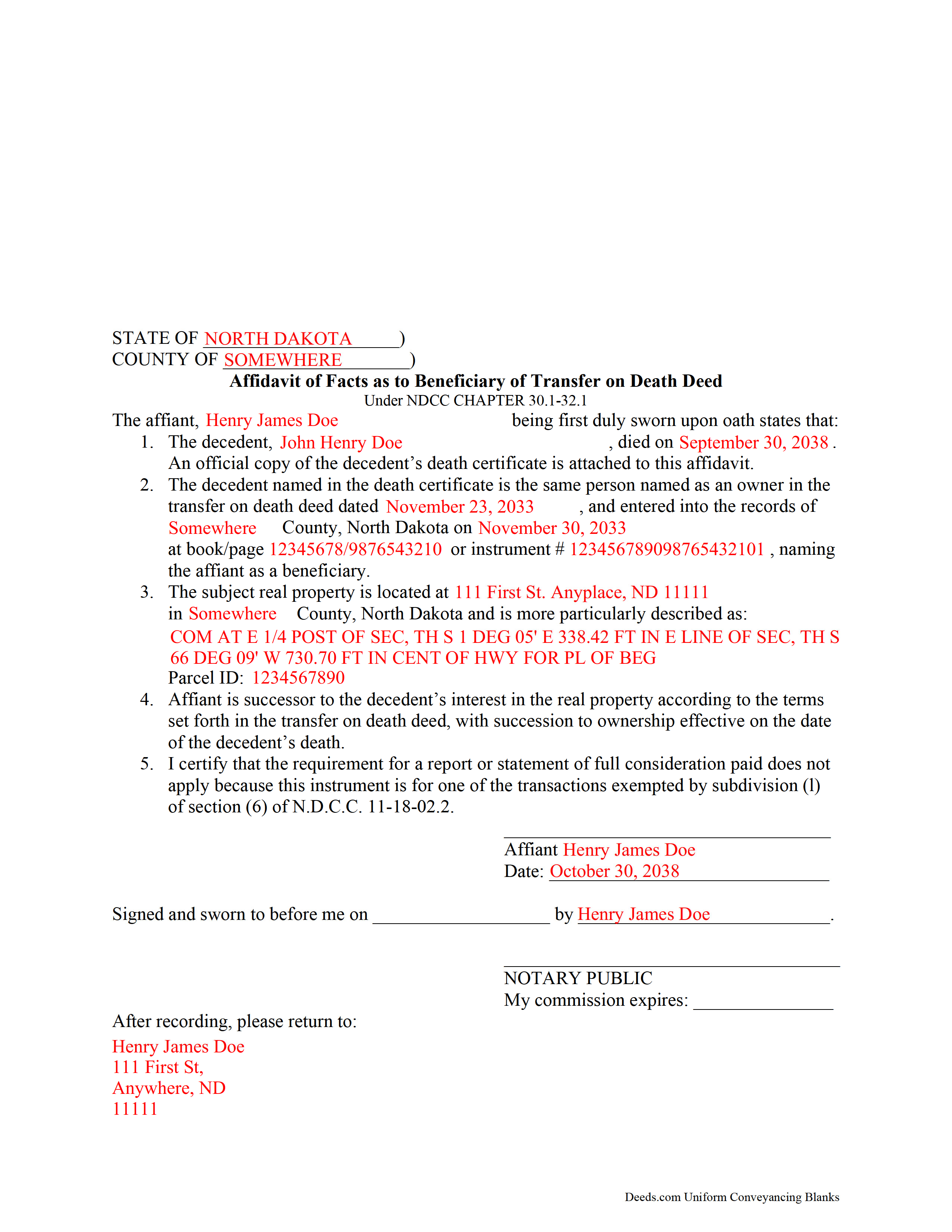
Barnes County Completed Example of the Transfer on Death Affidavit Document
Example of a properly completed form for reference.
All 3 documents above included • One-time purchase • No recurring fees
Immediate Download • Secure Checkout
Additional North Dakota and Barnes County documents included at no extra charge:
Where to Record Your Documents
Barnes County Recorder
Valley City, North Dakota 58072
Hours: 8:00 to 5:00 M-F
Phone: (701) 845-8506
Recording Tips for Barnes County:
- Bring your driver's license or state-issued photo ID
- Ensure all signatures are in blue or black ink
- Documents must be on 8.5 x 11 inch white paper
- Double-check legal descriptions match your existing deed
- Verify all names are spelled correctly before recording
Cities and Jurisdictions in Barnes County
Properties in any of these areas use Barnes County forms:
- Dazey
- Fingal
- Kathryn
- Litchville
- Nome
- Oriska
- Pillsbury
- Rogers
- Sanborn
- Spiritwood
- Valley City
- Wimbledon
Hours, fees, requirements, and more for Barnes County
How do I get my forms?
Forms are available for immediate download after payment. The Barnes County forms will be in your account ready to download to your computer. An account is created for you during checkout if you don't have one. Forms are NOT emailed.
Are these forms guaranteed to be recordable in Barnes County?
Yes. Our form blanks are guaranteed to meet or exceed the applicable formatting requirements used for recording in Barnes County, including margin requirements, font requirements, and other layout standards. This guarantee applies to formatting, not to the legal sufficiency of information entered by the user or the suitability of a form for a particular transaction.
Can I reuse these forms?
Yes. You can reuse the forms for your personal use. For example, if you have multiple properties in Barnes County you only need to order once.
What do I need to use these forms?
The forms are PDFs that you fill out on your computer. The free Adobe Acrobat Reader is recommended, and most PDF apps also work. You do NOT enter your property information online - you download the blank forms and complete them privately on your own computer.
Are there any recurring fees?
No. This is a one-time purchase. Nothing to cancel, no memberships, no recurring fees.
How much does it cost to record in Barnes County?
Recording fees in Barnes County vary. Contact the recorder's office at (701) 845-8506 for current fees.
Questions answered? Let's get started!
Taking Ownership of Property from a North Dakota Transfer on Death Deed
In 2011, North Dakota enacted the Uniform Real Property Transfer on Death Act, found in the North Dakota Century Code (NDCC) at Chapter 30.1-32.1.
Under this statute, owners of North Dakota real property may transfer title to one or more beneficiaries, effective at the transferor's death, by lawfully executing and recording a transfer on death deed in the county or counties where the property is located (NDCC 32.1-02).
This transfer is nontestamentary, meaning it is not included in the owner's will (30.1-32.1-04). As a result, it does not require probate distribution. Instead, the beneficiary gains ownership of the property when the transferor dies.
To formalize the change in ownership, beneficiaries complete and record an affidavit, confirming their acceptance of the transfer. Along with the affidavit, they must submit an official copy of the deceased owner's death certificate. This process enters the new information into public records and maintains a clear chain of title (ownership history).
Contact an attorney with specific questions or for complex situations.
(North Dakota TOD Affidavit Package includes form, guidelines, and completed example)
Important: Your property must be located in Barnes County to use these forms. Documents should be recorded at the county recording office listed above.
This Transfer on Death Affidavit meets all recording requirements specific to Barnes County.
Our Promise
The documents you receive here are guaranteed to meet or exceed the applicable Barnes County recording format requirements. If there is a rejection caused by our formatting, we will correct the issue or refund your payment. This guarantee applies to document formatting only and does not extend to information entered by the user, the selection of the form, or the legal effect of the completed document.
Save Time and Money
Get your Barnes County Transfer on Death Affidavit form done right the first time with Deeds.com Uniform Conveyancing Blanks. At Deeds.com, we understand that your time and money are valuable resources, and we don't want you to face a penalty fee or rejection imposed by a county recorder for submitting nonstandard documents. We constantly review and update our forms to meet rapidly changing state and county recording requirements for roughly 3,500 counties and local jurisdictions.
4.8 out of 5 - ( 4,829 Reviews )
Veronica T. 5 out of 5 stars
Great Service! Thank you
We appreciate your business and value your feedback. Thank you. Have a wonderful day!
John P. 5 out of 5 stars
very good. received what i ordered in a timely fashion despite my incompetence.
Thank you for your feedback. We really appreciate it. Have a great day!
curtice c. 5 out of 5 stars
I bought the Transfer on Death Deed documents. Great product and the accompanying example and guides were great.
Thank you for your feedback. We really appreciate it. Have a great day!
Nick V. 5 out of 5 stars
Turn time was great. Highly recommend.
Thank you!
Connie E. 5 out of 5 stars
Great service! Easy to download and view. Florida should have the Revocable Transfer on Death (TOD)deed, that many other States have. That's the one I really wanted. This one will do in the meantime.
We appreciate your business and value your feedback. Thank you. Have a wonderful day!
Rick H. 5 out of 5 stars
Website easy to use. Sample feed from helpful. Will know more after county reviews application.
Thank you Rick, we really appreciate your feedback.
LuAnn F. 5 out of 5 stars
Simple and quick access to the form I needed
Thank you!
Kevin E. 5 out of 5 stars
Great app works very well thank you very much
Thank you!
KAREN I. 5 out of 5 stars
it worked. fantastic. thanks!
Your insights are invaluable to us and help us strive for better service. Thank you for taking the time to share your thoughts.
Lori G. 5 out of 5 stars
I needed to add my husband to my deed. an attorney would charge me $275.00. I decided to file myself. This makes it easy. Not done w/the process yet. But so far so good! :)
Thank you for your feedback. We really appreciate it. Have a great day!
Robert W. 5 out of 5 stars
Exactly what I needed. Thank you
Thank you!
Herman B. 5 out of 5 stars
Special Warranty Deed I can't seem to type all my info in the blank spaces. It won't allow me to type any more. Maybe you should consider either allowing typists to type more (leaving more space) or allowing more room to type more.
Thank you!
Daniel L. 5 out of 5 stars
so far appears to meet my needs!
Thank you for your feedback. We really appreciate it. Have a great day!
Robert F. 5 out of 5 stars
Breeze.... It feels silly to hire an attorney to do this for just one beneficiary. Thanks.
Thank you for your feedback. We really appreciate it. Have a great day!
Michael G. S. 5 out of 5 stars
The process was quite easy, following the instructional guide. I have yet to find out if the deed was accepted, but your site was very user friendly.
We appreciate your business and value your feedback. Thank you. Have a wonderful day!