Greene County Affidavit of Confirmation (Contingent Beneficiary) Form
Last validated October 23, 2026 by our Forms Development TeamFormatted for recording in Greene County, for property anywhere in the county: rural and unincorporated areas as well as Alpha, Bellbrook, Bowersville, Cedarville, Clifton, Dayton, Fairborn, Jamestown and 4 more.
- 3 documents included
- Immediate PDF download
- Formatting guarantee
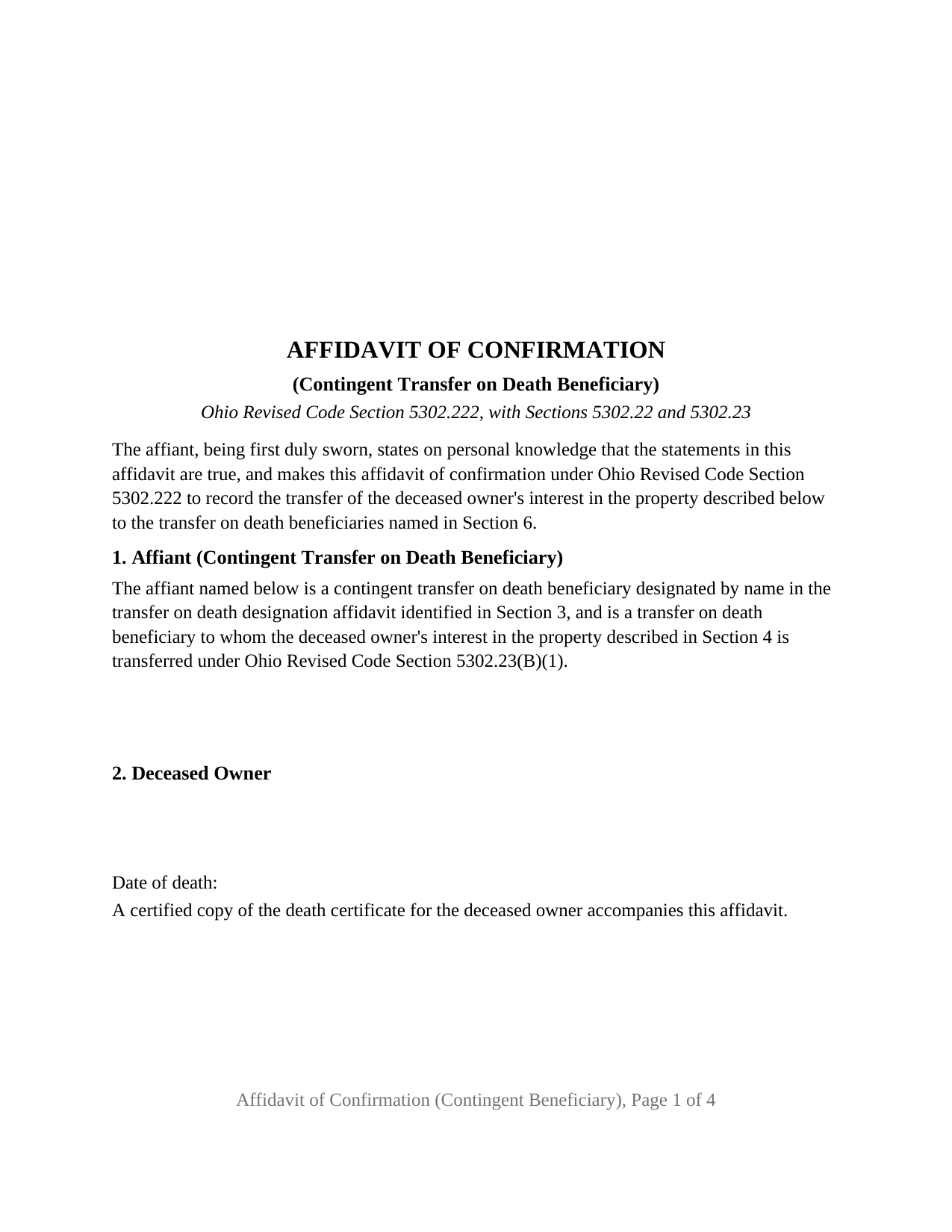
Greene County Affidavit of Confirmation (Contingent Beneficiary) Form
Fill in the blank Affidavit of Confirmation (Contingent Beneficiary) form formatted to comply with all Ohio recording and content requirements.
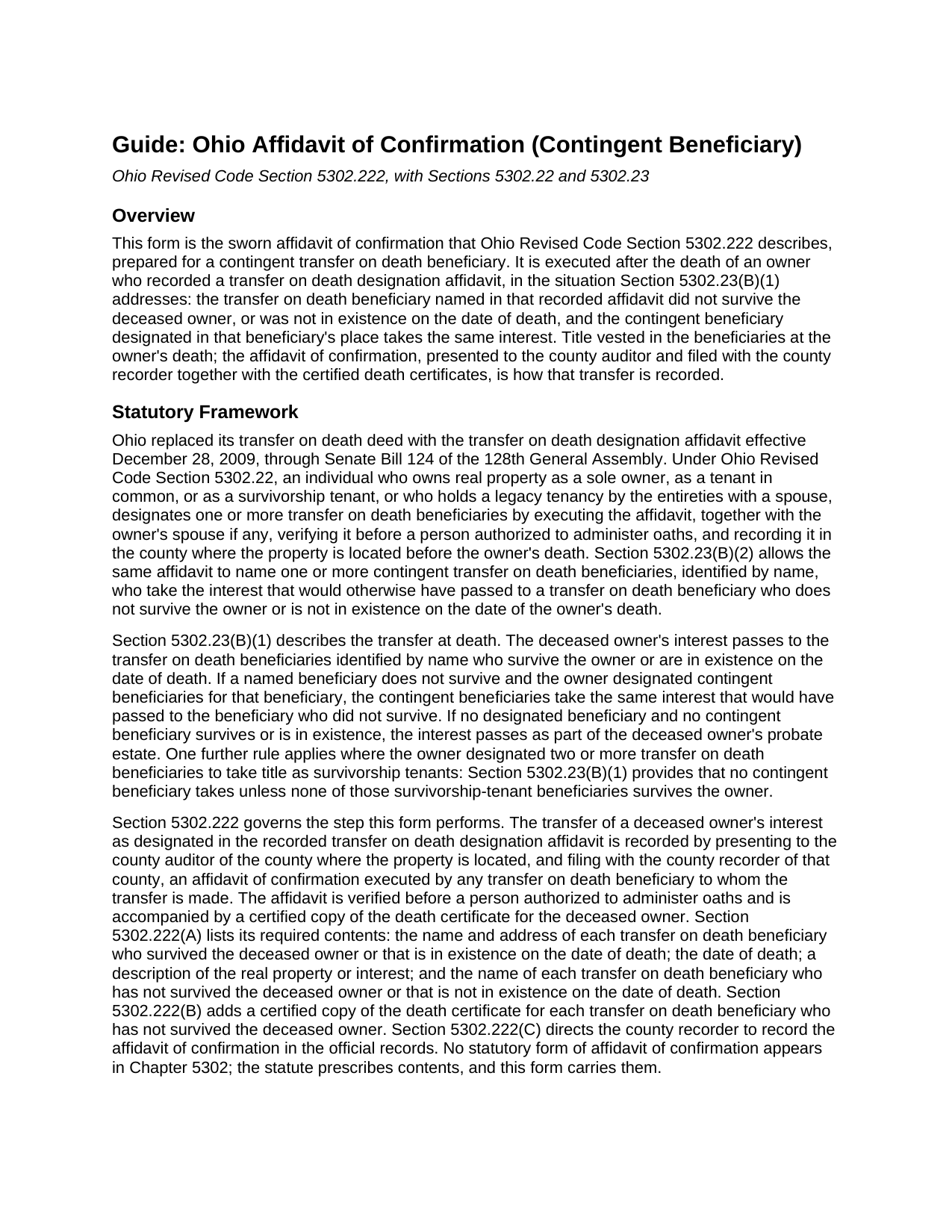
Greene County Affidavit of Confirmation (Contingent Beneficiary) Guide
Line by line guide explaining every blank on the Affidavit of Confirmation (Contingent Beneficiary) form.
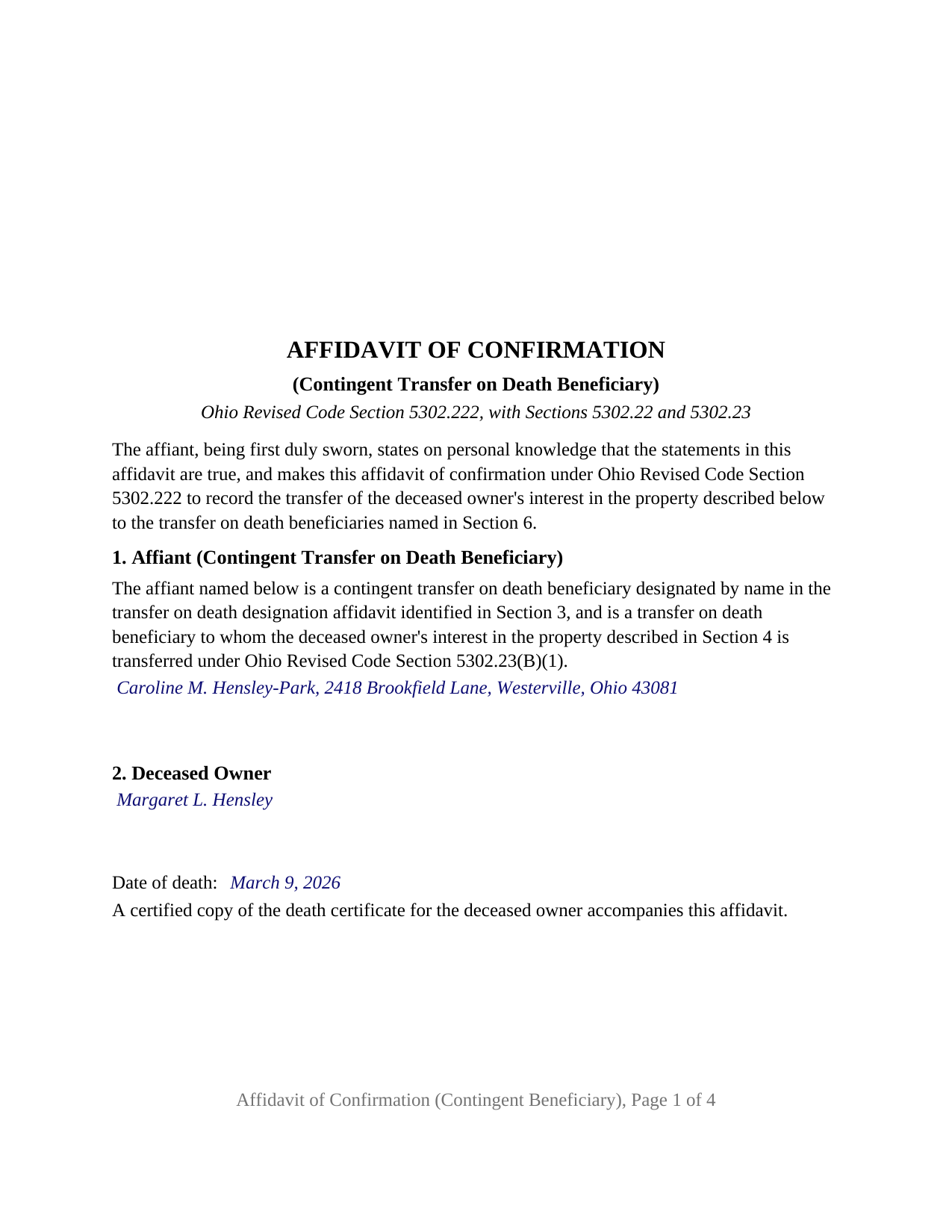
Greene County Completed Example of the Affidavit of Confirmation (Contingent Beneficiary) Document
Example of a properly completed Ohio Affidavit of Confirmation (Contingent Beneficiary) document for reference.
All 3 documents above included • One-time purchase • No recurring fees
Immediate Download • Secure Checkout
Additional Ohio and Greene County documents included at no extra charge:
Where to Record Your Documents
Greene County Recorder
Xenia, Ohio 45385
Hours: 7:30 to 4:30 M-F / Recording until 3:30 only
Phone: 937-562-5270
Recording Tips for Greene County:
- Bring your driver's license or state-issued photo ID
- Ensure all signatures are in blue or black ink
- Make copies of your documents before recording - keep originals safe
- Recorded documents become public record - avoid including SSNs
- Recording fees may differ from what's posted online - verify current rates
Cities and Jurisdictions in Greene County
Properties in any of these areas use Greene County forms:
- Alpha
- Bellbrook
- Bowersville
- Cedarville
- Clifton
- Dayton
- Fairborn
- Jamestown
- Spring Valley
- Wilberforce
- Xenia
- Yellow Springs
Hours, fees, requirements, and more for Greene County
How do I get my forms?
Forms are available for immediate download after payment. The Greene County forms will be in your account ready to download to your computer. An account is created for you during checkout if you don't have one. Forms are NOT emailed.
Are these forms guaranteed to be recordable in Greene County?
Yes. Our form blanks are guaranteed to meet or exceed the applicable formatting requirements used for recording in Greene County, including margin requirements, font requirements, and other layout standards. This guarantee applies to formatting, not to the legal sufficiency of information entered by the user or the suitability of a form for a particular transaction.
Can I reuse these forms?
Yes. You can reuse the forms for your personal use. For example, if you have multiple properties in Greene County you only need to order once.
What do I need to use these forms?
The forms are PDFs that you fill out on your computer. The free Adobe Acrobat Reader is recommended, and most PDF apps also work. You do NOT enter your property information online - you download the blank forms and complete them privately on your own computer.
Are there any recurring fees?
No. This is a one-time purchase. Nothing to cancel, no memberships, no recurring fees.
How much does it cost to record in Greene County?
Recording fees in Greene County vary. Contact the recorder's office at 937-562-5270 for current fees.
Questions answered? Let's get started!
An Ohio transfer on death designation affidavit names a beneficiary, and it can also name a contingent beneficiary who steps in if the first one dies before the owner. When that happens, the contingent beneficiary is the one who records the transfer after the owner's death, and the affidavit of confirmation that Ohio Revised Code Section 5302.222 requires has to say so. This form prepares that affidavit for an Ohio contingent transfer on death beneficiary whose predecessor in the designation did not survive the deceased owner.
When the first-named beneficiary dies before the owner
Ohio replaced its transfer on death deed in 2009 with the transfer on death designation affidavit, still searched as a TOD deed or TOD affidavit, and wrote the contingent beneficiary into the statute. Section 5302.23(B)(2) lets the owner name contingent transfer on death beneficiaries by name, and Section 5302.23(B)(1) supplies the rule this form rests on: if a transfer on death beneficiary does not survive the deceased owner, or is not in existence on the date of death, the designated contingent beneficiaries take the same interest that would have passed to that beneficiary. One limit rides with it, and the form states it in the sworn statements: where the owner designated two or more beneficiaries to take as survivorship tenants, the contingent beneficiaries take only if none of those beneficiaries survived.
What a contingent beneficiary swears to
Section 5302.222 publishes no form; it lists contents: the name and address of each beneficiary who survived the owner or is in existence, the date of death, a description of the property, and the name of each beneficiary who did not survive. This form carries those four items in separate sections, and its fixed text states the capacity that makes the contingent beneficiary the person to whom the transfer is made: the affiant is designated by name as a contingent transfer on death beneficiary, the beneficiary named ahead of the affiant did not survive the deceased owner or was not in existence, and under Section 5302.23(B)(1) the contingent beneficiaries take that beneficiary's interest. The sworn statements also cover the owner's death, the designation's recording before death, and the absence of any later affidavit revoking it.
Two death certificates travel with this affidavit rather than one: Section 5302.222(A) requires a certified copy of the deceased owner's, and Section 5302.222(B) requires one for each beneficiary who has not survived the owner. The form's fixed text states that both accompany it.
One affiant, one jurat, every beneficiary named
The form identifies one affiant, a natural person signing in that person's own right, and carries one signature block and one jurat. Section 5302.222(A) calls for execution by any transfer on death beneficiary to whom the transfer is made, so where several beneficiaries take, every one of them is named with an address in Section 6 and one of them signs. The affidavit is verified before a person authorized to administer oaths, so the certificate is a jurat, sworn to and subscribed, rather than the acknowledgment found on deed forms, and the form reserves space for the notary seal that Section 147.542(F) makes part of every certificate. A confirmation by a surviving primary beneficiary, by the beneficiaries of the last surviving survivorship tenant, or by a successor trustee follows a different pattern from the one this form states.
Auditor first, then recorder
Section 5302.222(A) has the affidavit presented to the county auditor of the county where the property is located and then filed with the county recorder of that county. The auditor processes the transfer on the tax records with a conveyance fee statement or exemption statement under Section 319.202, and the recorder, before recording, hands the beneficiary the Medicaid estate recovery form that Section 5302.221 prescribes. The form carries the prior instrument reference and grantee addresses Section 319.20 contemplates, the preparer name Section 317.111 requires, and the three-inch first-page margin of the Section 317.114 standard format.
The package includes the fillable affidavit of confirmation, a completed example filled in for a realistic Franklin County fact pattern in which a granddaughter confirms the transfer after her father, the named beneficiary, died before his mother, and the guide that walks through every section and the county process. This description and the guide describe the form and the governing Ohio statutes in general terms; they are not legal advice.
Important: Your property must be located in Greene County to use these forms. Documents should be recorded at the county recording office listed above.
This Affidavit of Confirmation (Contingent Beneficiary) meets all recording requirements specific to Greene County.
Our Promise
The documents you receive here are guaranteed to meet or exceed the applicable Greene County recording format requirements. If there is a rejection caused by our formatting, we will correct the issue or refund your payment. This guarantee applies to document formatting only and does not extend to information entered by the user, the selection of the form, or the legal effect of the completed document.
Save Time and Money
Get your Greene County Affidavit of Confirmation (Contingent Beneficiary) form done right the first time with Deeds.com Uniform Conveyancing Blanks. At Deeds.com, we understand that your time and money are valuable resources, and we don't want you to face a penalty fee or rejection imposed by a county recorder for submitting nonstandard documents. We constantly review and update our forms to meet rapidly changing state and county recording requirements for roughly 3,500 counties and local jurisdictions.
4.8 out of 5 - ( 4,853 Reviews )
Debbie G. 5 out of 5 stars
Easy to use, I would recommend deeds.com. I would recommend visiting your county recorder before having document notarized. They will review document and make sure everything you need is on the deed, before having notarized.
Thank you Debbie. Have a fantastic day!
BARBARA L. 4 out of 5 stars
Fairly easy to use. I had to really search to get some info. I had to use the Exhibit feature because the description box was way too small and I ended up re-typing it. The package had good and useful links. The County Clerk looked at it and said, "I see you used an online form, and that's OK, but..." and proceeded to show me a couple of things that were left out. They recorded it with no problems.
Thank you!
LEON S. 5 out of 5 stars
recorded deed space to small for corrective deed requirement
Thank you for your feedback. We really appreciate it. Have a great day!
Charles D. 5 out of 5 stars
Very easy to download, very easy to use. Good examples to answer questions.
Thank you!
Lynn S. 5 out of 5 stars
Awesome service! I was a first time user recording a document online. I received alerts and updates throughout the process to completion of recording. I highly recommend deeds.com. They made this process stress free. Thank you
Thank you Lynn, we appreciate the kind words. Have an amazing day!
Stanley S. 5 out of 5 stars
Extremely convenient and easy to execute the document. Instructions and example are very helpful. I have bookmarked the site and will surely use again. 5 stars!!
Thank you!
Patricia D. 5 out of 5 stars
It worked great- I had a little trouble at first with the site, figuring out where to do what, but the form was much better than the one we purchased at Staples, loved being able to fill out with the computer. We did need the other form as per the screen prior to ordering but couldn't figure out which one. The ladies at the recorders were great too.
We appreciate your business and value your feedback. Thank you. Have a wonderful day!
Gerald N. 5 out of 5 stars
Very nice website!
Thank you!
Jerry B. 5 out of 5 stars
Easy to use and fully comprehensive.
Thank you for your feedback Jerry, we appreciate you.
sharon s. 5 out of 5 stars
great site for downloading forms
Thank you!
JORGE S. 5 out of 5 stars
Excelent! I cannot believe I found this company. Thanks!!!
Thank you for your feedback. We really appreciate it. Have a great day!
Judy W. 5 out of 5 stars
Very easy to fill out the form especially with the detailed guide and the sample. I will use deeds.com again if needed.
Thank you for your feedback. We really appreciate it. Have a great day!
Jana H. 5 out of 5 stars
I love this recording service! They are so fast and let me know in advance if they think something is wrong and will be rejected! They are reasonably priced too!
We appreciate your business and value your feedback. Thank you. Have a wonderful day!
Ken J. 5 out of 5 stars
I liked the software, it's very easy to use. Once it's saved as a .pdf document on your computer, the source document is lost when you log out. I wish it could be saved and then edited on their site later instead of having to create a new document from scratch each time.
Thank you for your feedback. We really appreciate it. Have a great day!
Ed H. 5 out of 5 stars
I filled out the Kansas form and presented it to the Clerk of Deeds in Rawlins Co and there were no problems and no expensive attorney involved for a simple transaction.
Your feedback is greatly appreciated. Thank you for taking the time to share your experience!