Greene County Notice of Commencement Form
Last validated October 2, 2026 by our Forms Development TeamFormatted for recording in Greene County, for property anywhere in the county: rural and unincorporated areas as well as Alpha, Bellbrook, Bowersville, Cedarville, Clifton, Dayton, Fairborn, Jamestown and 4 more.
- 3 documents included
- Immediate PDF download
- Formatting guarantee
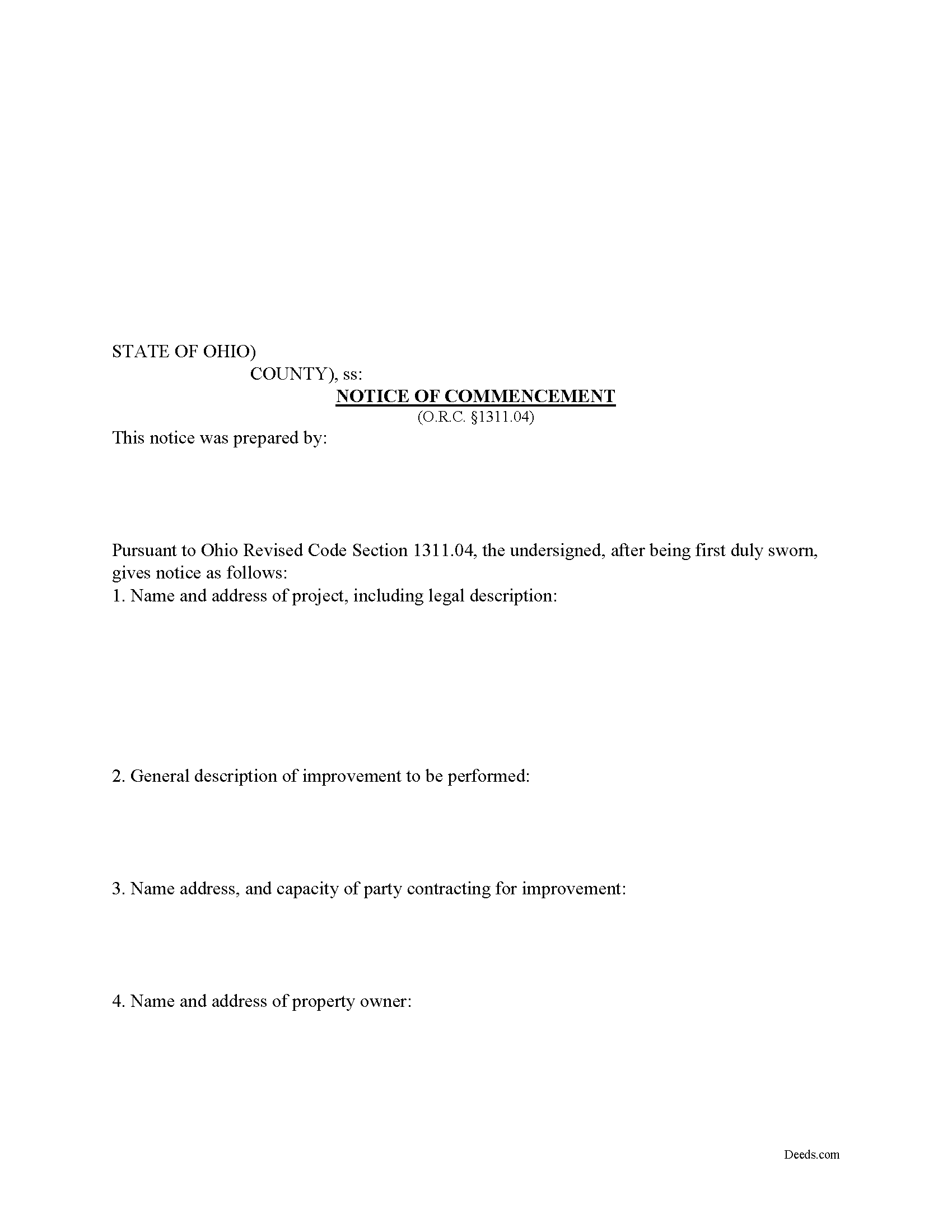
Greene County Notice of Commencement Form
Fill in the blank Notice of Commencement form formatted to comply with all Ohio recording and content requirements.
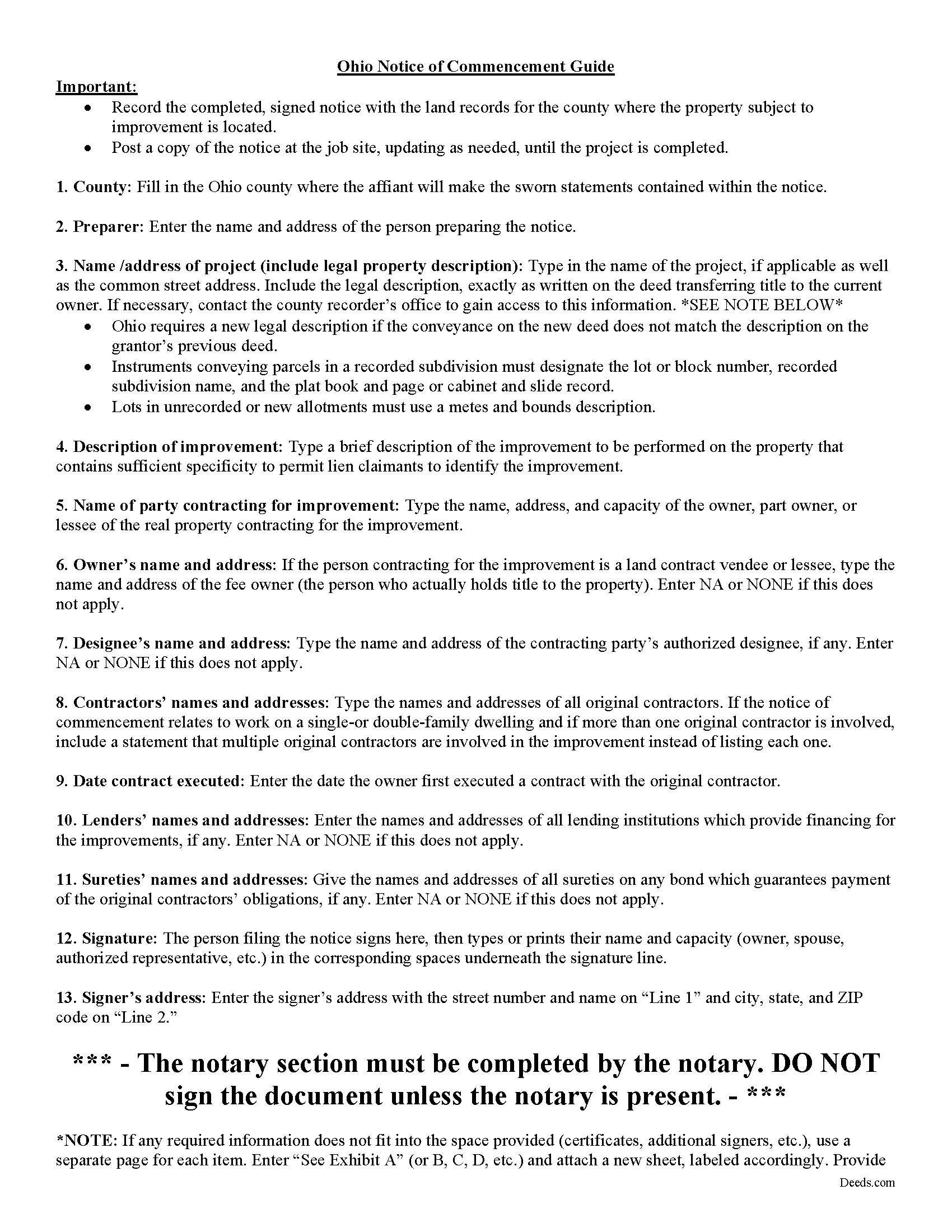
Greene County Notice of Commencement Guide
Line by line guide explaining every blank on the form.
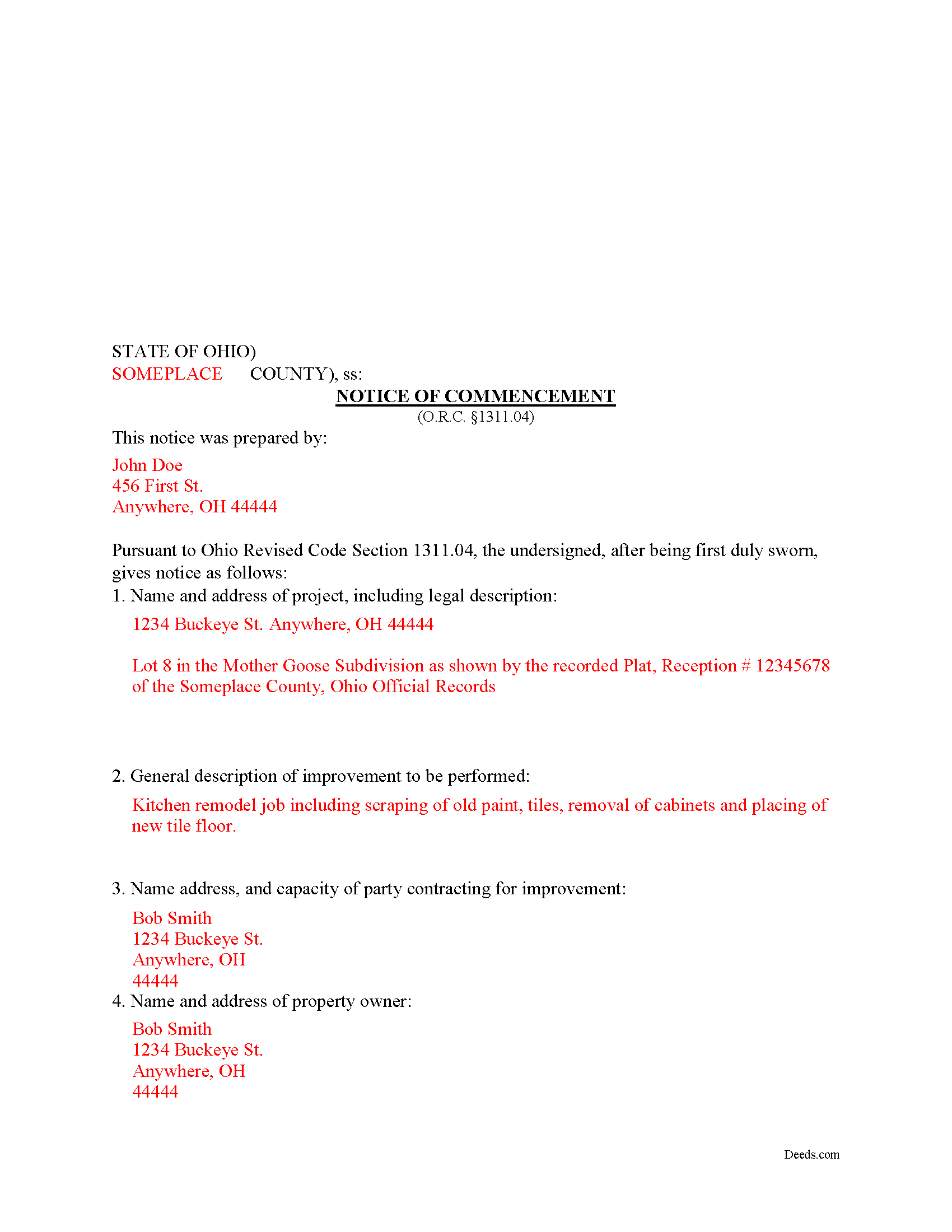
Greene County Completed Example of the Notice of Commencement Document
Example of a properly completed form for reference.
All 3 documents above included • One-time purchase • No recurring fees
Immediate Download • Secure Checkout
Additional Ohio and Greene County documents included at no extra charge:
Where to Record Your Documents
Greene County Recorder
Xenia, Ohio 45385
Hours: 7:30 to 4:30 M-F / Recording until 3:30 only
Phone: 937-562-5270
Recording Tips for Greene County:
- Bring your driver's license or state-issued photo ID
- Ensure all signatures are in blue or black ink
- Documents must be on 8.5 x 11 inch white paper
- Double-check legal descriptions match your existing deed
- Verify all names are spelled correctly before recording
Cities and Jurisdictions in Greene County
Properties in any of these areas use Greene County forms:
- Alpha
- Bellbrook
- Bowersville
- Cedarville
- Clifton
- Dayton
- Fairborn
- Jamestown
- Spring Valley
- Wilberforce
- Xenia
- Yellow Springs
Hours, fees, requirements, and more for Greene County
How do I get my forms?
Forms are available for immediate download after payment. The Greene County forms will be in your account ready to download to your computer. An account is created for you during checkout if you don't have one. Forms are NOT emailed.
Are these forms guaranteed to be recordable in Greene County?
Yes. Our form blanks are guaranteed to meet or exceed the applicable formatting requirements used for recording in Greene County, including margin requirements, font requirements, and other layout standards. This guarantee applies to formatting, not to the legal sufficiency of information entered by the user or the suitability of a form for a particular transaction.
Can I reuse these forms?
Yes. You can reuse the forms for your personal use. For example, if you have multiple properties in Greene County you only need to order once.
What do I need to use these forms?
The forms are PDFs that you fill out on your computer. The free Adobe Acrobat Reader is recommended, and most PDF apps also work. You do NOT enter your property information online - you download the blank forms and complete them privately on your own computer.
Are there any recurring fees?
No. This is a one-time purchase. Nothing to cancel, no memberships, no recurring fees.
How much does it cost to record in Greene County?
Recording fees in Greene County vary. Contact the recorder's office at 937-562-5270 for current fees.
Questions answered? Let's get started!
Under Ohio Revised Code 1311.04, an owner of real property must serve notice on any potential lien claimant. The form of notice is called a Notice of Commencement. The purpose of the Notice of Commence is to protect property owners and provide notice to any potential lien claimant that the project is commencing.
Prior to the performance of any labor or work or the furnishing of any materials for an improvement on real property which may give rise to a mechanics lien under sections 1311.01 to 1311.22 of the Revised Code, the owner, part owner, or lessee who contracts for the labor, work, or materials shall record, in the office of the county recorder for each county in which the real property to be improved is located, a notice of commencement in substantially the form specified by 1311.04(A)(1).
The Notice of Commencement includes the names and addresses of all owners, part-owners, and lessees attached to the project, a description of the property, a description of the improvement, names and addresses of all contractors, and information for any lenders or sureties. Then complete the following steps:
1) File the notice of commencement with the county recorder's office in the county where the project is located;
2) Serve a copy of the notice to the original contractor(s) via certified or registered US mail, with return receipt requested;
3) Post the notice at the project site;
4) Amend the notice to add any additional original contractors during the project; and
5) Provide copies of the Notice of Commencement to any potential lien claimant who is requesting a copy.
Complete the notice correctly, using accurate information. If the notice of commencement contains incorrect details, that same owner, part owner, or lessee is liable for any loss of a claimant's lien rights, and any actual expenses incurred by the lien claimant in maintaining lien rights, including attorney's fees, if the loss and expenses incurred are a direct result of the lien claimant's reliance on the incorrect information. Ohio Rev. Code 1311.04(C). In addition, if a lien is eventually filed using the incorrect information provide in the notice, any lien claimant who has included the information in his or her lien affidavit by relying on incorrect information contained in the Notice of Commencement, is entitled to file an amended affidavit for a lien. 1311.04(C). Notices of Commencement expire after six years unless the notice or an amendment to the notice states otherwise. Ohio Rev. Code 1311.04(S)
Every case is unique, so contact an attorney for complex situations, with specific questions about the Notice of Commencement, or for any other issue related to mechanic's liens in Ohio.
Important: Your property must be located in Greene County to use these forms. Documents should be recorded at the county recording office listed above.
This Notice of Commencement meets all recording requirements specific to Greene County.
Our Promise
The documents you receive here are guaranteed to meet or exceed the applicable Greene County recording format requirements. If there is a rejection caused by our formatting, we will correct the issue or refund your payment. This guarantee applies to document formatting only and does not extend to information entered by the user, the selection of the form, or the legal effect of the completed document.
Save Time and Money
Get your Greene County Notice of Commencement form done right the first time with Deeds.com Uniform Conveyancing Blanks. At Deeds.com, we understand that your time and money are valuable resources, and we don't want you to face a penalty fee or rejection imposed by a county recorder for submitting nonstandard documents. We constantly review and update our forms to meet rapidly changing state and county recording requirements for roughly 3,500 counties and local jurisdictions.
4.8 out of 5 - ( 4,828 Reviews )
Wanda C. 5 out of 5 stars
Site is very well laid out and easy to use. My only issue is that it wouldn't allow me to change my password, so I'm stuck with the "temporary" one. Not a big deal, but I would have preferred to change it.
Thank you for your feedback. We really appreciate it. Have a great day!
Glenn M. 5 out of 5 stars
Fast, easy, saves money!!!
Thank you!
Cleatous S. 3 out of 5 stars
The deed form is hard to fill in. There is no way to fill in the county in the "reviewed by" section. Also, there is no place for the Grantee's address on the form. I had to include it in the fill-in space for the legal description.
Thank you!
edward d. 5 out of 5 stars
used before awesome forms
Thank you!
Craig P. 5 out of 5 stars
Good
Thank you!
Nicole M. 5 out of 5 stars
Very helpful and happy with my service. Thanks much!
Thank you!
Dennis S. 5 out of 5 stars
Simple quitclaim form, worked perfectly for my area.
Thank you!
Ralph H. 5 out of 5 stars
They must have busy when I applied. The screen said it should be done in under10 mins unless heavier traffic. I was a little nervous because of a time deadline. It was completed in 45 mins and for under $30 it was worth every penny to have my deed details at my fingertips. So I give it a 5 on ease of use and quick handling. You can get it done less expensively, but great in a time crunch.
We appreciate your business and value your feedback. Thank you. Have a wonderful day!
William P. 1 out of 5 stars
VERY difficult to work with. Nice people. But difficult system. Ask for MANY changes. Why dont you do that as a
Sorry to hear of your struggle William. We do hope that you found something more suitable to your needs elsewhere.
Jackie C. 5 out of 5 stars
It was easy to access the documents for a minimal fee.
Thank you for your feedback. We really appreciate it. Have a great day!
leslie w. 5 out of 5 stars
Easy to use! Thanks for saving the time and expense of an attorney!
Thank you for your feedback. We really appreciate it. Have a great day!
Biagio V. 5 out of 5 stars
Process was quick , through and completed with no problems. Excellent service for the price involved.
We appreciate your business and value your feedback. Thank you. Have a wonderful day!
Howard N. 5 out of 5 stars
I tried several other online sites for lady bird deed. The county said they didn't contain the correct information. The form from Deeds.com was the right one. Thank you Howard Nielsen
Thank you for your positive words! We’re thrilled to hear about your experience.
Steve D. 5 out of 5 stars
I requested a property detail report on two houses that I own. The requests were easy to make. After submitting the requests, each report was available for my review within 15 minutes. The reports contained all the information I needed. I am very satisfied with this service.
We appreciate your business and value your feedback. Thank you. Have a wonderful day!
Darren G. 3 out of 5 stars
Your beneficiary deed sample contains a error of the LDPS designation. I copied the designation of LPDS instead of the correct designation
Thank you for your feedback. We really appreciate it. Have a great day!