Delaware County Affidavit of Confirmation (Trustee Beneficiary) Form
Last validated October 23, 2026 by our Forms Development TeamFormatted for recording in Delaware County, for property anywhere in the county: rural and unincorporated areas as well as Ashley, Columbus, Delaware, Galena, Kilbourne, Lewis Center, Ostrander, Powell and 3 more.
- 3 documents included
- Immediate PDF download
- Formatting guarantee
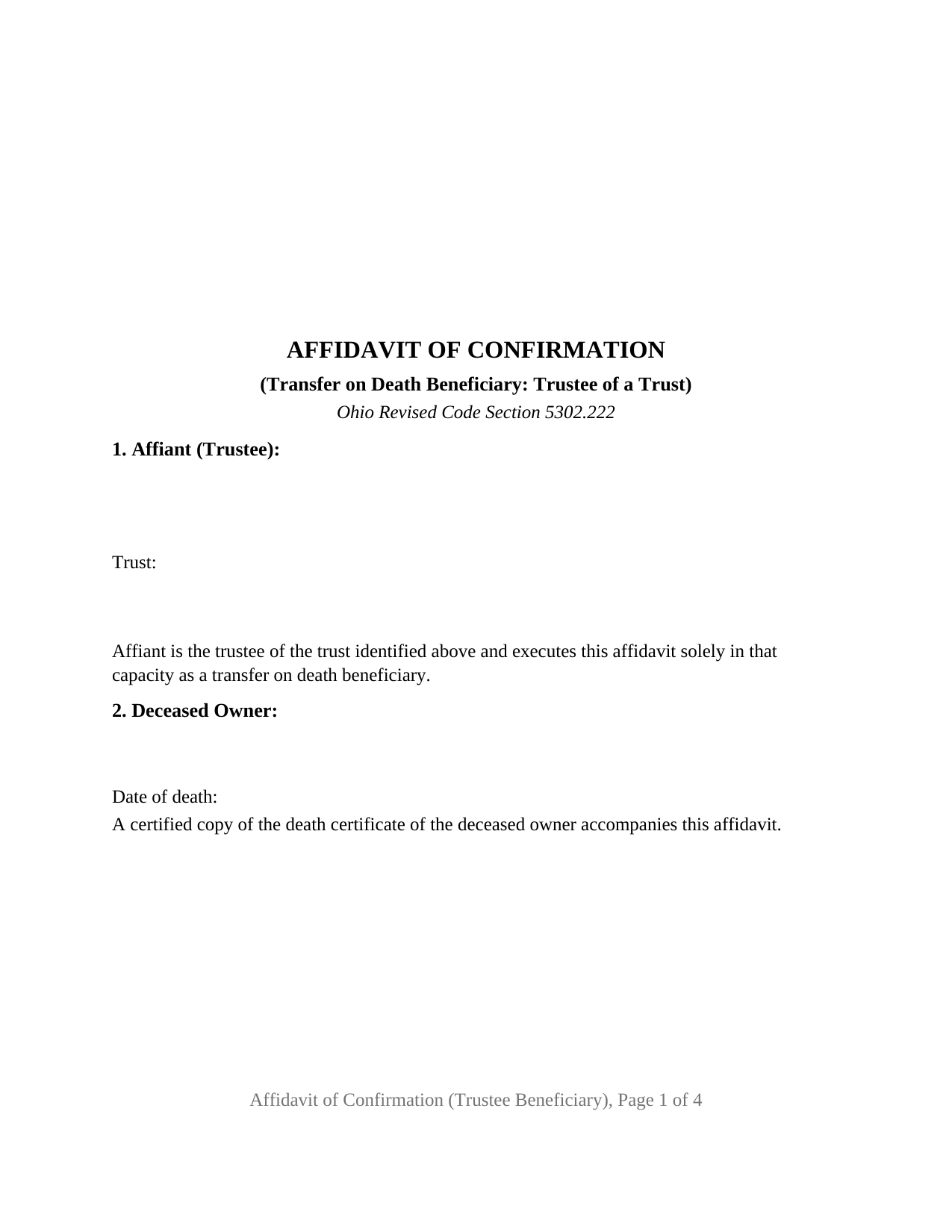
Delaware County Affidavit of Confirmation (Trustee Beneficiary) Form
Fill in the blank Affidavit of Confirmation (Trustee Beneficiary) form formatted to comply with all Ohio recording and content requirements.
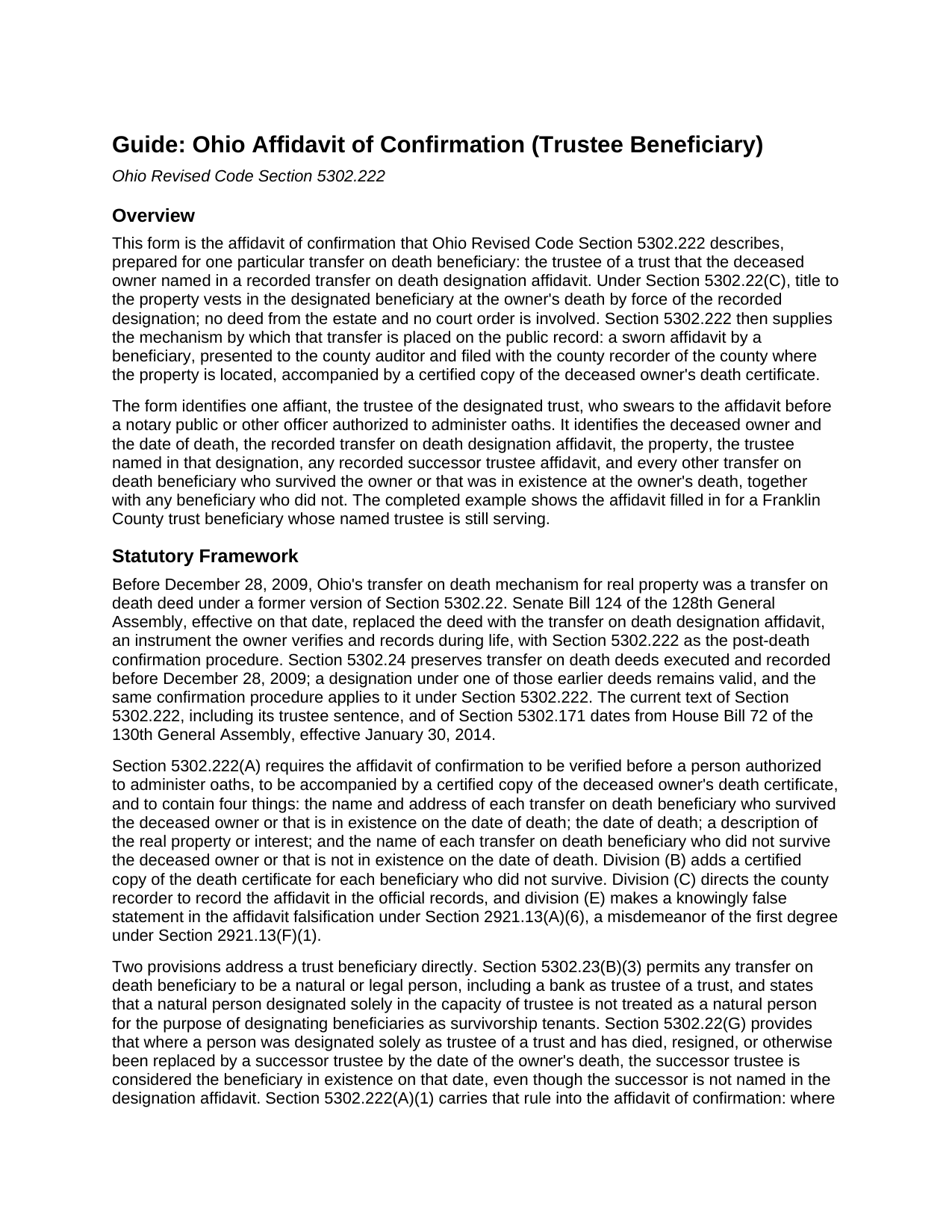
Delaware County Affidavit of Confirmation (Trustee Beneficiary) Guide
Line by line guide explaining every blank on the Affidavit of Confirmation (Trustee Beneficiary) form.
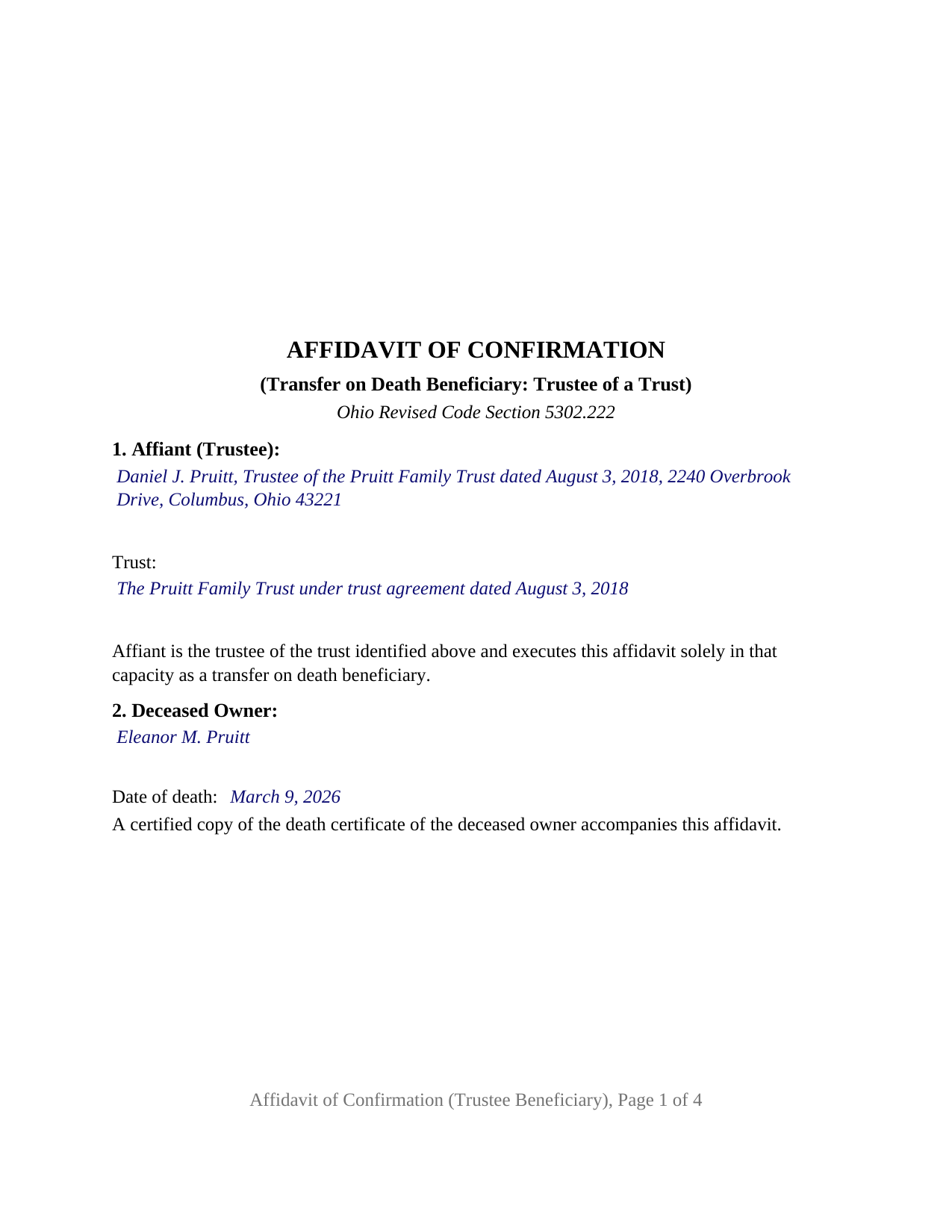
Delaware County Completed Example of the Affidavit of Confirmation (Trustee Beneficiary) Document
Example of a properly completed Ohio Affidavit of Confirmation (Trustee Beneficiary) document for reference.
All 3 documents above included • One-time purchase • No recurring fees
Immediate Download • Secure Checkout
Additional Ohio and Delaware County documents included at no extra charge:
Where to Record Your Documents
Delaware County Recorder
Delaware, Ohio 43015
Hours: 8:30 AM to 4:30 PM / Recording until 4:15
Phone: 740-833-2460
Recording Tips for Delaware County:
- Bring your driver's license or state-issued photo ID
- Ensure all signatures are in blue or black ink
- Double-check legal descriptions match your existing deed
- Verify all names are spelled correctly before recording
- White-out or correction fluid may cause rejection
Cities and Jurisdictions in Delaware County
Properties in any of these areas use Delaware County forms:
- Ashley
- Columbus
- Delaware
- Galena
- Kilbourne
- Lewis Center
- Ostrander
- Powell
- Radnor
- Sunbury
- Westerville
Hours, fees, requirements, and more for Delaware County
How do I get my forms?
Forms are available for immediate download after payment. The Delaware County forms will be in your account ready to download to your computer. An account is created for you during checkout if you don't have one. Forms are NOT emailed.
Are these forms guaranteed to be recordable in Delaware County?
Yes. Our form blanks are guaranteed to meet or exceed the applicable formatting requirements used for recording in Delaware County, including margin requirements, font requirements, and other layout standards. This guarantee applies to formatting, not to the legal sufficiency of information entered by the user or the suitability of a form for a particular transaction.
Can I reuse these forms?
Yes. You can reuse the forms for your personal use. For example, if you have multiple properties in Delaware County you only need to order once.
What do I need to use these forms?
The forms are PDFs that you fill out on your computer. The free Adobe Acrobat Reader is recommended, and most PDF apps also work. You do NOT enter your property information online - you download the blank forms and complete them privately on your own computer.
Are there any recurring fees?
No. This is a one-time purchase. Nothing to cancel, no memberships, no recurring fees.
How much does it cost to record in Delaware County?
Recording fees in Delaware County vary. Contact the recorder's office at 740-833-2460 for current fees.
Questions answered? Let's get started!
When an Ohio property owner names a trust as the transfer on death beneficiary of real estate and later dies, the trustee holds title the moment the owner dies, but the county records still show the owner's name. This Ohio Affidavit of Confirmation (Trustee Beneficiary) is the sworn instrument under Ohio Revised Code Section 5302.222 that a trustee presents to the county auditor and files with the county recorder to place that transfer on the public record. One affiant signs it: the trustee of the designated trust.
A beneficiary that exists rather than survives
Section 5302.22(G) transfers the deceased owner's interest to the beneficiaries named in the designation affidavit who survive the owner or that are in existence on the date of death, and Section 5302.23(B)(3) permits a beneficiary to be any natural or legal person, including a bank as trustee of a trust. A trust does not survive anyone; it exists or it does not. The affidavit of confirmation therefore states that the trust was in existence on the date of the owner's death and identifies the trust by name and date beside the trustee who signs.
When the trustee named in the designation has changed
Where the trustee named in the designation affidavit has died, resigned, or been replaced by the owner's death, Section 5302.22(G) treats the successor trustee as the beneficiary in existence on the date of death even though the designation never named the successor, and Section 5302.222(A)(1) then adds two requirements to the affidavit of confirmation: the name and address of the successor trustee and a copy of the recorded successor trustee affidavit described in Section 5302.171. The form carries a block for the trustee as originally named and a block for the recorded successor trustee affidavit; a trustee who has served from the start enters None, as in the completed example.
What the trustee swears to
Section 5302.222 lists the contents of the affidavit, and the form follows the list: the deceased owner and the date of death, the recorded designation affidavit by recording date, instrument number, and county, the property by legal description, parcel number, and street address, the interest the designation covered, every other transfer on death beneficiary who survived the owner or that was in existence at death, with a mailing address for each, and every beneficiary who did not. Certified death certificates accompany it for the owner and for each deceased beneficiary named. The confirmation section states that the transfer covers only the interest the deceased owner held on the date of death, subject to all encumbrances, reservations, and exceptions, the limit Section 5302.23(B)(7)(a) places on every transfer on death beneficiary. A knowingly false statement in the affidavit is falsification under Section 2921.13(A)(6), a point Section 5302.222(E) makes expressly.
The trustee configuration
The form carries one signature block, captioned for the affiant as trustee, and one jurat certificate rather than an acknowledgment, because Section 5302.222 requires the affidavit to be verified before a person authorized to administer oaths. A trust whose trustee has served without change, one whose named trustee has been succeeded, and a bank serving as trustee each present the pattern this affidavit describes. The form is not set up as an affidavit by a beneficiary signing in that person's own right, by an entity taking in its own name, or by two or more beneficiaries signing together; any one beneficiary to whom the transfer is made may execute the affidavit, and the trustee's affidavit lists the others.
Auditor first, then recorder
The affidavit goes first to the county auditor of the county where the property is located, with the auditor's conveyance fee statement, form DTE 100EX where an exemption under Section 319.54(G)(3) is claimed, and the certified death certificate; the auditor endorses it and moves the parcel into the trustee's name for tax purposes. It is then filed with the county recorder, who records it under Section 5302.222(C). The form follows the Section 317.114 recording standard, including the 3 inch blank top margin on the first page that Ohio reserves for the auditor's and recorder's endorsements, and carries the preparer block Section 317.111 requires.
The package includes the fillable affidavit, a completed example filled in for a Franklin County trust beneficiary, and the guide that walks through every numbered section, the jurat, and the auditor and recorder steps. This description and the guide describe the form and the governing Ohio statutes in general terms; they are not legal advice.
Important: Your property must be located in Delaware County to use these forms. Documents should be recorded at the county recording office listed above.
This Affidavit of Confirmation (Trustee Beneficiary) meets all recording requirements specific to Delaware County.
Our Promise
The documents you receive here are guaranteed to meet or exceed the applicable Delaware County recording format requirements. If there is a rejection caused by our formatting, we will correct the issue or refund your payment. This guarantee applies to document formatting only and does not extend to information entered by the user, the selection of the form, or the legal effect of the completed document.
Save Time and Money
Get your Delaware County Affidavit of Confirmation (Trustee Beneficiary) form done right the first time with Deeds.com Uniform Conveyancing Blanks. At Deeds.com, we understand that your time and money are valuable resources, and we don't want you to face a penalty fee or rejection imposed by a county recorder for submitting nonstandard documents. We constantly review and update our forms to meet rapidly changing state and county recording requirements for roughly 3,500 counties and local jurisdictions.
4.8 out of 5 - ( 4,831 Reviews )
Margaret M. 4 out of 5 stars
Quick and easy, but the 2MB file limit ended up causing some big headaches. Had I known the limit could be easily increased, it would have saved me a lot of time and trouble.
We appreciate your business and value your feedback. Thank you. Have a wonderful day!
LISA R. 5 out of 5 stars
I was very pleased to find your website and the range of services you offer. I was recommended to hire an estate attorney, but the forms you provided will eliminate the need for that. Thank you for the help!
Thank you for your feedback. We really appreciate it. Have a great day!
Marck G. 5 out of 5 stars
This is an excellent service..thank you
Thank you!
Michael F. 5 out of 5 stars
I'm not too bright and I made a mess of things when I tried to create my own deed. It was lucky that I found the forms here after so many of my personal failures. It's good that the pros know what they are doing.
Such kind words Michael, thank you.
Erik G. 5 out of 5 stars
Great...
Thank you!
Thomas D. 2 out of 5 stars
The documents themselves are fine and the information provided with them is helpful. I find the actual processing of the documents, however, to be difficult particularly once the document has been saved. First, I note that the box for the date only allows entry of the last 2 digits of the year. Unfortunately, my download only allows me to enter one of the 2 digits required. When I delete it repeatedly, it eventually allows both digits to be entered but puts them in extremely small text and in superscrypt. I have not found a solution to this problem and am not sure the deed can even be recorded with this problem. Another problem is that if you try to revise the document after you have saved it the curser goes to the end of the line after each key entry. This means that there basically is no way to efficiently save the document for reworking later since you will have to delete everything you have entered in the text box unless you only need to make a single keystroke change or are willing to replace the curser after each entry. Try that with a long property description! Please note that I am using a Mac to prepare my documents and perhaps this is part of an "incompatibility problem". However, I didn't see a disclaimer regarding Mac use and so would expect the documents to perform correctly. Overall, I give the program a "2 star" rating because I am experiencing significant difficulties in entering dates in the documents even before saving them and because saving your work for later revision appears to be basically unworkable.
Thank you for your feedback Thomas, we appreciate you being specific about the issues you encountered. Adobe and Mac have a fairly long history of issues working together.
Alison L. 5 out of 5 stars
Wonderful and easy to use platform. I was using a more complicated platform that wouldn't load half the time. Makes for filing deeds in the pandemic quick and easy.
We appreciate your business and value your feedback. Thank you. Have a wonderful day!
Ron E. 5 out of 5 stars
Flawless. I ordered the forms needed, along with completed samples. I filled them out, and I was on my way to the recorders office. I would use deeds.com without hesitation.
Thank you for your feedback. We really appreciate it. Have a great day!
Lindsey W. 3 out of 5 stars
The service was great but after I did all my work and uploaded the documents they canceled my stuff because the county they had on the list doesnt take/or have set up e-recording yet. It was a bit disappointing because thats the only reason I was on here is because it brought me here from that countys sight.
Thank you for your feedback, sorry we were not able to provide the service for you. Hope you have a great day.
Tram V. 5 out of 5 stars
This is quick, easy, and very reasonably priced. I wish I found this site before doing my living trust. I had the company who does my trust do the transfer deed and they charged an additional $329 for the deed alone.
Thank you for your feedback. We really appreciate it. Have a great day!
William S C. 5 out of 5 stars
The Lady Bird Deed appears to be fine with me as are the instructions. However, there apparently are no specific laws in Texas addressing them other than they are OK. The problem is that lenders are surely going to use them as triggers for their due on sale clauses, especially as the current small mortgage rates begin to increase. The solution to that seems to be to sign and have them notarized, but not to record them unless the holder needs to enforce the provisions. It seems to me that you should consider your solution to that problem in your instructions.
Thank you for your feedback. We really appreciate it. Have a great day!
Cynthia W. 5 out of 5 stars
Fantastic forms, thanks for making them available.
We appreciate your business and value your feedback. Thank you. Have a wonderful day!
kabir r. 5 out of 5 stars
Wonderful quitclaim forms, very happy
Thank you!
JORGE S. 5 out of 5 stars
Excelent! I cannot believe I found this company. Thanks!!!
Thank you for your feedback. We really appreciate it. Have a great day!
Theodore K. 2 out of 5 stars
This does the job but we are not able to save this in our account and if you don't pay for Adobe and only have Adobe reader, I cannot save any information on the form online in my account. I do understand why they do this because they would lose money. A huge issue is that when I got to the end of the document and was adding an Exhibit A, as I typed, the page kept jumping back up the to top and I couldn't see what I was typing. I had to type a little then scroll back down and when I would type more, it would jump up again. This was a real problem.
Thank you for your feedback. We really appreciate it. Have a great day!