Portage County Affidavit of Confirmation (Trustee Beneficiary) Form
Last validated November 12, 2026 by our Forms Development TeamFormatted for recording in Portage County, for property anywhere in the county: rural and unincorporated areas as well as Atwater, Aurora, Brady Lake, Deerfield, Diamond, Garrettsville, Hiram, Kent and 9 more.
- 3 documents included
- Immediate PDF download
- Formatting guarantee
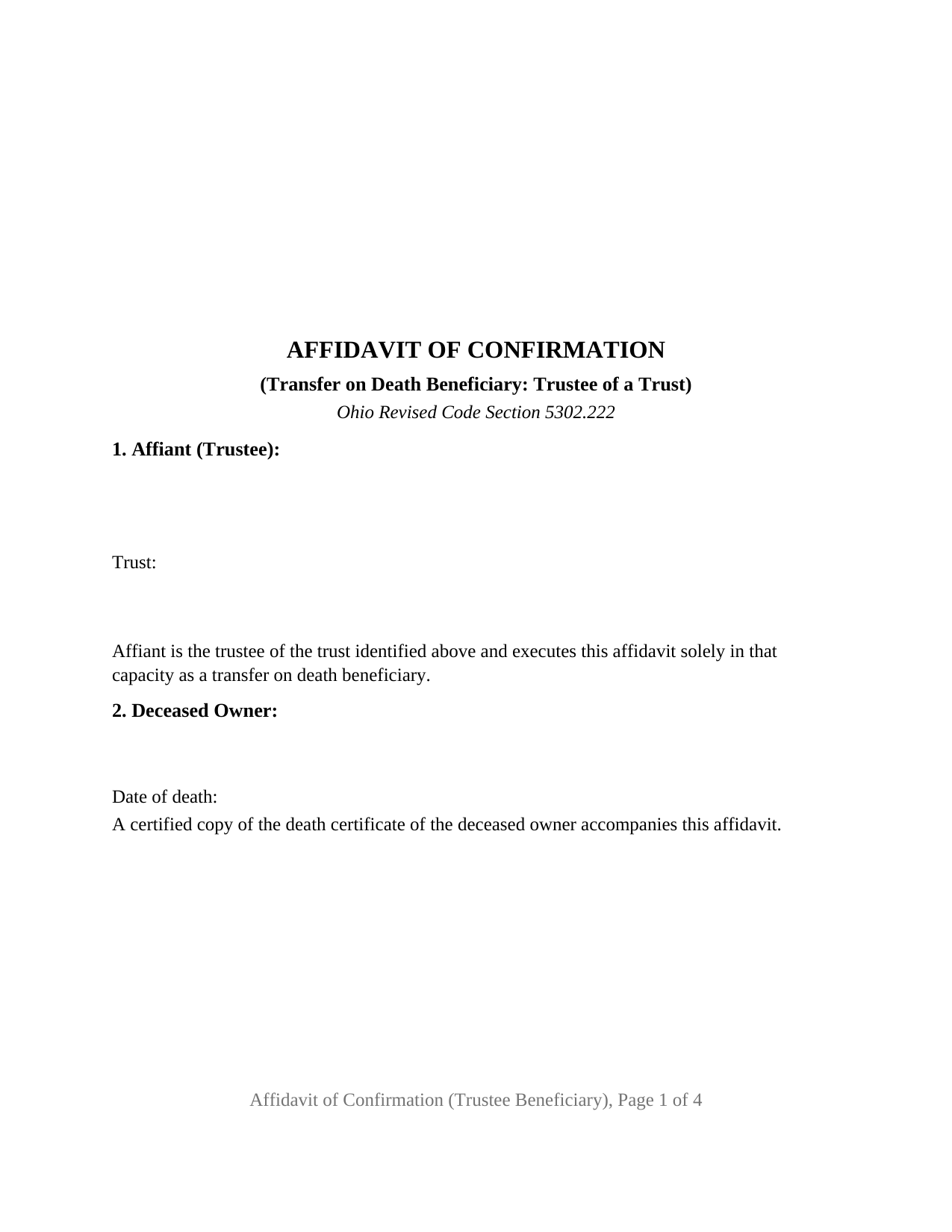
Portage County Affidavit of Confirmation (Trustee Beneficiary) Form
Fill in the blank Affidavit of Confirmation (Trustee Beneficiary) form formatted to comply with all Ohio recording and content requirements.
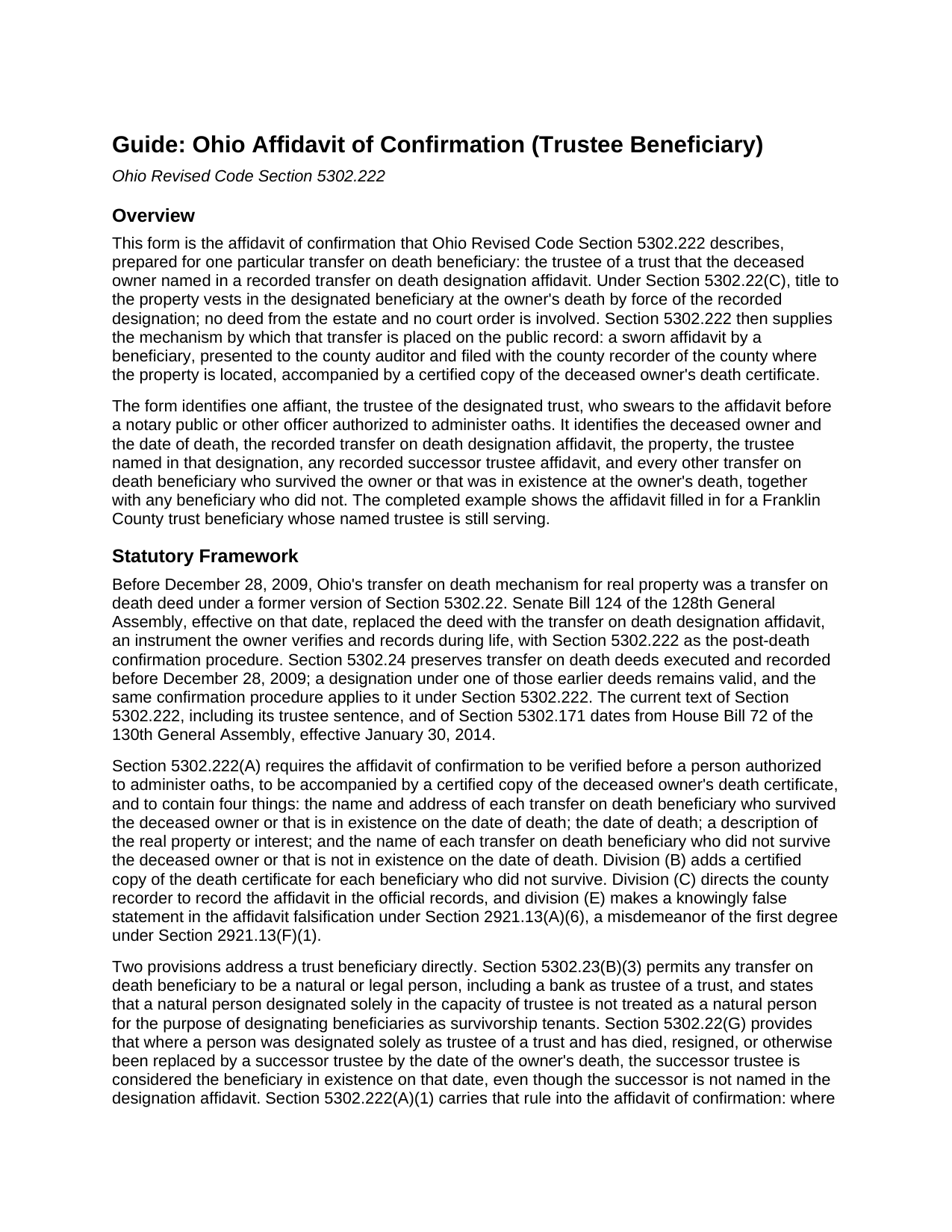
Portage County Affidavit of Confirmation (Trustee Beneficiary) Guide
Line by line guide explaining every blank on the Affidavit of Confirmation (Trustee Beneficiary) form.
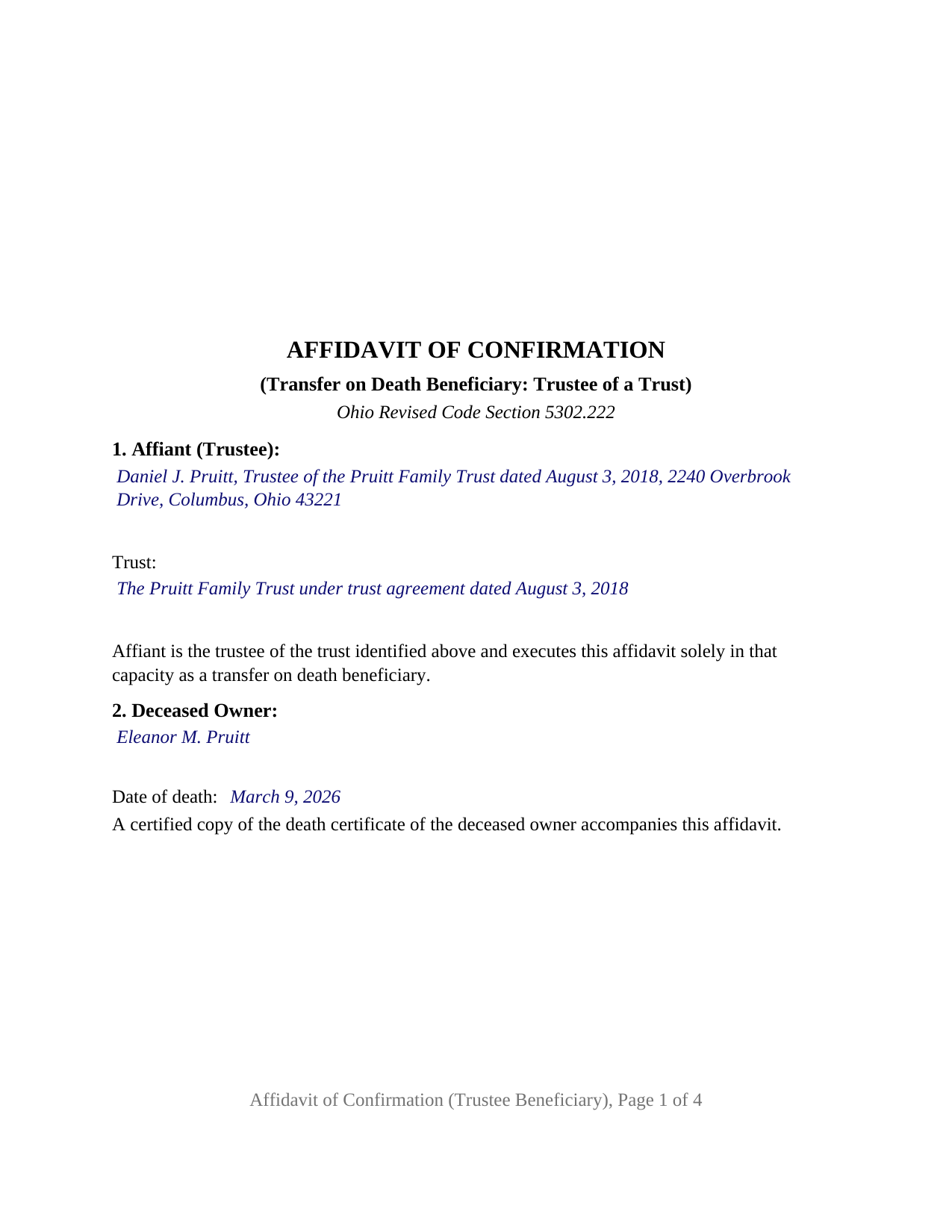
Portage County Completed Example of the Affidavit of Confirmation (Trustee Beneficiary) Document
Example of a properly completed Ohio Affidavit of Confirmation (Trustee Beneficiary) document for reference.
All 3 documents above included • One-time purchase • No recurring fees
Immediate Download • Secure Checkout
Additional Ohio and Portage County documents included at no extra charge:
Where to Record Your Documents
Portage County Recorder
Ravenna, Ohio 44266
Hours: 8:00am and 4:00pm M-F (last filing 3:45)
Phone: 330-297-3553
Recording Tips for Portage County:
- Bring your driver's license or state-issued photo ID
- Ensure all signatures are in blue or black ink
- Recorded documents become public record - avoid including SSNs
- Recording fees may differ from what's posted online - verify current rates
- Request a receipt showing your recording numbers
Cities and Jurisdictions in Portage County
Properties in any of these areas use Portage County forms:
- Atwater
- Aurora
- Brady Lake
- Deerfield
- Diamond
- Garrettsville
- Hiram
- Kent
- Mantua
- Mogadore
- North Benton
- Randolph
- Ravenna
- Rootstown
- Streetsboro
- Wayland
- Windham
Hours, fees, requirements, and more for Portage County
How do I get my forms?
Forms are available for immediate download after payment. The Portage County forms will be in your account ready to download to your computer. An account is created for you during checkout if you don't have one. Forms are NOT emailed.
Are these forms guaranteed to be recordable in Portage County?
Yes. Our form blanks are guaranteed to meet or exceed the applicable formatting requirements used for recording in Portage County, including margin requirements, font requirements, and other layout standards. This guarantee applies to formatting, not to the legal sufficiency of information entered by the user or the suitability of a form for a particular transaction.
Can I reuse these forms?
Yes. You can reuse the forms for your personal use. For example, if you have multiple properties in Portage County you only need to order once.
What do I need to use these forms?
The forms are PDFs that you fill out on your computer. The free Adobe Acrobat Reader is recommended, and most PDF apps also work. You do NOT enter your property information online - you download the blank forms and complete them privately on your own computer.
Are there any recurring fees?
No. This is a one-time purchase. Nothing to cancel, no memberships, no recurring fees.
How much does it cost to record in Portage County?
Recording fees in Portage County vary. Contact the recorder's office at 330-297-3553 for current fees.
Questions answered? Let's get started!
When an Ohio property owner names a trust as the transfer on death beneficiary of real estate and later dies, the trustee holds title the moment the owner dies, but the county records still show the owner's name. This Ohio Affidavit of Confirmation (Trustee Beneficiary) is the sworn instrument under Ohio Revised Code Section 5302.222 that a trustee presents to the county auditor and files with the county recorder to place that transfer on the public record. One affiant signs it: the trustee of the designated trust.
A beneficiary that exists rather than survives
Section 5302.22(G) transfers the deceased owner's interest to the beneficiaries named in the designation affidavit who survive the owner or that are in existence on the date of death, and Section 5302.23(B)(3) permits a beneficiary to be any natural or legal person, including a bank as trustee of a trust. A trust does not survive anyone; it exists or it does not. The affidavit of confirmation therefore states that the trust was in existence on the date of the owner's death and identifies the trust by name and date beside the trustee who signs.
When the trustee named in the designation has changed
Where the trustee named in the designation affidavit has died, resigned, or been replaced by the owner's death, Section 5302.22(G) treats the successor trustee as the beneficiary in existence on the date of death even though the designation never named the successor, and Section 5302.222(A)(1) then adds two requirements to the affidavit of confirmation: the name and address of the successor trustee and a copy of the recorded successor trustee affidavit described in Section 5302.171. The form carries a block for the trustee as originally named and a block for the recorded successor trustee affidavit; a trustee who has served from the start enters None, as in the completed example.
What the trustee swears to
Section 5302.222 lists the contents of the affidavit, and the form follows the list: the deceased owner and the date of death, the recorded designation affidavit by recording date, instrument number, and county, the property by legal description, parcel number, and street address, the interest the designation covered, every other transfer on death beneficiary who survived the owner or that was in existence at death, with a mailing address for each, and every beneficiary who did not. Certified death certificates accompany it for the owner and for each deceased beneficiary named. The confirmation section states that the transfer covers only the interest the deceased owner held on the date of death, subject to all encumbrances, reservations, and exceptions, the limit Section 5302.23(B)(7)(a) places on every transfer on death beneficiary. A knowingly false statement in the affidavit is falsification under Section 2921.13(A)(6), a point Section 5302.222(E) makes expressly.
The trustee configuration
The form carries one signature block, captioned for the affiant as trustee, and one jurat certificate rather than an acknowledgment, because Section 5302.222 requires the affidavit to be verified before a person authorized to administer oaths. A trust whose trustee has served without change, one whose named trustee has been succeeded, and a bank serving as trustee each present the pattern this affidavit describes. The form is not set up as an affidavit by a beneficiary signing in that person's own right, by an entity taking in its own name, or by two or more beneficiaries signing together; any one beneficiary to whom the transfer is made may execute the affidavit, and the trustee's affidavit lists the others.
Auditor first, then recorder
The affidavit goes first to the county auditor of the county where the property is located, with the auditor's conveyance fee statement, form DTE 100EX where an exemption under Section 319.54(G)(3) is claimed, and the certified death certificate; the auditor endorses it and moves the parcel into the trustee's name for tax purposes. It is then filed with the county recorder, who records it under Section 5302.222(C). The form follows the Section 317.114 recording standard, including the 3 inch blank top margin on the first page that Ohio reserves for the auditor's and recorder's endorsements, and carries the preparer block Section 317.111 requires.
The package includes the fillable affidavit, a completed example filled in for a Franklin County trust beneficiary, and the guide that walks through every numbered section, the jurat, and the auditor and recorder steps. This description and the guide describe the form and the governing Ohio statutes in general terms; they are not legal advice.
Important: Your property must be located in Portage County to use these forms. Documents should be recorded at the county recording office listed above.
This Affidavit of Confirmation (Trustee Beneficiary) meets all recording requirements specific to Portage County.
Our Promise
The documents you receive here are guaranteed to meet or exceed the applicable Portage County recording format requirements. If there is a rejection caused by our formatting, we will correct the issue or refund your payment. This guarantee applies to document formatting only and does not extend to information entered by the user, the selection of the form, or the legal effect of the completed document.
Save Time and Money
Get your Portage County Affidavit of Confirmation (Trustee Beneficiary) form done right the first time with Deeds.com Uniform Conveyancing Blanks. At Deeds.com, we understand that your time and money are valuable resources, and we don't want you to face a penalty fee or rejection imposed by a county recorder for submitting nonstandard documents. We constantly review and update our forms to meet rapidly changing state and county recording requirements for roughly 3,500 counties and local jurisdictions.
4.8 out of 5 - ( 4,852 Reviews )
Jacqueline G. 5 out of 5 stars
I'm 84 and not all that smart when it comes to what a Lawyer usually helps you with, but I took a chance to see if I could do this. Walla, I was able to do it. I was helping my son who had a stroke a few years ago and the transaction went well. Thank you.
Thank you for your feedback Jacqueline. We appreciate you.
Jim H. 5 out of 5 stars
Well written form, and the guidance document and example supplied were very helpful.
Thank you!
CECIL E C. 5 out of 5 stars
You made it easy to attain the documents I needed. The cost was very reasonable...thanks
Thank you for your feedback Cecil, we really appreciate it.
James J. 4 out of 5 stars
The form itself was very good and easy to use. The only problem I had was the Sample they provided. Using a different name in every spot doesnt help determine what goes where. Using "Theodore Rockafeller" as Lien Claimant in one spot and Jebediah Finklestein in another then Harvey Johnson in the last spot is confusing if you really need a helpful sample.
Thank you for your feedback James. We will have staff review the completed example to see if we can make it more helpful. Have a great day!
Fred B. 5 out of 5 stars
Great site and very easy to use. I will be using this for all of my search and form requirements.
Thank you for your feedback. We really appreciate it. Have a great day!
Dianne W. 5 out of 5 stars
Thank you for responding so quickly to my question. I was able to locate the form and get everything downloaded. Once I saw the icon, it was easy peasy!!
Thank you!
Claire W. 5 out of 5 stars
The price is right, and very simple to follow
Thank you!
Tisha J. 5 out of 5 stars
A quick and efficient way to record! Awesome customer service and SUPER FAST turnaround time.!
Thank you!
Natasha M. 5 out of 5 stars
Your forms, guides, sample deeds and submission process were accessible, easy to understand and simple. I also was pleasantly surprised by the efficiency, professionalism and ease of staff communicating with me after I uploaded the document to ensure the county accepted it. I will continue to use this website to record deeds. Thank you!
Thank you for your feedback. We really appreciate it. Have a great day!
paula b. 5 out of 5 stars
Very helpful and easy to download, thankyou.
Thank you!
Jimmy P. 5 out of 5 stars
Works well. Very satisfied.
Thank you!
SHARON R. 5 out of 5 stars
Excellent Service! Please note that form Realty Transfer Tax Statement of Value does not print completely. Part of the pages are cut off. Otherwise, excellent service.
Thank you for your feedback. We really appreciate it. Have a great day!
Chrystal L. 5 out of 5 stars
Excellent! Follow the prompts for easy access. Forms readily available. Thanks!
We appreciate your business and value your feedback. Thank you. Have a wonderful day!
Jason B. 5 out of 5 stars
Deeds.com did a great job in explaining exactly what I'd need to file a deed transfer (quitclaim deed). I didn't have to order the forms piecemeal, but was able to order the whole package at once for a reasonable price. Once downloaded, their fill-in-the-blank PDF was easy to use with detailed instructions for each line item. I'd definitely use them again.
Thank you for your feedback. We really appreciate it. Have a great day!
Deb D. 5 out of 5 stars
Excellent website - easy to use, and found exactly the form I needed right away. Highly recommend.
Thank you for your feedback. We really appreciate it. Have a great day!