Pickaway County Affidavit of Confirmation Form
Last validated November 27, 2026 by our Forms Development TeamFormatted for recording in Pickaway County, for property anywhere in the county: rural and unincorporated areas as well as Ashville, Circleville, Commercial Point, Derby, New Holland, Orient, Tarlton, Williamsport.
- 3 documents included
- Immediate PDF download
- Formatting guarantee
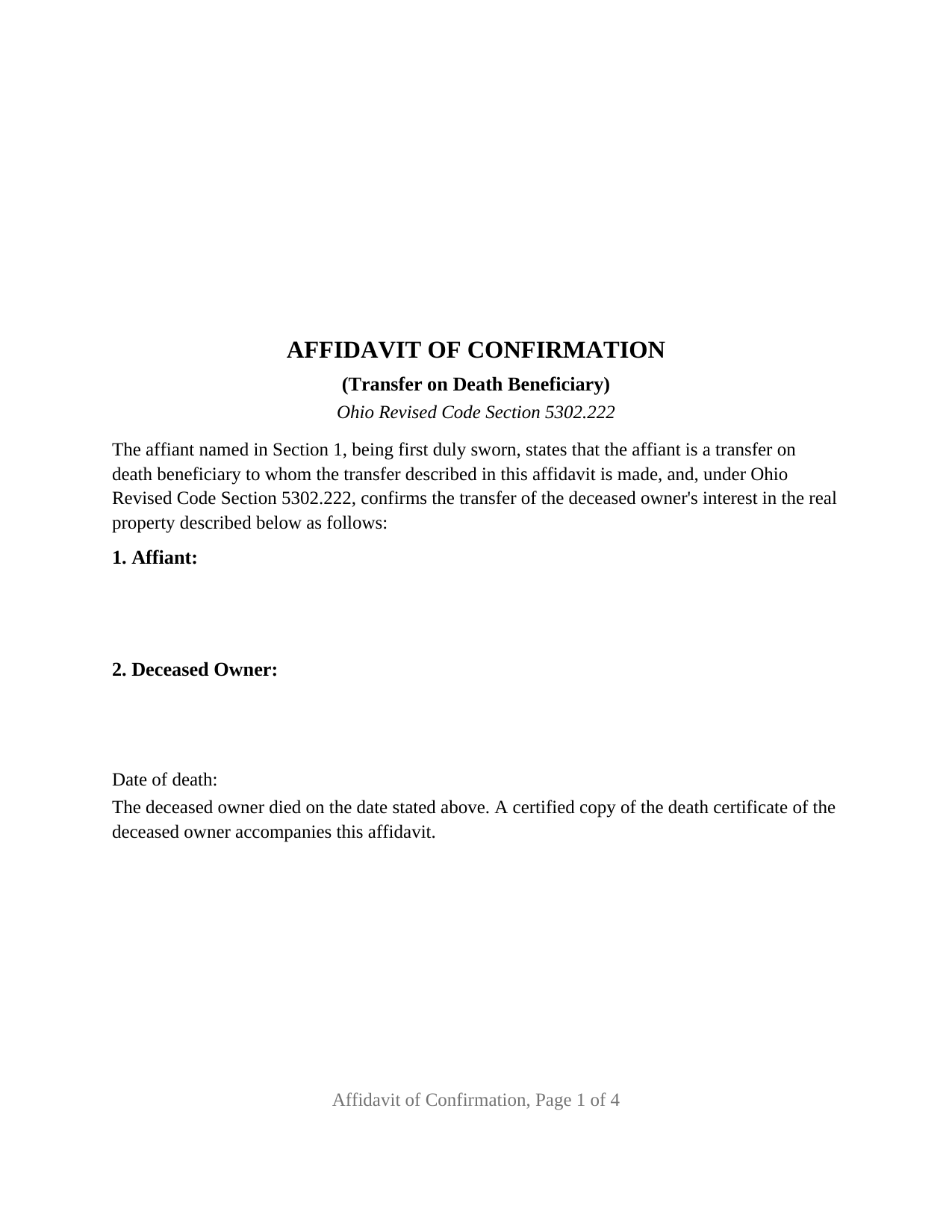
Pickaway County Affidavit of Confirmation Form
Fill in the blank Affidavit of Confirmation form formatted to comply with all Ohio recording and content requirements.
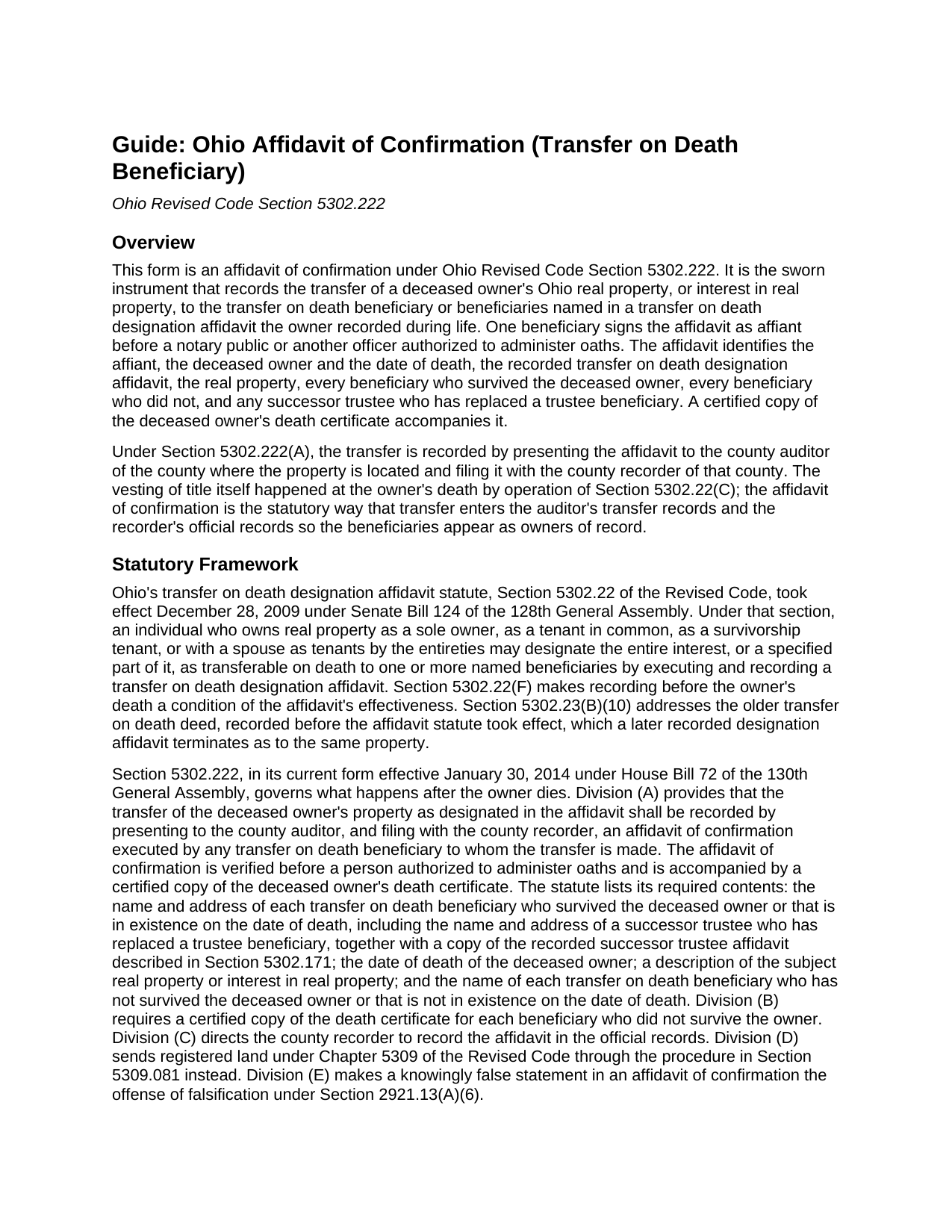
Pickaway County Affidavit of Confirmation Guide
Line by line guide explaining every blank on the Affidavit of Confirmation form.
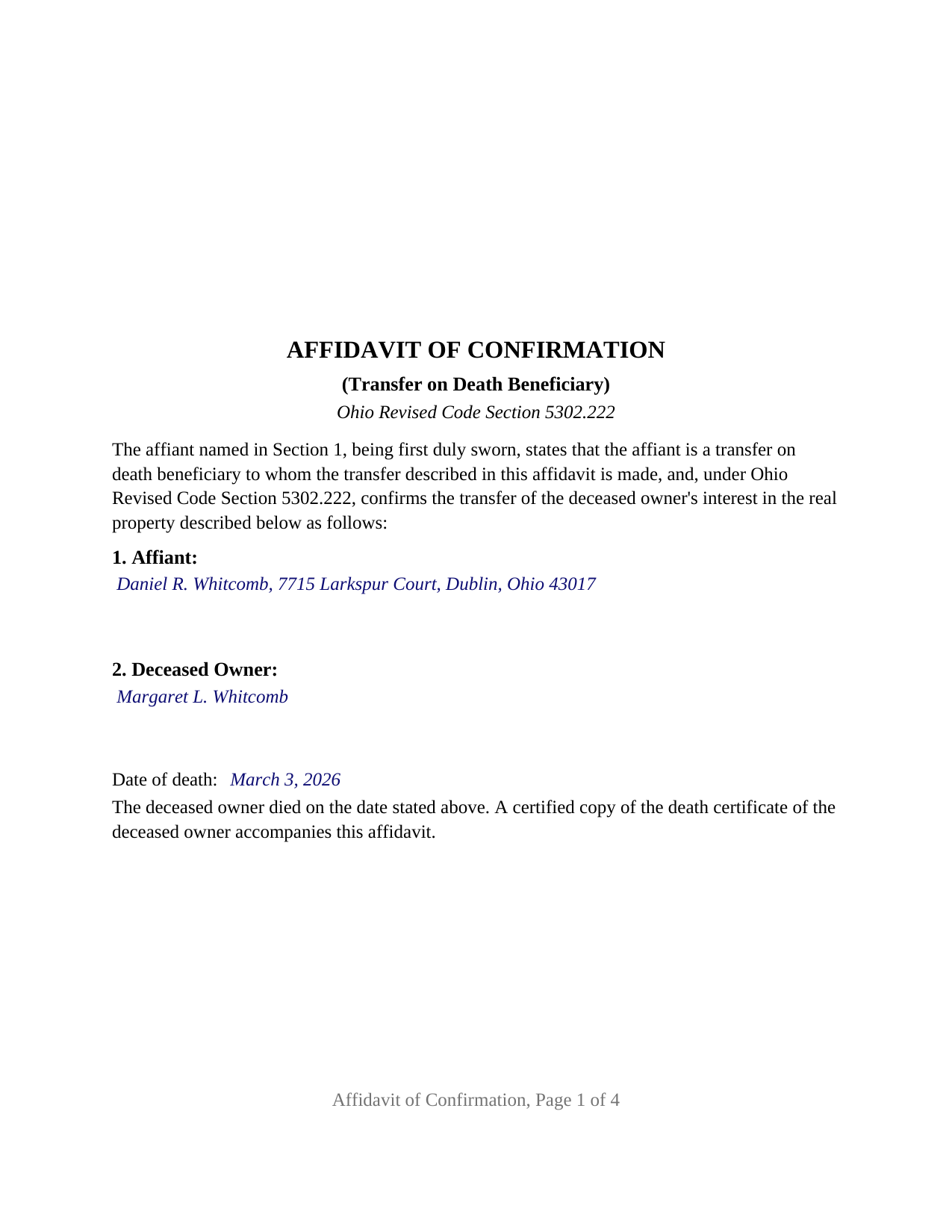
Pickaway County Completed Example of the Affidavit of Confirmation Document
Example of a properly completed Ohio Affidavit of Confirmation document for reference.
All 3 documents above included • One-time purchase • No recurring fees
Immediate Download • Secure Checkout
Additional Ohio and Pickaway County documents included at no extra charge:
Where to Record Your Documents
Pickaway County Recorder
Circleville, Ohio 43113
Hours: 8:00 a.m. - 4:00 p.m. Monday - Friday
Phone: (740) 474-5826
Recording Tips for Pickaway County:
- Bring your driver's license or state-issued photo ID
- Ensure all signatures are in blue or black ink
- Check margin requirements - usually 1-2 inches at top
- Leave recording info boxes blank - the office fills these
- Make copies of your documents before recording - keep originals safe
Cities and Jurisdictions in Pickaway County
Properties in any of these areas use Pickaway County forms:
- Ashville
- Circleville
- Commercial Point
- Derby
- New Holland
- Orient
- Tarlton
- Williamsport
Hours, fees, requirements, and more for Pickaway County
How do I get my forms?
Forms are available for immediate download after payment. The Pickaway County forms will be in your account ready to download to your computer. An account is created for you during checkout if you don't have one. Forms are NOT emailed.
Are these forms guaranteed to be recordable in Pickaway County?
Yes. Our form blanks are guaranteed to meet or exceed the applicable formatting requirements used for recording in Pickaway County, including margin requirements, font requirements, and other layout standards. This guarantee applies to formatting, not to the legal sufficiency of information entered by the user or the suitability of a form for a particular transaction.
Can I reuse these forms?
Yes. You can reuse the forms for your personal use. For example, if you have multiple properties in Pickaway County you only need to order once.
What do I need to use these forms?
The forms are PDFs that you fill out on your computer. The free Adobe Acrobat Reader is recommended, and most PDF apps also work. You do NOT enter your property information online - you download the blank forms and complete them privately on your own computer.
Are there any recurring fees?
No. This is a one-time purchase. Nothing to cancel, no memberships, no recurring fees.
How much does it cost to record in Pickaway County?
Recording fees in Pickaway County vary. Contact the recorder's office at (740) 474-5826 for current fees.
Questions answered? Let's get started!
When an Ohio property owner who recorded a transfer on death designation affidavit dies, title passes to the named beneficiaries at that moment by operation of law. The paperwork does not follow on its own: the county auditor and county recorder still show the deceased owner until a beneficiary records an affidavit of confirmation under Ohio Revised Code Section 5302.222. This fillable form prepares that affidavit for Ohio real property.
The transfer happened at death; the affidavit puts it on record
Ohio's transfer on death designation affidavit, the instrument Section 5302.22 substituted for the older transfer on death deed in 2009, vests title in the designated beneficiaries when the owner dies, without probate. Section 5302.222 supplies the recording step: the transfer is recorded by presenting to the county auditor, and filing with the county recorder of the county where the property is located, an affidavit of confirmation executed by any transfer on death beneficiary to whom the transfer is made, verified before a person authorized to administer oaths and accompanied by a certified copy of the deceased owner's death certificate.
The affidavit of confirmation is therefore a sworn statement, not a deed. It confirms, for the public record, who died, when, under which recorded designation affidavit, what property is involved, and who takes it.
One beneficiary swears for every beneficiary
Section 5302.222 lets any beneficiary to whom the transfer is made execute the affidavit, so the form carries one affiant, one signature line, and one jurat. The affidavit still names everyone: the statute requires the name and address of each transfer on death beneficiary who survived the deceased owner or that is in existence on the date of death, and the name of each beneficiary who did not survive. The form gives each list its own section, and a third section for a successor trustee who has replaced a beneficiary named solely as trustee of a trust, whom Section 5302.22(G) treats as the beneficiary in existence at death.
Shares are not written into the affidavit. Under Section 5302.23(B)(1), two or more beneficiaries take in equal shares as tenants in common unless the designation affidavit stated other shares or a survivorship tenancy, and a contingent beneficiary takes the share of a named beneficiary who did not survive.
What the sworn statements cover
Beyond the four items the statute lists, the form's fixed statements recite the facts that make the transfer complete: that the designation affidavit was recorded before the owner's death, the condition Section 5302.22(F) places on its effectiveness; that the affiant knows of no later recorded designation affidavit revoking or changing the beneficiaries, the revocation method Section 5302.23(B)(5) provides; and that, where the owner held as a survivorship tenant or as a tenant by the entireties, the deceased owner was the last surviving tenant, since Section 5302.22(C) vests title in the beneficiaries only at that death. Section 5302.222(E) makes a knowingly false statement in the affidavit the offense of falsification.
Through the auditor, then the recorder
The sequence is fixed by the statute: auditor first, recorder second. At the auditor's counter the affidavit travels with a DTE 100EX statement of reason for exemption from the conveyance fee, or a DTE 100 where no exemption is claimed, and the certified death certificate; the auditor's conveyance standards under Section 319.203 govern the legal description and parcel number. The form carries the parcel number, the prior instrument reference Section 319.20 requires, and a mailing address for each beneficiary. The recorder then records the affidavit in the official records under Section 5302.222(C). The document is laid out to Ohio's standard format statute, Section 317.114, with the three inch blank first-page margin reserved for county endorsements, 12 point type over the 10 point minimum, and the preparer statement Section 317.111 requires.
A jurat, not an acknowledgment
Because the affidavit is sworn, the certificate below the signature is a jurat in the form Section 147.542 accepts, with the state and county venue, the date, the affiant's name, and the officer's signature, printed name, seal, and commission expiration. The guide covers an affidavit sworn outside Ohio under Section 147.51 and what an online notarization adds to the certificate.
The package includes the fillable affidavit of confirmation, a completed example filled in for a Franklin County fact pattern with two surviving beneficiaries, and the guide that walks through every numbered section and the auditor and recorder steps. The description and the guide describe the form and the governing Ohio statutes in general terms; they are not legal advice.
Important: Your property must be located in Pickaway County to use these forms. Documents should be recorded at the county recording office listed above.
This Affidavit of Confirmation meets all recording requirements specific to Pickaway County.
Our Promise
The documents you receive here are guaranteed to meet or exceed the applicable Pickaway County recording format requirements. If there is a rejection caused by our formatting, we will correct the issue or refund your payment. This guarantee applies to document formatting only and does not extend to information entered by the user, the selection of the form, or the legal effect of the completed document.
Save Time and Money
Get your Pickaway County Affidavit of Confirmation form done right the first time with Deeds.com Uniform Conveyancing Blanks. At Deeds.com, we understand that your time and money are valuable resources, and we don't want you to face a penalty fee or rejection imposed by a county recorder for submitting nonstandard documents. We constantly review and update our forms to meet rapidly changing state and county recording requirements for roughly 3,500 counties and local jurisdictions.
4.8 out of 5 - ( 4,867 Reviews )
Frank B. 5 out of 5 stars
Great website, super easy to use, user friendly to navigate. Will definitely use for future needs, and will definitely refer to other customers. F. Betancourt Texas
Thank you!
Hinz H. 4 out of 5 stars
Prompt accurate service
Thank you!
Colleen B. 5 out of 5 stars
Looks good. We will see how it goes.
Thank you!
Toni C. 4 out of 5 stars
The system was simple to use. The rep that answered my questions could have been a little more forthcoming, but that being said I would use the service again.
Thank you!
Pamela B. 5 out of 5 stars
Fantastic system, so easy to use even for a simpleton like me.
Thank you!
davidjrhall e. 5 out of 5 stars
So far its been good. The David Jr Hall Estate Trust is a Business Blind Trust and we are looking forward to working with your platform and seeing how far we can go.
Thank you!
Barbara P. 5 out of 5 stars
Love this service! So easy and quick
It was a pleasure serving you. Thank you for the positive feedback!
Loretta W. 5 out of 5 stars
Thank you for your excellent service
We appreciate your business and value your feedback. Thank you. Have a wonderful day!
annie m. 5 out of 5 stars
recently joined Deeds.com. still exploring the site. has been very helpful in providing local information for recording, such as fees and requirements. i am working to correct mistakes made within a deed. it is amazing how these municipalities operate outside the scope of Article 1, Section 8, Clause 17; to claim land is "in" the "State of ____. when the land is actually not ceded to the United States of America as for use for needful buildings. beware of the fraud perpetrated by Attorneys in the recording of your Deeds. Registration as "RESIDENTIAL" puts your private-use land on the TAX rolls with the use of that one word. i recommend this site as it appears there is information for each state and each county office. will update my review once i place an order.
Thank you!
Olga E. 5 out of 5 stars
Oh my that was so easy. I love it. Awesome. If someone needs help use the deeds.com
Thank you for your feedback. We really appreciate it. Have a great day!
Sherilynne P. 3 out of 5 stars
I am delighted with the form. I just had to go through so much time and expense in order to use it. First, from your site I downloaded Adobe Acrobat. It totally compromised my computer. I had to get a computer expert to walk me through deleting adobe, and put a substitute on in order to use the form. That was an expense of $60.00. Then after that I still had a hard time getting the program to work, as the substitute program would not accept my e-mail address and I finally had to get someone on line to help me access that. I found it was a $$30.00 charge for the substitute. After fighting these lovely roadblocks, I was finally able to fill in the only form I needed and print it off. Took me two days to accomplish that. Why on earth do you offer adobe when it can compromise a computer so badly? Dealing with my husbands death and then having to deal with this, just one of many deterrents, well let's put it this way, it did not make my two days.
Thank you for your feedback. Sorry to hear of your experience. Our documents are Adobe PDFs because PDF is the standard for digital documents, most computers have Adobe Reader installed, and it (Adobe Reader) is free.
William M. 5 out of 5 stars
On multiple tries, I could not get validation mail through my Yahoo email address. I tried Gmail, worked the first time. The rest of the process was super easy and fast.
Thank you!
LEON S. 5 out of 5 stars
recorded deed space to small for corrective deed requirement
Thank you for your feedback. We really appreciate it. Have a great day!
Frank T. 5 out of 5 stars
Great service, fast easy to use, accurate forms for our project. Thank you. FTM
Thank you for your feedback. We really appreciate it. Have a great day!
oscar r. 5 out of 5 stars
VERY MUCH HELPFUL SAVED ME 600 on not having to hire attorney
Thank you!