Coshocton County Affidavit of Survivorship (Successor Trustee Beneficiary) Form
Last validated October 23, 2026 by our Forms Development TeamFormatted for recording in Coshocton County, for property anywhere in the county: rural and unincorporated areas as well as Bakersville, Blissfield, Conesville, Coshocton, Fresno, Keene, Plainfield, Walhonding and 2 more.
- 3 documents included
- Immediate PDF download
- Formatting guarantee
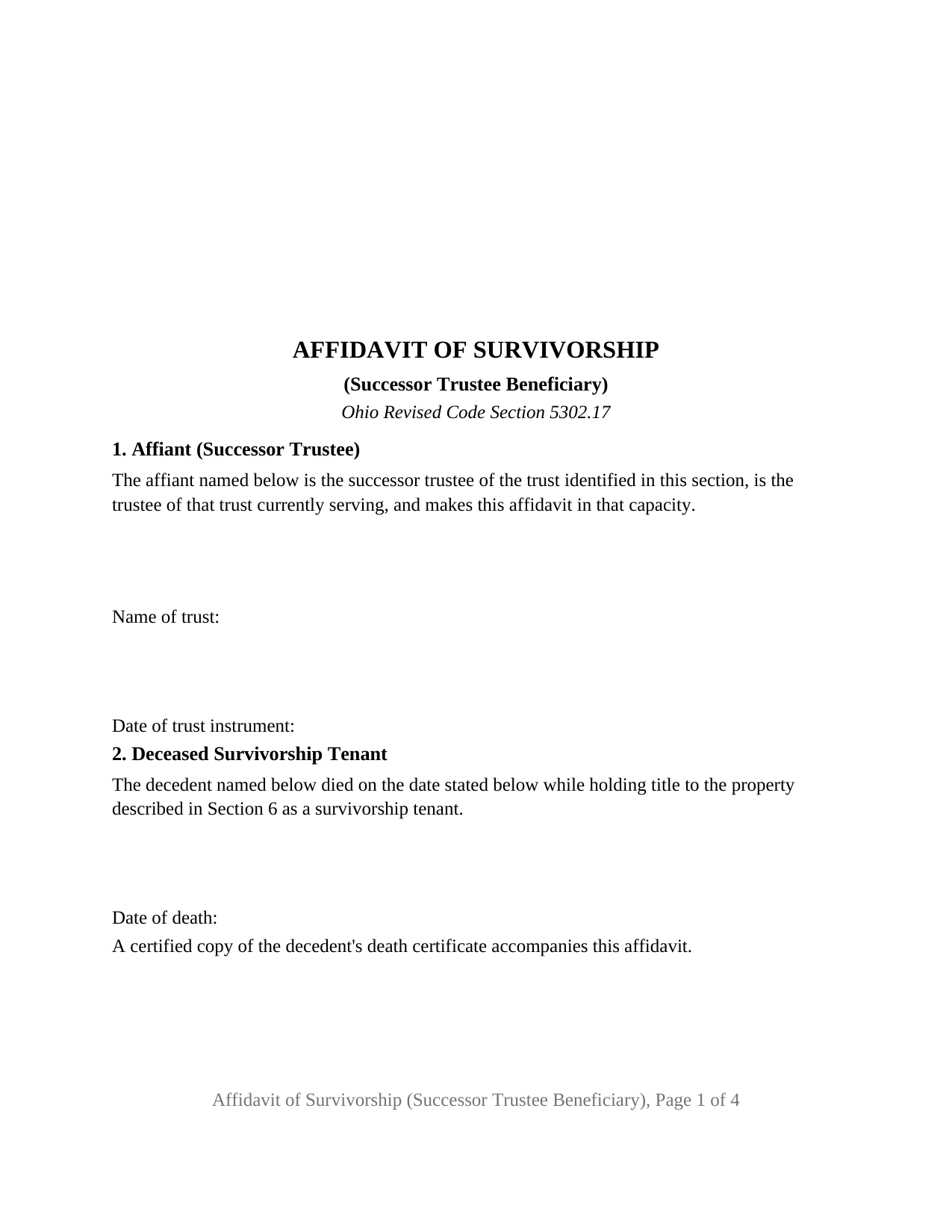
Coshocton County Affidavit of Survivorship (Successor Trustee Beneficiary) Form
Fill in the blank Affidavit of Survivorship (Successor Trustee Beneficiary) form formatted to comply with all Ohio recording and content requirements.
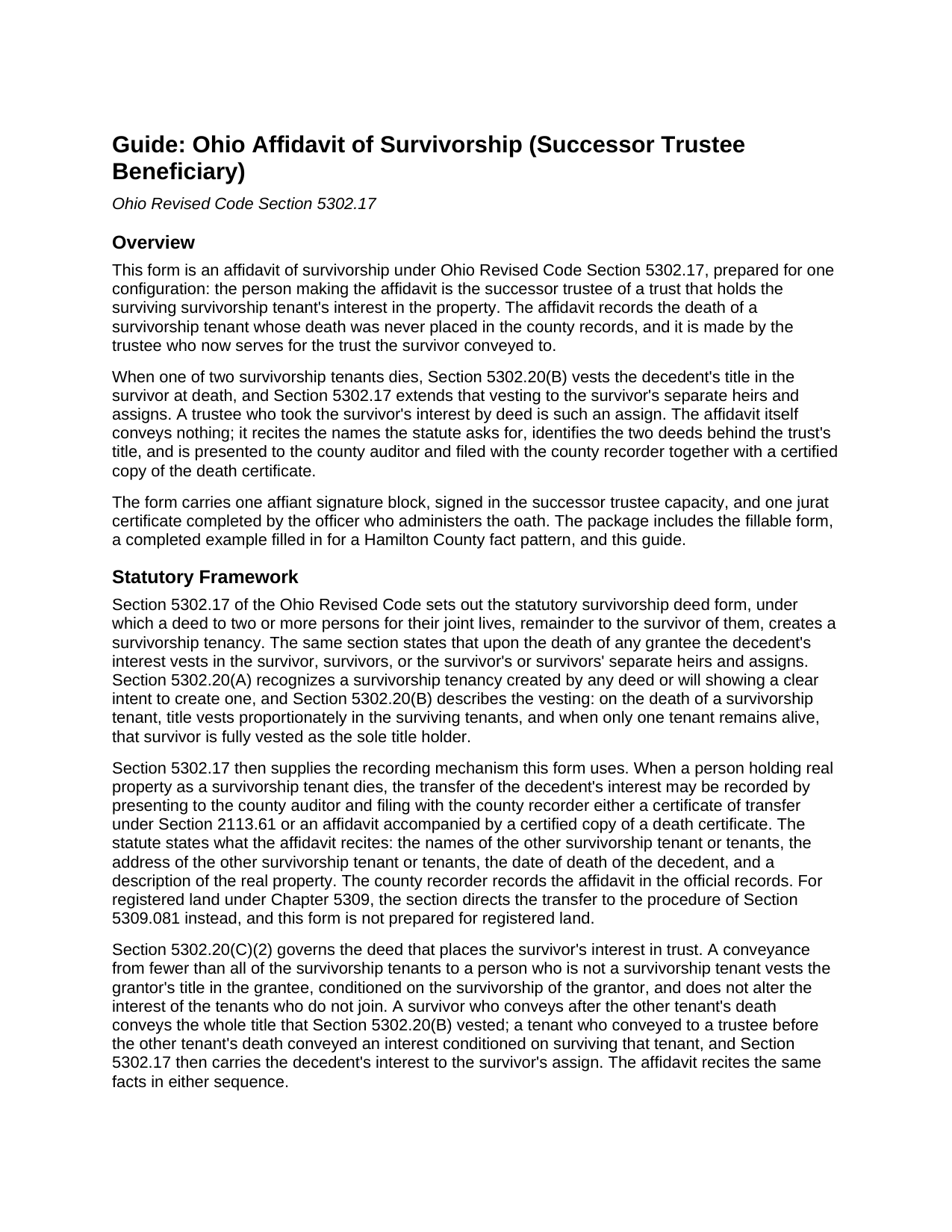
Coshocton County Affidavit of Survivorship (Successor Trustee Beneficiary) Guide
Line by line guide explaining every blank on the Affidavit of Survivorship (Successor Trustee Beneficiary) form.
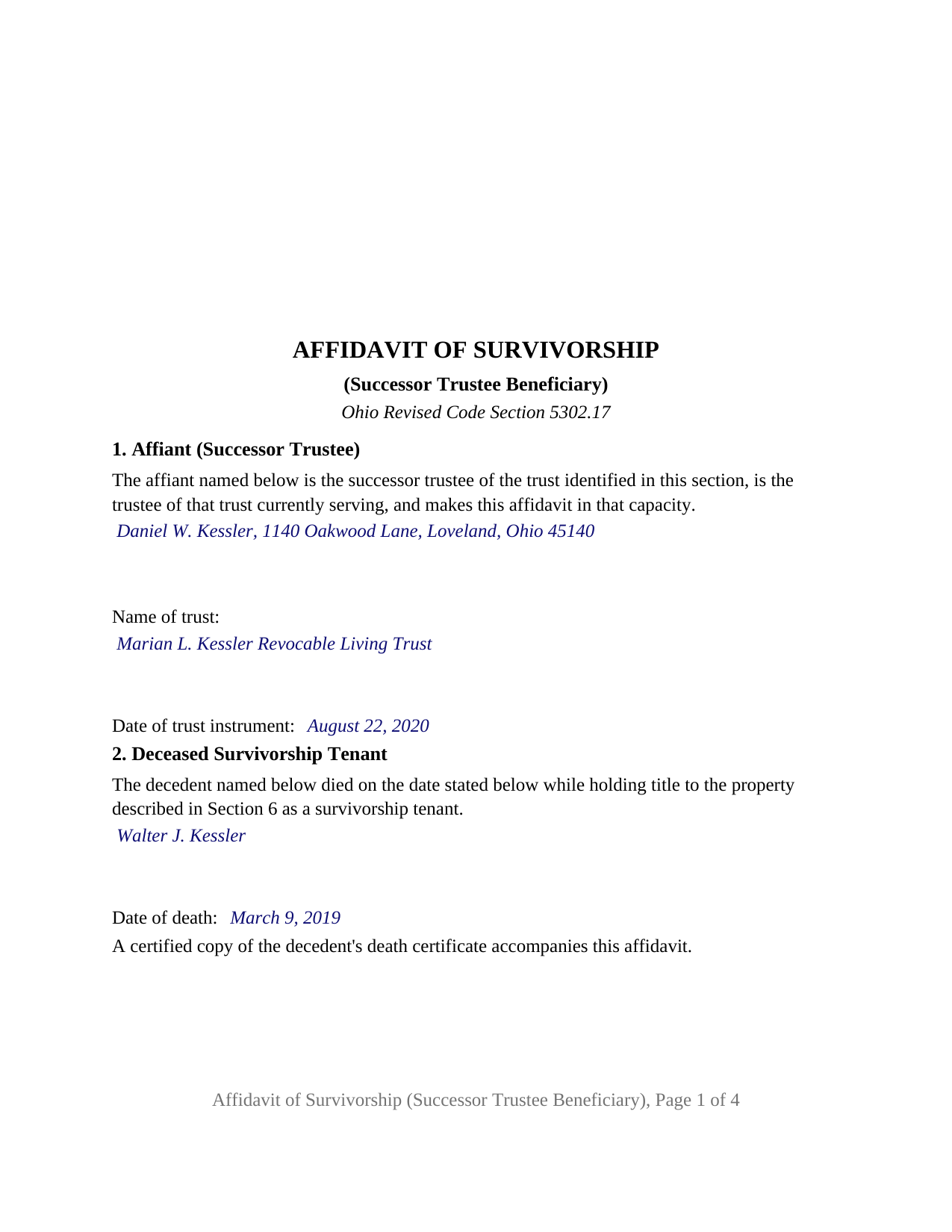
Coshocton County Completed Example of the Affidavit of Survivorship (Successor Trustee Beneficiary) Document
Example of a properly completed Ohio Affidavit of Survivorship (Successor Trustee Beneficiary) document for reference.
All 3 documents above included • One-time purchase • No recurring fees
Immediate Download • Secure Checkout
Additional Ohio and Coshocton County documents included at no extra charge:
Where to Record Your Documents
Coshocton County Recorder
Coshocton, Ohio 43812
Hours: 8:00am to 4:00pm M-F / Recording until 3:30pm
Phone: 740-622-2817
Recording Tips for Coshocton County:
- Bring your driver's license or state-issued photo ID
- Ensure all signatures are in blue or black ink
- Bring extra funds - fees can vary by document type and page count
- Check margin requirements - usually 1-2 inches at top
- Leave recording info boxes blank - the office fills these
Cities and Jurisdictions in Coshocton County
Properties in any of these areas use Coshocton County forms:
- Bakersville
- Blissfield
- Conesville
- Coshocton
- Fresno
- Keene
- Plainfield
- Walhonding
- Warsaw
- West Lafayette
Hours, fees, requirements, and more for Coshocton County
How do I get my forms?
Forms are available for immediate download after payment. The Coshocton County forms will be in your account ready to download to your computer. An account is created for you during checkout if you don't have one. Forms are NOT emailed.
Are these forms guaranteed to be recordable in Coshocton County?
Yes. Our form blanks are guaranteed to meet or exceed the applicable formatting requirements used for recording in Coshocton County, including margin requirements, font requirements, and other layout standards. This guarantee applies to formatting, not to the legal sufficiency of information entered by the user or the suitability of a form for a particular transaction.
Can I reuse these forms?
Yes. You can reuse the forms for your personal use. For example, if you have multiple properties in Coshocton County you only need to order once.
What do I need to use these forms?
The forms are PDFs that you fill out on your computer. The free Adobe Acrobat Reader is recommended, and most PDF apps also work. You do NOT enter your property information online - you download the blank forms and complete them privately on your own computer.
Are there any recurring fees?
No. This is a one-time purchase. Nothing to cancel, no memberships, no recurring fees.
How much does it cost to record in Coshocton County?
Recording fees in Coshocton County vary. Contact the recorder's office at 740-622-2817 for current fees.
Questions answered? Let's get started!
A trust cannot sign an affidavit, and a surviving survivorship tenant who has died or stepped down as trustee cannot sign one either. The Ohio Affidavit of Survivorship (Successor Trustee Beneficiary) is the Revised Code Section 5302.17 affidavit for that gap: the surviving tenant's interest is held by a trust, the successor trustee is the person now serving, and the other survivorship tenant's death was never placed in the county records. The successor trustee makes the affidavit, attaches the certified death certificate, and presents it to the county auditor and recorder.
The survivor's assigns
Section 5302.17 does more than create survivorship between the grantees of a survivorship deed. Its first sentence vests the decedent's interest in the survivor, survivors, or the survivor's or survivors' separate heirs and assigns. A trustee who took the survivor's interest by deed is the survivor's assign, and Section 5302.20(C)(2) describes that deed: a conveyance from fewer than all of the survivorship tenants to a person who is not one vests the grantor's title in the grantee, conditioned on the grantor surviving. Whether the survivor signed the deed to the trustee after the other tenant died, as in the completed example, or before, the chain runs survivorship deed, death, deed to trustee, and the affidavit documents the middle link.
Two deeds behind one affidavit
Section 5302.17 names the recitals: the name and address of the other survivorship tenant, the decedent's date of death, and a description of the real property. This form carries each in its own numbered section and adds the two instruments that put the trust where it stands. Section 4 identifies the survivorship deed by date, recording reference, and county, which also serves as the prior instrument reference Section 319.20 asks the auditor to find. Section 5 identifies the deed from the surviving tenant to the trustee, and its fixed sentence recites that the survivor conveyed the survivor's interest to the trustee of the trust named in Section 1.
An affiant who signs as successor trustee
The form recites one decedent, one surviving survivorship tenant, one trust, and one affiant, and it prints the affiant's capacity as fixed text: the affiant is the successor trustee of the trust identified in Section 1, is the trustee currently serving, and makes the affidavit in that capacity. The name of the trust and the date of the trust instrument are entries, matching the deed to the trustee and the certification of trust a trustee furnishes under Section 5810.13. The signature block is a single line signed in the fiduciary capacity, followed by one jurat, the sworn certificate Section 147.542 distinguishes from an acknowledgment, with venue lines completed for the place the oath is administered. The affidavit does not recite why the trusteeship became vacant; Section 5807.04 of the Ohio Trust Code governs that, beginning with the successor the trust instrument names.
A survivor still of record in the survivor's own name, a survivor who is the initial trustee and still serving, a trust that took title from the decedent, and a deed with two or more surviving tenants present different patterns, and the form is not set up for them. Registered land under Chapter 5309 follows Section 5309.081 rather than an affidavit.
The auditor transfers a death, not a sale
Ohio keeps the tax list at the county auditor and the official records at the county recorder, and Section 5302.17 sends the affidavit through both. The conveyance fee does not reach it: Section 319.54(G)(3)(n) exempts a transfer to a surviving survivorship tenant under Section 5302.17, and Section 322.01 keeps an exempt instrument outside the county permissive transfer tax, so the auditor takes the exemption statement, form DTE 100EX, with the fifty cent transfer fee of Section 319.54(G)(2). The recorder charges by the page under Sections 317.32 and 317.36, and the form is built to the standard format of Section 317.114 with the preparer's name Section 317.111 requires. The affidavit changes no ownership; Section 5302.20(B) vested the decedent's title at the moment of death, and the memorandum of trust Section 5301.255 requires of record attaches to a later conveyance by the trustee, not to this affidavit.
The package includes the fillable affidavit of survivorship form, a completed example filled in for a realistic Hamilton County fact pattern, and the guide that walks through every numbered section and the auditor and recorder steps. This description and the guide describe the form and the governing Ohio statutes in general terms; they are not legal advice.
Important: Your property must be located in Coshocton County to use these forms. Documents should be recorded at the county recording office listed above.
This Affidavit of Survivorship (Successor Trustee Beneficiary) meets all recording requirements specific to Coshocton County.
Our Promise
The documents you receive here are guaranteed to meet or exceed the applicable Coshocton County recording format requirements. If there is a rejection caused by our formatting, we will correct the issue or refund your payment. This guarantee applies to document formatting only and does not extend to information entered by the user, the selection of the form, or the legal effect of the completed document.
Save Time and Money
Get your Coshocton County Affidavit of Survivorship (Successor Trustee Beneficiary) form done right the first time with Deeds.com Uniform Conveyancing Blanks. At Deeds.com, we understand that your time and money are valuable resources, and we don't want you to face a penalty fee or rejection imposed by a county recorder for submitting nonstandard documents. We constantly review and update our forms to meet rapidly changing state and county recording requirements for roughly 3,500 counties and local jurisdictions.
4.8 out of 5 - ( 4,830 Reviews )
Larry H. 5 out of 5 stars
Wow! So easy and such a cost savings. Thanks
Thanks Larry, we appreciate your feedback.
Patsy B. 5 out of 5 stars
This website is very user friendly. I easily found the form I needed and was given an example for filling it out. Highly recommend this website!
We appreciate your business and value your feedback. Thank you. Have a wonderful day!
Carl R. 5 out of 5 stars
Wonderful forms even for an simpleton like me. Thank goodness there are people that actually know what they are doing.
Thanks for the kind words Carl.
Michael T. 5 out of 5 stars
This site was recommended to me. The deed worked just fine for recording a property transfer (Warranty Deed). What I like is that there is a 1 time fee, not a subscription. I would highly recommend. It saved us $2000 in closing costs and fees.
Thank you!
Ramona C. 5 out of 5 stars
Easy to use and the sample really helped.
Thank you!
Curley B. 5 out of 5 stars
So far, I'm pleased. I am a first-time user, as most of my clients are in California. I look forward to working with you more in the future.
Thank you for your feedback. We really appreciate it. Have a great day!
Fred D. 5 out of 5 stars
At first glance, explanations and guidance to fill out the grant deed seems quite direct and no too difficult. I did not see any reference to a mortgagee which I believe needs to be incorporated in a boundary line adjustment (BLA), though not sure I'll do the actual filling out the form in the next couple of weeks and will be in a better position for a more complete review.
Thank you for your feedback. We really appreciate it. Have a great day!
Steven B. 5 out of 5 stars
Easy peazy to find the right forms and they come with instructions and a sample.
Your feedback is appreciated. Thank you for letting us know how we did.
Catherine R. 5 out of 5 stars
What a great way to put my mind at ease. It was easy to fill out and printed out nicely.
Thank you for your feedback. We really appreciate it. Have a great day!
Debbie K. 5 out of 5 stars
I am very happy with Deeds.com. I found the site easy to use and all the directions I needed were available. I'm so happy I didn't have to go to a title company to get this done. The site is easy to navigate and the documents are easy to download.
Thank you for your feedback. We really appreciate it. Have a great day!
Sharon D. 5 out of 5 stars
Very easy to understand forms...
We appreciate your business and value your feedback. Thank you. Have a wonderful day!
Michael F. 5 out of 5 stars
Very helpful and easy to use.
We deeply appreciate the trust you have placed in our services. Thank you for your valuable feedback and for choosing us.
ROBERT K. 5 out of 5 stars
It was so easy to obtain the necessary documents.
Thank you for your feedback. We really appreciate it. Have a great day!
Allen H. 5 out of 5 stars
Your program was invaluable to us, I used it for my Mom's estate and when she passed the transition was seamless and no probate was involved. I am going to use this for myself to transfer my property over to my children in upon my death. Can't say enough positive things about it. Thanks, Allen
Thank you!
Donald S. 2 out of 5 stars
Guidelines somewhat helpful. Forms fillable but not editable unless you buy an Adobe conversion service subscription. End product looks crude and amateurish. Fields can't be reduced or enlarged to accommodate unique data. Very disappointing.
Thank you for your feedback. We really appreciate it. Have a great day!