Holmes County Affidavit of Survivorship (Trustee Beneficiary) Form
Last validated October 23, 2026 by our Forms Development TeamFormatted for recording in Holmes County, for property anywhere in the county: rural and unincorporated areas as well as Berlin, Big Prairie, Charm, Glenmont, Holmesville, Killbuck, Lakeville, Millersburg and 4 more.
- 3 documents included
- Immediate PDF download
- Formatting guarantee
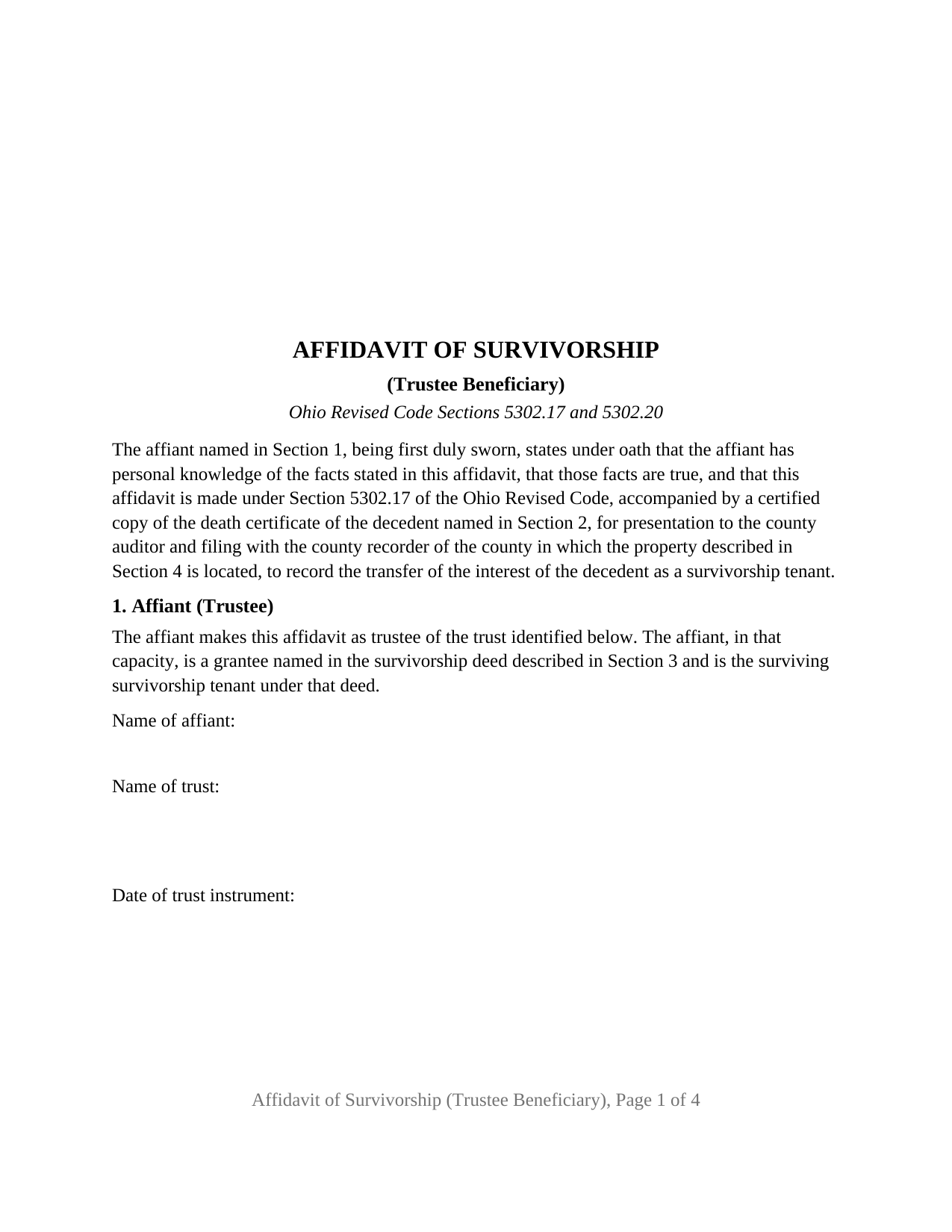
Holmes County Affidavit of Survivorship (Trustee Beneficiary) Form
Fill in the blank Affidavit of Survivorship (Trustee Beneficiary) form formatted to comply with all Ohio recording and content requirements.
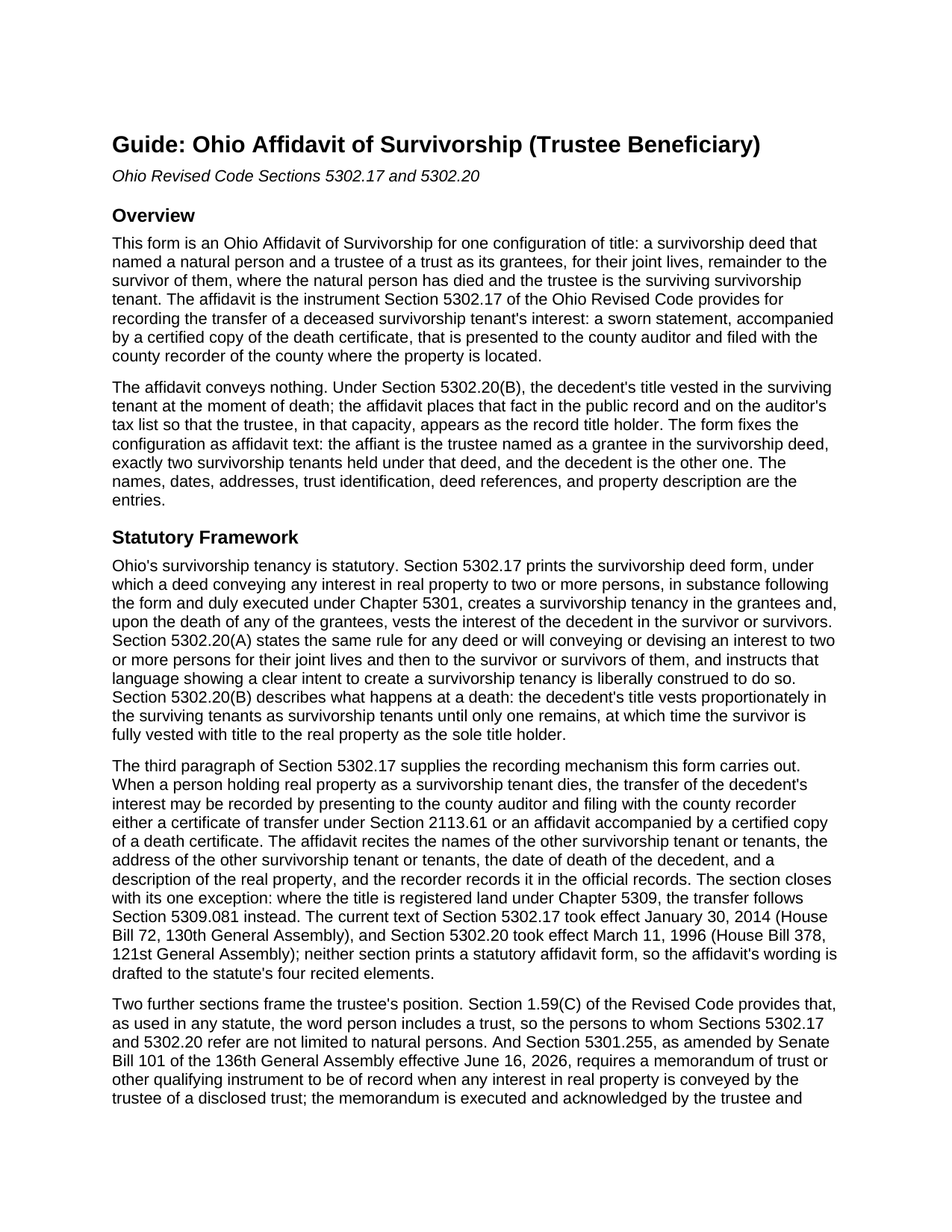
Holmes County Affidavit of Survivorship (Trustee Beneficiary) Guide
Line by line guide explaining every blank on the Affidavit of Survivorship (Trustee Beneficiary) form.
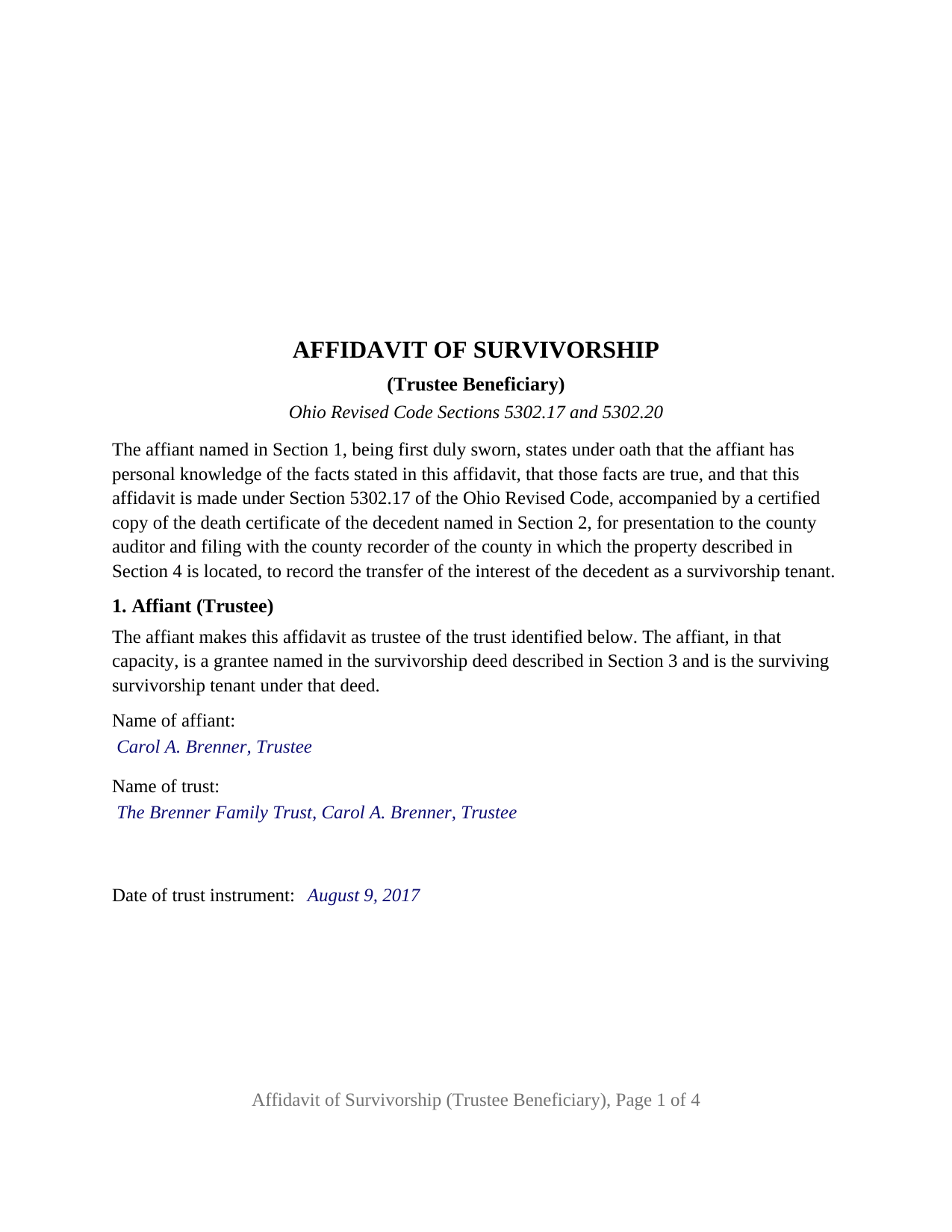
Holmes County Completed Example of the Affidavit of Survivorship (Trustee Beneficiary) Document
Example of a properly completed Ohio Affidavit of Survivorship (Trustee Beneficiary) document for reference.
All 3 documents above included • One-time purchase • No recurring fees
Immediate Download • Secure Checkout
Additional Ohio and Holmes County documents included at no extra charge:
Where to Record Your Documents
Holmes County Recorder
Millersburg, Ohio 44654
Hours: 8:00 a.m. - 4:30 p.m. Monday - Friday / Recording until 4:00
Phone: (330) 674-5916
Recording Tips for Holmes County:
- Bring your driver's license or state-issued photo ID
- Ensure all signatures are in blue or black ink
- Recorded documents become public record - avoid including SSNs
- Recording fees may differ from what's posted online - verify current rates
- Request a receipt showing your recording numbers
Cities and Jurisdictions in Holmes County
Properties in any of these areas use Holmes County forms:
- Berlin
- Big Prairie
- Charm
- Glenmont
- Holmesville
- Killbuck
- Lakeville
- Millersburg
- Mount Hope
- Nashville
- Walnut Creek
- Winesburg
Hours, fees, requirements, and more for Holmes County
How do I get my forms?
Forms are available for immediate download after payment. The Holmes County forms will be in your account ready to download to your computer. An account is created for you during checkout if you don't have one. Forms are NOT emailed.
Are these forms guaranteed to be recordable in Holmes County?
Yes. Our form blanks are guaranteed to meet or exceed the applicable formatting requirements used for recording in Holmes County, including margin requirements, font requirements, and other layout standards. This guarantee applies to formatting, not to the legal sufficiency of information entered by the user or the suitability of a form for a particular transaction.
Can I reuse these forms?
Yes. You can reuse the forms for your personal use. For example, if you have multiple properties in Holmes County you only need to order once.
What do I need to use these forms?
The forms are PDFs that you fill out on your computer. The free Adobe Acrobat Reader is recommended, and most PDF apps also work. You do NOT enter your property information online - you download the blank forms and complete them privately on your own computer.
Are there any recurring fees?
No. This is a one-time purchase. Nothing to cancel, no memberships, no recurring fees.
How much does it cost to record in Holmes County?
Recording fees in Holmes County vary. Contact the recorder's office at (330) 674-5916 for current fees.
Questions answered? Let's get started!
When the survivor under an Ohio survivorship deed is a trustee, the affidavit that removes the deceased tenant from the record leaves a trust, acting through its trustee, holding the whole title. This Ohio Affidavit of Survivorship (Trustee Beneficiary) prepares that sworn statement under Section 5302.17 of the Ohio Revised Code for a trustee named as a grantee in the survivorship deed who now stands as the surviving survivorship tenant.
A trust in the survivor's position
Ohio's survivorship tenancy runs between persons, and Section 1.59(C) of the Revised Code reads the word person in any statute to include a trust. A survivorship deed can therefore convey to an individual and to a named trustee, for their joint lives, remainder to the survivor of them, and Section 5302.20 then works as it does for any two grantees: at the individual's death, that tenant's title vests in the remaining tenant as the sole title holder. Here the remaining tenant holds for a trust, so the record and the auditor's tax list need the trustee, identified by name and by the trust, as the person in whom the decedent's title vested. This affidavit supplies exactly that, with the trustee signing in the trustee capacity and the trust identified by name and by the date of its instrument.
What the trustee swears to
The form fixes the configuration as printed text. Section 1 states that the affiant makes the affidavit as trustee of the identified trust, was named as a grantee in the survivorship deed, and is the surviving survivorship tenant. Section 3 identifies the deed by date, recording date, recording reference, and county, and recites that it conveyed to the decedent and to the trustee for their joint lives, remainder to the survivor of them, with no other survivorship tenant under it. Section 5 recites the vesting Section 5302.20(B) gives the death and carries the surviving tenant's name and address, which Section 5302.17 requires. The names, dates, references, and property description are the blanks. The trustee signs once, under the heading AFFIANT, AS TRUSTEE, and the officer who administers the oath completes the jurat, with venue lines for the state and county where the oath is taken.
The memorandum of trust comes later
The affidavit is not a conveyance by the trustee, so the memorandum of trust that Section 5301.255 requires to be of record when a trustee conveys an interest in real property, in the form Senate Bill 101 of the 136th General Assembly gave it effective June 16, 2026, does not condition the filing of the affidavit. It governs the next step: when the trustee later sells, mortgages, or otherwise conveys the property, a memorandum stating the trustee's name and address, the trust's execution date, and the trustee's powers over real property is of record, prepared separately and not included in this package. The form describes the trustee named in the deed, still serving; where that trustee has died, resigned, or been replaced, Section 5302.171 provides a successor trustee affidavit, likewise prepared separately and not included in this package.
One trustee, one oath, two county offices
The form is the trustee-survivor configuration of this affidavit: exactly two survivorship tenants under the deed, one of them the trustee, with the individual tenant deceased; one affiant signing in a representative capacity; one jurat certificate; and a vesting recital naming the trustee, for the trust, as the sole title holder. A parent and the trustee of the parent's revocable trust on one survivorship deed, and a co-owner who held with the trustee of a sibling's trust, present the pattern this affidavit recites. The form is not set up as the affidavit for three or more survivorship tenants, for a successor trustee who was not named in the deed, for a transfer on death beneficiary under Section 5302.222, or for registered land under Chapter 5309, each a different recital. Section 5302.17 sends the completed affidavit, with a certified copy of the death certificate, to the county auditor and then to the county recorder where the property lies; the guide walks through the auditor's exemption statement, the transfer fee, and the recorder's per-page fees.
The package includes the fillable affidavit, a completed example filled in for a realistic Hamilton County fact pattern with a named family trust, and the guide that walks through every numbered section and the auditor and recorder steps. This description and the guide describe the form and the governing Ohio statutes in general terms; they are not legal advice.
Important: Your property must be located in Holmes County to use these forms. Documents should be recorded at the county recording office listed above.
This Affidavit of Survivorship (Trustee Beneficiary) meets all recording requirements specific to Holmes County.
Our Promise
The documents you receive here are guaranteed to meet or exceed the applicable Holmes County recording format requirements. If there is a rejection caused by our formatting, we will correct the issue or refund your payment. This guarantee applies to document formatting only and does not extend to information entered by the user, the selection of the form, or the legal effect of the completed document.
Save Time and Money
Get your Holmes County Affidavit of Survivorship (Trustee Beneficiary) form done right the first time with Deeds.com Uniform Conveyancing Blanks. At Deeds.com, we understand that your time and money are valuable resources, and we don't want you to face a penalty fee or rejection imposed by a county recorder for submitting nonstandard documents. We constantly review and update our forms to meet rapidly changing state and county recording requirements for roughly 3,500 counties and local jurisdictions.
4.8 out of 5 - ( 4,830 Reviews )
John S. 5 out of 5 stars
The website is very user-friendly. Easily to download forms.
Thank you!
Pauletta C. 5 out of 5 stars
worked like a charm
Thank you!
Deborah M. 5 out of 5 stars
Absolutely great. The staff is responsive and knowledgeable. The online interface is excellent. The total cost for finalizing the sale on our property (minus state filing fees) was $39. A wonderful experience.
Thank you for your feedback. We really appreciate it. Have a great day!
Denise B. 5 out of 5 stars
Quick and easy!
Thank you Denise. We appreciate you.
Sheila G. 5 out of 5 stars
I was very pleased with the responses and quick access to info.
We appreciate your business and value your feedback. Thank you. Have a wonderful day!
Debora A. 5 out of 5 stars
Website easy to use and explanations available
Thank you!
janet H. 5 out of 5 stars
easy to download and print. came with instructions also. very helpful.
Thank you, Janet. We’re happy to hear the download and instructions made the process straightforward. We appreciate you taking the time to share your experience.
Sherilynne P. 3 out of 5 stars
I am delighted with the form. I just had to go through so much time and expense in order to use it. First, from your site I downloaded Adobe Acrobat. It totally compromised my computer. I had to get a computer expert to walk me through deleting adobe, and put a substitute on in order to use the form. That was an expense of $60.00. Then after that I still had a hard time getting the program to work, as the substitute program would not accept my e-mail address and I finally had to get someone on line to help me access that. I found it was a $$30.00 charge for the substitute. After fighting these lovely roadblocks, I was finally able to fill in the only form I needed and print it off. Took me two days to accomplish that. Why on earth do you offer adobe when it can compromise a computer so badly? Dealing with my husbands death and then having to deal with this, just one of many deterrents, well let's put it this way, it did not make my two days.
Thank you for your feedback. Sorry to hear of your experience. Our documents are Adobe PDFs because PDF is the standard for digital documents, most computers have Adobe Reader installed, and it (Adobe Reader) is free.
david t. 5 out of 5 stars
No review provided.
Thank you!
Anthony P. 5 out of 5 stars
I was able to easily navigate the interface and purchase the forms that I needed. I was then able to prepare the forms with assistance from the reference documents provided with the deed. This was simple, easy, and user friendly. Great job!
Thanks, Anthony! We're glad to hear the process was simple and user-friendly for you. Appreciate the great feedback!
Anthony L. 5 out of 5 stars
I recently needed an affidavit of death. The form and help tools made it easy to fill out and file. the Recorder accepted this form . Which made the experience painless and easy . All things considered..
We appreciate your business and value your feedback. Thank you. Have a wonderful day!
Shelly J. 5 out of 5 stars
There's nothing to say except it couldn't be easier.
Thank you for your feedback. We really appreciate it. Have a great day!
Frank R. 5 out of 5 stars
Our notary. Marie was prompt, courteous and professional. Would definitely use again and reccomend
Thank you for your feedback. We really appreciate it. Have a great day!
Constance R. 5 out of 5 stars
It was very easy to e-file. I liked it.
Thank you for your feedback. We really appreciate it. Have a great day!
Craig J. 5 out of 5 stars
Package downloaded without any problems. Help sheet was fair. Maybe they could cross reference the help number on the help sheet to the form better - somehow. Overall, I was pleased. I was able to download, fill in the blanks and do what edits I thought it needed with ease. Cost was very reasonable. I'll give it a 5.
Thank you for your feedback. We really appreciate it. Have a great day!