Summit County Assignment of Mortgage (Individual) Form
Last validated October 28, 2026 by our Forms Development TeamFormatted for recording in Summit County, for property anywhere in the county: rural and unincorporated areas as well as Akron, Barberton, Bath, Clinton, Cuyahoga Falls, Fairlawn, Green, Hudson and 9 more.
- 3 documents included
- Immediate PDF download
- Formatting guarantee
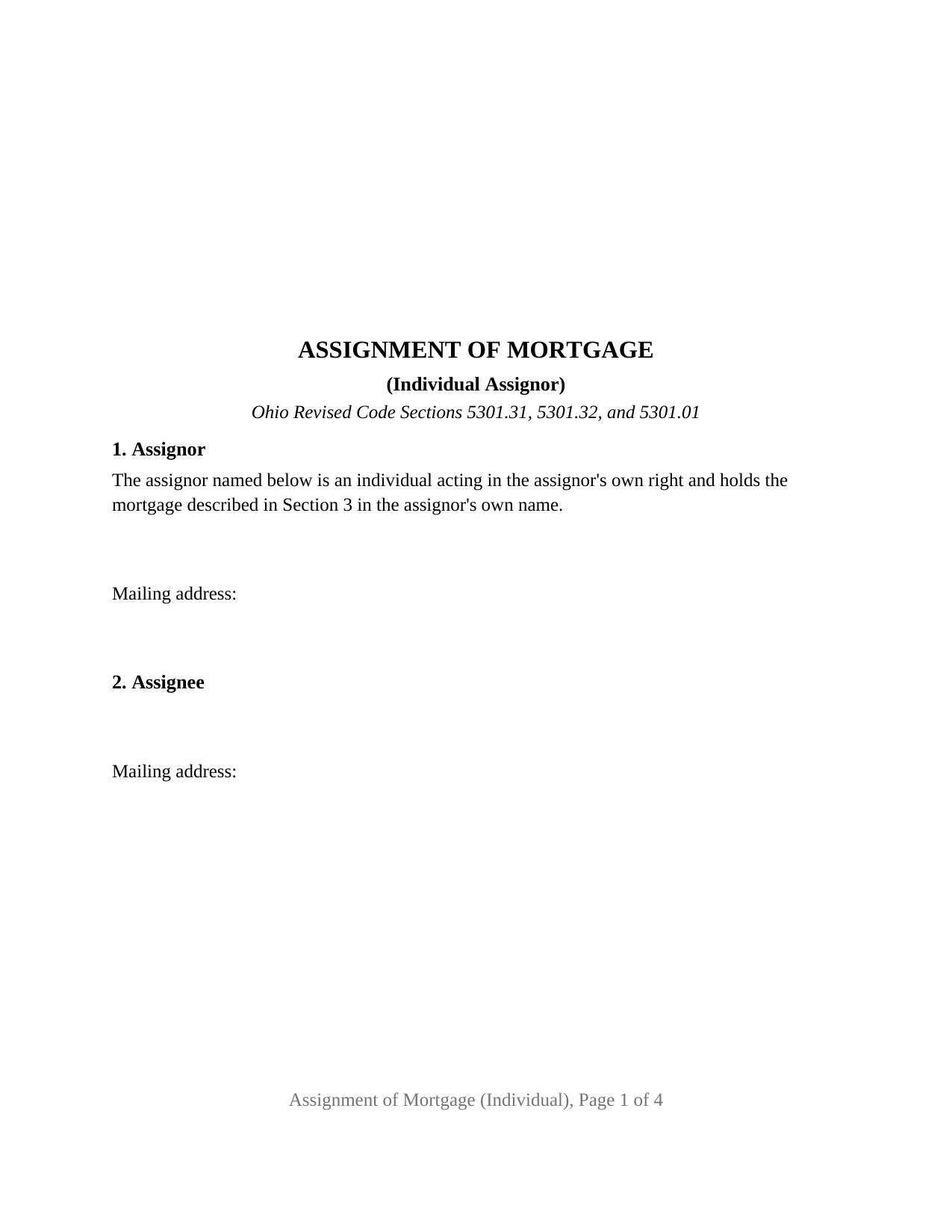
Summit County Assignment of Mortgage (Individual) Form
Fill in the blank Assignment of Mortgage (Individual) form formatted to comply with all Ohio recording and content requirements.
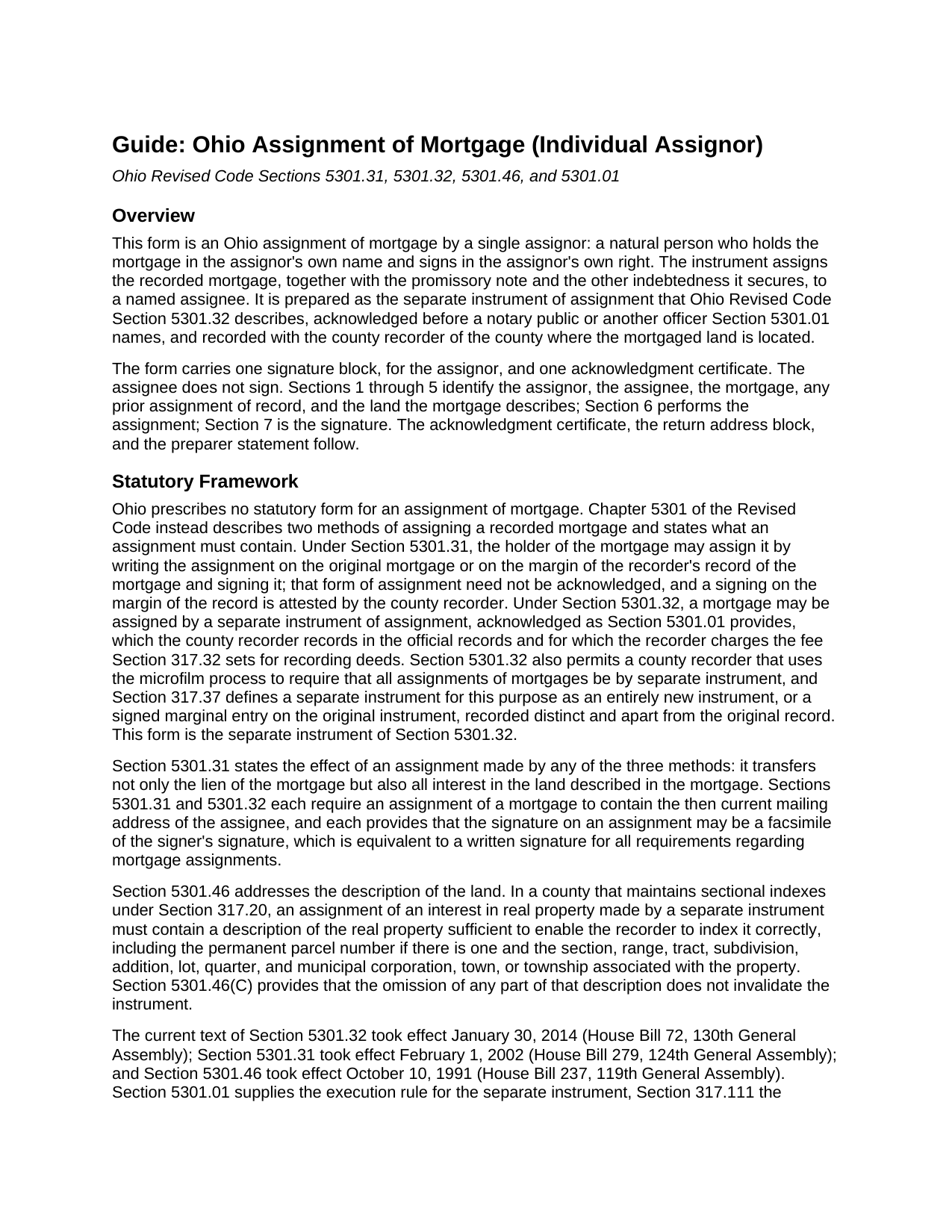
Summit County Assignment of Mortgage (Individual) Guide
Line by line guide explaining every blank on the Assignment of Mortgage (Individual) form.
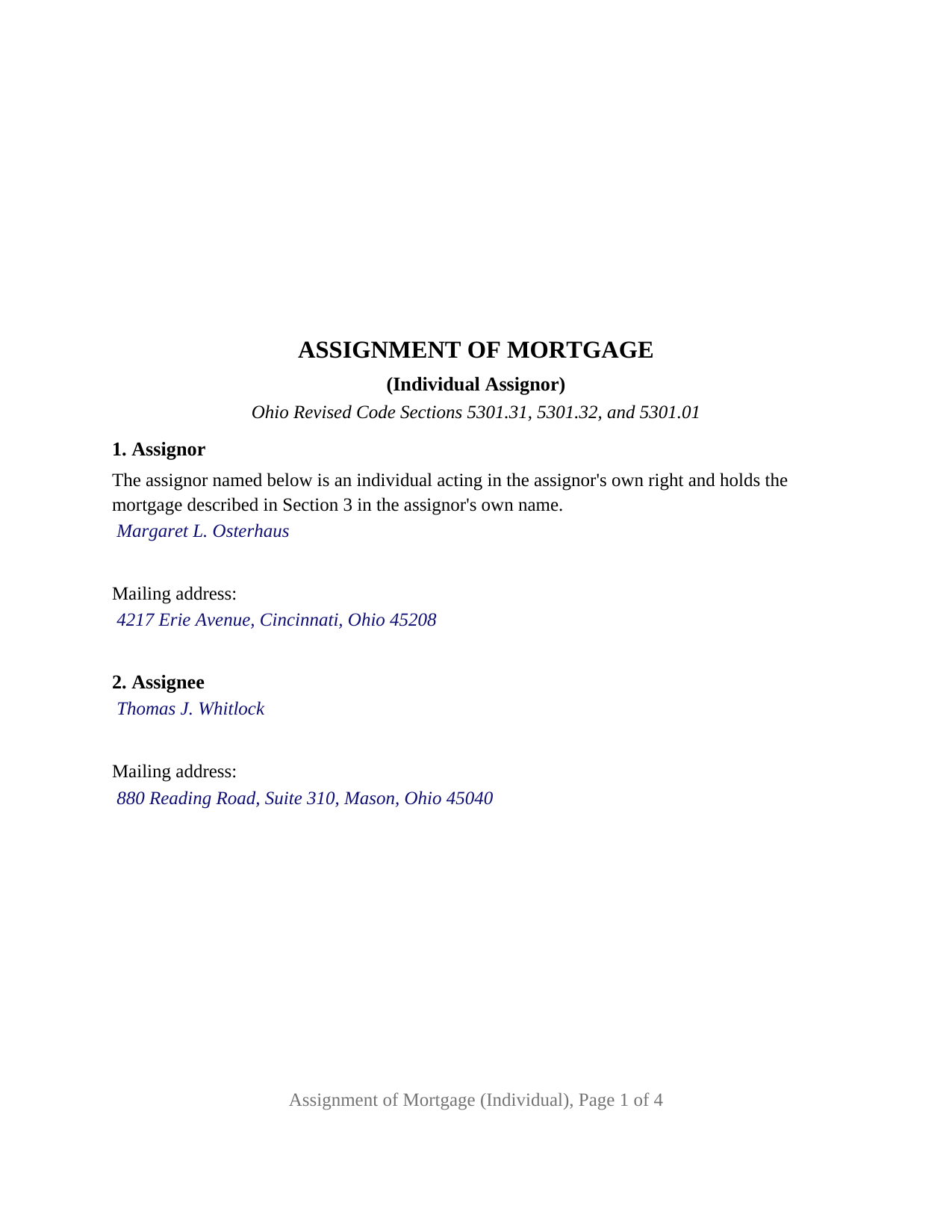
Summit County Completed Example of the Assignment of Mortgage (Individual) Document
Example of a properly completed Ohio Assignment of Mortgage (Individual) document for reference.
All 3 documents above included • One-time purchase • No recurring fees
Immediate Download • Secure Checkout
Additional Ohio and Summit County documents included at no extra charge:
Where to Record Your Documents
Summit County Fiscal Officer: Recording Division
Akron, Ohio 44308
Hours: 7:30 am to 4:00 pm Monday - Friday / Same-day recording until 3:30 pm
Phone: 330-643-2712, 2713, 2720
Recording Tips for Summit County:
- Bring your driver's license or state-issued photo ID
- Ensure all signatures are in blue or black ink
- Verify all names are spelled correctly before recording
- White-out or correction fluid may cause rejection
- Ask about their eRecording option for future transactions
Cities and Jurisdictions in Summit County
Properties in any of these areas use Summit County forms:
- Akron
- Barberton
- Bath
- Clinton
- Cuyahoga Falls
- Fairlawn
- Green
- Hudson
- Lakemore
- Macedonia
- Munroe Falls
- Northfield
- Peninsula
- Richfield
- Stow
- Tallmadge
- Twinsburg
Hours, fees, requirements, and more for Summit County
How do I get my forms?
Forms are available for immediate download after payment. The Summit County forms will be in your account ready to download to your computer. An account is created for you during checkout if you don't have one. Forms are NOT emailed.
Are these forms guaranteed to be recordable in Summit County?
Yes. Our form blanks are guaranteed to meet or exceed the applicable formatting requirements used for recording in Summit County, including margin requirements, font requirements, and other layout standards. This guarantee applies to formatting, not to the legal sufficiency of information entered by the user or the suitability of a form for a particular transaction.
Can I reuse these forms?
Yes. You can reuse the forms for your personal use. For example, if you have multiple properties in Summit County you only need to order once.
What do I need to use these forms?
The forms are PDFs that you fill out on your computer. The free Adobe Acrobat Reader is recommended, and most PDF apps also work. You do NOT enter your property information online - you download the blank forms and complete them privately on your own computer.
Are there any recurring fees?
No. This is a one-time purchase. Nothing to cancel, no memberships, no recurring fees.
How much does it cost to record in Summit County?
Recording fees in Summit County vary. Contact the recorder's office at 330-643-2712, 2713, 2720 for current fees.
Questions answered? Let's get started!
The Ohio Assignment of Mortgage (Individual) is built around a single name: one assignor, a natural person who holds a recorded Ohio mortgage in that person's own name, signing once and acknowledging once. The configuration is printed on the instrument as fixed text, and the instrument places the transfer of the mortgage and its note to the new holder on the record of the county where the land lies.
One name, one signature, one certificate
Section 1 of the form opens with a fixed sentence: the assignor named below is an individual acting in the assignor's own right and holds the mortgage described in Section 3 in the assignor's own name. The assignor's name and mailing address are the only entries that follow it. The form carries one signature block, with the printed name Ohio Revised Code Section 317.11 calls for beneath a signature, and one acknowledgment certificate in the wording of the statutory short form for an individual, Section 147.55(A). There is no second assignor block, no marital status recital, no spouse signature line, and no fiduciary or entity capacity to fill in, because the configuration is fixed rather than selected.
The patterns that present this configuration in the county records include a private lender who made a mortgage loan in the lender's own name and transfers it to a note buyer, a parent who lent a child the purchase money and moves the resulting mortgage into a trust the parent created, and an individual who holds a mortgage securing a business loan and sells it at a discount. The form is not set up as an assignment by a corporation, a limited liability company, a bank, a trustee or executor, an attorney-in-fact, or two or more holders together, and it assigns the assignor's entire interest rather than a part of it. The assignee block receives one or two assignees by name with the mailing address Section 5301.32 requires.
A lien that travels with its debt
Ohio prescribes no form for an assignment of mortgage, so the operative words are the conventional ones: for value received, the assignor assigns, transfers, and sets over the mortgage to the assignee, with every right, title, and interest the assignor holds in it, the promissory note, and the rest of the debt the mortgage secures. The instrument then restates what Section 5301.31 provides about every Ohio mortgage assignment, by whichever method it is made: the lien passes, and with it all of the mortgagee's interest in the land the mortgage describes. The form does not endorse the note and does not release or satisfy the mortgage; a satisfaction is the separate certificate Section 5301.34 describes.
The chain the recorder notes against the mortgage
Sections 3 and 4 identify the mortgage by mortgagor, original mortgagee, date, principal amount, recording county, recording reference, and recording date, and then identify any earlier assignment of record under which the assignor holds, or state that there is none. The recording reference is what the county recorder uses to note the assignment against the mortgage, and Section 317.32(C) charges a marginal reference fee of four dollars for it beside the deed recording fee that Section 5301.32 applies to a separate instrument of assignment. Section 5 carries the land: county, parcel number, the legal description copied from the mortgage, the municipal corporation or township, and the street address, the indexing description Section 5301.46 calls for in a county that keeps sectional indexes.
Recording an instrument that is not a deed
Because the assignment transfers a lien rather than title to land, the auditor's stamps Section 317.22 requires before a deed of absolute conveyance is recorded, and the conveyance fee statement of Section 319.202, do not reach it; no conveyance fee and no county transfer tax attach to the assignment of a mortgage. What does apply is the recorder's standard format rule, Section 317.114: a three inch blank top margin on the first page, one inch side and bottom margins, and print no smaller than ten point, which the form meets with twelve point type. The preparer statement Section 317.111 requires and a return address block close the instrument.
The package includes the fillable Assignment of Mortgage (Individual) form, a completed example filled in for a Hamilton County mortgage assigned by one individual holder, and the guide that covers each section, the certificate, and recording at the county. This description and the guide explain the form and the Ohio statutes that govern it in general terms; neither is legal advice.
Important: Your property must be located in Summit County to use these forms. Documents should be recorded at the county recording office listed above.
This Assignment of Mortgage (Individual) meets all recording requirements specific to Summit County.
Our Promise
The documents you receive here are guaranteed to meet or exceed the applicable Summit County recording format requirements. If there is a rejection caused by our formatting, we will correct the issue or refund your payment. This guarantee applies to document formatting only and does not extend to information entered by the user, the selection of the form, or the legal effect of the completed document.
Save Time and Money
Get your Summit County Assignment of Mortgage (Individual) form done right the first time with Deeds.com Uniform Conveyancing Blanks. At Deeds.com, we understand that your time and money are valuable resources, and we don't want you to face a penalty fee or rejection imposed by a county recorder for submitting nonstandard documents. We constantly review and update our forms to meet rapidly changing state and county recording requirements for roughly 3,500 counties and local jurisdictions.
4.8 out of 5 - ( 4,837 Reviews )
Betty B. 5 out of 5 stars
So easy and convenient.
Thank you for your feedback. We really appreciate it. Have a great day!
Kim K. 5 out of 5 stars
Your service was easy to use and fee was reasonable. I would recommend to other lawyers who are in private practice.
We appreciate your business and value your feedback. Thank you. Have a wonderful day!
Melissa S. 5 out of 5 stars
As a person working in the title industry, I recommend this site to everyone needing a blank deed. Thank you for staying user friendly.
Thank you, Melissa! An endorsement from someone who works with these transactions every day carries real weight with us. We work hard to keep the whole process painless, so it's wonderful to hear it's landing that way. All the best to you!
Cecilia G. 5 out of 5 stars
This site is so easy to use. It is so convenient to have access to forms for all states. I’d recommend this site to anyone who needs to create any real estate documents.
Thank you for your feedback. We really appreciate it. Have a great day!
Robyn R. 5 out of 5 stars
Deeds.com was so simple and easy to use! My local recorders office is closed due to COVID-19 and their recording said to use Deeds.com. I thought it was going to either be very complicated or very expensive and it was neither!!! The site walked me through step by step and the price of their service was very fair and affordable. They were very timely and efficient and my documents were recorded almost immediately! Thank you Deeds.com!!!
Thank you Robyn, glad we could help.
Roxanne B. 5 out of 5 stars
This is an excellent service during a pandemic! Recording documents can be challenging with changing hours and rules. Yesterday I was able to file an important document from the comfort of my home.
Thank you for your feedback. We really appreciate it. Have a great day!
Maria S. 3 out of 5 stars
The paperwork/forms are fine, but there isn't enough explanation for me to figure out how to file the extra forms (which I do need in my case). The main form, Deed Upon Death is fine. I think the price is pretty high for these forms. I wouldn't have purchased it because there are places to get them for much cheaper (about 6 dollars), but this site had the extra forms I wanted (property in a trust and another form). Unfortunately these were included as a "courtesy" and there are no instructions for them. So three stars for being clear about what was in the package, having the right forms that I need, but instructions for putting them to use and price took a couple of stars off. Downloading was easy and once you download you can type the info into the PDF--that makes working with the forms much easier.
Thank you for the feedback Maria. Regarding the supplement documents, it is best to get assistance from the agency that requires them. These are not legal documents, they should provide full support and guidance for them.
Charlotte F. 5 out of 5 stars
Great follow up and consideration
Thank you for your feedback. We really appreciate it. Have a great day!
Richard R. 5 out of 5 stars
Kind of expensive for a 3 page item...but I received it pronto and it will fill the bill.
Thank you!
Merry K. 5 out of 5 stars
I am a WA State Attorney and just made my first purchase. The experience was flawless, and I appreciate the sample and the guide, too. The price was extremely reasonable. This was a huge time-saver for me - thank you!
We appreciate your business and value your feedback. Thank you. Have a wonderful day!
Geraldine B. 5 out of 5 stars
Top notch real estate forms. Easy to use, printed out nice, and the guide and example are priceless. You're not going to find anything better anywhere.
Thank you for the kind words Geraldine! Have an incredible day!
Jeramy A. 5 out of 5 stars
Excellent source of information and forms. Deeds.com had exactly what I've been looking for and even had guides to filling out the forms.
We appreciate your business and value your feedback. Thank you. Have a wonderful day!
Betty A. 5 out of 5 stars
You've made it very easy to download the form I needed. Thank you.
Thank you!
Cynthia G. 5 out of 5 stars
Thank you for this service, very helpful
We appreciate your business and value your feedback. Thank you. Have a wonderful day!
Herman B. 5 out of 5 stars
Special Warranty Deed I can't seem to type all my info in the blank spaces. It won't allow me to type any more. Maybe you should consider either allowing typists to type more (leaving more space) or allowing more room to type more.
Thank you!