Summit County Memorandum of Trust Form
Last validated October 22, 2026 by our Forms Development TeamFormatted for recording in Summit County, for property anywhere in the county: rural and unincorporated areas as well as Akron, Barberton, Bath, Clinton, Cuyahoga Falls, Fairlawn, Green, Hudson and 9 more.
- 3 documents included
- Immediate PDF download
- Formatting guarantee
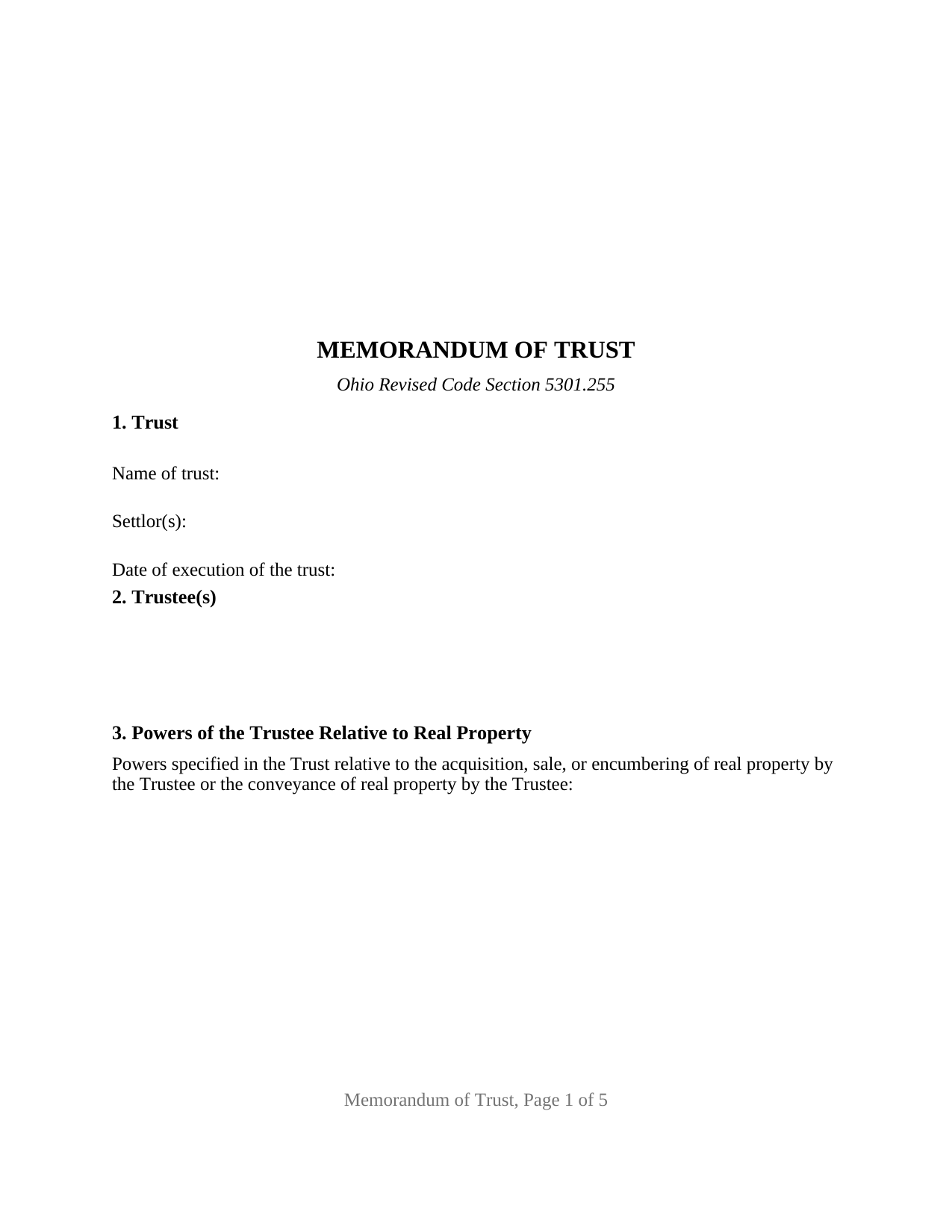
Summit County Memorandum of Trust Form
Fill in the blank Memorandum of Trust form formatted to comply with all Ohio recording and content requirements.
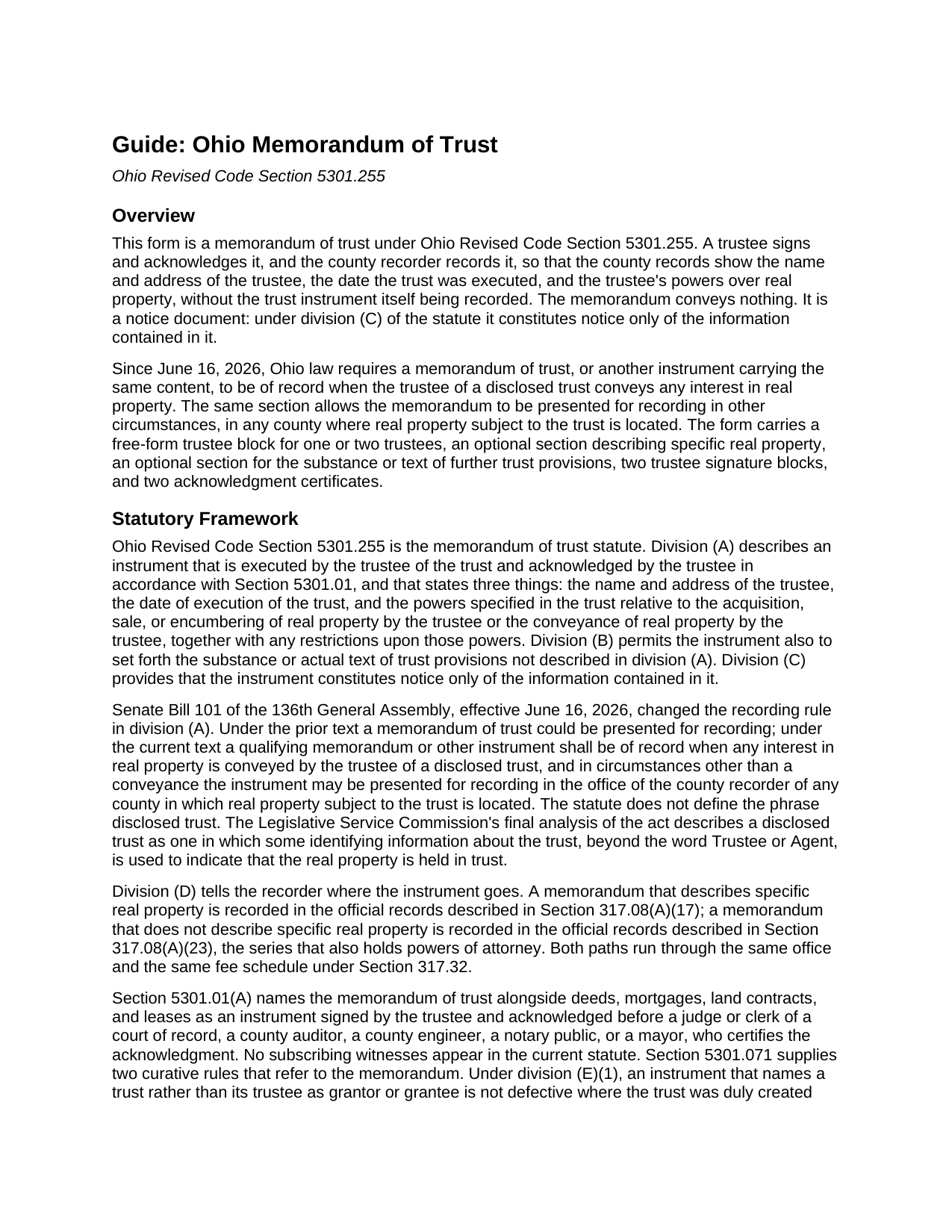
Summit County Memorandum of Trust Guide
Line by line guide explaining every blank on the Memorandum of Trust form.
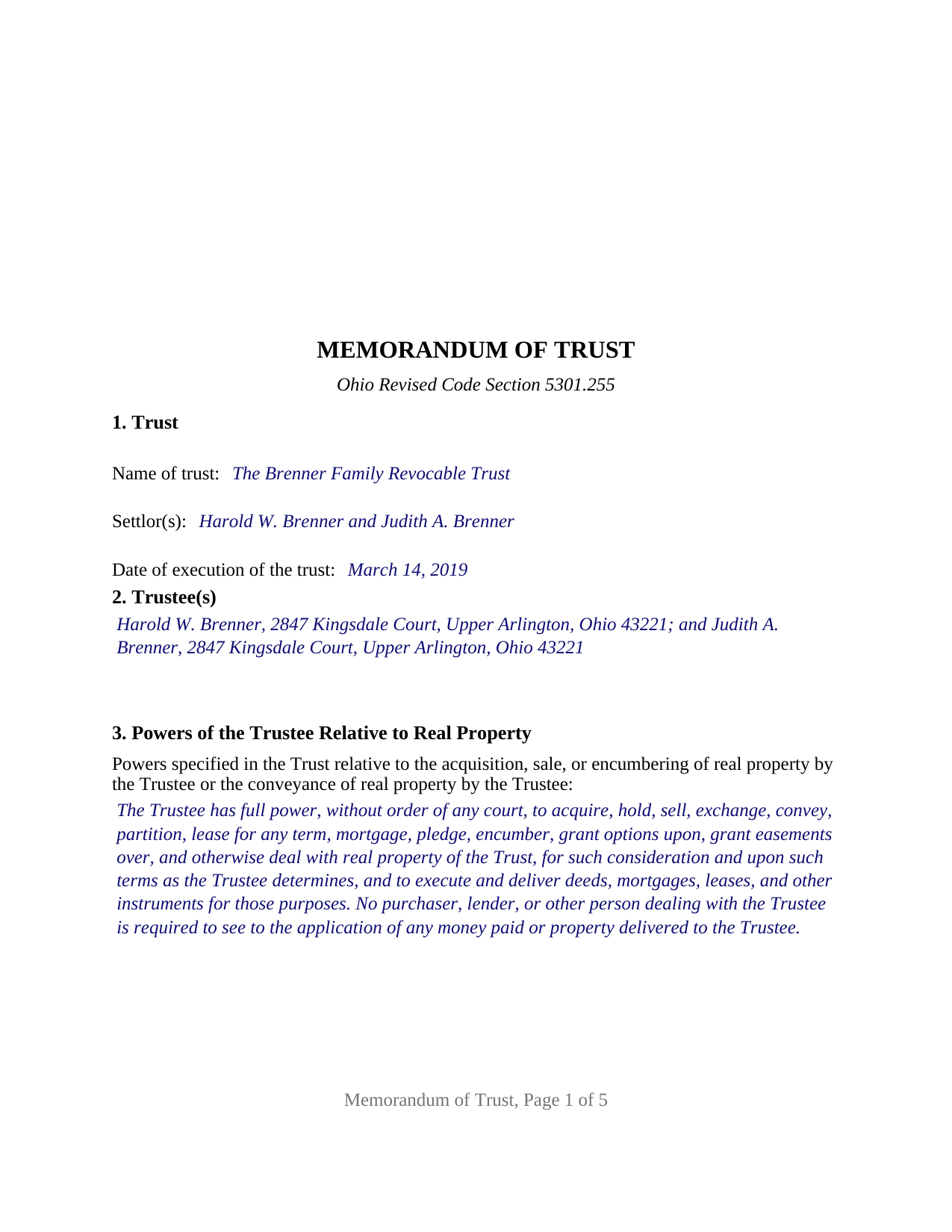
Summit County Completed Example of the Memorandum of Trust Document
Example of a properly completed Ohio Memorandum of Trust document for reference.
All 3 documents above included • One-time purchase • No recurring fees
Immediate Download • Secure Checkout
Additional Ohio and Summit County documents included at no extra charge:
Where to Record Your Documents
Summit County Fiscal Officer: Recording Division
Akron, Ohio 44308
Hours: 7:30 am to 4:00 pm Monday - Friday / Same-day recording until 3:30 pm
Phone: 330-643-2712, 2713, 2720
Recording Tips for Summit County:
- Bring your driver's license or state-issued photo ID
- Ensure all signatures are in blue or black ink
- Check margin requirements - usually 1-2 inches at top
- Leave recording info boxes blank - the office fills these
- Make copies of your documents before recording - keep originals safe
Cities and Jurisdictions in Summit County
Properties in any of these areas use Summit County forms:
- Akron
- Barberton
- Bath
- Clinton
- Cuyahoga Falls
- Fairlawn
- Green
- Hudson
- Lakemore
- Macedonia
- Munroe Falls
- Northfield
- Peninsula
- Richfield
- Stow
- Tallmadge
- Twinsburg
Hours, fees, requirements, and more for Summit County
How do I get my forms?
Forms are available for immediate download after payment. The Summit County forms will be in your account ready to download to your computer. An account is created for you during checkout if you don't have one. Forms are NOT emailed.
Are these forms guaranteed to be recordable in Summit County?
Yes. Our form blanks are guaranteed to meet or exceed the applicable formatting requirements used for recording in Summit County, including margin requirements, font requirements, and other layout standards. This guarantee applies to formatting, not to the legal sufficiency of information entered by the user or the suitability of a form for a particular transaction.
Can I reuse these forms?
Yes. You can reuse the forms for your personal use. For example, if you have multiple properties in Summit County you only need to order once.
What do I need to use these forms?
The forms are PDFs that you fill out on your computer. The free Adobe Acrobat Reader is recommended, and most PDF apps also work. You do NOT enter your property information online - you download the blank forms and complete them privately on your own computer.
Are there any recurring fees?
No. This is a one-time purchase. Nothing to cancel, no memberships, no recurring fees.
How much does it cost to record in Summit County?
Recording fees in Summit County vary. Contact the recorder's office at 330-643-2712, 2713, 2720 for current fees.
Questions answered? Let's get started!
Since June 16, 2026, an Ohio trustee who conveys real property held in a disclosed trust must have a memorandum of trust, or an instrument carrying the same content, of record in the county. This form prepares that memorandum under Ohio Revised Code Section 5301.255: the short, acknowledged instrument that puts the trustee's name and address, the date the trust was executed, and the trustee's powers over real property into the county records without recording the trust itself.
A memorandum that stands in for the trust instrument
A recorded Ohio deed into a trust usually says only that the grantee is a named Trustee of a named trust. Section 5301.255 answers the questions that deed leaves open. Division (A) fixes three required contents: the name and address of the trustee, the date of execution of the trust, and the powers specified in the trust relative to the acquisition, sale, or encumbering of real property by the trustee or the conveyance of real property by the trustee, with any restrictions upon those powers. Division (B) lets it also set forth the substance or text of other trust provisions, such as a successor trustee designation. Division (C) limits its reach: the memorandum constitutes notice only of the information contained in it.
Now required of record when a trustee conveys
Senate Bill 101 of the 136th General Assembly rewrote the recording sentence. Under the prior text the memorandum could be recorded; under the current text it shall be of record when any interest in real property is conveyed by the trustee of a disclosed trust, and in other circumstances it may be presented for recording in any county where real property subject to the trust is located. The Legislative Service Commission's analysis describes a disclosed trust as one identified in the record by more than the bare word Trustee or Agent. The same act added a four-year cure to Section 5301.071 for a trustee's deed recorded without a qualifying memorandum.
Describing the property, or not
Section 4 of the form is optional, and the choice changes the filing. A memorandum that describes specific real property, with the legal description copied from the deed into the trustee, the parcel number, and the prior deed reference, is recorded in the official records series Section 317.08(A)(17) names and travels with that parcel in the index. A memorandum that describes no property is recorded in the series Section 317.08(A)(23) names, alongside powers of attorney. A memorandum describing the property is also the one Section 5301.071(E)(1) looks for when an earlier deed named the trust itself as a party.
One or two trustees sign
The form recites nothing about the number of trustees or how they act. Section 2 is an open four-line block that receives one trustee, or two trustees, each with a mailing address, and the signature area carries a TRUSTEE block and a SECOND TRUSTEE block, each followed by its own acknowledgment certificate. A sole trustee's memorandum completes the first block and leaves the second blank; a memorandum of two cotrustees, two spouses serving together being the common pattern, completes both. The certificate is the Section 147.55(F) short form for a trustee, and the two certificates let cotrustees acknowledge on different days or before different officers. The form is not set up as a three-trustee instrument, a corporate trustee's officer execution, or an attorney-in-fact execution. The memorandum conveys nothing, so it carries no dower release and no spouse signature block.
Recording a notice instrument in Ohio
The memorandum is signed by the trustee and acknowledged under Section 5301.01, the execution rule that governs an Ohio deed, with no subscribing witnesses. It is not a deed of absolute conveyance, so the auditor stamps of Section 317.22 and the conveyance fee statement do not attach to it. The form is laid out to the Section 317.114 standard format, with the three-inch blank first-page margin, so the recorder's standardization surcharge does not apply. The certification of trust under Section 5810.13, furnished to a bank or title company in place of the trust, is a different instrument; the memorandum is the recorded one.
The package includes the fillable memorandum of trust form, a completed example filled in for a realistic Franklin County fact pattern with two cotrustees, and the guide that walks through every numbered section and the recording process. This description and the guide describe the form and the governing Ohio statutes in general terms; they are not legal advice.
Important: Your property must be located in Summit County to use these forms. Documents should be recorded at the county recording office listed above.
This Memorandum of Trust meets all recording requirements specific to Summit County.
Our Promise
The documents you receive here are guaranteed to meet or exceed the applicable Summit County recording format requirements. If there is a rejection caused by our formatting, we will correct the issue or refund your payment. This guarantee applies to document formatting only and does not extend to information entered by the user, the selection of the form, or the legal effect of the completed document.
Save Time and Money
Get your Summit County Memorandum of Trust form done right the first time with Deeds.com Uniform Conveyancing Blanks. At Deeds.com, we understand that your time and money are valuable resources, and we don't want you to face a penalty fee or rejection imposed by a county recorder for submitting nonstandard documents. We constantly review and update our forms to meet rapidly changing state and county recording requirements for roughly 3,500 counties and local jurisdictions.
4.8 out of 5 - ( 4,842 Reviews )
Dean B. 5 out of 5 stars
I needed to cut and paste my phone number with the dashes in order to use this website with my iPhone
Thank you!
Roberta M. 5 out of 5 stars
I found a lot of useful information regarding the Lady Bird Deed and feel it will serve my needs as opposed to a Revocable Living Trust. The information was easy to understand and very helpful. The forms seem easy to complete and I plan to get them notarized and filed at the courthouse very soon.
Thank you for your feedback. We really appreciate it. Have a great day!
Christopher G. 2 out of 5 stars
couldn't find what I was looking for.
Thank you for your feedback Christopher, sorry to hear that you couldn't find what you were looking for. Have a wonderful day.
Larry S. 5 out of 5 stars
I think it needs to be easier to enlarge print to fit an 8"x12" sheet of paper. Printing off samples is difficult to read as it is too small
Thank you for your feedback. We really appreciate it. Have a great day!
LeAnne B. 5 out of 5 stars
Using Deeds.com was the best decision I made when completing new deeds for a minor subdivision on my property. It was affordable and questions were answered in a timely fashion. No fuss, no muss, just got the job done.
Thanks for your feedback. We’re glad we could help.
Karla L. 5 out of 5 stars
Perfect! Recorded my completed deed today with no problems.
Thank you!
Charlie T. 5 out of 5 stars
I really like the service and will be definitely be using it again to submit future deeds.
Thank you!
Don M. 5 out of 5 stars
ONCE A PERSON STARTS THE PROCESS, IT IS QUITE EASY, THE PROCESS THAT IS.
We appreciate your business and value your feedback. Thank you. Have a wonderful day!
LAWRENCE P. 4 out of 5 stars
How about a single button zip download of the files displayed instead of downloading them one at a time?
Thank you for your feedback. We really appreciate it. Have a great day!
Ismael T. 5 out of 5 stars
I was surprised and how quickly you guys process documents and helped on a mistake I had. Thank so much. I will definitely keep using Deeds.com
Thank you!
Michelle R. 5 out of 5 stars
Fairly easy to use. Need to be able to find platts easy.
Thank you!
Alice s. 5 out of 5 stars
So far so good!
Happy we could assist. Thank you for sharing your experience.
Viola G. 4 out of 5 stars
no as easy as anticipated but convenient.
We are grateful for your feedback and looking forward to serving you again. Thank you!
Biagio V. 5 out of 5 stars
Process was quick , through and completed with no problems. Excellent service for the price involved.
We appreciate your business and value your feedback. Thank you. Have a wonderful day!
Sandra T. 5 out of 5 stars
I hope this will address all I need to make sure my father is not being taken for granted by my siblings and a nephew and his wife. thank you
Thank you!