Richland County Fiduciary Deed (Executor) Form
Last validated October 23, 2026 by our Forms Development TeamFormatted for recording in Richland County, for property anywhere in the county: rural and unincorporated areas as well as Bellville, Butler, Lucas, Mansfield, Ontario, Shelby, Shiloh.
- 3 documents included
- Immediate PDF download
- Formatting guarantee
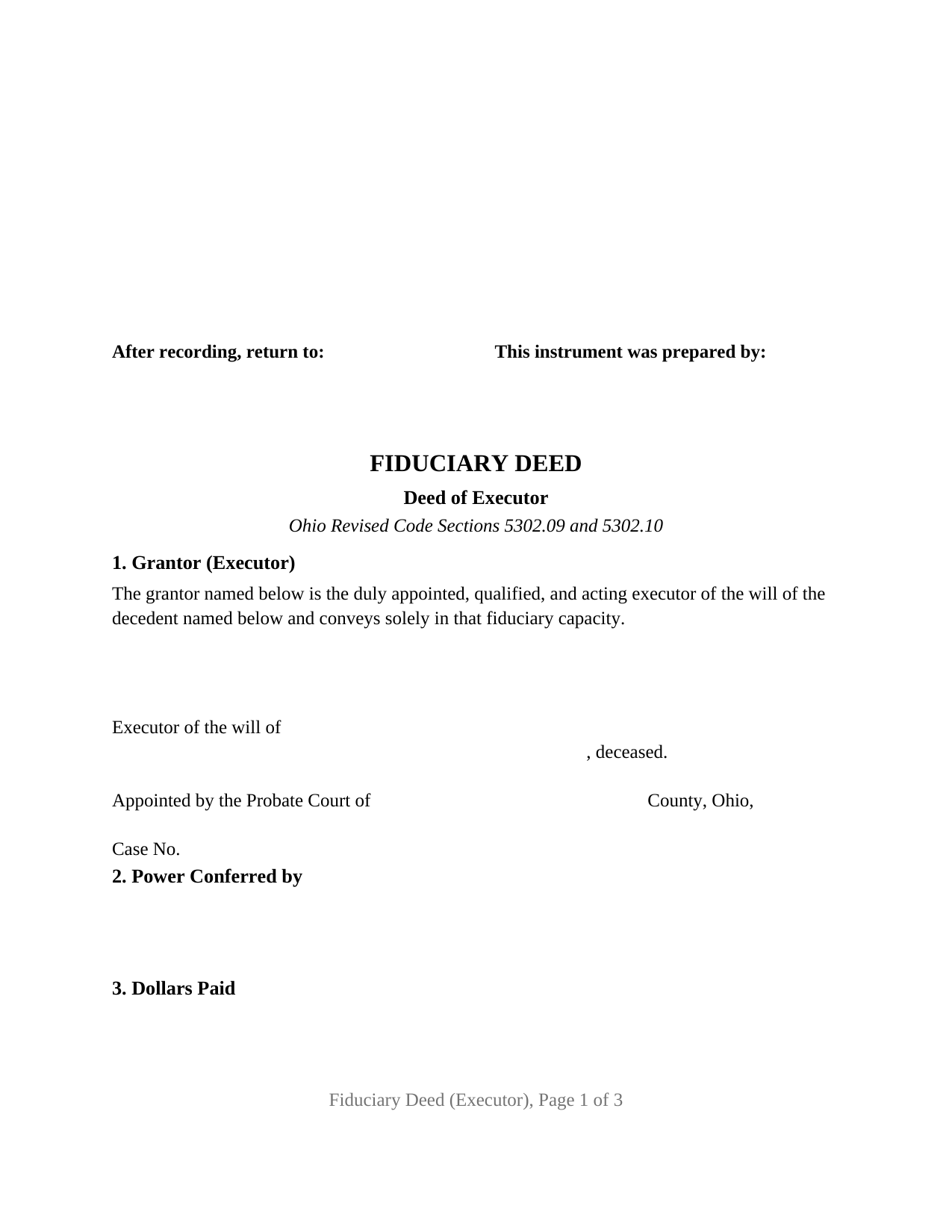
Richland County Fiduciary Deed (Executor) Form
Fill in the blank Fiduciary Deed (Executor) form formatted to comply with all Ohio recording and content requirements.
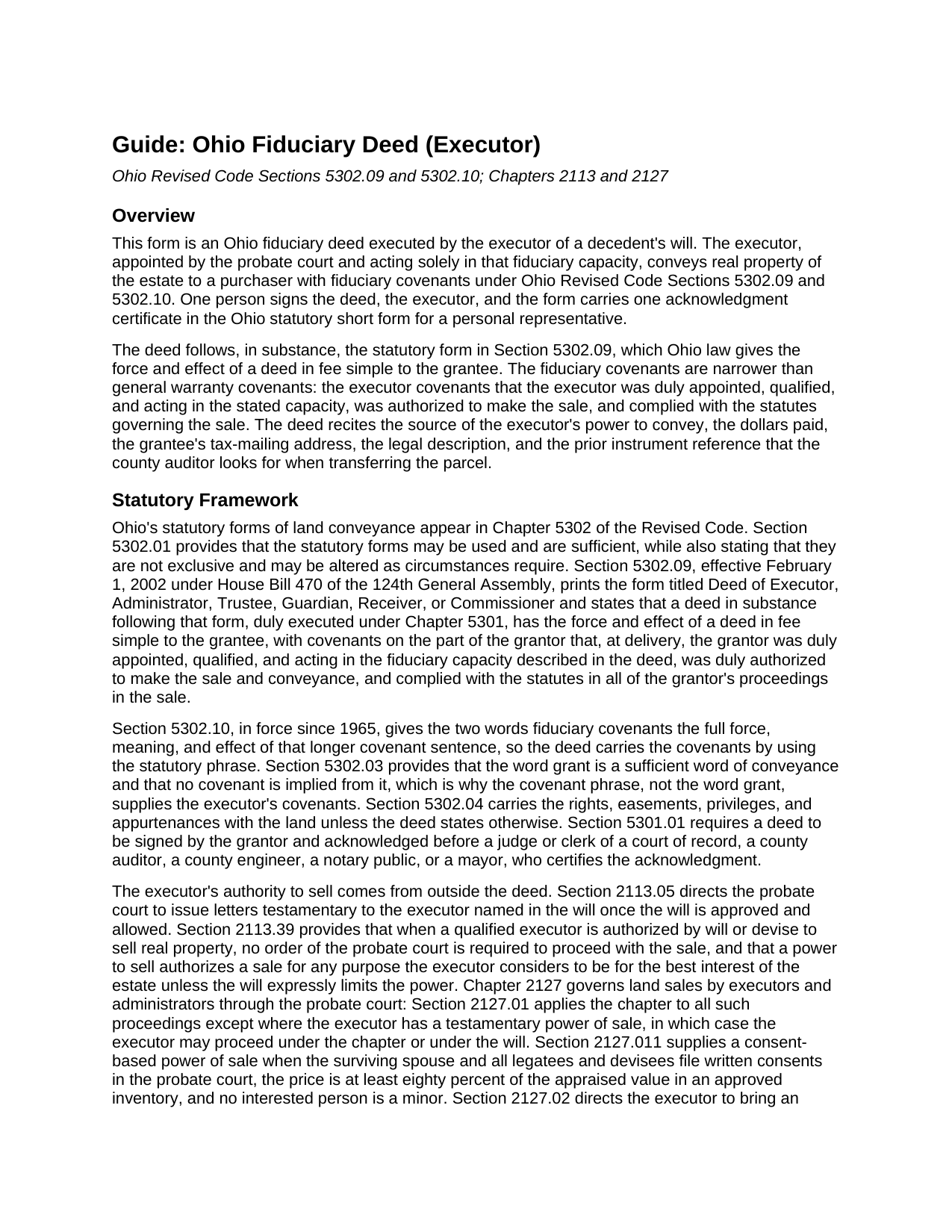
Richland County Fiduciary Deed (Executor) Guide
Line by line guide explaining every blank on the Fiduciary Deed (Executor) form.
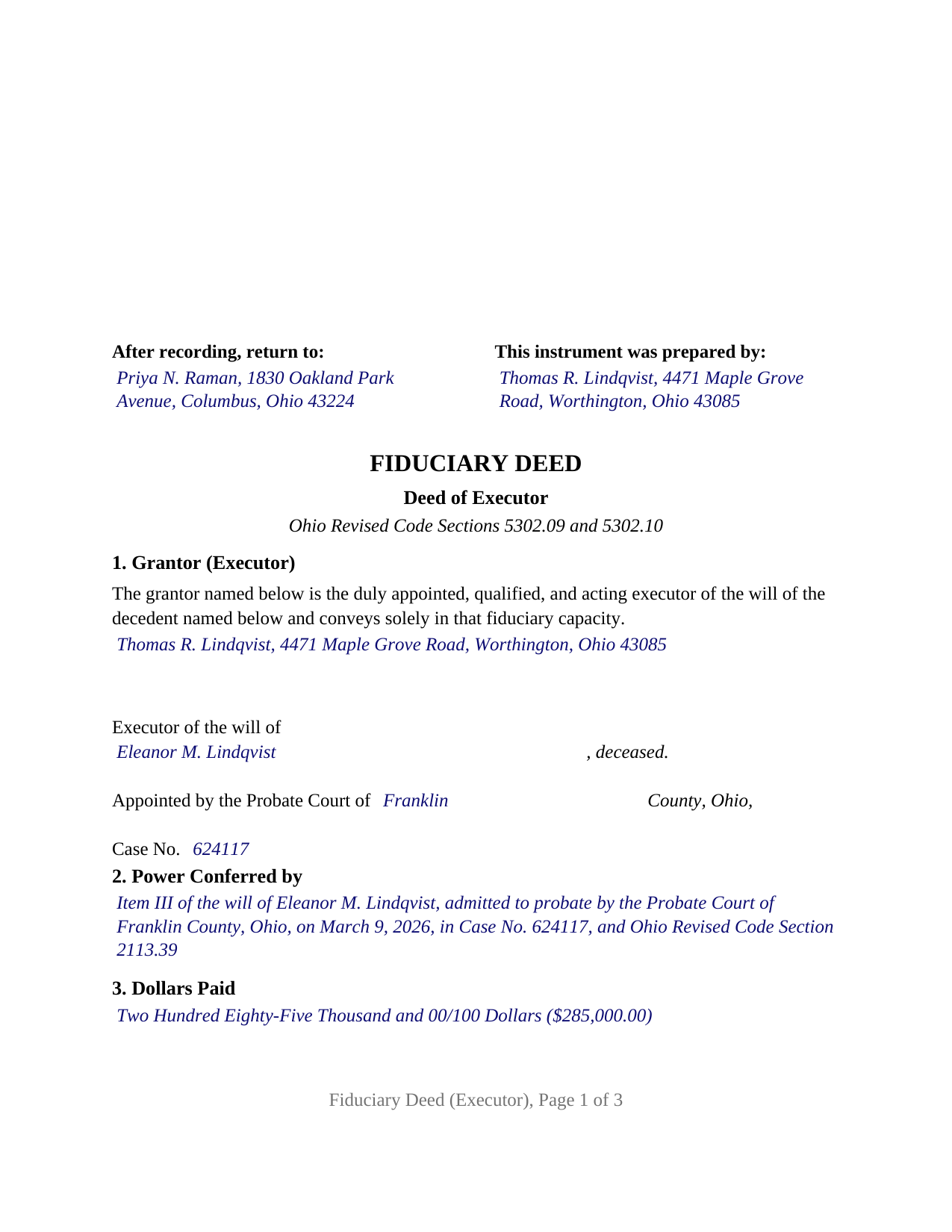
Richland County Completed Example of the Fiduciary Deed (Executor) Document
Example of a properly completed Ohio Fiduciary Deed (Executor) document for reference.
All 3 documents above included • One-time purchase • No recurring fees
Immediate Download • Secure Checkout
Additional Ohio and Richland County documents included at no extra charge:
Where to Record Your Documents
Richland County Recorder
Mansfield, Ohio 44902
Hours: 8:00 to 4:00 M-F
Phone: 419-774-5602 or 5601
Recording Tips for Richland County:
- Bring your driver's license or state-issued photo ID
- Ensure all signatures are in blue or black ink
- Check that your notary's commission hasn't expired
- Documents must be on 8.5 x 11 inch white paper
- Double-check legal descriptions match your existing deed
Cities and Jurisdictions in Richland County
Properties in any of these areas use Richland County forms:
- Bellville
- Butler
- Lucas
- Mansfield
- Ontario
- Shelby
- Shiloh
Hours, fees, requirements, and more for Richland County
How do I get my forms?
Forms are available for immediate download after payment. The Richland County forms will be in your account ready to download to your computer. An account is created for you during checkout if you don't have one. Forms are NOT emailed.
Are these forms guaranteed to be recordable in Richland County?
Yes. Our form blanks are guaranteed to meet or exceed the applicable formatting requirements used for recording in Richland County, including margin requirements, font requirements, and other layout standards. This guarantee applies to formatting, not to the legal sufficiency of information entered by the user or the suitability of a form for a particular transaction.
Can I reuse these forms?
Yes. You can reuse the forms for your personal use. For example, if you have multiple properties in Richland County you only need to order once.
What do I need to use these forms?
The forms are PDFs that you fill out on your computer. The free Adobe Acrobat Reader is recommended, and most PDF apps also work. You do NOT enter your property information online - you download the blank forms and complete them privately on your own computer.
Are there any recurring fees?
No. This is a one-time purchase. Nothing to cancel, no memberships, no recurring fees.
How much does it cost to record in Richland County?
Recording fees in Richland County vary. Contact the recorder's office at 419-774-5602 or 5601 for current fees.
Questions answered? Let's get started!
An Ohio fiduciary deed signed by an executor conveys real property out of a decedent's estate to a buyer on the strength of a power the deed itself names. This form prepares that deed for one executor appointed under a will, with the fiduciary covenants of Ohio Revised Code Section 5302.10, for recording in any Ohio county.
A deed that recites where the power to sell comes from
Ohio gives an executor three routes to a sale, and the deed form in Revised Code Section 5302.09 leaves a blank for whichever one applies: by the power conferred by, and every other power. Where the will grants a power of sale, Section 2113.39 provides that no probate court order is required and that the power reaches any sale the executor considers to be for the best interest of the estate unless the will limits it. Where the will is silent, Section 2127.011 supplies a power of sale on the written consents of the surviving spouse and every legatee and devisee, filed in the probate court, and Chapter 2127 supplies the court-supervised land sale that ends in an order confirming the sale and directing the deed under Section 2127.35. Section 2 of this form holds that recital; the completed example cites an item of the will, the probate case number, and the date the will was admitted.
Fiduciary covenants reach the office, not the chain of title
The operative words are the statute's own: grants, with fiduciary covenants. Section 5302.10 gives that phrase the full force of a covenant that the grantor is duly appointed, qualified, and acting in the stated fiduciary capacity, is authorized to make the sale and conveyance, and has complied with the statutes governing the sale. Those covenants concern the executor's office and authority, not every prior link in the title. A deed in substance following the Section 5302.09 form takes effect as a deed in fee simple to the grantee, and after a court-confirmed sale Section 2127.35 makes the deed prima facie evidence that the executor followed the court's directions.
One executor, one signature, one certificate
This configuration fixes the grantor's capacity as deed text. Section 1 recites that the grantor is the duly appointed, qualified, and acting executor of the will of the named decedent, identifies the probate court and case number from the letters testamentary, and states that the executor conveys solely in that fiduciary capacity. The deed carries a single signature block and a single acknowledgment certificate in the Ohio statutory short form for a personal representative under Section 147.55(F), completed with the executor's name and title of position. No spouse signs and no dower release appears: the executor conveys in a representative capacity, and a Chapter 2127 sale passes the land free of dower under Section 2127.16. A sole executor selling estate real estate to an outside purchaser, and a surviving spouse serving as executor and buying a parcel under the consent procedure, both present the one-executor pattern this deed recites. The form is not set up as an administrator's, trustee's, or guardian's deed, or as a deed by two coexecutors, each of which recites a different office or a second signer; a distribution to a devisee passes by a probate certificate of transfer, not a deed.
What the auditor and the recorder look for
An executor's sale is a conveyance for value, so the deed travels to the county auditor with the DTE 100 conveyance fee statement before the recorder accepts it. The form carries the two items Section 319.20 makes the auditor's transfer depend on, the grantee's tax-mailing address and a prior instrument reference to the deed by which the decedent took title, plus the survey statement Section 5301.25 describes. The page geometry follows Section 317.114: a three-inch blank first-page top margin for the county stamps and the recorder's endorsement, one-inch side and bottom margins, and a one-and-one-half-inch top margin on later pages, with the preparer's name Section 317.111 requires. The deed prints on three recordable pages behind a non-recorded instructions cover.
The package includes the fillable fiduciary deed, a completed example filled in for a Franklin County estate sale under a testamentary power of sale, and the guide that walks through each numbered section, the sources of an executor's authority, and the auditor and recorder steps. This description and the guide describe the form and the governing Ohio statutes in general terms; they are not legal advice.
Important: Your property must be located in Richland County to use these forms. Documents should be recorded at the county recording office listed above.
This Fiduciary Deed (Executor) meets all recording requirements specific to Richland County.
Our Promise
The documents you receive here are guaranteed to meet or exceed the applicable Richland County recording format requirements. If there is a rejection caused by our formatting, we will correct the issue or refund your payment. This guarantee applies to document formatting only and does not extend to information entered by the user, the selection of the form, or the legal effect of the completed document.
Save Time and Money
Get your Richland County Fiduciary Deed (Executor) form done right the first time with Deeds.com Uniform Conveyancing Blanks. At Deeds.com, we understand that your time and money are valuable resources, and we don't want you to face a penalty fee or rejection imposed by a county recorder for submitting nonstandard documents. We constantly review and update our forms to meet rapidly changing state and county recording requirements for roughly 3,500 counties and local jurisdictions.
4.8 out of 5 - ( 4,830 Reviews )
A. S. 3 out of 5 stars
First, I am glad that you gave a blank copy, an example copy, and a 'guide'. It made it much easier to do. Overall I was very happy with your products and organization... however, things got pretty confusing and I have a pretty 'serious' law background in Real Estate and Civil law. With that said, I spent about 10+ hours getting my work done, using the Deed of Trust and Promissory note from you and there were a few problems: First, it would be FANTASTIC if you actually aligned your guide to actually match the Deed or Promissory Note. What I mean is that if the Deed says 'section (E)' then your guide shouldn't be 'randomly' numbered as 1,2,3, for advice/instructions, but should EXACTLY match 'section (E)'. Some places you have to 'hunt' for what you are looking for, and if you did it based on my suggestion, you wouldn't need to 'hunt' and it would avoid confusion. 2nd: This one really 'hurt'... you had something called the 'Deed of Trust Master Form' yet you had basically no information on what it was or how to use it. The only information you had was a small section at the top of the 'Short Form Deed of Trust Guide'. Holy Cow, was that 'section' super confusing. I still don't know if I did it correctly, but your guide says only put a return address on it and leave the rest of the 16 or so page Deed of Trust beneath it blank... and then include your 'Deed of Trust' (I had to assume the short form deed that I had just created) as part of it. I had to assume that I had to print off the entire 17 page or so title page and blank deed. I also had to assume that the promissory note was supposed to be EXHIBIT A or B on the Short Form Deed. It would be great if someone would take a serious look at that short section in your 'Short Form Deed of Trust Guide' and realize that those of us using your products are seriously turning this into a county clerk to file and that most of us, probably already have a property that has an existing Deed... or at least can find one in the county records if necessary... and make sure that you make a distinction between the Deed for the property that already exists, versus the Deed of Trust and Promissory note that we are trying to file. Thanks.
Thank you for your feedback. We'll have staff review the document for clarity. Have a great day!
Donald P. 4 out of 5 stars
Very fast and efficient. Easy to fill out but was upset the latest tax exemptions ruled in 2014 did not seem to be included. Exclusion of sale to blood relatives, etc. _ the one I needed.
Thank you for your feedback. We really appreciate it. Have a great day!
Deborah M. 5 out of 5 stars
Absolutely great. The staff is responsive and knowledgeable. The online interface is excellent. The total cost for finalizing the sale on our property (minus state filing fees) was $39. A wonderful experience.
Thank you for your feedback. We really appreciate it. Have a great day!
Heidi J. 3 out of 5 stars
The form was useful, however the formatting is terrible once completed. A lot of white space with no option to remove extra spacing or to improve the overall formatting.
Thank you for your feedback, Heidi. We’re glad to hear the form itself was useful. We also understand your concern about the formatting and extra spacing once completed. Our forms are designed to meet strict county recording requirements, which can sometimes result in additional white space. That said, we’re always working to improve usability and presentation without compromising acceptance. Your input helps us identify where refinements are possible, and we’ll keep it in mind as we continue updating our templates.
Gregory N. 5 out of 5 stars
Good information guiding through filling out the product. Would like form to be more flexible in terms of spacing, but otherwise excellent.
Thank you for your feedback. We really appreciate it. Have a great day!
Carlin L. 5 out of 5 stars
I have yet to have my Certification of Trust notarized nor have I gone to my bank to see if it's acceptable I hope it will be it was rather easy to do thank you so much.
Thank you for your feedback Carlin.
Dianne C. 5 out of 5 stars
Love it
Thank you!
FRANK O. 4 out of 5 stars
Easy to download and use the forms, however two forms needed for my county recording were not included.
Thank you for your feedback Frank. We'll look into finding and including the additional supplemental documents. Sometimes supplemental documents have to be generated by the county's system, specific to the transaction.
Robert K. 5 out of 5 stars
This document was exactly what I needed and with the corresponding sample I was easily able to complete it. This saved me a lot of money by not having to hire an attorney to fill out a form. Thank you!
Thank you for your feedback. We really appreciate it. Have a great day!
Jessica F. 5 out of 5 stars
Found exactly what I was looking for in a matter of minutes at a very reasonable fee.
We appreciate your business and value your feedback. Thank you. Have a wonderful day!
Edith T. 5 out of 5 stars
this was wonderful. I found everything very easy to understand. And great examples.
Thank you!
Daniel Z. 5 out of 5 stars
All is well that ends well and this form service seemed to work quite smoothly, even though my printer gives me fits at times, having to hand feed the blank paper.
Thank you for your feedback. We really appreciate it. Have a great day!
Teresa T. 5 out of 5 stars
amazingly fast! Thank you!
We appreciate your business and value your feedback. Thank you. Have a wonderful day!
Scott W. 5 out of 5 stars
Quick and simple.
Thank you!
Doris P. 4 out of 5 stars
Easy to understand and fill out Beneficiary Deed, but when I tried to download finished form, it disappeared! Luckily I had printed it first and had to fill out again.
Thank you!