Hocking County Mechanics Lien (Laborer) Form
Last validated October 30, 2026 by our Forms Development TeamFormatted for recording in Hocking County, for property anywhere in the county: rural and unincorporated areas as well as Carbon Hill, Haydenville, Laurelville, Logan, Murray City, Rockbridge, South Bloomingville, Union Furnace.
- 3 documents included
- Immediate PDF download
- Formatting guarantee
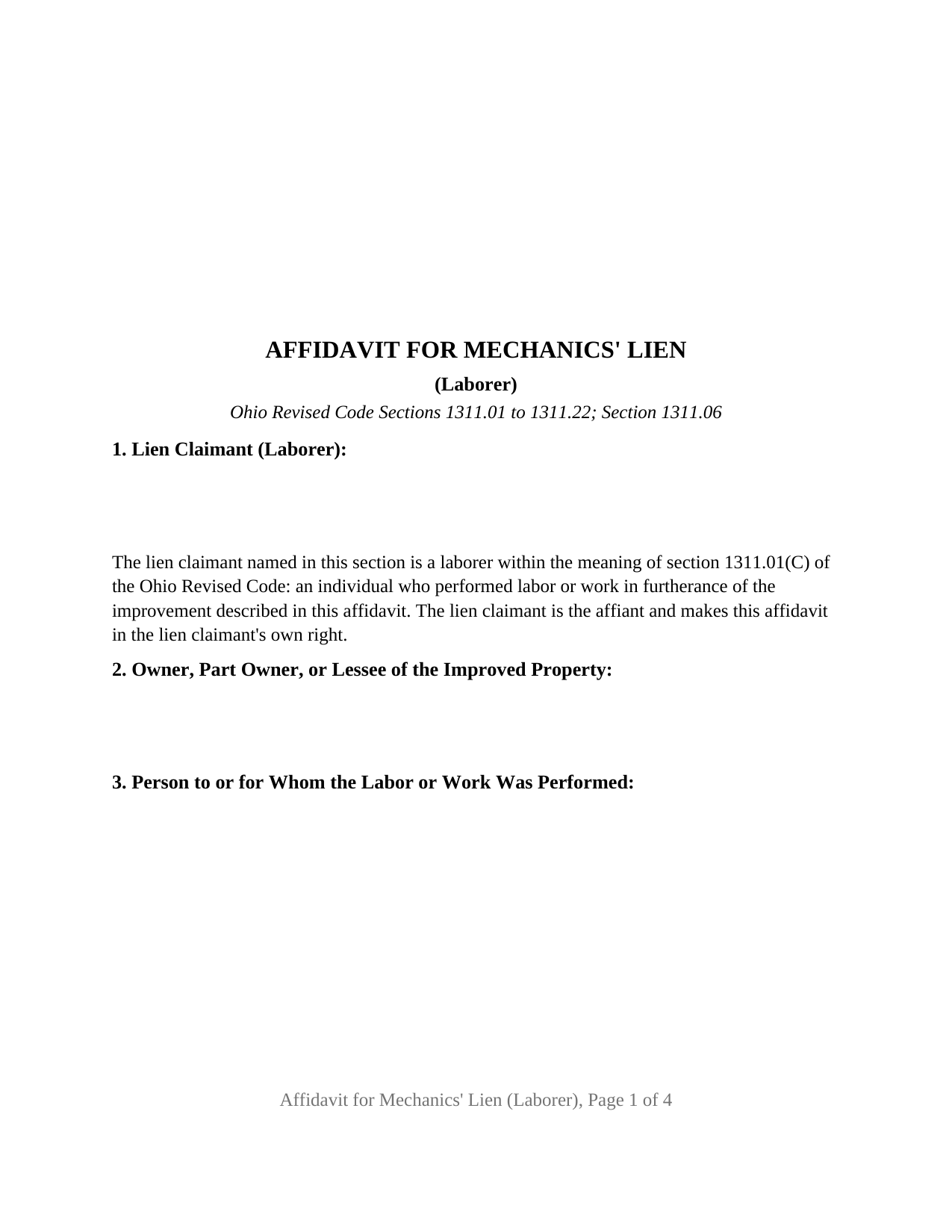
Hocking County Mechanics Lien (Laborer) Form
Fill in the blank Mechanics Lien (Laborer) form formatted to comply with all Ohio recording and content requirements.
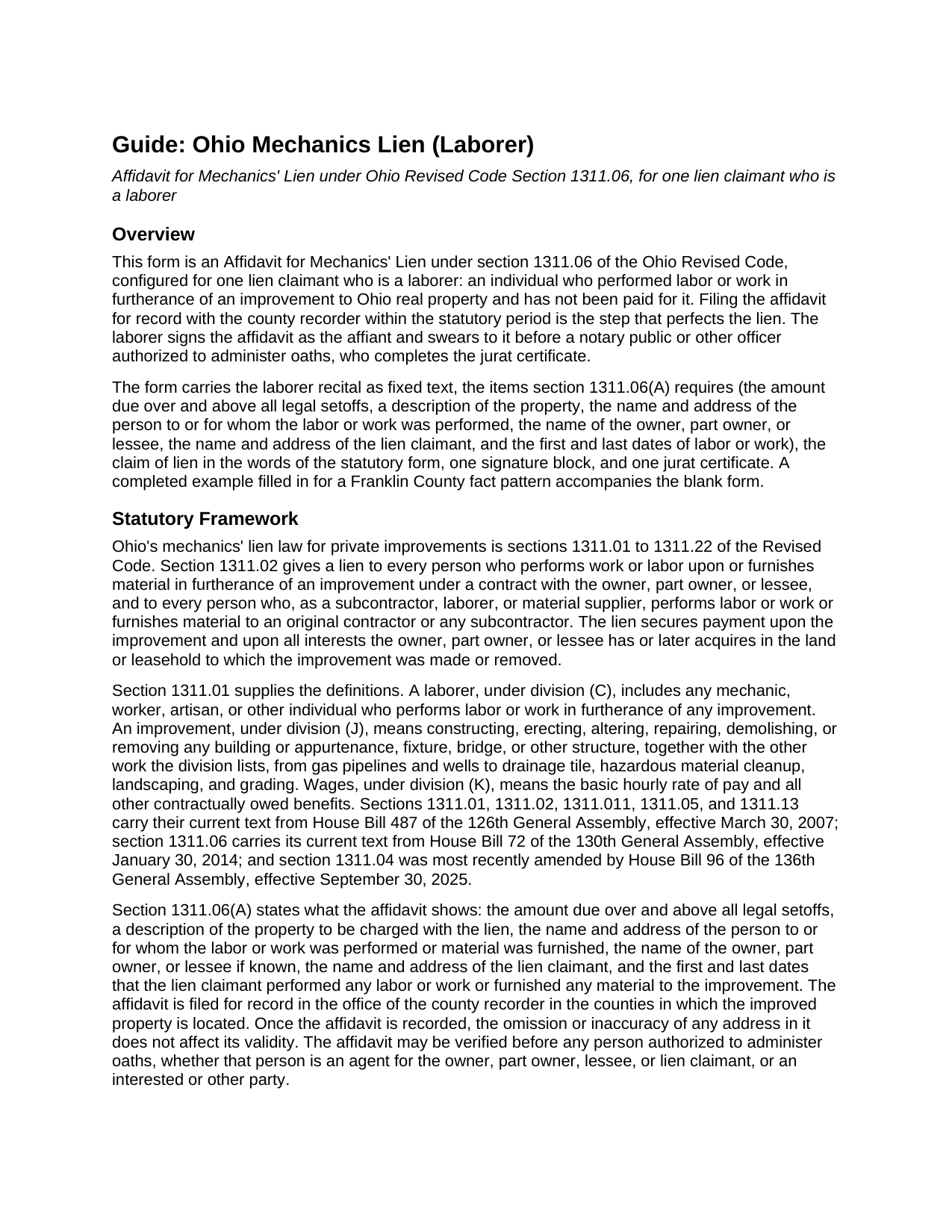
Hocking County Mechanics Lien (Laborer) Guide
Line by line guide explaining every blank on the Mechanics Lien (Laborer) form.
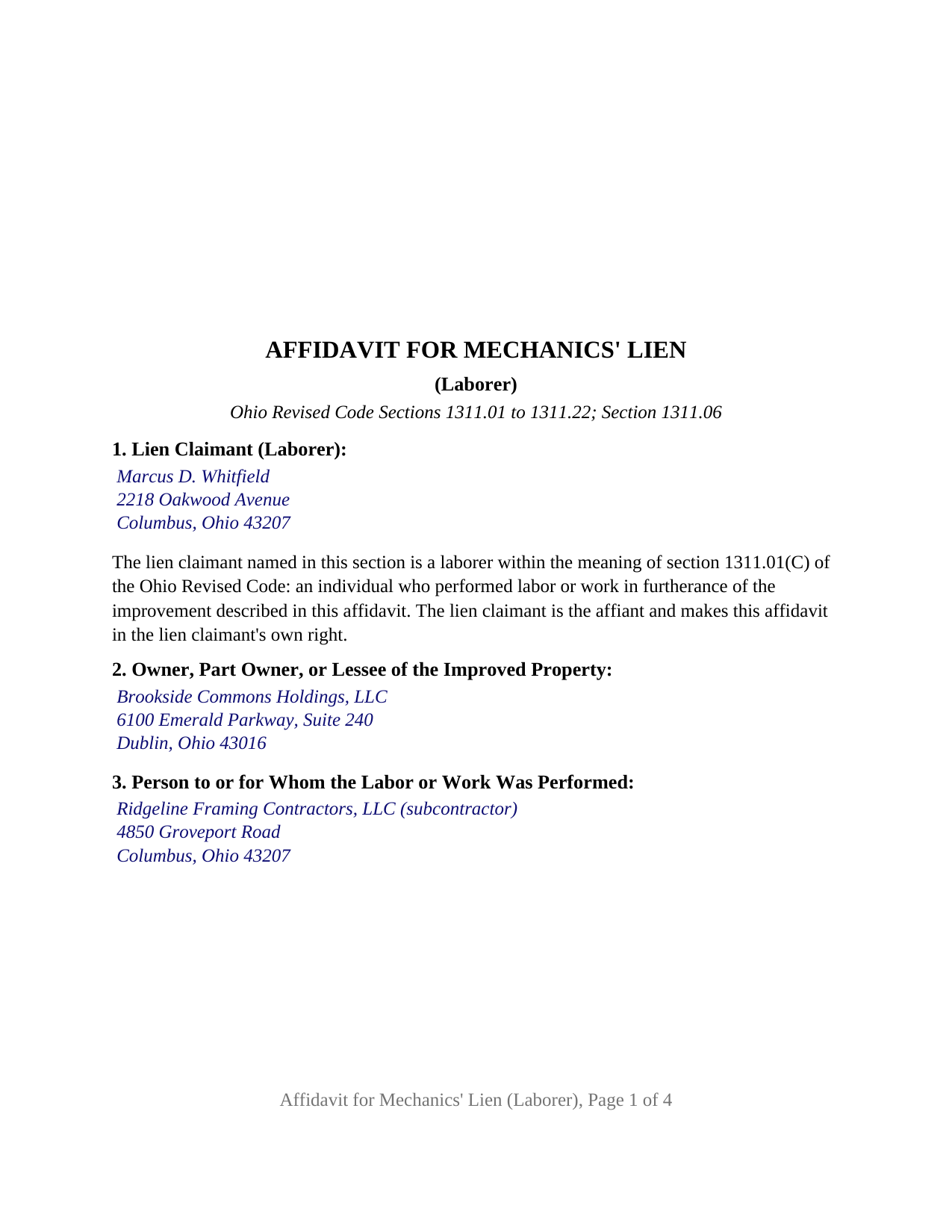
Hocking County Completed Example of the Mechanics Lien (Laborer) Document
Example of a properly completed Ohio Mechanics Lien (Laborer) document for reference.
All 3 documents above included • One-time purchase • No recurring fees
Immediate Download • Secure Checkout
Additional Ohio and Hocking County documents included at no extra charge:
Where to Record Your Documents
Hocking County Recorder
Logan, Ohio 43138
Hours: 8:30 a.m. - 4:00 p.m. Monday - Friday
Phone: 740-385-2031
Recording Tips for Hocking County:
- Bring your driver's license or state-issued photo ID
- Ensure all signatures are in blue or black ink
- Documents must be on 8.5 x 11 inch white paper
- Double-check legal descriptions match your existing deed
- Verify all names are spelled correctly before recording
Cities and Jurisdictions in Hocking County
Properties in any of these areas use Hocking County forms:
- Carbon Hill
- Haydenville
- Laurelville
- Logan
- Murray City
- Rockbridge
- South Bloomingville
- Union Furnace
Hours, fees, requirements, and more for Hocking County
How do I get my forms?
Forms are available for immediate download after payment. The Hocking County forms will be in your account ready to download to your computer. An account is created for you during checkout if you don't have one. Forms are NOT emailed.
Are these forms guaranteed to be recordable in Hocking County?
Yes. Our form blanks are guaranteed to meet or exceed the applicable formatting requirements used for recording in Hocking County, including margin requirements, font requirements, and other layout standards. This guarantee applies to formatting, not to the legal sufficiency of information entered by the user or the suitability of a form for a particular transaction.
Can I reuse these forms?
Yes. You can reuse the forms for your personal use. For example, if you have multiple properties in Hocking County you only need to order once.
What do I need to use these forms?
The forms are PDFs that you fill out on your computer. The free Adobe Acrobat Reader is recommended, and most PDF apps also work. You do NOT enter your property information online - you download the blank forms and complete them privately on your own computer.
Are there any recurring fees?
No. This is a one-time purchase. Nothing to cancel, no memberships, no recurring fees.
How much does it cost to record in Hocking County?
Recording fees in Hocking County vary. Contact the recorder's office at 740-385-2031 for current fees.
Questions answered? Let's get started!
An Ohio laborer who worked on a construction project and was not paid holds a lien on the improvement and on the owner's interest in the land, and the instrument that perfects that lien is a sworn affidavit filed for record with the county recorder. This form prepares the Affidavit for Mechanics' Lien under section 1311.06 of the Ohio Revised Code for one lien claimant who is a laborer: an individual who performed labor or work in furtherance of an improvement to Ohio real property, signing in that individual's own right.
A lien claimant who skips the notice of furnishing
Ohio's mechanics lien chapter treats laborers differently from the subcontractors and material suppliers who work beside them. Section 1311.05 puts a notice of furnishing on subcontractors and material suppliers, and section 1311.05(G) states that no laborer must serve one to preserve lien rights. For a laborer, the affidavit itself is the first and only recorded step, which is why this form carries no notice of furnishing. A laborer, under section 1311.01(C), includes any mechanic, worker, artisan, or other individual who performs labor or work in furtherance of any improvement, and the amount claimed may include wages that are contractually due but unpaid.
First in line among the lien claimants
Section 1311.13 gives liens filed by laborers priority over all other mechanics liens on the same improvement, whether the work was performed before or after the notice of commencement was recorded, and, where a laborer's work straddles the recording of the notice of commencement, gives the lien one effective date rather than two. On a home construction contract, where section 1311.011 caps every lien at the unpaid balance due the original contractor and divides that balance pro rata when it runs short, the statute again puts laborers' liens first. The fixed recital in Section 1 identifies the lien claimant as a laborer within section 1311.01(C).
Sixty or seventy-five days from the last day of work
The affidavit is filed with the county recorder of each county in which the improved property is located: within sixty days after the laborer's last labor or work where the lien arises in connection with a one- or two-family dwelling or a residential condominium unit, within seventy-five days for most other improvements, and within one hundred twenty days for an oil or gas well. Within thirty days after filing, section 1311.07 requires a copy to be served on the owner, part owner, or lessee, with posting on the premises where that service cannot be completed. Once recorded, the lien continues for six years, and an owner can shorten that period with a notice to commence suit under section 1311.11. The affidavit states the items section 1311.06(A) requires, from the amount due over and above all legal setoffs to the first and last dates of labor or work, and its claim of lien is drawn from the form section 1311.06(C) prints, so the operative words are the statute's own.
One laborer, one signature, one jurat
The form recites exactly one lien claimant, a laborer, and that laborer signs the affidavit personally as the affiant. One signature block and one jurat certificate follow the operative text; the laborer swears to the affidavit before a notary public or other officer authorized to administer oaths, who completes the certificate under section 147.542 of the Revised Code. A framing carpenter owed wages by a subcontractor and a mason who worked directly for a property owner each present the single-laborer pattern this affidavit recites. The form is not set up as an affidavit executed by an agent for a laborer, as one affidavit itemizing the claims of several laborers, or as the affidavit of a contractor, subcontractor, or material supplier, whose claims rest on different definitions and notice rules.
The document is built to Ohio's recording format statute, section 317.114: letter size pages, twelve point type above the ten point minimum, a three inch blank top margin on the first page for the recorder's indorsement, and the preparer statement section 317.111 requires. The package includes the fillable Affidavit for Mechanics' Lien, a completed example filled in for a Franklin County fact pattern, and the guide that walks through each numbered section, the filing periods, service on the owner, and the home construction limits. This description and the guide describe the form and the governing Ohio statutes in general terms; they are not legal advice.
Important: Your property must be located in Hocking County to use these forms. Documents should be recorded at the county recording office listed above.
This Mechanics Lien (Laborer) meets all recording requirements specific to Hocking County.
Our Promise
The documents you receive here are guaranteed to meet or exceed the applicable Hocking County recording format requirements. If there is a rejection caused by our formatting, we will correct the issue or refund your payment. This guarantee applies to document formatting only and does not extend to information entered by the user, the selection of the form, or the legal effect of the completed document.
Save Time and Money
Get your Hocking County Mechanics Lien (Laborer) form done right the first time with Deeds.com Uniform Conveyancing Blanks. At Deeds.com, we understand that your time and money are valuable resources, and we don't want you to face a penalty fee or rejection imposed by a county recorder for submitting nonstandard documents. We constantly review and update our forms to meet rapidly changing state and county recording requirements for roughly 3,500 counties and local jurisdictions.
4.8 out of 5 - ( 4,861 Reviews )
Sara M. 5 out of 5 stars
Love these docs, and so does the recorder's office. Recording always goes so smooth, no issues ever. THANKS!!!
Awesome! Thanks for the kind words Sara.
RICHARD A. 5 out of 5 stars
Smooth, simple, and complete. A great forms service.
We appreciate your business and value your feedback. Thank you. Have a wonderful day!
Anthony N. 3 out of 5 stars
The site was not easy to navigate. Maybe putting the different things offered at the heading instead of searching for it.
Thank you for your feedback. We really appreciate it. Have a great day!
Pedro M. 5 out of 5 stars
Very good service......
Your feedback is greatly appreciated. Thank you for taking the time to share your experience!
Sherilynne P. 3 out of 5 stars
I am delighted with the form. I just had to go through so much time and expense in order to use it. First, from your site I downloaded Adobe Acrobat. It totally compromised my computer. I had to get a computer expert to walk me through deleting adobe, and put a substitute on in order to use the form. That was an expense of $60.00. Then after that I still had a hard time getting the program to work, as the substitute program would not accept my e-mail address and I finally had to get someone on line to help me access that. I found it was a $$30.00 charge for the substitute. After fighting these lovely roadblocks, I was finally able to fill in the only form I needed and print it off. Took me two days to accomplish that. Why on earth do you offer adobe when it can compromise a computer so badly? Dealing with my husbands death and then having to deal with this, just one of many deterrents, well let's put it this way, it did not make my two days.
Thank you for your feedback. Sorry to hear of your experience. Our documents are Adobe PDFs because PDF is the standard for digital documents, most computers have Adobe Reader installed, and it (Adobe Reader) is free.
David S. 5 out of 5 stars
All Star Support and less than a one day turnaround. Outstanding service. Thank you !
We appreciate your business and value your feedback. Thank you. Have a wonderful day!
Robert C. 2 out of 5 stars
Not easy to navigate as a first time user. I printed the first page but lost the link to the second page.
Thank you for taking the time to provide us with your valuable feedback. I'm sorry to hear that you've encountered difficulties with our website's navigation, particularly as a first-time user.
Furthermore, your comments about the website's navigation have been taken into account. We continually strive to improve our website and make it as intuitive and user-friendly as possible. Your feedback is crucial for us in achieving this goal.
Thank you again for your feedback. If you have any other suggestions or need further assistance, please don't hesitate to contact us.
Ron D. 3 out of 5 stars
The State form I chose was valid and accurate. However, I found the ability to enter information was inadequate and difficult. Converted the form to a Word document and was then able to enter the information I needed to.
Your feedback is valuable to us and helps us improve. Thank you for sharing your thoughts!
Elaine F. 5 out of 5 stars
Document was easy to use and edit. It was accurate in referring to the appropriate statutes. Would use deeds.com again.
Your satisfaction is important to us. Thank you for the feedback.
BARBARA L. 4 out of 5 stars
Fairly easy to use. I had to really search to get some info. I had to use the Exhibit feature because the description box was way too small and I ended up re-typing it. The package had good and useful links. The County Clerk looked at it and said, "I see you used an online form, and that's OK, but..." and proceeded to show me a couple of things that were left out. They recorded it with no problems.
Thank you!
John B. 4 out of 5 stars
I purchased the Notice of Completion form because the City of Chula Vista did not have a "fillable" version of this form on their website. The Deeds.com version of this form is somewhat different than the City's version (8 numbered paragraphs vs. 11 numbered paragraphs.) However, it contains the same information in a different format. This form provided more blank space to fill in important items- like a long ownership name- than the version on the City's website. The recorder's office was satisfied with this form as I hand-delivered it to the Recorder's Office and they approved it for recording. Overall, I found this form easy to use and found the extra blank space for writing on the form helpful. My one comment for possible improvement is: it would be even more helpful (particularly for attorney users) to have strike-out capability. I would have liked having the ability to strike-out inapplicable portions of long awkward sentences. Still, I would use this form again.
Your feedback means a lot to us. Thank you.
Angie K. 4 out of 5 stars
Thank You!
Thank you Angie.
Jackqueline S. 5 out of 5 stars
I received my property deed quickly. All pertinent information required was received in less than 30 minutes.
Thank you for your feedback. We really appreciate it. Have a great day!
Ajinder M. 5 out of 5 stars
wonderful. saved my time and energy. Absolutely love this service. All the best AJ
Thank you!
Margaret L. 1 out of 5 stars
I was not able to use the form after paying for it. The words in red would not let me type over them and I could not get a blank document. Useless.
Each forms package includes a blank form, a guide, and a completed example. The red text appears in the completed example to show how a finished document may look; the blank form is the editable document intended for customer use. Because our products are do-it-yourself legal forms, we canceled the order and payment when it was clear the customer was not able to identify and use the blank form included in the package.