Washington County Notice of Furnishing Form
Last validated October 30, 2026 by our Forms Development TeamFormatted for recording in Washington County, for property anywhere in the county: rural and unincorporated areas as well as Barlow, Bartlett, Belpre, Beverly, Coal Run, Cutler, Fleming, Graysville and 13 more.
- 3 documents included
- Immediate PDF download
- Formatting guarantee
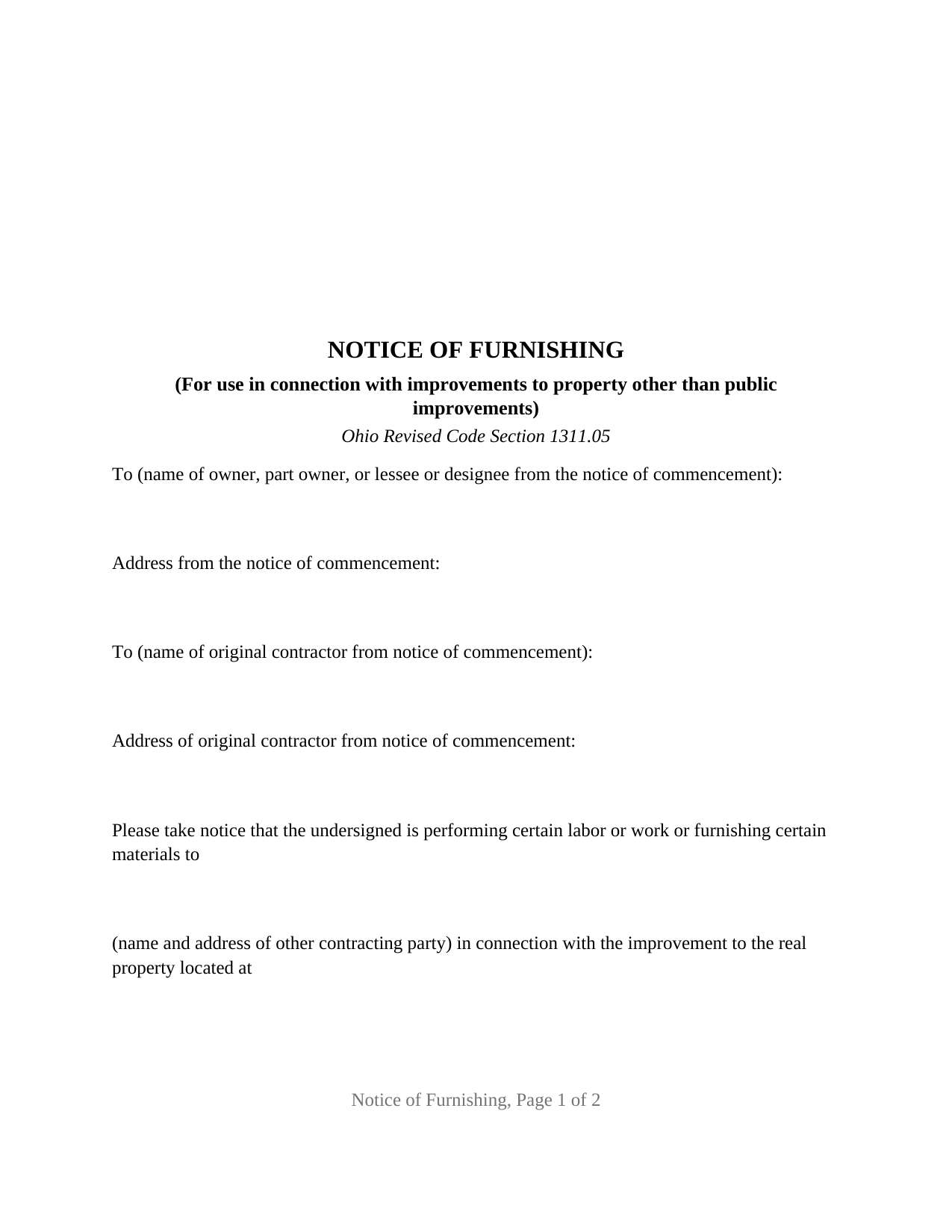
Washington County Notice of Furnishing Form
Fill in the blank Notice of Furnishing form formatted to comply with all Ohio recording and content requirements.
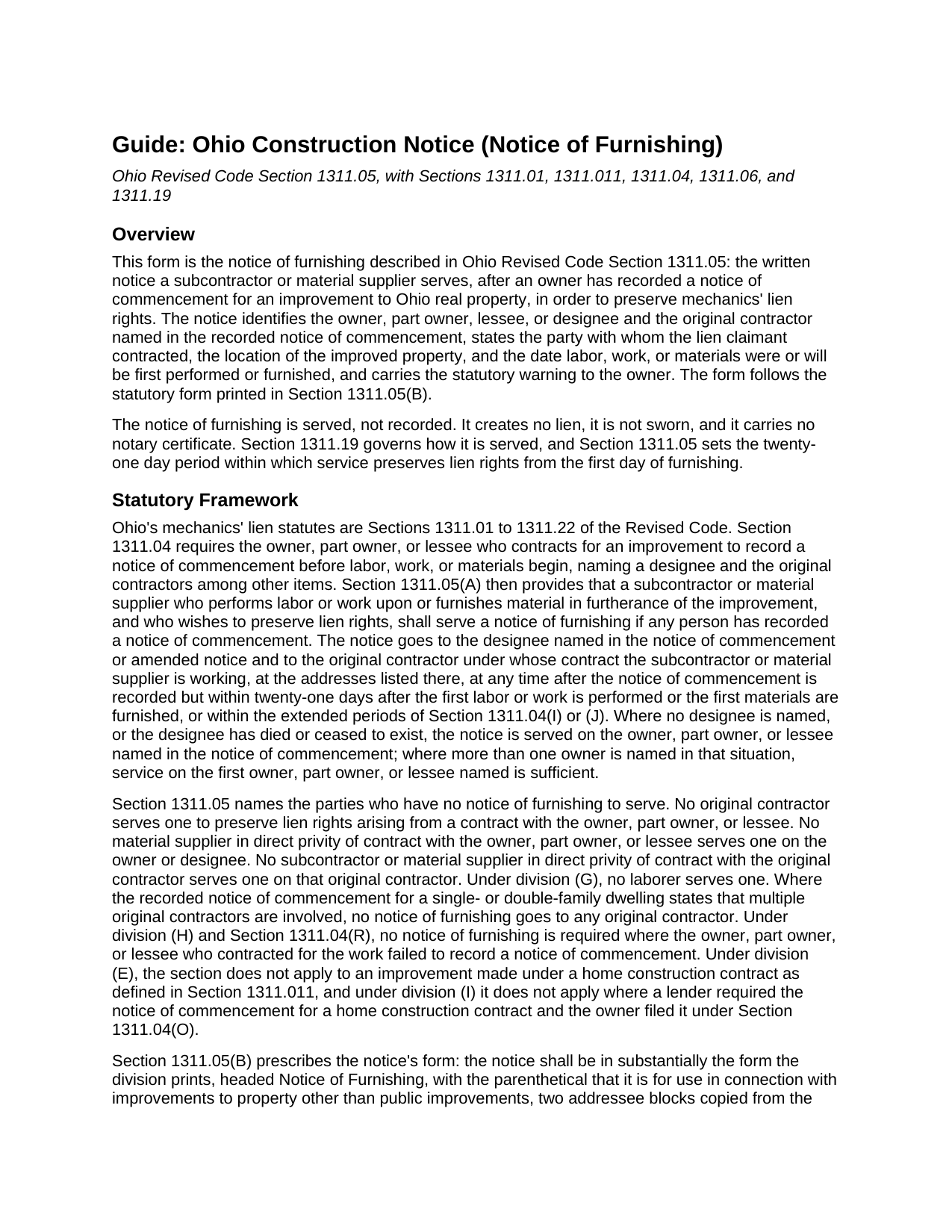
Washington County Notice of Furnishing Guide
Line by line guide explaining every blank on the Notice of Furnishing form.
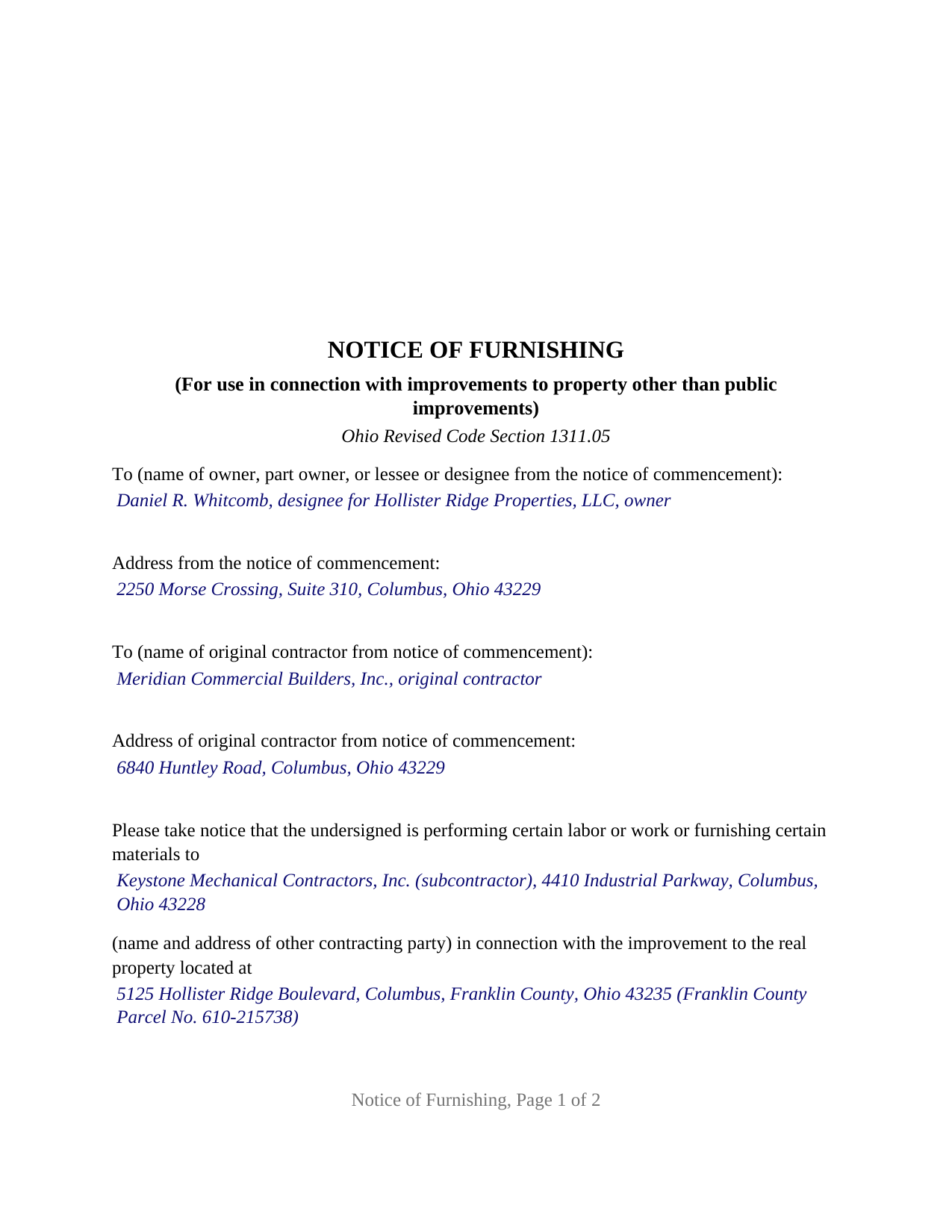
Washington County Completed Example of the Notice of Furnishing Document
Example of a properly completed Ohio Notice of Furnishing document for reference.
All 3 documents above included • One-time purchase • No recurring fees
Immediate Download • Secure Checkout
Additional Ohio and Washington County documents included at no extra charge:
Where to Record Your Documents
Washington County Recorder
Marietta, Ohio 45750
Hours: 8:00am to 5:00pm Monday through Friday / Recording until 4:15pm
Phone: 740-373-6623 Ext 235 or 236
Recording Tips for Washington County:
- Bring your driver's license or state-issued photo ID
- Ensure all signatures are in blue or black ink
- Leave recording info boxes blank - the office fills these
- Make copies of your documents before recording - keep originals safe
- Recorded documents become public record - avoid including SSNs
Cities and Jurisdictions in Washington County
Properties in any of these areas use Washington County forms:
- Barlow
- Bartlett
- Belpre
- Beverly
- Coal Run
- Cutler
- Fleming
- Graysville
- Little Hocking
- Lowell
- Lower Salem
- Macksburg
- Marietta
- New Matamoras
- Newport
- Reno
- Vincent
- Waterford
- Watertown
- Whipple
- Wingett Run
Hours, fees, requirements, and more for Washington County
How do I get my forms?
Forms are available for immediate download after payment. The Washington County forms will be in your account ready to download to your computer. An account is created for you during checkout if you don't have one. Forms are NOT emailed.
Are these forms guaranteed to be recordable in Washington County?
Yes. Our form blanks are guaranteed to meet or exceed the applicable formatting requirements used for recording in Washington County, including margin requirements, font requirements, and other layout standards. This guarantee applies to formatting, not to the legal sufficiency of information entered by the user or the suitability of a form for a particular transaction.
Can I reuse these forms?
Yes. You can reuse the forms for your personal use. For example, if you have multiple properties in Washington County you only need to order once.
What do I need to use these forms?
The forms are PDFs that you fill out on your computer. The free Adobe Acrobat Reader is recommended, and most PDF apps also work. You do NOT enter your property information online - you download the blank forms and complete them privately on your own computer.
Are there any recurring fees?
No. This is a one-time purchase. Nothing to cancel, no memberships, no recurring fees.
How much does it cost to record in Washington County?
Recording fees in Washington County vary. Contact the recorder's office at 740-373-6623 Ext 235 or 236 for current fees.
Questions answered? Let's get started!
Of the construction notices Ohio's mechanics' lien chapter calls for, the notice of furnishing is the one that never reaches the county recorder. A subcontractor or material supplier serves it on the owner's designee and on the original contractor named in the owner's recorded commencement notice, and Ohio Revised Code Section 1311.05 gives that service twenty-one days from the first day of labor or materials to preserve lien rights back to that first day. This Ohio Construction Notice (Notice of Furnishing) prepares the notice in the form Section 1311.05(B) prints, for one lien claimant signing through a named party.
Twenty-one days, measured from the first delivery
Section 1311.05(A) requires the notice where any person has recorded a commencement notice under Section 1311.04 for the improvement, and it fixes the window: any time after that recording, but within twenty-one days after the claimant first performs labor or work or first furnishes materials. Division (D) states what the window buys. A notice served inside it preserves lien rights for everything owing from the first day forward; a notice served late preserves rights only for the twenty-one days immediately before service and afterward, and nothing earlier is revived. Section 1311.19(B) adds a rule written for this notice alone: service by certified mail is complete on the date of mailing, and a notice sent to the address in the commencement notice that comes back unclaimed or refused is complete when first attempted.
Served, never recorded
The notice goes to people, not to an index. Section 1311.19(A) lists the means of service: the sheriff, certified or registered mail, overnight delivery, hand delivery, any other method that produces written evidence of receipt, or service on a corporation's statutory agent. Because nothing is recorded, no recording fee, auditor stamp, or recorder format rule attaches, and Section 1311.05(F) provides that the notice is not a written notice of a lien or encumbrance under Section 5301.232 even if a copy reaches the mortgage lender.
The statute wrote the form
Section 1311.05(B) says the notice shall be in substantially the form it prints, and this form follows that text: two addressee blocks for the designee or owner and the original contractor, copied from the recorded commencement notice; the operative sentence giving notice that the undersigned is performing labor or work or furnishing materials to a named other contracting party in connection with the improvement at a stated location; the sentence fixing the date furnishing began or will begin; and the WARNING TO OWNER paragraph, verbatim in bold capitals. Under Section 1311.05(C) the location entry is sufficient when it reasonably identifies the property.
One claimant, one By line, no notary
The form recites one lien claimant, a subcontractor or material supplier as Section 1311.01 defines those terms, identified by name and address, and closes with the statutory By line: the signature of a party signing for the lien claimant, with that party's printed name, capacity, and address, and the date. The statutory form prints no notary certificate and Section 1311.05 requires none, so the form carries one signature block and no acknowledgment or jurat. An electrical supplier delivering to a mechanical subcontractor on a commercial build, and a drywall subcontractor under a general contractor's contract with a developer, present the pattern this notice recites: a claimant one tier or more below the original contractor. The form is not set up as the owner's recorded commencement notice, as the affidavit for mechanics' lien recorded under Section 1311.06, as a notice for a public improvement, which its own scope line excludes, or as a notice on a home construction contract within Section 1311.011, to which Section 1311.05 does not apply.
What comes after
The notice preserves a right; it does not exercise one. The lien itself arises through the affidavit for mechanics' lien under Section 1311.06, recorded within sixty days after the last labor or materials on a one- or two-family dwelling and seventy-five days on most other private work, then served on the owner under Section 1311.07; that affidavit is prepared and recorded separately and is not included in this package.
The download contains the fillable notice of furnishing, a completed example showing a Franklin County electrical supplier's notice from the addressee blocks through the signature, and a guide that walks through each entry, the twenty-one day period, and the methods and timing of service under Section 1311.19. This description and the guide are general information about the form and the statute; neither is legal advice for a particular project.
Important: Your property must be located in Washington County to use these forms. Documents should be recorded at the county recording office listed above.
This Notice of Furnishing meets all recording requirements specific to Washington County.
Our Promise
The documents you receive here are guaranteed to meet or exceed the applicable Washington County recording format requirements. If there is a rejection caused by our formatting, we will correct the issue or refund your payment. This guarantee applies to document formatting only and does not extend to information entered by the user, the selection of the form, or the legal effect of the completed document.
Save Time and Money
Get your Washington County Notice of Furnishing form done right the first time with Deeds.com Uniform Conveyancing Blanks. At Deeds.com, we understand that your time and money are valuable resources, and we don't want you to face a penalty fee or rejection imposed by a county recorder for submitting nonstandard documents. We constantly review and update our forms to meet rapidly changing state and county recording requirements for roughly 3,500 counties and local jurisdictions.
4.8 out of 5 - ( 4,839 Reviews )
Christian M. 5 out of 5 stars
Easy to find the necessary documents needed
We appreciate your business and value your feedback. Thank you. Have a wonderful day!
darryl c. 5 out of 5 stars
very easy to use website
Thank you!
Joan H. 5 out of 5 stars
I am happy I can record this this way.
Thank you!
Ruth L. 5 out of 5 stars
Easy to use form. I filled it out and took it to the county office. Entire process took less than 20 min.
We appreciate your business and value your feedback. Thank you. Have a wonderful day!
James W. 5 out of 5 stars
We were able to find deceased parents' deed.
Thank you!
Helen L. 5 out of 5 stars
The website was easy to navigate but only needed one form. The guide was helpful also. Cost want high but contains many documents that I didn't need but may someday. Could not save form after completed but printed copies that needed to be court filed.
We appreciate your business and value your feedback. Thank you. Have a wonderful day!
JAY R. 5 out of 5 stars
Easy to use service to download all needed forms
Your feedback is valuable to us and helps us improve. Thank you for sharing your thoughts!
Tami C. 5 out of 5 stars
Excellent service, easy to follow instructions.
We appreciate your business and value your feedback. Thank you. Have a wonderful day!
Leo b. 5 out of 5 stars
Awesome site great paperwork EZ Forms great.
Thank you Leo.
Gertrude M. 5 out of 5 stars
Rating 5 stars
Thank you!
DEBORAH H. 5 out of 5 stars
This is my fourth try, and I hope my form is complete and acceptable.
Your feedback is greatly appreciated. Thank you for taking the time to share your experience!
A. S. 3 out of 5 stars
First, I am glad that you gave a blank copy, an example copy, and a 'guide'. It made it much easier to do. Overall I was very happy with your products and organization... however, things got pretty confusing and I have a pretty 'serious' law background in Real Estate and Civil law. With that said, I spent about 10+ hours getting my work done, using the Deed of Trust and Promissory note from you and there were a few problems: First, it would be FANTASTIC if you actually aligned your guide to actually match the Deed or Promissory Note. What I mean is that if the Deed says 'section (E)' then your guide shouldn't be 'randomly' numbered as 1,2,3, for advice/instructions, but should EXACTLY match 'section (E)'. Some places you have to 'hunt' for what you are looking for, and if you did it based on my suggestion, you wouldn't need to 'hunt' and it would avoid confusion. 2nd: This one really 'hurt'... you had something called the 'Deed of Trust Master Form' yet you had basically no information on what it was or how to use it. The only information you had was a small section at the top of the 'Short Form Deed of Trust Guide'. Holy Cow, was that 'section' super confusing. I still don't know if I did it correctly, but your guide says only put a return address on it and leave the rest of the 16 or so page Deed of Trust beneath it blank... and then include your 'Deed of Trust' (I had to assume the short form deed that I had just created) as part of it. I had to assume that I had to print off the entire 17 page or so title page and blank deed. I also had to assume that the promissory note was supposed to be EXHIBIT A or B on the Short Form Deed. It would be great if someone would take a serious look at that short section in your 'Short Form Deed of Trust Guide' and realize that those of us using your products are seriously turning this into a county clerk to file and that most of us, probably already have a property that has an existing Deed... or at least can find one in the county records if necessary... and make sure that you make a distinction between the Deed for the property that already exists, versus the Deed of Trust and Promissory note that we are trying to file. Thanks.
Thank you for your feedback. We'll have staff review the document for clarity. Have a great day!
Thomas N. 5 out of 5 stars
TODD Form would not print surveyor degrees character (superscript "o") in Exhibit A. It also would not print the "Return Address" or "Prepared By" entries with my middle name as your example showed.
Thank you for your feedback. We really appreciate it. Have a great day!
Theresa J. 5 out of 5 stars
The beginning of the process was very simple. In the middle now waiting for the invoice to move forward.
Thank you for your feedback. We really appreciate it. Have a great day!
Margaret P. 5 out of 5 stars
EXCELLENT WEBSITE AND SERVICE, HIGHLY RECOMMENDED.
Your feedback is greatly appreciated. Thank you for taking the time to share your experience!