Mahoning County Trustee Deed (Corporate Trustee) Form
Last validated October 23, 2026 by our Forms Development TeamFormatted for recording in Mahoning County, for property anywhere in the county: rural and unincorporated areas as well as Beloit, Berlin Center, Campbell, Canfield, Damascus, Ellsworth, Greenford, Lake Milton and 9 more.
- 3 documents included
- Immediate PDF download
- Formatting guarantee
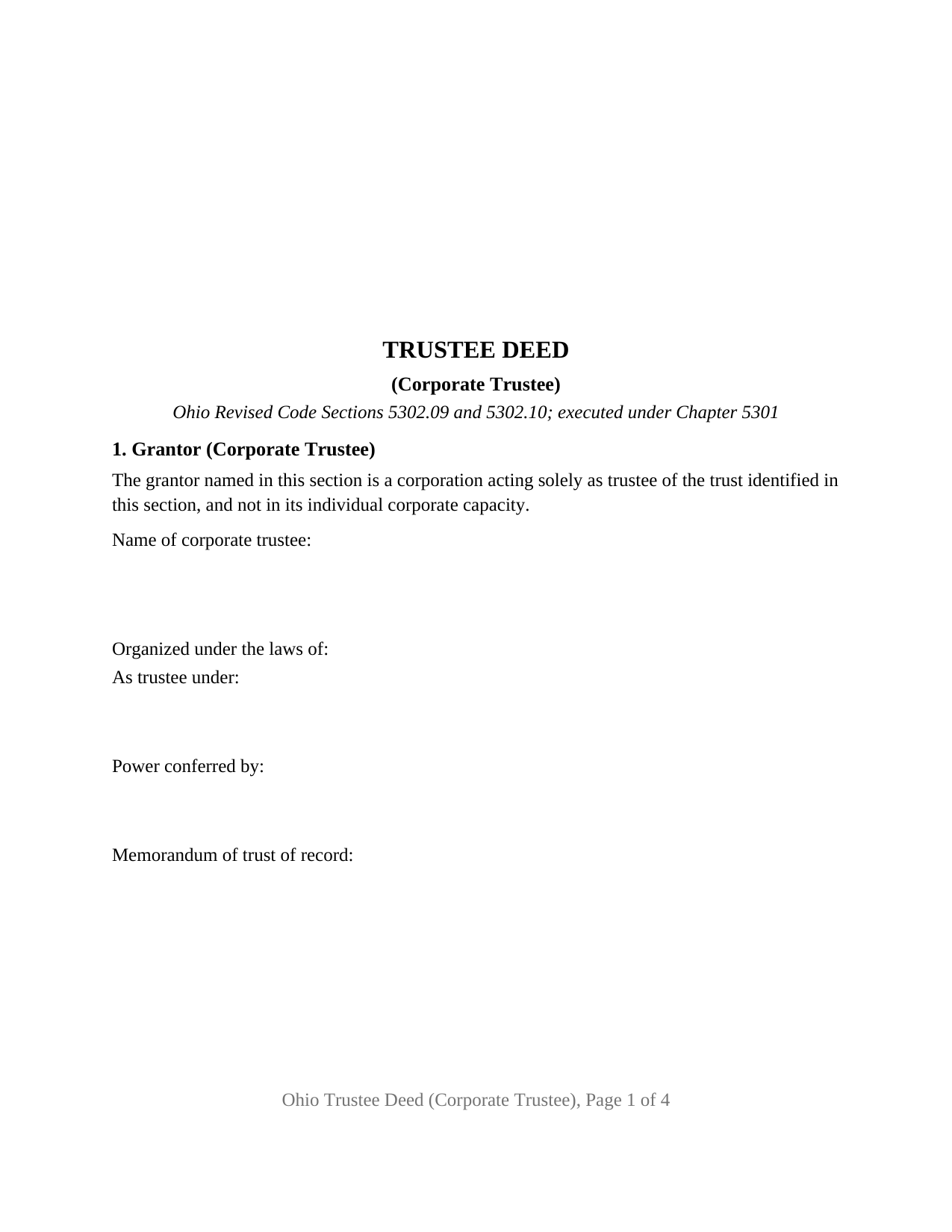
Mahoning County Trustee Deed (Corporate Trustee) Form
Fill in the blank Trustee Deed (Corporate Trustee) form formatted to comply with all Ohio recording and content requirements.
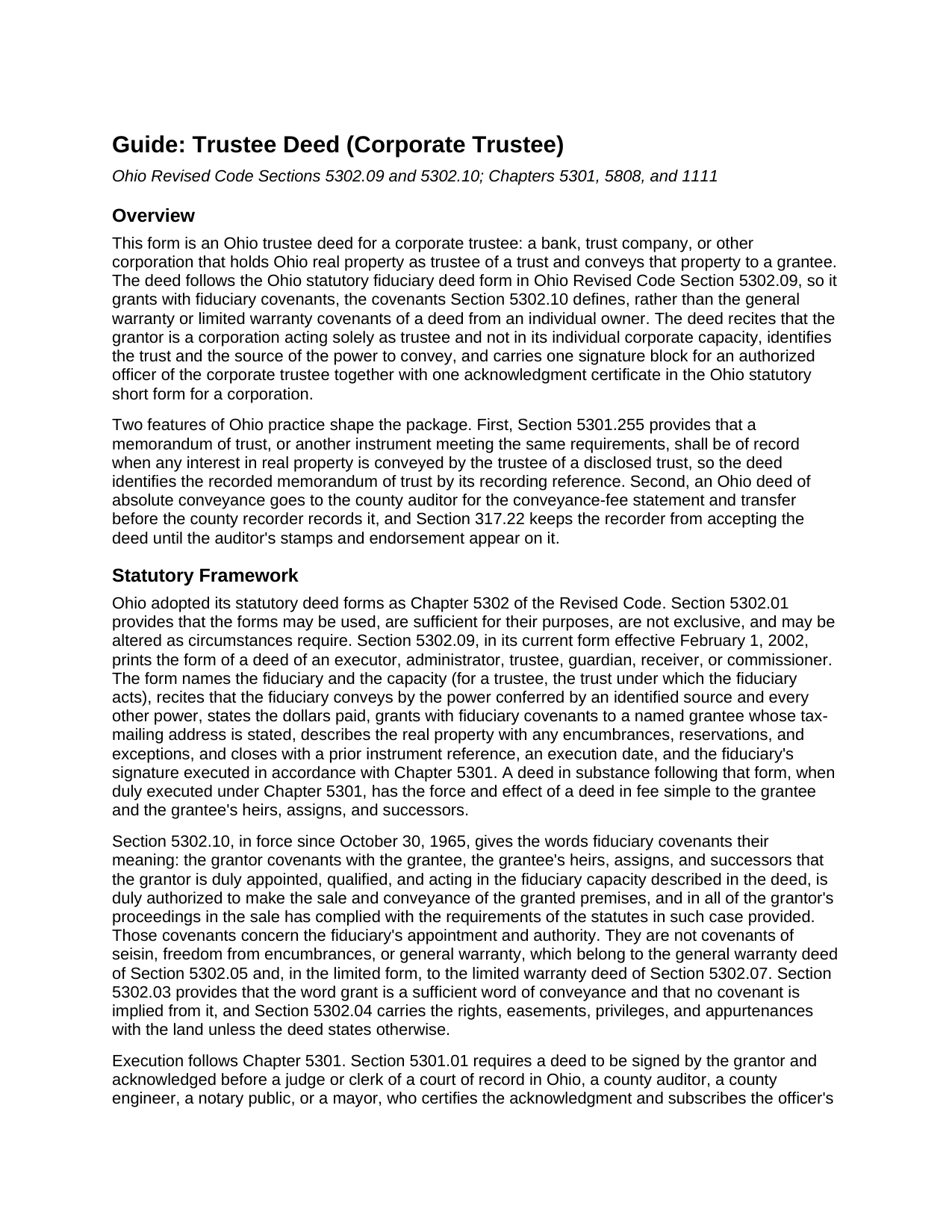
Mahoning County Trustee Deed (Corporate Trustee) Guide
Line by line guide explaining every blank on the Trustee Deed (Corporate Trustee) form.
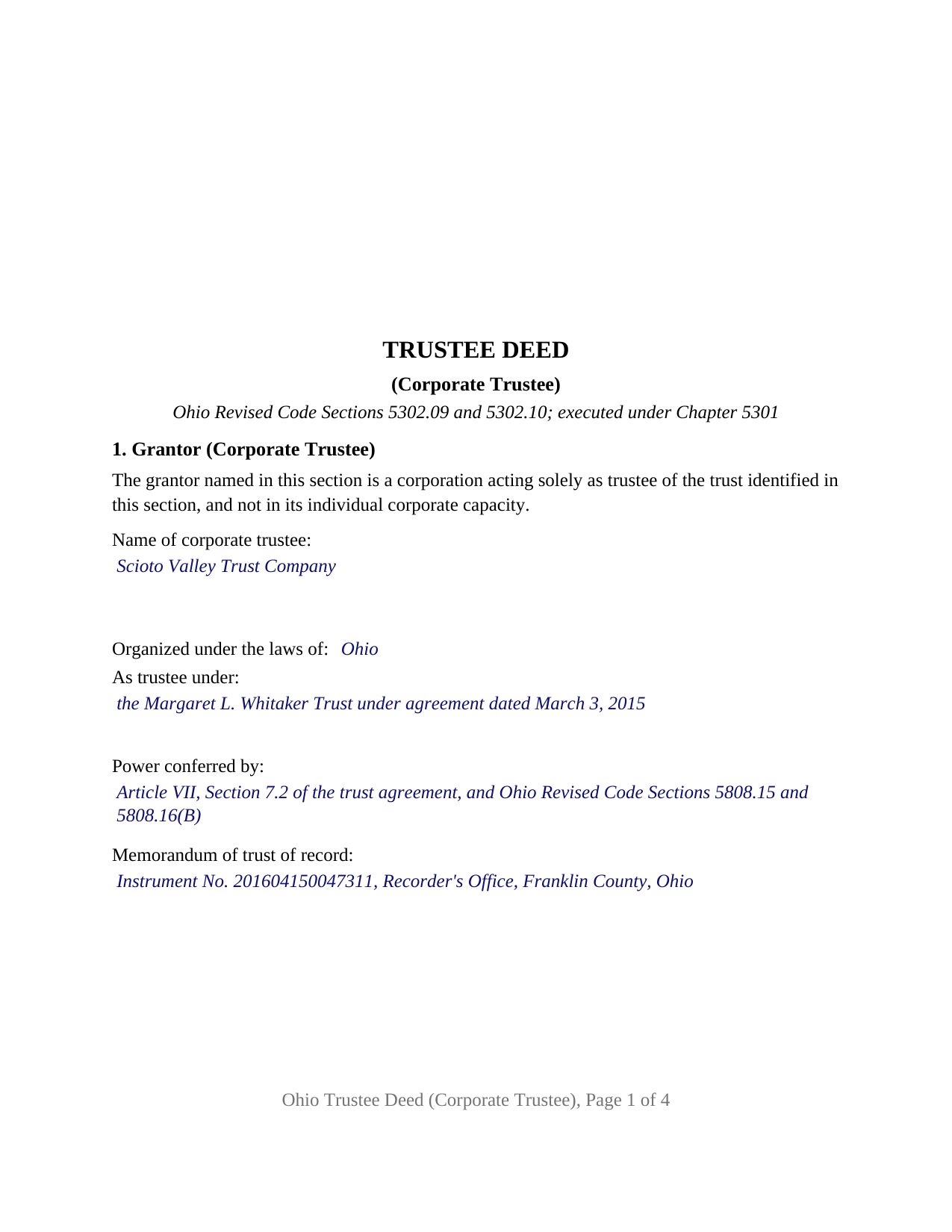
Mahoning County Completed Example of the Trustee Deed (Corporate Trustee) Document
Example of a properly completed Ohio Trustee Deed (Corporate Trustee) document for reference.
All 3 documents above included • One-time purchase • No recurring fees
Immediate Download • Secure Checkout
Additional Ohio and Mahoning County documents included at no extra charge:
Where to Record Your Documents
Mahoning County Recorder
Youngstown, Ohio 44503
Hours: 8:00 to 4:30 M-F
Phone: 330-740-2345
Recording Tips for Mahoning County:
- Bring your driver's license or state-issued photo ID
- Ensure all signatures are in blue or black ink
- Avoid the last business day of the month when possible
- Both spouses typically need to sign if property is jointly owned
- Bring extra funds - fees can vary by document type and page count
Cities and Jurisdictions in Mahoning County
Properties in any of these areas use Mahoning County forms:
- Beloit
- Berlin Center
- Campbell
- Canfield
- Damascus
- Ellsworth
- Greenford
- Lake Milton
- Lowellville
- New Middletown
- New Springfield
- North Jackson
- North Lima
- Petersburg
- Sebring
- Struthers
- Youngstown
Hours, fees, requirements, and more for Mahoning County
How do I get my forms?
Forms are available for immediate download after payment. The Mahoning County forms will be in your account ready to download to your computer. An account is created for you during checkout if you don't have one. Forms are NOT emailed.
Are these forms guaranteed to be recordable in Mahoning County?
Yes. Our form blanks are guaranteed to meet or exceed the applicable formatting requirements used for recording in Mahoning County, including margin requirements, font requirements, and other layout standards. This guarantee applies to formatting, not to the legal sufficiency of information entered by the user or the suitability of a form for a particular transaction.
Can I reuse these forms?
Yes. You can reuse the forms for your personal use. For example, if you have multiple properties in Mahoning County you only need to order once.
What do I need to use these forms?
The forms are PDFs that you fill out on your computer. The free Adobe Acrobat Reader is recommended, and most PDF apps also work. You do NOT enter your property information online - you download the blank forms and complete them privately on your own computer.
Are there any recurring fees?
No. This is a one-time purchase. Nothing to cancel, no memberships, no recurring fees.
How much does it cost to record in Mahoning County?
Recording fees in Mahoning County vary. Contact the recorder's office at 330-740-2345 for current fees.
Questions answered? Let's get started!
When a bank or trust company holds Ohio real estate as trustee and conveys it, a corporate officer signs the deed, and the deed carries the fiduciary covenants of Ohio Revised Code Section 5302.09 rather than the warranties of an owner's deed. This Ohio trustee deed is set up for exactly that configuration: one corporate trustee, one authorized officer signing on its behalf, and one acknowledgment certificate in the Ohio statutory short form for a corporation.
A deed signed by an officer, given by a trustee
The form recites that the grantor is a corporation acting solely as trustee of the identified trust and not in its individual corporate capacity. Section 1 names the corporate trustee, its state or place of incorporation, the trust under which it acts, the source of its power to convey, and the recorded memorandum of trust. Section 7 separates the two identities the way a corporate signature block does: the corporation is named as the grantor, as Trustee, and the signature, printed name, and title lines belong to the trust officer who signs for it. The record patterns that present this configuration include a trust department selling a parcel after a settlor's death and a corporate successor trustee conveying property an individual trustee once managed.
Fiduciary covenants, not title warranties
Ohio's statutory fiduciary deed grants with fiduciary covenants, and Section 5302.10 says what those words mean: the grantor covenants that it is duly appointed, qualified, and acting in the fiduciary capacity the deed describes, that it is duly authorized to make the sale and conveyance, and that it has complied with the statutes governing its proceedings in the sale. Those covenants speak to the trustee's authority, not to the state of the title. Section 3 of the deed therefore lists the encumbrances, reservations, and exceptions the conveyance is subject to, and the operative section follows the statutory form's own sequence.
The memorandum of trust of record
Section 5301.255, as amended effective June 16, 2026, provides that a memorandum of trust or an equivalent instrument shall be of record when any interest in real property is conveyed by the trustee of a disclosed trust. The memorandum is prepared and recorded separately and is not included in this package. The deed carries a line for the memorandum's recording reference, so the two instruments read together in the recorder's index.
Who may serve as a corporate trustee in Ohio
Chapter 1111 of the Revised Code limits trust business in Ohio to corporations: a licensed state bank, a bank or corporation of another state or country authorized to accept and execute trusts, or a national bank or federal savings association with fiduciary powers from the Office of the Comptroller of the Currency. The corporation form of acknowledgment on this deed, under Section 147.55(B), fits each of them. A natural person serving as a family trustee is outside Chapter 1111 and outside the configuration this form recites.
Auditor first, then recorder
An Ohio deed of absolute conveyance goes to the county auditor before the recorder will accept it. The grantee files the conveyance-fee statement, DTE 100, or the DTE 100EX exemption statement, and the auditor endorses the deed and transfers the parcel. The state conveyance fee is ten cents for each one hundred dollars of value, with a county permissive transfer tax of up to thirty cents more; a trustee's sale to a purchaser pays the fee on the price, while Section 319.54(G)(3) exempts transfers into a revocable trust, back to the settlor, and out to beneficiaries. The layout follows Section 317.114: a three-inch blank top margin on the first recorded page for the county stamps, one-inch side and bottom margins, and a one and one-half inch top margin on later pages.
The package includes the fillable trustee deed, a completed example filled in for a realistic Franklin County sale by a trust company, and the guide that walks through every numbered section, the acknowledgment, the memorandum of trust, and the auditor and recorder steps. This description and the guide describe the form and the governing Ohio statutes in general terms; they are not legal advice.
Important: Your property must be located in Mahoning County to use these forms. Documents should be recorded at the county recording office listed above.
This Trustee Deed (Corporate Trustee) meets all recording requirements specific to Mahoning County.
Our Promise
The documents you receive here are guaranteed to meet or exceed the applicable Mahoning County recording format requirements. If there is a rejection caused by our formatting, we will correct the issue or refund your payment. This guarantee applies to document formatting only and does not extend to information entered by the user, the selection of the form, or the legal effect of the completed document.
Save Time and Money
Get your Mahoning County Trustee Deed (Corporate Trustee) form done right the first time with Deeds.com Uniform Conveyancing Blanks. At Deeds.com, we understand that your time and money are valuable resources, and we don't want you to face a penalty fee or rejection imposed by a county recorder for submitting nonstandard documents. We constantly review and update our forms to meet rapidly changing state and county recording requirements for roughly 3,500 counties and local jurisdictions.
4.8 out of 5 - ( 4,852 Reviews )
Mark W. 5 out of 5 stars
Great form and easy to complete. Sending a sample and instructions was very helpful. Thank you!
We appreciate your business and value your feedback. Thank you. Have a wonderful day!
Glenda M. 5 out of 5 stars
I am very pleased with my purchase of the Affidavit Death of Joint Tenant form. I previously purchased this form from the leading providing of DIY legal forms and it was rejected by the Registrar in my state. I then had to start over. Plus I needed a form that would show me a completed example and give me line-by-line instructions. Deeds.com filled the bill perfectly. Their website also let me know the last date the form was updated.
We appreciate your business and value your feedback. Thank you. Have a wonderful day!
Stanley L. 5 out of 5 stars
Great service
Thank you Stanley.
AHMED E. 5 out of 5 stars
5 stars
Thank you!
Louise D. 5 out of 5 stars
It was easy to complete the form and I appreciated the sample form.
We appreciate your business and value your feedback. Thank you. Have a wonderful day!
Nancy A. 5 out of 5 stars
This is an excellent resource. I was surprised because the price is so low I thought the products might be inferior. Not only were were the requested documents high quality, additional unrequested documents were added to my order that I didn't realize I would need until I read them. I especially appreciate that all the documents were specific to my county. I highly recommend using deeds.com.
Your satisfaction with our services is of utmost importance to us. Thank you for letting us know how we did!
Wendy C. 3 out of 5 stars
I purchased a Warranty Deed "package" on Friday and found that the Main download was a working document, but the secondary document (which is required) was not. In other words, I was able to use the fill-in feature on the main document, but not on the second document. I used the portal on the website to report my issue the same day. That was Friday. This is Wednesday. I have not heard a word from them and I have to use my documents in 2 days. I will probably have to resort to pen and ink for that document, but I have already tried filling it out twice and have to keep reprinting and starting over. You can't white out or cross out. I would really prefer to have the complete service that I paid for.
Thank you for your feedback. As is noted on the site, supplemental forms are provided as a courtesy with your order. They are not our forms, we did not create them. They are created and provided by the jurisdiction/agency that requires them. Have a wonderful day.
Thomas D. 2 out of 5 stars
The documents themselves are fine and the information provided with them is helpful. I find the actual processing of the documents, however, to be difficult particularly once the document has been saved. First, I note that the box for the date only allows entry of the last 2 digits of the year. Unfortunately, my download only allows me to enter one of the 2 digits required. When I delete it repeatedly, it eventually allows both digits to be entered but puts them in extremely small text and in superscrypt. I have not found a solution to this problem and am not sure the deed can even be recorded with this problem. Another problem is that if you try to revise the document after you have saved it the curser goes to the end of the line after each key entry. This means that there basically is no way to efficiently save the document for reworking later since you will have to delete everything you have entered in the text box unless you only need to make a single keystroke change or are willing to replace the curser after each entry. Try that with a long property description! Please note that I am using a Mac to prepare my documents and perhaps this is part of an "incompatibility problem". However, I didn't see a disclaimer regarding Mac use and so would expect the documents to perform correctly. Overall, I give the program a "2 star" rating because I am experiencing significant difficulties in entering dates in the documents even before saving them and because saving your work for later revision appears to be basically unworkable.
Thank you for your feedback Thomas, we appreciate you being specific about the issues you encountered. Adobe and Mac have a fairly long history of issues working together.
Marilyn J. 5 out of 5 stars
Just what I needed!
Thank you!
Diana C. 5 out of 5 stars
Great service!!! I was feeling overwhelmed but then I found deeds! I spent about 10 mins ordering, then went to bed and by morning my deed was there!! Very efficient! Thanks so much! So worth the little bit of dollars!
We appreciate your business and value your feedback. Thank you. Have a wonderful day!
Katherine A R. 5 out of 5 stars
It's very easy to navigate through the website to find the service that you want. Great program.
Thank you!
Dorothy R. 5 out of 5 stars
Actually, it was user friendly once I figured out where to go to get the forms. Thank you.
Thank you for your feedback. We really appreciate it. Have a great day!
Maura M. 5 out of 5 stars
Easy user friendly website
Thank you!
Karelia W. 5 out of 5 stars
Was a bit skeptical because I'd never heard of it, but just got something submitted and confirmed recorded in less than 24 hrs. UI could use some work but other than that, straightforward and works!
Your feedback is greatly appreciated. Thank you for taking the time to share your experience!
Christine S. 5 out of 5 stars
Very good site! I found everything I needed right here on Deeds.com. Excellent quality forms, easy access, perfect delivery, reasonable price
We appreciate your business and value your feedback. Thank you. Have a wonderful day!