Pushmataha County Quitclaim Deed (Trustee Grantee) Form
Last validated October 28, 2026 by our Forms Development TeamFormatted for recording in Pushmataha County, for property anywhere in the county: rural and unincorporated areas as well as Albion, Antlers, Clayton, Finley, Moyers, Nashoba, Rattan, Snow and 1 more.
- 3 documents included
- Immediate PDF download
- Formatting guarantee
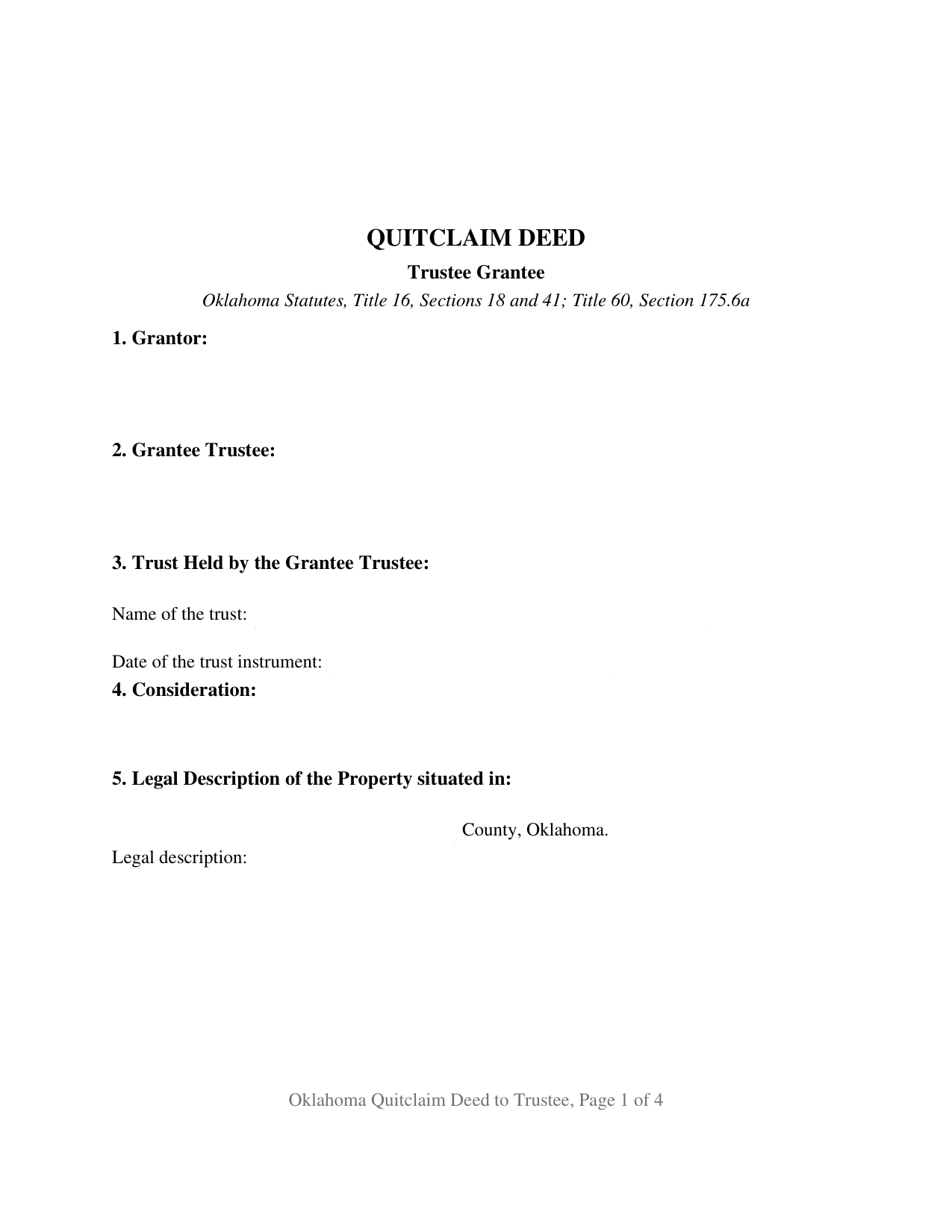
Pushmataha County Quitclaim Deed (Trustee Grantee) Form
Fill in the blank Quitclaim Deed (Trustee Grantee) form formatted to comply with all Oklahoma recording and content requirements.
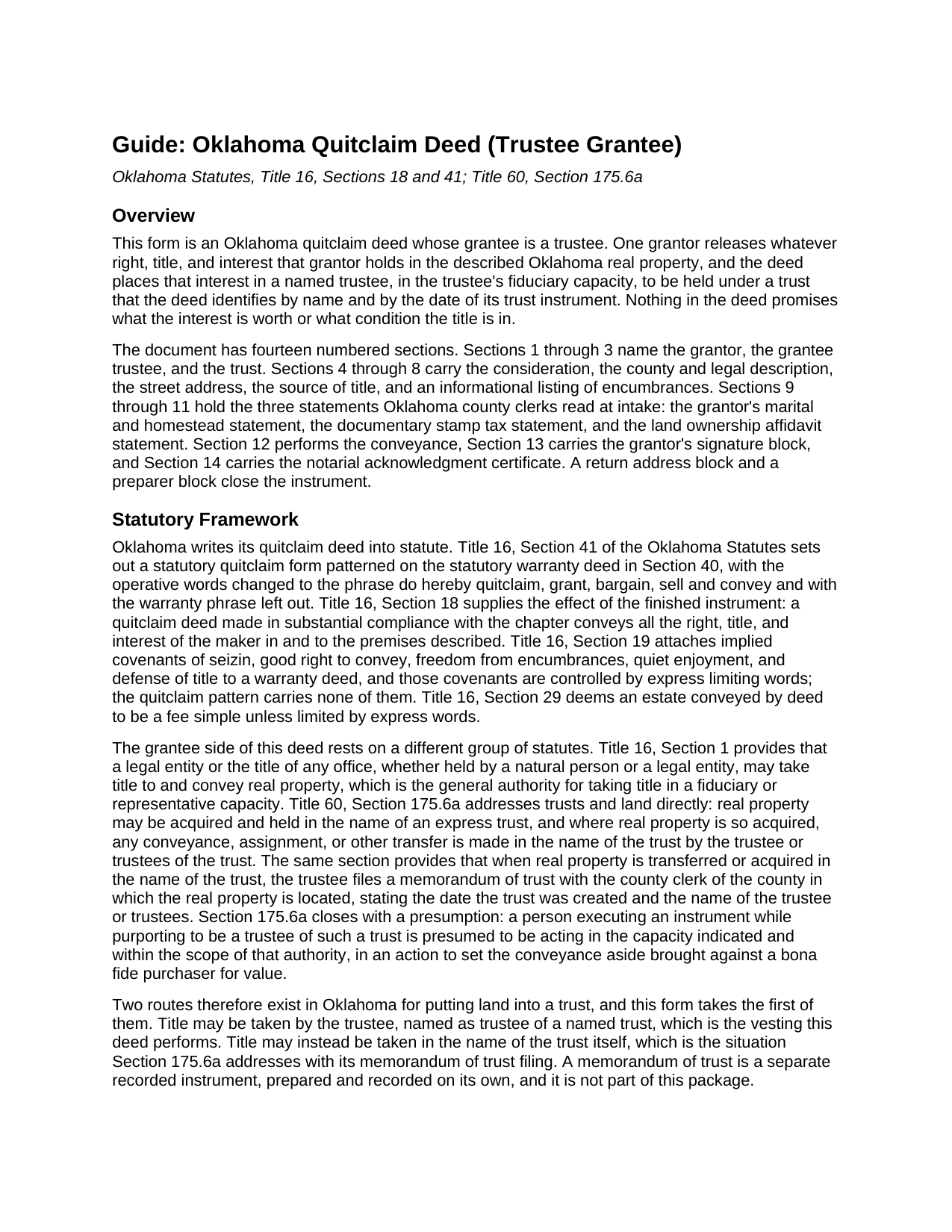
Pushmataha County Quitclaim Deed (Trustee Grantee) Guide
Line by line guide explaining every blank on the Quitclaim Deed (Trustee Grantee) form.
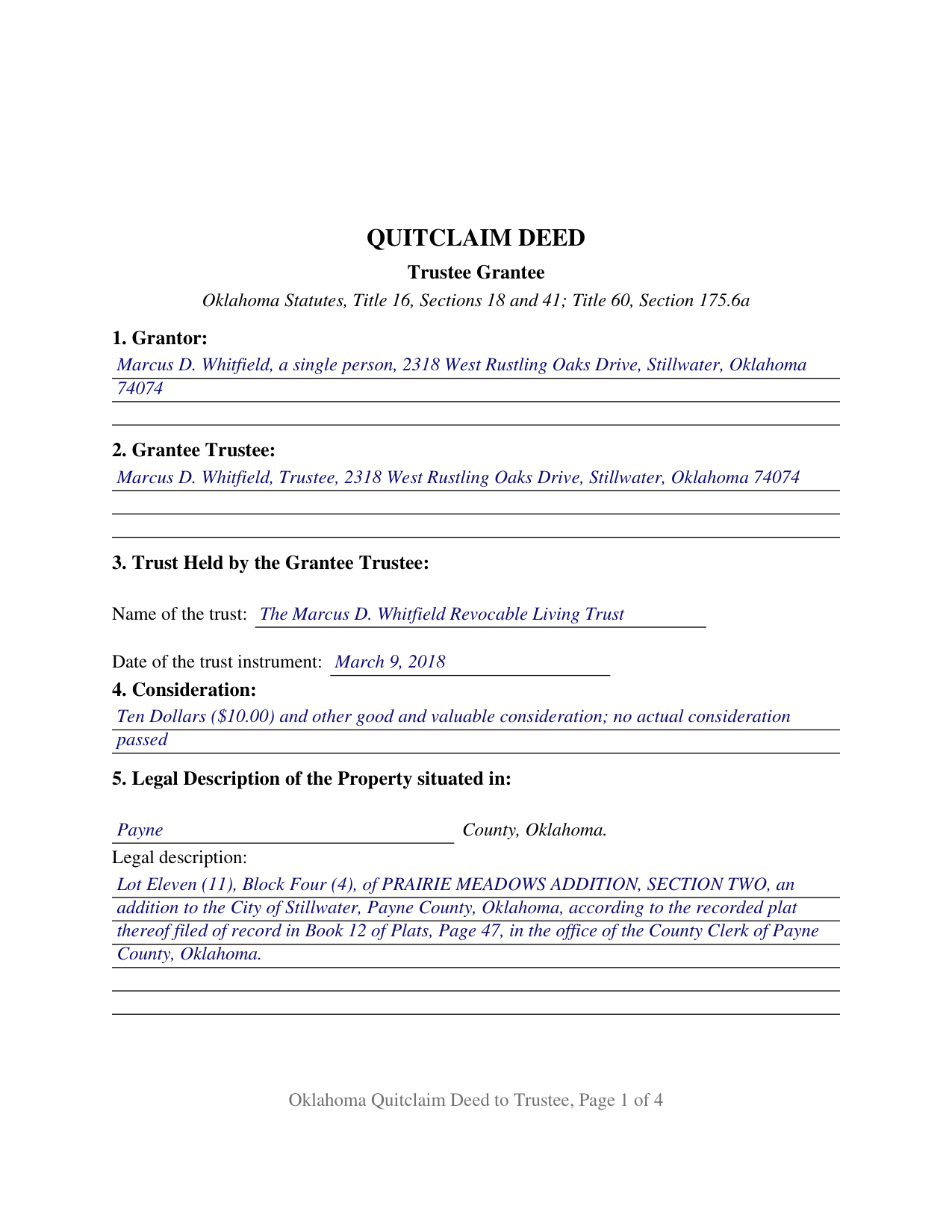
Pushmataha County Completed Example of the Quitclaim Deed (Trustee Grantee) Document
Example of a properly completed Oklahoma Quitclaim Deed (Trustee Grantee) document for reference.
All 3 documents above included • One-time purchase • No recurring fees
Immediate Download • Secure Checkout
Additional Oklahoma and Pushmataha County documents included at no extra charge:
Where to Record Your Documents
Pushmataha County Clerk
Antlers, Oklahoma 74523
Hours: 8:00 to 4:30 M-F
Phone: (580) 298-3626
Recording Tips for Pushmataha County:
- Bring your driver's license or state-issued photo ID
- Ensure all signatures are in blue or black ink
- Ask for certified copies if you need them for other transactions
- Ask if they accept credit cards - many offices are cash/check only
- Check that your notary's commission hasn't expired
Cities and Jurisdictions in Pushmataha County
Properties in any of these areas use Pushmataha County forms:
- Albion
- Antlers
- Clayton
- Finley
- Moyers
- Nashoba
- Rattan
- Snow
- Tuskahoma
Hours, fees, requirements, and more for Pushmataha County
How do I get my forms?
Forms are available for immediate download after payment. The Pushmataha County forms will be in your account ready to download to your computer. An account is created for you during checkout if you don't have one. Forms are NOT emailed.
Are these forms guaranteed to be recordable in Pushmataha County?
Yes. Our form blanks are guaranteed to meet or exceed the applicable formatting requirements used for recording in Pushmataha County, including margin requirements, font requirements, and other layout standards. This guarantee applies to formatting, not to the legal sufficiency of information entered by the user or the suitability of a form for a particular transaction.
Can I reuse these forms?
Yes. You can reuse the forms for your personal use. For example, if you have multiple properties in Pushmataha County you only need to order once.
What do I need to use these forms?
The forms are PDFs that you fill out on your computer. The free Adobe Acrobat Reader is recommended, and most PDF apps also work. You do NOT enter your property information online - you download the blank forms and complete them privately on your own computer.
Are there any recurring fees?
No. This is a one-time purchase. Nothing to cancel, no memberships, no recurring fees.
How much does it cost to record in Pushmataha County?
Recording fees in Pushmataha County vary. Contact the recorder's office at (580) 298-3626 for current fees.
Questions answered? Let's get started!
The receiving side of this Oklahoma quitclaim deed is a fiduciary. Section 2 names a trustee, Section 3 names the trust and the date of its trust instrument, and Section 12 places whatever the grantor holds in that trustee, in that capacity and no other, along with the successors in trust. One grantor signs, nothing about the title is warranted, and the statutory quitclaim pattern of 16 O.S. Sections 18 and 41 supplies the words that do the work.
A grantee who holds in a capacity
Most deeds name a grantee taking for their own account. This one names a grantee taking for someone else. The grantee block carries the trustee's name followed by the word Trustee, and the section beneath it carries the trust name and the date of the trust instrument, so the fiduciary character of the vesting sits on the face of the recorded document. The granting language runs to the successors in trust as well, so a later change of trustee leaves no gap in the record vesting. One signature closes the instrument and one notarial certificate follows it, because a trustee accepting a conveyance signs nothing here. A co-owner releasing an undivided share to the trustee of a trust that already holds the rest of a parcel, an heir passing an inherited interest to the trustee of the family trust that will administer it, and a parcel left out when a trust was funded and deeded over years later are the patterns this configuration is built around.
Two ways Oklahoma puts land into a trust
Oklahoma says out loud what many states leave to practice: a trust may hold land in its own name. Under 60 O.S. Section 175.6a real property may be acquired and held in the name of an express trust, a transfer of property so held is made in the name of the trust by its trustee, and when title moves in the trust's name the trustee files a memorandum of trust with the county clerk where the land lies. That memorandum is a separate recorded instrument, prepared and recorded on its own, and it is not part of this package. This deed takes the other route, putting title in the trustee as trustee of a named trust. Section 175.6a also presumes that someone signing while purporting to be trustee of such a trust acts within the scope of that authority, in an action to set the conveyance aside brought against a bona fide purchaser for value.
A release, not a promise
16 O.S. Section 41 supplies the operative words, do hereby quitclaim, grant, bargain, sell and convey, and omits the warranty phrase the statutory warranty deed carries. 16 O.S. Section 18 states the effect: the instrument passes all the right, title, and interest of the maker in the premises described. None of the covenants that 16 O.S. Section 19 implies in a warranty deed arise here, so the mortgage, the judgment liens, the plat restrictions, and the severed minerals cross into the trust exactly as they stood. Shoppers looking for a quit claim deed, a quick claim deed, or a deed putting property into a trust in Oklahoma are reading about this instrument.
The trust affidavit and the stamp paragraph
Of the two gates at the county clerk's counter, one reads differently for a trust. Since November 1, 2023, 60 O.S. Section 121 has let a covered deed onto the record only with the affidavit of the party taking title attached as an exhibit, or with an exemption identified on the deed itself. The Attorney General publishes a separate affidavit for business entities and trusts, and it asks whether the trust's grantors, trustees, and all direct and contingent beneficiaries are United States citizens or bona fide residents of Oklahoma. Section 10 holds the stamp entry: 68 O.S. Section 3202 lists exemptions by paragraph, and Paragraph 4 covers a deed between any person and an express revocable trust created by that person or that person's spouse. Format follows 19 O.S. Section 298 as SB57 rewrote it in 2024, with a 2 inch top margin on every page instead of the first alone.
The download delivers the trustee-grantee deed as a fillable PDF, a completed example worked through a Payne County parcel released to the trustee of a revocable living trust, and a plain language guide to the fourteen numbered sections and the recording steps. The package describes Oklahoma law in general terms and is not legal advice.
Important: Your property must be located in Pushmataha County to use these forms. Documents should be recorded at the county recording office listed above.
This Quitclaim Deed (Trustee Grantee) meets all recording requirements specific to Pushmataha County.
Our Promise
The documents you receive here are guaranteed to meet or exceed the applicable Pushmataha County recording format requirements. If there is a rejection caused by our formatting, we will correct the issue or refund your payment. This guarantee applies to document formatting only and does not extend to information entered by the user, the selection of the form, or the legal effect of the completed document.
Save Time and Money
Get your Pushmataha County Quitclaim Deed (Trustee Grantee) form done right the first time with Deeds.com Uniform Conveyancing Blanks. At Deeds.com, we understand that your time and money are valuable resources, and we don't want you to face a penalty fee or rejection imposed by a county recorder for submitting nonstandard documents. We constantly review and update our forms to meet rapidly changing state and county recording requirements for roughly 3,500 counties and local jurisdictions.
4.8 out of 5 - ( 4,842 Reviews )
Madeleine W. 5 out of 5 stars
I was dubious at first that clicking on Deeds.com would lead to a phoney website to get personal info. I was very pleased that this is a legitimate & well-organized website with a large database of forms. Very easy to select forms, pay for them, & download them. No hassle, no pushing you to make additional purchases. Very straightforward & professional.
Thank you!
Patricia D. 5 out of 5 stars
It worked great- I had a little trouble at first with the site, figuring out where to do what, but the form was much better than the one we purchased at Staples, loved being able to fill out with the computer. We did need the other form as per the screen prior to ordering but couldn't figure out which one. The ladies at the recorders were great too.
We appreciate your business and value your feedback. Thank you. Have a wonderful day!
Thomas H. 5 out of 5 stars
I received every form I requested, immediately upon payment. All forms were up to date and easy to edit as needed. I'll come back here for all my future needs of this nature.
We appreciate your business and value your feedback. Thank you. Have a wonderful day!
DEBBY G. 5 out of 5 stars
I was so confused on how to complete the form. But I followed the instructions and used the example and got it done.
Thank you for your feedback. We really appreciate it. Have a great day!
Maday G. 5 out of 5 stars
The service was easy and fast. Definitely much better than the regular process directly at the County's office.
We appreciate your business and value your feedback. Thank you. Have a wonderful day!
John C. 5 out of 5 stars
Excellent find (Deeds.com) from a google search, first hit. This was exactly what we were looking for. It also got me to upgrade Adobe to be able to fill in the forms. Will be back for follow up as needed, but I think I got everything we needed in the first downloads. Appreciate a well done site like yours. Thanks John
Thank you for your feedback. We really appreciate it. Have a great day!
DIANA S. 5 out of 5 stars
Five star rating. I requested a copy of the deed to my house and it arrived very quickly and for a fraction of the cost that it would have cost me on other sites. Great company. Will do business again. Five stars.
Thank you!
Joseph W. 5 out of 5 stars
good place to get documents and it seems like a sound place to get forms. Self explainitory and helpful
Thank you!
Victoria Y. 5 out of 5 stars
Great response and painless. Very easy to use
Thank you for your feedback. We really appreciate it. Have a great day!
Michael L. G. 5 out of 5 stars
Thank you, Deed.com provided the needed forms to change county and state information after the passing of my father, saved me a trip to law office, especially after the lawyers would not return my calls, so I would recommend you check Deed.com for information, saved my family money for lawyer fees, would use Deed.com again. Mike
Thank you for your feedback. We really appreciate it. Have a great day!
Anne F. 5 out of 5 stars
For someone like me that isn't the swiftest on a computer, deeds.com made getting the documents I needed simple and fast. Loved the pages with the explanation and the sample of a completed document. Thank you for your very organized website. Worth every cent I paid.
Thank you for your feedback. We really appreciate it. Have a great day!
Jane N. 5 out of 5 stars
Good morning, It seems to be easy to navigate and print out the form I needed. Great!!! Jane
We appreciate your business and value your feedback. Thank you. Have a wonderful day!
William C. 5 out of 5 stars
Excellent service. Reasonably priced. Highly recommend.
Thank you for your feedback. We really appreciate it. Have a great day!
Christine L. 5 out of 5 stars
I would like the ability to edit the document.
Thank you for your feedback Christine.
Jean T. 5 out of 5 stars
It's wonderful that these forms are easily accessible!
Thank you for your feedback. We really appreciate it. Have a great day!