Coos County Land Sales Contract Form
Last validated October 26, 2026 by our Forms Development TeamFormatted for recording in Coos County, for property anywhere in the county: rural and unincorporated areas as well as Allegany, Bandon, Broadbent, Coos Bay, Coquille, Lakeside, Myrtle Point, North Bend and 1 more.
- 6 documents included
- Immediate PDF download
- Formatting guarantee
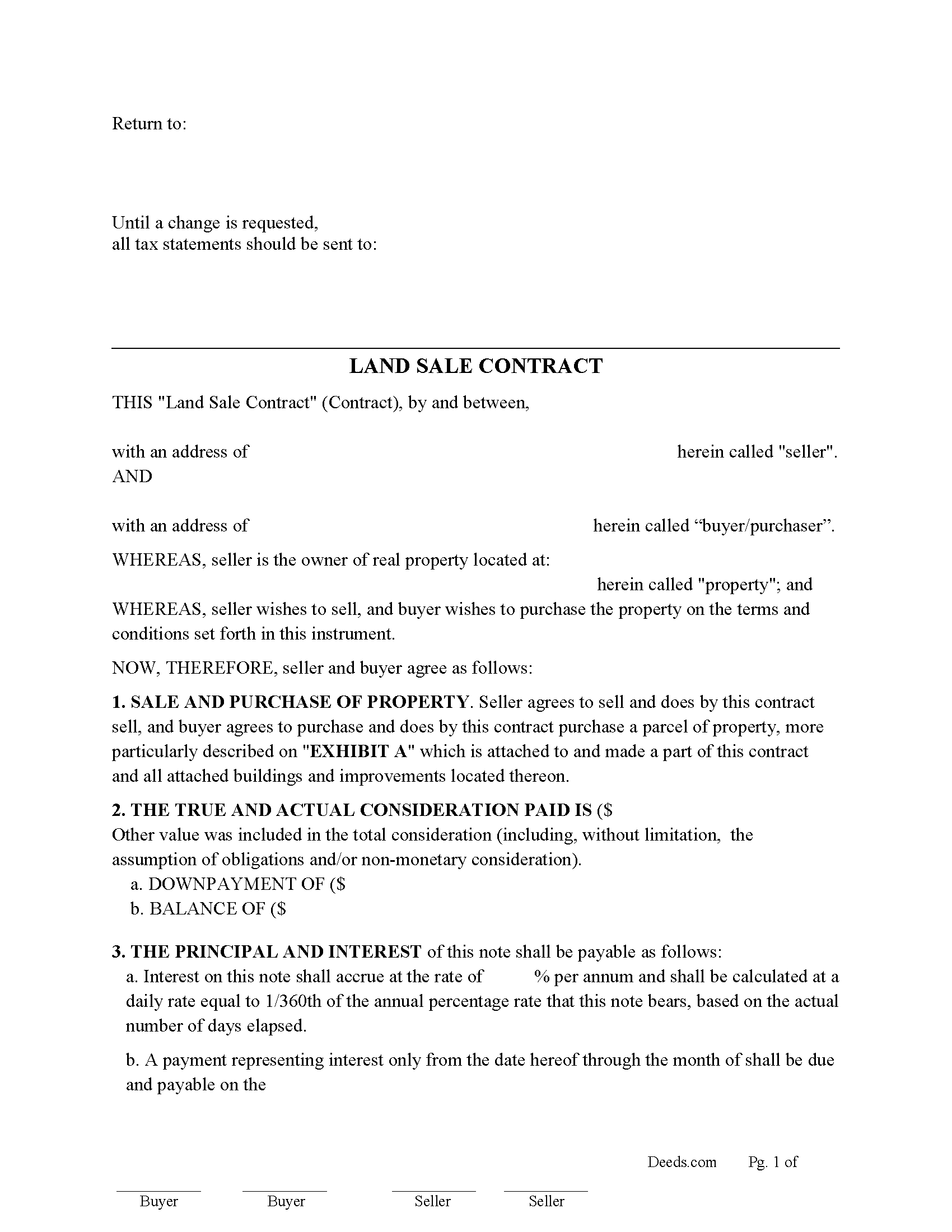
Coos County Land Sales Contract Form
Fill in the blank Land Sales Contract form formatted to comply with all Oregon recording and content requirements.
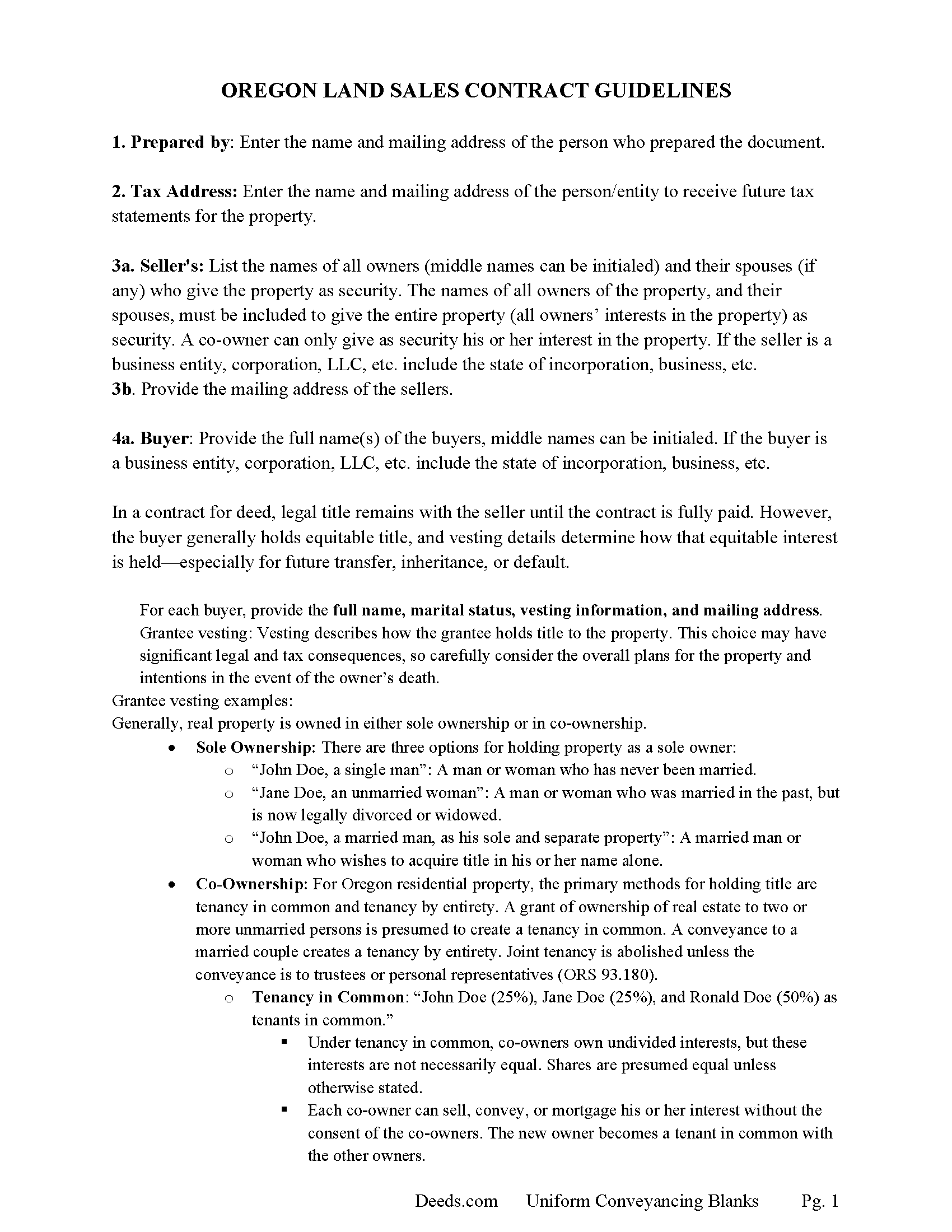
Coos County Land Sales Contract Guide
Line by line guide explaining every blank on the Land Sales Contract form.
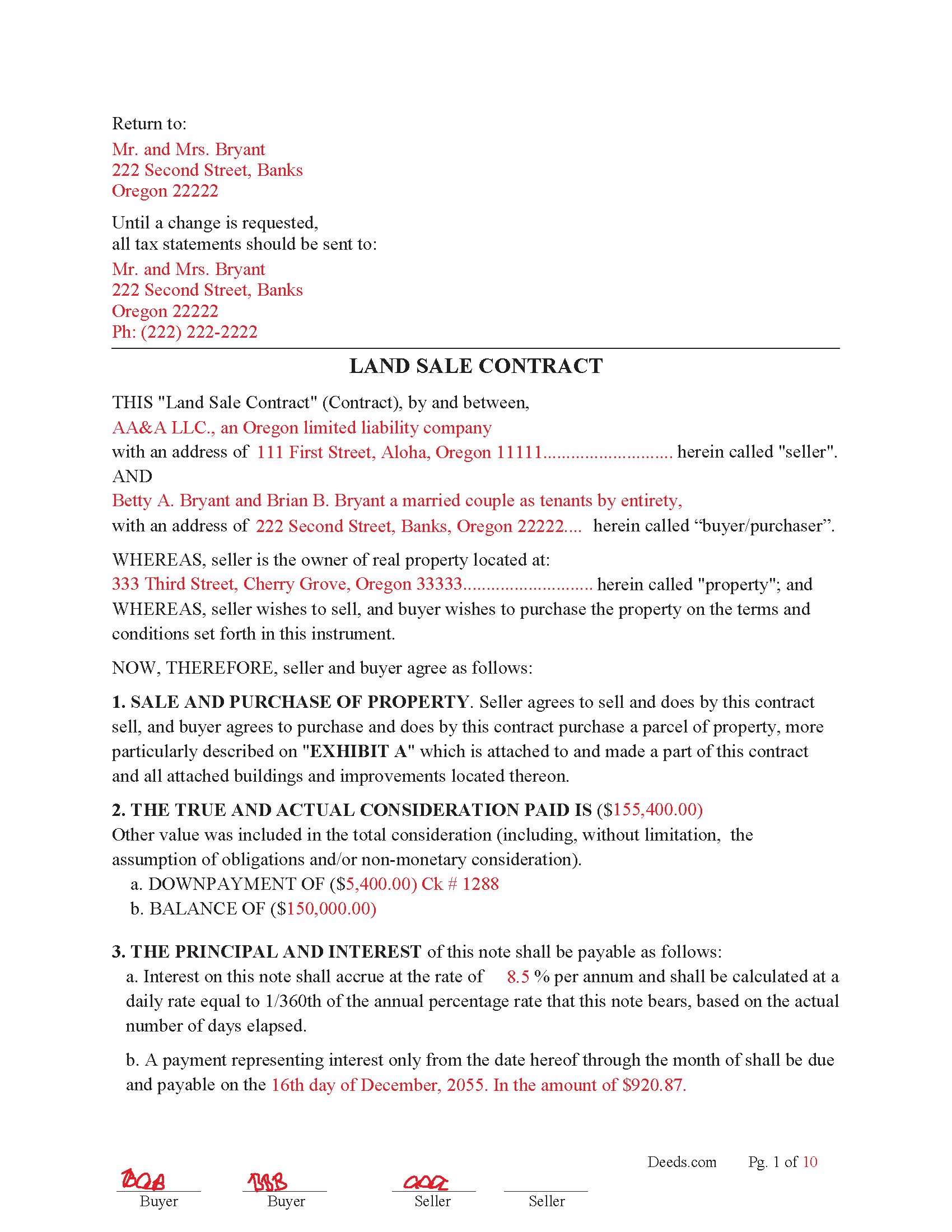
Coos County Completed Example of the Land Sales Contract Document
Example of a properly completed Oregon Land Sales Contract document for reference.
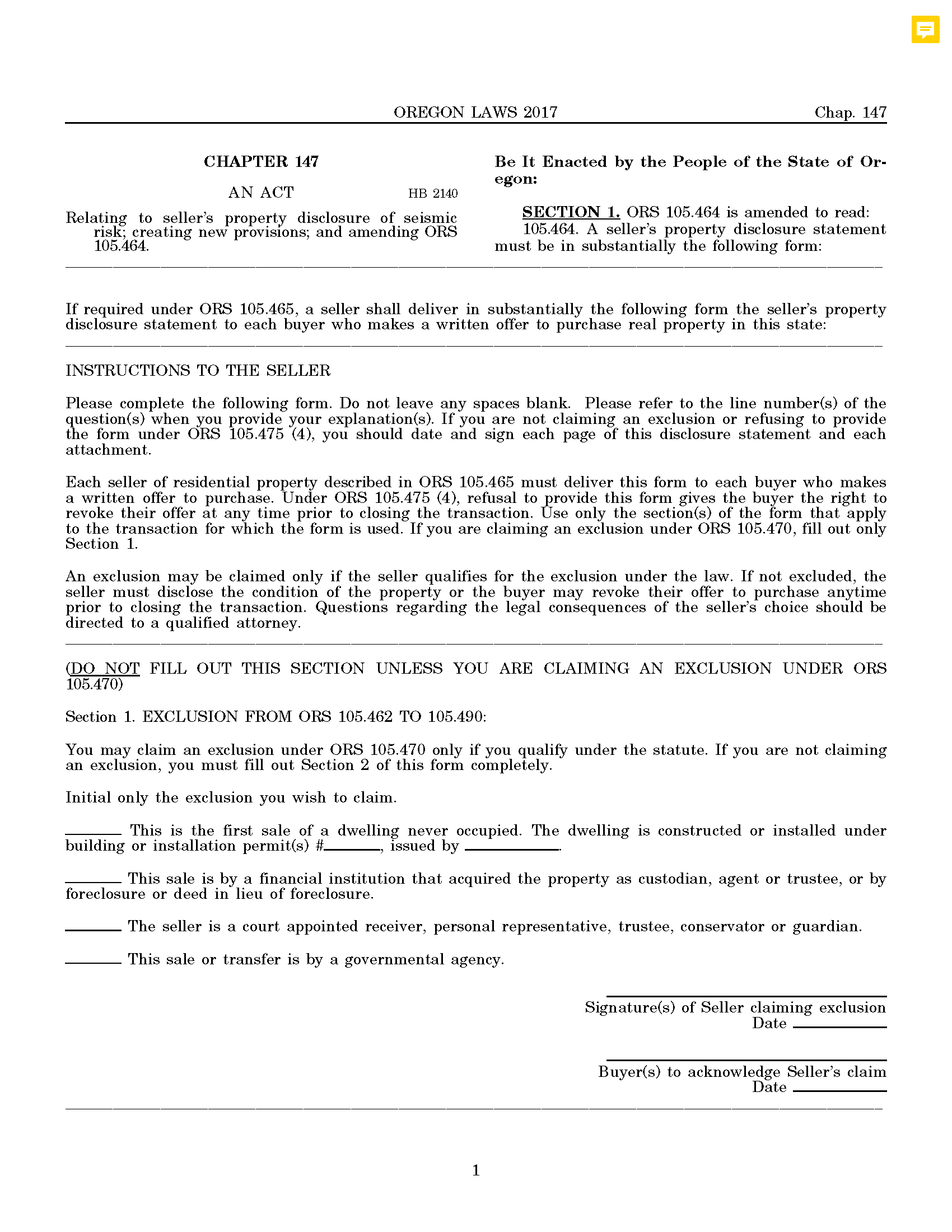
Coos County Sellers Property Disclosure Form
For use with residential property sale.
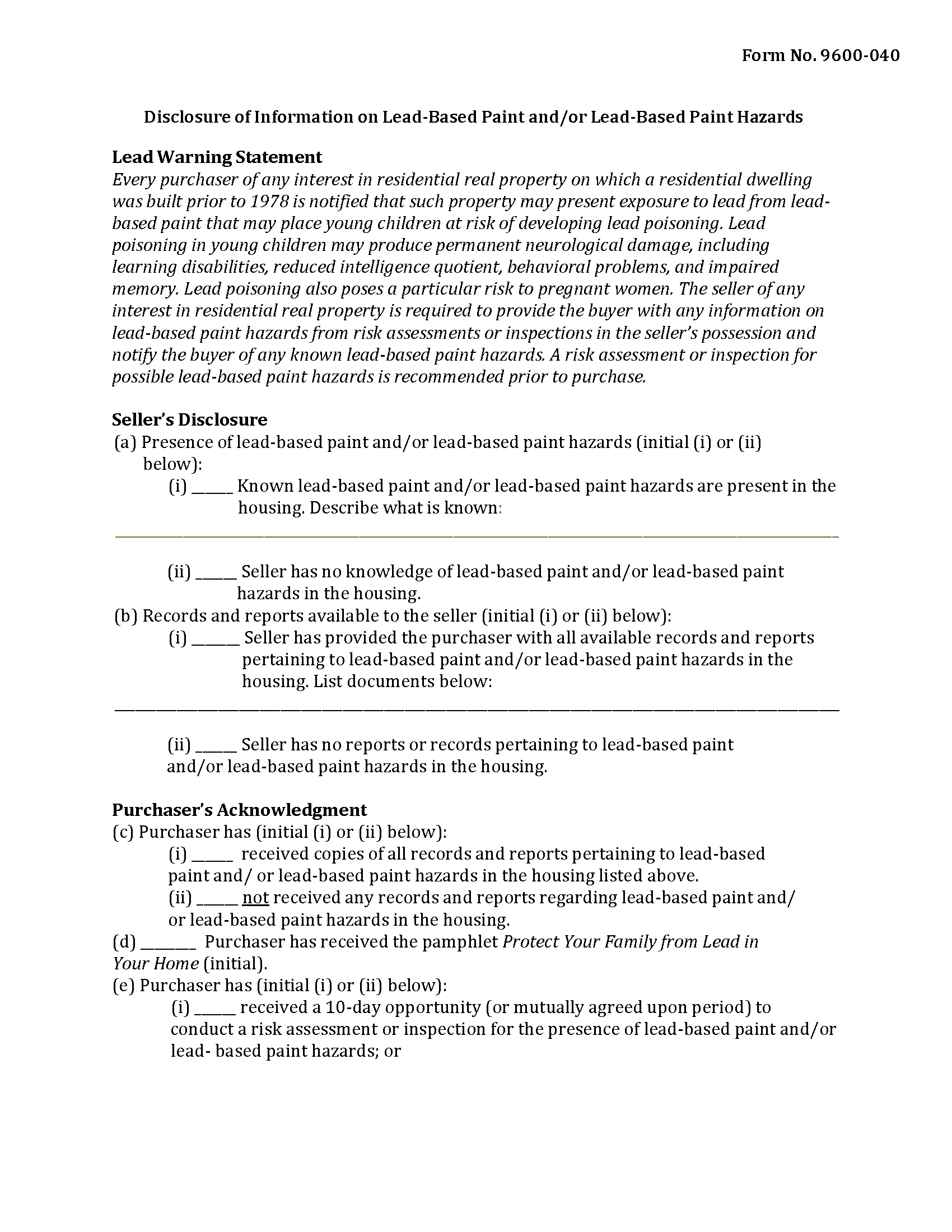
Coos County Sellers Lead Based Paint Disclosure Form
Applicable to residential property built before 1978
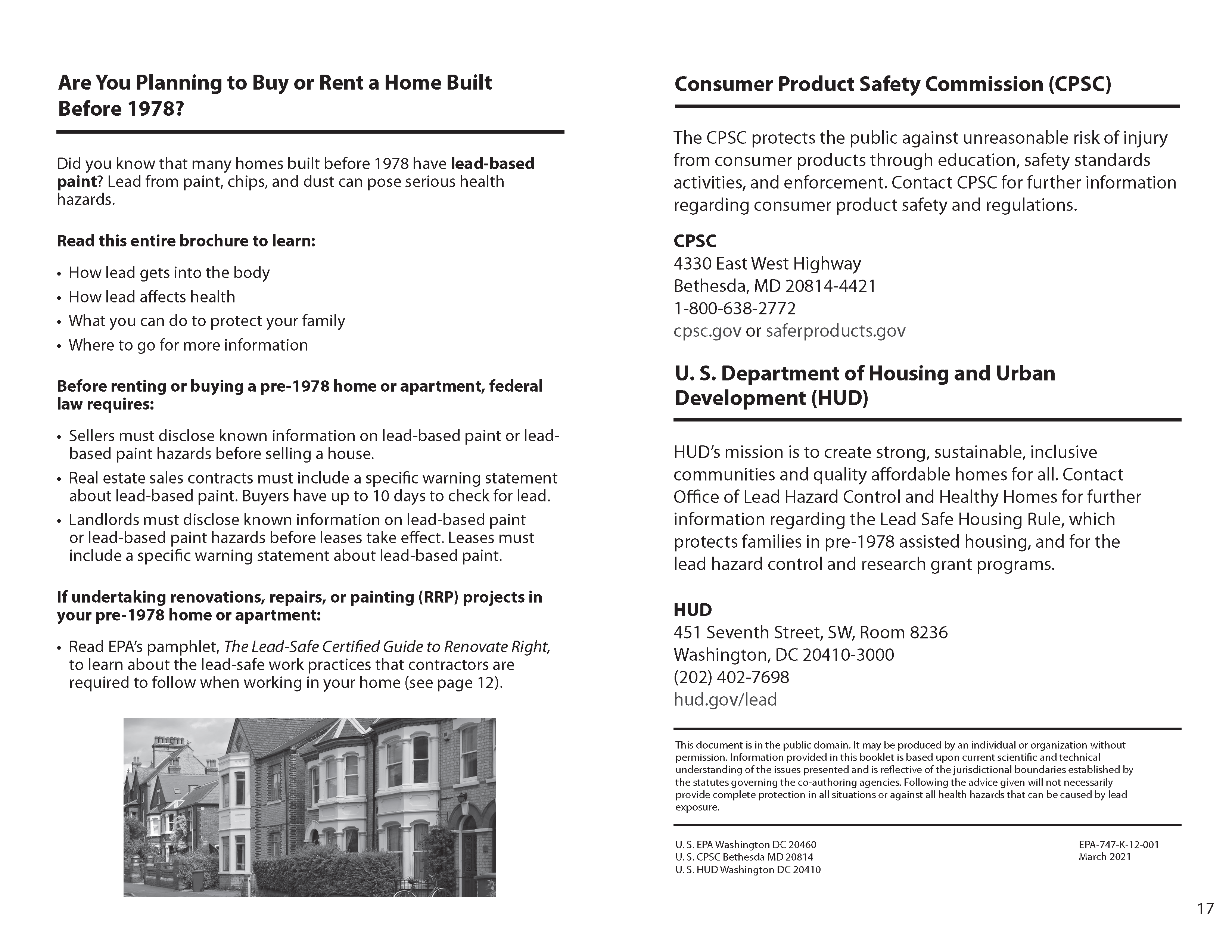
Coos County Lead Based Paint Brochure
Issue to buyers if applicable.
All 6 documents above included • One-time purchase • No recurring fees
Immediate Download • Secure Checkout
Additional Oregon and Coos County documents included at no extra charge:
Where to Record Your Documents
Coos County Clerk
Coquille, Oregon 97423
Hours: 8:00 to 12:00; 1:00 to 5:00
Phone: (541) 396-7600/ 7602/ 7603
Recording Tips for Coos County:
- Bring your driver's license or state-issued photo ID
- Ensure all signatures are in blue or black ink
- Request a receipt showing your recording numbers
- Ask about accepted payment methods when you call ahead
- Ask for certified copies if you need them for other transactions
Cities and Jurisdictions in Coos County
Properties in any of these areas use Coos County forms:
- Allegany
- Bandon
- Broadbent
- Coos Bay
- Coquille
- Lakeside
- Myrtle Point
- North Bend
- Powers
Hours, fees, requirements, and more for Coos County
How do I get my forms?
Forms are available for immediate download after payment. The Coos County forms will be in your account ready to download to your computer. An account is created for you during checkout if you don't have one. Forms are NOT emailed.
Are these forms guaranteed to be recordable in Coos County?
Yes. Our form blanks are guaranteed to meet or exceed the applicable formatting requirements used for recording in Coos County, including margin requirements, font requirements, and other layout standards. This guarantee applies to formatting, not to the legal sufficiency of information entered by the user or the suitability of a form for a particular transaction.
Can I reuse these forms?
Yes. You can reuse the forms for your personal use. For example, if you have multiple properties in Coos County you only need to order once.
What do I need to use these forms?
The forms are PDFs that you fill out on your computer. The free Adobe Acrobat Reader is recommended, and most PDF apps also work. You do NOT enter your property information online - you download the blank forms and complete them privately on your own computer.
Are there any recurring fees?
No. This is a one-time purchase. Nothing to cancel, no memberships, no recurring fees.
How much does it cost to record in Coos County?
Recording fees in Coos County vary. Contact the recorder's office at (541) 396-7600/ 7602/ 7603 for current fees.
Questions answered? Let's get started!
Use of a Land Sale Contract in Oregon
1. Structure of the Contract
• Buyer (Purchaser): Takes equitable title immediately, gets possession, and agrees to pay the purchase price in installments.
• Seller: Retains legal title until the contract is fully paid.
This is different from a mortgage or trust deed, where title passes to the buyer at closing and the lender only has a lien.
2. The Forfeiture Remedy
Under Oregon law, if the buyer defaults, the seller may elect forfeiture instead of judicial foreclosure. Forfeiture means:
• The contract is canceled;
• The buyer’s interest is terminated;
• The underlying debt is extinguished (the seller can’t sue for deficiency);
• The seller keeps all prior payments (as liquidated damages);
• The buyer loses possession and improvements revert to the seller.
This is a nonjudicial process, It’s defined in ORS 93.905 and governed by ORS 93.905–93.945. Seller may also choose judicial foreclosure, similar to foreclosing a mortgage.
3. Statutory Safeguards for Buyers
• ORS 93.910: Seller cannot enforce forfeiture unless a statutory notice of default is served.
• ORS 93.915: Buyer gets a right to cure (usually 60–120 days depending on how much of the price is already paid). Cure requires paying arrears, costs, and small capped attorney’s fees.
• ORS 93.930: If not cured, seller records an affidavit of forfeiture, which legally ends the buyer’s rights.
• ORS 93.935 & 93.940: Subordinate lienholders must also get notice and have the right to cure to protect their interests.
4. Why Use a Land Sale Contract in Oregon?
• For sellers:
o Keeps legal title until fully paid.
o Faster and less expensive than judicial foreclosure (if default occurs).
o Retains all buyer’s payments if forfeiture happens.
• For buyers:
o Can purchase property without a bank loan.
o Gain equitable ownership and possession upfront.
o Sometimes lower upfront cost compared to conventional financing.
Important: Your property must be located in Coos County to use these forms. Documents should be recorded at the county recording office listed above.
This Land Sales Contract meets all recording requirements specific to Coos County.
Our Promise
The documents you receive here are guaranteed to meet or exceed the applicable Coos County recording format requirements. If there is a rejection caused by our formatting, we will correct the issue or refund your payment. This guarantee applies to document formatting only and does not extend to information entered by the user, the selection of the form, or the legal effect of the completed document.
Save Time and Money
Get your Coos County Land Sales Contract form done right the first time with Deeds.com Uniform Conveyancing Blanks. At Deeds.com, we understand that your time and money are valuable resources, and we don't want you to face a penalty fee or rejection imposed by a county recorder for submitting nonstandard documents. We constantly review and update our forms to meet rapidly changing state and county recording requirements for roughly 3,500 counties and local jurisdictions.
4.8 out of 5 - ( 4,840 Reviews )
GEORGE Q. 5 out of 5 stars
Assistance from the associate was good. He told me what I needed to hear and took the time to look up deeds that I was looking for. Though the deed was not available he gave me recommendation on my future calls to ask. Great personality and very helpful.
Thank you for your feedback. We really appreciate it. Have a great day!
Robert K. 5 out of 5 stars
I used your TOD document to deed my home to my daughter. Your sample document was very helpful. I had to do it a few times but finally got it right. I didn't check but It was surely cheaper than a lawyer fee.
Thank you for your feedback. We really appreciate it. Have a great day!
Johnette E. 5 out of 5 stars
Easy and quick to use!!
Thank you!
Joseph T. 5 out of 5 stars
I downloaded the wrong form, how do I change this, or can I?
Sorry to hear that. As a one time courtesy we have canceled your order and payment for the documents you ordered in error. Have a great day.
Lynn S. 5 out of 5 stars
Great service. I did not have to put much thought into the process!!! Worth the $15.00 extra!!
Thank you for your feedback. We really appreciate it. Have a great day!
Elizabeth P. 5 out of 5 stars
Perfect quitclaim form. Easy to fill in with the required information and all the required information has a place (no easy feat in our county!). It is helpful that they include exhibit pages for larger blocks of information (our legal is 2 pages long). Great job folks!
Thank you for the kind words Elizabeth. Have an amazing day!
Donnajean L. 5 out of 5 stars
The site is user friendly and uncomplicated.
Thank you!
Ronald W. 5 out of 5 stars
Easy to use and very helpful
Thank you!
Irma G. 5 out of 5 stars
Although I did not use the forms yet, it appears very easy to understand and navigate.
Thank you for your feedback. We really appreciate it. Have a great day!
Julie R. 5 out of 5 stars
Seamless and prompt service.
We appreciate your business and value your feedback. Thank you. Have a wonderful day!
Kevin E. 5 out of 5 stars
Great app works very well thank you very much
Thank you!
Joseph S. 5 out of 5 stars
THIS IS MY FIRST EXPERIENCE WITH DEEDS.COM. I DLED THE ESTATE DEED FORM THAT I HOPE WILL GO THROUGH OK WITH THE COUNTY. IT WILL BE SOMETIME UNTIL I HAVE IT FILLED IN AND ALL THE NAMES IN, NORARIZED AND FILED. CAN I RECONTACT YOU FOLKS IF THERE IS A PROBLEM? THANK YOU, JOE SEUBERT
We are motivated by your feedback to continue delivering excellence. Thank you!
Robert W. 5 out of 5 stars
Easier than I thought. No problem Nice service
Thank you!
Maria F. 5 out of 5 stars
Easy forms to follow. Thank you for this service. You can even file them through e-filing. Great service. Thanks. Maria F.
Thank you!
Joni F. 5 out of 5 stars
It was easy to navigate and I found my information without any trouble.
Thank you!