Allegheny County Notice to Contractor Form
Last validated October 15, 2026 by our Forms Development TeamFormatted for recording in Allegheny County, for property anywhere in the county: rural and unincorporated areas as well as Allison Park, Bairdford, Bakerstown, Bethel Park, Brackenridge, Braddock, Bradfordwoods, Bridgeville and 52 more.
- 3 documents included
- Immediate PDF download
- Formatting guarantee
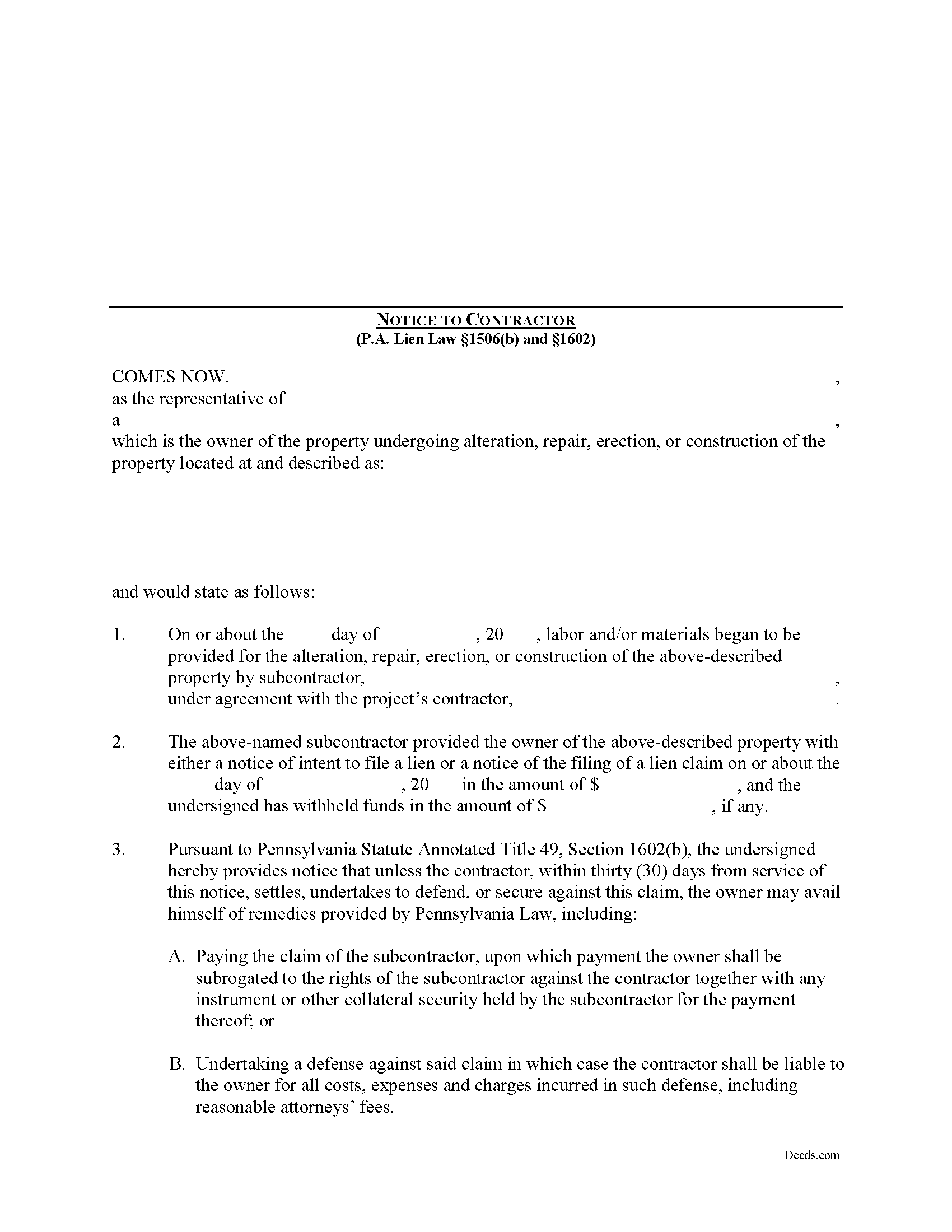
Allegheny County Notice to Contractor Form
Fill in the blank Notice to Contractor form formatted to comply with all Pennsylvania recording and content requirements.
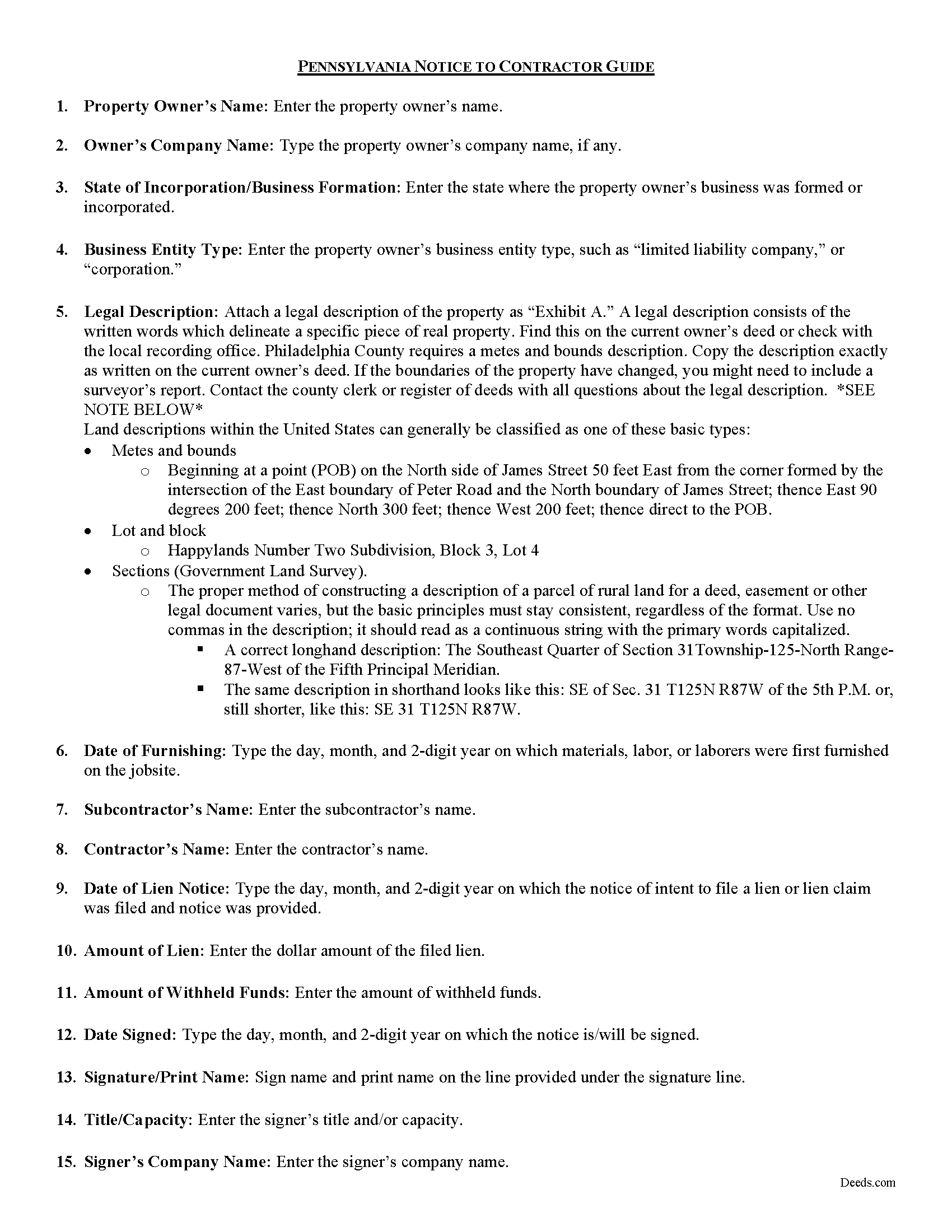
Allegheny County Notice to Contractor Guide
Line by line guide explaining every blank on the form.
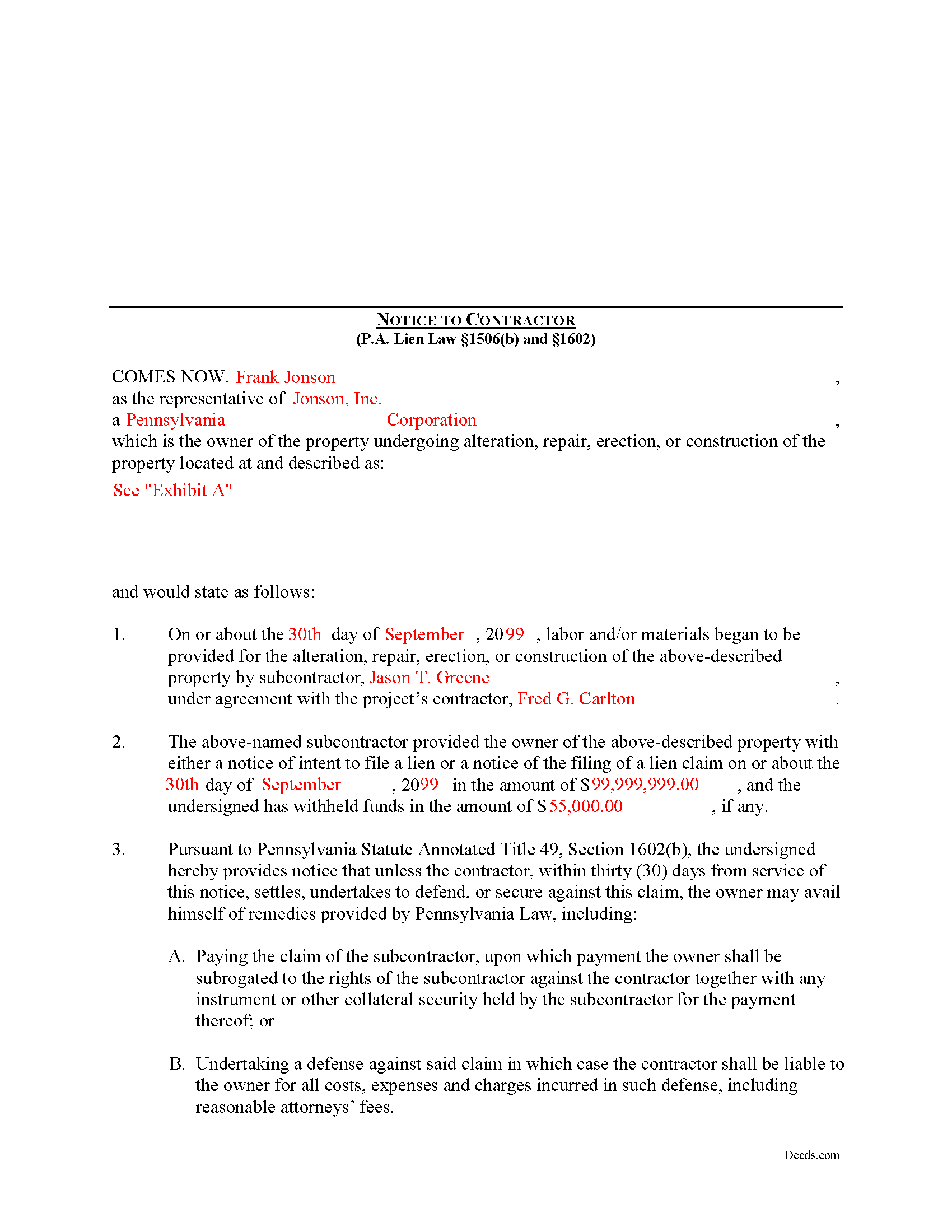
Allegheny County Completed Example of the Notice to Contractor Document
Example of a properly completed form for reference.
All 3 documents above included • One-time purchase • No recurring fees
Immediate Download • Secure Checkout
Additional Pennsylvania and Allegheny County documents included at no extra charge:
Where to Record Your Documents
Department of Real Estate - County Office Building
Pittsburgh, Pennsylvania 15219
Hours: 8:30 to 4:30 M-F
Phone: (412) 350-4226
Recording Tips for Allegheny County:
- Bring your driver's license or state-issued photo ID
- Ensure all signatures are in blue or black ink
- Bring extra funds - fees can vary by document type and page count
- Check margin requirements - usually 1-2 inches at top
- Leave recording info boxes blank - the office fills these
Cities and Jurisdictions in Allegheny County
Properties in any of these areas use Allegheny County forms:
- Allison Park
- Bairdford
- Bakerstown
- Bethel Park
- Brackenridge
- Braddock
- Bradfordwoods
- Bridgeville
- Buena Vista
- Bunola
- Carnegie
- Cheswick
- Clairton
- Coraopolis
- Coulters
- Creighton
- Crescent
- Cuddy
- Curtisville
- Dravosburg
- Duquesne
- East Mc Keesport
- East Pittsburgh
- Elizabeth
- Gibsonia
- Glassport
- Glenshaw
- Greenock
- Harwick
- Homestead
- Imperial
- Indianola
- Ingomar
- Leetsdale
- Mc Kees Rocks
- Mckeesport
- Monroeville
- Morgan
- Natrona Heights
- North Versailles
- Oakdale
- Oakmont
- Pitcairn
- Pittsburgh
- Presto
- Rural Ridge
- Russellton
- Sewickley
- South Park
- Springdale
- Sturgeon
- Tarentum
- Turtle Creek
- Verona
- Warrendale
- West Elizabeth
- West Mifflin
- Wexford
- Wildwood
- Wilmerding
Hours, fees, requirements, and more for Allegheny County
How do I get my forms?
Forms are available for immediate download after payment. The Allegheny County forms will be in your account ready to download to your computer. An account is created for you during checkout if you don't have one. Forms are NOT emailed.
Are these forms guaranteed to be recordable in Allegheny County?
Yes. Our form blanks are guaranteed to meet or exceed the applicable formatting requirements used for recording in Allegheny County, including margin requirements, font requirements, and other layout standards. This guarantee applies to formatting, not to the legal sufficiency of information entered by the user or the suitability of a form for a particular transaction.
Can I reuse these forms?
Yes. You can reuse the forms for your personal use. For example, if you have multiple properties in Allegheny County you only need to order once.
What do I need to use these forms?
The forms are PDFs that you fill out on your computer. The free Adobe Acrobat Reader is recommended, and most PDF apps also work. You do NOT enter your property information online - you download the blank forms and complete them privately on your own computer.
Are there any recurring fees?
No. This is a one-time purchase. Nothing to cancel, no memberships, no recurring fees.
How much does it cost to record in Allegheny County?
Recording fees in Allegheny County vary. Contact the recorder's office at (412) 350-4226 for current fees.
Questions answered? Let's get started!
In Pennsylvania, the Notice to Contractor is used by property owners to defend against lien claims. The notice is especially useful when dealing with lien claims filed by a subcontractor working under a general contractor, because the owner may have no knowledge of their agreements.
Where a lien claim is filed by a subcontractor, the owner may give a written notice thereof to the contractor in the manner, and upon the giving of such notice the owner may avail himself of the remedies provided under the law. 49 P.S. 1506(b).
When the notice is served on the contractor, the undersigned is providing notice that unless the contractor, within thirty (30) days from service of the notice, settles, undertakes to defend, or secures against this claim, the owner may avail himself of remedies provided by Pennsylvania Law, including: 1) Paying the claim of the subcontractor, upon which payment the owner shall be subrogated to the rights of the subcontractor against the contractor together with any instrument or other collateral security held by the subcontractor for the payment thereof; or 2) Undertaking a defense against said claim in which case the contractor shall be liable to the owner for all costs, expenses and charges incurred in such defense, including reasonable attorneys' fees. 49 P.S. 1602.
The notice shall state: (1) the name of the subcontractor, the amount of the claim and the amount withheld, if any, by the owner; that unless the contractor within thirty (30) days from service of the notice settles, undertakes to defend, or secures against the claim as provided by section 603, and (2) the owner may avail himself of the remedies provided by section 604.3. 49 P.S. 1602(b).
The owner or his agent may deliver the notice to the contractor personally, or to the contractor's manager, executive or principal officer or other agent, or if none of these persons can be found, by sending a copy of the notice by first class, registered or certified mail to the contractor at his last known office address. 49 P.S. 1602(c).
Mechanic's Liens are governed by Title 49 of the Pennsylvania Consolidated Statutes.
This article is provided for informational purposes only and does not constitute legal advice. Contact an attorney with questions about the Notice to Contractor, or for any other issues related to mechanic's liens in Pennsylvania.
Important: Your property must be located in Allegheny County to use these forms. Documents should be recorded at the county recording office listed above.
This Notice to Contractor meets all recording requirements specific to Allegheny County.
Our Promise
The documents you receive here are guaranteed to meet or exceed the applicable Allegheny County recording format requirements. If there is a rejection caused by our formatting, we will correct the issue or refund your payment. This guarantee applies to document formatting only and does not extend to information entered by the user, the selection of the form, or the legal effect of the completed document.
Save Time and Money
Get your Allegheny County Notice to Contractor form done right the first time with Deeds.com Uniform Conveyancing Blanks. At Deeds.com, we understand that your time and money are valuable resources, and we don't want you to face a penalty fee or rejection imposed by a county recorder for submitting nonstandard documents. We constantly review and update our forms to meet rapidly changing state and county recording requirements for roughly 3,500 counties and local jurisdictions.
4.8 out of 5 - ( 4,839 Reviews )
terrance G. 5 out of 5 stars
Excellent Service, with quick turnaround times.
Thank you for your positive words! We’re thrilled to hear about your experience.
Jacquelyn W. 4 out of 5 stars
Great site with great info. Almost made the job seamless but form would not adjust to my longer than usual legal description -- I ended up having to recreate the form in word processing software (Libre). But could not have done it without the guidelines.
Thank you!
Darrell W. 5 out of 5 stars
Fast and easy to use. Nice to have available online.
Thank you for your feedback. We really appreciate it. Have a great day!
RICKY N. 5 out of 5 stars
Fast Speedy great communication worry-free
Thank you!
Charles F. 5 out of 5 stars
Hi Please do not take time to respond to my previous inquiry - - - I figured it out. Deeds.com is a great tool for those of us who have occasional need for your type of services. Thanks ! Chuck
Thank you!
Jan C. 5 out of 5 stars
Wow - finding your service was a lifesaver! I know my forms, but I don't have the time right now to draft them from "scratch". So once I found this site it was a couple of quick clicks and VOILA!! almost a done deal. Thanks for the assistance.
Thank you for your feedback. We really appreciate it. Have a great day!
Marcia H. 5 out of 5 stars
This was so easy and fast! Plus it had all the information I needed in one place. The example was right on point too!
Thank you for your feedback. We really appreciate it. Have a great day!
Kay C. 5 out of 5 stars
Thank you for your patience and help with filing the documents needed. You were helpful, prompt, courteous.
We appreciate your business and value your feedback. Thank you. Have a wonderful day!
Wilma E. 5 out of 5 stars
Very satisfied with service and form. Completed form, printed, and submitted to county for processing. Everything went well.
Thank you for your feedback. We really appreciate it. Have a great day!
Burr A. 5 out of 5 stars
So far so good. Prompt and responsive. Thank you.
Thank you!
Carla F. 5 out of 5 stars
Forms were easily accessible along with guides. Great resource. Thank you.
We appreciate your business and value your feedback. Thank you. Have a wonderful day!
Curley L F. 5 out of 5 stars
The deed form I downloaded was easy to use and just what i needed.
We appreciate your business and value your feedback. Thank you. Have a wonderful day!
Natalie F. 5 out of 5 stars
So convenient and easy to use! Will definitely recommend to anyone.
We appreciate your business and value your feedback. Thank you. Have a wonderful day!
Marc Z. 5 out of 5 stars
Thank you for having an easy to navigate website with updated documents! Had everything I needed, took care of business and on to the next transaction.- Aloha
Thank you Marc. Have a fantastic day!
Rose H. 5 out of 5 stars
I am so glad I found this resource! As the Executor of a family members estate I wanted to save money by bypassing a lawyer as it seemed pretty straight forward to tranfer a Life Estate to the remainderman. (I had original deeds). But talking with 3 different states and 4 different counties - none of which seemed to need the same documents, I was almost ready to dump this in a lawyer's lap. This resource makes it simple!
We appreciate your business and value your feedback. Thank you. Have a wonderful day!