Allegheny County Quitclaim Deed (Trustee Grantee) Form
Last validated October 2, 2026 by our Forms Development TeamFormatted for recording in Allegheny County, for property anywhere in the county: rural and unincorporated areas as well as Allison Park, Bairdford, Bakerstown, Bethel Park, Brackenridge, Braddock, Bradfordwoods, Bridgeville and 52 more.
- 3 documents included
- Immediate PDF download
- Formatting guarantee
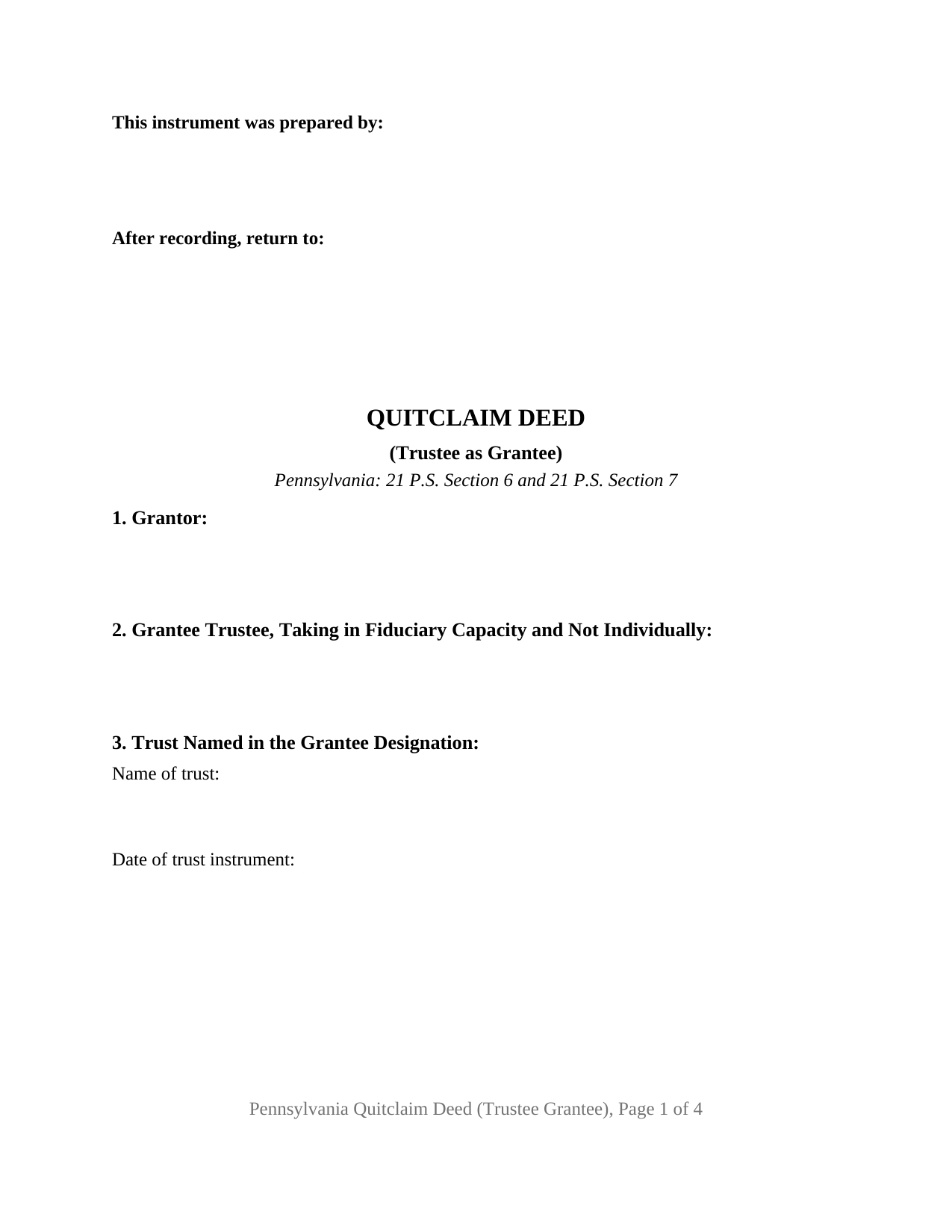
Allegheny County Quitclaim Deed (Trustee Grantee) Form
Fill in the blank Quitclaim Deed (Trustee Grantee) form formatted to comply with all Pennsylvania recording and content requirements.
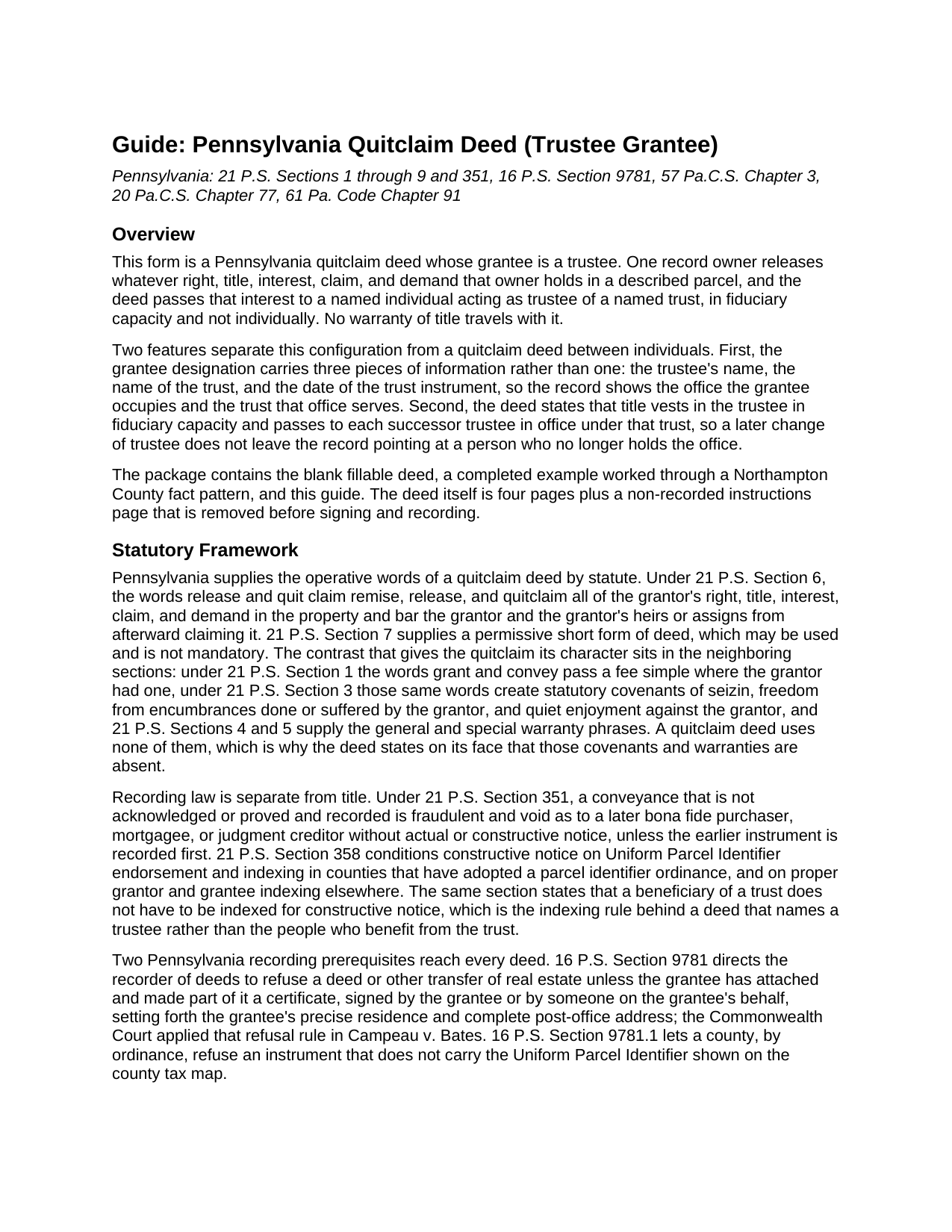
Allegheny County Quitclaim Deed (Trustee Grantee) Guide
Line by line guide explaining every blank on the Quitclaim Deed (Trustee Grantee) form.
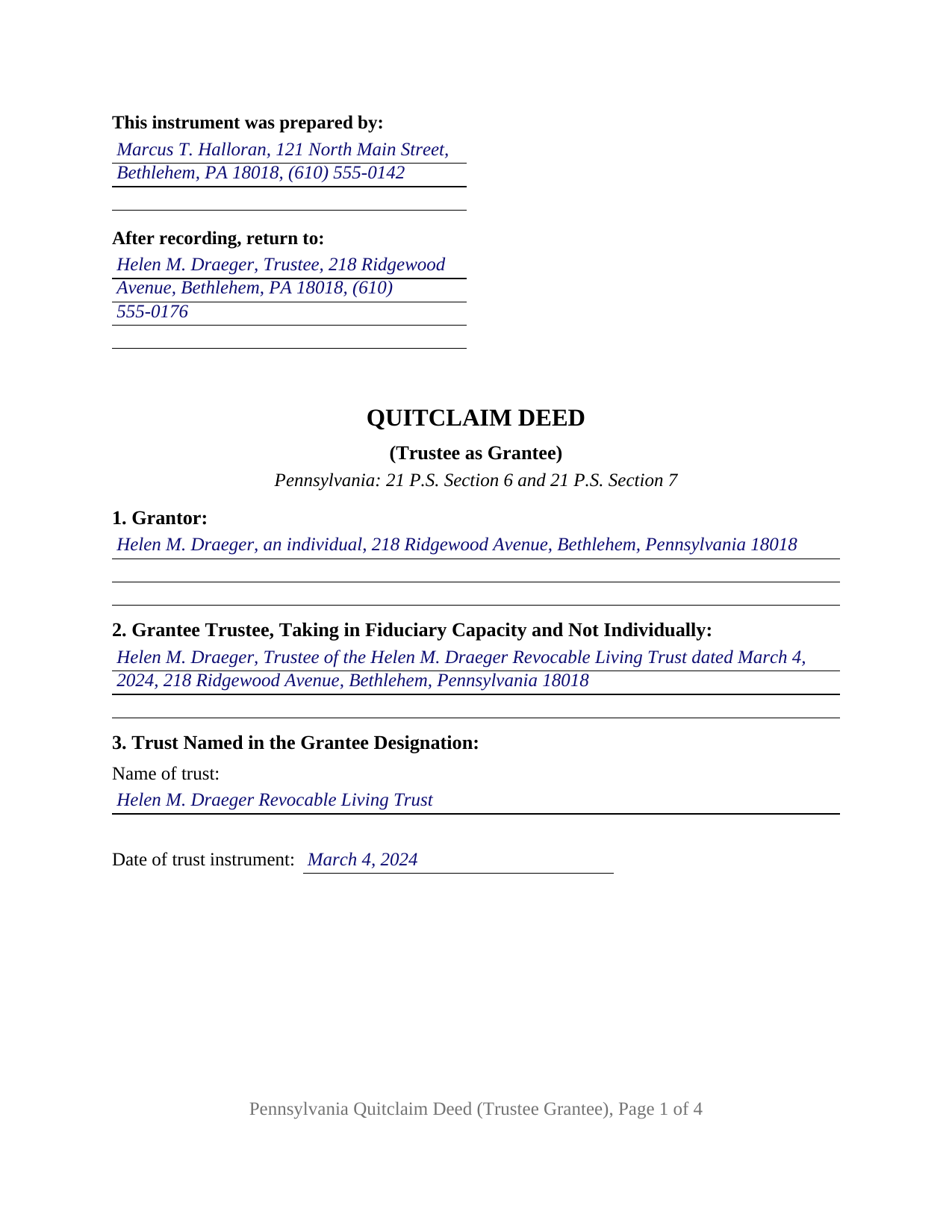
Allegheny County Completed Example of the Quitclaim Deed (Trustee Grantee) Document
Example of a properly completed Pennsylvania Quitclaim Deed (Trustee Grantee) document for reference.
All 3 documents above included • One-time purchase • No recurring fees
Immediate Download • Secure Checkout
Additional Pennsylvania and Allegheny County documents included at no extra charge:
Where to Record Your Documents
Department of Real Estate - County Office Building
Pittsburgh, Pennsylvania 15219
Hours: 8:30 to 4:30 M-F
Phone: (412) 350-4226
Recording Tips for Allegheny County:
- Bring your driver's license or state-issued photo ID
- Ensure all signatures are in blue or black ink
- White-out or correction fluid may cause rejection
- Ask about their eRecording option for future transactions
- Avoid the last business day of the month when possible
Cities and Jurisdictions in Allegheny County
Properties in any of these areas use Allegheny County forms:
- Allison Park
- Bairdford
- Bakerstown
- Bethel Park
- Brackenridge
- Braddock
- Bradfordwoods
- Bridgeville
- Buena Vista
- Bunola
- Carnegie
- Cheswick
- Clairton
- Coraopolis
- Coulters
- Creighton
- Crescent
- Cuddy
- Curtisville
- Dravosburg
- Duquesne
- East Mc Keesport
- East Pittsburgh
- Elizabeth
- Gibsonia
- Glassport
- Glenshaw
- Greenock
- Harwick
- Homestead
- Imperial
- Indianola
- Ingomar
- Leetsdale
- Mc Kees Rocks
- Mckeesport
- Monroeville
- Morgan
- Natrona Heights
- North Versailles
- Oakdale
- Oakmont
- Pitcairn
- Pittsburgh
- Presto
- Rural Ridge
- Russellton
- Sewickley
- South Park
- Springdale
- Sturgeon
- Tarentum
- Turtle Creek
- Verona
- Warrendale
- West Elizabeth
- West Mifflin
- Wexford
- Wildwood
- Wilmerding
Hours, fees, requirements, and more for Allegheny County
How do I get my forms?
Forms are available for immediate download after payment. The Allegheny County forms will be in your account ready to download to your computer. An account is created for you during checkout if you don't have one. Forms are NOT emailed.
Are these forms guaranteed to be recordable in Allegheny County?
Yes. Our form blanks are guaranteed to meet or exceed the applicable formatting requirements used for recording in Allegheny County, including margin requirements, font requirements, and other layout standards. This guarantee applies to formatting, not to the legal sufficiency of information entered by the user or the suitability of a form for a particular transaction.
Can I reuse these forms?
Yes. You can reuse the forms for your personal use. For example, if you have multiple properties in Allegheny County you only need to order once.
What do I need to use these forms?
The forms are PDFs that you fill out on your computer. The free Adobe Acrobat Reader is recommended, and most PDF apps also work. You do NOT enter your property information online - you download the blank forms and complete them privately on your own computer.
Are there any recurring fees?
No. This is a one-time purchase. Nothing to cancel, no memberships, no recurring fees.
How much does it cost to record in Allegheny County?
Recording fees in Allegheny County vary. Contact the recorder's office at (412) 350-4226 for current fees.
Questions answered? Let's get started!
The grantee line is what makes this Pennsylvania quitclaim deed its own instrument. It names a person, the fiduciary office that person occupies, and the trust that office answers to, and the section beneath it pins the trust down by name and by the date of its instrument. One record owner releases whatever interest that owner holds, it lands in a trustee rather than in an individual, and no warranty of title travels with it.
A grantee with an office, a trust, and a date
Three facts identify a trustee grantee, and the deed collects them before it conveys anything: the trustee's name and address, the name of the trust, and the date the trust instrument was executed. The last two are the facts a certification of trust under 20 Pa.C.S. Section 7790.3 opens with, which is what a title examiner usually asks for. The deed then adds what a bare grantee name cannot: title vests in the capacity stated on its face and not individually, and runs to each successor trustee in office, so a change of trustee later does not leave the record naming someone who has left the job. The beneficial side stays out of the county index by design: 21 P.S. Section 358 provides that a trust beneficiary does not have to be indexed for constructive notice.
The transfer tax rule turns on who the grantor is
Pennsylvania taxes a transfer to a trust by looking through it rather than at the deed. Under 61 Pa. Code Section 91.156(c)(1), a transfer for no or nominal actual consideration to a trustee of a living trust from its settlor is excluded from realty transfer tax. Where the grantor is not the settlor, subsection (c)(2) taxes the transfer in full unless it would have been wholly excluded moving directly from that grantor to the settlor, and a trust outside the regulation's living trust definition runs through the beneficiary look-through of subsection (a). Subsection (g) adds the practical condition: no exemption is granted under that section unless the recorder of deeds is presented with a copy of the trust agreement. A REV-183 Statement of Value ordinarily rides along on a no-consideration transfer, and the deed's label settles nothing: a quitclaim deed is taxable on the same basis as another deed where an actual conveyance occurs (61 Pa. Code Section 91.164).
One releasing owner, one trustee grantee
The architecture is narrow. A single grantor block names the releasing owner, a single grantee block names the trustee and states the capacity, one signature line and one acknowledgment certificate carry the execution under the short form of 57 Pa.C.S. Section 316, and the closing certificate of residence is signed by the trustee. Ownership patterns that present this configuration recur in Pennsylvania record rooms: an owner moving a parcel to the trustee of a trust created under an estate plan, a co-owner releasing an undivided share to the trustee of a trust that already holds the rest of the parcel, and an owner clearing up land a trust was meant to hold on a funding deed that never reached the counter. The form recites one releasing owner and one trustee taking a single fiduciary title; a trust whose cotrustees take title together follows a grantee arrangement this quit claim deed does not print.
Words that release, covenants that stay behind
The conveyance section releases in the words 21 P.S. Section 6 supplies, then states its limits: no grant and convey, so none of the covenants of 21 P.S. Section 3, and neither the general warranty of Section 4 nor the special warranty of Section 5. The trustee takes the parcel as the record holds it, liens, easements, and any severance of coal or minerals included.
What the county counter looks for
The final section carries the grantee residence certificate that 16 P.S. Section 9781 makes a condition of recording, signed here by the trustee, and a parcel identifier entry serves the ordinance counties. Trust paperwork draws county-specific handling: Delaware County treats trust documents as non-recordable while allowing copies as Statement of Value attachments, and Montgomery County publishes that deeds involving trusts go by mail or in person.
The download holds the blank quitclaim deed as a fillable PDF, a completed example following a Northampton County owner placing a home in the trust she settled, and a plain-language guide to the twelve sections, notarization, the trust tax rules, and county recording. The materials describe Pennsylvania law in general terms and are not legal advice.
Important: Your property must be located in Allegheny County to use these forms. Documents should be recorded at the county recording office listed above.
This Quitclaim Deed (Trustee Grantee) meets all recording requirements specific to Allegheny County.
Our Promise
The documents you receive here are guaranteed to meet or exceed the applicable Allegheny County recording format requirements. If there is a rejection caused by our formatting, we will correct the issue or refund your payment. This guarantee applies to document formatting only and does not extend to information entered by the user, the selection of the form, or the legal effect of the completed document.
Save Time and Money
Get your Allegheny County Quitclaim Deed (Trustee Grantee) form done right the first time with Deeds.com Uniform Conveyancing Blanks. At Deeds.com, we understand that your time and money are valuable resources, and we don't want you to face a penalty fee or rejection imposed by a county recorder for submitting nonstandard documents. We constantly review and update our forms to meet rapidly changing state and county recording requirements for roughly 3,500 counties and local jurisdictions.
4.8 out of 5 - ( 4,832 Reviews )
Kelly S. 5 out of 5 stars
Fast, easy, responsive.
Thank you!
Stephanie B. 5 out of 5 stars
Really great, relevant and straight forward forms. Deeds.com is excellent and helps you avoid costly errors on documents.
Thank you for your feedback. We really appreciate it. Have a great day!
Scott P. 5 out of 5 stars
So far so good
Thank you!
Patrick U. 5 out of 5 stars
Great product. They processed and transmitted the deed promptly. A small question I had was answered quickly and professionally. I would use again if the need arises and will recommend to friends.
Your feedback is greatly appreciated. Thank you for taking the time to share your experience!
Peter & Bonnie Higgins H. 5 out of 5 stars
We were very pleased with the advice and forms provided. We were able to complete our special project. Just what we were looking for. I give you 41/2 stars
Thank you!
Samantha B. 5 out of 5 stars
Awesome service! This took care of my needs 10x faster than I thought possible. I even bought an extra service that wasn't needed to accomplish my end goal and they refunded me without me even asking. Highly recommend!
Thank you for your feedback. We really appreciate it. Have a great day!
Thomas B. 5 out of 5 stars
Spent several weeks searching the net for warranty deeds. For the money and correctness, IMHO, Deeds.com is far and away the best.
Thank you for your feedback. We really appreciate it. Have a great day!
Maribeth M. 5 out of 5 stars
Usually I have trouble registering things online, even though people tell me it's easy. This time, it WAS easy and fast, and I'm grateful I didn't have to drive somewhere and stand in line. Thank you!
We appreciate your business and value your feedback. Thank you. Have a wonderful day!
Jerry C. 5 out of 5 stars
NIce job Guys! Helped me with my recordings and slight errors. Submitted Perfectly Good Communication. Thanks. Will use again.
Happy we could assist. Thank you for sharing your experience.
Dave M. 5 out of 5 stars
Service as needed. A bit expensive.
Thank you for your feedback. We really appreciate it. Have a great day!
Veronica F. 5 out of 5 stars
Im so happy with this site. It was quick and painless and worth the money hassle free if I ever need to settle another deed I will be back.
Thank you Veronica, we really appreciate your feedback.
Sheilah C. 5 out of 5 stars
So far very good. I will know more when I complete the forms and submit them.
Thank you!
Daniel S. 5 out of 5 stars
It was easy to find the forms I was looking for and the guided steps and examples of how to use the form were beneficial.
Thank you for your feedback. We really appreciate it. Have a great day!
Donald W. 5 out of 5 stars
Well organized document preparation. Great way to save on legal fees
Thank you for your feedback. We really appreciate it. Have a great day!
Michael S. 5 out of 5 stars
Great product and service. So convenient.
Your satisfaction with our services is of utmost importance to us. Thank you for letting us know how we did!