Mcminn County Easement Deed Form
Last validated October 27, 2026 by our Forms Development TeamFormatted for recording in Mcminn County, for property anywhere in the county: rural and unincorporated areas as well as Athens, Calhoun, Englewood, Etowah, Niota, Riceville.
- 4 documents included
- Immediate PDF download
- Formatting guarantee
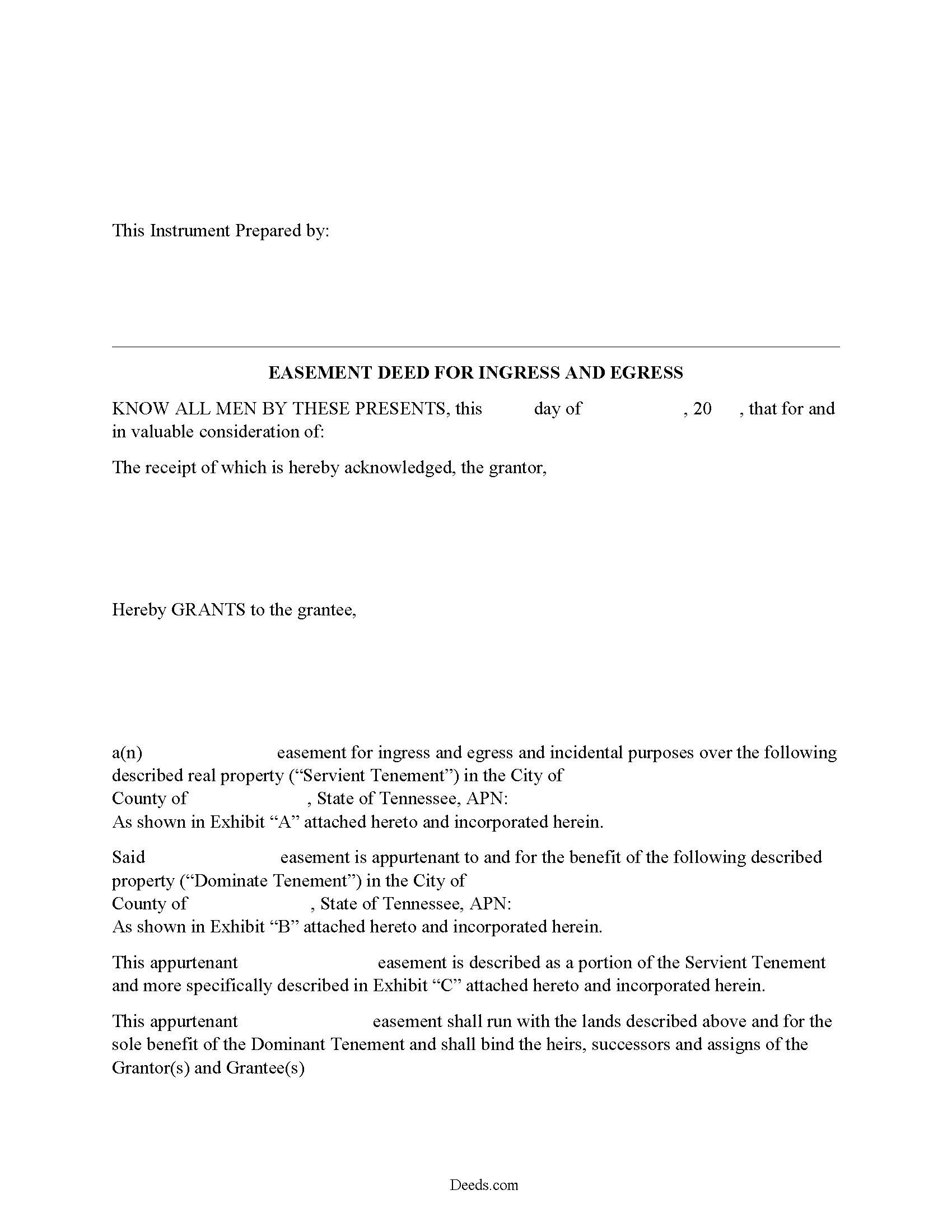
Mcminn County Easement Deed Form
Fill in the blank form formatted to comply with all recording and content requirements.
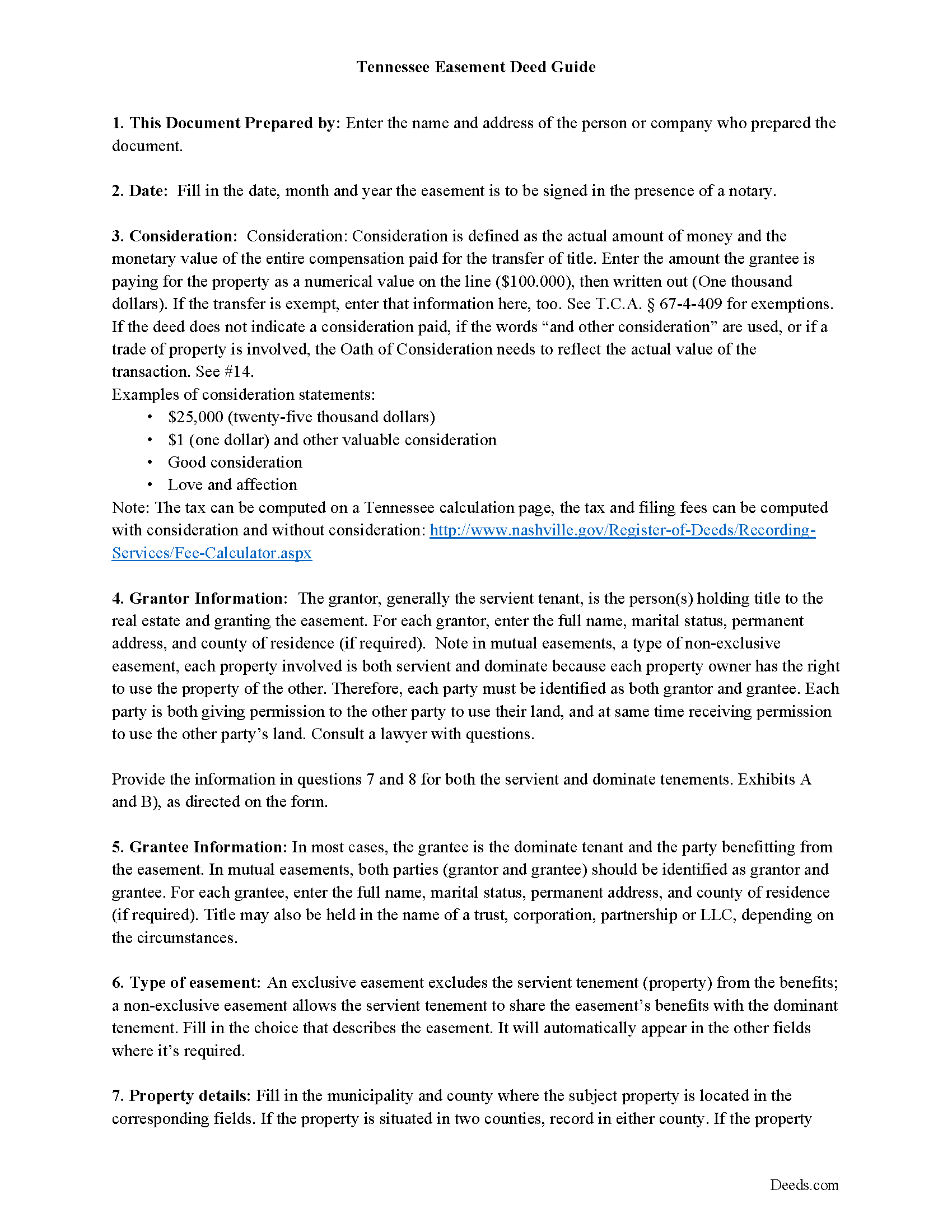
Mcminn County Easement Deed Guide
Line by line guide explaining every blank on the form.
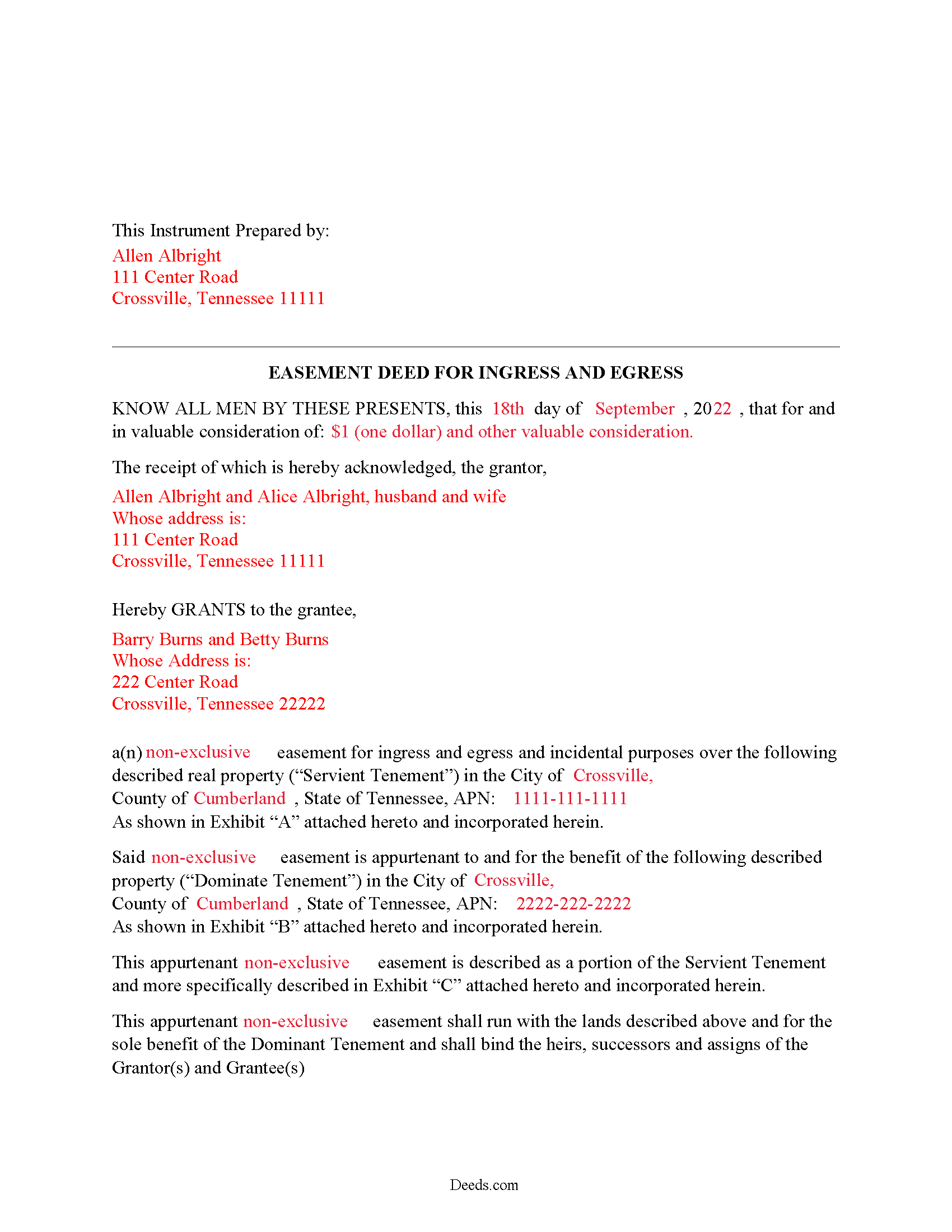
Mcminn County Completed Example of the Easement Deed Document
Example of a properly completed form for reference.
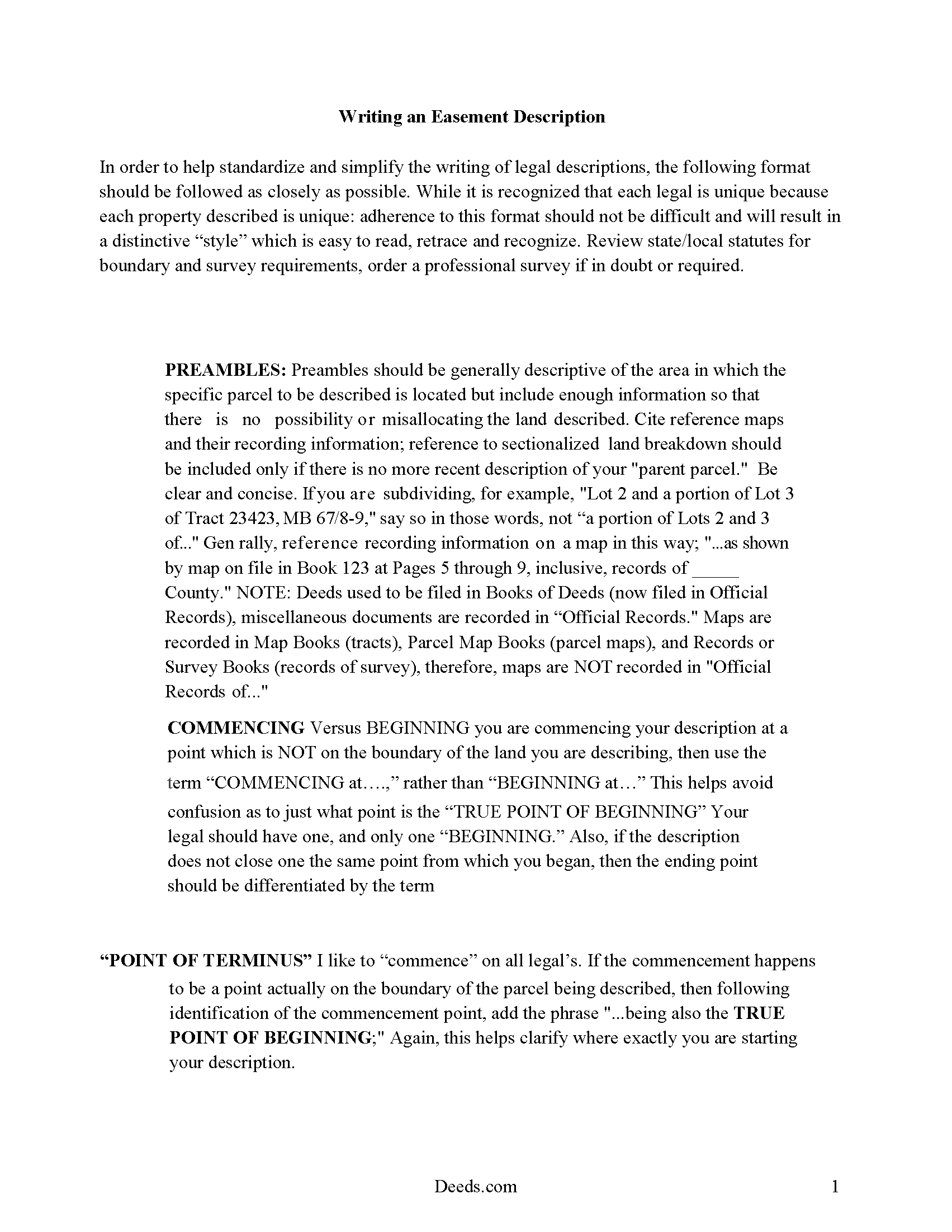
Mcminn County Guide to writing an Easement Description
A Description of the Easement will be required. This will show how to write an acceptable description for a Right of Way Easement, which gives access, to and from - point A to point B.
All 4 documents above included • One-time purchase • No recurring fees
Immediate Download • Secure Checkout
Additional Tennessee and Mcminn County documents included at no extra charge:
Where to Record Your Documents
McMinn County Register of Deeds
Athens, Tennessee 37303
Hours: 8:30 to 4:00 M-F
Phone: (423) 745-1232
Recording Tips for Mcminn County:
- Bring your driver's license or state-issued photo ID
- Ensure all signatures are in blue or black ink
- Both spouses typically need to sign if property is jointly owned
- Bring extra funds - fees can vary by document type and page count
- Check margin requirements - usually 1-2 inches at top
Cities and Jurisdictions in Mcminn County
Properties in any of these areas use Mcminn County forms:
- Athens
- Calhoun
- Englewood
- Etowah
- Niota
- Riceville
Hours, fees, requirements, and more for Mcminn County
How do I get my forms?
Forms are available for immediate download after payment. The Mcminn County forms will be in your account ready to download to your computer. An account is created for you during checkout if you don't have one. Forms are NOT emailed.
Are these forms guaranteed to be recordable in Mcminn County?
Yes. Our form blanks are guaranteed to meet or exceed the applicable formatting requirements used for recording in Mcminn County, including margin requirements, font requirements, and other layout standards. This guarantee applies to formatting, not to the legal sufficiency of information entered by the user or the suitability of a form for a particular transaction.
Can I reuse these forms?
Yes. You can reuse the forms for your personal use. For example, if you have multiple properties in Mcminn County you only need to order once.
What do I need to use these forms?
The forms are PDFs that you fill out on your computer. The free Adobe Acrobat Reader is recommended, and most PDF apps also work. You do NOT enter your property information online - you download the blank forms and complete them privately on your own computer.
Are there any recurring fees?
No. This is a one-time purchase. Nothing to cancel, no memberships, no recurring fees.
How much does it cost to record in Mcminn County?
Recording fees in Mcminn County vary. Contact the recorder's office at (423) 745-1232 for current fees.
Questions answered? Let's get started!
An easement is an interest in real property that grants the easement holder a legally enforceable right to use another's property for a specific purpose. This type of interest in land can be created in various ways in Tennessee: by an express grant, by reservation, or by implication. An express easement is a grant of an interest in land and must comply with the Tennessee Code Annotated Statute of Frauds, which states that no charge may be brought against a contract for the sale of lands, tenements, or hereditaments unless the promise or agreement upon which such action shall be brought is in writing and signed by the party to be charged therewith (29-2-101). An express easement by grant is created by a deed in writing that contains plain and direct language evidencing the grantor's intent to create an easement. The scope and duration of the easement is set forth in express terms in the granting document. When the owner of a dominant tenement transfers title in Tennessee, he transfers to the grantee all rights in and to the property, including all appurtenant and necessary easements attached to the property.
A solar energy easement can be created according to the provisions outlined in 66-9-204 of the Tennessee Code Annotated. This type of easement is presumed to run with the benefitted and burdened land and is deemed to pass with the property when the title is transferred, unless the parties to the easement provide otherwise in writing (66-9-205).
A county recorder in Tennessee can refuse to record an easement deed unless it has been authenticated. A deed is considered authenticated when it has been signed and acknowledged by the grantor or proved by two subscribing witnesses (66-22-101). Acknowledgements made within the state can be made before the county clerk, a legally appointed deputy county clerk, a clerk and master of a chancery court of a county in the state, or before a notary public within the state (66-22-102). An easement deed acknowledged out of state will be valid in Tennessee if it has been executed and acknowledged according to the laws of such state. Out-of-state acknowledgments can be taken before any of the officers listed in 66-22-103. A certificate of acknowledgment should be attached to or endorsed on a deed executed in Tennessee or in another state (66-22-107).
The act of recording an easement deed will provide notice to the general public of the existence of the deed from the time it is recorded, and the deed will take effect from the time it is recorded (66-26-102). An easement deed that has not been recorded as required will not be effective as to other persons not having notice of the deed. Unrecorded easements will be effective between the parties to the deed and their heirs and representatives (66-26-101). The priority of instruments is determined as follows: A deed that is registered first or noted for registration first will have priority over a deed of an earlier date but is noted for registration afterwards, unless it is proved in a court of equity, according to the rules of the court, that the party claiming under the subsequent instrument had full notice of the previous instrument (66-26-105). Easement deeds and other real property instruments in Tennessee are required to be recorded in the register of deeds office in the county where the property is located. If property is located partly in two or more counties, the deed may be recorded in either county; and if there are several tracts of land lying in different counties, the deed should be recorded in each of the counties where any of the tracts lie (66-24-103).
(Tennessee ED Package includes form, guidelines, and completed example)
Important: Your property must be located in Mcminn County to use these forms. Documents should be recorded at the county recording office listed above.
This Easement Deed meets all recording requirements specific to Mcminn County.
Our Promise
The documents you receive here are guaranteed to meet or exceed the applicable Mcminn County recording format requirements. If there is a rejection caused by our formatting, we will correct the issue or refund your payment. This guarantee applies to document formatting only and does not extend to information entered by the user, the selection of the form, or the legal effect of the completed document.
Save Time and Money
Get your Mcminn County Easement Deed form done right the first time with Deeds.com Uniform Conveyancing Blanks. At Deeds.com, we understand that your time and money are valuable resources, and we don't want you to face a penalty fee or rejection imposed by a county recorder for submitting nonstandard documents. We constantly review and update our forms to meet rapidly changing state and county recording requirements for roughly 3,500 counties and local jurisdictions.
4.8 out of 5 - ( 4,845 Reviews )
Allen P. 5 out of 5 stars
Information very useful and helpful. It would be helpful to inform purchasers that legal size paper is needed to print documents. We had to run to the store and purchase some.
Thank you for your feedback. We really appreciate it. Have a great day!
Robert P. 5 out of 5 stars
excellent reference
Thank you for your feedback. We really appreciate it. Have a great day!
Michael L. G. 5 out of 5 stars
Thank you, Deed.com provided the needed forms to change county and state information after the passing of my father, saved me a trip to law office, especially after the lawyers would not return my calls, so I would recommend you check Deed.com for information, saved my family money for lawyer fees, would use Deed.com again. Mike
Thank you for your feedback. We really appreciate it. Have a great day!
Judy K. 5 out of 5 stars
Your customer service is superb. I ordered the wrong form, and you were so quick to resolve my problem. I will be using your site again.
We appreciate your business and value your feedback. Thank you. Have a wonderful day!
Brian B. 5 out of 5 stars
Very good price. It came with instructions and a sample filled out. Very helpful.
Thank you for your feedback. We really appreciate it. Have a great day!
Tammy C. 5 out of 5 stars
Was very easy to use and i would recommend it
Thank you!
Ann W. 5 out of 5 stars
GREAT forms, easy to use and most importantly... compliant. Worth it and then some!
Thank you!
Jo Ann P. 3 out of 5 stars
Was hoping I would be sent copies on paper so I can fill them out without a desk computer
We appreciate your feedback. Our forms are delivered instantly as digital files, so customers can download and print as many copies as they need. This way, you have the flexibility to complete them by hand if you prefer.
Kelly L. 5 out of 5 stars
So far so good. Please make the payment method easier after the information has been uploaded and submitted.
We appreciate your business and value your feedback. Thank you. Have a wonderful day!
Clarence F. 5 out of 5 stars
very easy to use !!!
We appreciate your business and value your feedback. Thank you. Have a wonderful day!
John C. 5 out of 5 stars
Ease and speed of recording are remarkable. This is especially true of deeds with problems: I often get feedback within minutes and can correct problems immediately and still complete the filing in the same day. I wish more counties accepted electronic filing! It would be helpful to list counties that do/do not accept electronic filing so I would not have to upload documents to find out my effort was fruitless.
We are grateful for your feedback and looking forward to serving you again. Thank you!
Ginger L. 5 out of 5 stars
Excellent full set of documents with example and guidelines on how to do it ourselves without paying a lawyer. Or, we save legal fees by completing it ourselves and having a lawyer review it. Love that I can save the pdf and fill it out whenever I want. Thank you for having this available!
We appreciate your business and value your feedback. Thank you. Have a wonderful day!
Quanah N. 5 out of 5 stars
Instruction easy to follow
Thank you!
Kirk G. 5 out of 5 stars
Excellent! I will be back!
Thank you!
Shellie J. 5 out of 5 stars
Documents are great and easy to use, just wish there was a page helping to know where to mail documents to with an amount since it tells you mailing in is an option.
Thank you for your feedback. We really appreciate it. Have a great day!