Clay County Special Warranty Deed Form
Last validated October 21, 2026 by our Forms Development TeamFormatted for recording in Clay County, for property anywhere in the county: rural and unincorporated areas as well as Celina, Moss.
- 3 documents included
- Immediate PDF download
- Formatting guarantee
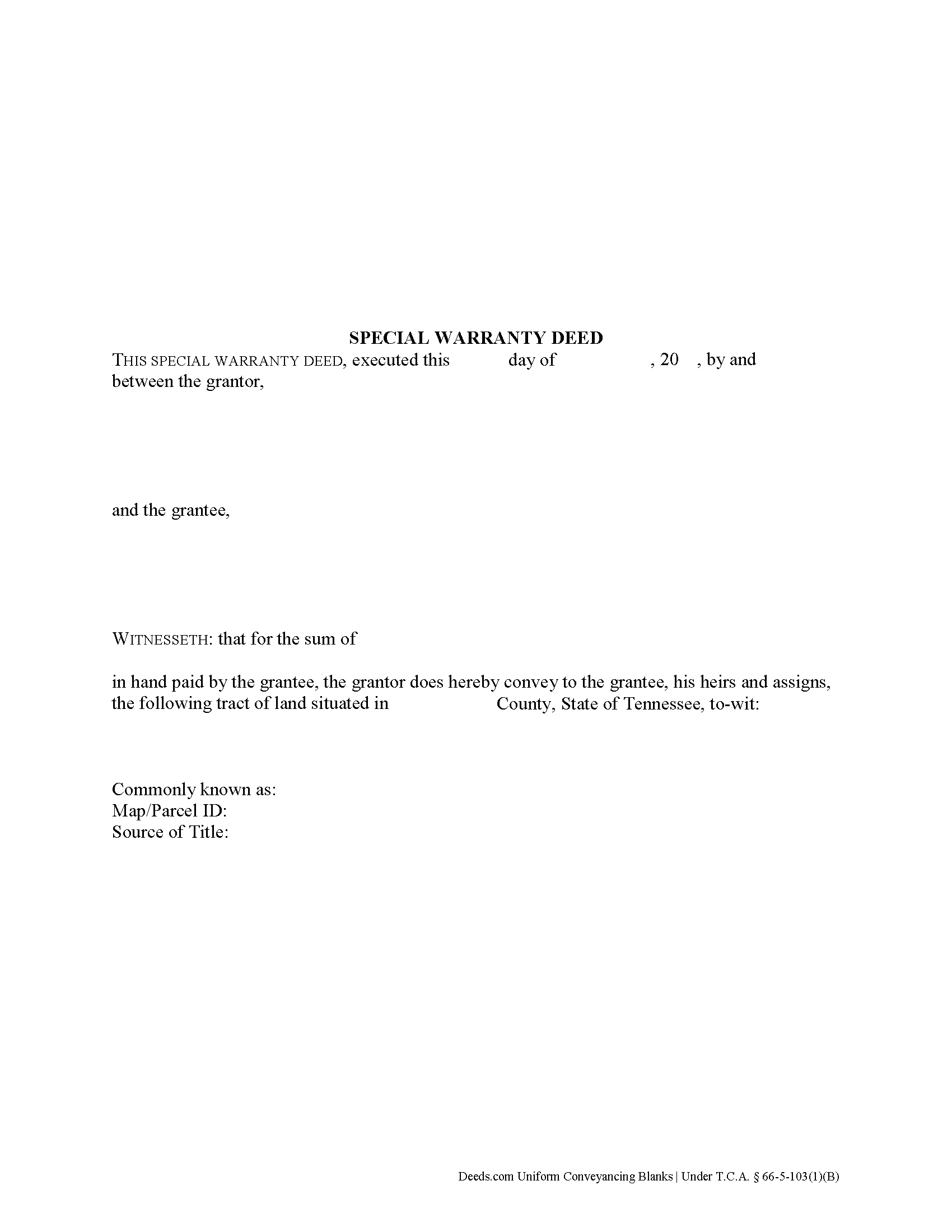
Clay County Special Warranty Deed Form
Fill in the blank form formatted to comply with all recording and content requirements.
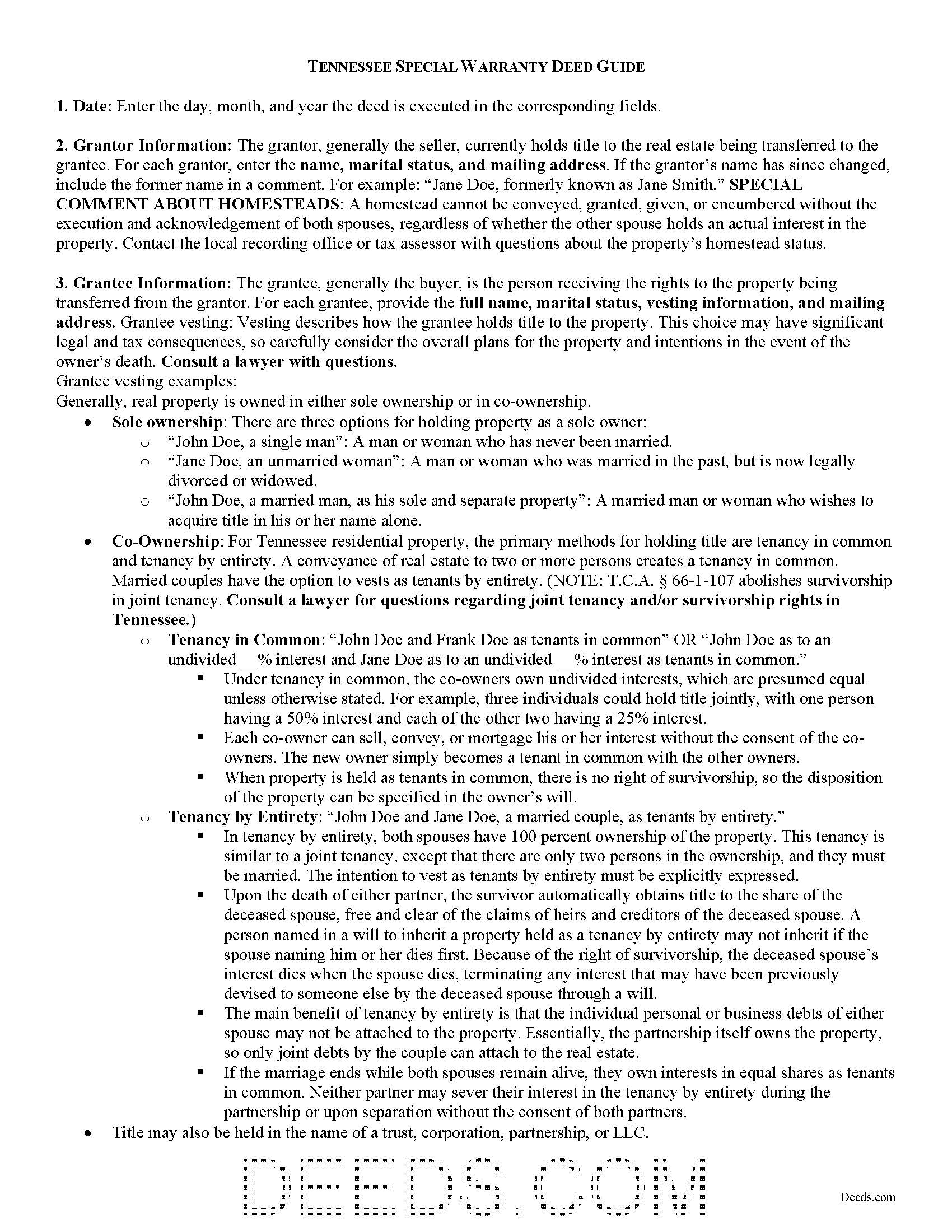
Clay County Special Warranty Deed Guide
Line by line guide explaining every blank on the form.
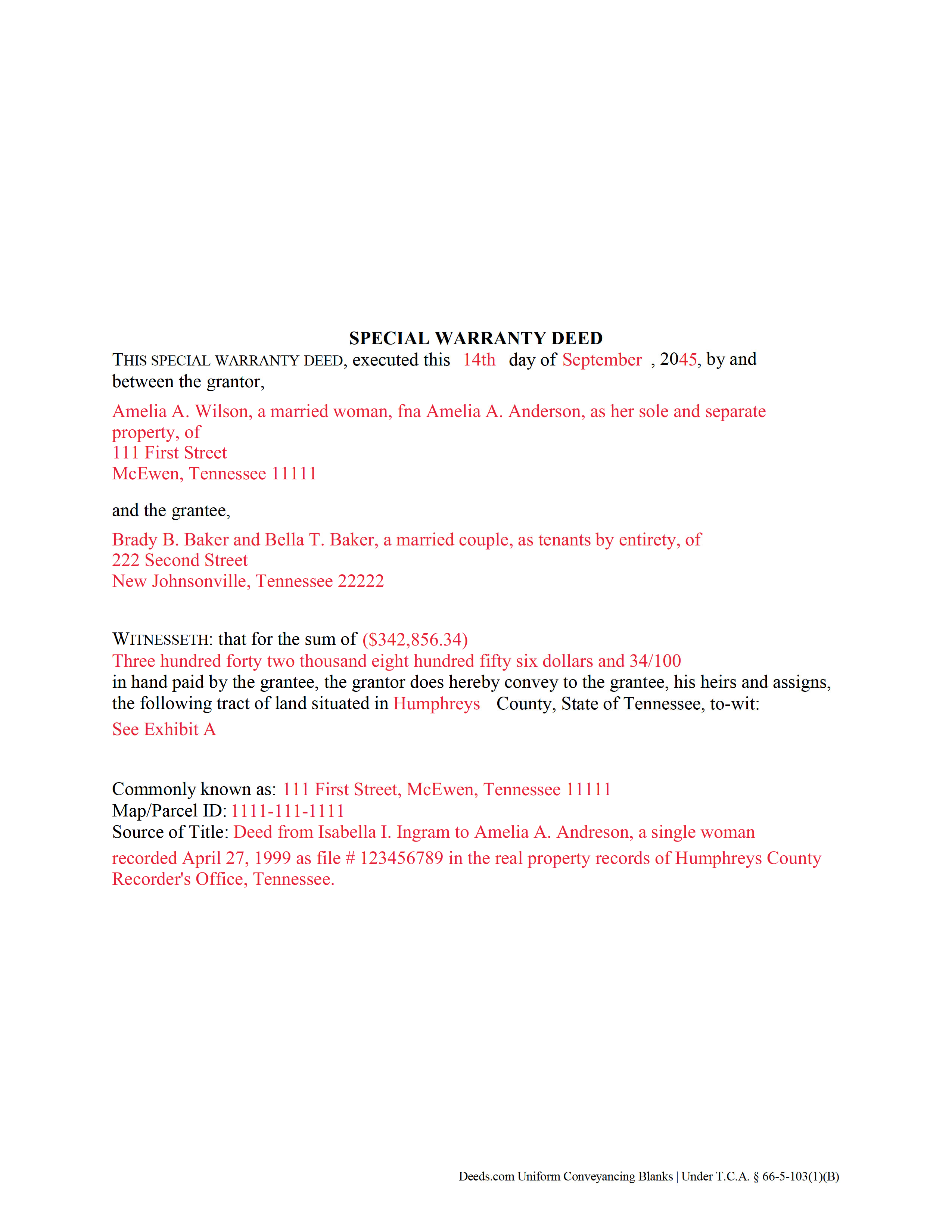
Clay County Completed Example of the Special Warranty Deed Document
Example of a properly completed form for reference.
All 3 documents above included • One-time purchase • No recurring fees
Immediate Download • Secure Checkout
Additional Tennessee and Clay County documents included at no extra charge:
Where to Record Your Documents
Clay County Register of Deeds
Celina, Tennessee 38551
Hours: 8:30 to 4:30 M-F
Phone: (931) 243-3298
Recording Tips for Clay County:
- Bring your driver's license or state-issued photo ID
- Ensure all signatures are in blue or black ink
- Both spouses typically need to sign if property is jointly owned
- Bring extra funds - fees can vary by document type and page count
- Check margin requirements - usually 1-2 inches at top
Cities and Jurisdictions in Clay County
Properties in any of these areas use Clay County forms:
- Celina
- Moss
Hours, fees, requirements, and more for Clay County
How do I get my forms?
Forms are available for immediate download after payment. The Clay County forms will be in your account ready to download to your computer. An account is created for you during checkout if you don't have one. Forms are NOT emailed.
Are these forms guaranteed to be recordable in Clay County?
Yes. Our form blanks are guaranteed to meet or exceed the applicable formatting requirements used for recording in Clay County, including margin requirements, font requirements, and other layout standards. This guarantee applies to formatting, not to the legal sufficiency of information entered by the user or the suitability of a form for a particular transaction.
Can I reuse these forms?
Yes. You can reuse the forms for your personal use. For example, if you have multiple properties in Clay County you only need to order once.
What do I need to use these forms?
The forms are PDFs that you fill out on your computer. The free Adobe Acrobat Reader is recommended, and most PDF apps also work. You do NOT enter your property information online - you download the blank forms and complete them privately on your own computer.
Are there any recurring fees?
No. This is a one-time purchase. Nothing to cancel, no memberships, no recurring fees.
How much does it cost to record in Clay County?
Recording fees in Clay County vary. Contact the recorder's office at (931) 243-3298 for current fees.
Questions answered? Let's get started!
In Tennessee, title to real property can be transferred from one party to another using a special warranty deed. When recorded, a special warranty deed conveys an interest in real property to the named grantee with limited warranties of title.
In Tennessee, special warranty deeds are statutory. They must use the term "convey," as well as contain specific covenant language that the grantor is "seized and possessed of this land, and [has] a right to convey it." The deed warrants "the title against all persons claiming under [him or her]" (T.C.A. 66-5-103(1)(B)). This means that the deed will not protect the grantee against title issues that arose prior to the time the grantor acquired title.
A lawful special warranty deed includes the grantor's full name, mailing address, and marital status, the consideration given for the transfer, and the grantee's full name, marital status, vesting, and mailing address. Vesting describes how the grantee holds title to the property. Generally, real property is owned in either sole ownership or in co-ownership. For Tennessee residential property, the primary methods for holding title are tenancy in common and tenancy by entirety. A conveyance of real estate to two or more persons creates a tenancy in common. Married couples have the option to vests as tenants by entirety. T.C.A. 66-1-107 abolishes survivorship in joint tenancy. Consult a lawyer for questions regarding joint tenancy and/or survivorship rights in Tennessee.
As with any conveyance of realty, a special warranty deed requires a complete legal description of the parcel. Recite the prior deed reference to maintain a clear chain of title, and detail any restrictions associated with the property. The deed must be acknowledged by the grantor (and his or her spouse, if applicable) in the presence of a notary. Finally, the deed must meet all state and local standards for recorded documents.
Record the original completed deed, along with any additional materials, at the recorder's office in the county where the property is located. Recordation taxes are due upon recording. See 67-4-409 for exemptions. Refer to the same statute and contact the appropriate recorder's office for information on up-to-date fees.
This article is provided for informational purposes only and is not a substitute for the advice of an attorney. Contact a Tennessee lawyer with any questions related to the transfer of real property.
(Tennessee SWD Package includes form, guidelines, and completed example)
Important: Your property must be located in Clay County to use these forms. Documents should be recorded at the county recording office listed above.
This Special Warranty Deed meets all recording requirements specific to Clay County.
Our Promise
The documents you receive here are guaranteed to meet or exceed the applicable Clay County recording format requirements. If there is a rejection caused by our formatting, we will correct the issue or refund your payment. This guarantee applies to document formatting only and does not extend to information entered by the user, the selection of the form, or the legal effect of the completed document.
Save Time and Money
Get your Clay County Special Warranty Deed form done right the first time with Deeds.com Uniform Conveyancing Blanks. At Deeds.com, we understand that your time and money are valuable resources, and we don't want you to face a penalty fee or rejection imposed by a county recorder for submitting nonstandard documents. We constantly review and update our forms to meet rapidly changing state and county recording requirements for roughly 3,500 counties and local jurisdictions.
4.8 out of 5 - ( 4,845 Reviews )
Earnest K. 4 out of 5 stars
I used the "personal representative's deed." There were a few errors, after I went to record it at the county recorder's office. For #7, it should've stated "The estate of Joe Schmoe, hereby grants Mr. Personal Representative....." instead of, "I Mr. Personal Representative, as personal representative, hereby grant to personal representative...." The person at the recorder's office said you cannot state "you are granting property to yourself." Just fix that, and everything else is fine.
Your insights are invaluable to us and help us strive for better service. Thank you for taking the time to share your thoughts.
Shana D. 5 out of 5 stars
I ordered the wrong forms because I didn't do enough research to understand what I needed. Their customer service was more understanding than I deserved.
Thank you!
Richard H. 5 out of 5 stars
Thank You! Very informative and helpful!
We appreciate your business and value your feedback. Thank you. Have a wonderful day!
Jana H. 5 out of 5 stars
I love this recording service! They are so fast and let me know in advance if they think something is wrong and will be rejected! They are reasonably priced too!
We appreciate your business and value your feedback. Thank you. Have a wonderful day!
Margaret T. 5 out of 5 stars
Had a difficult time finding my download after purchase. Thankfully I had printed the form and had. However it was read only and I'm not experienced enough to be able to change that. So I went into my word program and typed in the form. I should be able to use it for my purpose. Just glad I was finally able to find it after hours of searching online. I'm in my 70's and not real computer intelligent which may have been part of the problem
Sorry to hear of your struggle Margaret, we will try harder to make our forms easier for everyone.
Richard W. 5 out of 5 stars
Very happy I tried your service/product. The quit deed forms were excepted by the register of deeds with no issue. Thank You
We appreciate your business and value your feedback. Thank you. Have a wonderful day!
Charles F. 5 out of 5 stars
Hi Please do not take time to respond to my previous inquiry - - - I figured it out. Deeds.com is a great tool for those of us who have occasional need for your type of services. Thanks ! Chuck
Thank you!
Heleena C. 5 out of 5 stars
The free additional forms that came with the form I ordered were invaluable as well. Worth every penny!
We appreciate your business and value your feedback. Thank you. Have a wonderful day!
Sara R. 5 out of 5 stars
Worked well for me to create a deed for a house I inherited. It was very thorough and easy to use. I have no experience with the law so I just googled terms I didn't understand and was fine. I also called land records a lot and ended up not needing a lot of the material included, but it was still good to have it.
We appreciate your business and value your feedback. Thank you. Have a wonderful day!
Martha V. 5 out of 5 stars
Great service!
We appreciate your business and value your feedback. Thank you. Have a wonderful day!
Martin T. 5 out of 5 stars
The deed I needed was available to me easily. I was able to fill it out with the help of the example deed provided. I am very satisfied with the value received for the price paid.
Thank you!
Gloria C. 5 out of 5 stars
AMazing service. Fast and affordable.
We appreciate your business and value your feedback. Thank you. Have a wonderful day!
Tim T. 3 out of 5 stars
Although I am sure that the Quit Claim form was acceptable for my county, I felt that it was not formatted in the manor that I have seen while viewing the other deeds recorded. So that forms that I received were not useful to me.
Thank you for your feedback. We really appreciate it. Have a great day!
Carol F. 5 out of 5 stars
Instructions were easy to follow and it was reasonable
Thank you for your feedback. We really appreciate it. Have a great day!
Marsella F. 5 out of 5 stars
Thank you so much!! This is a fantastic tool!! Marsella F.
Thank you for your feedback. We really appreciate it. Have a great day!